

Recensione di Jira Service Management 2026: Opinione dell’Esperto
Atlassian Jira Service Management offre al tuo team capacità di gestione dei servizi efficienti, distinguendosi per la sua flessibilità e le opzioni di integrazione.

Recensiamo gli strumenti in modo indipendente e le commissioni ci aiutano a finanziare i nostri test. Consulta la nostra politica sulla trasparenza, la nostra metodologia, oppure suggerisci uno strumento.
Jira Service Management is a service management software built for IT and DevOps teams that need to handle incident management, change requests, and service requests in one place. It's worth a close look if your team already works in the Atlassian ecosystem and needs tight alignment between development and IT operations. Compared to ServiceNow, JSM delivers most of the same ITSM capabilities at a lower cost and with a faster setup—without requiring a dedicated implementation partner to get it running.
Jira Service Management Evaluation Summary

4/5
- From $25/user/month
- Free plan + 14-day free trial available
Perché fidarsi dei nostri consigli sui software
6,700+
Reviews
20
Industry experts
16+
Evaluation factors
14
Years
Il nostro team testa e recensisce software dal 2012. In quanto leader tecnologici noi stessi, sappiamo quanto sia difficile — e importante — scegliere il software giusto.
Per questa guida, abbiamo valutato gli strumenti attraverso test praticie ricerche indipendenti, assegnando un punteggio agli strumenti in base ai nostri criteri di selezione.
Le nostre recensioni riflettono il nostro giudizio editoriale umano, non un discorso di vendita.
Revisori esperti:
- Paulo Gardini MiguelDirettore tecnico
 Tim FisherVP dell'IA
 Gabriel RosasTech Lead e architetto software
 Christhian GruhnTech Lead e architetto della piattaforma

Jira Service Management Overview
Jira Service Management excels with its robust integration capabilities, making it a top choice for teams needing seamless collaboration.
Pros
- Highly customizable workflows, automations, forms, and service processes.
- Deep integration with the Atlassian ecosystem and development tools.
- Strong incident management, on-call scheduling, and alerting capabilities.
Cons
- Steeper learning curve for administrators and new users.
- Configuration and ongoing administration can become time-consuming.
- Best experience often depends on broader Atlassian adoption.
Is Jira Service Management Right For Your Needs?
Who Would be a Good Fit for Jira Service Management?
If your team manages IT services or works in customer support, Atlassian Jira Service Management is a great fit. It suits industries like technology and finance where quick response times are crucial. Its customizable workflows and strong collaboration tools make it ideal for teams needing flexible processes. Large departments with complex service management needs will benefit from its comprehensive features, helping you streamline tasks and improve efficiency.
- Large EnterprisesIt provides the scalability and comprehensive tools needed for managing extensive service operations.
- Atlassian Ecosystem UsersIf you're already using tools like Jira Software, Confluence, or Bitbucket, it integrates seamlessly into your existing workflows.
- On-Premise or Data Center EnvironmentsSupports organizations that require on-premise or self-managed deployments for compliance or infrastructure control.
- DevOps and Engineering TeamsNative connections to Jira Software, Bitbucket, and development workflows help bridge IT operations and software delivery.
- Highly Customizable Workflow Needs (JQL Users)Ideal for teams that need granular control and are comfortable using JQL and advanced configurations to tailor the platform.
- IT DepartmentsYour IT team can leverage its robust incident management features to resolve issues swiftly.
Who Would be a Bad Fit for Jira Service Management?
Small businesses or teams with limited resources might struggle with Atlassian Jira Service Management. Its complex interface and steep learning curve can overwhelm those without dedicated IT support. If your team doesn't require extensive customization or advanced features, you might find its capabilities excessive. Organizations needing quick setup and straightforward processes may find it more cumbersome than beneficial.
- Small StartupsIts complexity and resource demands can be overwhelming for small teams with fewer resources.
- Non-Technical TeamsIf your team lacks technical expertise, the learning curve may hinder effective use.
- Simple OperationsFor straightforward tasks, its advanced features may be more than you need.
- Retail BusinessesIt might not align well with the fast-paced, customer-facing nature of retail operations.
- Single-Person DepartmentsA solo operator won't likely benefit from its collaboration-focused features.
- Ad-Hoc ProjectsIf your work involves informal, quick-turnaround projects, its structured approach may slow you down.
La Nostra Metodologia di Recensione
Come Testiamo e Valutiamo gli Strumenti
Abbiamo trascorso anni a costruire, perfezionare e migliorare il nostro sistema di testing e valutazione del software. Il nostro schema è progettato per cogliere le sfumature della selezione software e cosa rende efficace uno strumento, focalizzandosi sugli aspetti critici del processo decisionale.
Di seguito, puoi vedere esattamente come funziona il nostro testing e punteggio su sette criteri. Ci permette di offrire una valutazione imparziale del software basata su funzionalità principali, caratteristiche distintive, facilità d’uso, onboarding, assistenza clienti, integrazioni, recensioni dei clienti e rapporto qualità-prezzo.
Funzionalità Principali (25% del punteggio finale)
Il punto di partenza della nostra valutazione è sempre la funzionalità principale dello strumento. Ha le funzioni e caratteristiche base che ci si aspetta? Alcune di queste caratteristiche sono limitate ai piani tariffari superiori? Fondamentalmente, ci aspettiamo che uno strumento regga il confronto rispetto alle capacità di base dei concorrenti.
Caratteristiche Distintive (25% del punteggio finale)
Successivamente, valutiamo le caratteristiche distintive e non comuni che vanno oltre la funzionalità base tipicamente trovata negli strumenti di questa categoria. Un punteggio alto riflette funzionalità specializzate o uniche che rendono il prodotto più veloce, efficiente o offrono ulteriore valore all’utente.
Valutiamo inoltre quanto sia semplice integrare altri strumenti tipicamente utilizzati nell’infrastruttura tecnologica per espandere la funzionalità e l’utilità del software. Gli strumenti che offrono numerose integrazioni native, connessioni di terze parti e accesso API per creare integrazioni personalizzate ottengono i punteggi migliori.
Facilità d’Uso (10% del punteggio finale)
Consideriamo quanto sia rapido e semplice svolgere i compiti definiti nella funzionalità principale utilizzando lo strumento. Il software con punteggio alto è ben progettato, intuitivo da usare, offre app mobili, fornisce modelli e rende semplici attività relativamente complesse.
Onboarding (10% del punteggio finale)
Sappiamo quanto sia importante l’adozione rapida da parte del team per una nuova piattaforma, quindi valutiamo quanto sia facile imparare e utilizzare uno strumento con formazione minima. Valutiamo quanto velocemente un membro del team possa iniziare a usare lo strumento anche senza esperienza. Soluzioni con punteggio alto indicano che sono richiesti pochi o nessun supporto.
Assistenza Clienti (10% del punteggio finale)
Esaminiamo quanto sia veloce e facile ricevere assistenza e risolvere problemi tramite telefono, live chat o knowledge base. Gli strumenti e le aziende che garantiscono supporto in tempo reale ottengono il miglior punteggio, mentre i chatbot ottengono il peggiore.
Recensioni dei Clienti (10% del punteggio finale)
Oltre ai nostri test e valutazioni, prendiamo in considerazione il net promoter score dei clienti attuali e passati. Valutiamo la probabilità che, data la scelta, selezionerebbero nuovamente lo strumento per la funzionalità principale. Un software con punteggio alto riflette un alto net promoter score da parte dei clienti attuali o passati.
Rapporto Qualità-Prezzo (10% del punteggio finale)
Infine, considerando tutti gli altri criteri, analizziamo il prezzo medio dei piani base rispetto alle funzionalità principali e consideriamo il valore degli altri criteri di valutazione. Il software che offre di più a meno otterrà un punteggio più alto.
Core Features
Incident Management
It helps your team respond to incidents quickly and efficiently, minimizing downtime. You can track, manage, and resolve issues with full visibility into your processes.
Change Management
This feature allows you to manage changes with minimal risk. It provides a structured workflow to help your team implement changes smoothly.
Service Request Management
You can handle customer requests effectively with a streamlined request process. This feature ensures that your team meets user needs promptly.
Problem Management
Identify and manage the root cause of incidents to prevent future issues. It supports proactive problem-solving by analyzing incident patterns.
Asset Management
Track and manage your assets through their lifecycle. This feature gives you a clear view of your resources, helping you plan and allocate effectively.
Knowledge Management
Create and share knowledge articles to empower your team and users. It facilitates self-service and reduces the workload on your service desk.
Ease of Use
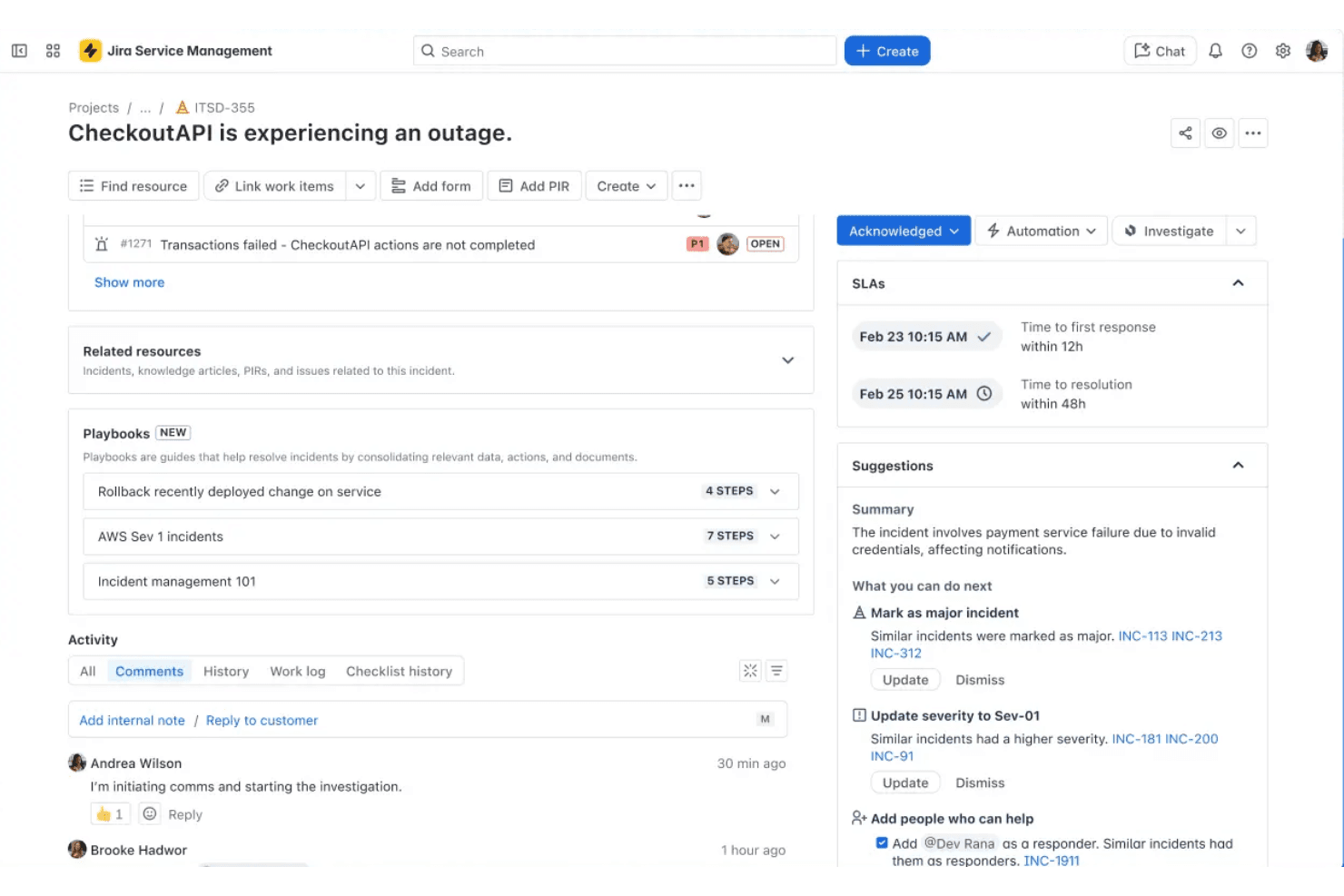
Jira Service Management offers a range of powerful features, but its complexity can be daunting for new users. The interface is rich with options, which might overwhelm those without technical expertise. While its customization capabilities are a strength, they can complicate initial setup and navigation. Once you get familiar with the system, however, you'll find its robust functionality supports efficient service management. Your team may need time to adjust, but the long-term benefits are worthwhile.
Integrations
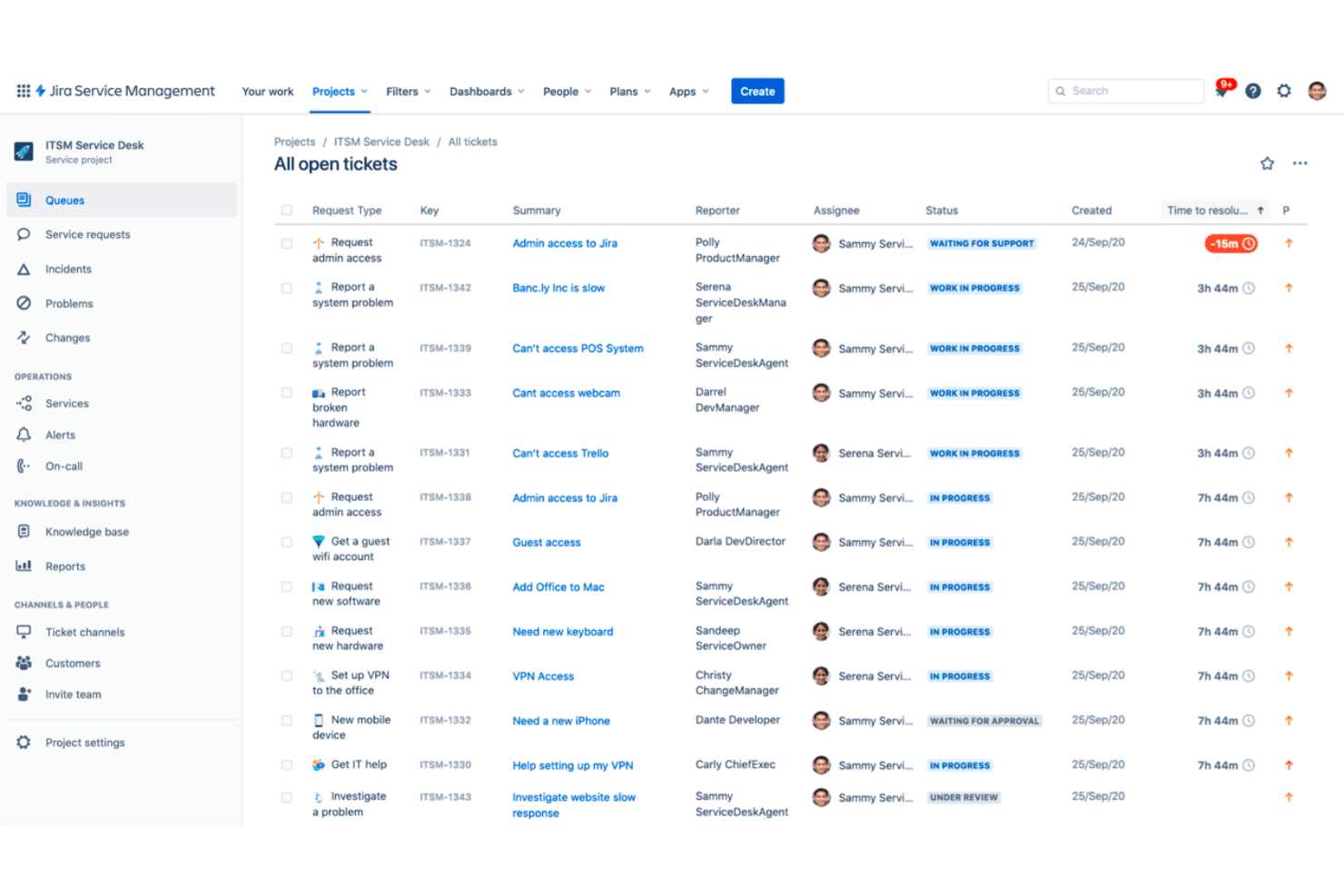
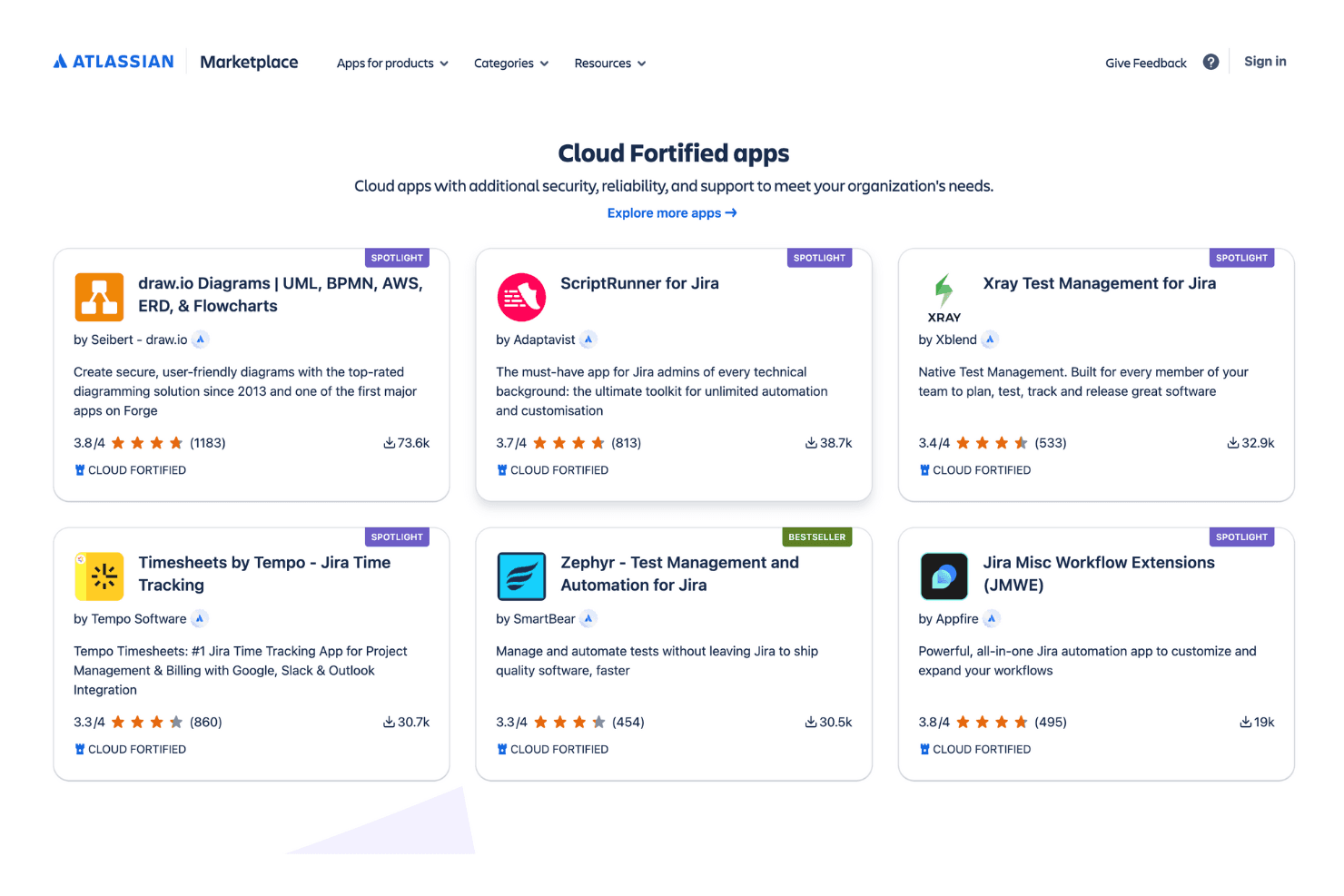
Integrations include Slack, Microsoft Teams, Confluence, Zendesk, ServiceNow, Zoom, Trello, GitHub, Bitbucket, Opsgenie, PagerDuty, and Jira Software.
Jira Service Management Specs
- 2-Factor Authentication: Yes
- Analytics: Yes
- Anti-Virus: No
- API: Yes
- Batch Permissions & Access: Yes
- Bug Tracking: Yes
- Call Integration: Yes
- Chat: Yes
- Contact Management: Yes
- CRM Integration: Yes
- Customer Management: Yes
- Data Export: Yes
- Data Import: Yes
- Email Integration: Yes
- Escalation Management: Yes
- External Integrations: Yes
- Incident Management: Yes
- Instant Chat Integration: Yes
- Knowledge Base: Yes
- Malware Protection: No
- Multi-User: Yes
- Notifications: Yes
- Organization Management: Yes
- Password & Access Management: Yes
- Project Management: Yes
- Real-time Alerts: Yes
- SAP Integration: Yes
- Self-service Portal: Yes
- Social Media Integration: Yes
- Support Forum: Yes
- Ticket Management: Yes
- Workflow Management: Yes
Alternatives to Jira Service Management


Jira Service Management FAQs
E ora?
Fai crescere il tuo SaaS e migliora le tue capacità di leadership. Iscriviti alla nostra newsletter per ricevere gli ultimi approfondimenti da CTO e aspiranti leader tecnologici. Ti aiuteremo a scalare in modo più intelligente e guidare con maggiore determinazione, grazie a guide, risorse e strategie dei migliori esperti!