

Avis sur Valimail : avantages, inconvénients, fonctionnalités et tarification expliqués
I dive into how Valimail turns DMARC from a technical headache into a streamlined solution, revealing where it truly stands out—and what you should watch for before you commit.

Nous évaluons les outils indépendamment ; les commissions aident à financer nos tests. Consultez notre politique de transparence et notre méthodologie.
Valimail is DMARC software for organizations that need to authenticate outbound email, prevent domain spoofing, and reach DMARC enforcement without manually managing SPF and DKIM records. I'd consider it over a tool like Proofpoint Email Fraud Defense if you want automated DNS-based authentication and a faster path to enforcement without the heavier configuration and consulting overhead that enterprise suites often bring. As a DMARC solution it leans on automation rather than consulting hours, which is the main reason DMARC management stops being a standing quarterly project.
Valimail Evaluation Summary
4.5/5
- Pricing upon request
- Free plan available
Pourquoi faire confiance à nos recommandations de logiciels
6,700+
Reviews
20
Industry experts
16+
Evaluation factors
14
Years
Notre équipe teste et évalue des logiciels depuis 2012. En tant que leaders technologiques nous-mêmes, nous savons à quel point il est difficile — et important — de choisir le bon logiciel.
Pour ce guide, nous avons évalué les outils grâce à des tests pratiques et une recherche indépendante, en notant les outils selon nos critères de sélection.
Nos avis reflètent notre jugement éditorial humain, et non un argumentaire de vente.
Réviseurs experts:
- Paulo Gardini MiguelDirecteur technique
 Tim FisherVP de l'IA
 Gabriel RosasTech Lead et architecte logiciel
 Christhian GruhnTech Lead et architecte plateforme

Valimail Overview
I think Valimail is a top pick if you want DMARC enforcement that minimizes manual work and accelerates deployment. Its automation, clear interface, and integration with Microsoft 365 make it easier for IT teams to roll out quickly compared to tools that require more hands-on management. Getting from monitoring to p=reject is the whole job, and the way it parses DMARC reports for you is what shortens that path. You give up some advanced customization and reporting, and pricing is on the premium side, but I’d select it when you need to protect a complex mail environment without sinking lots of hours into DNS management or training.
Pros
- Automates SPF and DKIM management for rapid DMARC enforcement
- Provides detailed sender discovery diagnostics for unknown sources
- Responsive support team assists with complex domain configurations
Cons
- Limited customization for advanced reporting dashboards
- Premium pricing compared to direct competitors in the market
- Some users report delays in processing DNS changes
Is Valimail Right For Your Needs?
Who Would be a Good Fit for Valimail?
Valimail is a great fit for organizations that have broad, multi-domain email infrastructures and need end-to-end visibility of third-party senders. I think IT and security teams working at scale get a lot from Valimail’s automated sender discovery and guided policy enforcement. The platform’s focus on compliance and in-depth support makes it valuable for regulated sectors, growing enterprises, and teams that don’t want to allocate extra resources to DMARC administration. If Brand Indicators for Message Identification is on your roadmap, reaching enforcement first is mandatory, and a VMC follows from there.
- Financial ServicesValimail’s focus on compliance and automation helps financial institutions secure customer communications and meet regulatory standards.
- Large EnterprisesCentralized management of sender policies, scalability, and workflow delegation tools support complex IT environments with many domains and stakeholders.
- Higher EducationEasy onboarding and discovery features simplify DMARC adoption for universities with distributed IT and diverse email sources.
- Healthcare ProvidersAutomated compliance monitoring and granular reporting address HIPAA-driven security and privacy mandates in medical organizations.
- IT DepartmentsValimail automates sender discovery and policy setup, which saves manual effort and reduces ongoing maintenance.
- SaaS ProvidersFrequent integration with multiple platforms and outbound tools makes Valimail’s third-party sender management especially useful.
Who Would be a Bad Fit for Valimail?
Valimail may not be ideal for organizations with very simple or highly specialized email environments, or for those unwilling to invest in enterprise-grade solutions. I think businesses with resource constraints or narrow DMARC needs could find Valimail’s advanced features unnecessary for what they require. Smaller teams or industries with limited compliance focus might prefer a lighter DMARC vendor with fewer features or lower pricing.
- Very Small BusinessesThe platform’s rich features and enterprise plans can exceed the needs and budgets of small firms with only one or two email domains.
- Nonprofit OrganizationsOrganizations with minimal compliance requirements may find Valimail’s advanced controls unnecessary for simple sender setups.
- FreelancersValimail’s cost and multipoint management tools aren’t right for individuals who only manage their own domain.
- Ecommerce StartupsEarly-stage businesses without dedicated IT might struggle with the commitment Valimail’s platform expects.
- Marketing AgenciesAgencies that mainly need basic SPF and DKIM checking may find Valimail’s automation tools more than they need.
- Government Agencies With Custom ProtocolsPublic sector organizations using non-standard or legacy protocols might not find seamless support for non-mainstream infrastructures.
Notre méthodologie d'évaluation
Comment nous testons et notons les outils
Nous avons passé des années à développer, affiner et améliorer notre système de test et de notation des logiciels. Cette grille d’évaluation est conçue pour saisir les subtilités de la sélection des logiciels et ce qui rend un outil efficace, en se concentrant sur les aspects critiques du processus de décision.
Vous trouverez ci-dessous le détail de notre processus de test et de notation sur sept critères. Cela nous permet de fournir une évaluation impartiale du logiciel basée sur les fonctionnalités principales, les caractéristiques distinctives, la facilité d’utilisation, l’intégration, l’accompagnement lors de la prise en main, le support client, les avis utilisateurs et le rapport qualité-prix.
Fonctionnalité principale (25% de la note finale)
Le point de départ de notre évaluation est toujours la fonctionnalité principale de l’outil. Possède-t-il les fonctions de base auxquelles un utilisateur s’attend ? Certaines de ces fonctionnalités principales sont-elles limitées à des forfaits plus chers ? Nous attendons d’un outil qu’il soit au moins à la hauteur des capacités de base de ses concurrents.
Fonctionnalités remarquables (25% de la note finale)
Ensuite, nous évaluons les fonctionnalités exceptionnelles qui dépassent la fonctionnalité de base habituellement trouvée dans ce type d’outil. Un score élevé reflète des fonctionnalités spécialisées ou uniques rendant le produit plus rapide, plus efficace ou apportant une valeur ajoutée à l’utilisateur.
Nous évaluons aussi la facilité d’intégration avec d’autres outils courants dans la pile technologique pour élargir les fonctionnalités et l’utilité du logiciel. Les outils dotés de nombreuses intégrations natives, de connexions tierces et d’un accès API facilitant des intégrations personnalisées obtiennent les meilleurs scores.
Facilité d’utilisation (10% de la note finale)
Nous considérons la rapidité et la simplicité d’exécution des tâches principales avec l’outil. Les logiciels les mieux notés sont bien conçus, intuitifs, proposent des applications mobiles, offrent des modèles et rendent des tâches relativement complexes très simples.
Accompagnement lors de la prise en main (10% de la note finale)
Nous savons que l’adoption rapide d’une nouvelle plateforme au sein d’une équipe est cruciale. Nous évaluons donc la facilité avec laquelle un nouvel utilisateur peut apprendre et utiliser un outil avec un minimum de formation. Les meilleures solutions permettent une mise en route rapide, sans nécessité de support.
Support client (10% de la note finale)
Nous analysons la facilité et la rapidité avec lesquelles il est possible d’obtenir de l’aide par téléphone, chat en direct ou base de connaissances. Les outils et entreprises offrant une assistance en temps réel obtiennent les meilleurs scores, tandis que les chatbots sont moins bien notés.
Avis utilisateurs (10% de la note finale)
Au-delà de nos propres tests et évaluations, nous tenons compte du net promoter score des utilisateurs actuels et passés. Nous regardons la probabilité qu’ils choisiraient à nouveau l’outil pour ses fonctionnalités principales. Un logiciel bien noté reflète un net promoter score élevé.
Rapport qualité-prix (10% de la note finale)
Enfin, en tenant compte de tous les autres critères, nous examinons le prix moyen des forfaits d’entrée de gamme par rapport aux fonctionnalités principales et à la valeur des autres critères. Un logiciel offrant plus, pour moins cher, obtiendra un meilleur score.
Core Features
Automated DMARC Enforcement
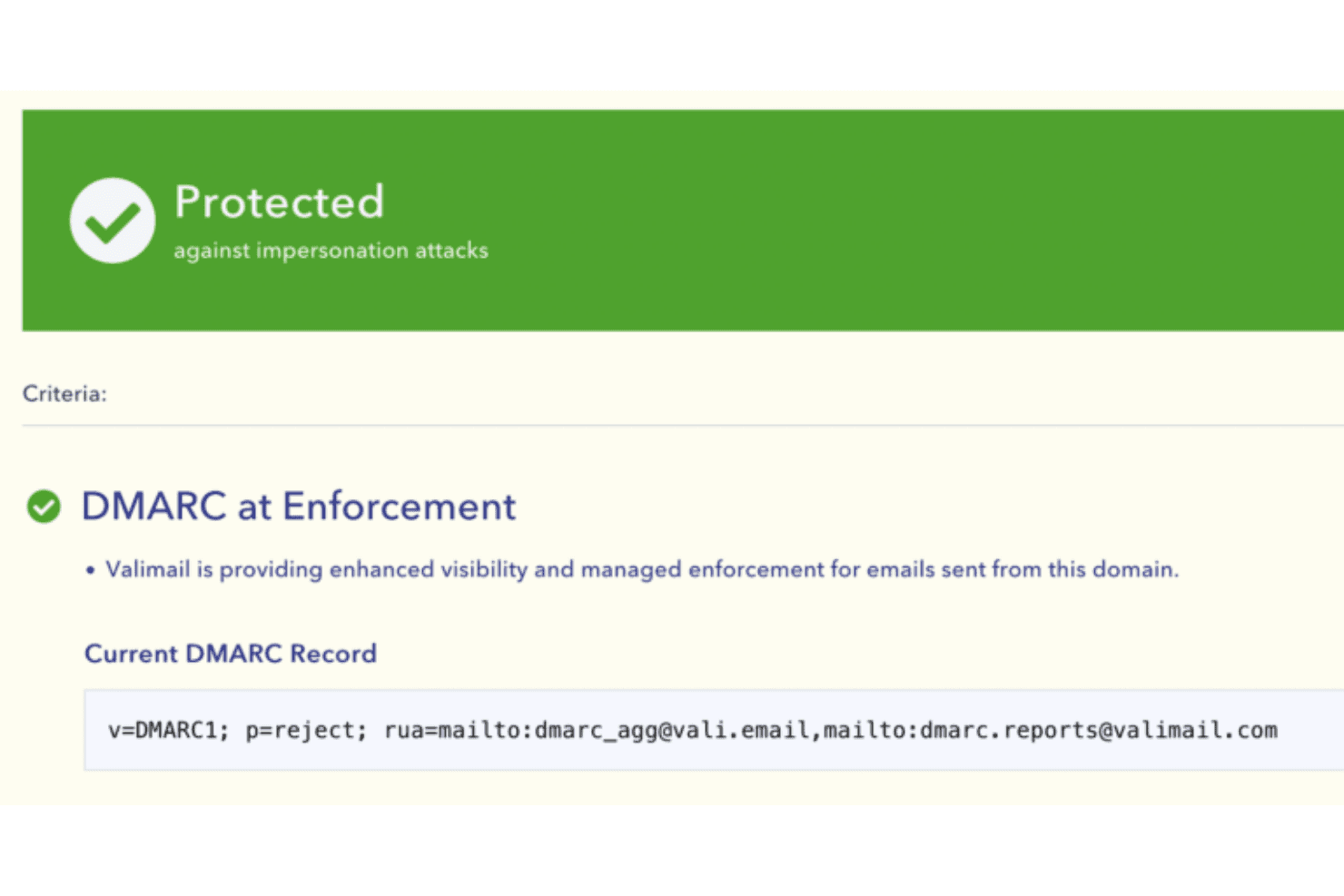
Automatically moves domains to DMARC enforcement using proprietary automation. This helps organizations quickly achieve full protection without manual policy updates.
Sender Discovery and Analysis
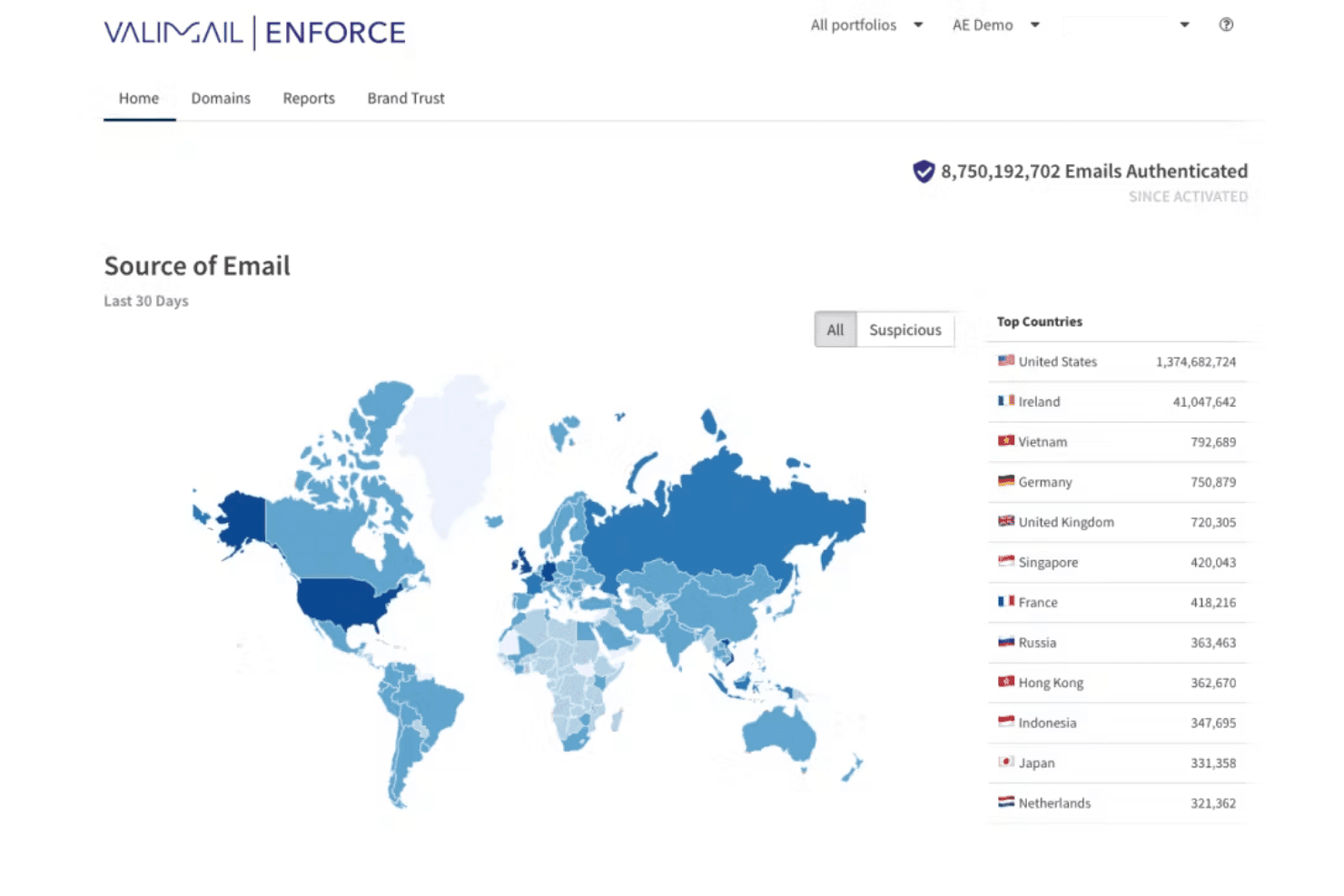
Finds and maps every legitimate and unauthorized email sender for your domains. Users get a clear list of each source, IP address, and service to eliminate blind spots.
Self-Service Policy Management
Update, enforce, or relax DMARC policies with a few clicks. DMARC monitoring runs alongside, so you never touch a DNS TXT record directly.
Real-Time Monitoring and Alerts
Valimail Monitor delivers ongoing visibility into authentication status through a live dashboard. It notifies you immediately about authentication failures or threats.
Identity-Based Email Authentication
Ties authentication to identities instead of IPs or mail servers. This makes it easier to keep up with complex and changing cloud or hybrid environments.
Guided Onboarding and Support
Guides users step by step to full DMARC enforcement with in-app help and expert support. Even teams with limited email security experience can reach compliance swiftly.
Ease of Use
Valimail stands out for user-friendliness, thanks to its automated enforcement workflows and visual tools that simplify complex DMARC tasks. I’ve seen users highlight how its sender discovery feature and guided onboarding save time, while the clear dashboard helps spot authentication issues fast. As a DMARC platform it also nudges email deliverability in the right direction, since properly authenticated mail lands more reliably. Even teams with limited email security experience say they’re able to reach compliance without outside consultants.

Integrations
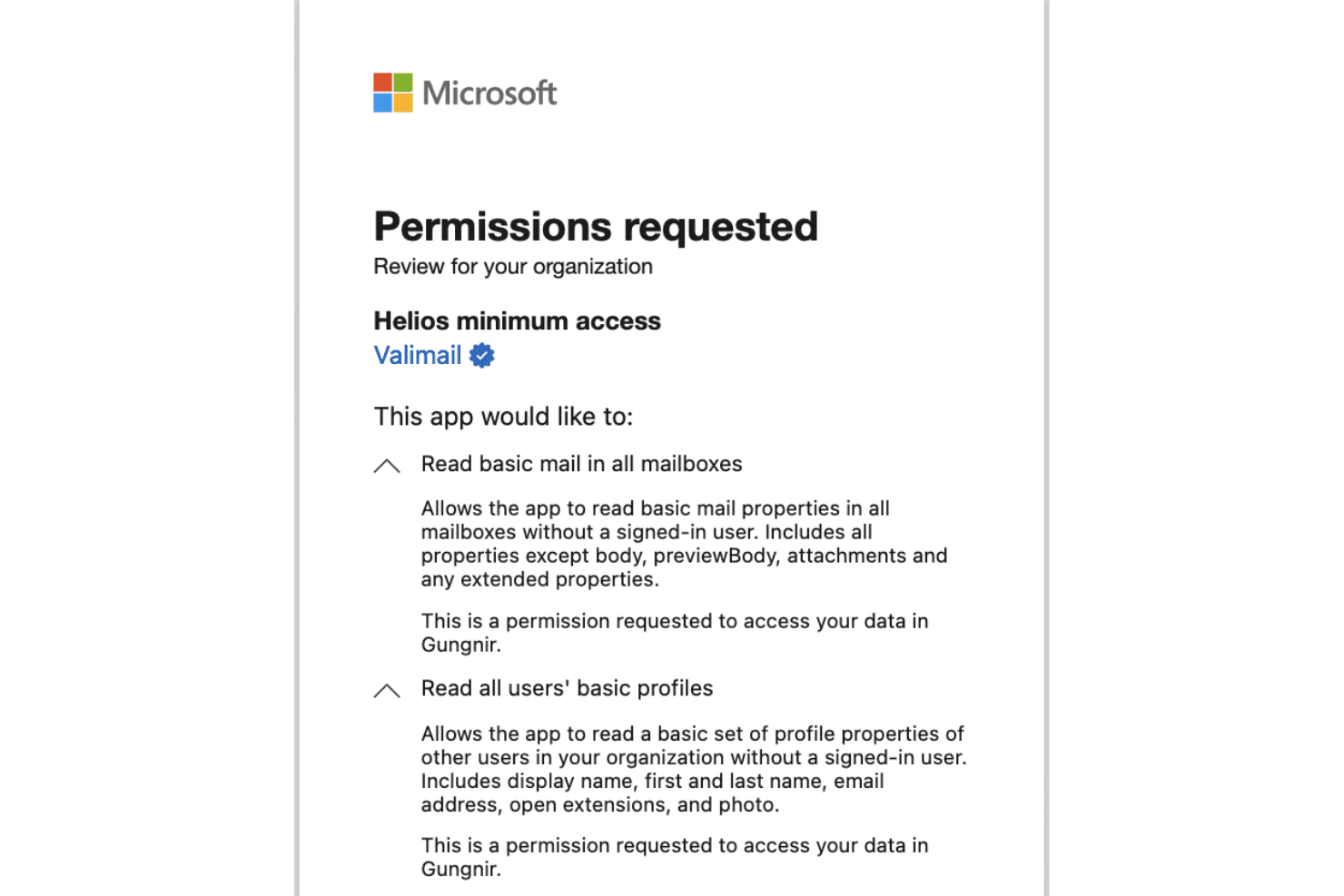
Valimail offers documented integrations with Microsoft 365, Google Workspace, and Microsoft Sentinel. It also provides APIs that support custom workflows, reporting, and configuration.
Valimail Specs
- 2-Factor Authentication: Yes
- Accounts Payable: Yes
- Accounts Receivable: Yes
- API: Yes
- Approval Workflows: Yes
- Balance Sheet: Yes
- Billing/Invoicing: Yes
- Budgeting: Yes
- Calendar Management: Yes
- Comparative Reporting: Yes
- CRM Integration: Yes
- Custom Reports: Yes
- Customer Management: Yes
- Dashboard: Yes
- Data Export: Yes
- Data Import: Yes
- Data Visualization: Yes
- Expense Tracking: Yes
- External Integrations: Yes
- Forecasting: Yes
- General Account Ledger: Yes
- Historical Data Analysis: Yes
- Inventory Tracking: Yes
- Multi-Currency: Yes
- Multi-User: Yes
- Notifications: Yes
- P&L: Yes
- Payroll: Yes
- Scenario Planning: Yes
- Scheduling: Yes
- Supplier Management: Yes
- Tax Management: Yes
- Time Management: Yes


