
Avis sur Rippling IT 2026 : avantages, inconvénients, fonctionnalités et tarifs
I look past the MDM label to weigh Rippling IT’s device management, broader IT features, and pricing—and whether its all-in-one approach is worth it for your team.

Nous évaluons les outils indépendamment ; les commissions aident à financer nos tests. Consultez notre politique de transparence et notre méthodologie.
Rippling IT is MDM software for managing Mac and Windows devices, with device policies and actions tied to employee records. I’d consider it if your IT team needs to automate device setup and offboarding across both operating systems; compared with Apple-focused Jamf, Rippling is a better fit when you also want workforce data to trigger those workflows.
Rippling IT Evaluation Summary
4.8/5
- From $8/user/month (billed annually)
- 14-day free trial
Pourquoi faire confiance à nos recommandations de logiciels
6,700+
Reviews
20
Industry experts
16+
Evaluation factors
14
Years
Notre équipe teste et évalue des logiciels depuis 2012. En tant que leaders technologiques nous-mêmes, nous savons à quel point il est difficile — et important — de choisir le bon logiciel.
Pour ce guide, nous avons évalué les outils grâce à des tests pratiques et une recherche indépendante, en notant les outils selon nos critères de sélection.
Nos avis reflètent notre jugement éditorial humain, et non un argumentaire de vente.
Réviseurs experts:
- Paulo Gardini MiguelDirecteur technique
 Tim FisherVP de l'IA
 Gabriel RosasTech Lead et architecte logiciel
 Christhian GruhnTech Lead et architecte plateforme

Rippling IT Overview
I’d choose Rippling IT when employee records should drive device setup, policy changes, and offboarding. It manages macOS, Windows, iOS, and iPadOS, with zero-touch enrollment, remote lock and wipe, inventory reporting, and device shipping. Compared with tools focused mainly on device controls, its 650+ integrations and connected identity and IT features give it broader scope. Pricing starts at $8 per user monthly, but modules and add-ons can raise the total. Guided onboarding helps, though advanced workflows take learning; documentation is available, but support for complex cases can be uneven. I think it suits teams seeking connected IT workflows over deep device-level customization.
Pros
- Employee-triggered provisioning links device setup with offboarding workflows.
- Mac and Windows management shares policies, inventory, and remote actions.
- Device ordering, shipping, retrieval, and warehousing cover hardware lifecycle.
Cons
- IT admins report limited rollout feedback and difficult provisioning.
- Linux endpoints and servers aren’t supported by Rippling MDM.
- Modular add-on pricing can raise costs beyond the starting rate.
Is Rippling IT Right For Your Needs?
Who Would be a Good Fit for Rippling IT?
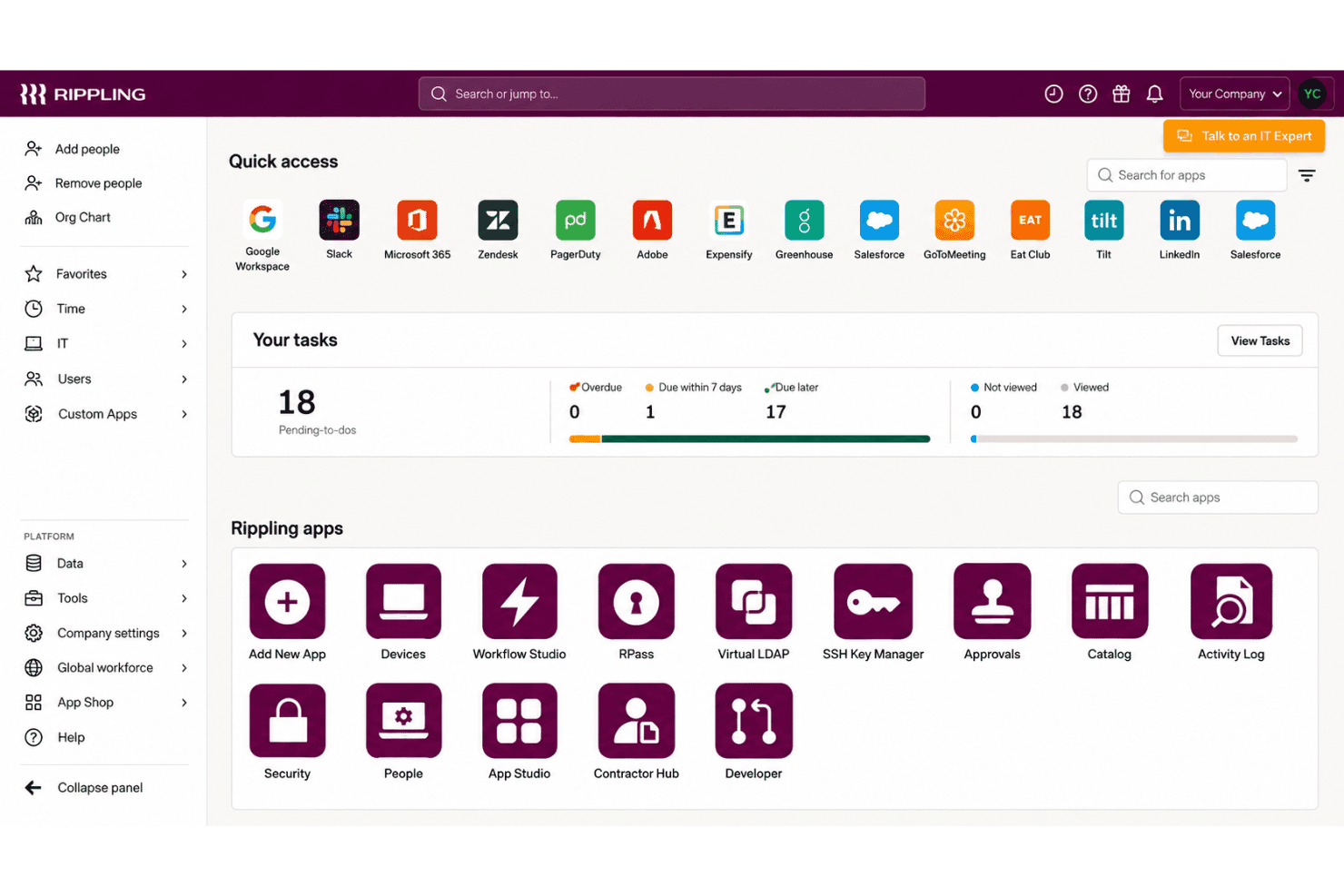
Rippling IT suits teams that manage employee-linked device and access changes across Mac and Windows. Its zero-touch enrollment, shared inventory, remote lock and wipe, and integrations with tools such as Google Workspace, Slack, Microsoft 365, and Okta support these workflows.
- Growing CompaniesEmployee records can drive device setup, access changes, and offboarding, which suits companies whose IT needs grow alongside their workforce.
- Mac And Windows FleetsZero-touch enrollment and remote lock or wipe support routine lifecycle tasks across Mac and Windows devices.
- HR-IT TeamsShared employee and device workflows let HR and IT coordinate onboarding and offboarding without relying on a device-only inventory process.
- Remote OnboardingSilent agent installation and employee-triggered device configuration let IT prepare devices before a new hire’s first day.
- SaaS-Heavy TeamsIntegrations with Google Workspace, Slack, Microsoft 365, Okta, GitHub, Jira, and other apps support teams managing device and app access together.
- Lifecycle AdministratorsIT admins handling frequent employee changes can use shared inventory and remote lock or wipe for common device lifecycle tasks.
Who Would be a Bad Fit for Rippling IT?
Rippling IT is a weaker fit when you need only basic, low-cost device management or rely on deployment workflows that demand extensive configuration and hands-on support. Its published details and available feedback point to tradeoffs around pricing, complex provisioning, and rollout feedback.
- Device-Only BuyersTeams that need only per-device MDM may find Rippling’s per-user pricing, base fee, and add-ons harder to justify than a device-focused tool.
- Linux-First FleetsIf most endpoints run Linux, confirm support before choosing, since the described enrollment workflows focus on Mac and Windows devices.
- Complex DeploymentsTeams with intricate provisioning requirements should account for reviewer reports of difficult provisioning and the time needed to learn advanced workflows.
- Feedback-Dependent RolloutsIT teams that need detailed rollout feedback should assess fit carefully, since reviewers report limited feedback during deployments.
- Support-Reliant TeamsTeams that depend on hands-on help for complex MDM issues may find the mixed support feedback concerning, including reports of unresolved provisioning issues and slow paths to a person.
- Tight BudgetsSmall organizations seeking low-cost, basic MDM may be a poor fit because Rippling IT costs about $8 per user monthly, with a base fee and add-ons potentially increasing spend.
Notre méthodologie d'évaluation
Comment nous testons et notons les outils
Nous avons passé des années à développer, affiner et améliorer notre système de test et de notation des logiciels. Cette grille d’évaluation est conçue pour saisir les subtilités de la sélection des logiciels et ce qui rend un outil efficace, en se concentrant sur les aspects critiques du processus de décision.
Vous trouverez ci-dessous le détail de notre processus de test et de notation sur sept critères. Cela nous permet de fournir une évaluation impartiale du logiciel basée sur les fonctionnalités principales, les caractéristiques distinctives, la facilité d’utilisation, l’intégration, l’accompagnement lors de la prise en main, le support client, les avis utilisateurs et le rapport qualité-prix.
Fonctionnalité principale (25% de la note finale)
Le point de départ de notre évaluation est toujours la fonctionnalité principale de l’outil. Possède-t-il les fonctions de base auxquelles un utilisateur s’attend ? Certaines de ces fonctionnalités principales sont-elles limitées à des forfaits plus chers ? Nous attendons d’un outil qu’il soit au moins à la hauteur des capacités de base de ses concurrents.
Fonctionnalités remarquables (25% de la note finale)
Ensuite, nous évaluons les fonctionnalités exceptionnelles qui dépassent la fonctionnalité de base habituellement trouvée dans ce type d’outil. Un score élevé reflète des fonctionnalités spécialisées ou uniques rendant le produit plus rapide, plus efficace ou apportant une valeur ajoutée à l’utilisateur.
Nous évaluons aussi la facilité d’intégration avec d’autres outils courants dans la pile technologique pour élargir les fonctionnalités et l’utilité du logiciel. Les outils dotés de nombreuses intégrations natives, de connexions tierces et d’un accès API facilitant des intégrations personnalisées obtiennent les meilleurs scores.
Facilité d’utilisation (10% de la note finale)
Nous considérons la rapidité et la simplicité d’exécution des tâches principales avec l’outil. Les logiciels les mieux notés sont bien conçus, intuitifs, proposent des applications mobiles, offrent des modèles et rendent des tâches relativement complexes très simples.
Accompagnement lors de la prise en main (10% de la note finale)
Nous savons que l’adoption rapide d’une nouvelle plateforme au sein d’une équipe est cruciale. Nous évaluons donc la facilité avec laquelle un nouvel utilisateur peut apprendre et utiliser un outil avec un minimum de formation. Les meilleures solutions permettent une mise en route rapide, sans nécessité de support.
Support client (10% de la note finale)
Nous analysons la facilité et la rapidité avec lesquelles il est possible d’obtenir de l’aide par téléphone, chat en direct ou base de connaissances. Les outils et entreprises offrant une assistance en temps réel obtiennent les meilleurs scores, tandis que les chatbots sont moins bien notés.
Avis utilisateurs (10% de la note finale)
Au-delà de nos propres tests et évaluations, nous tenons compte du net promoter score des utilisateurs actuels et passés. Nous regardons la probabilité qu’ils choisiraient à nouveau l’outil pour ses fonctionnalités principales. Un logiciel bien noté reflète un net promoter score élevé.
Rapport qualité-prix (10% de la note finale)
Enfin, en tenant compte de tous les autres critères, nous examinons le prix moyen des forfaits d’entrée de gamme par rapport aux fonctionnalités principales et à la valeur des autres critères. Un logiciel offrant plus, pour moins cher, obtiendra un meilleur score.
Core Features
Zero-Touch Device Enrollment
Rippling can install its agent silently and configure devices for new hires without hands-on setup by IT. That lets your team prepare a Mac or Windows device before an employee’s first day.
Cross-Platform Device Management
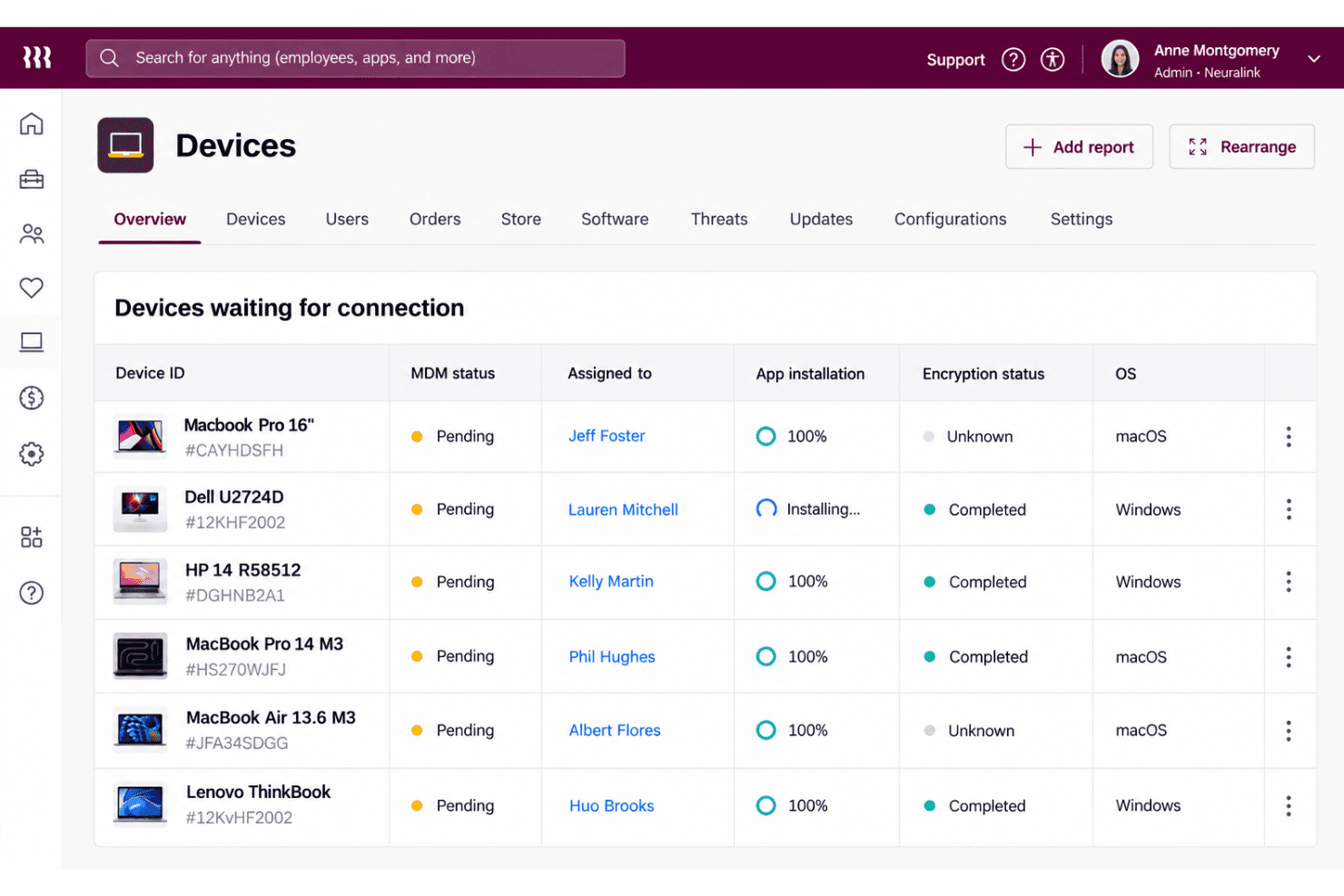
Rippling manages Mac and Windows devices through a shared MDM, with device assignment and reassignment tied to employee records. Your team can apply device workflows across both operating systems instead of managing separate inventories.
Device Policies And Configuration
You can apply dynamic policies based on user and device attributes, and set profiles for Wi-Fi, firewalls, printers, and login screens. For example, a role change can trigger updated device settings without requiring IT to configure each device manually.
Remote Lock And Wipe
Admins can remotely lock or wipe a device, and schedule those actions as part of offboarding. This gives your team a way to respond when a device is lost or an employee leaves with company data on it.
Device Inventory And Reporting
Rippling provides device dashboards and reports with details such as serial number, OS version, battery health, and disk usage. IT can use that information to check device status and identify machines that need attention.
Hardware Lifecycle Management
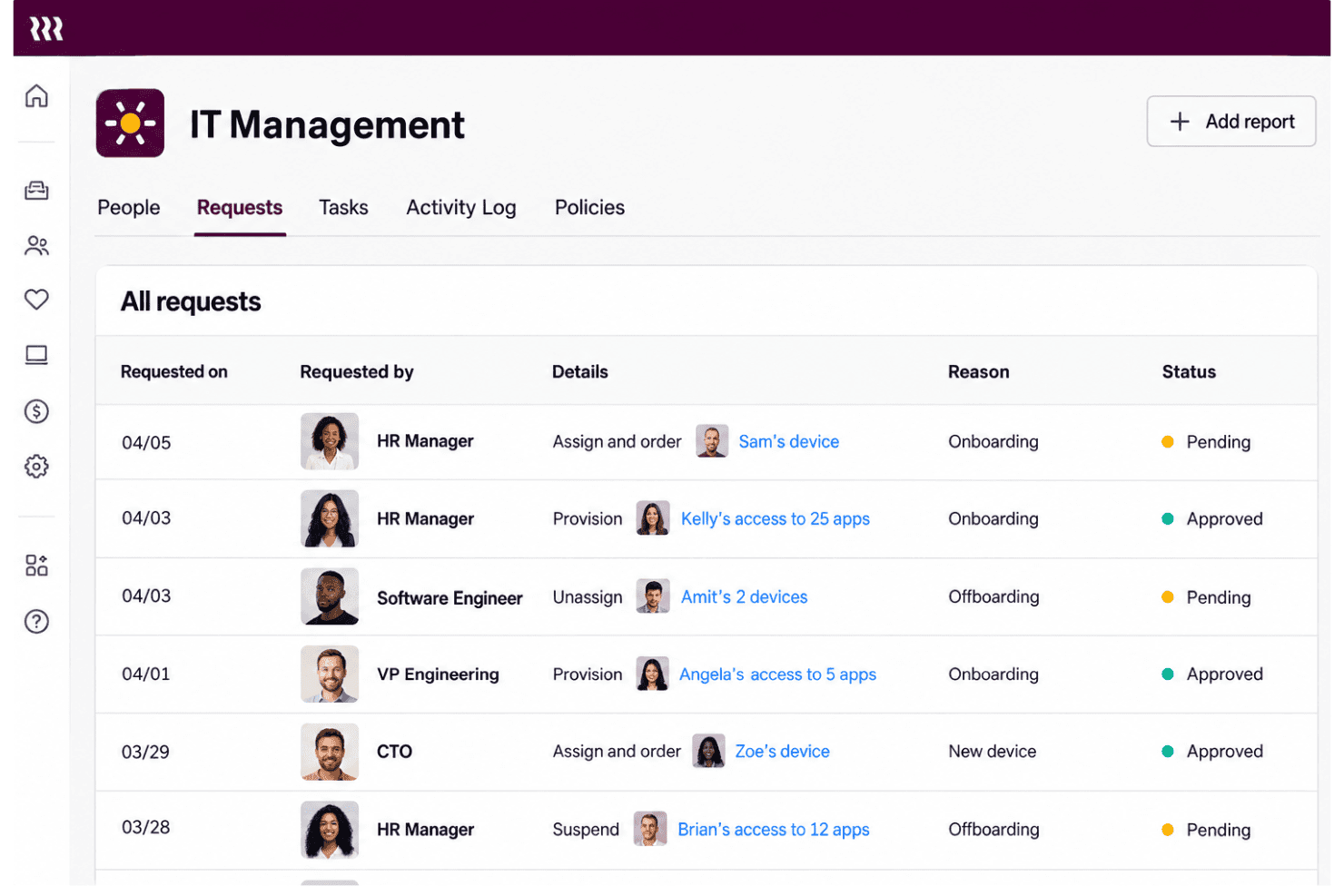
Rippling supports device ordering, shipping, retrieval, storage, and reassignment, with offboarding workflows able to automate returns. This connects device logistics to employee changes, so your team can recover and prepare hardware for its next user.
Ease of Use
Rippling IT feels easier to manage than a device-only MDM when employee records drive setup, access changes, and offboarding across Mac and Windows. Zero-touch enrollment, shared inventory, and remote lock or wipe keep common tasks in one workflow. Still, user feedback points to difficult provisioning and limited rollout feedback, while advanced workflows take time to learn. I’d call it approachable for routine lifecycle tasks, but less intuitive when you need complex configuration.
Integrations
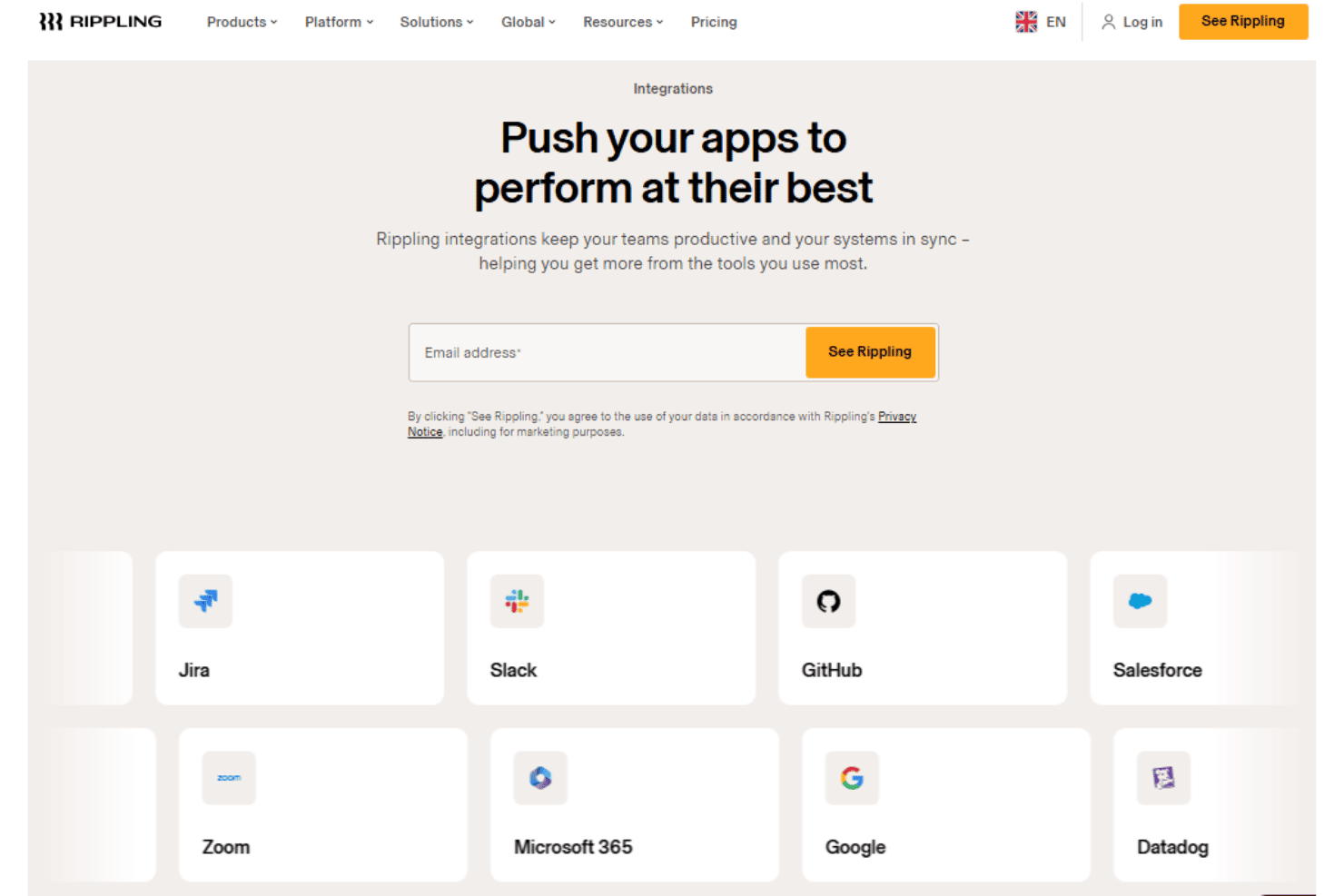
Rippling IT integrates with Google Workspace, Slack, Microsoft 365, Okta, GitHub, Jira, Zoom, Salesforce, HubSpot, and Asana, among others.
Rippling also offers a REST API for custom integrations and supports prebuilt and custom app connections through its App Shop.
New Product Updates from Rippling IT
 Opens new window
Rippling IT Launches Helpdesk for Agentic Support
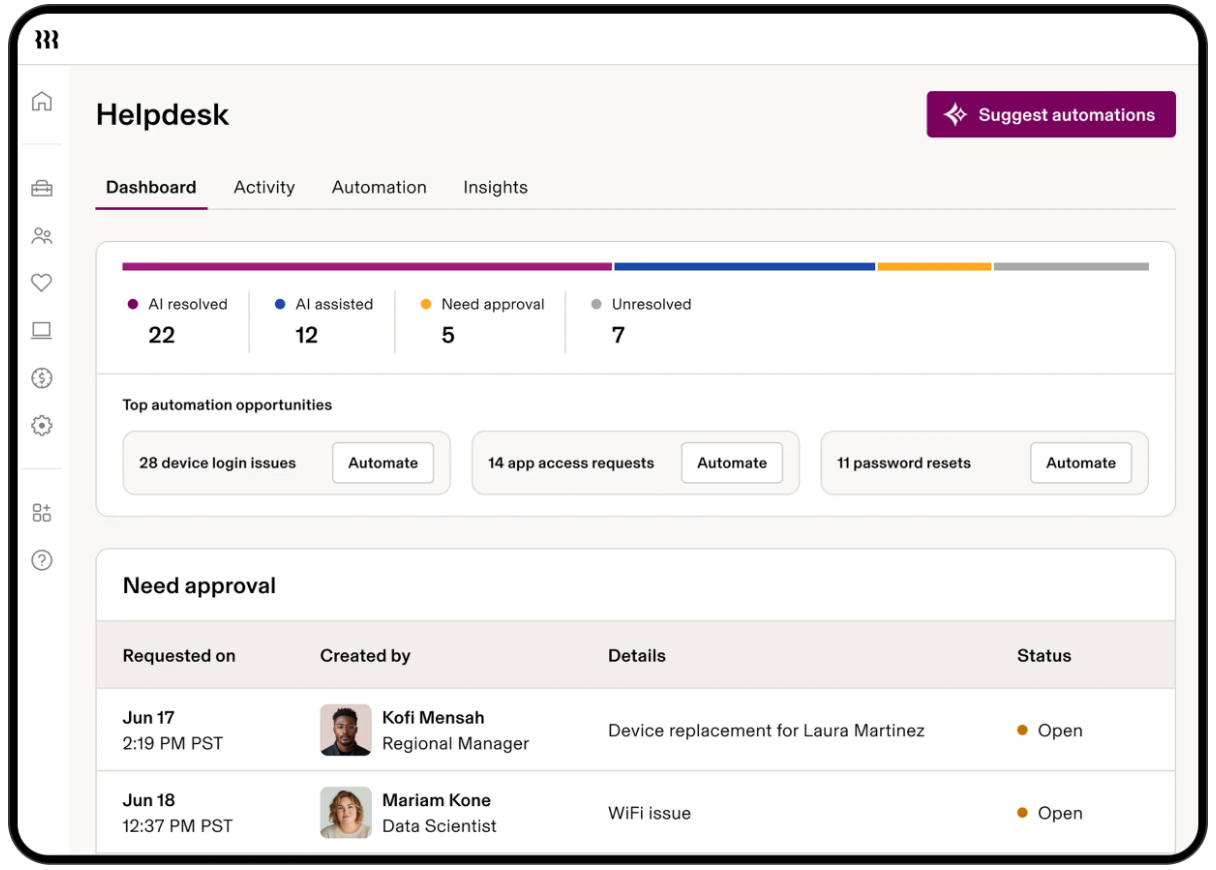
Rippling IT launches Helpdesk to resolve routine tickets using employee, policy, app, and device context. It can troubleshoot issues, take supported actions, route approvals, and escalate unresolved requests with context attached. Highlights include:
- Automated Ticket Resolution: Handles routine requests such as app access, password resets, device lockouts, and replacements.
- Contextual Troubleshooting: Uses employee, device, policy, and app data to determine the next step.
- Approval Controls: Lets admins decide which actions run automatically or require approval.
- Contextual Escalation: Passes unresolved requests to IT with troubleshooting and employee context attached.
- Activity Logging: Records requests, actions, resolutions, and escalations for visibility.
Visit Rippling’s official site for more details.
Rippling IT Specs
- 2-Factor Authentication: Yes
- API: Yes
- Batch Permissions & Access: Yes
- Dashboard: Yes
- Data Export: Yes
- Data Import: Yes
- Email Integration: Yes
- External Integrations: Yes
- Google Apps Integration: Yes
- Multi-User: Yes
- Notifications: Yes
- Password & Access Management: Yes


