

Revue de N‑able : Avantages, Inconvénients, Fonctionnalités et Tarification
Découvrez comment N‑able comble le fossé entre puissance et simplicité pour les professionnels IT : découvrez dans quels domaines il excelle vraiment, où il surprend, et ce que cela signifie pour vos services gérés en 2026.

Nous évaluons les outils indépendamment ; les commissions aident à financer nos tests. Consultez notre politique de transparence et notre méthodologie.
N-able is a CTO IT management software built for managed service providers and IT teams that need centralized remote monitoring, patch management, and endpoint security across distributed environments. I'd look at it if you want more MSP-native functionality than Atera offers, without having to navigate the added complexity of a platform like Kaseya VSA.
N-able Evaluation Summary
4.3/5
- Pricing upon request
- 14-day free trial
Pourquoi faire confiance à nos recommandations de logiciels
6,700+
Reviews
20
Industry experts
16+
Evaluation factors
14
Years
Notre équipe teste et évalue des logiciels depuis 2012. En tant que leaders technologiques nous-mêmes, nous savons à quel point il est difficile — et important — de choisir le bon logiciel.
Pour ce guide, nous avons évalué les outils grâce à des tests pratiques et une recherche indépendante, en notant les outils selon nos critères de sélection.
Nos avis reflètent notre jugement éditorial humain, et non un argumentaire de vente.
Réviseurs experts:
- Paulo Gardini MiguelDirecteur technique
 Tim FisherVP de l'IA
 Gabriel RosasTech Lead et architecte logiciel
 Christhian GruhnTech Lead et architecte plateforme

N-able Overview
Judging N-able against other IT management software, I think its automation, security, and dashboard flexibility really help it stand out. Its interface sometimes feels dated, and onboarding can take planning, but responsive support and wide integration options make up for it. Pricing’s mid-range, and feature depth tends to suit MSPs or IT teams managing multiple client networks. If you’re selecting a solution for blended cloud and on-premise environments, N-able offers a strong balance of control and value. For example, policy-driven patch management and remote control have been easy to deploy and reliable in practice.
Pros
- Automated patch management covers Windows, Mac, and Linux.
- Centralized multi-tenant dashboard for managing multiple client sites.
- Strong remote control and monitoring tools for hybrid teams.
Cons
- Reporting customization is limited for advanced analytics needs.
- Interface feels dated and lacks modern design polish.
- Some security features cost extra or require add-ons.
Is N-able Right For Your Needs?
Who Would be a Good Fit for N-able?
N-able fits teams that want unified device monitoring, robust EDR capabilities, integrated automation, and scalable support. It works best for managed service providers, internal IT supporting multiple sites, and regulated businesses needing strong auditing. The modular design and compliance tools are especially valuable for organizations needing granular control over endpoints.
- Managed Service ProvidersCentralized management, multi-client dashboards, and flexible billing features suit MSPs handling diverse customer environments.
- Large EnterprisesThe automation, device inventories, and scalable security controls help large IT teams oversee complex, distributed environments.
- Healthcare ITRobust compliance and security reporting help healthcare organizations maintain strict data privacy and system uptime requirements.
- Education IT DepartmentsRemote management, multi-site support, and routine patching align with the needs of school districts and universities.
- Regulated IndustriesAuditing, reporting, and policy enforcement features assist financial services, legal, and other regulated sectors in meeting compliance.
- Multi-Site RetailersCentralized device tracking and bulk actions enable efficient support for many locations and endpoints.
Who Would be a Bad Fit for N-able?
N-able isn’t a good match for small businesses with a handful of endpoints, niche teams that only need ticketing, or companies looking for budget IT solutions. The feature set and minimum commitments can overwhelm those who just want lightweight support. Teams with highly custom system environments may find limited out-of-the-box integrations slow to meet their needs.
- Small StartupsN-able’s broad toolset and higher minimum spend can be more than what early stage or very small teams require.
- Single-Department ITDepartments with narrow needs may not need N-able’s expansive monitoring, patching, and automation options.
- Budget-Conscious CompaniesN-able’s price per device and required minimums may not suit organizations looking for a lightweight or free solution.
- Non-Technical OrganizationsTeams without dedicated IT staff can find setup and ongoing management too complex compared to basic support tools.
- Simple Help Desk TeamsOrganizations focused only on ticketing and basic asset tracking don’t need N-able’s deep infrastructure features.
- Custom System EnvironmentsBusinesses that depend on less common operating systems or highly specialized hardware may see slower integration or support.
Notre méthodologie d'évaluation
Comment nous testons et notons les outils
Nous avons passé des années à développer, affiner et améliorer notre système de test et de notation des logiciels. Cette grille d’évaluation est conçue pour saisir les subtilités de la sélection des logiciels et ce qui rend un outil efficace, en se concentrant sur les aspects critiques du processus de décision.
Vous trouverez ci-dessous le détail de notre processus de test et de notation sur sept critères. Cela nous permet de fournir une évaluation impartiale du logiciel basée sur les fonctionnalités principales, les caractéristiques distinctives, la facilité d’utilisation, l’intégration, l’accompagnement lors de la prise en main, le support client, les avis utilisateurs et le rapport qualité-prix.
Fonctionnalité principale (25% de la note finale)
Le point de départ de notre évaluation est toujours la fonctionnalité principale de l’outil. Possède-t-il les fonctions de base auxquelles un utilisateur s’attend ? Certaines de ces fonctionnalités principales sont-elles limitées à des forfaits plus chers ? Nous attendons d’un outil qu’il soit au moins à la hauteur des capacités de base de ses concurrents.
Fonctionnalités remarquables (25% de la note finale)
Ensuite, nous évaluons les fonctionnalités exceptionnelles qui dépassent la fonctionnalité de base habituellement trouvée dans ce type d’outil. Un score élevé reflète des fonctionnalités spécialisées ou uniques rendant le produit plus rapide, plus efficace ou apportant une valeur ajoutée à l’utilisateur.
Nous évaluons aussi la facilité d’intégration avec d’autres outils courants dans la pile technologique pour élargir les fonctionnalités et l’utilité du logiciel. Les outils dotés de nombreuses intégrations natives, de connexions tierces et d’un accès API facilitant des intégrations personnalisées obtiennent les meilleurs scores.
Facilité d’utilisation (10% de la note finale)
Nous considérons la rapidité et la simplicité d’exécution des tâches principales avec l’outil. Les logiciels les mieux notés sont bien conçus, intuitifs, proposent des applications mobiles, offrent des modèles et rendent des tâches relativement complexes très simples.
Accompagnement lors de la prise en main (10% de la note finale)
Nous savons que l’adoption rapide d’une nouvelle plateforme au sein d’une équipe est cruciale. Nous évaluons donc la facilité avec laquelle un nouvel utilisateur peut apprendre et utiliser un outil avec un minimum de formation. Les meilleures solutions permettent une mise en route rapide, sans nécessité de support.
Support client (10% de la note finale)
Nous analysons la facilité et la rapidité avec lesquelles il est possible d’obtenir de l’aide par téléphone, chat en direct ou base de connaissances. Les outils et entreprises offrant une assistance en temps réel obtiennent les meilleurs scores, tandis que les chatbots sont moins bien notés.
Avis utilisateurs (10% de la note finale)
Au-delà de nos propres tests et évaluations, nous tenons compte du net promoter score des utilisateurs actuels et passés. Nous regardons la probabilité qu’ils choisiraient à nouveau l’outil pour ses fonctionnalités principales. Un logiciel bien noté reflète un net promoter score élevé.
Rapport qualité-prix (10% de la note finale)
Enfin, en tenant compte de tous les autres critères, nous examinons le prix moyen des forfaits d’entrée de gamme par rapport aux fonctionnalités principales et à la valeur des autres critères. Un logiciel offrant plus, pour moins cher, obtiendra un meilleur score.
Core Features
Automated Patch Management
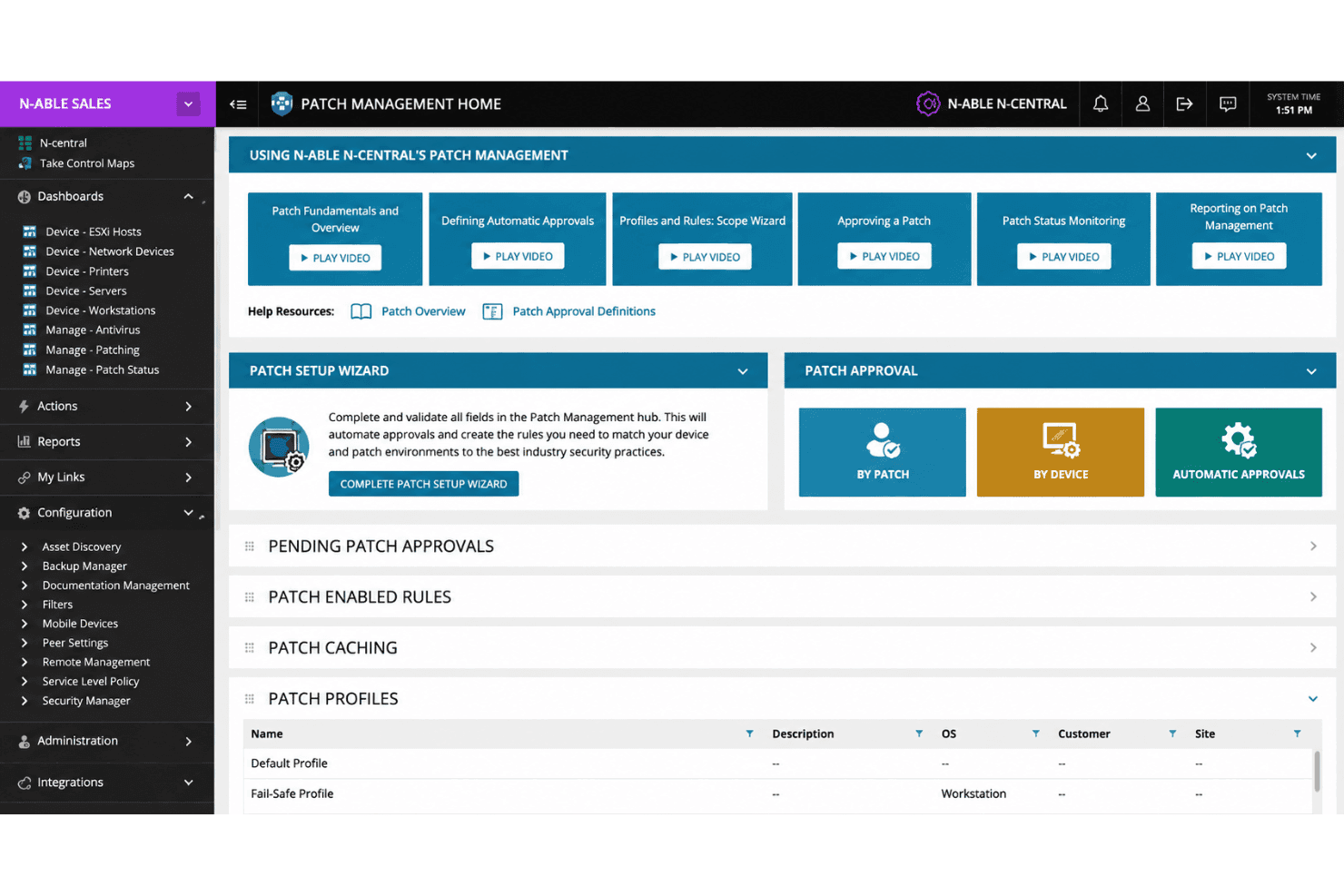
Scan, approve, and deploy patches to Windows, Mac, and Linux endpoints from a central console. Custom scheduling and reporting help reduce vulnerabilities across mixed environments.
Remote Monitoring and Management
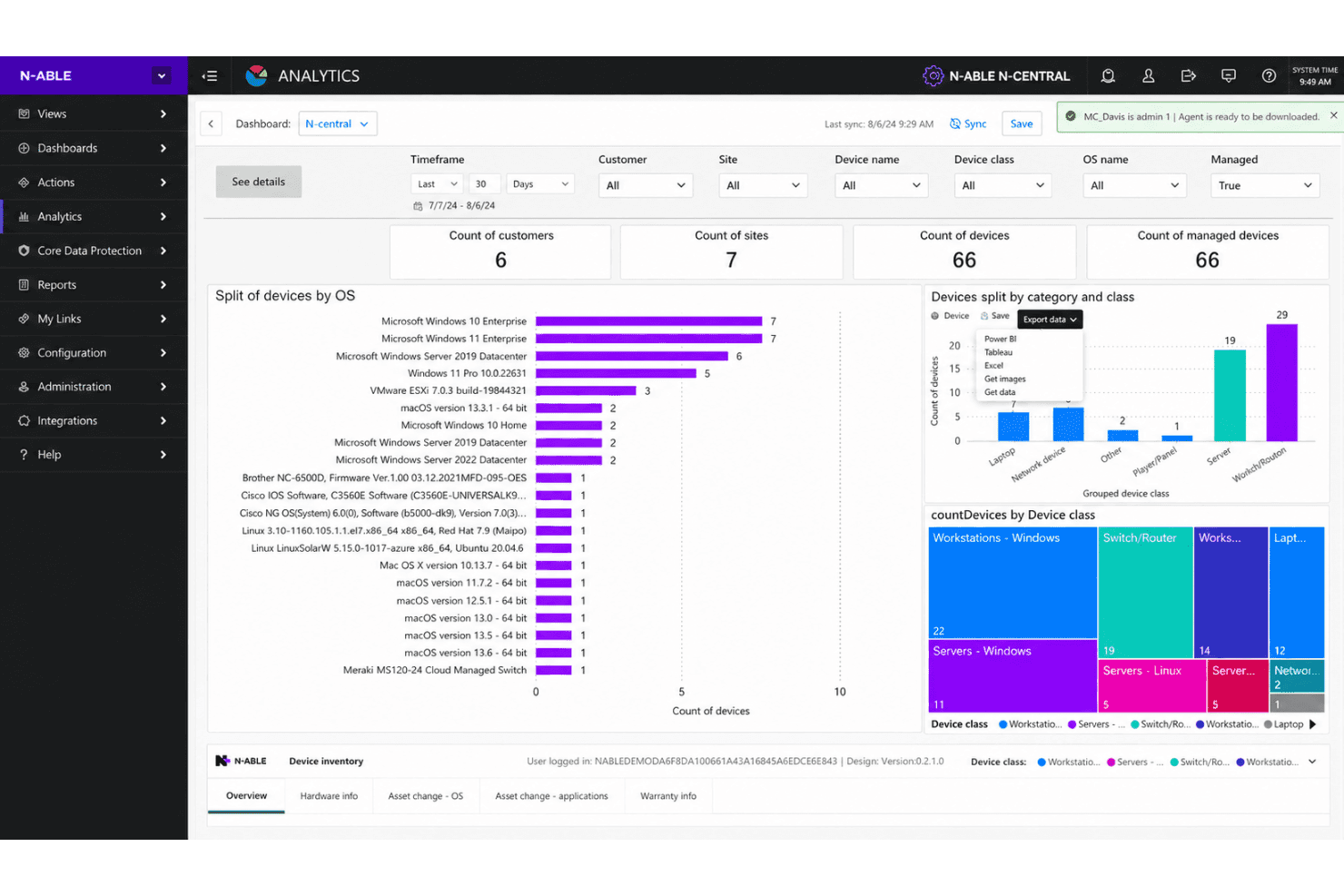
Monitor network devices, servers, and workstations in real time with customizable alerts. Track performance, uptime, and health across all managed client sites.
Advanced Endpoint Protection
Deploy antivirus, anti-malware, and active ransomware protection directly through the platform. Automated threat responses help reduce manual intervention for security incidents.
Network Device Discovery
Automatically discover, catalog, and monitor new devices joining your network. This feature keeps asset records up-to-date and exposure low.
Backup and Recovery
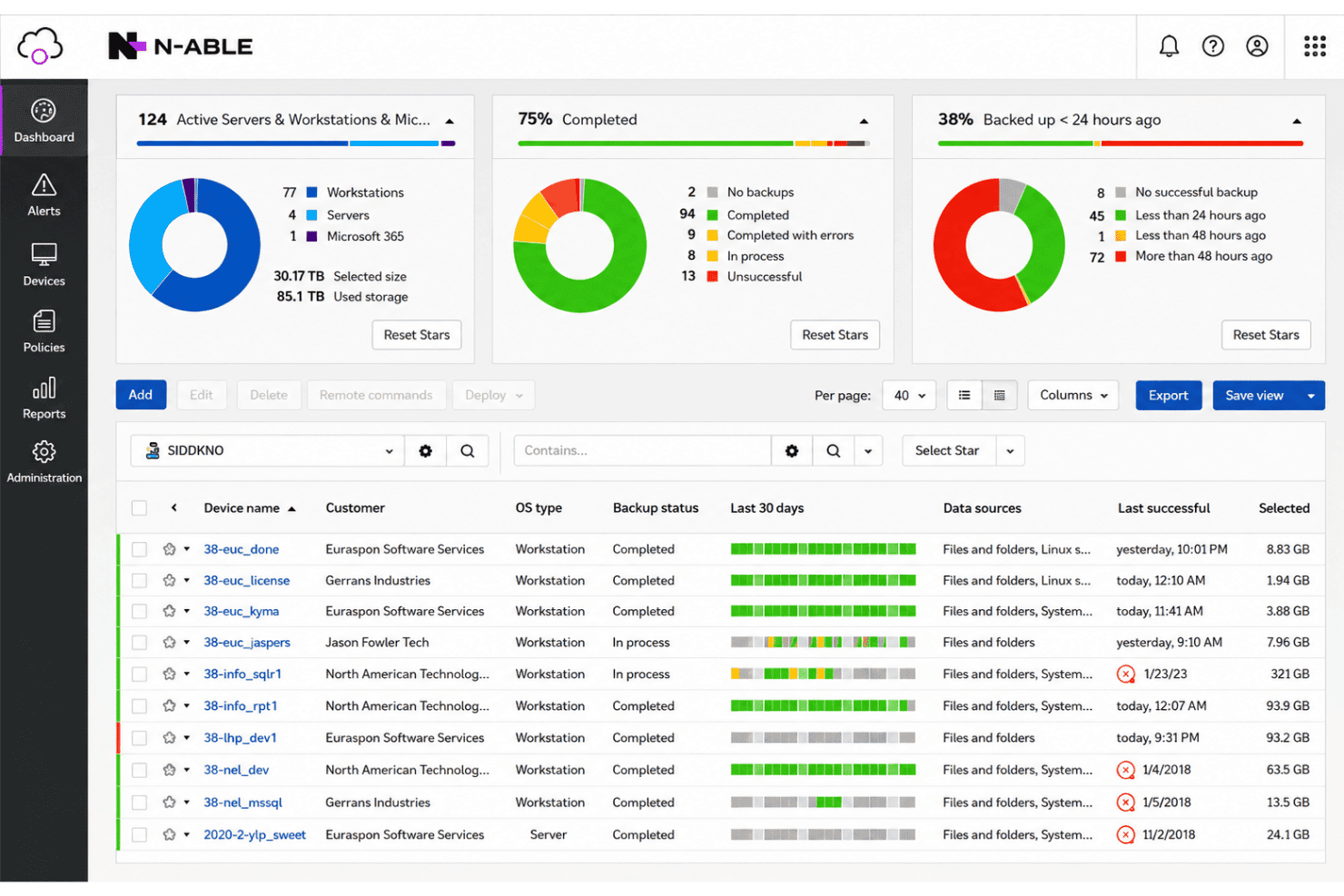
Schedule automated backups for servers and workstations, including cloud storage options. Quick restore tools help minimize downtime after data loss events.
Policy-Based Automation
Create and enforce IT policies for tasks like software deployment, user changes, and security settings. Set up triggers and scripts to save time and standardize processes.
Ease of Use
N-able’s interface feels utility-focused rather than modern, but the navigation is logical, and most functions are accessible in a few clicks. I think users appreciate the customizable dashboards and efficient bulk actions, but some report that deeper reporting options and visual polish are lacking. Once fully set up, managing alerts, patching, and remote access becomes routine, making it ideal for teams prioritizing efficiency and scale over design.
Integrations
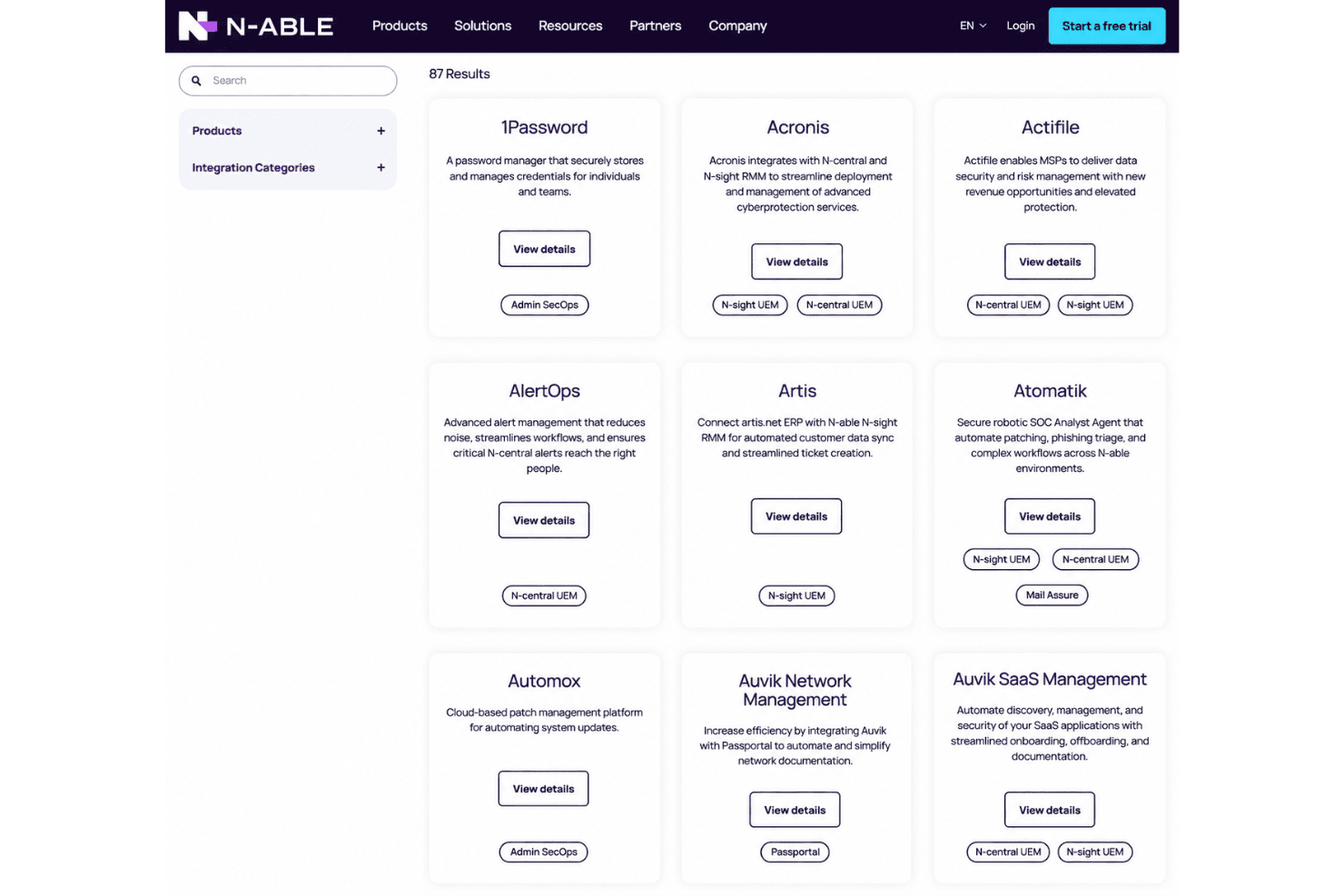
N-able integrates with ConnectWise Manage, ScalePad, and Hudu, among others.
N-able also offers a public API and supports connections with select third-party integration tools for expanded automation and workflow options.
N-able Specs
- API: Yes
- Bug Tracking: Yes
- CI/CD Integration: Yes
- Cloud Deployment: Yes
- Code Review: Yes
- Code Transformation: Yes
- Collaboration Support: Yes
- Data Export: Yes
- Data Import: Yes
- Developer Tools: Yes
- External Integrations: Yes
- Git Integration: Yes
- History/Version Control: Yes
- IDE Plugins: Yes
- Local Deployment: Yes
- Multi-User: Yes
- Notifications: Yes
- Project Management: Yes
- Release Management: Yes
- Static Analysis: Yes
- Task Scheduling/Tracking: Yes
- Testing: Yes


