
New Relic -arvostelu 2026: hyvät ja huonot puolet, ominaisuudet ja hinnoittelu
New Relic erottuu yhtenäisellä havainnointialustallaan, joka tarjoaa syvällisiä näkemyksiä ja joustavan hinnoittelun, mutta se voi olla liian monimutkainen pienille tiimeille tai yksinkertaisiin valvontatarpeisiin.

We review tools independently, and commissions help fund our testing. See our transparency policy, our methodology, or suggest a tool.
New Relic is a monitoring tool for engineering and IT teams that need full-stack observability across applications, infrastructure, and logs from a single platform. I'd consider it if you want deeper code-level performance tracing and more granular telemetry than Datadog provides, without piecing together multiple separate products to cover the same ground.
New Relic Evaluation Summary
4.3/5
- Pricing upon request
- Free plan + free demo available
Why Trust Our Software Recommendations
6,700+
Reviews
20
Industry experts
16+
Evaluation factors
14
Years
Our team has been testing and reviewing software since 2012. As tech leaders ourselves, we know how difficult—and important—it is to choose the right software.
For this guide, we evaluated tools using hands-on testing and independent research, scoring tools using our selection criteria.
Our reviews reflect our human editorial judgment, not a sales pitch.
Expert reviewers:
- Paulo Gardini MiguelTech Director
 Tim FisherVP of AI
 Gabriel RosasTech Lead & Software Architect
 Christhian GruhnTech Lead & Platform Architect

New Relic Overview
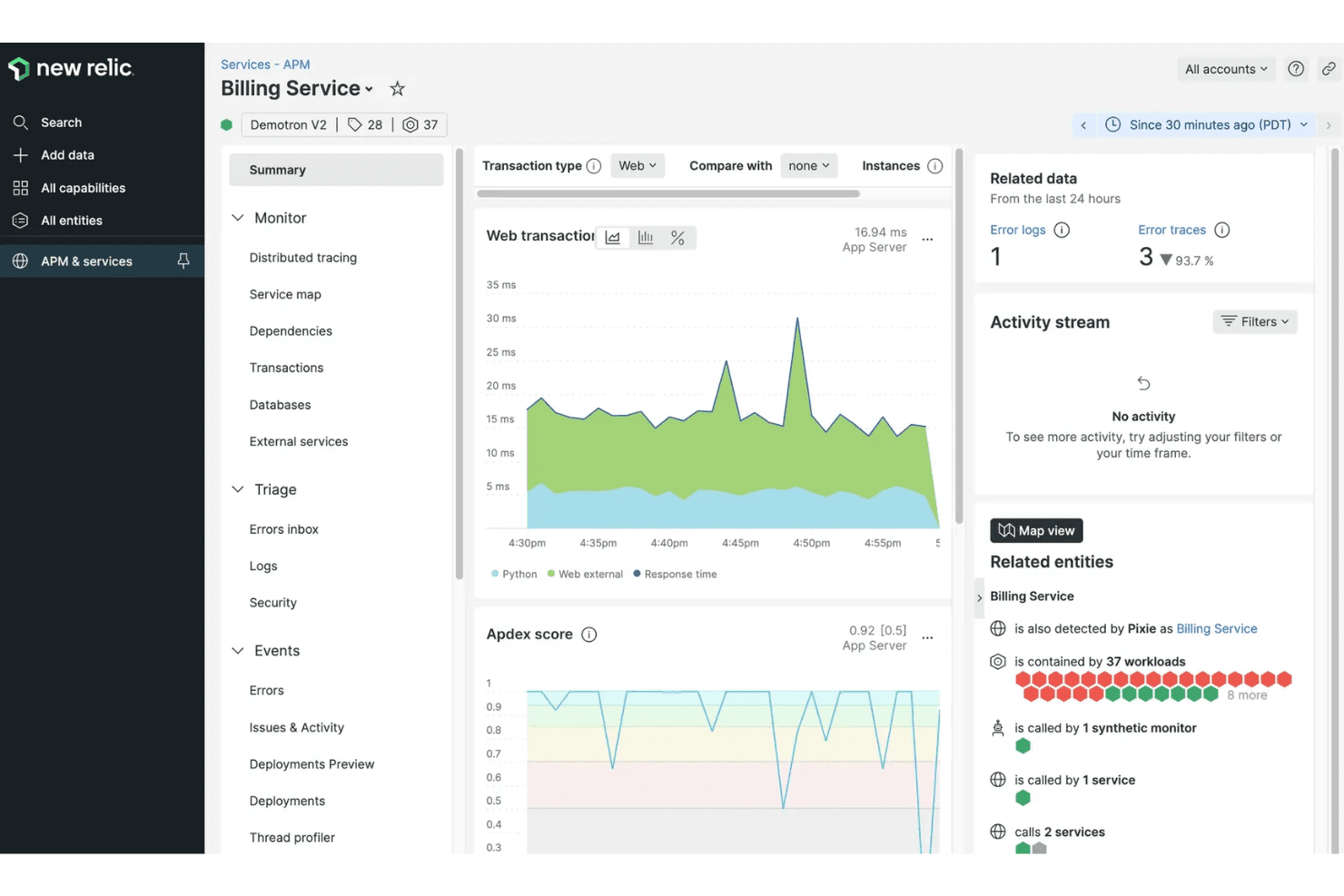
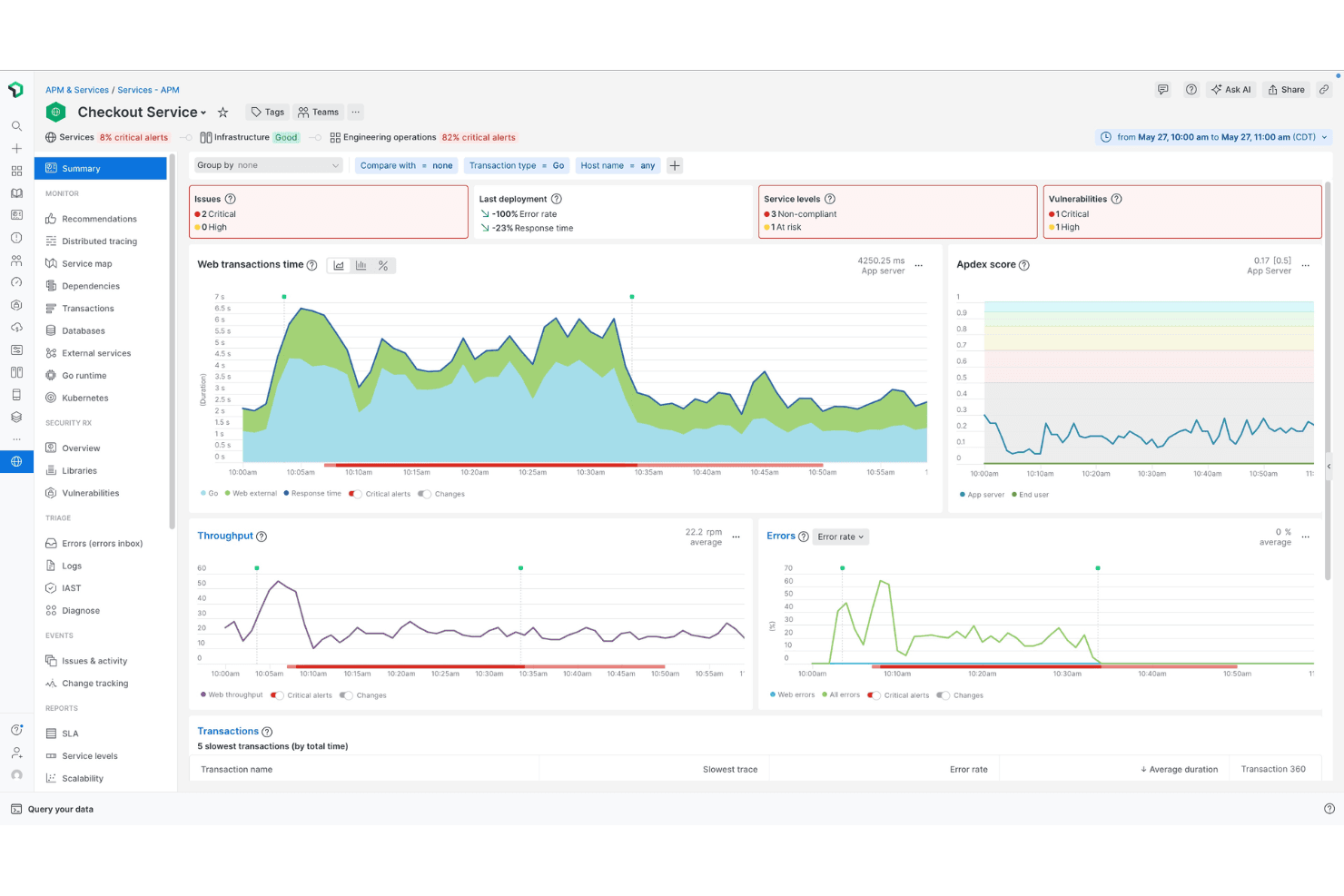
If you’re judging observability and monitoring tools by depth of data, flexibility, and integration range, New Relic is a top contender. Its unified interface and granular dashboards make it easy to compare metrics across cloud, infrastructure, and application layers. Pricing can get tricky as usage grows, but the free tier is generous for smaller teams. Onboarding is straightforward, and support is responsive.
I’d suggest New Relic is best for teams managing multi-cloud or hybrid environments who want to consolidate monitoring, though it may feel overwhelming if you only need basic uptime checks.
Pros
- Flexible usage-based pricing with a generous free tier.
- AI-powered features for automated root cause analysis.
- Unified platform for logs, metrics, and traces.
Cons
- Alert noise can require significant tuning for accuracy.
- Dashboards can feel cluttered with large environments.
- Costs can spike with high data ingestion.
Is New Relic Right For Your Needs?
Who Would be a Good Fit for New Relic?
New Relic is a strong choice for organizations that need deep visibility across complex, distributed systems and value real-time analytics. Teams in industries with high uptime demands or those running multi-cloud, containerized, or microservices architectures will get the most from its unified dashboards, AI-powered insights, and flexible data ingestion.
If your business relies on rapid incident response and detailed performance monitoring, New Relic’s feature set is built for you.
- Cloud-Native StartupsMicroservices and Kubernetes monitoring align with modern, cloud-first stacks.
- Large EnterprisesScalable data ingestion and multi-account management fit complex organizations.
- Financial ServicesGranular security and compliance features support regulated environments.
- DevOps TeamsIntegrated logs, metrics, and traces streamline troubleshooting and deployment monitoring.
- E-Commerce CompaniesTransaction tracing and synthetic monitoring support high-volume, customer-facing platforms.
- SaaS ProvidersNew Relic’s real-time monitoring and alerting help SaaS teams maintain uptime and user experience.
Who Would be a Bad Fit for New Relic?
New Relic may not be the best fit for teams with simple infrastructure, limited budgets, or those who only need basic uptime checks. If your environment is small, static, or you don’t need advanced analytics, the platform’s depth and pricing model can feel excessive. Organizations with strict on-premise requirements or minimal technical resources may also find it less suitable.
- Government AgenciesStrict data residency or compliance needs may not align with New Relic’s cloud model.
- Cost-Conscious StartupsUsage-based pricing can lead to unpredictable costs as data grows.
- On-Premise OnlyIT Cloud-first design limits value for strictly on-premise environments.
- Static WebsitesBasic uptime monitoring is overkill for simple, low-traffic sites.
- Non-Technical DepartmentsAdvanced dashboards and analytics require technical expertise to interpret.
- Small BusinessesPricing and feature complexity can overwhelm teams with basic needs.
Our Review Methodology
How We Test & Score Tools
We’ve spent years building, refining, and improving our software testing and scoring system. The rubric is designed to capture the nuances of software selection and what makes a tool effective, focusing on critical aspects of the decision-making process.
Below, you can see exactly how our testing and scoring works across seven criteria. It allows us to provide an unbiased evaluation of the software based on core functionality, standout features, ease of use, onboarding, customer support, integrations, customer reviews, and value for money.
Core Functionality (25% of final scoring)
The starting point of our evaluation is always the core functionality of the tool. Does it have the basic features and functions that a user would expect to see? Are any of those core features locked to higher-tiered pricing plans? At its core, we expect a tool to stand up against the baseline capabilities of its competitors.
Standout Features (25% of final scoring)
Next, we evaluate uncommon standout features that go above and beyond the core functionality typically found in tools of its kind. A high score reflects specialized or unique features that make the product faster, more efficient, or offer additional value to the user.
We also evaluate how easy it is to integrate with other tools typically found in the tech stack to expand the functionality and utility of the software. Tools offering plentiful native integrations, 3rd party connections, and API access to build custom integrations score best.
Ease of Use (10% of final scoring)
We consider how quick and easy it is to execute the tasks defined in the core functionality using the tool. High scoring software is well designed, intuitive to use, offers mobile apps, provides templates, and makes relatively complex tasks seem simple.
Onboarding (10% of final scoring)
We know how important rapid team adoption is for a new platform, so we evaluate how easy it is to learn and use a tool with minimal training. We evaluate how quickly a team member can get set up and start using the tool with no experience. High scoring solutions indicate little or no support is required.
Customer Support (10% of final scoring)
We review how quick and easy it is to get unstuck and find help by phone, live chat, or knowledge base. Tools and companies that provide real-time support score best, while chatbots score worst.
Customer Reviews (10% of final scoring)
Beyond our own testing and evaluation, we consider the net promoter score from current and past customers. We review their likelihood, given the option, to choose the tool again for the core functionality. A high scoring software reflects a high net promoter score from current or past customers.
Value for Money (10% of final scoring)
Lastly, in consideration of all the other criteria, we review the average price of entry level plans against the core features and consider the value of the other evaluation criteria. Software that delivers more, for less, will score higher.
Core Features
Application Performance Monitoring (APM)
Monitors application health, dependencies, and performance in real time. Pinpoints bottlenecks down to the line of code.
Distributed Tracing
Tracks requests as they move through microservices and infrastructure. Helps teams quickly identify latency and failure points.
Log Management
Centralizes logs from all sources and correlates them with metrics and traces. Enables fast troubleshooting with contextual log data.
Infrastructure Monitoring
Visualizes server, cloud, and container health on unified dashboards. Detects resource issues across hybrid and multi-cloud environments.
AI-Powered Incident Detection
Uses machine learning to detect anomalies and automate root cause analysis. Reduces alert fatigue by correlating related incidents.
Custom Dashboards and Alerts
Lets users build tailored dashboards and set granular alert conditions. Supports proactive monitoring with real-time notifications.
Ease of Use
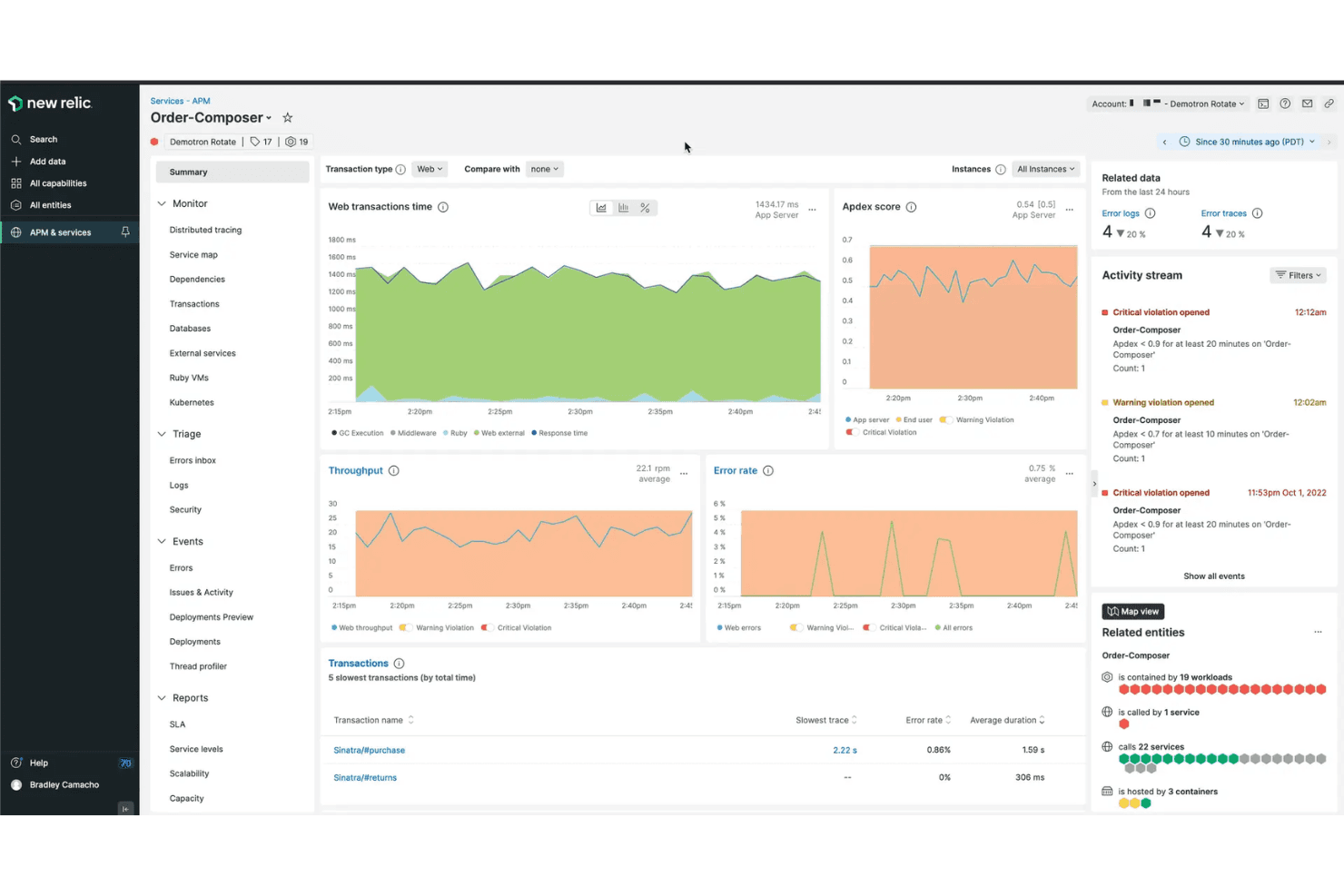
New Relic offers a clean, modern interface with intuitive navigation, but its depth can feel overwhelming for new users or smaller teams. The guided onboarding and in-app documentation help flatten the learning curve, especially for complex setups. Users often mention that customizing dashboards and alerts is straightforward, but getting the most value requires some technical know-how.
Overall, it’s user-friendly for experienced teams managing dynamic, multi-layered environments.
Integrations
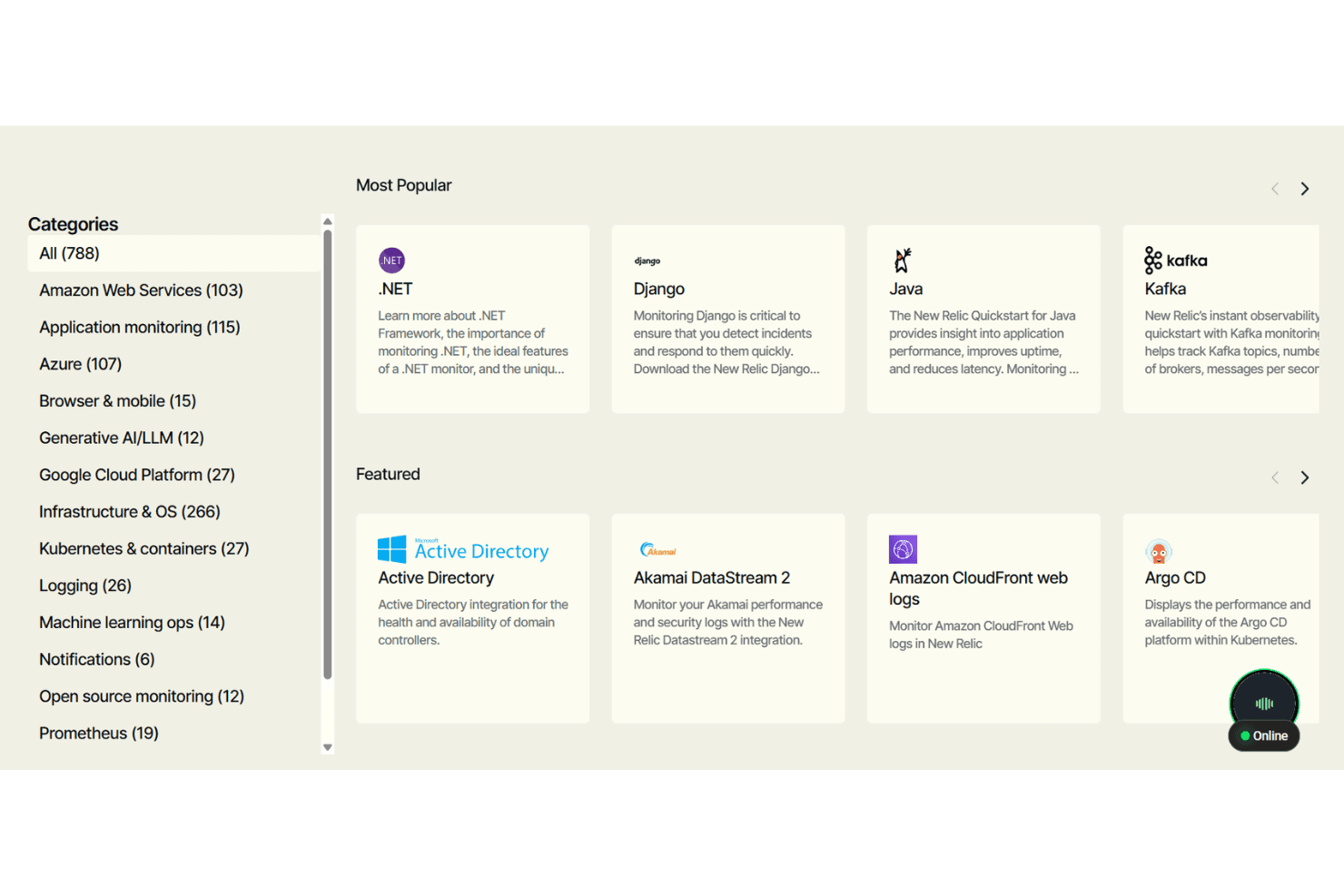
New Relic integrates with AWS, Azure, Google Cloud Platform, Kubernetes, Docker, Prometheus, Jenkins, Slack, PagerDuty, and ServiceNow, among others.
New Relic also offers a robust API and supports connections with third-party integration tools for custom workflows and automation.
New Relic Specs
- AI Integration: Yes
- API: Yes
- Automated Testing: No
- Browser Compatibility Testing: No
- Bug Tracking: No
- Code Review: No
- Custom Reports: Yes
- Data Export: Yes
- Data Import: Yes
- Developer Tools: Yes
- External Integrations: Yes
- Malware Protection: No
- Multi-User: Yes
- Notifications: Yes
- Performance Testing: No
- Process Reporting: Yes
- Static Analysis: No
- Status Notifications: No
- Workflow Management: No


