
Celonis-arvostelu: hyvät ja huonot puolet, ominaisuudet ja hinnoittelu
Celonis on erinomainen prosessilouhinnassa ja tarjoaa tiimillesi ennennäkemättömiä näkemyksiä, joihin muut prosessiälyohjelmistot eivät pysty.

We review tools independently, and commissions help fund our testing. See our transparency policy, our methodology, or suggest a tool.
Celonis is a process mining software built for enterprises with complex operational processes running across systems like SAP, Salesforce, and ServiceNow. It gives teams the ability to analyze, monitor, and act on process data at scale. I'd consider it over UiPath Process Mining if you're not already embedded in the UiPath RPA ecosystem. Celonis gives you a dedicated process intelligence layer that works across a wider range of enterprise systems, rather than one optimized primarily around an automation-first platform.
Celonis Evaluation Summary
4.5/5
- Pricing upon request
- Free demo
Miksi luottaa ohjelmistosuosituksiimme
6,700+
Reviews
20
Industry experts
16+
Evaluation factors
14
Years
Tiimimme on testannut ja arvioinut ohjelmistoja vuodesta 2012 lähtien. Teknologiajohtajina tiedämme itse, kuinka vaikeaa — ja tärkeää — oikean ohjelmiston valitseminen on.
Tätä opasta varten arvioimme työkaluja käytännön testauksen ja itsenäisen tutkimuksen avulla, pisteyttäen työkalut valintakriteeriemme perusteella.
Arvostelumme perustuvat inhimilliseen toimitukselliseen harkintaamme, eivät myyntipuheeseen.
Asiantuntija-arvioijat:
- Paulo Gardini MiguelTech Director
 Tim FisherVP of AI
 Gabriel RosasTech Lead & Software Architect
 Christhian GruhnTech Lead & Platform Architect

Celonis Overview
In my opinion, Celonis stands out as a process intelligence platform with its deep process mining capabilities, offering insights that many competitors can't match. It's particularly effective for large enterprises focusing on operational efficiency. While its onboarding might require some commitment, the insights gained are worth it. Celonis excels in providing clear data-driven decisions but may not suit smaller teams focused on basic project tracking. If your team values detailed process analytics, Celonis is a strong contender.
Pros
- You get detailed process mining insights that drive operational efficiency.
- It helps your team make informed, data-driven decisions.
- You can identify and eliminate workflow bottlenecks quickly.
Cons
- Your team might face a steep learning curve during onboarding.
- Smaller teams may find it too complex for basic needs.
- It requires significant commitment to fully leverage its capabilities.
Is Celonis Right For Your Needs?
Who Would be a Good Fit for Celonis?
Celonis is ideal for large enterprises in industries like manufacturing and finance, where process efficiency is crucial. If your team needs detailed insights to optimize operations, Celonis's process mining capabilities can provide that edge. It's ideal for departments focusing on data-driven decision-making, like operations and supply chain management. They can use Celonis to identify bottlenecks and implement remediative measures to increase savings and optimize performance.
- Manufacturing EfficiencyCelonis helps your team identify inefficiencies in production processes, leading to cost savings and increased output.
- Financial OperationsYour finance department can use Celonis to streamline workflows and improve accuracy in financial reporting.
- Supply Chain ManagementCelonis supports your team by providing insights to reduce delays and improve logistics efficiency.
- Healthcare AdministrationCelonis aids in optimizing patient flow and resource allocation, enhancing your healthcare facility's operations.
- Retail AnalyticsYour retail business can leverage Celonis to optimize supply chain, inventory management, and procurement workflows.
- IT Service ManagementCelonis helps your IT team identify and resolve service bottlenecks, improving overall service delivery for end users.
Who Would be a Bad Fit for Celonis?
Celonis isn't a great choice for small businesses or teams with straightforward project management needs. If your team doesn't require deep process mining or lacks the resources to commit to a detailed onboarding process, Celonis may be overkill. It's not suited for departments focusing solely on basic task tracking, where simpler tools suffice.
- Small StartupsYour startup may find Celonis too complex and resource-intensive for basic process optimization tasks.
- Creative AgenciesIf your agency focuses on creative projects, Celonis's process mining technology might not add much value to your workflow.
- Non-Technical TeamsNon-technical teams might struggle with Celonis's complexity and the steep learning curve.
- Basic Task ManagementFor teams needing simple process analysis, Celonis’ features may feel extensive and complex.
- FreelancersAs a freelancer, you likely won't need the extensive capabilities of Celonis for individual projects.
- Education DepartmentsEducation departments with limited process mining needs might not benefit from Celonis's advanced features.
Our Review Methodology
How We Test & Score Tools
We’ve spent years building, refining, and improving our software testing and scoring system. The rubric is designed to capture the nuances of software selection and what makes a tool effective, focusing on critical aspects of the decision-making process.
Below, you can see exactly how our testing and scoring works across seven criteria. It allows us to provide an unbiased evaluation of the software based on core functionality, standout features, ease of use, onboarding, customer support, integrations, customer reviews, and value for money.
Core Functionality (25% of final scoring)
The starting point of our evaluation is always the core functionality of the tool. Does it have the basic features and functions that a user would expect to see? Are any of those core features locked to higher-tiered pricing plans? At its core, we expect a tool to stand up against the baseline capabilities of its competitors.
Standout Features (25% of final scoring)
Next, we evaluate uncommon standout features that go above and beyond the core functionality typically found in tools of its kind. A high score reflects specialized or unique features that make the product faster, more efficient, or offer additional value to the user.
We also evaluate how easy it is to integrate with other tools typically found in the tech stack to expand the functionality and utility of the software. Tools offering plentiful native integrations, 3rd party connections, and API access to build custom integrations score best.
Ease of Use (10% of final scoring)
We consider how quick and easy it is to execute the tasks defined in the core functionality using the tool. High scoring software is well designed, intuitive to use, offers mobile apps, provides templates, and makes relatively complex tasks seem simple.
Onboarding (10% of final scoring)
We know how important rapid team adoption is for a new platform, so we evaluate how easy it is to learn and use a tool with minimal training. We evaluate how quickly a team member can get set up and start using the tool with no experience. High scoring solutions indicate little or no support is required.
Customer Support (10% of final scoring)
We review how quick and easy it is to get unstuck and find help by phone, live chat, or knowledge base. Tools and companies that provide real-time support score best, while chatbots score worst.
Customer Reviews (10% of final scoring)
Beyond our own testing and evaluation, we consider the net promoter score from current and past customers. We review their likelihood, given the option, to choose the tool again for the core functionality. A high scoring software reflects a high net promoter score from current or past customers.
Value for Money (10% of final scoring)
Lastly, in consideration of all the other criteria, we review the average price of entry level plans against the core features and consider the value of the other evaluation criteria. Software that delivers more, for less, will score higher.
Core Features
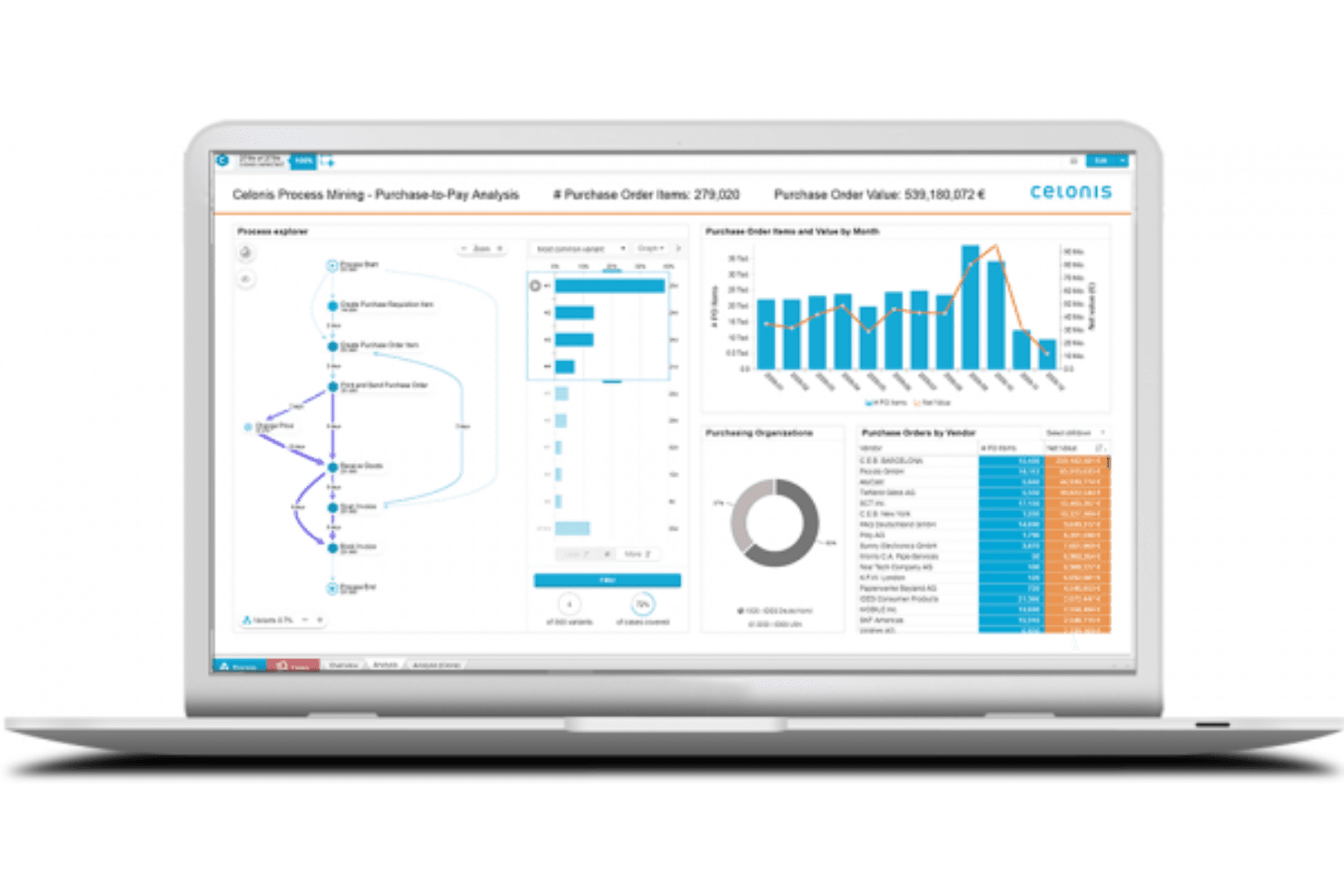
Process Mining: This feature allows your team to uncover inefficiencies in workflows, providing actionable insights to boost productivity.
Data Visualization: You can visualize complex data easily, helping your team understand and act on insights faster.
Workflow Automation: Celonis enables process-driven automation, freeing your team to focus on more strategic activities.
Performance Monitoring: Track business processes in real-time, allowing your team to make continuous improvement.
Collaboration Tools: Enhance team collaboration with features that enable seamless communication and document sharing.
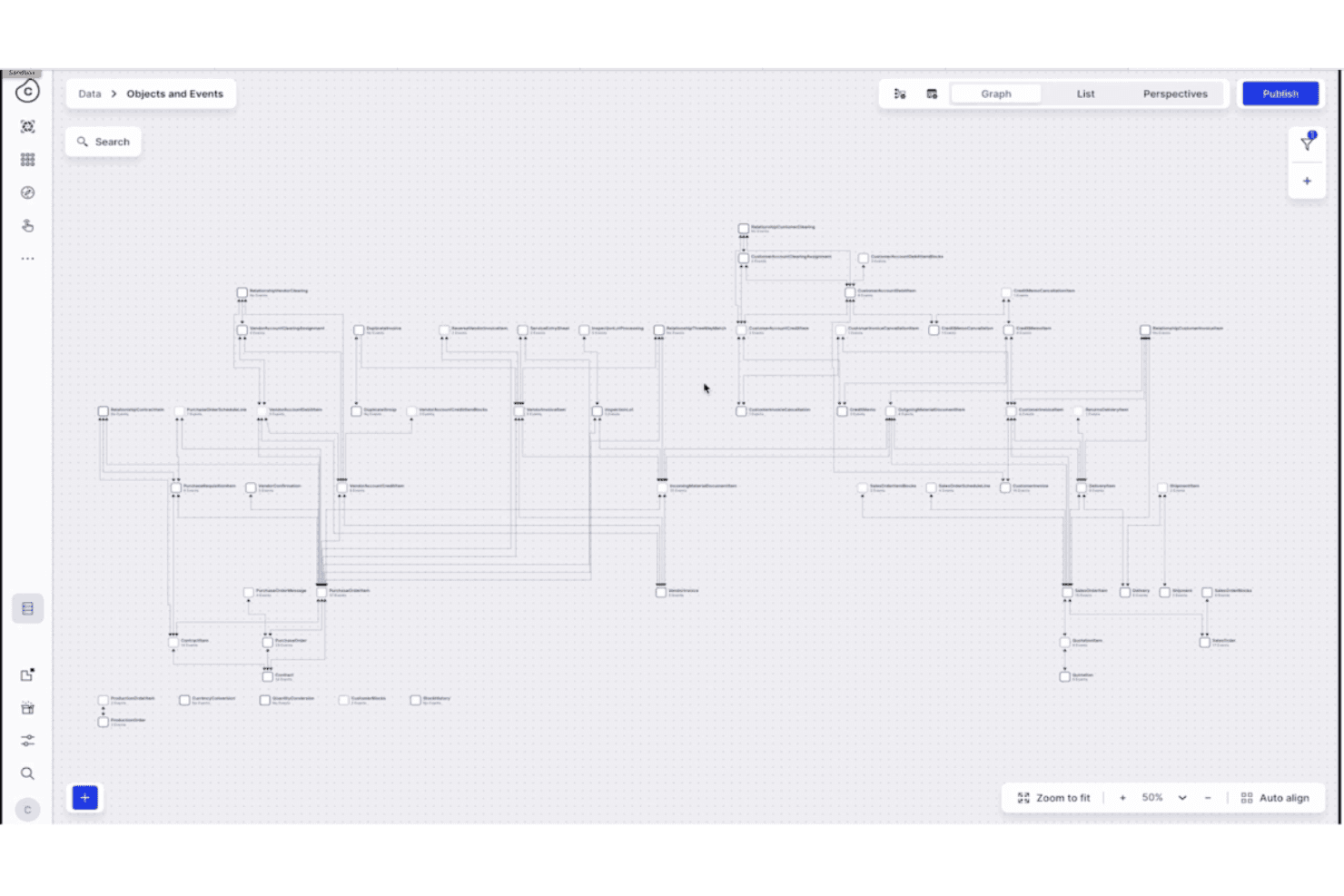
Process Intelligence Graph: Celonis provides a unified view of your operation by consolidating data from various sources. This allows you to gain deeper insight into your process performance.
Ease of Use
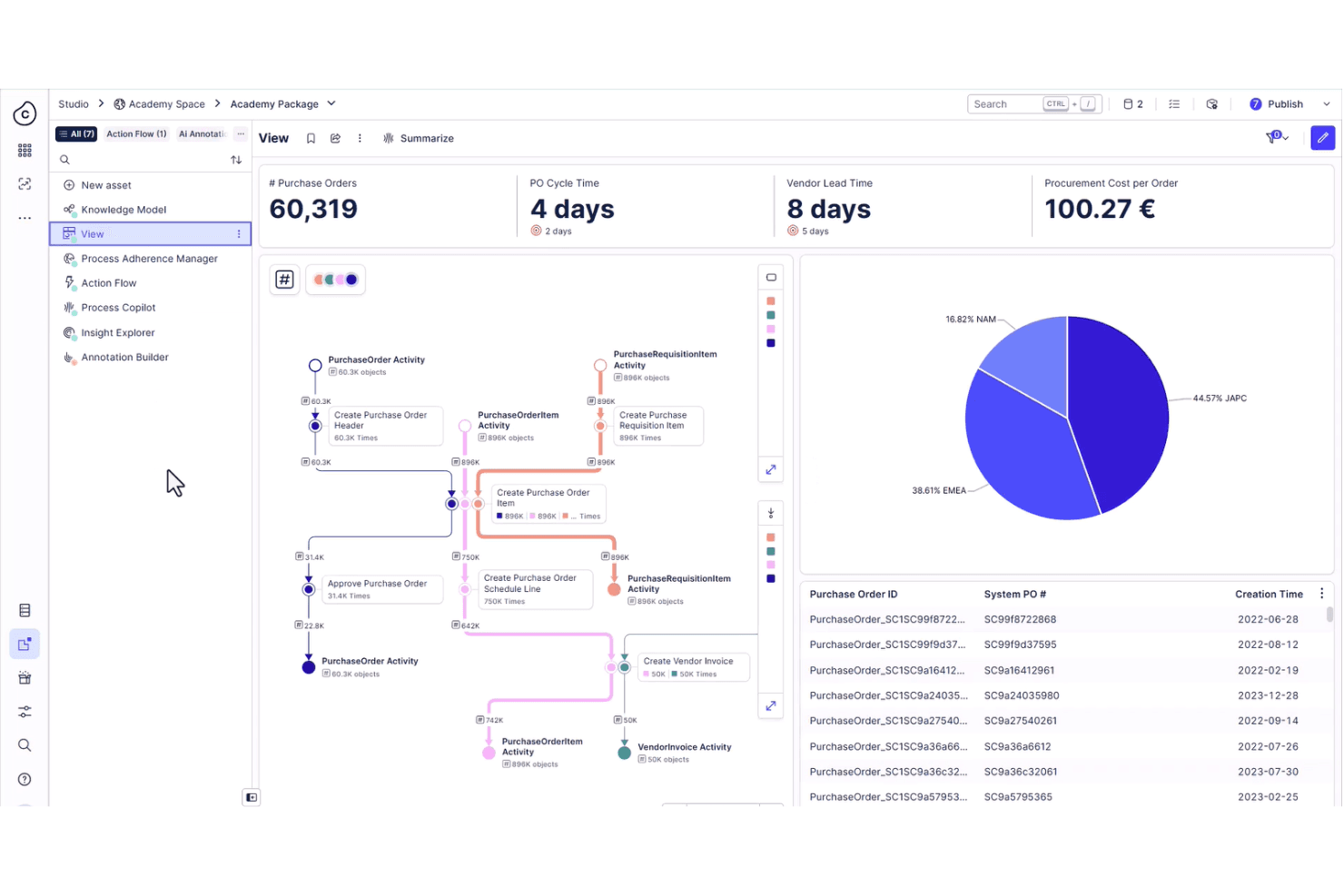
Celonis offers a user-friendly interface, but it may not be the easiest for newcomers due to its complex features. Your team might initially face a learning curve, especially if they're unfamiliar with process mining tools. However, once you get the hang of it, the intuitive dashboards and clear data visualizations make navigating the software straightforward. Compared to simpler tools, Celonis provides powerful capabilities that, once mastered, can significantly enhance your team's productivity.
Integrations
Celonis integrates with SAP, ServiceNow, Workday, Amazon S3, Google BigQuery, Microsoft, Salesforce, Google, Power BI, and more.
Celonis offers an application programming interface (API) and supports connections with third-party integration tools for enhanced workflow automation.
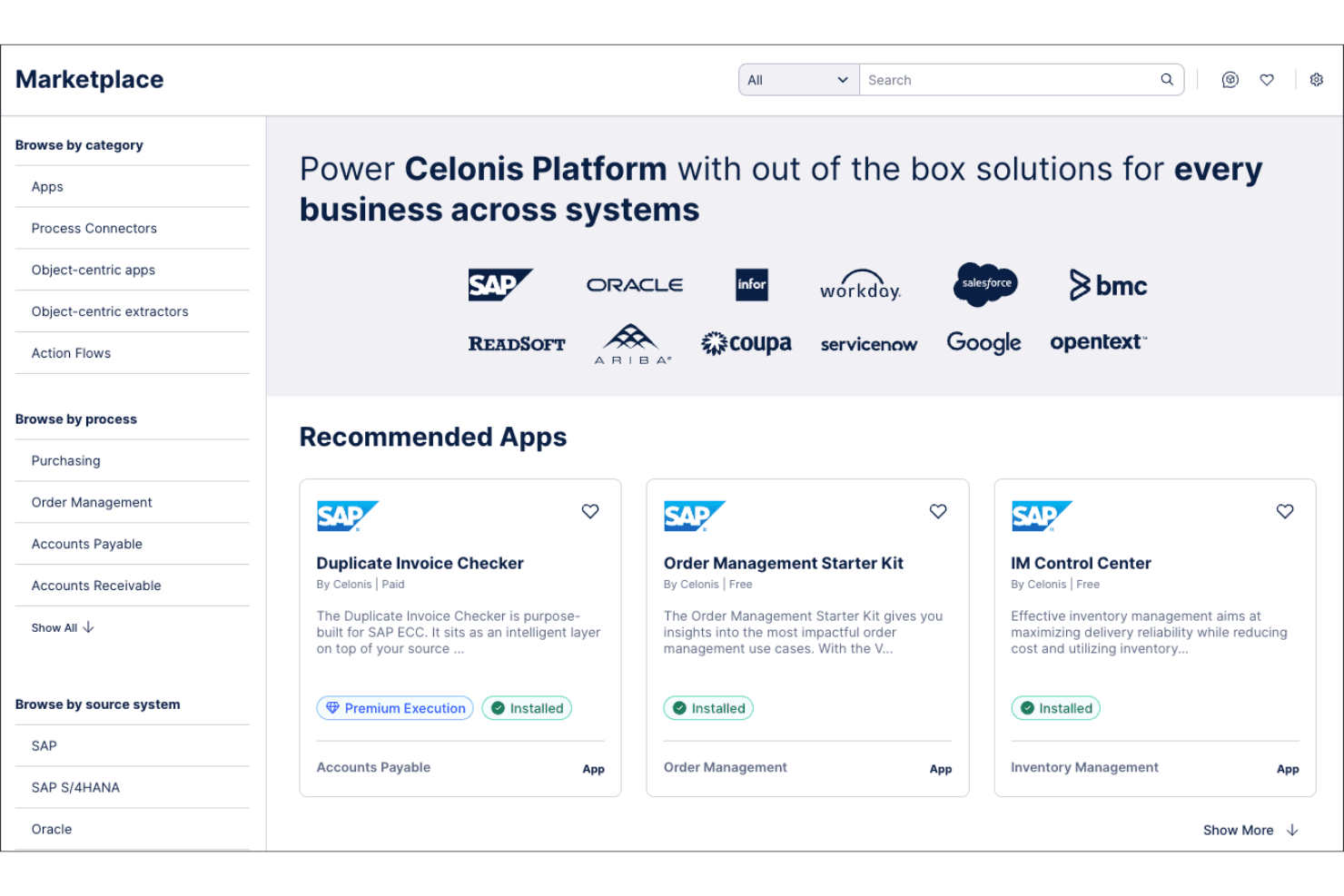
Celonis Specs
- 2-Factor Authentication: Yes
- A/B Testing: Yes
- Analytics: Yes
- API: Yes
- BitCoin: Yes
- Conversion Tracking: Yes
- Dashboard: Yes
- Data Export: Yes
- Data Import: Yes
- Data Visualization: Yes
- Design Templates: Yes
- External Integrations: Yes
- Inventory Tracking: Yes
- Keyword Tracking: Yes
- Marketing Automation: Yes
- Multi-User: Yes
- Notifications: Yes
- Order Management: Yes
- Payment Gateway Integration: Yes
- Payment Processor: Yes
- PayPal: Yes
- Product Catalog: Yes
- Review Monitoring: Yes
- SAP Integration: Yes
- Scheduling: Yes
- Stripe: Yes
- Third-Party Plugins/Add-Ons: Yes


