

Airlock Digital -arvostelu: hyvät ja huonot puolet, ominaisuudet ja hinnoittelu selitettynä
Airlock Digital erottuu edukseen vankan sallittujen luetteloon perustuvan lähestymistapansa ansiosta tarjoten tarkan hallinnan ja vahvan suojan, mutta se saattaa vaatia enemmän manuaalista hallintaa kuin tyypilliset kyberturvallisuustyökalut.

We review tools independently, and commissions help fund our testing. See our transparency policy, our methodology, or suggest a tool.
Airlock Digital is a cyber security provider built around application allowlisting. It gives IT and security teams precise control over which executables, scripts, and installers can run across endpoints. It's worth considering if your organization needs to meet compliance frameworks like the Essential Eight or wants a stronger defense against ransomware than signature-based tools provide. Compared to broader EDR platforms like CrowdStrike, Airlock Digital keeps its focus on allowlisting policy management. That makes it a better fit when application control is your primary objective, not a secondary feature.
Airlock Digital Evaluation Summary
0/5
- Pricing upon request
- Free demo available
Miksi luottaa ohjelmistosuosituksiimme
6,700+
Reviews
20
Industry experts
16+
Evaluation factors
14
Years
Tiimimme on testannut ja arvioinut ohjelmistoja vuodesta 2012 lähtien. Teknologiajohtajina tiedämme itse, kuinka vaikeaa — ja tärkeää — oikean ohjelmiston valitseminen on.
Tätä opasta varten arvioimme työkaluja käytännön testauksen ja itsenäisen tutkimuksen avulla, pisteyttäen työkalut valintakriteeriemme perusteella.
Arvostelumme perustuvat inhimilliseen toimitukselliseen harkintaamme, eivät myyntipuheeseen.
Asiantuntija-arvioijat:
- Paulo Gardini MiguelTech Director
 Tim FisherVP of AI
 Gabriel RosasTech Lead & Software Architect
 Christhian GruhnTech Lead & Platform Architect

Airlock Digital Overview
If you’re judging cybersecurity software by control and precision, Airlock Digital is a top contender. Its allowlisting model gives you more authority over application execution than most alternatives, though it can mean more of an in-depth setup and ongoing management. I think its interface is straightforward, support is responsive, and onboarding is clear for teams familiar with endpoint security. Pricing is competitive for the level of control you get, but integrations are more limited than some broader platforms. I’d suggest Airlock Digital for organizations with strict compliance needs or those prioritizing zero-trust environments.
Pros
- Deny by default model blocks unknown and unauthorized applications
- Lightweight agent has minimal impact on endpoint performance
- Centralized management supports Windows, macOS, and Linux environments
Cons
- Limited integrations compared to broader cybersecurity platforms
- Requires ongoing policy tuning for dynamic environments
- Pricing may be higher than basic endpoint protection tools
Is Airlock Digital Right For Your Needs?
Who Would be a Good Fit for Airlock Digital?
Airlock Digital is a strong choice for organizations that need strict control over application execution and compliance with regulatory standards. Teams in highly regulated industries, or those with sensitive intellectual property, will appreciate its deny-by-default approach and centralized management. Its lightweight agent and cross-platform support make it practical for IT departments managing diverse endpoints. If your business faces targeted attacks or insider threats against critical infrastructure, Airlock Digital’s allowlisting model offers a clear advantage.
- Government AgenciesMeets strict compliance and audit requirements with granular application control.
- Financial ServicesProtects sensitive data and prevents unauthorized software in regulated environments.
- Healthcare ProvidersSupports HIPAA compliance and blocks unapproved medical software on endpoints.
- Manufacturing FirmsSecures industrial control systems by restricting executable code on shop floor devices.
- IT Security TeamsGives security teams granular visibility and control over endpoint applications.
- Medium EnterprisesFits organizations needing centralized policy management across multiple locations.
Who Would be a Bad Fit for Airlock Digital?
Airlock Digital isn’t ideal for businesses that need broad integrations, rapid onboarding for non-technical staff, or those with highly dynamic software environments. If your team relies on frequent software changes or needs advanced threat detection beyond allowlisting, you may find its model restrictive. Smaller businesses with limited IT resources may also struggle with ongoing policy management.
- Small StartupsRequires more policy management than most small teams can handle.
- Retail ChainsLacks integrations with many retail POS and inventory systems.
- Creative AgenciesRestricts frequent software installs and updates common in creative workflows.
- Education InstitutionsNot ideal for open environments with constantly changing applications.
- Managed Service ProvidersLimited multi-tenant features for MSPs managing many client environments.
- Incident Response TeamsDoes not provide advanced threat hunting or forensic analysis tools.
Our Review Methodology
How We Test & Score Tools
We’ve spent years building, refining, and improving our software testing and scoring system. The rubric is designed to capture the nuances of software selection and what makes a tool effective, focusing on critical aspects of the decision-making process.
Below, you can see exactly how our testing and scoring works across seven criteria. It allows us to provide an unbiased evaluation of the software based on core functionality, standout features, ease of use, onboarding, customer support, integrations, customer reviews, and value for money.
Core Functionality (25% of final scoring)
The starting point of our evaluation is always the core functionality of the tool. Does it have the basic features and functions that a user would expect to see? Are any of those core features locked to higher-tiered pricing plans? At its core, we expect a tool to stand up against the baseline capabilities of its competitors.
Standout Features (25% of final scoring)
Next, we evaluate uncommon standout features that go above and beyond the core functionality typically found in tools of its kind. A high score reflects specialized or unique features that make the product faster, more efficient, or offer additional value to the user.
We also evaluate how easy it is to integrate with other tools typically found in the tech stack to expand the functionality and utility of the software. Tools offering plentiful native integrations, 3rd party connections, and API access to build custom integrations score best.
Ease of Use (10% of final scoring)
We consider how quick and easy it is to execute the tasks defined in the core functionality using the tool. High scoring software is well designed, intuitive to use, offers mobile apps, provides templates, and makes relatively complex tasks seem simple.
Onboarding (10% of final scoring)
We know how important rapid team adoption is for a new platform, so we evaluate how easy it is to learn and use a tool with minimal training. We evaluate how quickly a team member can get set up and start using the tool with no experience. High scoring solutions indicate little or no support is required.
Customer Support (10% of final scoring)
We review how quick and easy it is to get unstuck and find help by phone, live chat, or knowledge base. Tools and companies that provide real-time support score best, while chatbots score worst.
Customer Reviews (10% of final scoring)
Beyond our own testing and evaluation, we consider the net promoter score from current and past customers. We review their likelihood, given the option, to choose the tool again for the core functionality. A high scoring software reflects a high net promoter score from current or past customers.
Value for Money (10% of final scoring)
Lastly, in consideration of all the other criteria, we review the average price of entry level plans against the core features and consider the value of the other evaluation criteria. Software that delivers more, for less, will score higher.
Core Features
Deny by Default Application Control
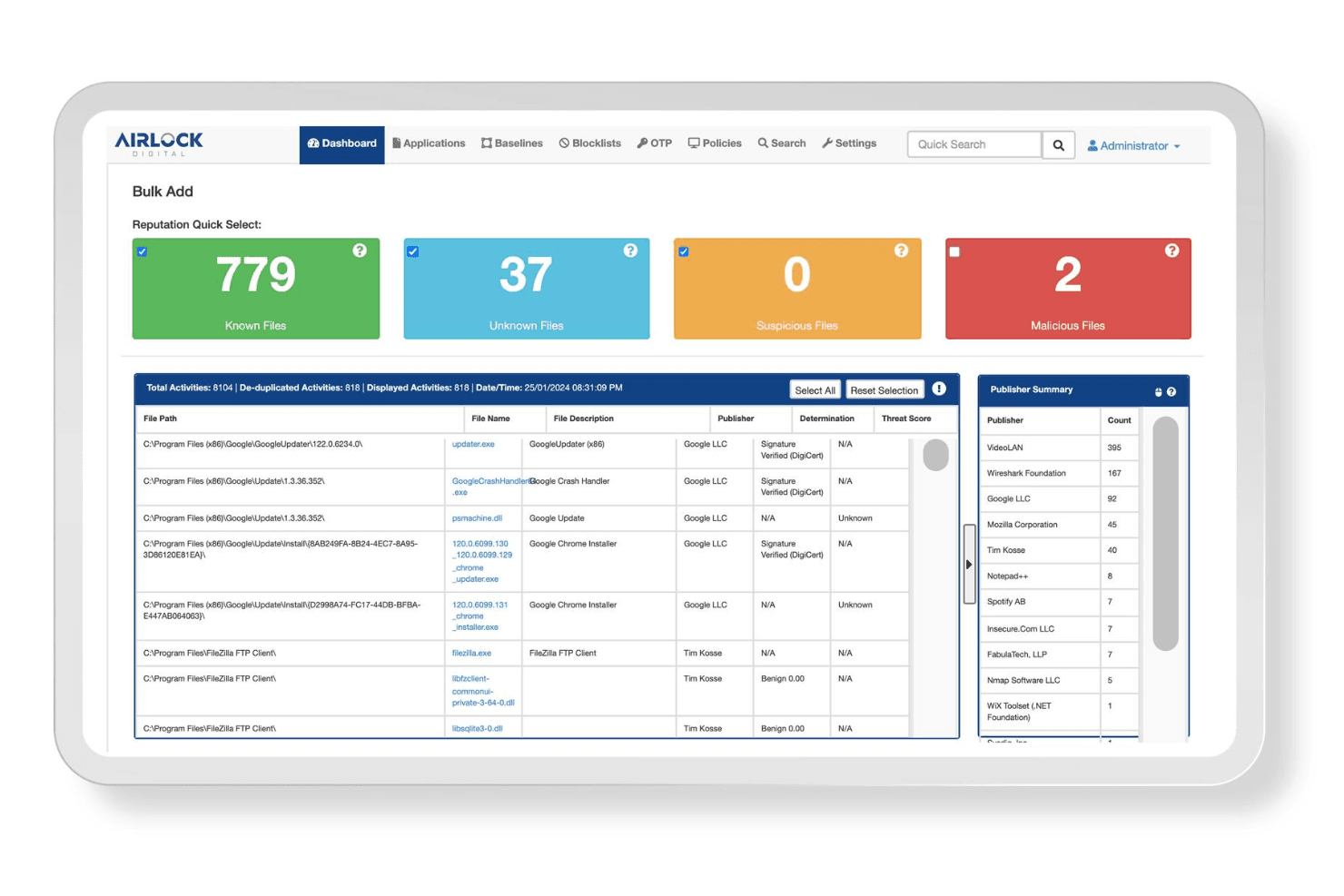
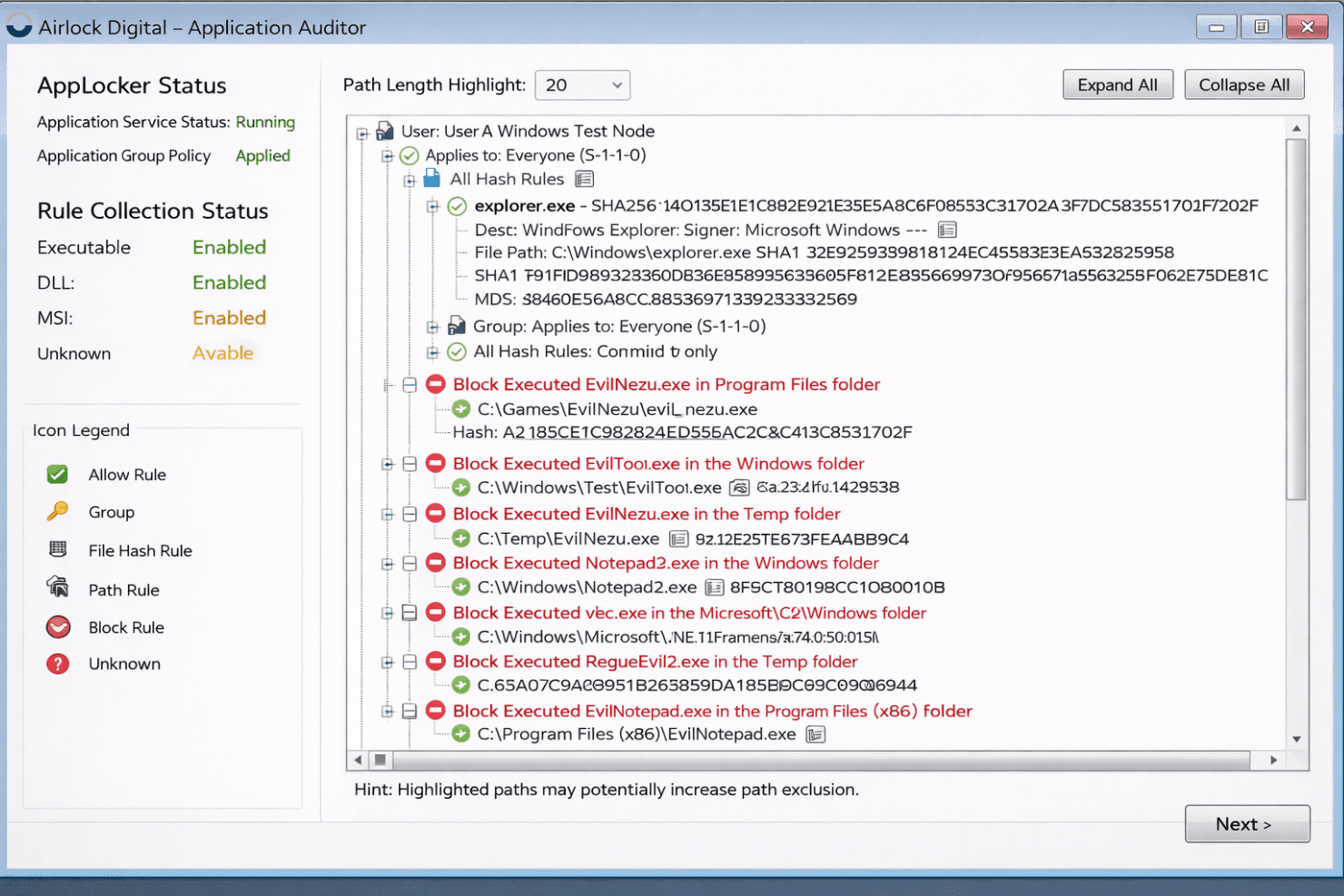
Blocks all untrusted and unknown applications from running on endpoints. This approach prevents malware, ransomware, and unauthorized scripts before they can execute.
Centralized Policy Management
Lets you manage application control policies for Windows, macOS, and Linux from a single console. You can quickly update, enforce, and audit policies across your entire environment.
Workflow-Driven Allowlisting
Guides you through discovering, vetting, and approving executable code with repeatable workflows. This makes allowlisting practical and scalable for large organizations.
Blocklisting Capabilities
Allows you to explicitly block known malicious or unwanted files in addition to allowlisting. This dual approach gives you more flexibility in controlling your environment.
File Metadata Repository
Maintains a searchable database of all file metadata across your endpoints. You gain visibility into what’s running and can investigate suspicious files easily.
Legacy System Support
Supports application control on older versions of Windows, macOS, and Linux. This is valuable for organizations with legacy infrastructure that still needs protection.
Ease of Use
Airlock Digital is straightforward for IT teams familiar with application control, offering a clean interface and guided workflows that simplify policy creation and management. Users often mention that onboarding is clear, with helpful documentation and responsive support. However, ongoing policy tuning can be time-consuming in dynamic environments, and less technical users may find the allowlisting process demanding. Overall, it’s user-friendly for security professionals but may require more hands-on management than broader endpoint security tools.
Integrations
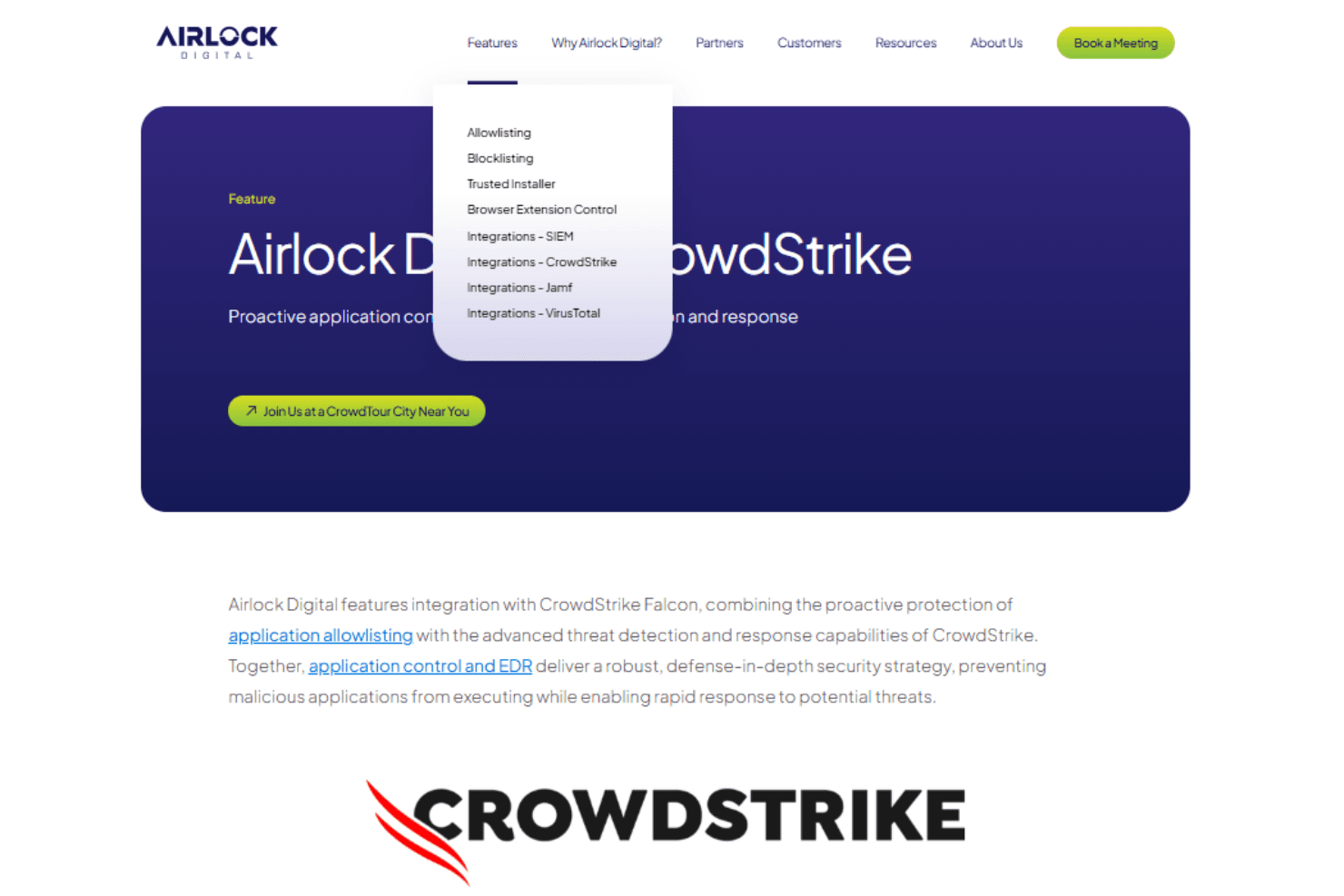
Airlock Digital integrates with Jamf, Splunk, Sumo Logic, Crowdstrike, and Microsoft SCCM, among others.
Airlock Digital also offers a rest API for custom integrations and automation.
Airlock Digital Specs
- 2-Factor Authentication: Yes
- Access Management: Yes
- Anti-Virus: Yes
- API: Yes
- Audit Management: Yes
- Audit Trail: Yes
- Batch Permissions & Access: Yes
- Compliance Tracking: Yes
- Dashboard: Yes
- Data Export: Yes
- Data Import: Yes
- DDoS Protection: Yes
- External Integrations: Yes
- File Sharing: Yes
- File Transfer: Yes
- Firewall: Yes
- Incident Management: Yes
- Malware Protection: Yes
- Multi-User: Yes
- Notifications: Yes
- Password & Access Management: Yes
- Policy Management: Yes
- Real-time Alerts: Yes
- Report & Compliance: Yes
- Risk Assessment: Yes
- Security Migration: Yes
- Threat Detection: Yes
- Workflow Management: Yes


