

Reseña de Zabbix 2026: Ventajas, Desventajas, Características y Precios
Zabbix se destaca por su sólido monitoreo de código abierto y flexibilidad, lo que lo hace ideal para entornos de TI complejos, aunque puede requerir una curva de aprendizaje más pronunciada que herramientas de red más sencillas.

Revisamos herramientas de forma independiente y las comisiones ayudan a financiar nuestras pruebas. Consulta nuestra política de transparencia, nuestra metodología o sugiere una herramienta.
Zabbix is an open-source server monitoring tool built to track the health and performance of servers, networks, applications, and virtual machines at scale. I'd consider it the go-to option when your infrastructure is large and complex, but per-host licensing costs from tools like Datadog are hard to justify. Zabbix gives you comparable depth in metrics collection, alerting, and custom dashboards without the usage-based pricing model—making it a strong fit for IT teams managing hundreds or thousands of hosts on a fixed budget.
Zabbix Evaluation Summary
4.4/5
- From $325/month (billed annually)
- Free download available
Por qué confiar en nuestras recomendaciones de software
6,700+
Reviews
20
Industry experts
16+
Evaluation factors
14
Years
Nuestro equipo lleva probando y evaluando software desde 2012. Como líderes tecnológicos, sabemos lo difícil —y lo importante— que es elegir el software adecuado.
Para esta guía, evaluamos las herramientas mediante pruebas prácticas e investigación independiente, puntuando las herramientas según nuestros criterios de selección.
Nuestras reseñas reflejan nuestro criterio editorial humano, no un discurso de ventas.
Revisores expertos:
- Paulo Gardini MiguelDirector técnico
 Tim FisherVP de IA
 Gabriel RosasTech Lead y arquitecto de software
 Christhian GruhnTech Lead y arquitecto de plataforma

Zabbix Overview
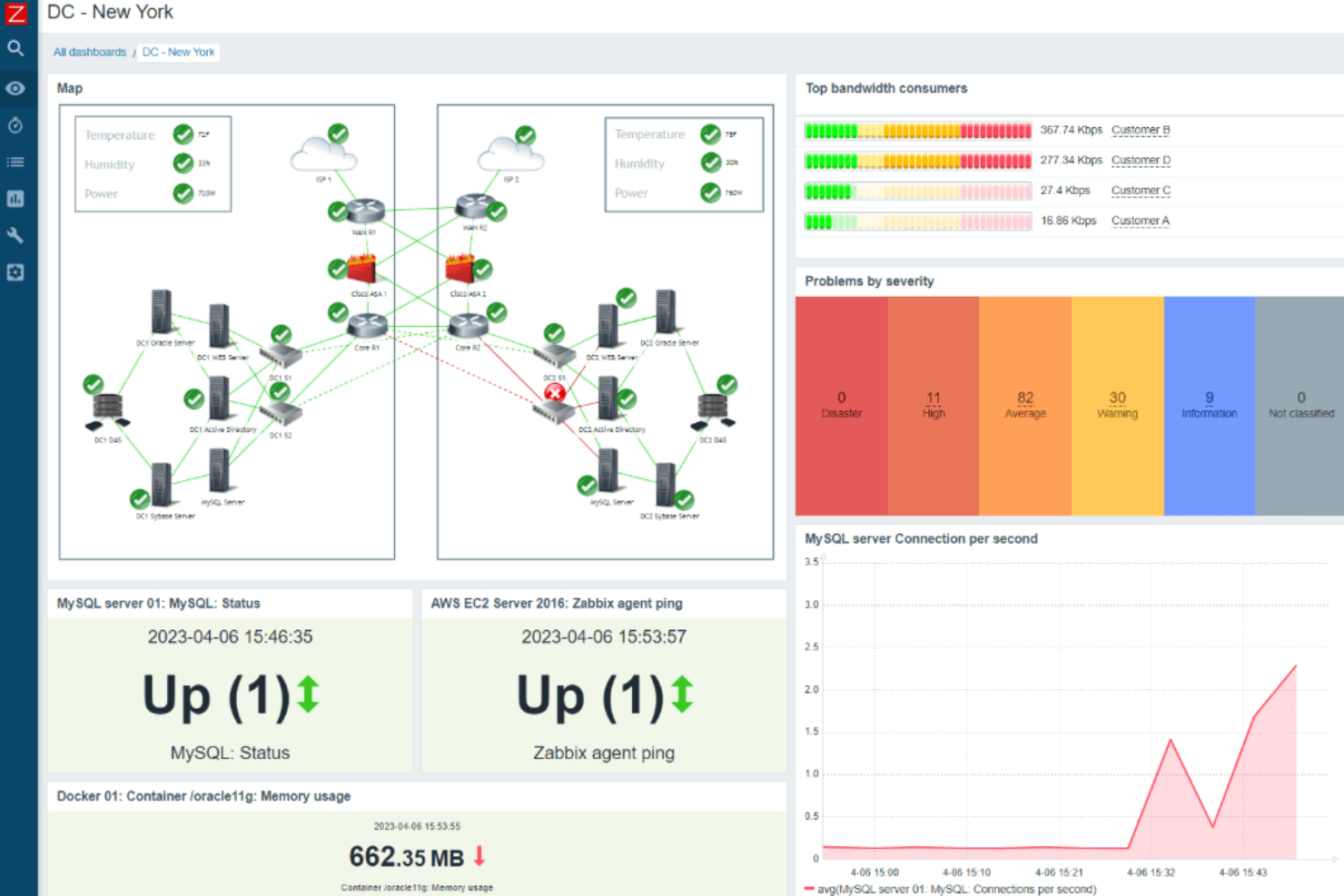
Zabbix impresses with its no-cost open-source model, extensive protocol support, and flexible alerting. Its interface and onboarding can feel complex compared to simpler tools, but its automation, integrations, and scalability make it a top pick for large, multi-site, or hybrid environments.
If you’re selecting a solution for deep customization and enterprise-level monitoring without recurring license fees, Zabbix is a strong contender. However, teams seeking rapid setup or extensive vendor support may find the learning curve and community-driven help less appealing. For highly technical teams, Zabbix’s capabilities often outweigh these tradeoffs.
Pros
- Open-source with no licensing fees for core features
- Supports SNMP, agent, and agentless monitoring methods
- Highly customizable alerting and escalation workflows
Cons
- Initial configuration is time-consuming for large environments
- User interface feels dated compared to newer tools
- Official support requires a paid subscription or partner services
Is Zabbix Right For Your Needs?
Who Would be a Good Fit for Zabbix?
Zabbix is best suited for organizations with complex, distributed IT environments that require deep customization and granular monitoring. Its open-source model, protocol flexibility, and automation features make it ideal for teams with technical expertise and the need for scalable, enterprise-grade monitoring. Businesses in regulated industries, large enterprises, and those with hybrid or multi-cloud infrastructure will find Zabbix’s capabilities align well with their requirements.
- Large EnterprisesZabbix handles high-volume device monitoring and complex network topologies.
- Managed Service ProvidersMulti-tenant support and customizable dashboards suit client-facing operations.
- Financial ServicesGranular alerting and audit trails help meet strict compliance needs.
- Data CentersAgent and agentless monitoring support diverse hardware and network gear.
- Higher Education ITSupports campus-wide, multi-site monitoring with flexible notification rules.
- DevOps TeamsAPI access and automation features integrate with CI/CD pipelines.
Who Would be a Bad Fit for Zabbix?
Zabbix is less suitable for organizations seeking rapid deployment, minimal maintenance, or extensive out-of-the-box integrations. Smaller businesses, non-technical teams, and those prioritizing modern interfaces or vendor-led support may find Zabbix’s setup and management requirements burdensome compared to more turnkey solutions.
- Small BusinessesSetup and maintenance overhead outweighs benefits for limited infrastructure.
- Non-Technical TeamsRequires technical skills for configuration and ongoing management.
- Retail ChainsLacks built-in templates for common POS and retail devices.
- StartupsTime-to-value is slower than plug-and-play monitoring tools.
- Marketing DepartmentsDoes not offer native integrations with marketing analytics platforms.
- Remote-Only CompaniesOn-premises focus may not align with fully cloud-native environments.
Nuestra metodología de revisión
Cómo probamos y puntuamos las herramientas
Hemos invertido años construyendo, refinando y mejorando nuestro sistema de pruebas y puntuación de software. La rúbrica está diseñada para captar los matices de la selección de software y lo que hace a una herramienta efectiva, enfocándose en aspectos críticos del proceso de toma de decisiones.
A continuación, puedes ver exactamente cómo nuestro sistema de prueba y puntuación funciona a través de siete criterios. Esto nos permite ofrecer una evaluación imparcial del software basada en funcionalidad central, características destacadas, facilidad de uso, incorporación, soporte al cliente, integraciones, reseñas de clientes y relación calidad-precio.
Funcionalidad principal (25% de la puntuación final)
El punto de partida de nuestra evaluación siempre es la funcionalidad central de la herramienta. ¿Tiene las características y funciones básicas que un usuario esperaría encontrar? ¿Alguna de esas funciones principales está limitada a planes de precios superiores? Esperamos que una herramienta esté a la altura de las capacidades básicas de sus competidores.
Características destacadas (25% de la puntuación final)
Luego, evaluamos las características poco comunes y sobresalientes que van más allá de la funcionalidad principal que normalmente se encuentra en herramientas de su tipo. Una puntuación alta refleja características especializadas o únicas que hacen el producto más rápido, eficiente o que ofrecen valor adicional al usuario.
También evaluamos qué tan fácil es integrar con otras herramientas que normalmente forman parte del ecosistema tecnológico para expandir la funcionalidad y utilidad del software. Las herramientas que ofrecen abundantes integraciones nativas, conexiones de terceros y acceso API para crear integraciones personalizadas obtienen la mejor puntuación.
Facilidad de uso (10% de la puntuación final)
Consideramos cuán rápido y sencillo es ejecutar las tareas definidas por la funcionalidad principal usando la herramienta. El software con mejor puntuación está bien diseñado, es intuitivo, ofrece aplicaciones móviles, proporciona plantillas y hace que tareas relativamente complejas parezcan sencillas.
Incorporación (10% de la puntuación final)
Sabemos lo importante que es la adopción rápida por parte del equipo para una nueva plataforma, por lo que evaluamos cuán fácil es aprender y usar una herramienta con entrenamiento mínimo. Evaluamos cuán rápido un miembro del equipo puede configurarla y comenzar a utilizarla sin experiencia previa. Las soluciones con mayor puntuación requieren poco o ningún soporte.
Soporte al cliente (10% de la puntuación final)
Revisamos qué tan rápido y sencillo es resolver dudas y encontrar ayuda por teléfono, chat en vivo o base de conocimientos. Las herramientas y compañías que proporcionan soporte en tiempo real obtienen la mejor puntuación, mientras que los chatbots obtienen la peor.
Reseñas de clientes (10% de la puntuación final)
Además de nuestras pruebas y evaluaciones, consideramos la puntuación neta de promotores por parte de clientes actuales y anteriores. Revisamos la probabilidad de que elijan la herramienta de nuevo para la funcionalidad principal. Una puntuación alta refleja una alta puntuación neta de promotores actuales o pasados.
Relación calidad-precio (10% de la puntuación final)
Por último, considerando todos los demás criterios, revisamos el precio promedio de los planes de nivel básico comparado con las funciones principales y consideramos el valor de los demás criterios de evaluación. El software que ofrezca más, por menos, obtendrá una puntuación mayor.
Core Features
SNMP and Agent Monitoring
Monitor devices using SNMP v1, v2c, v3, or Zabbix agents for broad compatibility. Supports agentless checks such as IPMI, JMX, HTTP, and SSH for monitoring without installing agents.
Customizable Alerting
Set flexible thresholds and escalation rules for precise, actionable notifications. Configure notifications using email, SMS, webhooks, and scripts based on trigger conditions.
Automatic Device Discovery
Scan network ranges to detect, onboard, and group new devices automatically. Discovery rules can automatically assign templates, host groups, and monitoring items.
Pre-Built Templates
Apply over 300 vendor-specific templates for rapid deployment and consistent monitoring. Templates include predefined items, triggers, graphs, and discovery rules.
Aggregated and Calculated Metrics
Aggregate traffic, error counts, and other metrics over time for trend analysis. Calculated items allow combining multiple metrics into a single monitoring value.
Root Cause Analysis
Define alert dependencies to reduce noise and highlight primary issues in complex networks. Event correlation suppresses related alerts when a primary issue is detected.
Ease of Use
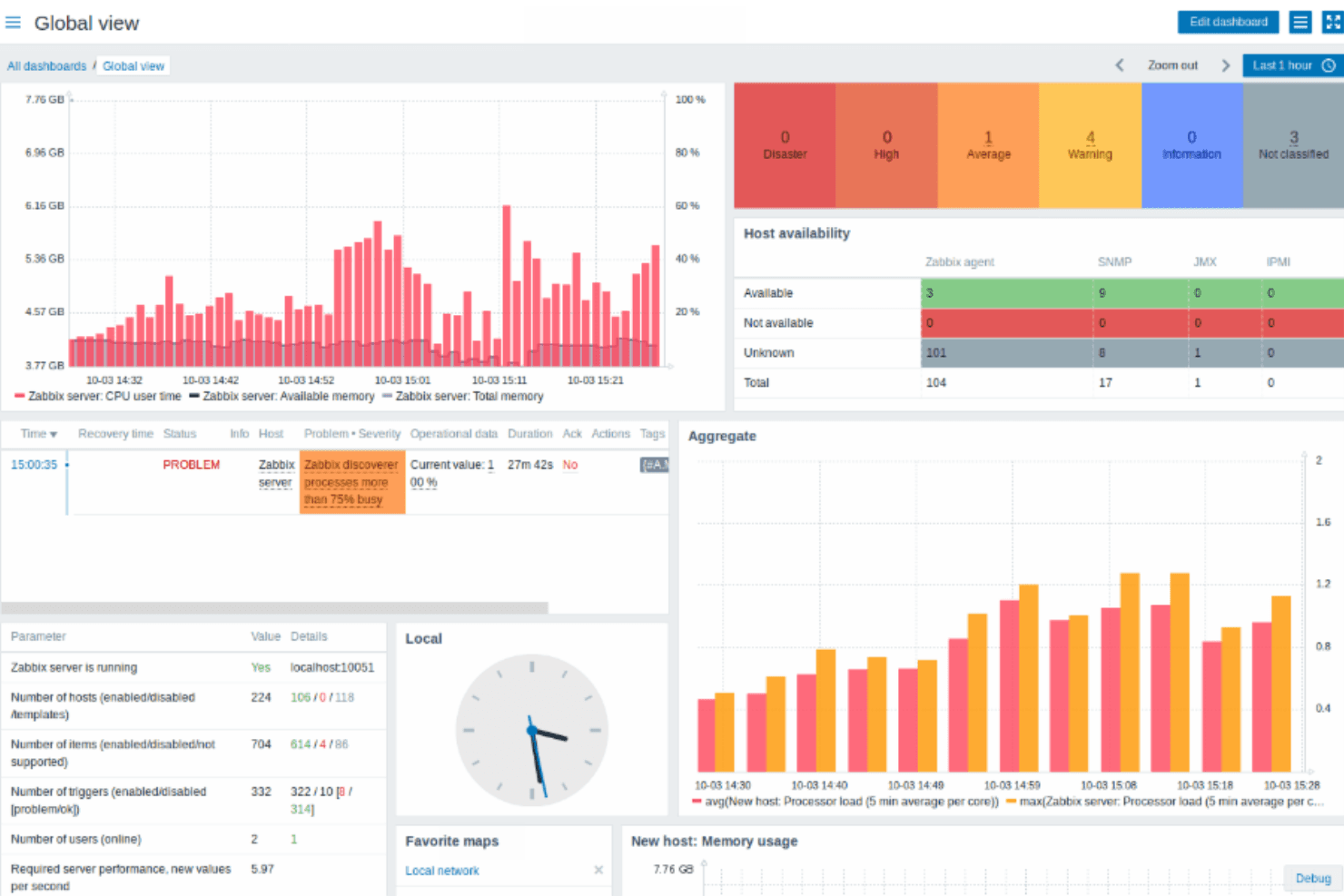
Zabbix’s interface and setup process are often described as complex, especially for teams without prior experience in network monitoring software. Many users note that configuring hosts, triggers, and templates requires technical knowledge and careful planning. While the platform offers extensive customization and documentation, the learning curve can be steep. However, once configured, Zabbix provides reliable, detailed monitoring and flexible dashboards that experienced IT teams appreciate for their depth and control.
Integrations
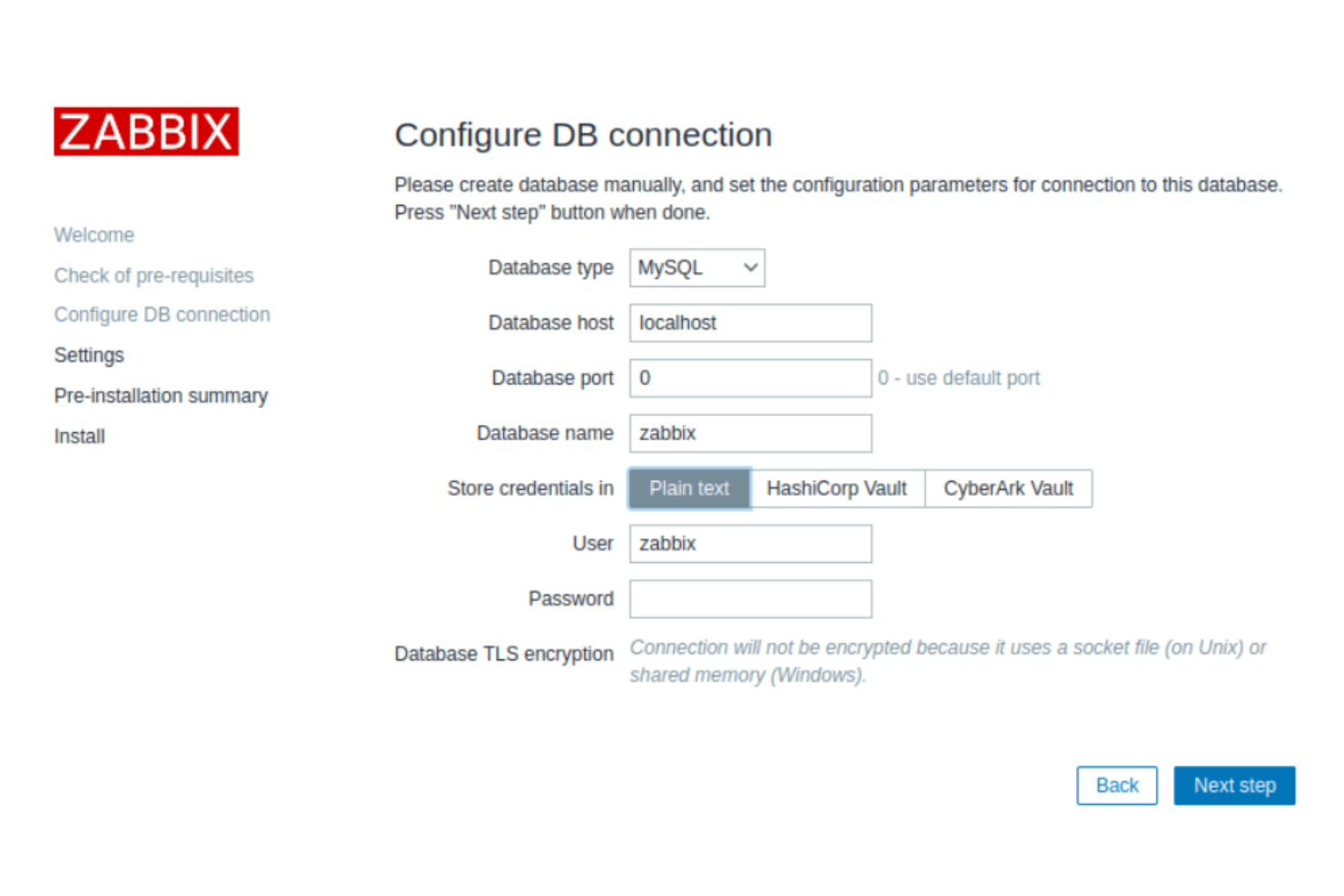
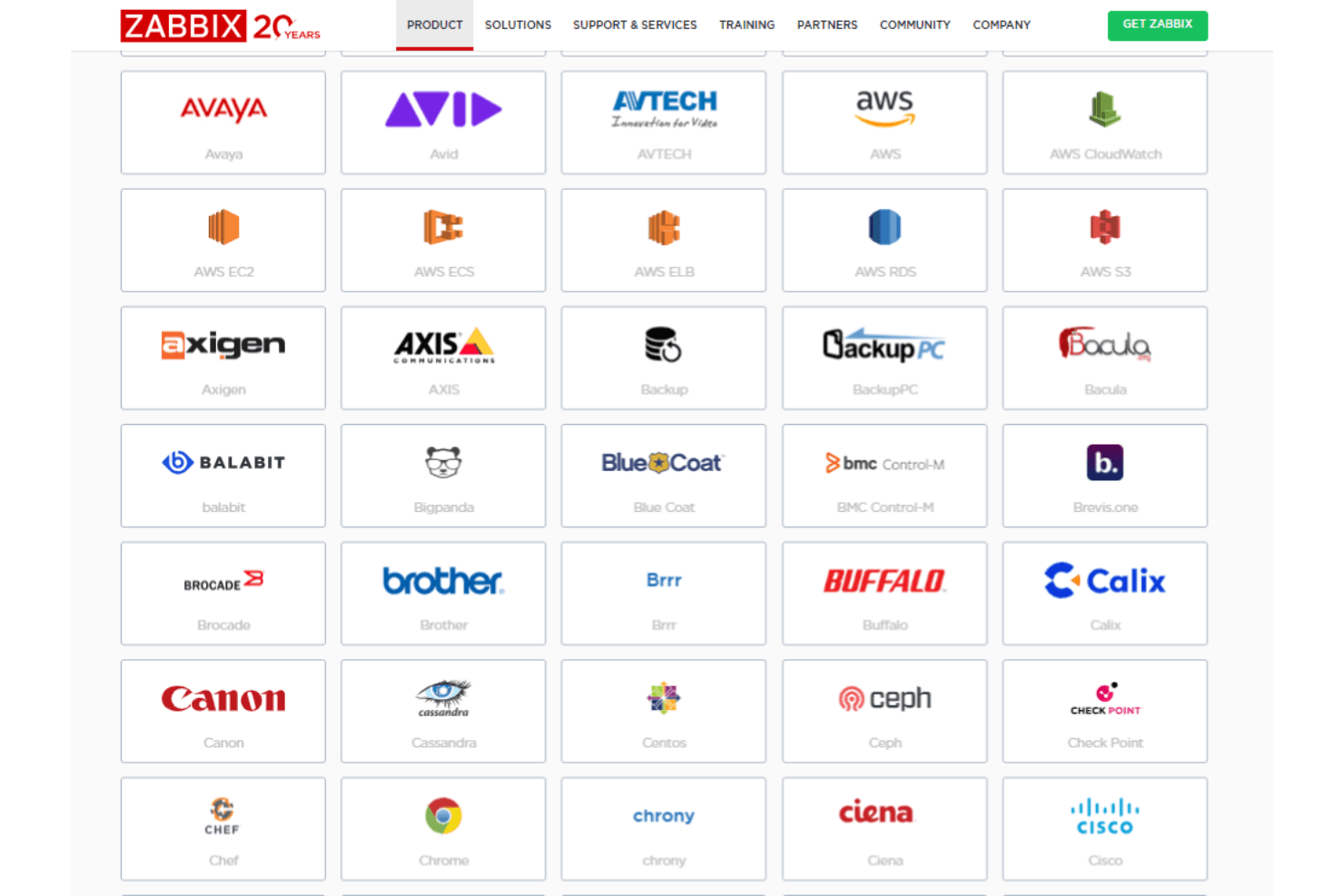
Zabbix integrates with VMware vSphere, Docker, Kubernetes, Amazon Web Services (AWS), Microsoft Azure, Google Cloud Platform, Cisco devices, HP devices, IBM servers, and Oracle databases, among others.
Zabbix also offers a REST API for custom integrations and supports connections with third-party integration tools.
Zabbix Specs
- Access Management: No
- Bug Tracking: No
- Compliance Tracking: No
- Custom Reports: No
- DDoS Protection: No
- Incident Management: No
- Malware Protection: No
- Network Device Performance Monitoring: Yes
- Network Traffic Monitoring: Yes
- Network Visualization: No
- Risk Assessment: No
- Security Migration: No
- Technical Health Assessment: No
- Workflow Management: No


