
Reseña de Rippling IT 2026: Ventajas, desventajas, funciones y precios
I look past the MDM label to weigh Rippling IT’s device management, broader IT features, and pricing—and whether its all-in-one approach is worth it for your team.

Revisamos herramientas de forma independiente y las comisiones ayudan a financiar nuestras pruebas. Consulta nuestra política de transparencia, nuestra metodología o sugiere una herramienta.
Rippling IT is MDM software for managing Mac and Windows devices, with device policies and actions tied to employee records. I’d consider it if your IT team needs to automate device setup and offboarding across both operating systems; compared with Apple-focused Jamf, Rippling is a better fit when you also want workforce data to trigger those workflows.
Rippling IT Evaluation Summary
4.8/5
- From $8/user/month (billed annually)
- 14-day free trial
Por qué confiar en nuestras recomendaciones de software
6,700+
Reviews
20
Industry experts
16+
Evaluation factors
14
Years
Nuestro equipo lleva probando y evaluando software desde 2012. Como líderes tecnológicos, sabemos lo difícil —y lo importante— que es elegir el software adecuado.
Para esta guía, evaluamos las herramientas mediante pruebas prácticas e investigación independiente, puntuando las herramientas según nuestros criterios de selección.
Nuestras reseñas reflejan nuestro criterio editorial humano, no un discurso de ventas.
Revisores expertos:
- Paulo Gardini MiguelDirector técnico
 Tim FisherVP de IA
 Gabriel RosasTech Lead y arquitecto de software
 Christhian GruhnTech Lead y arquitecto de plataforma

Rippling IT Overview
I’d choose Rippling IT when employee records should drive device setup, policy changes, and offboarding. It manages macOS, Windows, iOS, and iPadOS, with zero-touch enrollment, remote lock and wipe, inventory reporting, and device shipping. Compared with tools focused mainly on device controls, its 650+ integrations and connected identity and IT features give it broader scope. Pricing starts at $8 per user monthly, but modules and add-ons can raise the total. Guided onboarding helps, though advanced workflows take learning; documentation is available, but support for complex cases can be uneven. I think it suits teams seeking connected IT workflows over deep device-level customization.
Pros
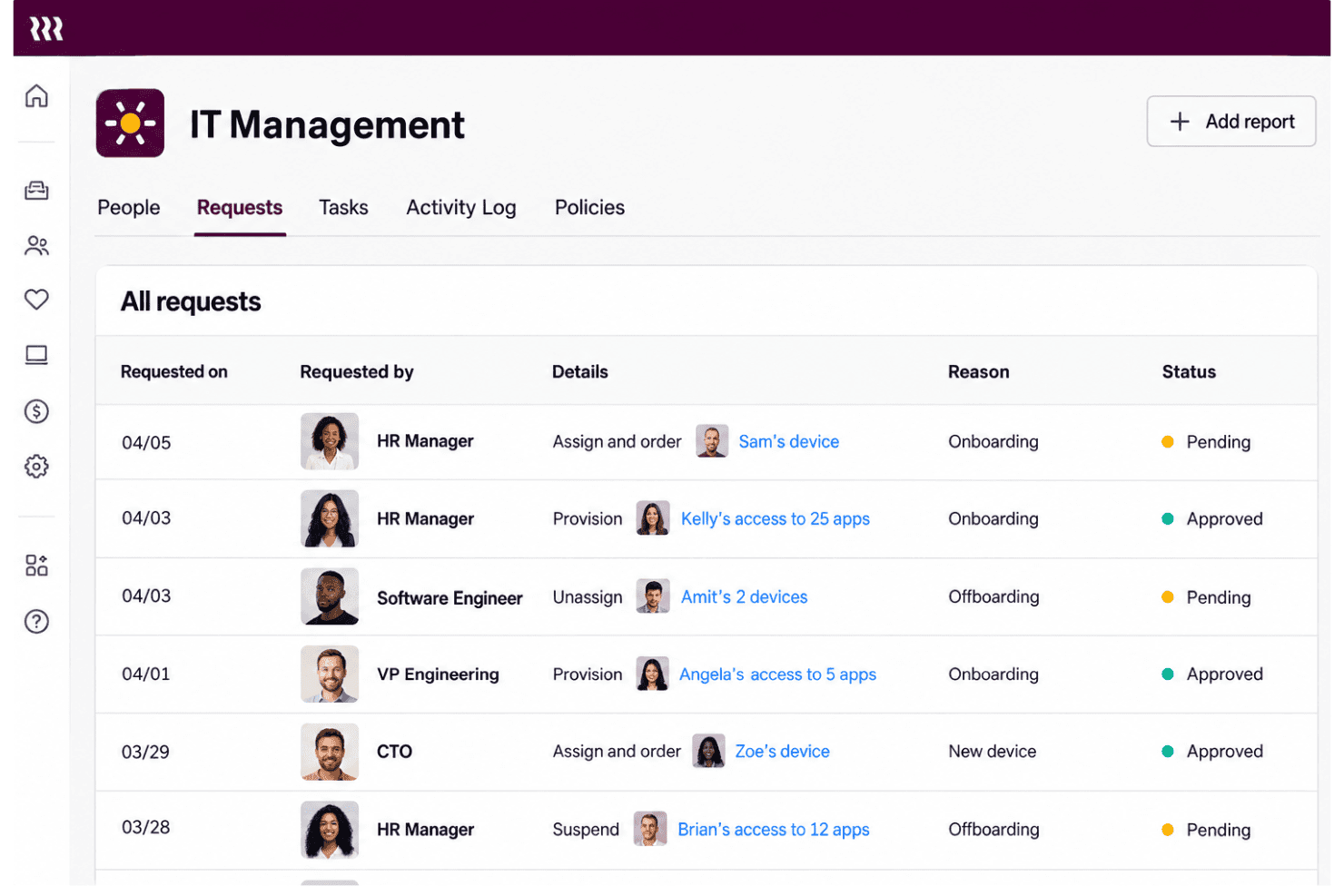
- Employee-triggered provisioning links device setup with offboarding workflows.
- Mac and Windows management shares policies, inventory, and remote actions.
- Device ordering, shipping, retrieval, and warehousing cover hardware lifecycle.
Cons
- IT admins report limited rollout feedback and difficult provisioning.
- Linux endpoints and servers aren’t supported by Rippling MDM.
- Modular add-on pricing can raise costs beyond the starting rate.
Is Rippling IT Right For Your Needs?
Who Would be a Good Fit for Rippling IT?
Rippling IT suits teams that manage employee-linked device and access changes across Mac and Windows. Its zero-touch enrollment, shared inventory, remote lock and wipe, and integrations with tools such as Google Workspace, Slack, Microsoft 365, and Okta support these workflows.
- Growing CompaniesEmployee records can drive device setup, access changes, and offboarding, which suits companies whose IT needs grow alongside their workforce.
- Mac And Windows FleetsZero-touch enrollment and remote lock or wipe support routine lifecycle tasks across Mac and Windows devices.
- HR-IT TeamsShared employee and device workflows let HR and IT coordinate onboarding and offboarding without relying on a device-only inventory process.
- Remote OnboardingSilent agent installation and employee-triggered device configuration let IT prepare devices before a new hire’s first day.
- SaaS-Heavy TeamsIntegrations with Google Workspace, Slack, Microsoft 365, Okta, GitHub, Jira, and other apps support teams managing device and app access together.
- Lifecycle AdministratorsIT admins handling frequent employee changes can use shared inventory and remote lock or wipe for common device lifecycle tasks.
Who Would be a Bad Fit for Rippling IT?
Rippling IT is a weaker fit when you need only basic, low-cost device management or rely on deployment workflows that demand extensive configuration and hands-on support. Its published details and available feedback point to tradeoffs around pricing, complex provisioning, and rollout feedback.
- Device-Only BuyersTeams that need only per-device MDM may find Rippling’s per-user pricing, base fee, and add-ons harder to justify than a device-focused tool.
- Linux-First FleetsIf most endpoints run Linux, confirm support before choosing, since the described enrollment workflows focus on Mac and Windows devices.
- Complex DeploymentsTeams with intricate provisioning requirements should account for reviewer reports of difficult provisioning and the time needed to learn advanced workflows.
- Feedback-Dependent RolloutsIT teams that need detailed rollout feedback should assess fit carefully, since reviewers report limited feedback during deployments.
- Support-Reliant TeamsTeams that depend on hands-on help for complex MDM issues may find the mixed support feedback concerning, including reports of unresolved provisioning issues and slow paths to a person.
- Tight BudgetsSmall organizations seeking low-cost, basic MDM may be a poor fit because Rippling IT costs about $8 per user monthly, with a base fee and add-ons potentially increasing spend.
Nuestra metodología de revisión
Cómo probamos y puntuamos las herramientas
Hemos invertido años construyendo, refinando y mejorando nuestro sistema de pruebas y puntuación de software. La rúbrica está diseñada para captar los matices de la selección de software y lo que hace a una herramienta efectiva, enfocándose en aspectos críticos del proceso de toma de decisiones.
A continuación, puedes ver exactamente cómo nuestro sistema de prueba y puntuación funciona a través de siete criterios. Esto nos permite ofrecer una evaluación imparcial del software basada en funcionalidad central, características destacadas, facilidad de uso, incorporación, soporte al cliente, integraciones, reseñas de clientes y relación calidad-precio.
Funcionalidad principal (25% de la puntuación final)
El punto de partida de nuestra evaluación siempre es la funcionalidad central de la herramienta. ¿Tiene las características y funciones básicas que un usuario esperaría encontrar? ¿Alguna de esas funciones principales está limitada a planes de precios superiores? Esperamos que una herramienta esté a la altura de las capacidades básicas de sus competidores.
Características destacadas (25% de la puntuación final)
Luego, evaluamos las características poco comunes y sobresalientes que van más allá de la funcionalidad principal que normalmente se encuentra en herramientas de su tipo. Una puntuación alta refleja características especializadas o únicas que hacen el producto más rápido, eficiente o que ofrecen valor adicional al usuario.
También evaluamos qué tan fácil es integrar con otras herramientas que normalmente forman parte del ecosistema tecnológico para expandir la funcionalidad y utilidad del software. Las herramientas que ofrecen abundantes integraciones nativas, conexiones de terceros y acceso API para crear integraciones personalizadas obtienen la mejor puntuación.
Facilidad de uso (10% de la puntuación final)
Consideramos cuán rápido y sencillo es ejecutar las tareas definidas por la funcionalidad principal usando la herramienta. El software con mejor puntuación está bien diseñado, es intuitivo, ofrece aplicaciones móviles, proporciona plantillas y hace que tareas relativamente complejas parezcan sencillas.
Incorporación (10% de la puntuación final)
Sabemos lo importante que es la adopción rápida por parte del equipo para una nueva plataforma, por lo que evaluamos cuán fácil es aprender y usar una herramienta con entrenamiento mínimo. Evaluamos cuán rápido un miembro del equipo puede configurarla y comenzar a utilizarla sin experiencia previa. Las soluciones con mayor puntuación requieren poco o ningún soporte.
Soporte al cliente (10% de la puntuación final)
Revisamos qué tan rápido y sencillo es resolver dudas y encontrar ayuda por teléfono, chat en vivo o base de conocimientos. Las herramientas y compañías que proporcionan soporte en tiempo real obtienen la mejor puntuación, mientras que los chatbots obtienen la peor.
Reseñas de clientes (10% de la puntuación final)
Además de nuestras pruebas y evaluaciones, consideramos la puntuación neta de promotores por parte de clientes actuales y anteriores. Revisamos la probabilidad de que elijan la herramienta de nuevo para la funcionalidad principal. Una puntuación alta refleja una alta puntuación neta de promotores actuales o pasados.
Relación calidad-precio (10% de la puntuación final)
Por último, considerando todos los demás criterios, revisamos el precio promedio de los planes de nivel básico comparado con las funciones principales y consideramos el valor de los demás criterios de evaluación. El software que ofrezca más, por menos, obtendrá una puntuación mayor.
Core Features
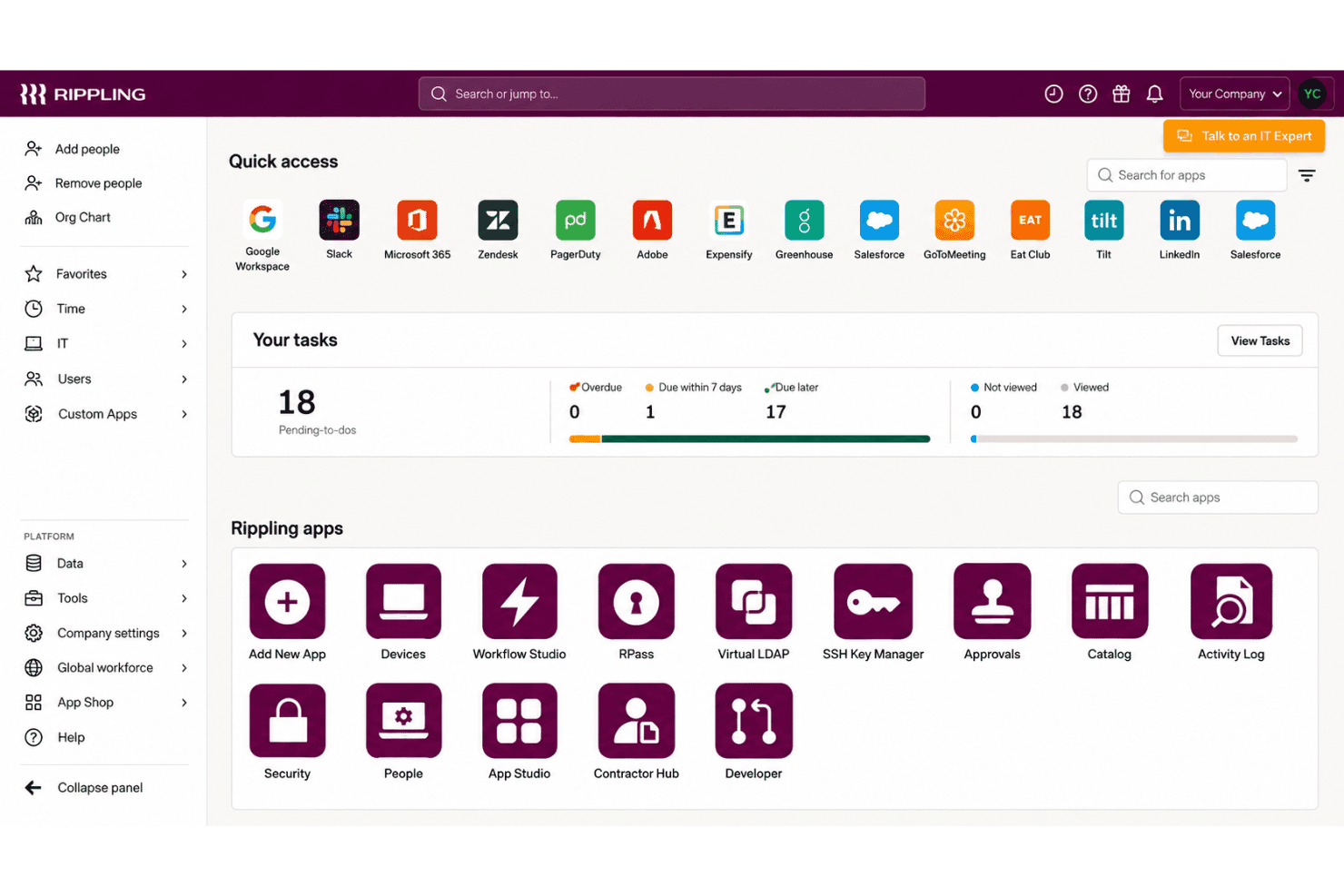
Zero-Touch Device Enrollment
Rippling can install its agent silently and configure devices for new hires without hands-on setup by IT. That lets your team prepare a Mac or Windows device before an employee’s first day.
Cross-Platform Device Management
Rippling manages Mac and Windows devices through a shared MDM, with device assignment and reassignment tied to employee records. Your team can apply device workflows across both operating systems instead of managing separate inventories.
Device Policies And Configuration
You can apply dynamic policies based on user and device attributes, and set profiles for Wi-Fi, firewalls, printers, and login screens. For example, a role change can trigger updated device settings without requiring IT to configure each device manually.
Remote Lock And Wipe
Admins can remotely lock or wipe a device, and schedule those actions as part of offboarding. This gives your team a way to respond when a device is lost or an employee leaves with company data on it.
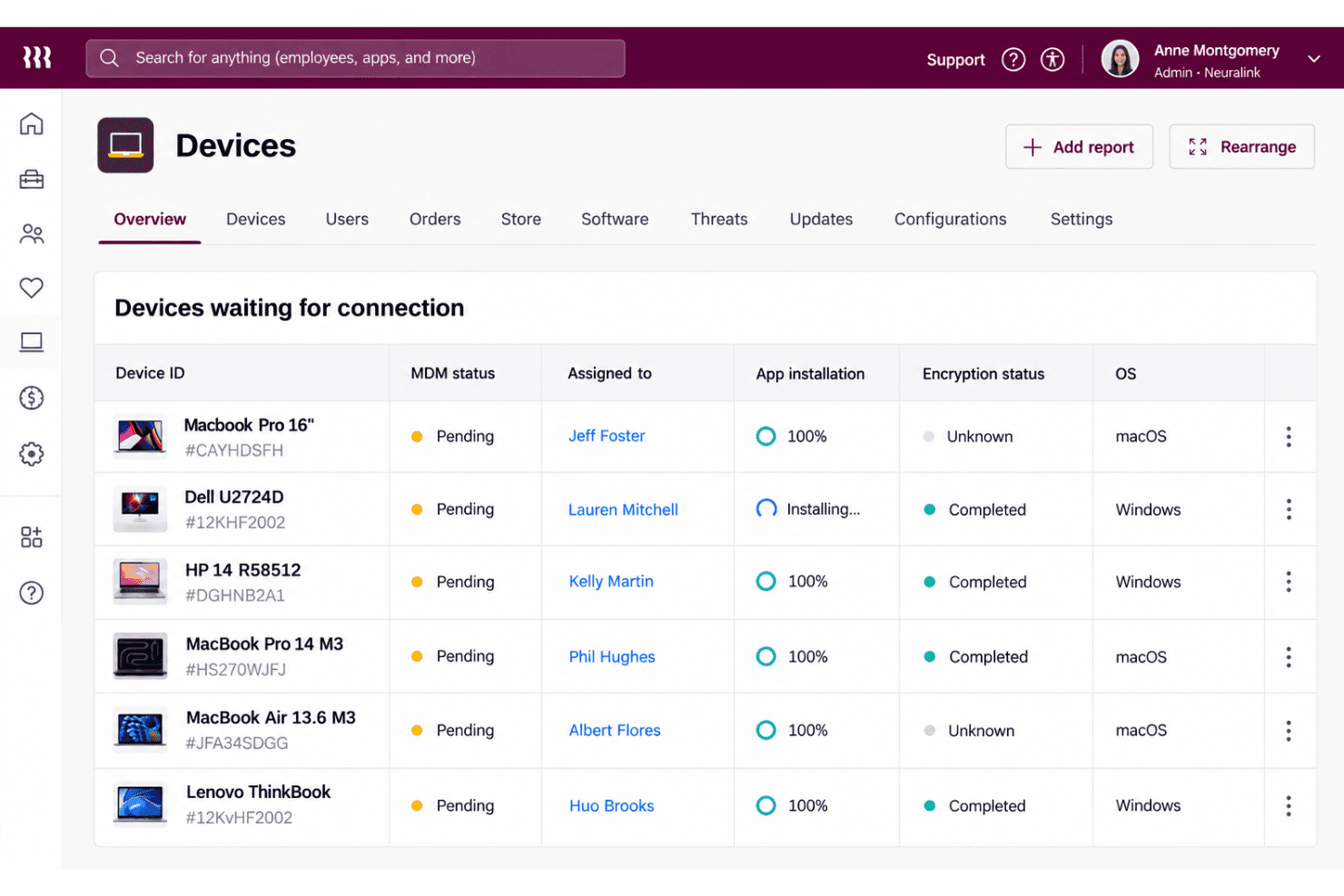
Device Inventory And Reporting
Rippling provides device dashboards and reports with details such as serial number, OS version, battery health, and disk usage. IT can use that information to check device status and identify machines that need attention.
Hardware Lifecycle Management
Rippling supports device ordering, shipping, retrieval, storage, and reassignment, with offboarding workflows able to automate returns. This connects device logistics to employee changes, so your team can recover and prepare hardware for its next user.
Ease of Use
Rippling IT feels easier to manage than a device-only MDM when employee records drive setup, access changes, and offboarding across Mac and Windows. Zero-touch enrollment, shared inventory, and remote lock or wipe keep common tasks in one workflow. Still, user feedback points to difficult provisioning and limited rollout feedback, while advanced workflows take time to learn. I’d call it approachable for routine lifecycle tasks, but less intuitive when you need complex configuration.
Integrations
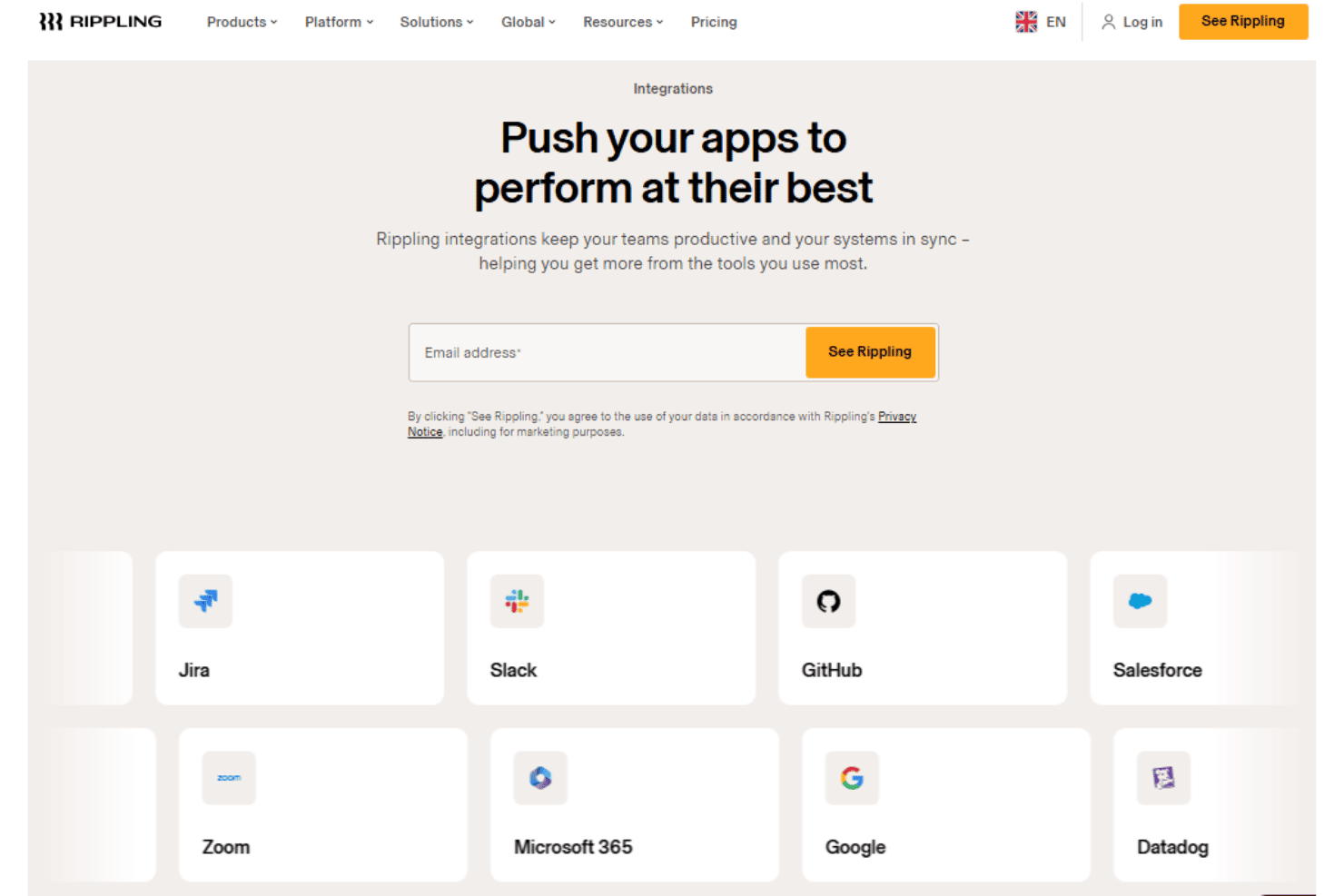
Rippling IT integrates with Google Workspace, Slack, Microsoft 365, Okta, GitHub, Jira, Zoom, Salesforce, HubSpot, and Asana, among others.
Rippling also offers a REST API for custom integrations and supports prebuilt and custom app connections through its App Shop.
New Product Updates from Rippling IT
 Opens new window
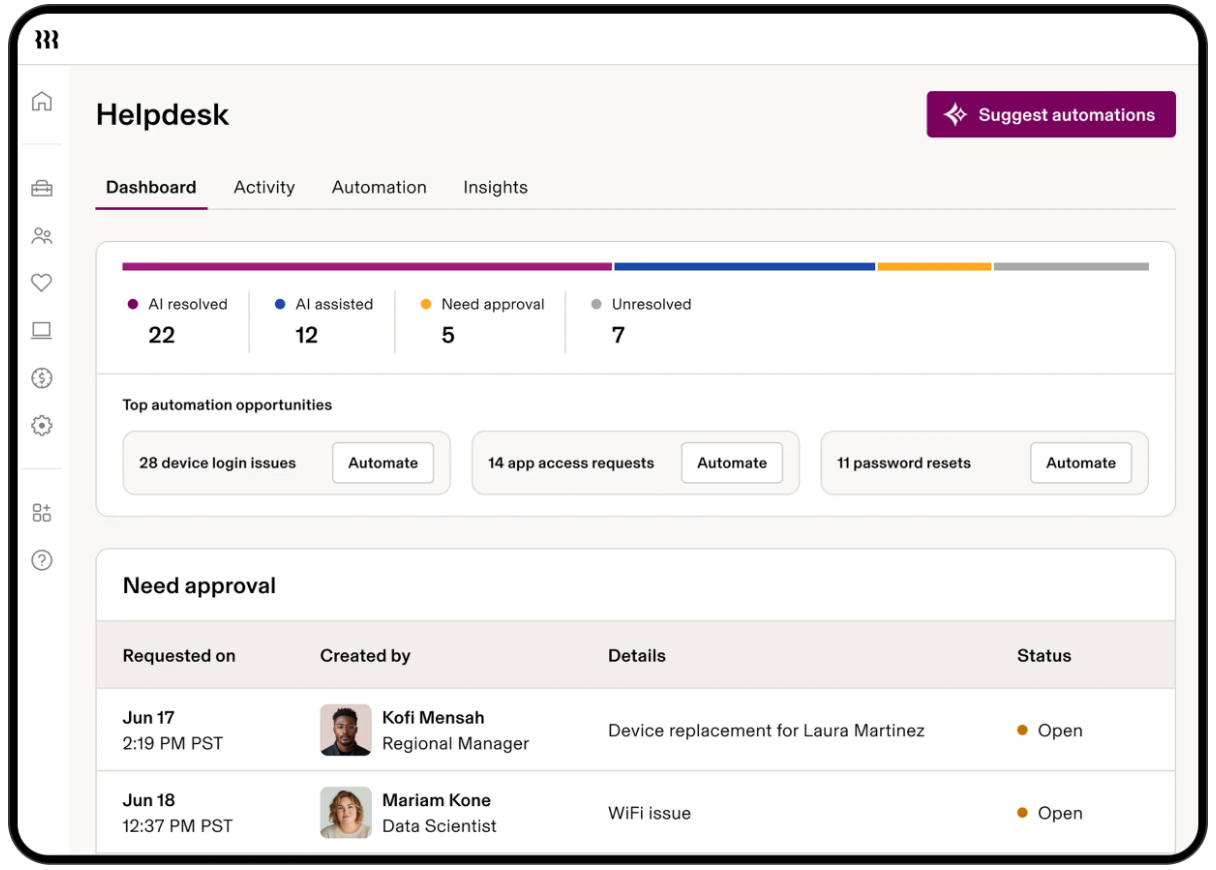
Rippling IT Launches Helpdesk for Agentic Support
Rippling IT launches Helpdesk to resolve routine tickets using employee, policy, app, and device context. It can troubleshoot issues, take supported actions, route approvals, and escalate unresolved requests with context attached. Highlights include:
- Automated Ticket Resolution: Handles routine requests such as app access, password resets, device lockouts, and replacements.
- Contextual Troubleshooting: Uses employee, device, policy, and app data to determine the next step.
- Approval Controls: Lets admins decide which actions run automatically or require approval.
- Contextual Escalation: Passes unresolved requests to IT with troubleshooting and employee context attached.
- Activity Logging: Records requests, actions, resolutions, and escalations for visibility.
Visit Rippling’s official site for more details.
Rippling IT Specs
- 2-Factor Authentication: Yes
- API: Yes
- Batch Permissions & Access: Yes
- Dashboard: Yes
- Data Export: Yes
- Data Import: Yes
- Email Integration: Yes
- External Integrations: Yes
- Google Apps Integration: Yes
- Multi-User: Yes
- Notifications: Yes
- Password & Access Management: Yes


