

Reseña de Bubble 2026: Características Clave, Ventajas, Desventajas y Precios
Bubble permite a quienes no saben programar crear aplicaciones web robustas de forma visual, pero su flexibilidad implica una curva de aprendizaje y límites de escalabilidad en comparación con plataformas tradicionales de codificación.

Revisamos herramientas de forma independiente y las comisiones ayudan a financiar nuestras pruebas. Consulta nuestra política de transparencia, nuestra metodología o sugiere una herramienta.
Bubble is an application development software for teams that need to build and ship functional web apps without writing code. It gives you a visual editor for designing interfaces alongside a logic and database layer for handling real app behavior. I'd consider it over something like OutSystems if you want that same flexibility to build custom workflows and data structures, but without the enterprise pricing and heavy implementation overhead that comes with it.
Bubble Evaluation Summary

4.4/5
- From $29/month (billed annually)
- Free plan + free trial available
Por qué confiar en nuestras recomendaciones de software
6,700+
Reviews
20
Industry experts
16+
Evaluation factors
14
Years
Nuestro equipo lleva probando y evaluando software desde 2012. Como líderes tecnológicos, sabemos lo difícil —y lo importante— que es elegir el software adecuado.
Para esta guía, evaluamos las herramientas mediante pruebas prácticas e investigación independiente, puntuando las herramientas según nuestros criterios de selección.
Nuestras reseñas reflejan nuestro criterio editorial humano, no un discurso de ventas.
Revisores expertos:
- Paulo Gardini MiguelDirector técnico
 Tim FisherVP de IA
 Gabriel RosasTech Lead y arquitecto de software
 Christhian GruhnTech Lead y arquitecto de plataforma

Bubble Overview
When judging Bubble against other development software, its visual editor and no-code logic make it a top pick for rapid prototyping and launching MVPs. The pricing is transparent, and the interface is approachable for non-developers, though advanced integrations and scaling can be limiting. Onboarding is straightforward, with strong documentation and community support. Bubble excels for startups, internal tools, and teams prioritizing speed over deep customization.
If you’re selecting a platform for quick iteration and easy updates, Bubble stands out, but those needing complex backend logic or high-traffic scalability may find its limits sooner than with code-based solutions.
Pros
- Active community and extensive documentation for troubleshooting
- Built-in hosting, security, and database management included
- Visual editor supports full-stack web and mobile app creation
Cons
- Pricing increases sharply as app usage scales
- Performance can lag with complex or high-traffic apps
- No source code export creates vendor lock-in
Is Bubble Right For Your Needs?
Who Would be a Good Fit for Bubble?
Startups and small businesses looking to quickly prototype and launch web apps without heavy investment in development teams would thrive with Bubble. Marketing teams can benefit from its visual editor to tailor campaigns, while HR departments can create internal portals without coding expertise. Bubble’s ability to customize apps aligns well with industries that require specific workflows, such as education or healthcare. Its no-code platform empowers non-tech-savvy users to bring ideas to life, making it ideal for entrepreneurs with limited resources.
- FreelancersFreelancers can deliver client web apps quickly using Bubble’s templates and plugins.
- Education TechnologyEducators can create interactive learning platforms without coding resources.
- Product ManagementProduct managers can test features and gather feedback before full-scale development.
- Small BusinessesOwners can launch customer portals or booking systems without hiring developers.
- Internal ToolsDepartments can build custom dashboards and workflows without IT bottlenecks.
- Startup MVPsBubble enables fast prototyping and iteration for early-stage product validation.
Who Would be a Bad Fit for Bubble?
Large enterprises needing highly scalable, complex applications might struggle with Bubble due to its limited scalability options. Tech-heavy industries like fintech or gaming, which require intricate backend processes and real-time data handling, could find Bubble’s no-code approach insufficient. Development teams focused on building highly customized and performance-intensive applications may also find the platform restrictive, as Bubble’s performance can lag with complex apps.
- Large EnterprisesYou might find Bubble’s scalability limitations a hindrance for growing applications.
- DevOps TeamsNo direct access to infrastructure or source code for custom workflows.
- Game DevelopmentBubble does not support real-time graphics or game engine features.
- Complex SaaS ProductsAdvanced backend logic and custom APIs are harder to implement.
- Regulated IndustriesLimited support for HIPAA, SOC 2, or other strict compliance standards.
- Large EnterprisesBubble lacks advanced compliance and scalability for enterprise-grade deployments.
Nuestra metodología de revisión
Cómo probamos y puntuamos las herramientas
Hemos invertido años construyendo, refinando y mejorando nuestro sistema de pruebas y puntuación de software. La rúbrica está diseñada para captar los matices de la selección de software y lo que hace a una herramienta efectiva, enfocándose en aspectos críticos del proceso de toma de decisiones.
A continuación, puedes ver exactamente cómo nuestro sistema de prueba y puntuación funciona a través de siete criterios. Esto nos permite ofrecer una evaluación imparcial del software basada en funcionalidad central, características destacadas, facilidad de uso, incorporación, soporte al cliente, integraciones, reseñas de clientes y relación calidad-precio.
Funcionalidad principal (25% de la puntuación final)
El punto de partida de nuestra evaluación siempre es la funcionalidad central de la herramienta. ¿Tiene las características y funciones básicas que un usuario esperaría encontrar? ¿Alguna de esas funciones principales está limitada a planes de precios superiores? Esperamos que una herramienta esté a la altura de las capacidades básicas de sus competidores.
Características destacadas (25% de la puntuación final)
Luego, evaluamos las características poco comunes y sobresalientes que van más allá de la funcionalidad principal que normalmente se encuentra en herramientas de su tipo. Una puntuación alta refleja características especializadas o únicas que hacen el producto más rápido, eficiente o que ofrecen valor adicional al usuario.
También evaluamos qué tan fácil es integrar con otras herramientas que normalmente forman parte del ecosistema tecnológico para expandir la funcionalidad y utilidad del software. Las herramientas que ofrecen abundantes integraciones nativas, conexiones de terceros y acceso API para crear integraciones personalizadas obtienen la mejor puntuación.
Facilidad de uso (10% de la puntuación final)
Consideramos cuán rápido y sencillo es ejecutar las tareas definidas por la funcionalidad principal usando la herramienta. El software con mejor puntuación está bien diseñado, es intuitivo, ofrece aplicaciones móviles, proporciona plantillas y hace que tareas relativamente complejas parezcan sencillas.
Incorporación (10% de la puntuación final)
Sabemos lo importante que es la adopción rápida por parte del equipo para una nueva plataforma, por lo que evaluamos cuán fácil es aprender y usar una herramienta con entrenamiento mínimo. Evaluamos cuán rápido un miembro del equipo puede configurarla y comenzar a utilizarla sin experiencia previa. Las soluciones con mayor puntuación requieren poco o ningún soporte.
Soporte al cliente (10% de la puntuación final)
Revisamos qué tan rápido y sencillo es resolver dudas y encontrar ayuda por teléfono, chat en vivo o base de conocimientos. Las herramientas y compañías que proporcionan soporte en tiempo real obtienen la mejor puntuación, mientras que los chatbots obtienen la peor.
Reseñas de clientes (10% de la puntuación final)
Además de nuestras pruebas y evaluaciones, consideramos la puntuación neta de promotores por parte de clientes actuales y anteriores. Revisamos la probabilidad de que elijan la herramienta de nuevo para la funcionalidad principal. Una puntuación alta refleja una alta puntuación neta de promotores actuales o pasados.
Relación calidad-precio (10% de la puntuación final)
Por último, considerando todos los demás criterios, revisamos el precio promedio de los planes de nivel básico comparado con las funciones principales y consideramos el valor de los demás criterios de evaluación. El software que ofrezca más, por menos, obtendrá una puntuación mayor.
Core Features
Visual Editor
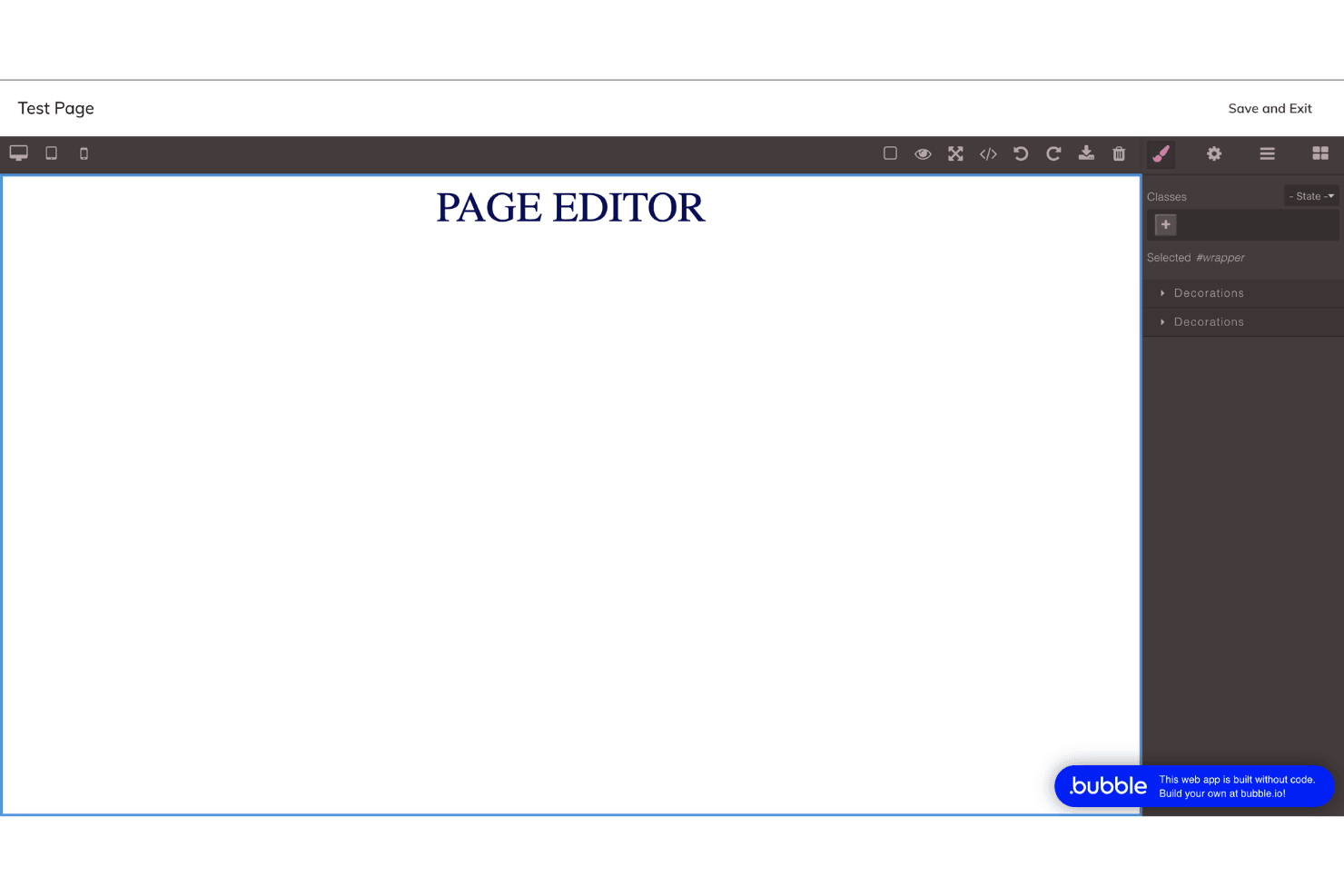
Design web app interfaces by dragging and dropping elements onto a canvas. Users can customize layouts, workflows, and logic without writing code.
Workflow Automation
Set up custom workflows to automate app logic, user actions, and data processing. Trigger events based on user input, scheduled times, or system changes.
Built-In Database
Create, manage, and query structured data directly within Bubble’s platform. Store user profiles, transactions, or any custom data types securely.
Responsive Design Tools
Adjust layouts for different devices using Bubble’s responsive settings. Preview and fine-tune how your app looks on mobile, tablet, and desktop.
User Authentication
Add sign-up, login, and password reset flows with built-in authentication. Control user access and roles without external plugins.
Hosting and Deployment
Launch your app to the web instantly with Bubble’s managed hosting. No need to configure servers or manage infrastructure.
Ease of Use
Bubble stands out for its approachable drag-and-drop interface and visual workflow builder, making app creation accessible to non-developers. Users consistently praise the clear documentation and active community, which help flatten the initial learning curve. While mastering advanced features takes time, most users find the platform intuitive for building prototypes and launching simple apps.
The ability to see changes in real time and avoid manual coding makes Bubble notably user-friendly compared to traditional development tools.

Integrations
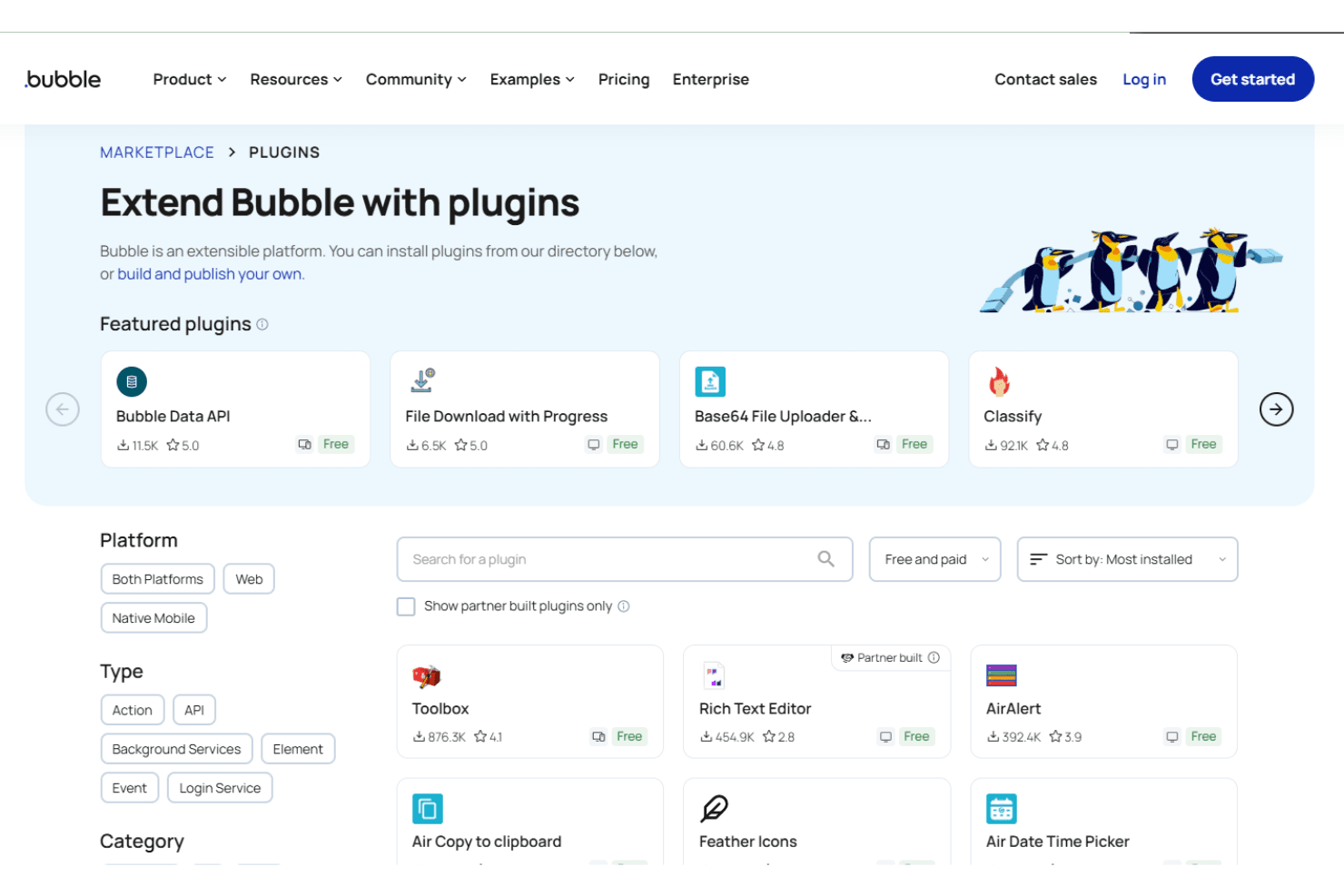
Bubble integrates with Stripe, Google Analytics, Mailchimp, Airtable, Algolia, Twilio, SendGrid, Slack, Facebook, and Google Maps, among others.
Bubble also provides a Data API and supports connecting with third-party integration tools for custom workflows and external data sources.
Bubble Specs
- Analytics: No
- API: Yes
- Calendar Management: No
- Chat: No
- Click-to-Dial: No
- CRM Integration: No
- Customer Management: No
- Customer Service: No
- Dashboard: Yes
- Dashboards: Yes
- Data Export: Yes
- Data Import: Yes
- Data Visualization: No
- External Integrations: Yes
- Feedback Management: No
- Knowledge Base: No
- Lead Management: No
- Lead Scoring: No
- Multi-Source Feedback: No
- Multi-User: Yes
- Net Promoter Score: No
- Notifications: Yes
- Omnichannel Referrals: No
- Online Surveys: No
- Review Moderation: No
- Scheduling: No
- Sentiment Analysis: No
- Social Media Monitoring: No


