

Las 10 mejores opciones: el mejor software de gestión de operaciones SaaS de 2026

Lista de los mejores programas de gestión de operaciones de SaaS


Los mejores programas de gestión de operaciones de SaaS te ayudan a hacer un seguimiento del uso de las aplicaciones, eliminar suscripciones redundantes y gestionar los costes de los proveedores en toda tu organización.
Si tienes que lidiar con licencias duplicadas, TI en la sombra o falta de visibilidad clara sobre quién utiliza cada recurso, estas herramientas aportan control y claridad. Problemas habituales como renovaciones no supervisadas, accesos de usuarios obsoletos y adquisiciones descentralizadas suelen llevar a los equipos a buscar una solución mejor.
He trabajado con equipos de TI y adquisiciones para implementar y evaluar herramientas de gestión de SaaS en entornos SaaS de rápido crecimiento. He comprobado qué plataformas muestran datos de uso prácticos y cuáles solo añaden ruido.
Esta guía analiza las plataformas que ofrecen una visibilidad clara, flujos de trabajo para ahorrar costes y resultados reales para la gobernanza del software.
Por qué confiar en nuestras recomendaciones de software
Nuestro equipo lleva probando y evaluando software desde 2012. Como líderes tecnológicos, sabemos lo difícil —y lo importante— que es elegir el software adecuado.
Para esta guía, evaluamos las herramientas mediante pruebas prácticas e investigación independiente, puntuando las herramientas según nuestros criterios de selección.
Nuestras reseñas reflejan nuestro criterio editorial humano, no un discurso de ventas.
Revisores expertos:
Resumen de los mejores programas de gestión de operaciones de SaaS
| Tool | Best For | Trial Info | Price | ||
|---|---|---|---|---|---|
| 1 | Mejor con resolución de incidentes potenciada por IA | Prueba gratuita de 14 días + demo gratis disponible | Desde $19/agente/mes (facturado anualmente) | Website | |
| 2 | Ideal para perspectivas de gasto impulsadas por IA | Demo gratuita disponible | Precio a consultar | Website | |
| 3 | Ideal para la gestión unificada de accesos | Prueba gratuita de 30 días disponible | Precio a consultar | Website | |
| 4 | La mejor para la facturación recurrente y la gestión de suscripciones | Plan gratuito + prueba gratuita + demo gratuita disponible | Precio bajo consulta | Website | |
| 5 | Ideal para reseñas de software generadas por los usuarios | Plan gratuito disponible | Precios bajo petición | Website | |
| 6 | La mejor opción para la gestión de activos de TI y las licencias de software | Demostración gratuita disponible | Precios previa solicitud | Website | |
| 7 | Mejor opción para operaciones y gestión de seguridad SaaS | Prueba gratuita de 21 días + demo gratis disponible | Precio a consultar | Website | |
| 8 | La mejor opción para soluciones de gestión financiera de TI | Demostración gratuita disponible | Precio a consultar | Website | |
| 9 | Mejor para la gobernanza de datos en los servicios en la nube de Microsoft | Not available | Precios a consultar | Website | |
| 10 | La mejor para compras de SaaS a gran escala | Demostración gratuita disponible | Precios a consultar | Website |

Reseñas de los mejores programas de gestión de operaciones de SaaS

Mejor con resolución de incidentes potenciada por IA
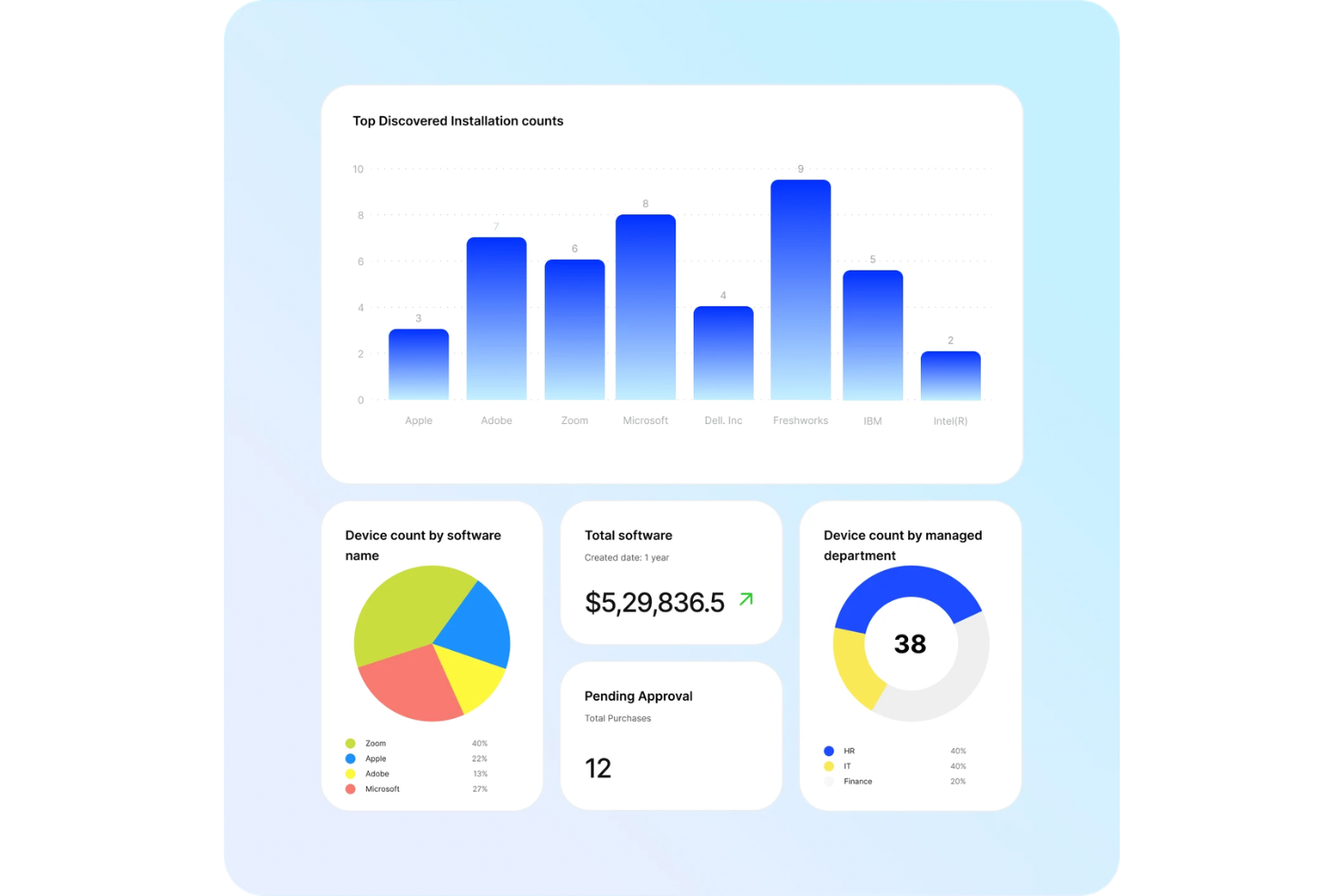
Freshservice es una plataforma de gestión de operaciones SaaS que reúne la gestión de servicios de TI, automatización de flujos de trabajo, seguimiento de activos y un mercado de integraciones en un solo sistema.
¿Para Quién es Mejor Freshservice?
Freshservice es ideal para equipos de TI y gerentes de operaciones en organizaciones medianas y grandes que buscan una gestión de servicios y automatización unificadas.
Por Qué Elegí Freshservice
Elegí Freshservice como uno de los mejores porque su resolución de incidentes potenciada por IA realmente ayuda a mi equipo a filtrar el ruido de tickets y priorizar los asuntos urgentes. Utilizo Freddy AI para automatizar la categorización de tickets y sugerir soluciones, lo que acelera los tiempos de respuesta. El agente virtual maneja solicitudes comunes, para que mi equipo pueda concentrarse en incidentes más complejos.
Características Clave de Freshservice
- Gestión de cambios: Rastrea, aprueba y documenta los cambios en todo tu entorno SaaS.
- Gestión de activos: Supervisa activos de hardware y software con herramientas de descubrimiento e inventario automatizadas.
- Catálogo de servicios: Ofrece un portal de autoservicio para que los usuarios soliciten servicios de TI y de negocios.
- Integraciones de mercado: Conecta Freshservice con herramientas y plataformas SaaS populares a través de su mercado integrado.
Integraciones de Freshservice
Freshservice ofrece más de 200 integraciones de mercado, incluidas Jira, Slack, Microsoft Teams, Google Workspace, Azure Active Directory, Salesforce, Okta, Trello, GitHub y Zoom. Hay una API disponible para integraciones personalizadas.
Pros and Cons
Pros:
- El automatizador de flujos de trabajo maneja procesos complejos de varios pasos
- El mercado ofrece más de 200 integraciones para herramientas SaaS
- Formularios y SLA personalizables para distintos equipos
Cons:
- Gestión de activos limitada para recursos no relacionados con TI
- Las reglas de automatización a veces requieren intervención manual
New Product Updates from Freshservice
 Experience)
Freshservice Introduces a Reimagined IT Asset Management (ITAM) Experience
Freshservice introduces a reimagined IT Asset Management (ITAM) experience with continuous infrastructure discovery, dependency mapping, IPAM, and Software License Management. This update helps teams improve asset visibility and manage connected IT environments more effectively. For more information, visit Freshservice’s official site.

Spendflo
Ideal para perspectivas de gasto impulsadas por IA
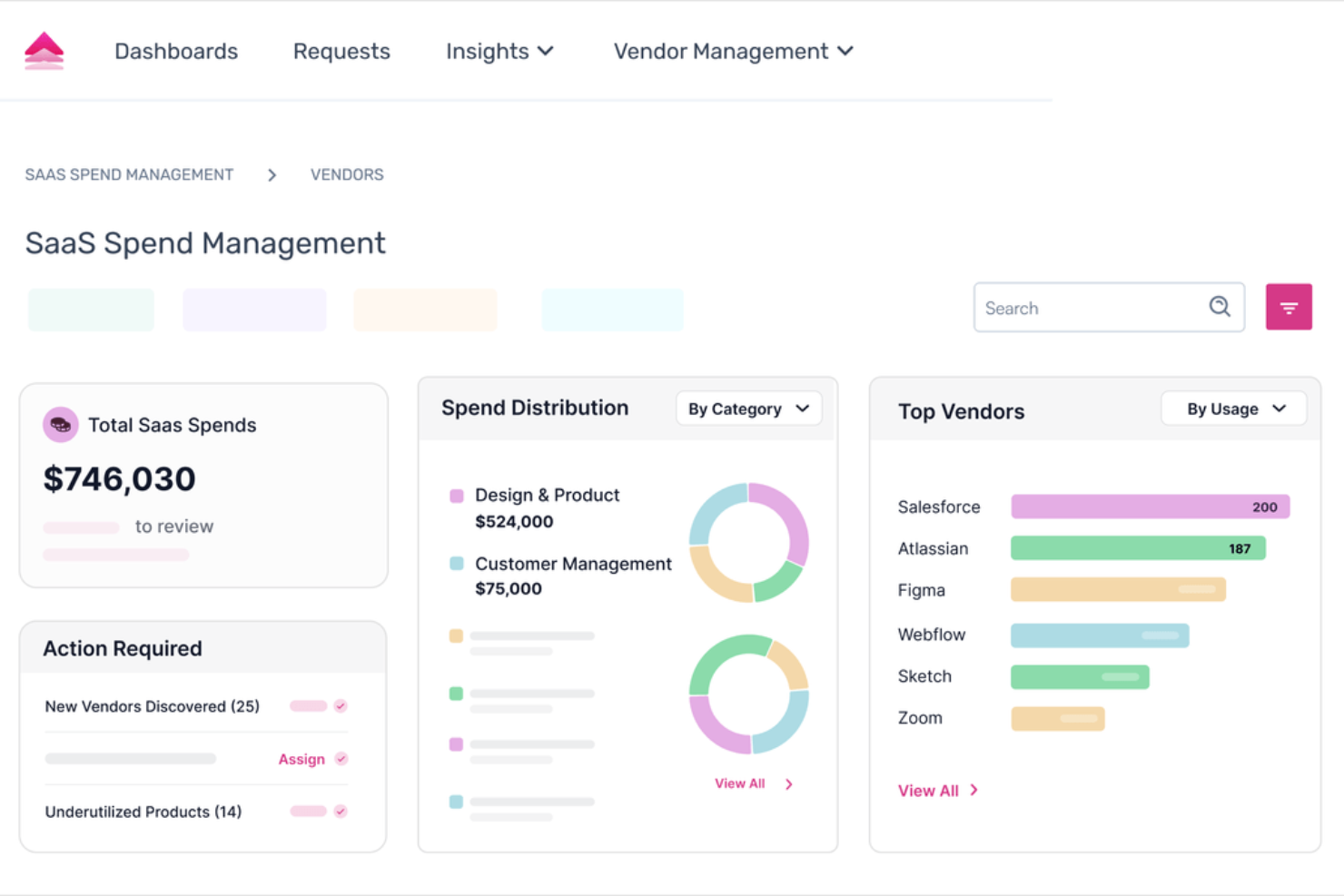
Spendflo es una solución de gestión de gastos SaaS que combina software potenciado por IA con servicios expertos de adquisición para ayudarte a gestionar la adquisición de forma eficiente. Ofrece una plataforma cohesionada para administrar tu stack de SaaS y optimizar gastos.
Por qué elegí Spendflo:
Cuenta con gestión de proveedores que centraliza los datos proporcionando información accionable, y una gestión dinámica de licencias que automatiza la optimización de licencias según el uso en tiempo real. El motor de flujo de trabajo ayuda en la orquestación y el seguimiento de adquisiciones, simplificando las solicitudes y aprobaciones de compras. Además, la gestión de gastos impulsada por IA ofrece perspectivas automáticas de ahorro de costos, mientras que la función de descubrimiento de shadow IT monitorea el uso de aplicaciones para mitigar riesgos de aplicaciones no autorizadas.
Características destacadas e integraciones:
Otras funciones incluyen inteligencia de proveedores que analiza datos del proveedor para obtener información sobre desempeño, precios y riesgos, ayudándote a tomar decisiones informadas. La optimización de gastos proporciona visibilidad con un solo clic para decisiones basadas en datos, lo que te permite reducir el despilfarro de software y maximizar la eficiencia del presupuesto. Las integraciones incluyen NetSuite, Adobe, Asana, BambooHR, Figma, Freshdesk, GitHub, Google, HubSpot, Jira, MS Azure AD y Salesforce.
Pros and Cons
Pros:
- Brinda visibilidad clara de los gastos de software
- Ofrece valiosos conocimientos sobre el uso de software
- Optimiza el proceso de adquisición
Cons:
- Retrasos ocasionales en la actualización de los datos
- Las funciones de análisis avanzadas podrían mejorar los conocimientos

OneLogin
Ideal para la gestión unificada de accesos
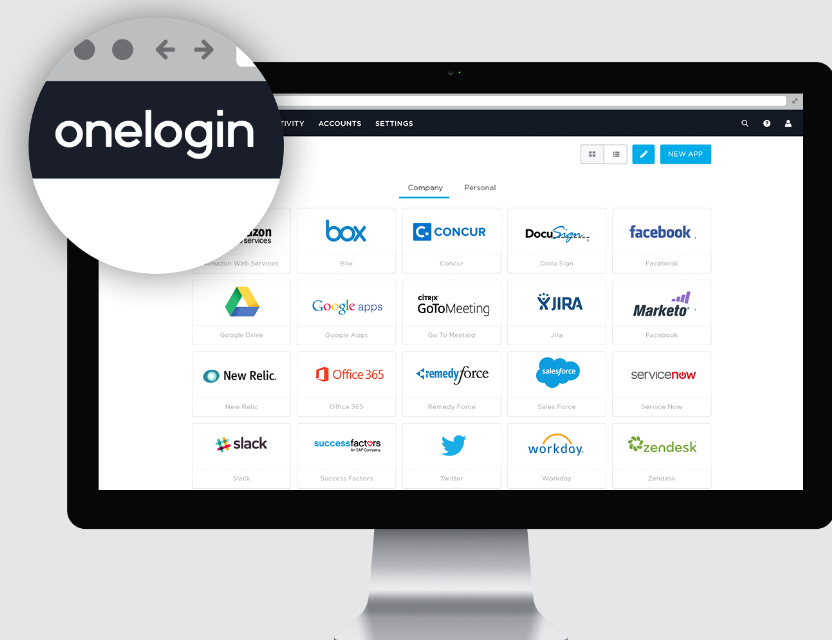
OneLogin es una plataforma robusta centrada en centralizar y simplificar el acceso de los usuarios a diversas aplicaciones y entornos. Dada la creciente complejidad y las exigencias de seguridad en la gestión de SaaS, el enfoque unificado de OneLogin destaca como una solución eficiente, en particular a la hora de gestionar licencias de SaaS y garantizar que los usuarios tengan el nivel de acceso adecuado.
Por qué elegí OneLogin:
Durante mi proceso de evaluación, OneLogin se destacó constantemente como una de las mejores opciones. Lo elegí no solo por la amplitud de sus funcionalidades, sino también por su historial comprobado en el ámbito de soluciones para la gestión de SaaS. Su fuerte enfoque en la gestión unificada de accesos lo posiciona de manera especial, siendo ideal para empresas que requieren una plataforma única para supervisar el acceso de usuarios en toda su infraestructura de SaaS.
Funciones destacadas e integraciones:
OneLogin ofrece funciones como inicio de sesión único, autenticación multifactor y gestión del ciclo de vida que son fundamentales para fortalecer la postura de seguridad de una organización. Además, su sincronización en tiempo real con el directorio activo garantiza ajustes de acceso de usuario oportunos y alineados con sus roles. En cuanto a integraciones, OneLogin puede conectarse con una amplia variedad de aplicaciones, desde herramientas de colaboración hasta sistemas CRM, aumentando su utilidad en diferentes áreas de negocio.
Pros and Cons
Pros:
- Centraliza el control de acceso, simplificando la gestión de SaaS
- Ofrece funciones de seguridad robustas, incluyendo autenticación multifactor
- Gran variedad de integraciones con otras aplicaciones empresariales
Cons:
- Puede ser algo complejo para organizaciones pequeñas sin personal de TI dedicado
- Se puede requerir capacitación para aprovechar todo su potencial
- El costo puede ser elevado para empresas con pocas licencias de SaaS.

La mejor para la facturación recurrente y la gestión de suscripciones
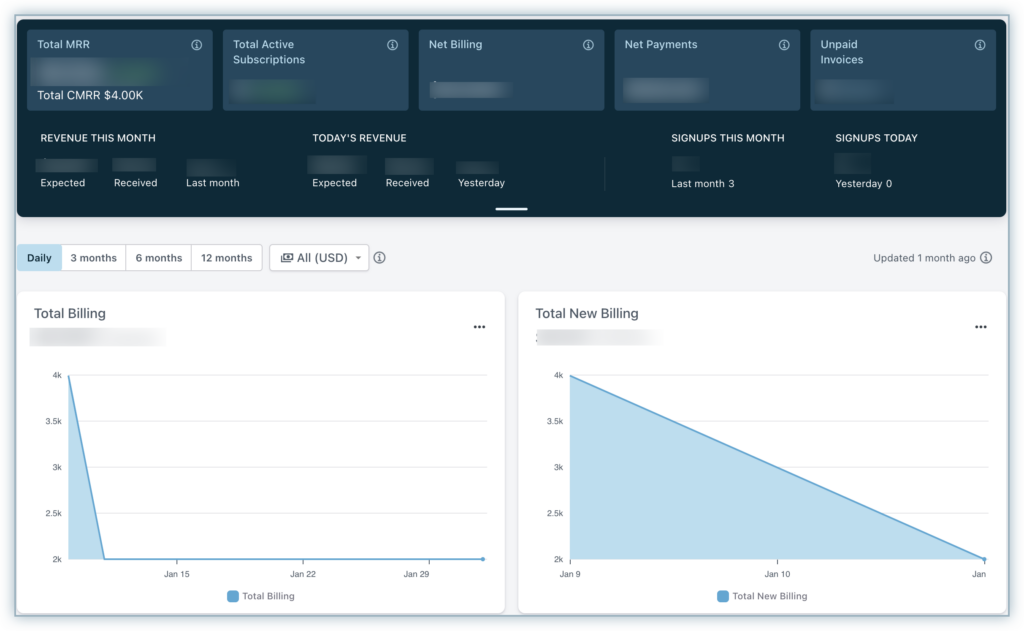
Chargebee es una plataforma diseñada para simplificar las complejidades de la facturación recurrente, la facturación de servicios y la gestión de suscripciones. Dirigida principalmente a empresas con ciclos de facturación continuos a clientes, facilita el proceso de gestión, convirtiéndose en un recurso valioso tanto para los usuarios finales como para los equipos de TI.
Por qué elegí Chargebee:
Al seleccionar una herramienta para gestionar suscripciones y facturación recurrente, Chargebee se mantuvo constantemente entre las mejores opciones. Elegí Chargebee por su conjunto integral de funciones y su enfoque en la experiencia del usuario. Dadas las dificultades que enfrentan los equipos de TI y los usuarios finales en la gestión de suscripciones, las capacidades de Chargebee la hacen la mejor para este caso específico.
Funciones destacadas e integraciones:
Chargebee ofrece facturación automatizada, analítica detallada y gestión de cobranza para ayudar a las empresas a recuperar ingresos perdidos. Además, la flexibilidad de la plataforma para manejar ciclos de facturación variables y sus opciones de pago personalizables son características que destacan. En términos de integraciones, Chargebee ofrece conexiones con principales pasarelas de pago, herramientas contables como QuickBooks y Xero, y sistemas CRM como Salesforce.
Pros and Cons
Pros:
- La facturación automatizada reduce los errores manuales
- La analítica integral aporta información sobre los flujos de ingresos
- La integración con los principales pasarelas de pago facilita un proceso de cobro más fluido
Cons:
- Puede tener una curva de aprendizaje para quienes son nuevos en las herramientas de gestión de suscripciones
- Algunas funciones pueden ser excesivas para empresas muy pequeñas
- La configuración puede requerir coordinación entre los usuarios finales y los equipos de TI para una implementación óptima

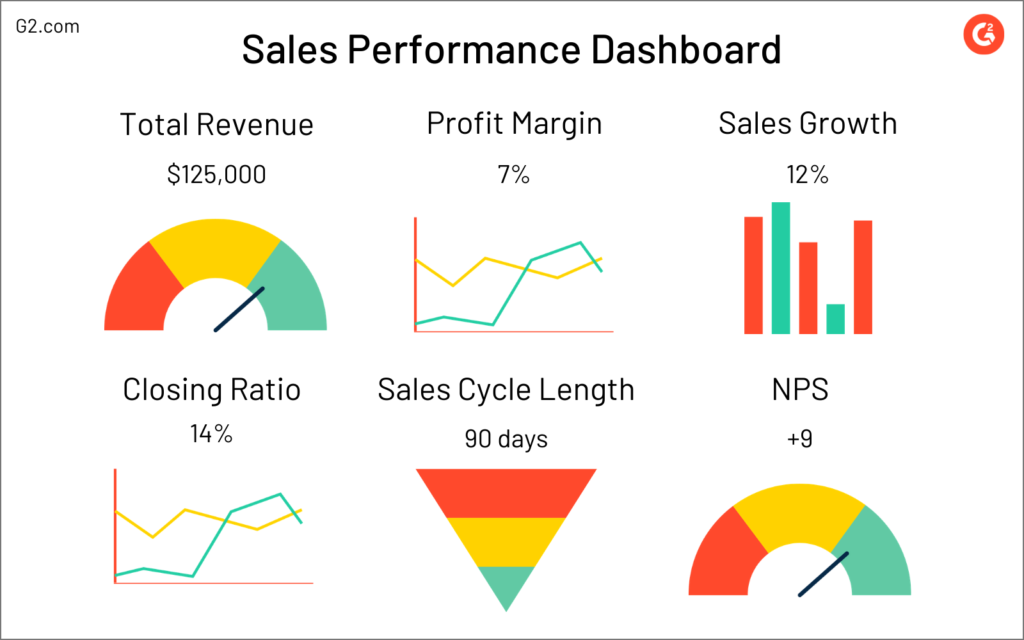
G2 es una plataforma de confianza donde los usuarios pueden leer y escribir reseñas sobre diversos productos de software. Para empresas y startups que buscan comprender el panorama del stack SaaS y tomar decisiones informadas, G2 ayuda proporcionando experiencias y comentarios auténticos de los usuarios.
Por qué elegí G2:
Durante mi proceso de selección de plataformas de reseñas, G2 destacó no solo por su extensa base de datos, sino también por su compromiso con el contenido auténtico generado por los usuarios. Al comparar y evaluar plataformas, determiné que G2 proporciona una combinación única de reseñas detalladas junto con una cobertura integral de productos de software. Esto, en mi evaluación, consolida su posición como la mejor herramienta para reseñas de software generadas por los usuarios.
Características y integraciones destacadas:
G2 se enorgullece de su cobertura completa del stack SaaS, atendiendo a diversos sectores industriales y necesidades de software. Su función de comparación ayuda a empresas y startups a contrastar herramientas de software lado a lado. Además, G2 ofrece integraciones con plataformas de CRM y ventas, lo que permite a las empresas aprovechar las reseñas de los usuarios en sus estrategias de ventas y marketing.
Pros and Cons
Pros:
- Cobertura amplia del stack SaaS
- Reseñas auténticas y generadas por los usuarios que aportan credibilidad
- Integraciones útiles con plataformas de CRM y ventas
Cons:
- La gran cantidad de reseñas puede resultar abrumadora a veces
- La plataforma puede inclinarse ocasionalmente hacia los productos más populares y mejor valorados
- Algunas funciones adicionales pueden requerir curva de aprendizaje para ciertos usuarios

Flexera
La mejor opción para la gestión de activos de TI y las licencias de software

Flexera se especializa en la gestión de activos de TI y en soluciones de licencias de software, proporcionando a las organizaciones información esencial para gestionar y optimizar sus activos de software. Dada la creciente complejidad de las infraestructuras de TI y los modelos de licencias, Flexera ayuda a las empresas a afrontar estos desafíos y garantizar el cumplimiento, con un enfoque especial en los riesgos de seguridad y las directrices del RGPD.
Por qué elegí Flexera:
Seleccioné Flexera después de comparar exhaustivamente sus capacidades con las de herramientas similares. Flexera se ha consolidado gracias a sus funcionalidades únicas, especialmente en el ámbito del cumplimiento de las licencias de software y la adhesión al RGPD. Su capacidad para identificar los riesgos de seguridad asociados con los activos de TI me convenció aún más de que es la opción más adecuada para la gestión de activos de TI y las licencias de software.
Características e integraciones destacadas:
Flexera ofrece funciones sólidas, como la optimización de licencias de software, herramientas de cumplimiento del RGPD y gestión de vulnerabilidades para identificar y mitigar posibles riesgos de seguridad. Además, sus capacidades de gestión de usuarios garantizan que las organizaciones tengan una visión clara del acceso y los permisos en todos los activos de software. En cuanto a las integraciones, Flexera colabora con diversas soluciones de TI, lo que mejora su capacidad para proporcionar una visión unificada de los entornos de TI y garantizar el cumplimiento de las licencias de software en entornos diversos.
Pros and Cons
Pros:
- Herramientas integrales para el cumplimiento del RGPD y la optimización de las licencias de software.
- Gestión detallada de vulnerabilidades para identificar y abordar los riesgos de seguridad.
- Herramientas eficaces de gestión de usuarios que garantizan un acceso adecuado al software
Cons:
- Podría ser complejo para empresas con entornos de TI sencillos
- Algunas funciones podrían resultar redundantes para las organizaciones pequeñas
- El énfasis en el RGPD y las licencias podría eclipsar otras funciones esenciales.

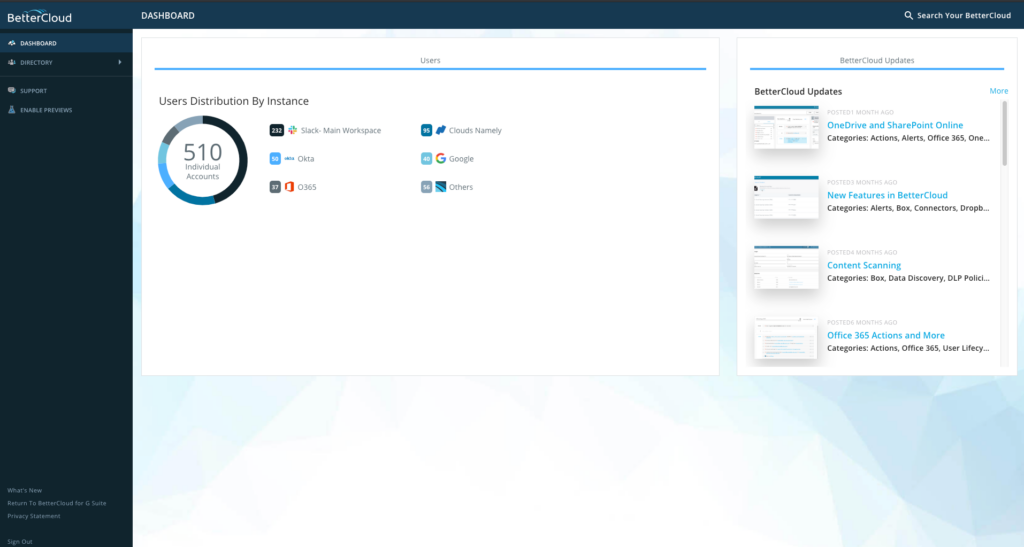
BetterCloud se posiciona como una herramienta integral que se centra tanto en las operaciones de SaaS como en la gestión de la seguridad. A medida que las empresas crecen, la compleja tarea de incorporación, gestión del gasto en SaaS y desvinculación se vuelve aún más crucial, y BetterCloud surge como un socio confiable para navegar estos procesos.
Por qué elegí BetterCloud:
Durante el proceso de selección de la plataforma de gestión SaaS adecuada, BetterCloud captó constantemente mi atención. Su enfoque dual en operaciones y gestión de la seguridad lo convierte en una rareza. Tras comparar y evaluar su conjunto de funciones frente a otros, determiné que BetterCloud es realmente “El mejor para operaciones y gestión de seguridad SaaS” debido a su enfoque equilibrado en ambos aspectos.
Características destacadas e integraciones:
BetterCloud cuenta con funciones que facilitan una incorporación y desvinculación optimizadas, asegurando transiciones fluidas y minimizando riesgos. Su panel de control proporciona una visibilidad clara sobre el gasto en SaaS, ayudando a las empresas a gestionar eficazmente sus presupuestos de software. BetterCloud también destaca por sus integraciones, conectándose sin esfuerzo con las principales plataformas SaaS como Google Workspace, Slack y Dropbox, lo que facilita operaciones eficientes de SaaS.
Pros and Cons
Pros:
- Funciones completas de incorporación y desvinculación
- Visibilidad clara sobre el gasto en SaaS
- Integraciones sin esfuerzo con las principales plataformas SaaS
Cons:
- La interfaz puede resultar abrumadora para nuevos usuarios
- Las integraciones personalizadas pueden ser un desafío
- No tiene aplicación móvil para gestión en movimiento

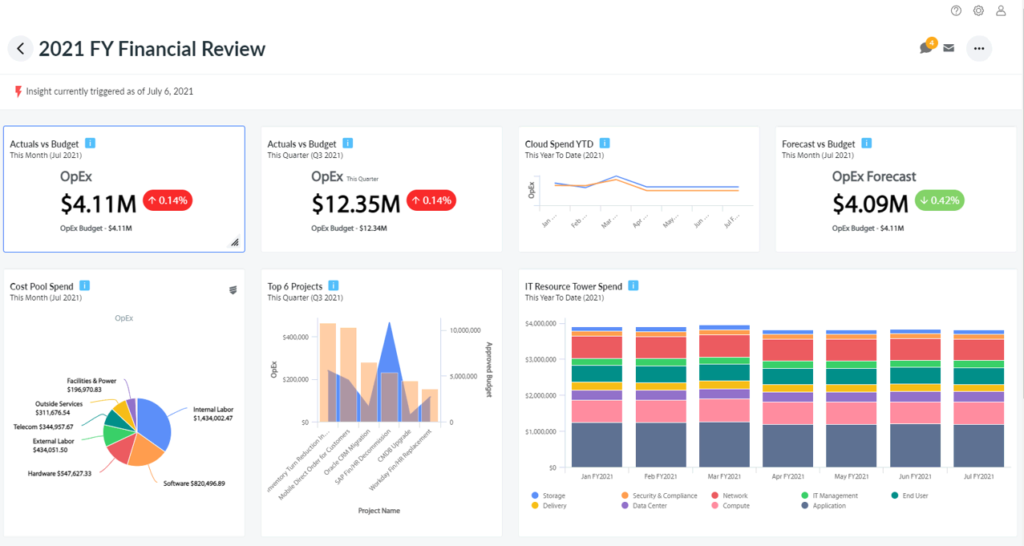
Apptio es una plataforma especializada dedicada a ofrecer herramientas de gestión financiera de TI que ayudan a las empresas a comprender, gestionar y optimizar su gasto en tecnología. La plataforma está particularmente orientada a proporcionar información sobre el gasto en software y ayudar a las organizaciones a obtener más valor de sus inversiones en TI.
Por qué elegí Apptio:
Después de revisar numerosas herramientas, seleccioné Apptio por su conjunto integral de características y su marcado enfoque en la gestión financiera de TI. En mi opinión, Apptio se destaca al combinar la gestión financiera tradicional con las complejidades de TI, convirtiéndose en una opción líder. Este enfoque dual lo posiciona idealmente para empresas que buscan obtener mejores conocimientos sobre su gasto en software, seguridad SaaS y procesos de gestión de proveedores.
Características destacadas e integraciones:
Apptio ofrece características como benchmarking de TI, gestión de costos en la nube y gestión de proveedores, que son esenciales para que las empresas optimicen su gasto en TI. Su capacidad para proporcionar información práctica sobre el gasto en software garantiza que las empresas puedan tomar decisiones informadas sobre sus inversiones en TI. En cuanto a integraciones, Apptio puede conectarse con múltiples sistemas financieros y herramientas de gestión de servicios de TI, ofreciendo una visión más holística de los gastos de TI.
Pros and Cons
Pros:
- Información integral sobre el gasto en software y las inversiones en TI
- Fuertes capacidades de gestión de proveedores
- Se integra bien con varios sistemas financieros y de gestión de TI
Cons:
- Puede ser complejo para quienes no están familiarizados con la gestión financiera de TI
- La implementación podría requerir un equipo o experto dedicado
- Puede haber una curva de aprendizaje para usuarios nuevos en la plataforma.

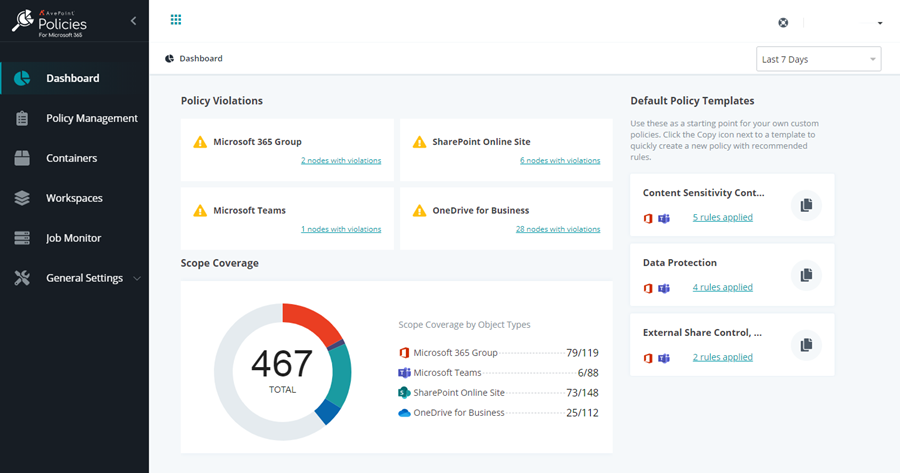
AvePoint ofrece soluciones especializadas que garantizan la gobernanza y protección de datos en toda la suite de servicios en la nube de Microsoft. Adaptado para empresas comprometidas con el ecosistema de Microsoft, AvePoint responde a sus necesidades empresariales proporcionando un enfoque integral de la seguridad de los datos y el cumplimiento normativo.
Por qué elegí AvePoint:
En el proceso de determinar las herramientas adecuadas para la gobernanza de datos dentro del ecosistema de la nube de Microsoft, AvePoint surgió constantemente como uno de los principales candidatos. Elegí AvePoint por sus funciones sólidas, especialmente en lo que respecta a la alineación con los estándares específicos de Microsoft. Esta alineación con los puntos de referencia de Microsoft y la capacidad de la herramienta para adaptarse a diversas necesidades empresariales la hacen destacar como la mejor alternativa para la gobernanza de datos en los servicios en la nube de Microsoft.
Funciones e integraciones destacadas:
AvePoint sobresale en la gestión granular de permisos, permitiendo a las empresas afinar los derechos de acceso a sus datos. Además, sus funciones de cumplimiento y generación de informes establecen estándares en la industria, asegurando que las empresas se mantengan dentro de los parámetros requeridos. En cuanto a integraciones, AvePoint se conecta con toda la suite de la nube de Microsoft, incluyendo pero no limitándose a Microsoft 365, SharePoint y Microsoft Teams.
Pros and Cons
Pros:
- La gestión granular de permisos se adapta a necesidades empresariales específicas
- Cumplimiento normativo y generación de informes completos alineados con los estándares del sector
- Integración profunda con los servicios en la nube de Microsoft que garantiza la seguridad de los datos
Cons:
- Podría resultar demasiado especializado para quienes no utilizan principalmente el ecosistema de Microsoft
- Curva de aprendizaje más pronunciada para quienes no están familiarizados con las herramientas de gobernanza de datos
- Algunas funciones pueden resultar redundantes para organizaciones más pequeñas

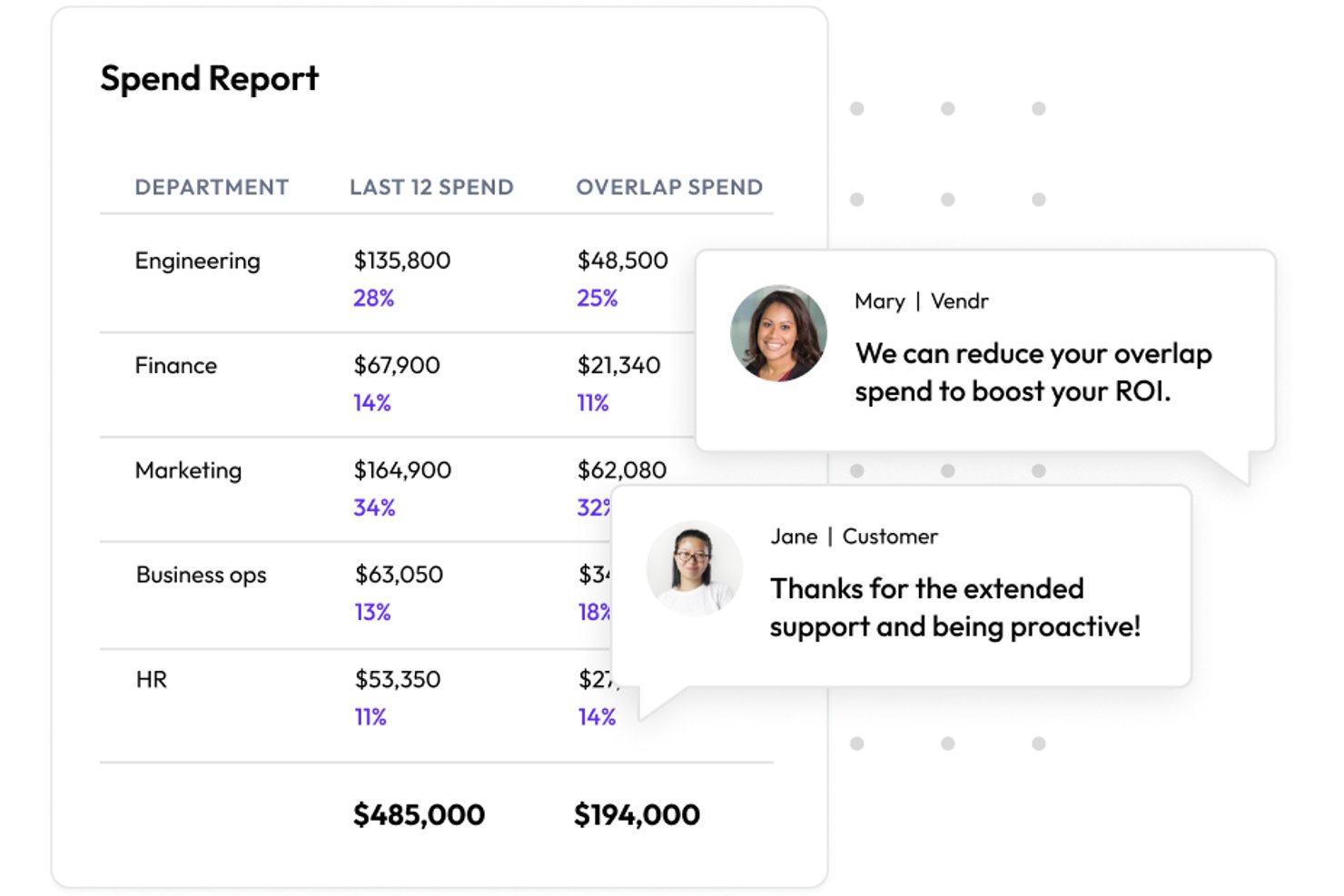
Vertice, en esencia, es una plataforma dedicada a simplificar y agilizar el proceso de compra de SaaS. Con la gran cantidad de aplicaciones SaaS que inundan el mercado, las empresas suelen tener dificultades para tomar decisiones de compra, y Vertice interviene para aliviar ese estrés.
Por qué elegí Vertice:
Elegí Vertice tras comparar exhaustivamente varias plataformas de gestión de SaaS. El enfoque distintivo de Vertice en la adquisición de SaaS destacó, mostrando no solo eficiencia, sino también ofreciendo información clave que puede ser fundamental para las empresas. Al comparar sus capacidades con las de otros, la habilidad de Vertice para escalar el proceso de compra de SaaS dejó en claro por qué es 'La mejor para compras de SaaS a gran escala'.
Características destacadas e integraciones:
Vertice se integra estrechamente con los flujos de trabajo de adquisiciones, asegurando que las empresas puedan manejar rápidamente sus procesos de compra. Con funciones como canales centralizados de compra y analítica avanzada, las organizaciones pueden obtener un mejor control sobre sus gastos en SaaS. Además, sus integraciones con herramientas populares de finanzas y adquisiciones la convierten en una opción preferida para una gestión SaaS integral.
Pros and Cons
Pros:
- Canales de compra centralizados para una adquisición eficiente de SaaS
- Analítica robusta para obtener información clara sobre los gastos
- Fuertes integraciones con herramientas líderes de finanzas y adquisiciones
Cons:
- La transparencia en los precios podría mejorarse
- Carece de funciones para la gestión de SaaS después de la compra
- Integraciones limitadas con herramientas no financieras
Otros programas de gestión de operaciones de SaaS
A continuación se incluye una lista de programas adicionales de gestión de operaciones de SaaS que seleccioné, pero que no llegaron a los primeros puestos. Sin duda, vale la pena echarles un vistazo.
- Zylo
Ideal para gestionar suscripciones en la nube
- LeanIX
Mejor para soluciones de arquitectura empresarial
- Torii
Mejor para la gestión de activos de software
- Snow Software
Mejor para la gestión de activos de software y gasto en la nube


Reseñas relacionadas
- Programas de adquisiciones de TI
- Programas de gestión del gasto en SaaS
- Programas de gestión de activos
Cómo evalúo el software de gestión de operaciones SaaS
Evalúo las herramientas de operaciones SaaS en dos capas: los requisitos fundamentales como el descubrimiento, el seguimiento de licencias y la visibilidad del gasto, y los diferenciadores que hacen que las plataformas más sólidas se destaquen.
Funcionalidad principal (Requisitos esenciales para esta lista)
Cuando selecciono herramientas para mi lista, califico cada una en una escala del 0 (no ofrece la funcionalidad) al 5 (sobresale en esta área) para cada funcionalidad principal que se enumera a continuación. Después, calculo la puntuación total de la herramienta en porcentaje. Cada herramienta debe alcanzar una puntuación total mínima del 65% para ser considerada para su inclusión.
- Descubrimiento de aplicaciones SaaS: Busco cuántas fuentes de datos utiliza una herramienta para detectar aplicaciones; solo utilizar logs SSO deja muchas fuera, así que también reviso la detección mediante sistemas financieros y a nivel de endpoint.
- Seguimiento de licencias y uso: Las buenas herramientas me muestran datos de participación por usuario, no solo el número de asientos. Evalúo si una plataforma puede señalar licencias inactivas listas para recuperar.
- Gestión de renovaciones y contratos: Verifico si la herramienta centraliza los términos contractuales y envía alertas automáticas de renovación, ya que perder plazos de renovación es una de las formas más rápidas de gastar de más.
- Visibilidad del gasto en SaaS: Aquí es importante desglosar el gasto por departamento o centro de costos. Busco plataformas que permitan atribuir los costos correctamente, en vez de acumular todo junto.
- Automatización del ciclo de vida del usuario: Gestionar la incorporación de un nuevo empleado en una docena de aplicaciones de forma manual es tedioso. Evalúo si la herramienta automatiza el onboarding y offboarding a través de activadores de IdP o HRIS.
- Supervisión de seguridad y cumplimiento: Verifico que se incluya puntuación de riesgo a nivel de aplicación, visibilidad de permisos y seguimiento de cumplimiento con marcos como SOC 2 o ISO 27001 en las aplicaciones conectadas.
Una vez que tengo una lista de herramientas que cumplen con este criterio, considero qué distingue a cada plataforma.
Factores diferenciadores (Lo que distingue a los proveedores)
Así es como comparo y contrasto a los diferentes proveedores:
Características destacadas
Los datos de benchmarking entre proveedores son un gran diferenciador. Las plataformas que muestran precios anonimizados de contratos comparables brindan a tu equipo verdadera ventaja al negociar renovaciones. También busco constructores de automatización de flujos de trabajo que permitan diseñar cadenas de aprobación multinivel para incorporación o baja sin tener que escribir código. Los flujos de trabajo de solicitudes de compras también son importantes aquí, especialmente para organizaciones que desean adelantarse a las TI en la sombra ofreciendo procesos estructurados para solicitar y aprobar compras de SaaS antes de utilizar tarjetas de crédito.
Más allá de las características
La profundidad de integración es de las primeras cosas que evalúo. Una plataforma de operaciones SaaS solo es útil en la medida en que puede extraer datos, así que reviso cuántos conectores nativos ofrece para IdP, HRIS y sistemas financieros. La propia postura de seguridad de la plataforma es igual de relevante: estas herramientas gestionan datos sensibles de acceso y gastos, así que busco certificación SOC 2 Tipo II y controles de acceso basados en roles dentro del producto. También considero la adecuación al comprador según el tamaño de la empresa, ya que una herramienta diseñada para flujos de trabajo de gobierno empresarial puede resultar abrumadora para un equipo de mercado medio que solo necesita visibilidad básica sobre su cartera de apps.
Cómo elegir un programa de gestión de operaciones de SaaS
Es fácil perderse entre largas listas de funciones y estructuras de precios complejas. Para ayudarte a mantener la atención mientras avanzas en tu proceso particular de selección de software, aquí tienes una lista de factores que debes tener en cuenta:
| Factor | Qué debes considerar |
|---|---|
| Escalabilidad | ¿Puede el software crecer junto con tu empresa? Busca límites de usuarios flexibles y funciones adaptables que no requieran una renovación completa a medida que tu equipo se expanda. |
| Integraciones | ¿Se conecta con las plataformas de integración de SaaS que ya utilizas? Comprueba que sea compatible con tu conjunto de tecnologías actual para evitar sistemas aislados. |
| Personalización | ¿Puedes adaptarlo para que encaje con tus flujos de trabajo? Comprueba si permite realizar ajustes para satisfacer tus necesidades específicas sin requerir una programación compleja. |
| Facilidad de uso | ¿Es sencillo para tu equipo? Una interfaz fácil de usar reduce el tiempo de formación y fomenta la adopción en toda la organización. |
| Implementación e incorporación | ¿Con qué rapidez puedes empezar? Evalúa el proceso de configuración y la disponibilidad de materiales de asistencia, como guías o tutoriales, para facilitar la transición. |
| Coste | ¿Se ajusta a tu presupuesto? Compara los planes de precios y presta atención a las tarifas ocultas que podrían afectar al coste total de propiedad. |
| Medidas de seguridad | ¿Están protegidos tus datos y operaciones? Asegúrate de que el software cumpla las prácticas de seguridad estándar y ofrezca funciones como cifrado y control de acceso. |
¿Qué es un programa de gestión de operaciones de SaaS?
El software de gestión de operaciones de SaaS es una herramienta que ayuda a las empresas a realizar un seguimiento, gestionar y controlar sus suscripciones de software basadas en la nube. Los equipos de TI, los responsables de adquisiciones y los departamentos financieros utilizan estas herramientas para obtener visibilidad sobre qué aplicaciones se están utilizando, quién las utiliza y a qué coste.
El seguimiento del uso, la gestión de licencias y los recordatorios de renovación ayudan a reducir el desperdicio, evitar cargos inesperados y mejorar el cumplimiento normativo del software. Estas herramientas facilitan la gestión de conjuntos de aplicaciones SaaS cada vez más amplios sin perder el control ni gastar de más.
Características
Al seleccionar software de gestión de operaciones de SaaS, presta atención a las siguientes características clave:
- Gestión de tareas: Permite a los usuarios crear, asignar y realizar un seguimiento de las tareas para garantizar que los proyectos se completen a tiempo.
- Seguimiento de proyectos: Proporciona actualizaciones en tiempo real sobre el progreso de los proyectos, lo que ayuda a los equipos a mantenerse alineados y cumplir los plazos.
- Capacidades de integración: Garantiza una conexión fluida con otras herramientas y software, reduciendo la introducción manual de datos y los errores.
- Flujos de trabajo personalizables: Permite a los equipos adaptar los procesos para ajustarlos a sus operaciones específicas, mejorando la eficiencia.
- Interfaz fácil de usar: Simplifica la navegación y el uso, reduciendo el tiempo de formación y fomentando la adopción.
- Medidas de seguridad: Protege los datos confidenciales mediante funciones como el cifrado y el control de acceso.
- Informes y análisis: Ofrece información sobre las métricas de rendimiento, ayudando en la toma de decisiones y la planificación estratégica.
- Compatibilidad con aplicaciones móviles: Permite acceder al software desde cualquier lugar, garantizando flexibilidad y continuidad del trabajo.
- Herramientas de colaboración: Facilita la comunicación y el intercambio de información entre los miembros del equipo, mejorando el trabajo en equipo.
- Recursos de formación: Proporciona tutoriales, guías y materiales de asistencia para facilitar la incorporación y mejorar la competencia de los usuarios.
Beneficios
La implementación de software de gestión de operaciones de SaaS proporciona varios beneficios para tu equipo y tu empresa. Estos son algunos de los que puedes esperar:
- Mayor eficiencia: Las funciones de gestión de tareas y seguimiento de proyectos ayudan a los equipos a completar los proyectos más rápido y con menos errores.
- Colaboración mejorada: Las capacidades de integración y las herramientas de colaboración garantizan que todos se mantengan conectados e informados.
- Mayor flexibilidad: La compatibilidad con aplicaciones móviles permite a los miembros del equipo acceder a herramientas e información desde cualquier lugar.
- Toma de decisiones fundamentada: Los informes y análisis proporcionan información que orienta la planificación estratégica y la asignación de recursos.
- Ahorro de costes: Al automatizar los flujos de trabajo y reducir las tareas manuales, tu equipo puede centrarse en actividades de alto valor, ahorrando tiempo y dinero.
- Mayor seguridad: Las medidas de seguridad protegen tus datos y garantizan el cumplimiento de los estándares del sector.
- Incorporación simplificada: Los recursos de formación facilitan que los nuevos usuarios se pongan al día rápidamente, reduciendo el tiempo de inactividad.
Costes y precios
Seleccionar software de gestión de operaciones de SaaS requiere comprender los distintos modelos de precios y planes disponibles. Los costes varían según las funciones, el tamaño del equipo, los complementos y otros factores. La tabla siguiente resume los planes habituales, sus precios medios y las funciones típicas incluidas en las soluciones de software de gestión de operaciones de SaaS:
Tabla comparativa de planes para software de gestión de operaciones de SaaS
| Tipo de plan | Precio medio | Funciones habituales |
|---|---|---|
| Plan gratuito | $0 | Gestión básica de tareas, seguimiento limitado de proyectos e integraciones mínimas. |
| Plan personal | $5-$25/user/month | Gestión de tareas, seguimiento de proyectos, integraciones e informes básicos. |
| Plan empresarial | $25-$50/user/month | Seguimiento avanzado de proyectos, integraciones mejoradas, herramientas de colaboración y análisis. |
| Plan corporativo | $50+/user/month | Flujos de trabajo personalizables, seguridad avanzada, asistencia dedicada y análisis exhaustivos. |
Preguntas más frecuentes sobre el software de gestión de operaciones SaaS (FAQ)
¿Cómo garantizo la seguridad de los datos con un software de gestión de operaciones SaaS?
Debe buscar un software que ofrezca cifrado, controles de acceso y auditorías de seguridad periódicas. Compruebe si el proveedor cumple con normas del sector como el GDPR o SOC 2. Actualizar las contraseñas periódicamente y realizar capacitaciones para los usuarios también puede ayudar a proteger sus datos.
¿Qué software de gestión de operaciones SaaS se considera el más económico?
Aunque los nombres concretos pueden cambiar con el tiempo, las soluciones más pequeñas y especializadas, diseñadas para empresas emergentes o pequeñas empresas, suelen ser más asequibles y comienzan con tarifas más bajas por usuario/mes.
¿Existe algún software de gestión de operaciones SaaS de gama alta y caro?
Sí, las marcas reconocidas con conjuntos completos de funcionalidades diseñados para grandes empresas suelen situarse en el extremo más caro. Estas herramientas ofrecen funcionalidades avanzadas, integraciones y opciones de personalización adecuadas para necesidades operativas complejas.
¿Hay otros costes asociados a estas herramientas?
Además de los costes directos de suscripción o licencia, los usuarios pueden encontrarse con costes relacionados con la formación, la integración con otros sistemas o cualquier personalización avanzada que puedan necesitar. Consulte siempre al proveedor del software sobre posibles costes ocultos.
¿Ofrece alguna ventaja elegir un software basado en la nube para la gestión de operaciones?
¡Por supuesto! El software basado en la nube ofrece flexibilidad, ya que puede acceder a él desde cualquier lugar con conexión a internet. Además, las soluciones en la nube suelen actualizarse con mayor frecuencia, lo que garantiza que disponga de las funciones y los parches de seguridad más recientes. Asimismo, eliminan la necesidad de realizar importantes inversiones iniciales en hardware.
Lo siguiente:
Si está investigando un software de gestión de operaciones SaaS, póngase en contacto con un asesor de SoftwareSelect para recibir recomendaciones gratuitas.
Rellene un formulario y mantenga una breve conversación en la que conocerán los detalles específicos de sus necesidades. Después recibirá una lista de software preseleccionado para revisar. Incluso le ayudarán durante todo el proceso de compra, incluidas las negociaciones de precios.