
Rippling IT Testbericht 2026: Vorteile, Nachteile, Funktionen und Preise
I look past the MDM label to weigh Rippling IT’s device management, broader IT features, and pricing—and whether its all-in-one approach is worth it for your team.

Wir bewerten Tools unabhängig; Provisionen helfen, unsere Tests zu finanzieren. Siehe unsere Transparenzrichtlinie und unsere Methodik.
Rippling IT is MDM software for managing Mac and Windows devices, with device policies and actions tied to employee records. I’d consider it if your IT team needs to automate device setup and offboarding across both operating systems; compared with Apple-focused Jamf, Rippling is a better fit when you also want workforce data to trigger those workflows.
Rippling IT Evaluation Summary
4.8/5
- From $8/user/month (billed annually)
- 14-day free trial
Warum Sie unseren Software-Empfehlungen vertrauen können
6,700+
Reviews
20
Industry experts
16+
Evaluation factors
14
Years
Unser Team testet und bewertet Software seit 2012. Als Tech-Führungskräfte wissen wir selbst, wie schwierig – und wichtig – es ist, die richtige Software auszuwählen.
Für diesen Leitfaden haben wir Tools mithilfe von praktischen Tests und unabhängiger Recherche bewertet und dabei unsere Bewertungskriterien angewendet.
Unsere Bewertungen spiegeln unser menschliches redaktionelles Urteilsvermögen wider, keine Verkaufsstrategie.
Expertenprüfer:
- Paulo Gardini MiguelTech-Direktor
 Tim FisherVP für KI
 Gabriel RosasTech Lead & Software-Architekt
 Christhian GruhnTech Lead & Plattform-Architekt

Rippling IT Overview
I’d choose Rippling IT when employee records should drive device setup, policy changes, and offboarding. It manages macOS, Windows, iOS, and iPadOS, with zero-touch enrollment, remote lock and wipe, inventory reporting, and device shipping. Compared with tools focused mainly on device controls, its 650+ integrations and connected identity and IT features give it broader scope. Pricing starts at $8 per user monthly, but modules and add-ons can raise the total. Guided onboarding helps, though advanced workflows take learning; documentation is available, but support for complex cases can be uneven. I think it suits teams seeking connected IT workflows over deep device-level customization.
Pros
- Employee-triggered provisioning links device setup with offboarding workflows.
- Mac and Windows management shares policies, inventory, and remote actions.
- Device ordering, shipping, retrieval, and warehousing cover hardware lifecycle.
Cons
- IT admins report limited rollout feedback and difficult provisioning.
- Linux endpoints and servers aren’t supported by Rippling MDM.
- Modular add-on pricing can raise costs beyond the starting rate.
Is Rippling IT Right For Your Needs?
Who Would be a Good Fit for Rippling IT?
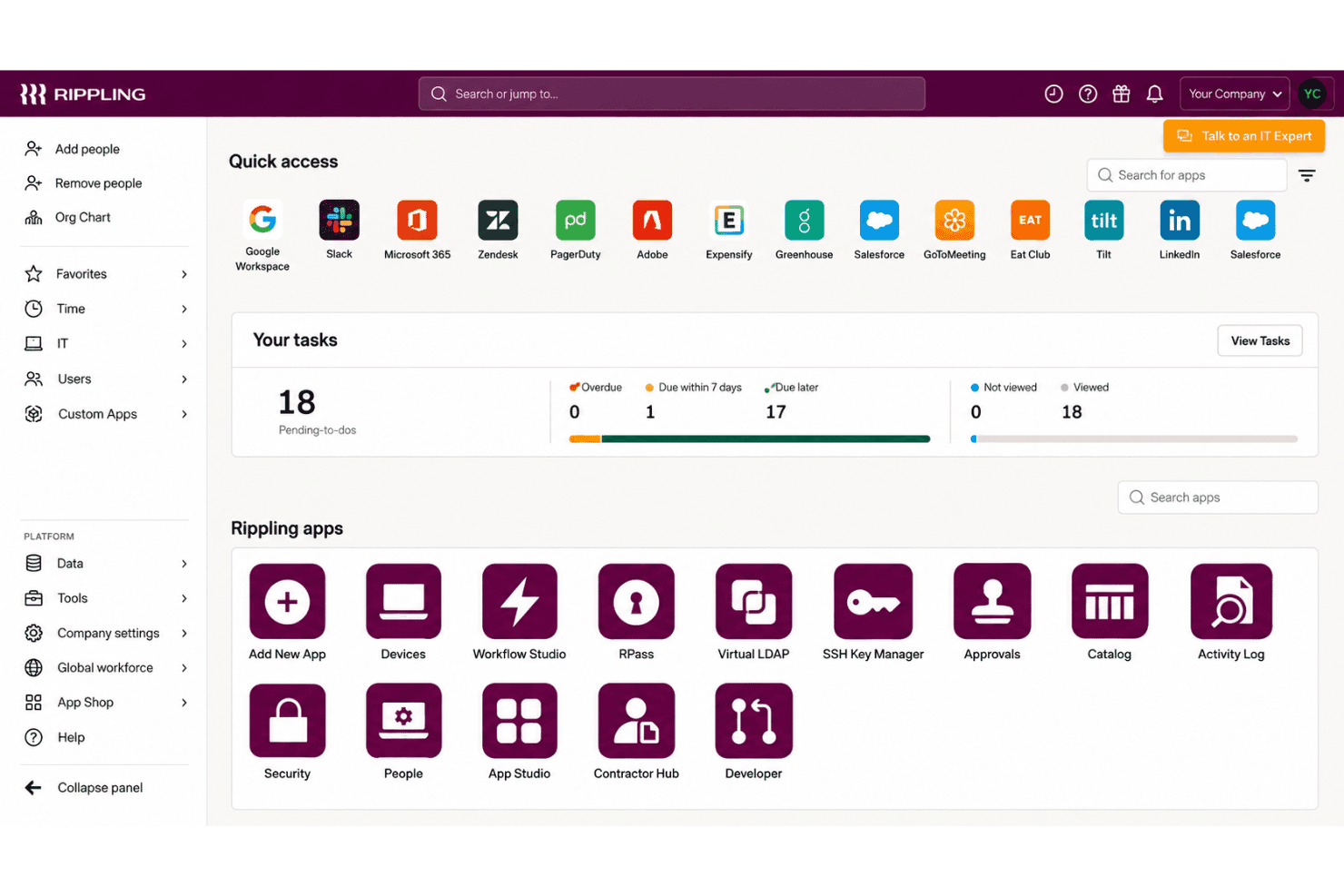
Rippling IT suits teams that manage employee-linked device and access changes across Mac and Windows. Its zero-touch enrollment, shared inventory, remote lock and wipe, and integrations with tools such as Google Workspace, Slack, Microsoft 365, and Okta support these workflows.
- Growing CompaniesEmployee records can drive device setup, access changes, and offboarding, which suits companies whose IT needs grow alongside their workforce.
- Mac And Windows FleetsZero-touch enrollment and remote lock or wipe support routine lifecycle tasks across Mac and Windows devices.
- HR-IT TeamsShared employee and device workflows let HR and IT coordinate onboarding and offboarding without relying on a device-only inventory process.
- Remote OnboardingSilent agent installation and employee-triggered device configuration let IT prepare devices before a new hire’s first day.
- SaaS-Heavy TeamsIntegrations with Google Workspace, Slack, Microsoft 365, Okta, GitHub, Jira, and other apps support teams managing device and app access together.
- Lifecycle AdministratorsIT admins handling frequent employee changes can use shared inventory and remote lock or wipe for common device lifecycle tasks.
Who Would be a Bad Fit for Rippling IT?
Rippling IT is a weaker fit when you need only basic, low-cost device management or rely on deployment workflows that demand extensive configuration and hands-on support. Its published details and available feedback point to tradeoffs around pricing, complex provisioning, and rollout feedback.
- Device-Only BuyersTeams that need only per-device MDM may find Rippling’s per-user pricing, base fee, and add-ons harder to justify than a device-focused tool.
- Linux-First FleetsIf most endpoints run Linux, confirm support before choosing, since the described enrollment workflows focus on Mac and Windows devices.
- Complex DeploymentsTeams with intricate provisioning requirements should account for reviewer reports of difficult provisioning and the time needed to learn advanced workflows.
- Feedback-Dependent RolloutsIT teams that need detailed rollout feedback should assess fit carefully, since reviewers report limited feedback during deployments.
- Support-Reliant TeamsTeams that depend on hands-on help for complex MDM issues may find the mixed support feedback concerning, including reports of unresolved provisioning issues and slow paths to a person.
- Tight BudgetsSmall organizations seeking low-cost, basic MDM may be a poor fit because Rippling IT costs about $8 per user monthly, with a base fee and add-ons potentially increasing spend.
Unsere Bewertungsmethodik
Wie wir Werkzeuge testen & bewerten
Wir haben Jahre damit verbracht, unser System zur Softwareprüfung und -bewertung aufzubauen, zu verfeinern und zu verbessern. Das Bewertungsraster ist darauf ausgelegt, die Feinheiten der Softwareauswahl und Effektivität eines Tools einzufangen, wobei wir uns auf kritische Aspekte des Entscheidungsprozesses konzentrieren.
Nachfolgend sehen Sie genau, wie unser Test- und Bewertungssystem anhand von sieben Kriterien funktioniert. Es ermöglicht uns eine unparteiische Bewertung der Software basierend auf Grundfunktionalität, besonderen Funktionen, Benutzerfreundlichkeit, Onboarding, Kundensupport, Integrationen, Kundenbewertungen und Preis-Leistungs-Verhältnis.
Grundfunktionalität (25 % der Endbewertung)
Der Ausgangspunkt unserer Bewertung ist immer die Grundfunktionalität des Werkzeugs. Verfügt es über die grundlegenden Funktionen und Merkmale, die ein Benutzer erwarten würde? Sind grundlegende Funktionen auf höherpreisige Tarife beschränkt? Im Kern erwarten wir, dass ein Tool den Basisfähigkeiten seiner Konkurrenten standhält.
Besondere Features (25 % der Endbewertung)
Anschließend bewerten wir ungewöhnliche, herausragende Funktionen, die über die typische Grundfunktionalität von Tools dieser Art hinausgehen. Eine hohe Bewertung zeigt spezialisierte oder einzigartige Eigenschaften, die das Produkt schneller, effizienter oder für den Nutzer wertvoller machen.
Wir bewerten außerdem, wie einfach sich das Tool mit anderen üblichen Werkzeugen im Technologie-Stack integrieren lässt, um die Funktionalität und den Nutzen der Software zu erweitern. Tools mit vielen nativen Integrationen, Drittanbieter-Anbindungen und API-Zugang zur Erstellung kundenspezifischer Integrationen erhalten die besten Bewertungen.
Benutzerfreundlichkeit (10 % der Endbewertung)
Wir betrachten, wie schnell und einfach Aufgaben aus dem Bereich der Grundfunktionalität mit dem Tool erledigt werden können. Gut bewertete Software ist durchdacht gestaltet, intuitiv bedienbar, bietet mobile Apps, Vorlagen und lässt relativ komplexe Aufgaben einfach erscheinen.
Onboarding (10 % der Endbewertung)
Wir wissen, wie wichtig die schnelle Einführung eines neuen Tools für das Team ist, daher bewerten wir, wie leicht sich ein Werkzeug mit minimalem Training erlernen und nutzen lässt. Wir bewerten, wie schnell ein Teammitglied ohne Vorerfahrung anfangen kann. Hoch bewertete Lösungen benötigen wenig bis gar keine Unterstützung.
Kundensupport (10 % der Endbewertung)
Wir prüfen, wie schnell und einfach man bei Problemen Hilfe per Telefon, Live-Chat oder Wissensdatenbank erhält. Tools und Anbieter mit Echtzeit-Support werden besser bewertet, während Chatbots schlechter abschneiden.
Kundenbewertungen (10 % der Endbewertung)
Neben unserer eigenen Prüfung beziehen wir den Net Promoter Score aktueller und ehemaliger Kunden mit ein. Wir bewerten, wie wahrscheinlich es ist, dass sie sich erneut für das Werkzeug entscheiden würden. Hoch bewertete Software weist einen hohen Net Promoter Score auf.
Preis-Leistungs-Verhältnis (10 % der Endbewertung)
Abschließend vergleichen wir unter Berücksichtigung aller Kriterien den durchschnittlichen Preis der Einstiegspakete mit den Grundfunktionen und bewerten den Mehrwert aus den anderen Bewertungsbereichen. Software, die mehr fürs gleiche Geld bietet, schneidet besser ab.
Core Features
Zero-Touch Device Enrollment
Rippling can install its agent silently and configure devices for new hires without hands-on setup by IT. That lets your team prepare a Mac or Windows device before an employee’s first day.
Cross-Platform Device Management
Rippling manages Mac and Windows devices through a shared MDM, with device assignment and reassignment tied to employee records. Your team can apply device workflows across both operating systems instead of managing separate inventories.
Device Policies And Configuration
You can apply dynamic policies based on user and device attributes, and set profiles for Wi-Fi, firewalls, printers, and login screens. For example, a role change can trigger updated device settings without requiring IT to configure each device manually.
Remote Lock And Wipe
Admins can remotely lock or wipe a device, and schedule those actions as part of offboarding. This gives your team a way to respond when a device is lost or an employee leaves with company data on it.
Device Inventory And Reporting
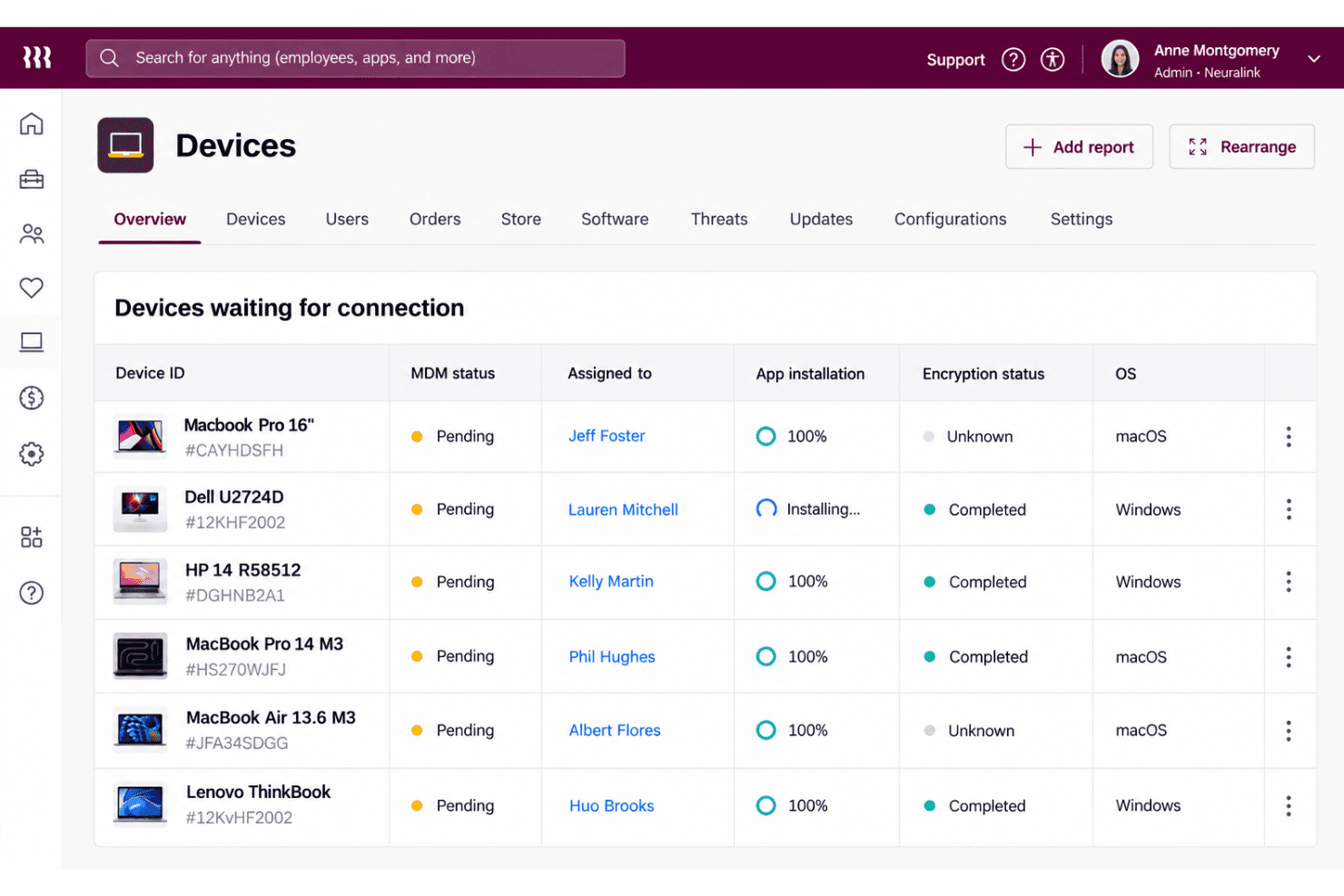
Rippling provides device dashboards and reports with details such as serial number, OS version, battery health, and disk usage. IT can use that information to check device status and identify machines that need attention.
Hardware Lifecycle Management
Rippling supports device ordering, shipping, retrieval, storage, and reassignment, with offboarding workflows able to automate returns. This connects device logistics to employee changes, so your team can recover and prepare hardware for its next user.
Ease of Use
Rippling IT feels easier to manage than a device-only MDM when employee records drive setup, access changes, and offboarding across Mac and Windows. Zero-touch enrollment, shared inventory, and remote lock or wipe keep common tasks in one workflow. Still, user feedback points to difficult provisioning and limited rollout feedback, while advanced workflows take time to learn. I’d call it approachable for routine lifecycle tasks, but less intuitive when you need complex configuration.
Integrations
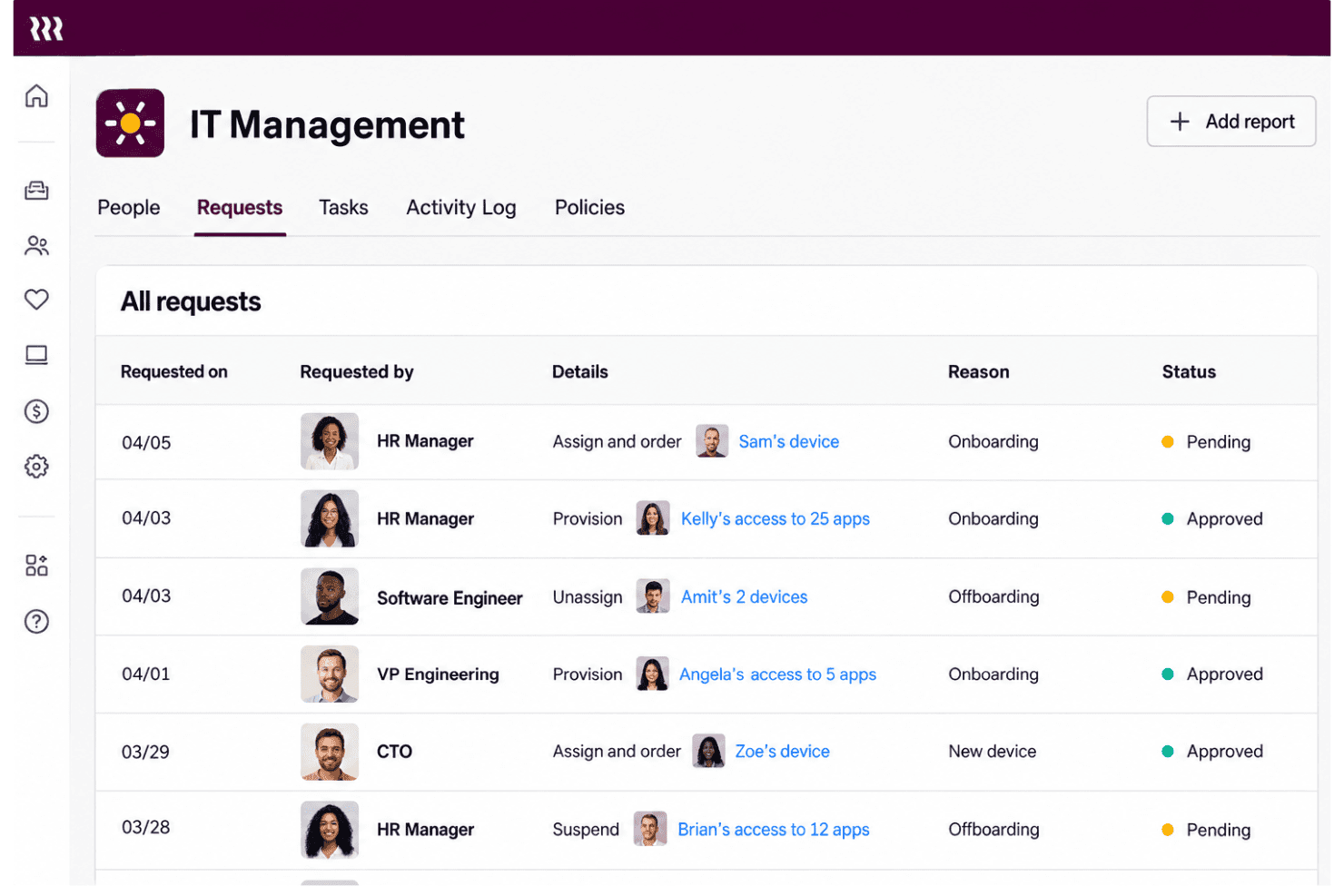
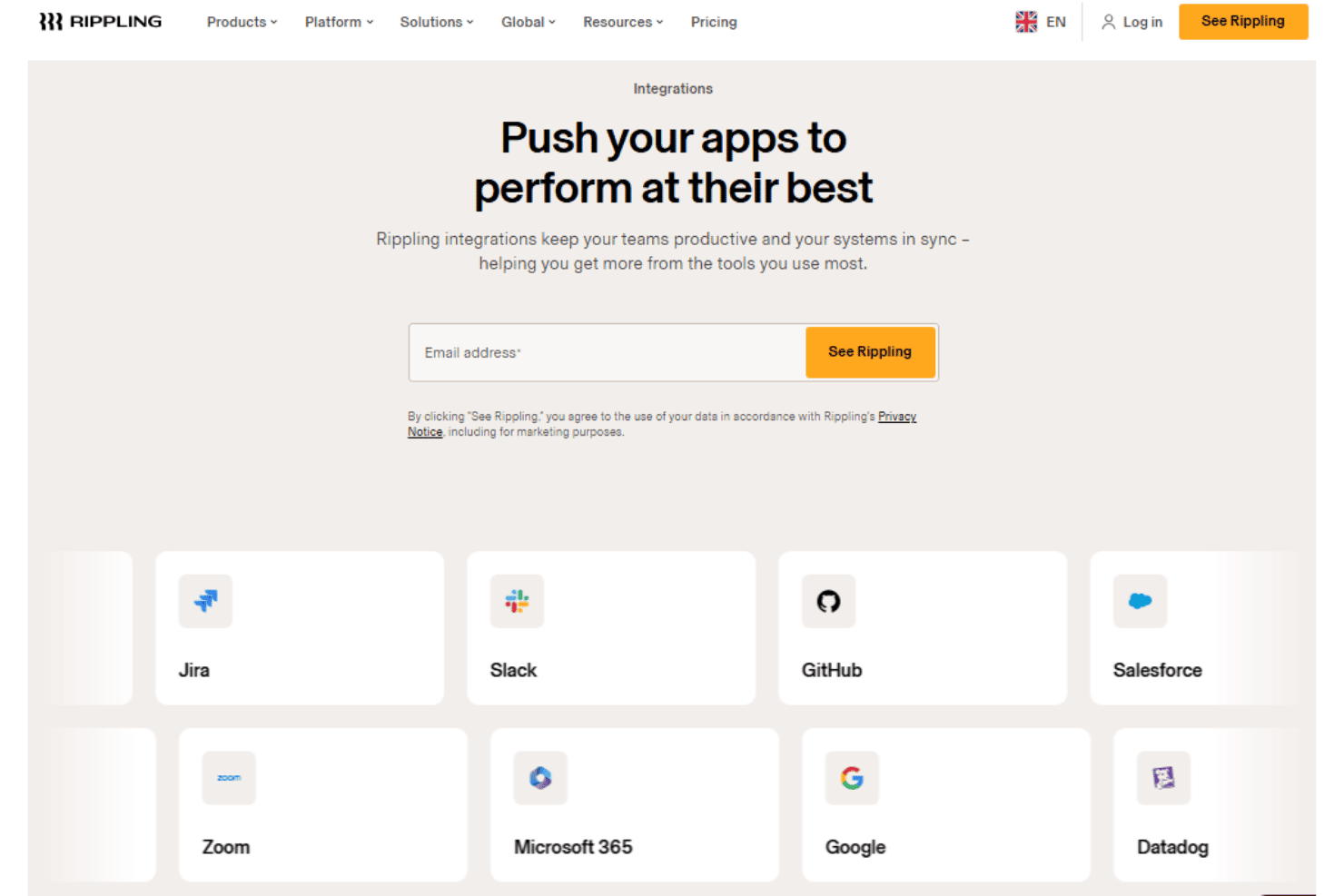
Rippling IT integrates with Google Workspace, Slack, Microsoft 365, Okta, GitHub, Jira, Zoom, Salesforce, HubSpot, and Asana, among others.
Rippling also offers a REST API for custom integrations and supports prebuilt and custom app connections through its App Shop.
New Product Updates from Rippling IT
 Opens new window
Rippling IT Launches Helpdesk for Agentic Support
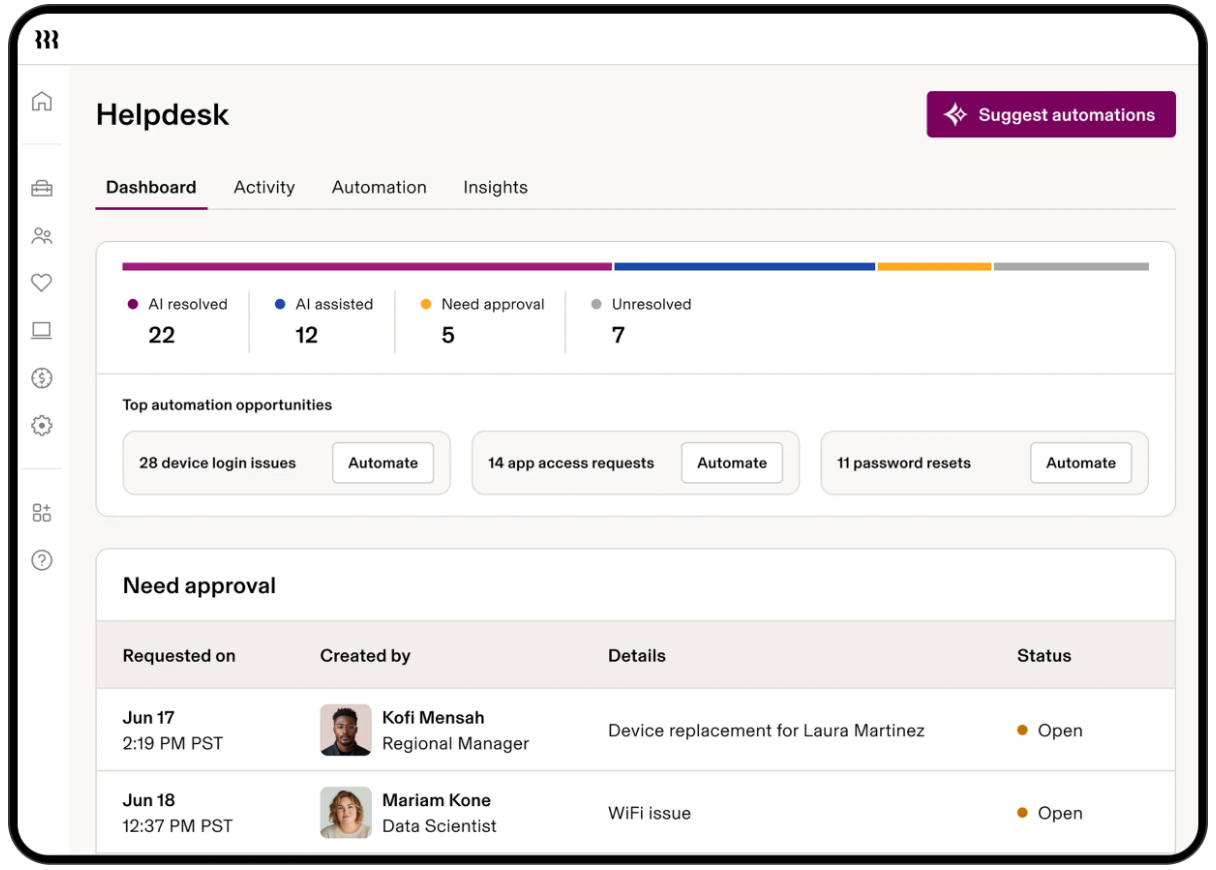
Rippling IT launches Helpdesk to resolve routine tickets using employee, policy, app, and device context. It can troubleshoot issues, take supported actions, route approvals, and escalate unresolved requests with context attached. Highlights include:
- Automated Ticket Resolution: Handles routine requests such as app access, password resets, device lockouts, and replacements.
- Contextual Troubleshooting: Uses employee, device, policy, and app data to determine the next step.
- Approval Controls: Lets admins decide which actions run automatically or require approval.
- Contextual Escalation: Passes unresolved requests to IT with troubleshooting and employee context attached.
- Activity Logging: Records requests, actions, resolutions, and escalations for visibility.
Visit Rippling’s official site for more details.
Rippling IT Specs
- 2-Factor Authentication: Yes
- API: Yes
- Batch Permissions & Access: Yes
- Dashboard: Yes
- Data Export: Yes
- Data Import: Yes
- Email Integration: Yes
- External Integrations: Yes
- Google Apps Integration: Yes
- Multi-User: Yes
- Notifications: Yes
- Password & Access Management: Yes


