
Resolve Review 2026: IT Automation Features, Pricing, Pros, and Cons
Resolve combines IT automation and orchestration to help enterprise IT teams automate service workflows across complex environments. Find out whether Resolve is the right fit for your IT operations and service management needs in my expert review.

We review tools independently, and commissions help fund our testing. See our transparency policy, our methodology, or suggest a tool.
Managing IT services across a hybrid environment gets complicated when workflows span ticketing, monitoring, cloud, and legacy systems. As incidents grow, IT teams need more than alerts and routing—they need automation that can actually act across the stack.
Resolve is an IT automation and service management software designed to orchestrate workflows across ITSM, observability, cloud, networking, and on-premises systems. I see its biggest appeal in complex enterprise environments where teams want to automate remediation and service workflows without being tied to a single ITSM ecosystem.
In this review, I cover Resolve’s features, pricing, strengths, limitations, and best use cases to help you decide if it fits your IT operations.
Resolve Evaluation Summary
5/5
- Pricing upon request
- Free demo available
Why Trust Our Software Recommendations
6,700+
Reviews
20
Industry experts
16+
Evaluation factors
14
Years
Our team has been testing and reviewing software since 2012. As tech leaders ourselves, we know how difficult—and important—it is to choose the right software.
For this guide, we evaluated tools using hands-on testing and independent research, scoring tools using our selection criteria.
Our reviews reflect our human editorial judgment, not a sales pitch.
Expert reviewers:
- Paulo Gardini MiguelTech Director
 Tim FisherVP of AI
 Gabriel RosasTech Lead & Software Architect
 Christhian GruhnTech Lead & Platform Architect

Resolve Overview
In my opinion, Resolve is a strong fit for enterprise IT teams that need automation across complex hybrid environments. Its platform-agnostic orchestration, governed AI agents, deterministic workflows, and broad integrations support incident remediation and service automation across ITSM, cloud, network, and legacy systems. The main tradeoff is that it lacks native ticketing and monitoring.
Pros
- Orchestrates workflows across ITSM, observability, cloud, network, and legacy systems
- Combines deterministic workflows with governed AI agents for more predictable execution
- Uses flat pricing that avoids variable usage- or token-based automation costs
Cons
- No native ticketing, so teams still need a separate ITSM platform
- No built-in monitoring, requiring existing observability tools
- Smaller market presence than larger vendors like ServiceNow and BMC
Is Resolve Right For Your Needs?
Who Would be a Good Fit for Resolve?
Resolve is best suited to organizations with 1,000+ employees and complex hybrid IT environments spanning cloud, on-premises, and legacy systems. I see the strongest fit in enterprises that need automation to work across multiple IT tools rather than stay confined to a single platform.
- Large EnterprisesOrganizations with large, complex IT environments can use Resolve to automate workflows across ITSM, cloud, infrastructure, and legacy systems.
- Financial ServicesBanks and financial institutions can automate incident response, access management, compliance workflows, and other processes where uptime and auditability matter.
- ManufacturingManufacturers can automate service requests, infrastructure remediation, and cross-system workflows across plants, sites, and enterprise systems.
- PharmaceuticalsPharmaceutical companies can use governed automation across regulated environments, including access, incident, infrastructure, and service workflows.
- RetailLarge retailers can automate IT operations across distributed stores, e-commerce systems, infrastructure, and service desks.
- TelecommunicationsTelecom teams managing large networks and hybrid environments can automate operational workflows, remediation, and service processes across multiple systems.
Who Would be a Bad Fit for Resolve?
Resolve is less suitable for smaller organizations with limited IT budgets or relatively simple technology environments. It may also be a poor fit for teams that want native ticketing, monitoring, or a quick self-service setup rather than an automation layer built around existing enterprise systems.
- Small and Midsize BusinessesSMBs with limited IT budgets may struggle to justify a platform designed for larger, more complex environments.
- Organizations With Simple IT StacksCompanies using only a few systems may have little need for Resolve’s cross-platform orchestration capabilities.
- Businesses Seeking an All-in-One ITSM PlatformTeams that want built-in ticketing will still need a separate ITSM system alongside Resolve.
- Organizations Without Existing Monitoring ToolsTeams that need native monitoring or observability will require additional tools, since Resolve does not provide these capabilities itself.
- Companies With Limited Automation NeedsOrganizations with only a few repeatable IT workflows may not get enough value from Resolve’s enterprise automation capabilities.
- Teams Wanting Self-Service SetupResolve’s guided onboarding and integration requirements may be more involved than teams looking for a lightweight, plug-and-play tool need.
Our Review Methodology
How We Test & Score Tools
We’ve spent years building, refining, and improving our software testing and scoring system. The rubric is designed to capture the nuances of software selection and what makes a tool effective, focusing on critical aspects of the decision-making process.
Below, you can see exactly how our testing and scoring works across seven criteria. It allows us to provide an unbiased evaluation of the software based on core functionality, standout features, ease of use, onboarding, customer support, integrations, customer reviews, and value for money.
Core Functionality (25% of final scoring)
The starting point of our evaluation is always the core functionality of the tool. Does it have the basic features and functions that a user would expect to see? Are any of those core features locked to higher-tiered pricing plans? At its core, we expect a tool to stand up against the baseline capabilities of its competitors.
Standout Features (25% of final scoring)
Next, we evaluate uncommon standout features that go above and beyond the core functionality typically found in tools of its kind. A high score reflects specialized or unique features that make the product faster, more efficient, or offer additional value to the user.
We also evaluate how easy it is to integrate with other tools typically found in the tech stack to expand the functionality and utility of the software. Tools offering plentiful native integrations, 3rd party connections, and API access to build custom integrations score best.
Ease of Use (10% of final scoring)
We consider how quick and easy it is to execute the tasks defined in the core functionality using the tool. High scoring software is well designed, intuitive to use, offers mobile apps, provides templates, and makes relatively complex tasks seem simple.
Onboarding (10% of final scoring)
We know how important rapid team adoption is for a new platform, so we evaluate how easy it is to learn and use a tool with minimal training. We evaluate how quickly a team member can get set up and start using the tool with no experience. High scoring solutions indicate little or no support is required.
Customer Support (10% of final scoring)
We review how quick and easy it is to get unstuck and find help by phone, live chat, or knowledge base. Tools and companies that provide real-time support score best, while chatbots score worst.
Customer Reviews (10% of final scoring)
Beyond our own testing and evaluation, we consider the net promoter score from current and past customers. We review their likelihood, given the option, to choose the tool again for the core functionality. A high scoring software reflects a high net promoter score from current or past customers.
Value for Money (10% of final scoring)
Lastly, in consideration of all the other criteria, we review the average price of entry level plans against the core features and consider the value of the other evaluation criteria. Software that delivers more, for less, will score higher.
Core Features
Workflow Orchestration
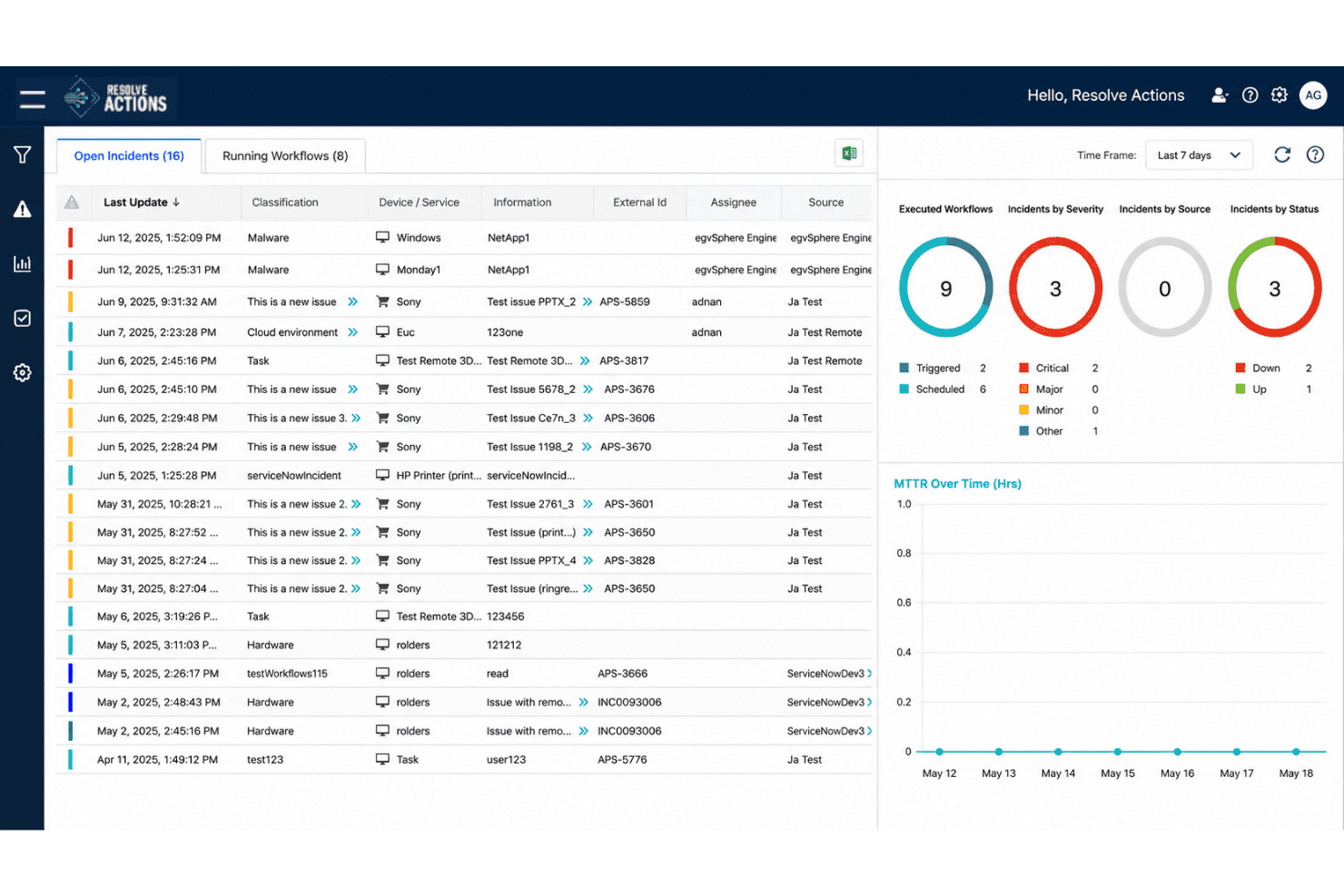
Coordinate workflows across ITSM, observability, networking, cloud, and on-premises systems without tying automation to one vendor. I like this for teams whose processes already span several tools.
Automation Agent
The Automation Agent executes approved workflows to diagnose and resolve IT issues. This helps teams use AI while keeping repeatable actions governed and predictable.
Agent Assist
Agent Assist gives service desk technicians diagnostics, context, and recommended actions during incidents. It can also surface approved automations to speed up resolution.
Employee Assistant
Employees can use conversational support for common IT questions and service requests. Where automation is available, it can take action instead of just pointing users to documentation.
Pre-Built Integrations & APIs
Pre-built integrations connect ITSM, observability, cloud, networking, security, and infrastructure tools. APIs and an open integration framework also support custom and legacy systems.
No-Code/Low-Code Workflow Building
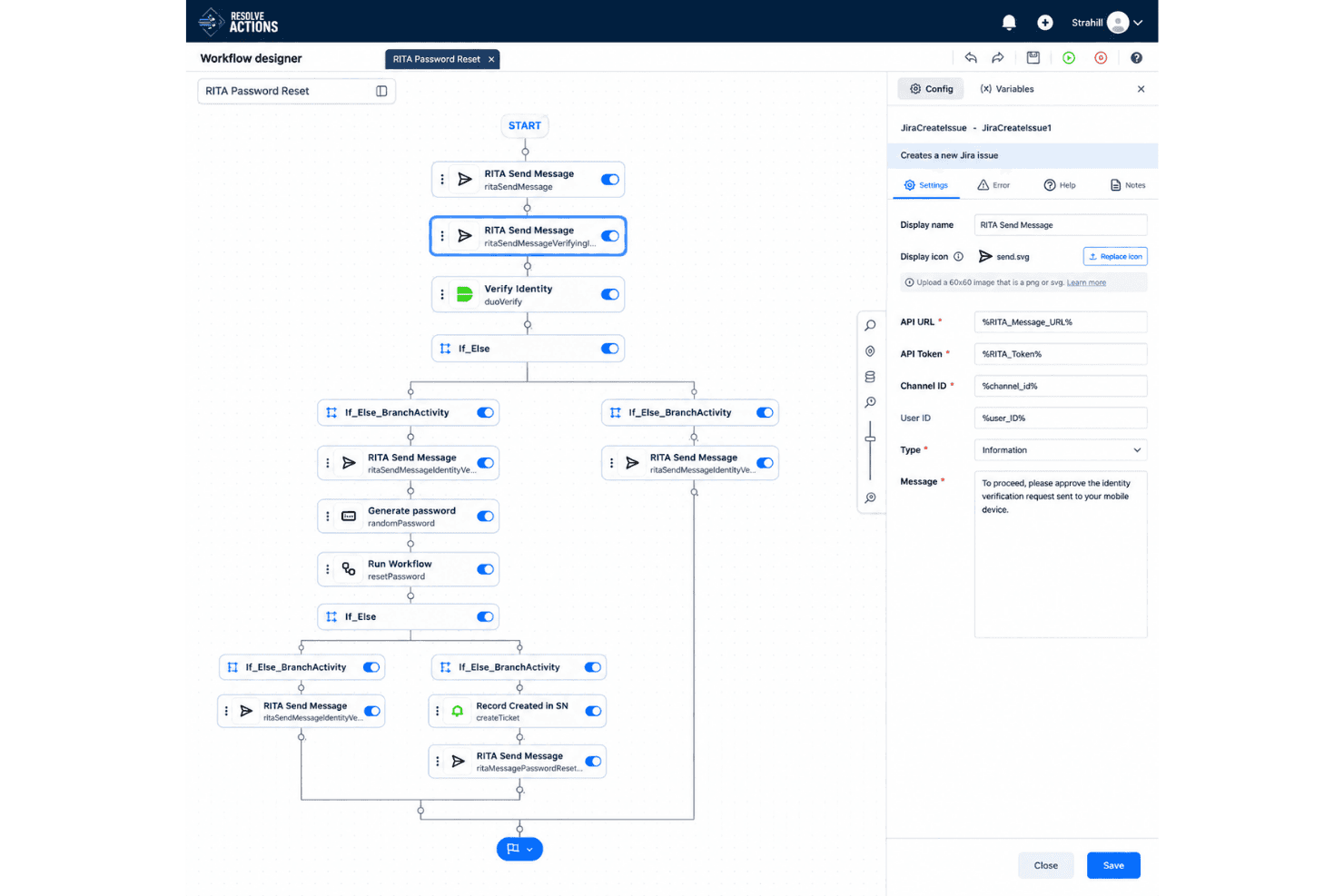
Teams can build automations visually, use AI-assisted workflow creation, or bring in existing scripts and code. This works for both simple service workflows and more technical automation.
Standout Features
AgentLab
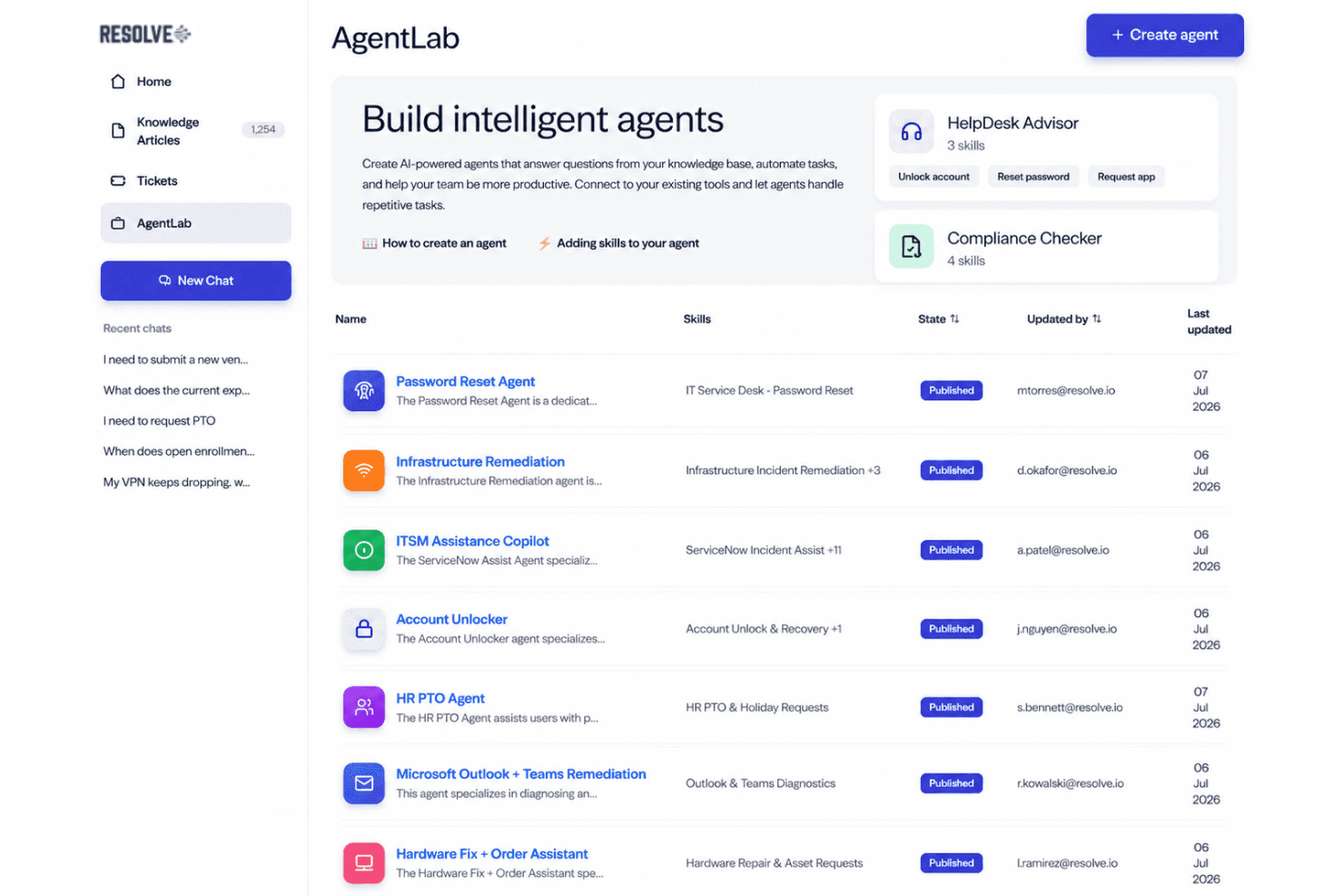
AgentLab lets teams create limited-scope AI agents using natural language while setting skills, permissions, and guardrails. I like the focus on controlled execution rather than just AI-generated suggestions.
Automation Exchange & Governance
Automation Exchange gives teams reusable workflows and automation content they can adapt instead of starting from scratch. Governance controls around permissions, approvals, and audit trails help keep those automations controlled.
Ease of Use
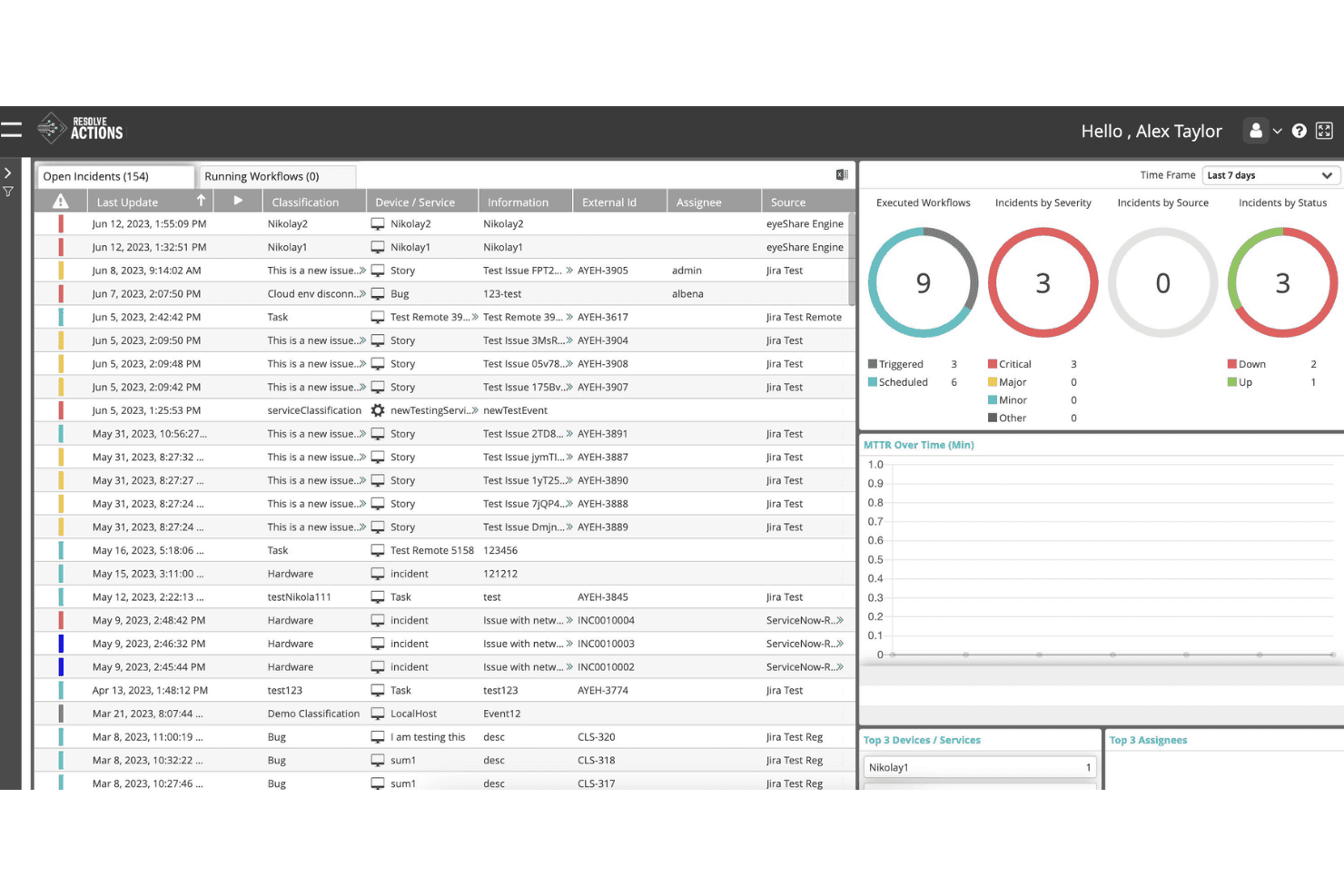
Resolve’s ease of use depends on the complexity of your IT environment and the integrations involved. Setup complexity varies depending on the number and depth of integrations involved. Dedicated onboarding support helps here, with Resolve assisting customers in setting up their first use cases and integrations.
Onboarding
Resolve takes a guided approach to onboarding, with a professional services team member helping set up the first five use cases or agents at no extra cost. The process typically takes five days to one month, depending on company size, environment complexity, and the integrations that need to be configured. This hands-on support should be especially useful for teams working across hybrid or legacy systems.
Resolve also offers an Employee Adoption Program that supports rollout planning, employee communications, training assets, and ongoing engagement to help organizations drive adoption after implementation.
Customer Support
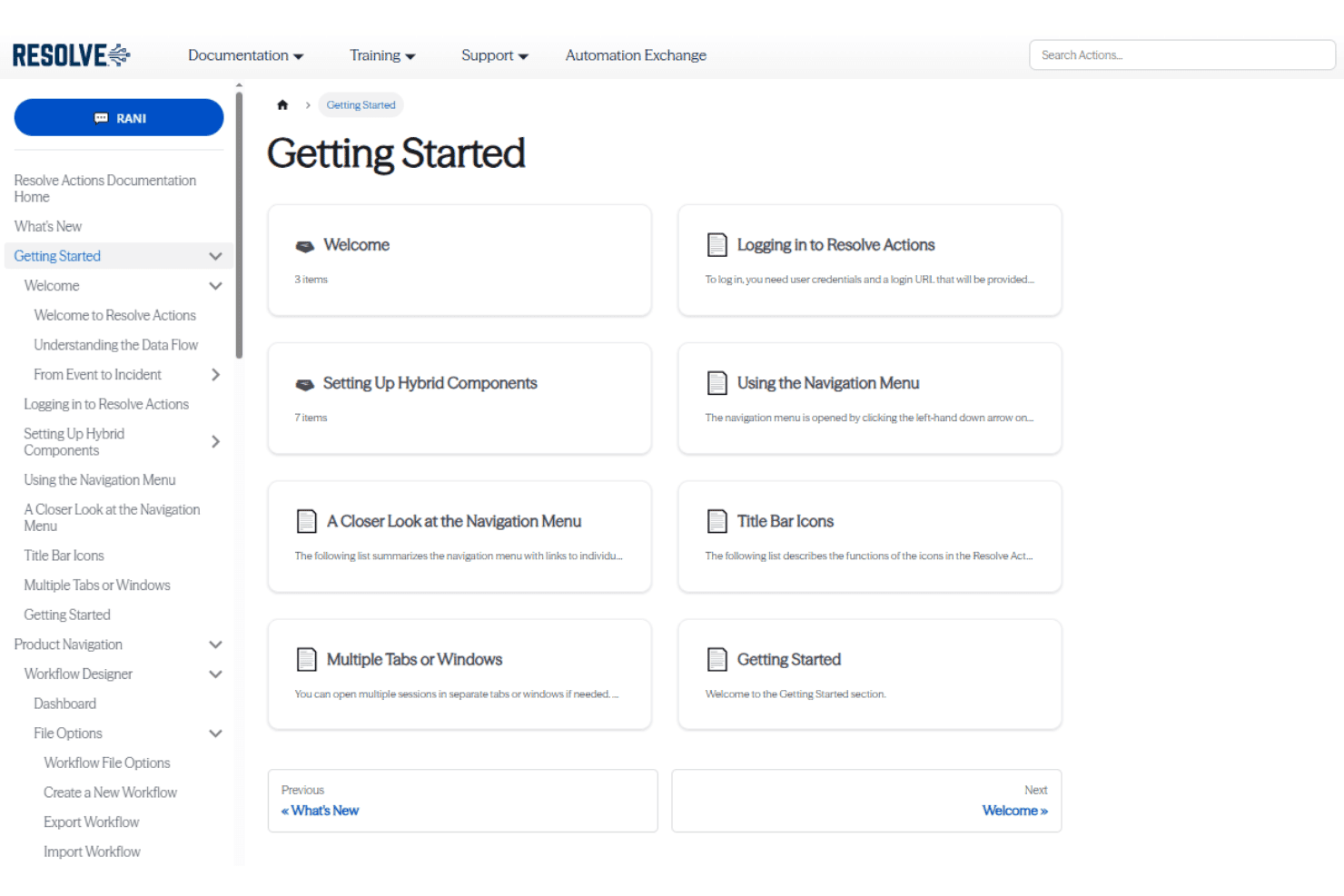
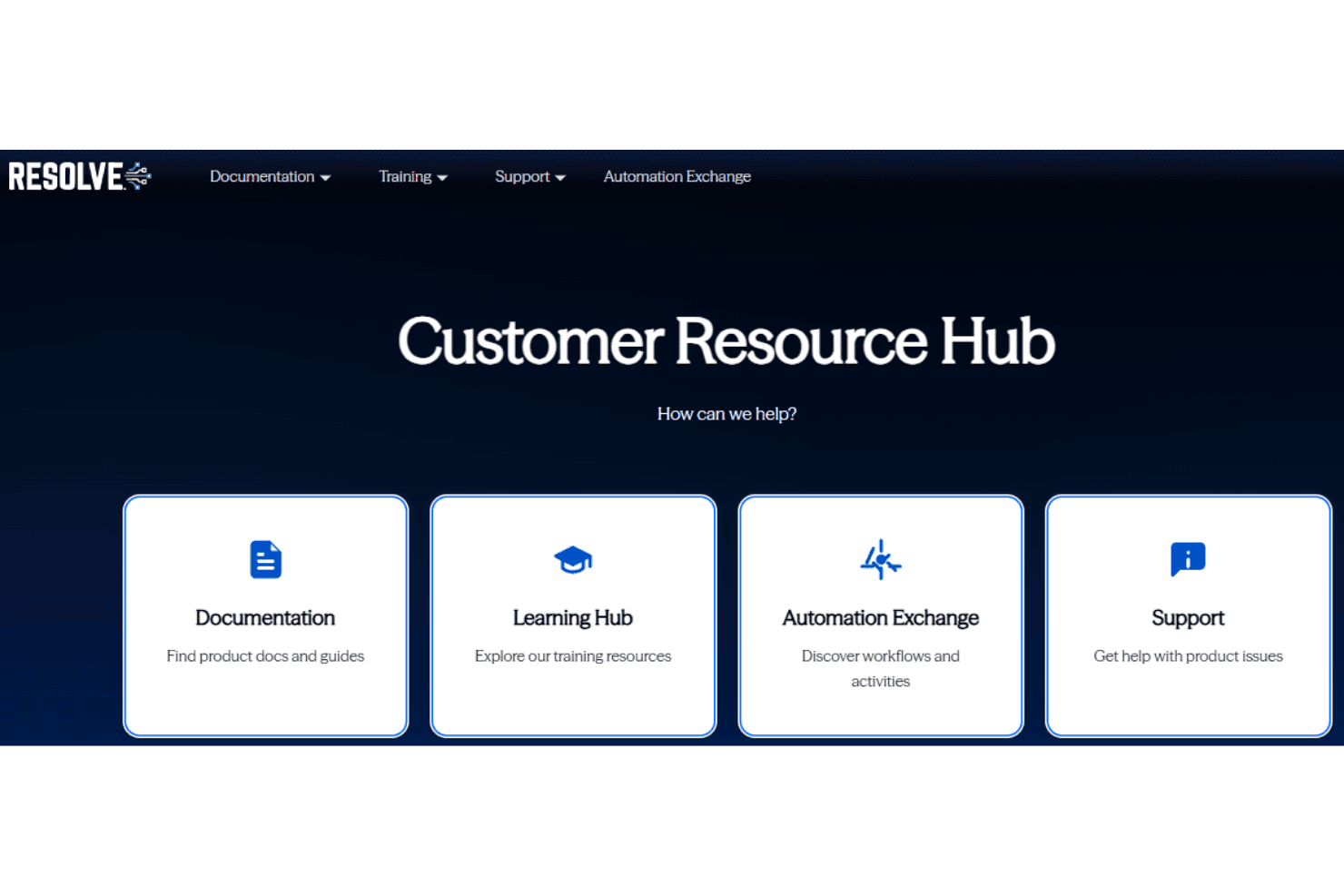
Resolve provides several customer support resources, including a dedicated support portal, product documentation, training materials, and technical guidance for troubleshooting and platform use. Customers also receive hands-on professional services during onboarding, with support for configuring their first use cases, agents, and integrations. This is especially useful for larger teams working through more complex hybrid environments and automation requirements.
Integrations
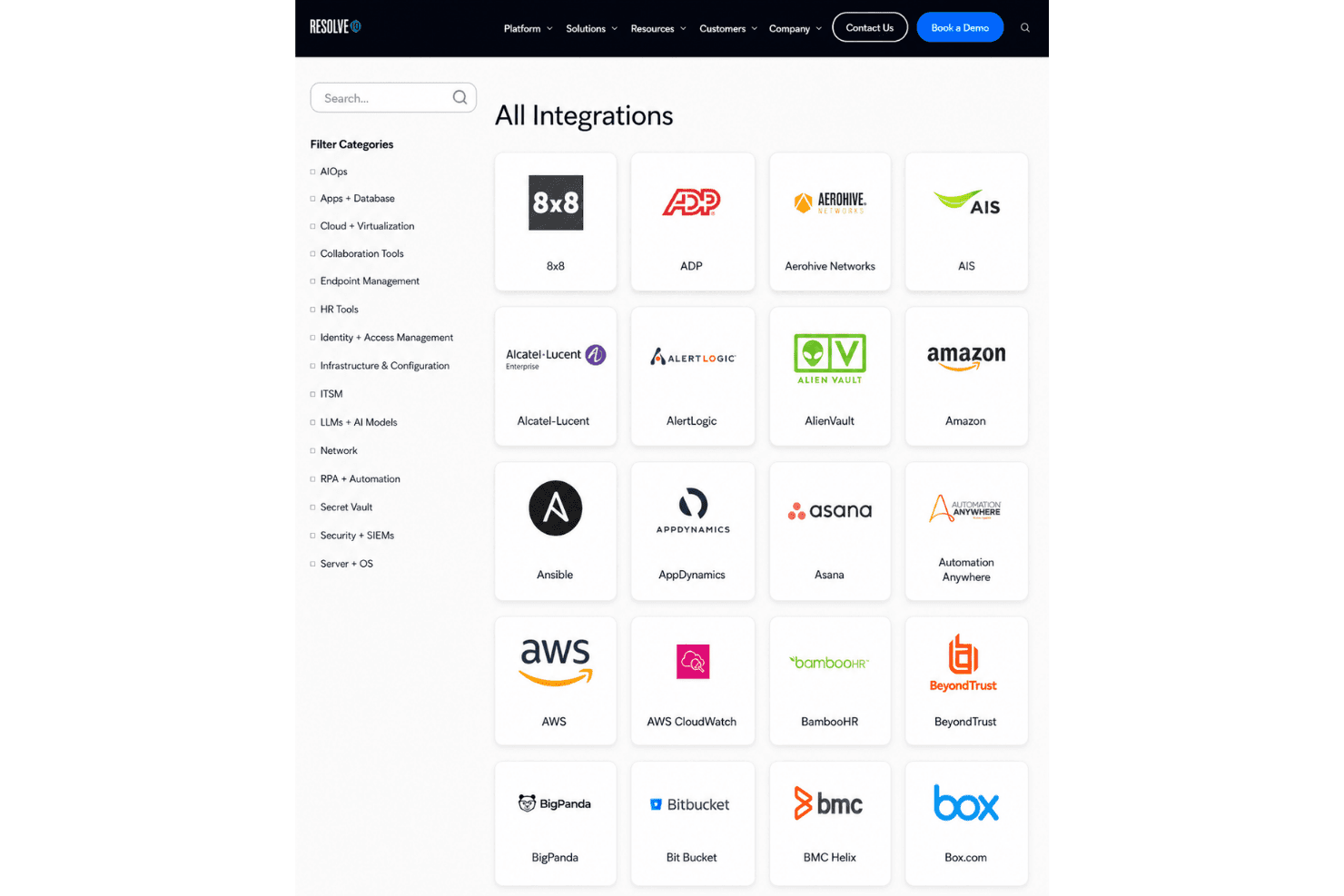
Integrations include ServiceNow, Jira, Microsoft 365 and Active Directory, Microsoft Exchange, Azure, Intune, Microsoft Teams, Slack, Workday, Datadog, Splunk, AWS, and more. An API is available through Resolve’s open integration framework, which also supports custom and legacy connections via REST APIs, SNMP, SSH, TCP, SMTP, and SOAP.
Value for Money
Resolve’s value is strongest for larger IT teams that can make full use of its cross-domain automation and orchestration capabilities. I like that its pricing is positioned as flat and predictable, avoiding per-user, per-ticket, workflow, or AI token fees that can make automation costs harder to forecast.
Specific pricing is not published publicly, so organizations need to contact Resolve for a custom quote. Given its enterprise focus and ideal fit for organizations with 1,000+ employees, smaller teams or companies with limited automation needs may find it harder to justify the investment.
Resolve Specs
- API: Yes
- Approval Workflows: Yes
- Batch Permissions & Access: Yes
- Compliance Tracking: Yes
- Contact Management: No
- Custom Reports: Yes
- Dashboard: Yes
- Data Export: Yes
- Data Import: Yes
- Data Visualization: Yes
- Document Management: No
- External Integrations: Yes
- Inventory Tracking: No
- Marketing Automation: No
- Notifications: Yes
- Process Modeling: Yes
- Process Reporting: Yes
- Project Management: No
- Roadmapping: No
- Sales Automation: No
- Supplier Management: No
- Third-Party Plugins/Add-Ons: Yes
- Workflow Management: Yes
Resolve FAQs
Resolve Company Overview & History
Resolve Systems is an IT automation and orchestration software company founded in Irvine, California, and currently headquartered in Campbell, California. Established under the Resolve Systems name in 2014 following the rebrand of gen-E, the company focuses on automating incident response, service management, network operations, and other IT workflows. Today, Resolve serves large enterprises across industries including financial services, retail, manufacturing, pharmaceuticals, and telecommunications and is majority-owned by Insight Partners.
Resolve Major Milestones
- 2014: gen-E rebranded as Resolve Systems as the company shifted its focus from software consulting to incident resolution and automation software.
- 2015: Resolve earned ServiceNow certification for its platform integration, expanding its role in IT service management automation.
- 2017: Insight Venture Partners, now Insight Partners, acquired Resolve Systems to support further product development and growth.
- 2021: Acquired Ayehu, expanding its no-code and intelligent IT automation capabilities.
- 2022: Launched its IT Automation as a Service offering, providing a SaaS option for enterprise automation.
- 2025: Acquired Espressive, adding conversational and agentic AI capabilities to its automation portfolio.
Resolve Partner Spotlight
Why Resolve Is the Orchestration Engine Your ITSM Platform Needs
ITSM tracks work, but doesn't necessarily resolve it. Resolve bridges that gap by coordinating actions across IT systems, with AI reasoning and safeguards built in.

How Resolve Turns Disaster Recovery Automation Into Governed Execution
Coordinate recovery across enterprise systems with approved workflows, AI-assisted decisions, verification, and human oversight.

How Resolve Pairs AI Reasoning with Deterministic Workflows for Governed IT Resolution
How the Resolve platform moves IT work from intent to verified resolution.