

Anmeldelse af Workwize: Fordele, ulemper, funktioner og priser
I put Workwize through its paces as an IT asset management platform, weighing its global device lifecycle tools, usability, and pricing against the trade-offs buyers should know.

We review tools independently, and commissions help fund our testing. See our transparency policy, our methodology, or suggest a tool.
Workwize is an IT asset management software that handles the full device lifecycle for distributed teams, including procurement, deployment, retrieval, storage, and disposal across more than 100 countries. I'd consider it if you're an IT or ops leader supporting remote employees in multiple regions and you're tired of juggling local vendors, customs paperwork, and spreadsheets to track who has what hardware. Compared to a tool like Hofy, Workwize gives you more flexibility to bring your own inventory into its global warehouse network rather than locking you into buying devices through the platform, which is a better fit if you already have existing hardware you want to manage centrally.
Workwize Evaluation Summary
4.2/5
- From $8/month/seat (+$540 platform fee)
- Free demo available
Why Trust Our Software Recommendations
6,700+
Reviews
20
Industry experts
16+
Evaluation factors
14
Years
Our team has been testing and reviewing software since 2012. As tech leaders ourselves, we know how difficult—and important—it is to choose the right software.
For this guide, we evaluated tools using hands-on testing and independent research, scoring tools using our selection criteria.
Our reviews reflect our human editorial judgment, not a sales pitch.
Expert reviewers:
- Paulo Gardini MiguelTech Director
 Tim FisherVP of AI
 Gabriel RosasTech Lead & Software Architect
 Christhian GruhnTech Lead & Platform Architect

Workwize Overview
Workwize is a strong choice for distributed teams managing hardware across several regions. Its device lifecycle coverage includes procurement, deployment, retrieval, storage, and disposal, while its warehouse network supports existing inventory instead of requiring platform-based purchases. I’d choose it over procurement-led alternatives when flexibility matters more than a tightly bundled buying process. The user-friendly interface and onboarding appeal to IT and operations teams replacing spreadsheets, local vendors, and customs paperwork.
Pros
- Global warehouses support procurement, storage, retrieval, and disposal.
- Users praise centralized equipment records and quick setup.
- Certified wiping and automated retrieval support controlled offboarding.
Cons
- Reviewers report inaccurate portal statuses during deployments.
- Regional shipping delays complicate Middle East equipment delivery.
- Microsoft Intune device-association gaps limit some fleet workflows.
Is Workwize Right For Your Needs?
Who Would be a Good Fit for Workwize?
Workwize suits distributed organizations with at least 150 users and recurring hardware operations across regions. Its asset records, equipment portal, lifecycle workflows, integrations, and seat-based pricing support teams managing procurement, deployment, repairs, retrieval, and offboarding.
- Distributed CompaniesWorkwize centralizes equipment records, shipping, repairs, and retrieval for companies supporting employees across multiple regions.
- 150 Plus TeamsWorkwize’s plans start at 150 users, making its seat-based pricing more suitable for midsize and larger organizations.
- IT OperationsIT teams can manage procurement, deployment, restocking, maintenance, and disposal from one asset management interface.
- People OperationsPeople teams can use automatic offboarding workflows to coordinate equipment retrieval when employees leave the organization.
- Remote WorkforcesRemote-first companies can give employees a self-service portal for hardware requests, repairs, maintenance, and support.
- Integrated EnvironmentsTeams using Slack, Kandji, Jamf, Okta, Microsoft Intune, or HR systems can connect Workwize to existing workflows.
Who Would be a Bad Fit for Workwize?
Workwize is a weaker choice for small organizations, single-location teams, and businesses needing highly accurate real-time deployment data. Its 150-user minimum, quote-only pricing, reported regional shipping delays, and Microsoft Intune device-association gaps require careful evaluation.
- Small BusinessesCompanies below 150 users may not meet Workwize’s Basic plan minimum, making the platform unsuitable for smaller fleets.
- Single Office TeamsA single-office business with simple equipment handoffs may not need Workwize’s regional shipping, retrieval, and lifecycle workflows.
- Intune Dependent TeamsTeams requiring dependable Microsoft Intune device associations should test Workwize first because reviewers report gaps in this integration.
- Real Time TrackingOrganizations needing consistently accurate deployment statuses should pilot Workwize because reviewers report incorrect status information.
- Local PurchasesBusinesses buying and handing out equipment locally may gain little from Workwize’s shipping and multi-region asset operations.
- Price Sensitive BuyersTeams needing transparent comparisons may reject Workwize because pricing is quote-only and plans begin at 150 users.
Our Review Methodology
How We Test & Score Tools
We’ve spent years building, refining, and improving our software testing and scoring system. The rubric is designed to capture the nuances of software selection and what makes a tool effective, focusing on critical aspects of the decision-making process.
Below, you can see exactly how our testing and scoring works across seven criteria. It allows us to provide an unbiased evaluation of the software based on core functionality, standout features, ease of use, onboarding, customer support, integrations, customer reviews, and value for money.
Core Functionality (25% of final scoring)
The starting point of our evaluation is always the core functionality of the tool. Does it have the basic features and functions that a user would expect to see? Are any of those core features locked to higher-tiered pricing plans? At its core, we expect a tool to stand up against the baseline capabilities of its competitors.
Standout Features (25% of final scoring)
Next, we evaluate uncommon standout features that go above and beyond the core functionality typically found in tools of its kind. A high score reflects specialized or unique features that make the product faster, more efficient, or offer additional value to the user.
We also evaluate how easy it is to integrate with other tools typically found in the tech stack to expand the functionality and utility of the software. Tools offering plentiful native integrations, 3rd party connections, and API access to build custom integrations score best.
Ease of Use (10% of final scoring)
We consider how quick and easy it is to execute the tasks defined in the core functionality using the tool. High scoring software is well designed, intuitive to use, offers mobile apps, provides templates, and makes relatively complex tasks seem simple.
Onboarding (10% of final scoring)
We know how important rapid team adoption is for a new platform, so we evaluate how easy it is to learn and use a tool with minimal training. We evaluate how quickly a team member can get set up and start using the tool with no experience. High scoring solutions indicate little or no support is required.
Customer Support (10% of final scoring)
We review how quick and easy it is to get unstuck and find help by phone, live chat, or knowledge base. Tools and companies that provide real-time support score best, while chatbots score worst.
Customer Reviews (10% of final scoring)
Beyond our own testing and evaluation, we consider the net promoter score from current and past customers. We review their likelihood, given the option, to choose the tool again for the core functionality. A high scoring software reflects a high net promoter score from current or past customers.
Value for Money (10% of final scoring)
Lastly, in consideration of all the other criteria, we review the average price of entry level plans against the core features and consider the value of the other evaluation criteria. Software that delivers more, for less, will score higher.
Core Features
Centralized Asset Inventory
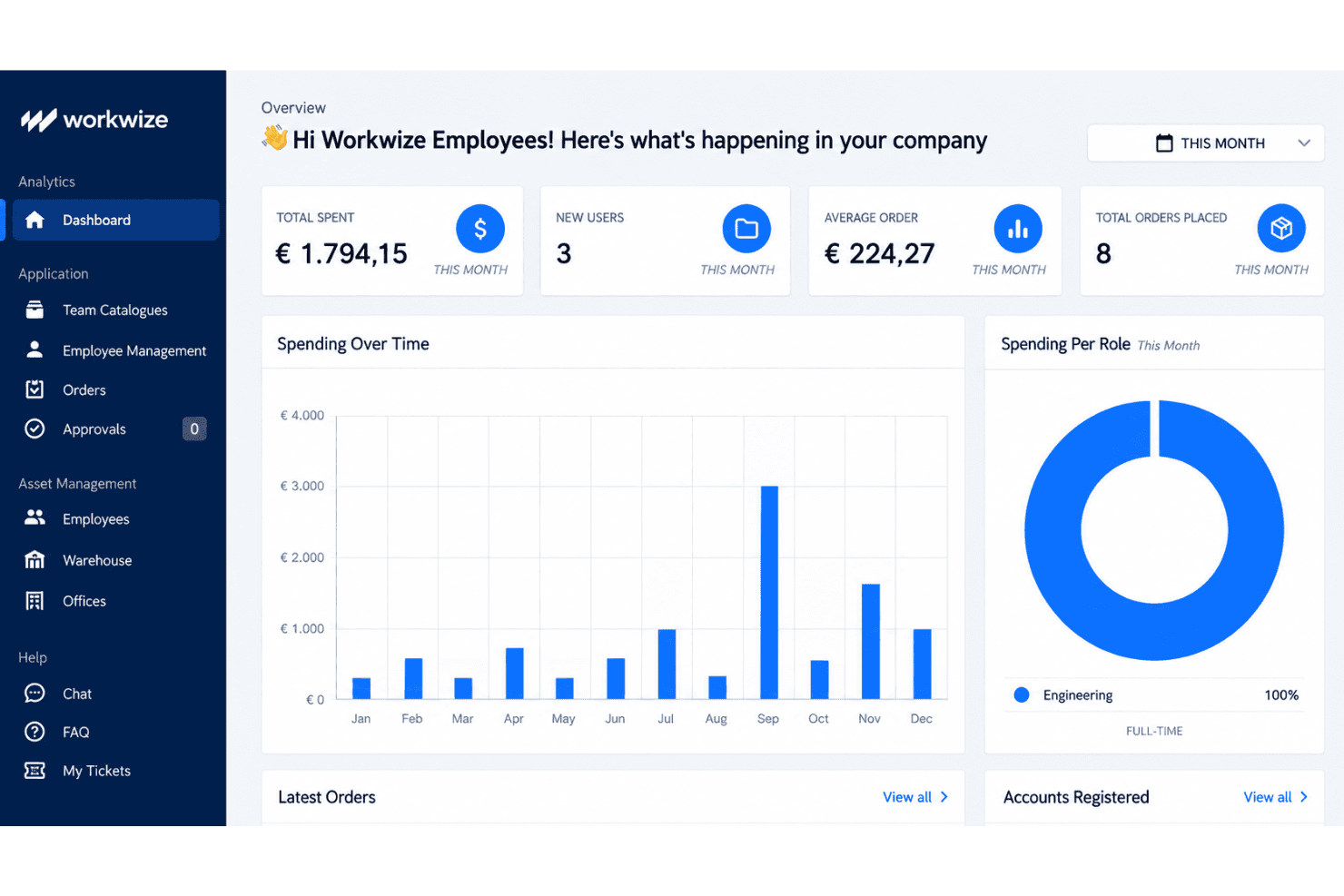
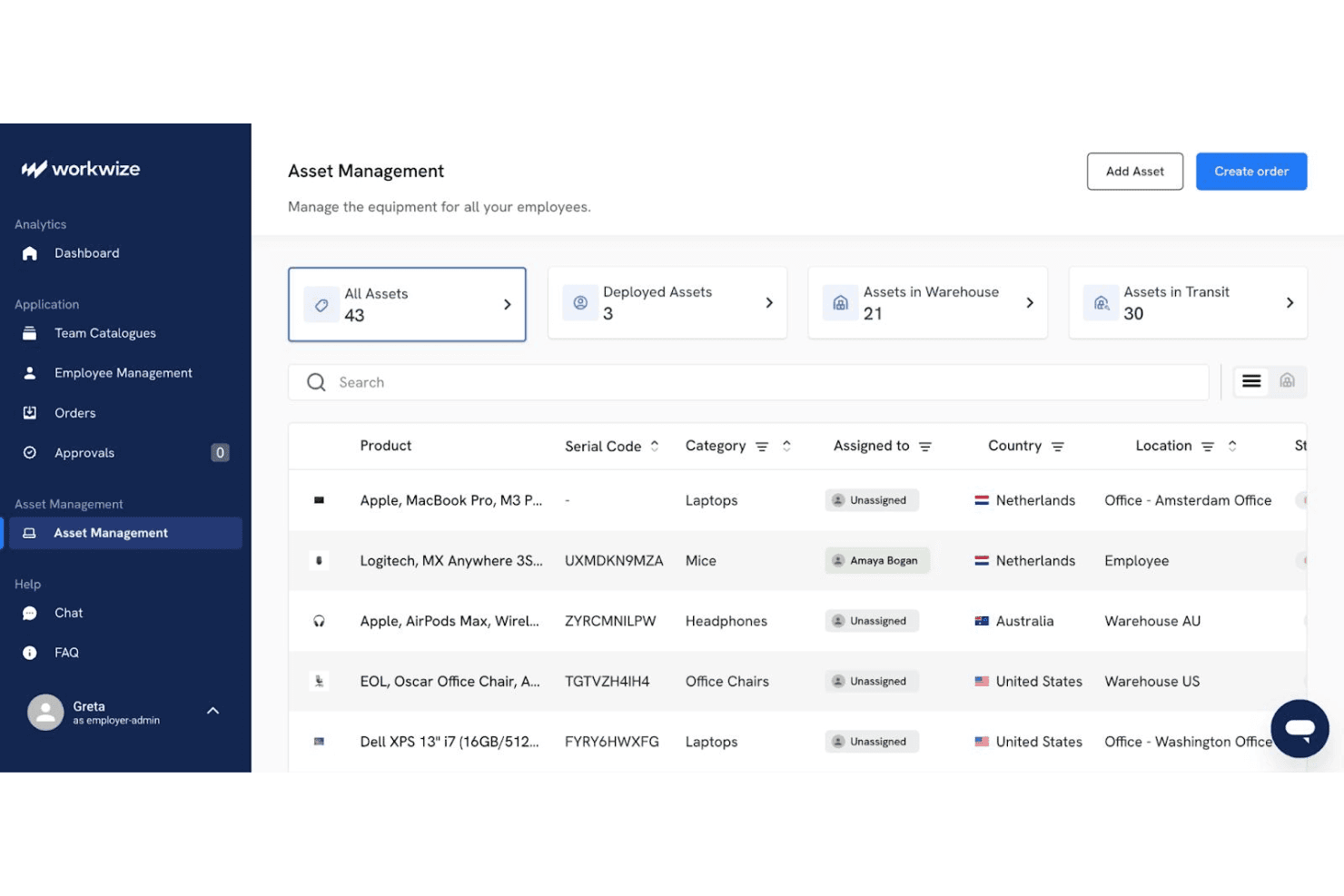
Workwize maintains a centralized record of each device, including its assignee, location, condition, and lifecycle stage. Real-time status tracking gives IT teams one place to verify ownership and identify unassigned equipment.
Global Hardware Procurement
Workwize supports international device purchasing through pre-approved catalogs, spend-based approvals, and regional warehouses. Your team can also place existing inventory into Workwize warehouses, which helps manage mixed fleets across more than 100 countries.
Zero-Touch Deployment
Workwize automates device ordering and prepares equipment with preconfigured images and enrollment workflows. Support for Apple Business Manager and Microsoft Autopilot helps employees receive configured devices without manual setup by IT.
Automated Asset Retrieval
Workwize starts retrieval workflows when employees leave or need replacement equipment. Automated shipping instructions, tracking, and warehouse returns help IT recover laptops without coordinating each handoff manually.
Repairs And Maintenance Tracking
Workwize records repairs, warranties, replacements, and maintenance events against each asset. Automated alerts help your team identify devices nearing warranty expiration or requiring service before replacement decisions become urgent.
Secure Disposal And Data Wiping
Workwize manages end-of-life workflows with certified data wiping, disposal, and recycling records. Your team receives disposal documentation while reducing the risk of retired devices retaining company data.
Ease of Use
Workwize is more approachable than many IT asset management platforms, with quick setup, centralized equipment records, and a self-service portal for hardware requests, repairs, and support. Its lifecycle workflows also keep procurement, deployment, retrieval, and disposal in one interface. However, user reviews report inaccurate deployment statuses, regional shipping delays, and Microsoft Intune device-association gaps. I’d recommend it for distributed teams prioritizing usability, but verify status accuracy during a pilot.
Integrations
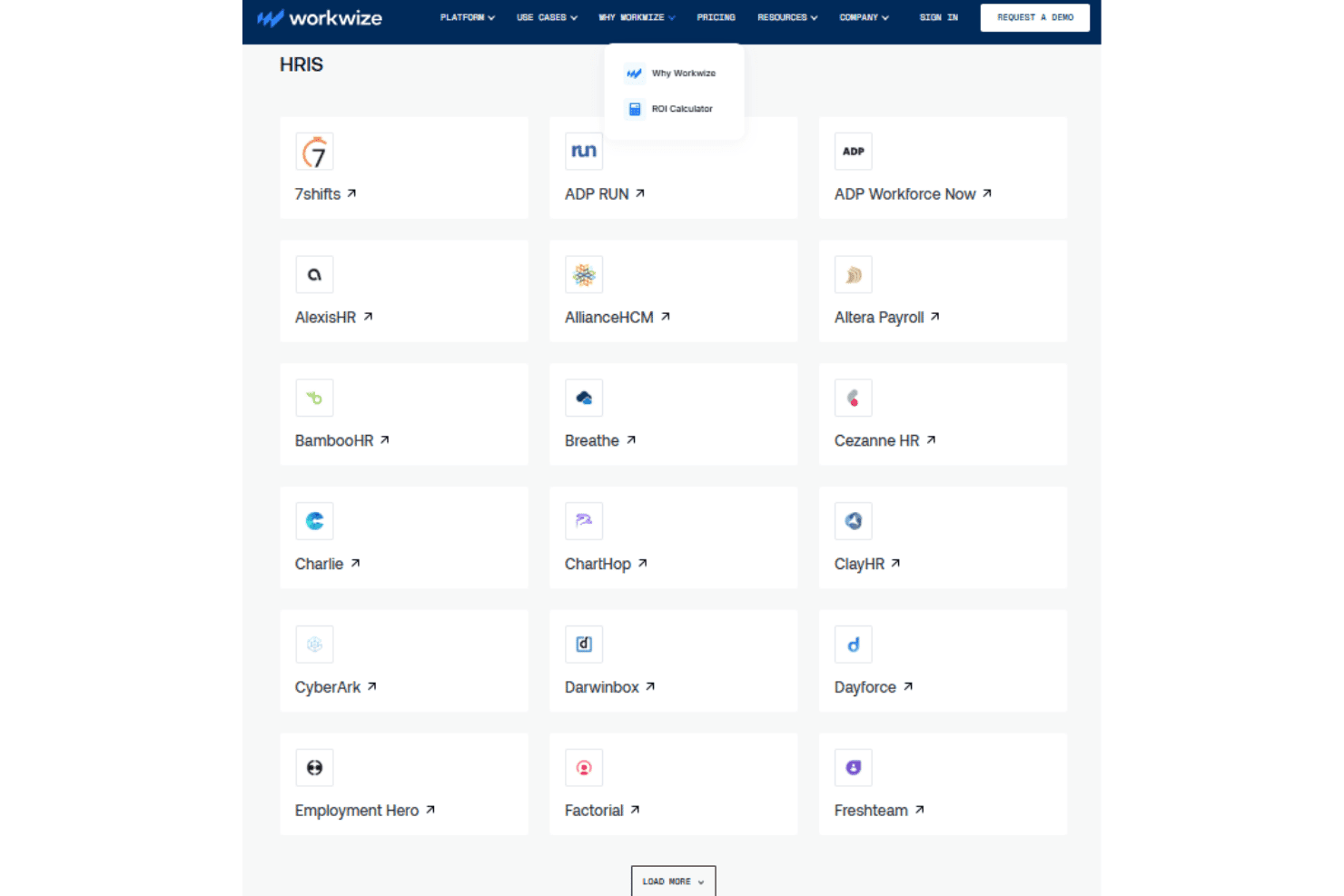
Workwize natively integrates with Slack, Kandji, Microsoft Intune, Jamf, Okta, Microsoft Entra ID, Rippling, BambooHR, Workday, and Google Workspace, among others.
Workwize also offers a public API for custom workflow connections and connects with third-party automation tools such as Zapier and Make.
Workwize Specs
- 2-Factor Authentication: Yes
- API: Yes
- Asset Tagging: Yes
- Dashboard: Yes
- Data Export: Yes
- Data Import: Yes
- Data Visualization: Yes
- Database: Yes
- Document Management: Yes
- External Integrations: Yes
- Hardware Integration: Yes
- Hardware Modernization: Yes
- Inventory Tracking: Yes
- Multi-User: Yes
- Network Device Performance Monitoring: Yes
- Network Traffic Monitoring: Yes
- Network Visualization: Yes
- Notifications: Yes
- Scheduling: Yes
- Status Notifications: Yes
- Third-Party Plugins/Add-Ons: Yes
- Workflow Management: Yes


