
Rippling IT-anmeldelse 2026: Fordele, ulemper, funktioner og priser
I look past the MDM label to weigh Rippling IT’s device management, broader IT features, and pricing—and whether its all-in-one approach is worth it for your team.

We review tools independently, and commissions help fund our testing. See our transparency policy, our methodology, or suggest a tool.
Rippling IT is MDM software for managing Mac and Windows devices, with device policies and actions tied to employee records. I’d consider it if your IT team needs to automate device setup and offboarding across both operating systems; compared with Apple-focused Jamf, Rippling is a better fit when you also want workforce data to trigger those workflows.
Rippling IT Evaluation Summary
4.8/5
- From $8/user/month (billed annually)
- 14-day free trial
Hvorfor du kan stole på vores softwareanbefalinger
6,700+
Reviews
20
Industry experts
16+
Evaluation factors
14
Years
Vores team har testet og anmeldt software siden 2012. Vi er selv teknologiledere, så vi ved, hvor svært og hvor vigtigt det er at vælge den rigtige software.
Til denne guide har vi vurderet værktøjerne gennem praktisk afprøvning og uafhængig research og givet dem point ud fra vores udvælgelseskriterier.
Vores anmeldelser bygger på vores egen redaktionelle vurdering. De er ikke et salgsargument.
Ekspertanmeldere:
- Paulo Gardini MiguelTech Director
 Tim FisherVP of AI
 Gabriel RosasTech Lead & Software Architect
 Christhian GruhnTech Lead & Platform Architect

Rippling IT Overview
I’d choose Rippling IT when employee records should drive device setup, policy changes, and offboarding. It manages macOS, Windows, iOS, and iPadOS, with zero-touch enrollment, remote lock and wipe, inventory reporting, and device shipping. Compared with tools focused mainly on device controls, its 650+ integrations and connected identity and IT features give it broader scope. Pricing starts at $8 per user monthly, but modules and add-ons can raise the total. Guided onboarding helps, though advanced workflows take learning; documentation is available, but support for complex cases can be uneven. I think it suits teams seeking connected IT workflows over deep device-level customization.
Pros
- Employee-triggered provisioning links device setup with offboarding workflows.
- Mac and Windows management shares policies, inventory, and remote actions.
- Device ordering, shipping, retrieval, and warehousing cover hardware lifecycle.
Cons
- IT admins report limited rollout feedback and difficult provisioning.
- Linux endpoints and servers aren’t supported by Rippling MDM.
- Modular add-on pricing can raise costs beyond the starting rate.
Is Rippling IT Right For Your Needs?
Who Would be a Good Fit for Rippling IT?
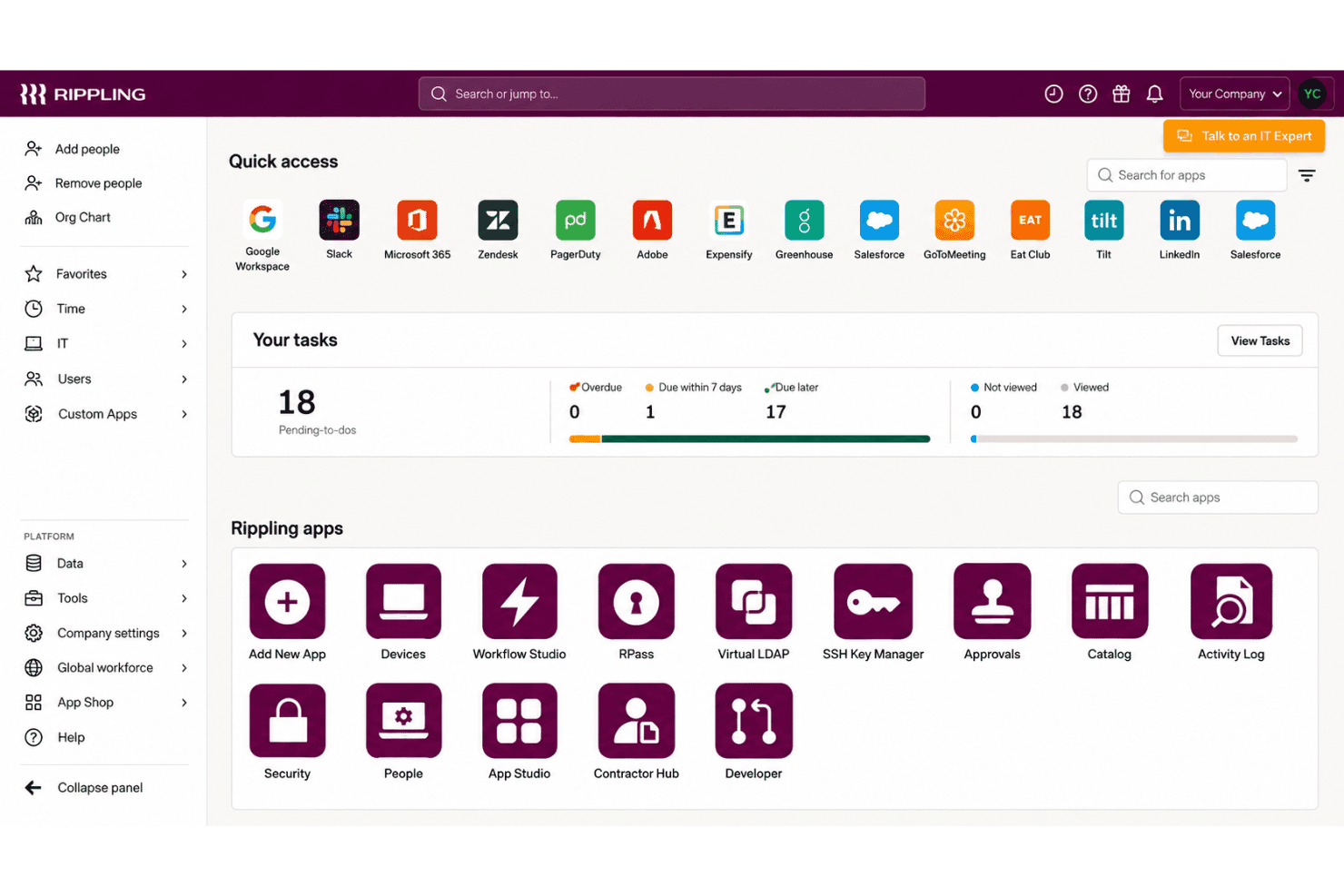
Rippling IT suits teams that manage employee-linked device and access changes across Mac and Windows. Its zero-touch enrollment, shared inventory, remote lock and wipe, and integrations with tools such as Google Workspace, Slack, Microsoft 365, and Okta support these workflows.
- Growing CompaniesEmployee records can drive device setup, access changes, and offboarding, which suits companies whose IT needs grow alongside their workforce.
- Mac And Windows FleetsZero-touch enrollment and remote lock or wipe support routine lifecycle tasks across Mac and Windows devices.
- HR-IT TeamsShared employee and device workflows let HR and IT coordinate onboarding and offboarding without relying on a device-only inventory process.
- Remote OnboardingSilent agent installation and employee-triggered device configuration let IT prepare devices before a new hire’s first day.
- SaaS-Heavy TeamsIntegrations with Google Workspace, Slack, Microsoft 365, Okta, GitHub, Jira, and other apps support teams managing device and app access together.
- Lifecycle AdministratorsIT admins handling frequent employee changes can use shared inventory and remote lock or wipe for common device lifecycle tasks.
Who Would be a Bad Fit for Rippling IT?
Rippling IT is a weaker fit when you need only basic, low-cost device management or rely on deployment workflows that demand extensive configuration and hands-on support. Its published details and available feedback point to tradeoffs around pricing, complex provisioning, and rollout feedback.
- Device-Only BuyersTeams that need only per-device MDM may find Rippling’s per-user pricing, base fee, and add-ons harder to justify than a device-focused tool.
- Linux-First FleetsIf most endpoints run Linux, confirm support before choosing, since the described enrollment workflows focus on Mac and Windows devices.
- Complex DeploymentsTeams with intricate provisioning requirements should account for reviewer reports of difficult provisioning and the time needed to learn advanced workflows.
- Feedback-Dependent RolloutsIT teams that need detailed rollout feedback should assess fit carefully, since reviewers report limited feedback during deployments.
- Support-Reliant TeamsTeams that depend on hands-on help for complex MDM issues may find the mixed support feedback concerning, including reports of unresolved provisioning issues and slow paths to a person.
- Tight BudgetsSmall organizations seeking low-cost, basic MDM may be a poor fit because Rippling IT costs about $8 per user monthly, with a base fee and add-ons potentially increasing spend.
Our Review Methodology
How We Test & Score Tools
We’ve spent years building, refining, and improving our software testing and scoring system. The rubric is designed to capture the nuances of software selection and what makes a tool effective, focusing on critical aspects of the decision-making process.
Below, you can see exactly how our testing and scoring works across seven criteria. It allows us to provide an unbiased evaluation of the software based on core functionality, standout features, ease of use, onboarding, customer support, integrations, customer reviews, and value for money.
Core Functionality (25% of final scoring)
The starting point of our evaluation is always the core functionality of the tool. Does it have the basic features and functions that a user would expect to see? Are any of those core features locked to higher-tiered pricing plans? At its core, we expect a tool to stand up against the baseline capabilities of its competitors.
Standout Features (25% of final scoring)
Next, we evaluate uncommon standout features that go above and beyond the core functionality typically found in tools of its kind. A high score reflects specialized or unique features that make the product faster, more efficient, or offer additional value to the user.
We also evaluate how easy it is to integrate with other tools typically found in the tech stack to expand the functionality and utility of the software. Tools offering plentiful native integrations, 3rd party connections, and API access to build custom integrations score best.
Ease of Use (10% of final scoring)
We consider how quick and easy it is to execute the tasks defined in the core functionality using the tool. High scoring software is well designed, intuitive to use, offers mobile apps, provides templates, and makes relatively complex tasks seem simple.
Onboarding (10% of final scoring)
We know how important rapid team adoption is for a new platform, so we evaluate how easy it is to learn and use a tool with minimal training. We evaluate how quickly a team member can get set up and start using the tool with no experience. High scoring solutions indicate little or no support is required.
Customer Support (10% of final scoring)
We review how quick and easy it is to get unstuck and find help by phone, live chat, or knowledge base. Tools and companies that provide real-time support score best, while chatbots score worst.
Customer Reviews (10% of final scoring)
Beyond our own testing and evaluation, we consider the net promoter score from current and past customers. We review their likelihood, given the option, to choose the tool again for the core functionality. A high scoring software reflects a high net promoter score from current or past customers.
Value for Money (10% of final scoring)
Lastly, in consideration of all the other criteria, we review the average price of entry level plans against the core features and consider the value of the other evaluation criteria. Software that delivers more, for less, will score higher.
Core Features
Zero-Touch Device Enrollment
Rippling can install its agent silently and configure devices for new hires without hands-on setup by IT. That lets your team prepare a Mac or Windows device before an employee’s first day.
Cross-Platform Device Management
Rippling manages Mac and Windows devices through a shared MDM, with device assignment and reassignment tied to employee records. Your team can apply device workflows across both operating systems instead of managing separate inventories.
Device Policies And Configuration
You can apply dynamic policies based on user and device attributes, and set profiles for Wi-Fi, firewalls, printers, and login screens. For example, a role change can trigger updated device settings without requiring IT to configure each device manually.
Remote Lock And Wipe
Admins can remotely lock or wipe a device, and schedule those actions as part of offboarding. This gives your team a way to respond when a device is lost or an employee leaves with company data on it.
Device Inventory And Reporting
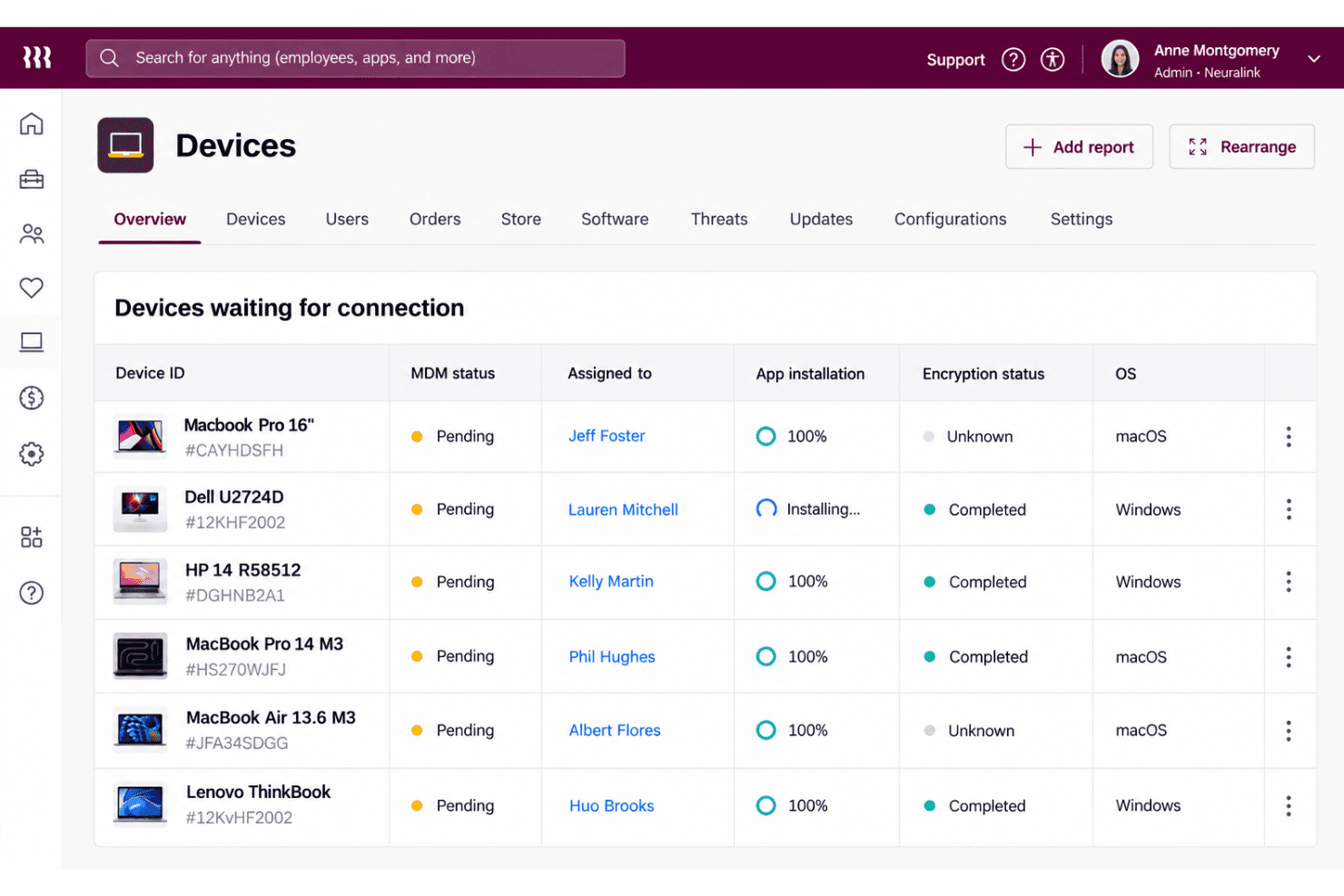
Rippling provides device dashboards and reports with details such as serial number, OS version, battery health, and disk usage. IT can use that information to check device status and identify machines that need attention.
Hardware Lifecycle Management
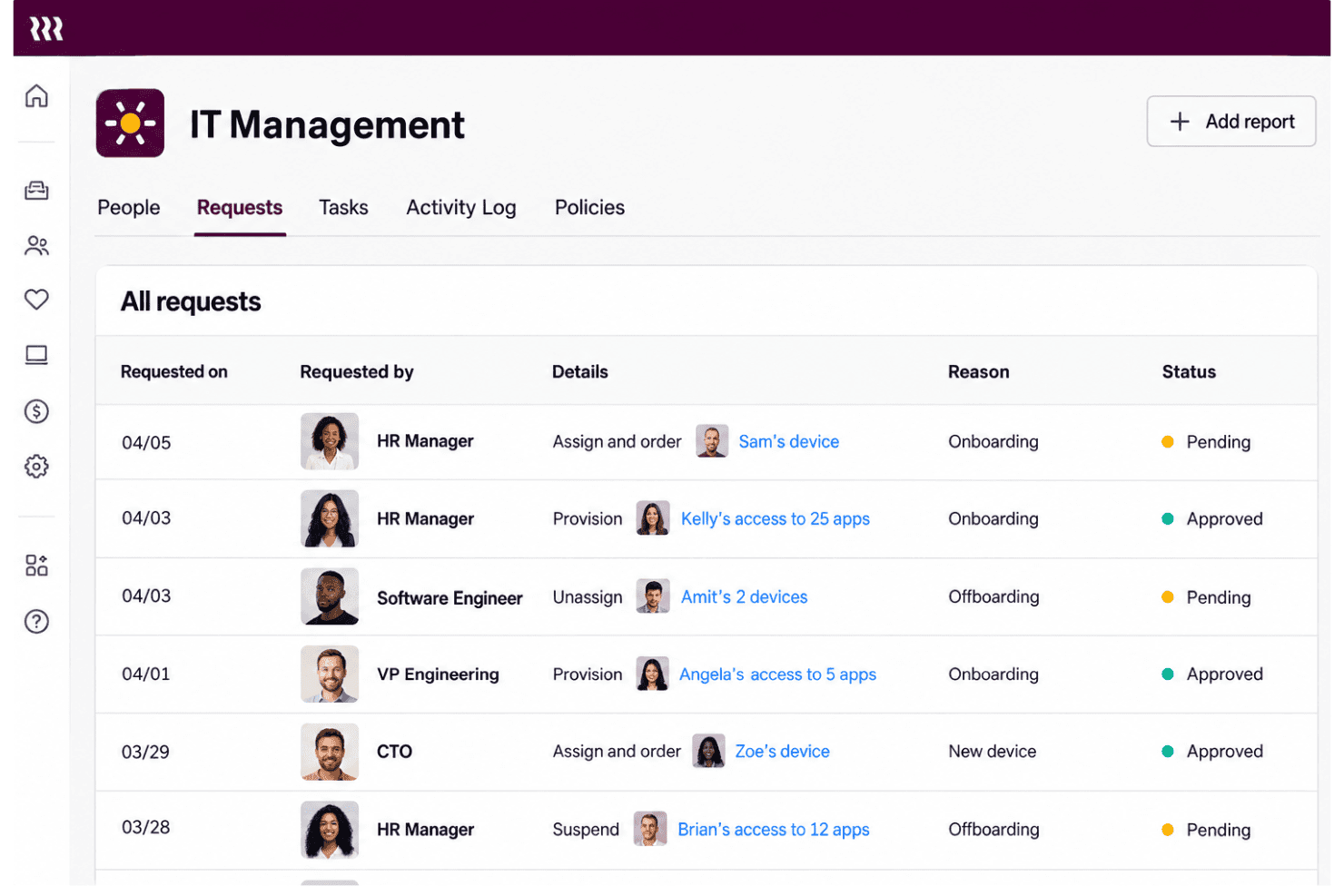
Rippling supports device ordering, shipping, retrieval, storage, and reassignment, with offboarding workflows able to automate returns. This connects device logistics to employee changes, so your team can recover and prepare hardware for its next user.
Ease of Use
Rippling IT feels easier to manage than a device-only MDM when employee records drive setup, access changes, and offboarding across Mac and Windows. Zero-touch enrollment, shared inventory, and remote lock or wipe keep common tasks in one workflow. Still, user feedback points to difficult provisioning and limited rollout feedback, while advanced workflows take time to learn. I’d call it approachable for routine lifecycle tasks, but less intuitive when you need complex configuration.
Integrations
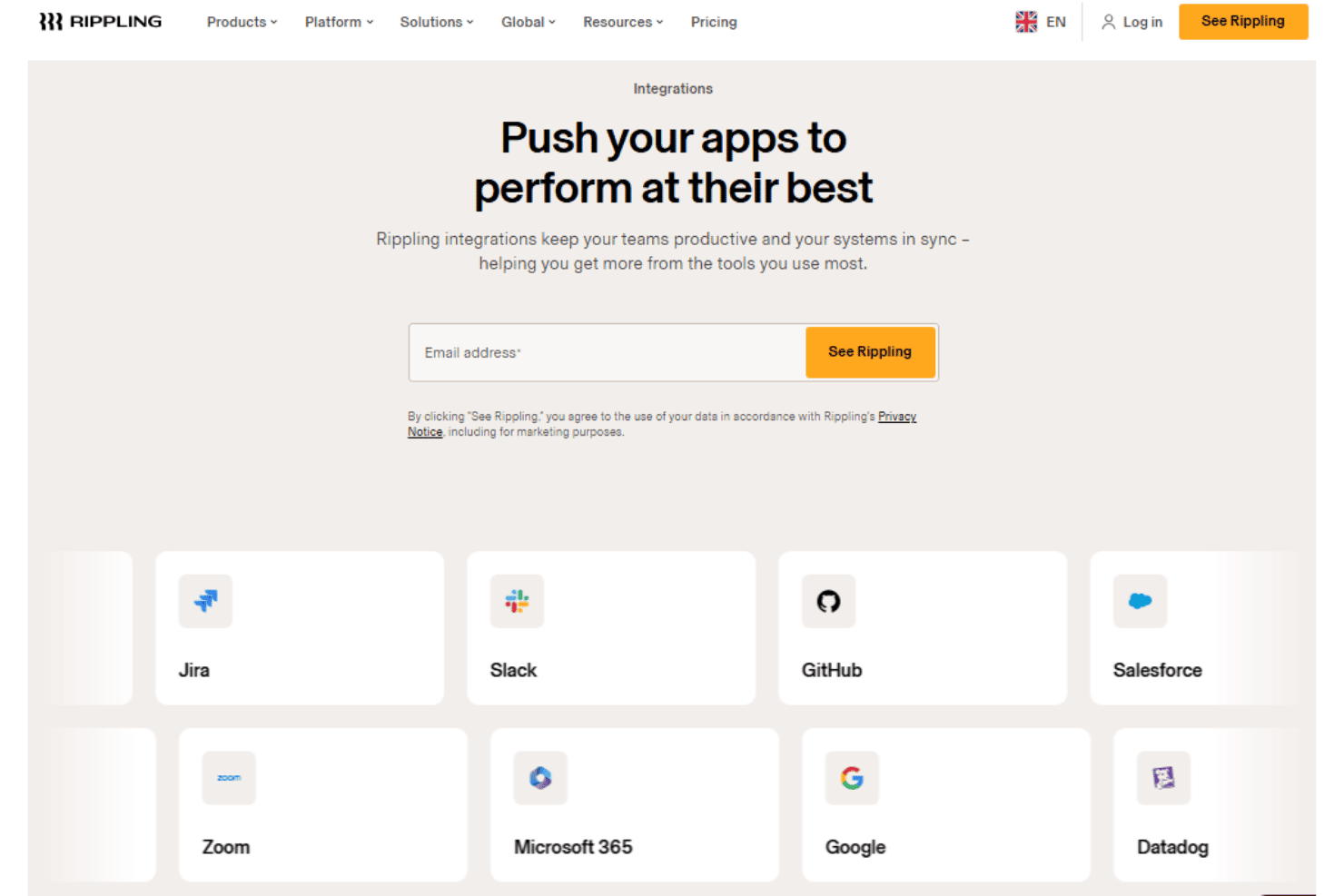
Rippling IT integrates with Google Workspace, Slack, Microsoft 365, Okta, GitHub, Jira, Zoom, Salesforce, HubSpot, and Asana, among others.
Rippling also offers a REST API for custom integrations and supports prebuilt and custom app connections through its App Shop.
New Product Updates from Rippling IT
 Opens new window
Rippling IT Launches Helpdesk for Agentic Support
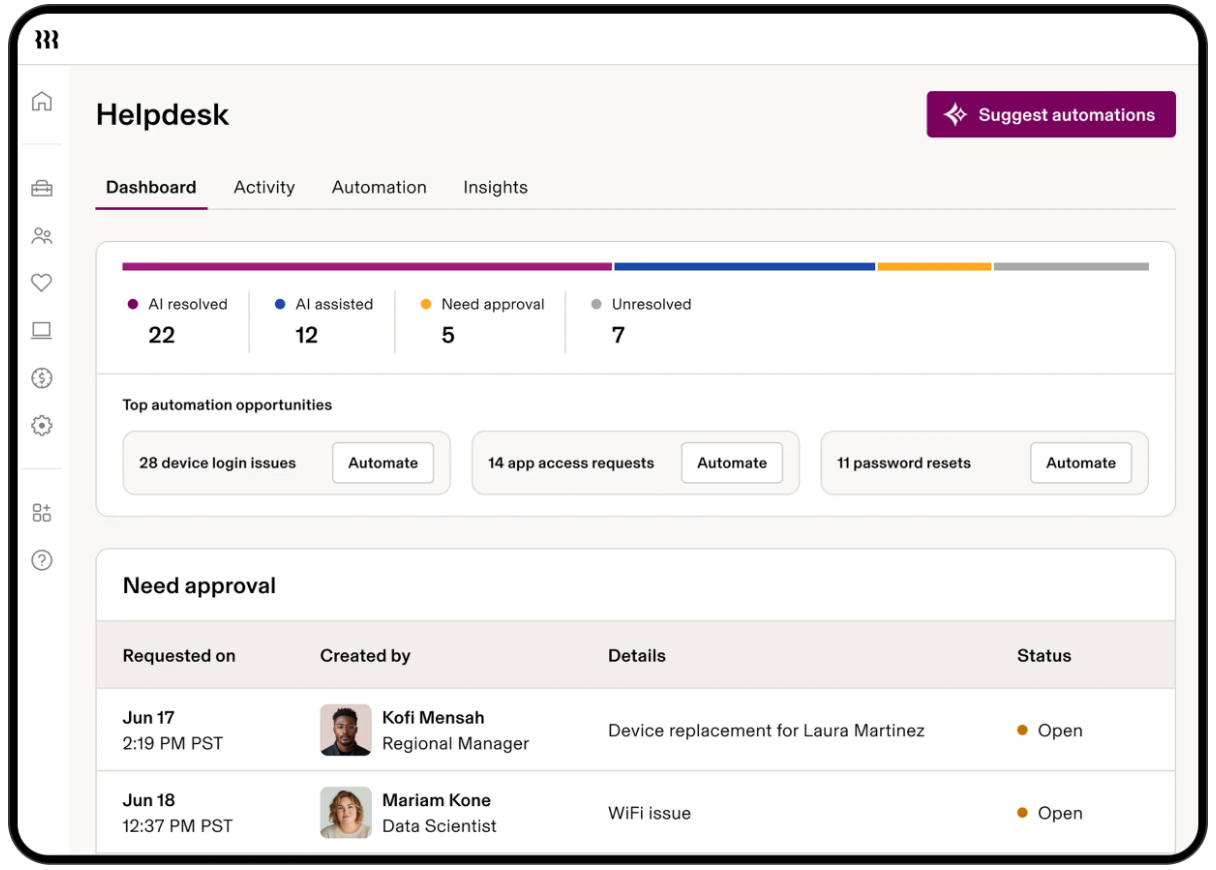
Rippling IT launches Helpdesk to resolve routine tickets using employee, policy, app, and device context. It can troubleshoot issues, take supported actions, route approvals, and escalate unresolved requests with context attached. Highlights include:
- Automated Ticket Resolution: Handles routine requests such as app access, password resets, device lockouts, and replacements.
- Contextual Troubleshooting: Uses employee, device, policy, and app data to determine the next step.
- Approval Controls: Lets admins decide which actions run automatically or require approval.
- Contextual Escalation: Passes unresolved requests to IT with troubleshooting and employee context attached.
- Activity Logging: Records requests, actions, resolutions, and escalations for visibility.
Visit Rippling’s official site for more details.
Rippling IT Specs
- 2-Factor Authentication: Yes
- API: Yes
- Batch Permissions & Access: Yes
- Dashboard: Yes
- Data Export: Yes
- Data Import: Yes
- Email Integration: Yes
- External Integrations: Yes
- Google Apps Integration: Yes
- Multi-User: Yes
- Notifications: Yes
- Password & Access Management: Yes


