

Vagrant Review 2026: Pros, Cons, Features, and Pricing
Vagrant stands out for its developer-friendly automation and reproducibility, but may lag behind modern container solutions for scalability and speed in complex environments.

We review tools independently, and commissions help fund our testing. See our transparency policy, our methodology, or suggest a tool.
Vagrant is a server virtualization software for teams that need to build and share reproducible development environments across machines. I'd consider it over VMware Workstation if you want environment configurations defined as code rather than managed through a GUI—making it far easier to keep every developer's local setup consistent and version-controlled without manual configuration on each machine.
Vagrant Evaluation Summary

4.6/5
- Pricing upon request
- Free plan available
Why Trust Our Software Recommendations
6,700+
Reviews
20
Industry experts
16+
Evaluation factors
14
Years
Our team has been testing and reviewing software since 2012. As tech leaders ourselves, we know how difficult—and important—it is to choose the right software.
For this guide, we evaluated tools using hands-on testing and independent research, scoring tools using our selection criteria.
Our reviews reflect our human editorial judgment, not a sales pitch.
Expert reviewers:
- Paulo Gardini MiguelTech Director
 Tim FisherVP of AI
 Gabriel RosasTech Lead & Software Architect
 Christhian GruhnTech Lead & Platform Architect

Vagrant Overview
When judging Vagrant as a server virtualization software, its scriptable automation and provider flexibility set it apart for development and testing environments. Vagrant’s open-source model and no-cost pricing make it appealing for budget-conscious teams, though its interface is command-line driven and may deter those seeking a GUI.
Compared to others, onboarding is straightforward for those familiar with scripting, but less so for beginners. Vagrant excels in reproducibility and integration with popular infrastructure tools, but underperforms for production-scale orchestration. It’s best suited for developers or IT teams prioritizing environment consistency and automation over advanced enterprise features.
Pros
- Open-source and free for most use cases.
- Supports multiple virtualization providers for flexibility.
- Automates reproducible development environments with Vagrantfiles.
Cons
- Limited built-in features for production-scale orchestration.
- Slower performance than container-based solutions for some tasks.
- Lacks a graphical user interface for management.
Is Vagrant Right For Your Needs?
Who Would be a Good Fit for Vagrant?
Vagrant is a strong choice for teams that need to automate and standardize development environments, especially where scripting and infrastructure-as-code are valued. It’s well-suited for software development, QA, and IT departments in organizations that prioritize reproducibility and cross-platform compatibility.
Vagrant’s open-source model and provider flexibility make it ideal for education, startups, and research labs that need to manage multiple virtual environments without high licensing costs.
- Cross-Platform ProjectsVagrant supports multiple providers, making it easy to test on different OSes.
- StartupsNo-cost licensing and flexibility help manage resources and scale environments.
- Research LabsSupports reproducible experiments with version-controlled environment definitions.
- Educational InstitutionsOpen-source licensing and scripting support fit classroom and lab needs.
- QA DepartmentsAutomated provisioning allows rapid setup and teardown of test environments.
- Software Development TeamsVagrant enables consistent local environments, reducing “works on my machine” issues.
Who Would be a Bad Fit for Vagrant?
Vagrant is less suitable for organizations that require production-grade orchestration, advanced security, or high-performance virtualization. Enterprises with strict compliance needs, large-scale production workloads, or those seeking a graphical interface may find Vagrant’s command-line focus and limited built-in management features restrictive. Teams prioritizing containerization or rapid scaling will likely find better options elsewhere.
- Compliance-DrivenOrganizations Does not offer built-in compliance or audit features required by some industries.
- High-Performance ComputingSlower than container-based or bare-metal virtualization for intensive workloads.
- Non-Technical TeamsCommand-line interface and scripting requirements can be a barrier.
- Security-Focused IndustriesLimited built-in security controls compared to enterprise virtualization platforms.
- Production OperationsNot designed for managing live, production server workloads.
- Large EnterprisesVagrant lacks advanced orchestration and enterprise management features.
Our Review Methodology
How We Test & Score Tools
We’ve spent years building, refining, and improving our software testing and scoring system. The rubric is designed to capture the nuances of software selection and what makes a tool effective, focusing on critical aspects of the decision-making process.
Below, you can see exactly how our testing and scoring works across seven criteria. It allows us to provide an unbiased evaluation of the software based on core functionality, standout features, ease of use, onboarding, customer support, integrations, customer reviews, and value for money.
Core Functionality (25% of final scoring)
The starting point of our evaluation is always the core functionality of the tool. Does it have the basic features and functions that a user would expect to see? Are any of those core features locked to higher-tiered pricing plans? At its core, we expect a tool to stand up against the baseline capabilities of its competitors.
Standout Features (25% of final scoring)
Next, we evaluate uncommon standout features that go above and beyond the core functionality typically found in tools of its kind. A high score reflects specialized or unique features that make the product faster, more efficient, or offer additional value to the user.
We also evaluate how easy it is to integrate with other tools typically found in the tech stack to expand the functionality and utility of the software. Tools offering plentiful native integrations, 3rd party connections, and API access to build custom integrations score best.
Ease of Use (10% of final scoring)
We consider how quick and easy it is to execute the tasks defined in the core functionality using the tool. High scoring software is well designed, intuitive to use, offers mobile apps, provides templates, and makes relatively complex tasks seem simple.
Onboarding (10% of final scoring)
We know how important rapid team adoption is for a new platform, so we evaluate how easy it is to learn and use a tool with minimal training. We evaluate how quickly a team member can get set up and start using the tool with no experience. High scoring solutions indicate little or no support is required.
Customer Support (10% of final scoring)
We review how quick and easy it is to get unstuck and find help by phone, live chat, or knowledge base. Tools and companies that provide real-time support score best, while chatbots score worst.
Customer Reviews (10% of final scoring)
Beyond our own testing and evaluation, we consider the net promoter score from current and past customers. We review their likelihood, given the option, to choose the tool again for the core functionality. A high scoring software reflects a high net promoter score from current or past customers.
Value for Money (10% of final scoring)
Lastly, in consideration of all the other criteria, we review the average price of entry level plans against the core features and consider the value of the other evaluation criteria. Software that delivers more, for less, will score higher.
Core Features
Vagrantfile Configuration
Define and version your entire environment in a single Vagrantfile, making setups reproducible and shareable.
Provisioning Automation
Automate software installation and configuration using shell scripts, Chef, or Puppet during machine creation.
Multi-Provider Support
Run environments on VirtualBox, VMware, Hyper-V, or cloud providers with the same workflow.
Synced Folders
Sync files between your host and guest machines for easy code sharing and testing.
Networking Setup
Configure port forwarding, private networks, and public networks to access and test virtual machines as needed.
Vagrant Boxes
Use or create reusable base images (“boxes”) to quickly spin up consistent environments across teams.
Standout Features
Environment Versioning
Vagrant lets you version-control your entire environment setup alongside your codebase. This ensures teams can roll back, audit, or reproduce exact environments for debugging or collaboration.
Disposable Environments
You can quickly destroy and recreate environments with a single command, making it easy to test changes or reset to a known state. This reduces configuration drift and supports rapid experimentation without manual cleanup.
Ease of Use
Vagrant’s usability centers on its script-driven, command-line interface, which appeals to users comfortable with infrastructure-as-code but can be intimidating for those preferring graphical tools. Many users appreciate the clear documentation and predictable workflows, especially for automating repeatable environments.
However, reviews often mention that troubleshooting and initial setup require technical familiarity, making Vagrant less approachable for non-developers or teams without scripting experience.
Onboarding
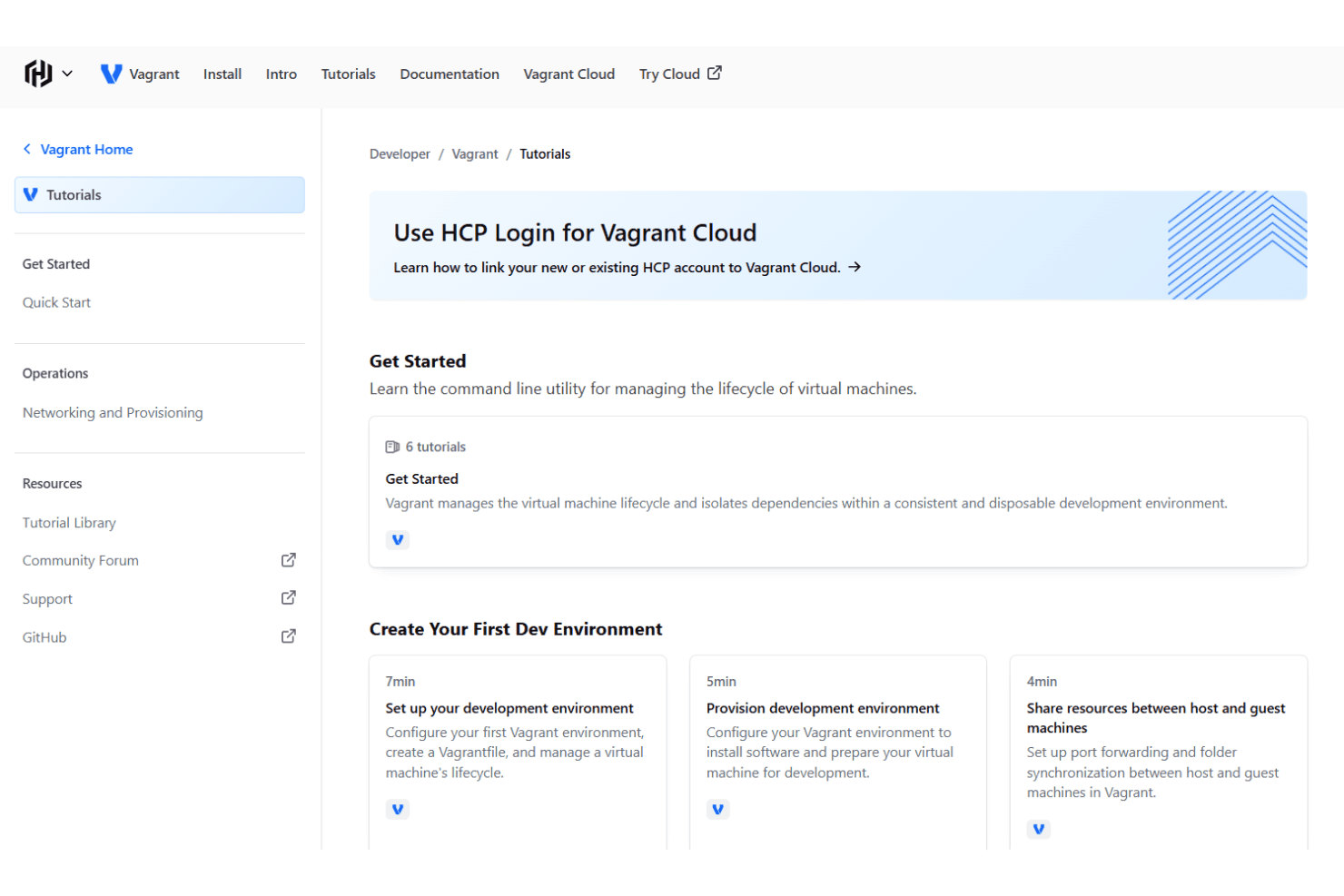
Vagrant’s onboarding experience is well-supported by extensive official documentation, tutorials, and an active community forum, which many users find helpful for getting started. While the initial setup can be complex for those new to command-line tools, clear guides and sample Vagrantfiles help shorten the learning curve.
User reviews highlight that, despite some early hurdles, most teams achieve value quickly once they understand the workflow and provisioning concepts.
Customer Support
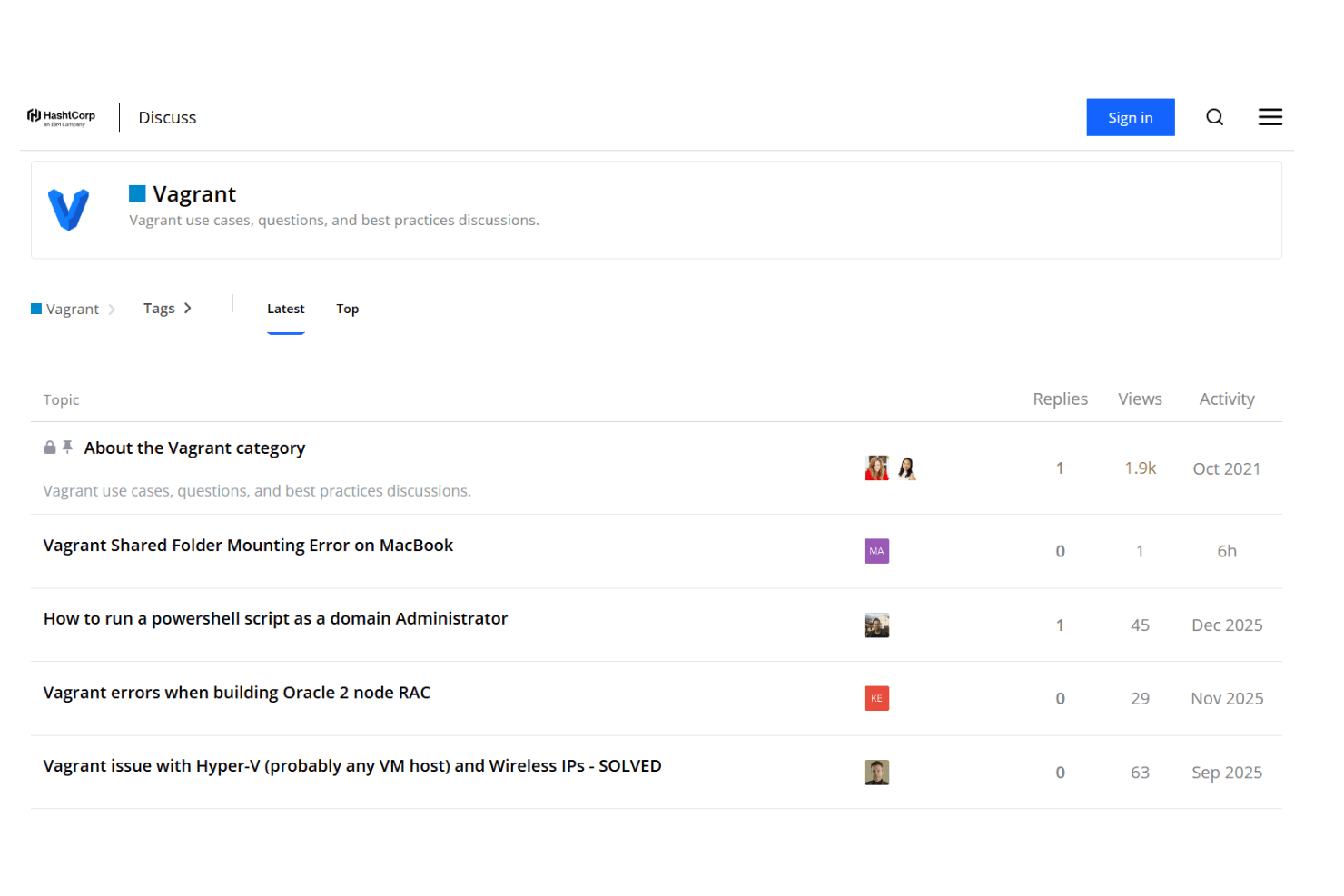
Vagrant relies primarily on community-driven support, including forums, GitHub issues, and detailed documentation, rather than dedicated customer service. User reviews often note that while official support is limited, the active community and wealth of online resources usually provide timely answers to common problems. For complex or urgent issues, however, some users report slower resolution times compared to solutions with formal support channels.
Integrations
Vagrant integrates with providers such as VirtualBox, VMware, Hyper-V, Docker, AWS, Google Cloud, Libvirt, Parallels, DigitalOcean, and OpenStack.
Vagrant does not offer a traditional public API but provides a robust plugin system that allows developers to extend functionality and integrations.
Value for Money
Vagrant is widely regarded as cost-effective, especially for individuals, startups, and educational use, since its core features are open-source and free. User reviews highlight that paid options are only necessary for advanced enterprise needs, making Vagrant accessible for most teams without significant budget concerns.
- Open Source: Free access to all core features and community support.
- Business Source License (BSL): Free use for most developmental purposes, but requires a paid license if used for competing commercial service.
Vagrant Specs
- A/B Testing: No
- API: Yes
- Automated Testing: No
- Browser Compatibility Testing: No
- Bug Tracking: No
- Calendar Management: No
- CI/CD Integration: Yes
- Dashboard: No
- Data Export: No
- Data Import: No
- Data Visualization: No
- Developer Tools: Yes
- External Integrations: Yes
- History/Version Control: No
- Manual Testing: No
- Multi-User: Yes
- Notifications: Yes
- Performance Testing: No
- Regression Testing: No
- Scheduling: No
- Status Notifications: No
- Third-Party Plugins/Add-Ons: No
Vagrant FAQs
Vagrant Company Overview & History
Vagrant is an open-source tool developed by HashiCorp, a company headquartered in San Francisco, California. HashiCorp, founded in 2012, is known for its suite of infrastructure automation products, including Terraform, Packer, Nomad, Vault, Consul, and Boundary.
The company was acquired by IBM and reported $627.6 million in revenue, reflecting strong market demand. HashiCorp is recognized for its positive work culture and serves a global client base, including major enterprises in technology and consulting.
Vagrant Major Milestones
- 2010: Vagrant was first released as an open-source project by Mitchell Hashimoto.
- 2012: HashiCorp was founded to support and expand Vagrant and other infrastructure tools.
- 2013: Vagrant 1.0 was officially released, marking its maturity as a development tool.
- 2021: Vagrant Cloud was launched, providing a registry for sharing and discovering Vagrant boxes.
- 2023: HashiCorp was acquired by IBM, expanding its reach and resources for product development.