
TeamCity Review 2026: Pros, Cons, Features, and Pricing
If you want CI/CD that’s powerful yet approachable, TeamCity stands out with smart automation and deep integrations—here’s why it’s my go-to for balancing flexibility and control.

We review tools independently, and commissions help fund our testing. See our transparency policy, our methodology, or suggest a tool.
TeamCity is a CI/CD tool built by JetBrains for development teams that need detailed build pipeline visibility, test reporting, and code quality tracking across complex projects. I'd consider it if your team wants more out-of-the-box functionality than Jenkins without spending hours configuring plugins—TeamCity's build history, test trend analysis, and IDE integrations come ready to use from day one.
TeamCity Evaluation Summary

4.3/5
- From $15/month (billed annually)
- Free license available
Why Trust Our Software Recommendations
6,700+
Reviews
20
Industry experts
16+
Evaluation factors
14
Years
Our team has been testing and reviewing software since 2012. As tech leaders ourselves, we know how difficult—and important—it is to choose the right software.
For this guide, we evaluated tools using hands-on testing and independent research, scoring tools using our selection criteria.
Our reviews reflect our human editorial judgment, not a sales pitch.
Expert reviewers:
- Paulo Gardini MiguelTech Director
 Tim FisherVP of AI
 Gabriel RosasTech Lead & Software Architect
 Christhian GruhnTech Lead & Platform Architect

TeamCity Overview
When I compare TeamCity to other CI/CD tools, I think its interface and build configuration flexibility set it apart, especially for teams juggling complex projects or hybrid environments. Pricing is fair for the depth you get, and support is responsive. I find onboarding straightforward, with clear docs and templates that help new users ramp up. Integrations are extensive, but some advanced features can feel overwhelming at first.
If you’re judging tools for enterprise or multi-language projects, TeamCity’s granular controls and real-time insights make it a strong pick.
Pros
- TeamCity offers extensive plugin support, letting you customize it to fit your team's needs.
- Its real-time build status updates keep your team informed and responsive.
- The platform's robust build automation enhances your team's productivity.
Cons
- TeamCity's setup can be complex, requiring a learning curve for your team.
- The user interface may feel outdated compared to other CI/CD tools.
- Some users report that documentation could be more comprehensive to aid troubleshooting.
Is TeamCity Right For Your Needs?
Who Would be a Good Fit for TeamCity?
Software development teams in industries like finance and gaming would thrive with TeamCity due to its robust build automation and extensive plugin support. If your team handles complex projects requiring continuous integration and delivery, TeamCity’s real-time build status updates and customizable features offer the flexibility and control you need to maintain high productivity and reliability.
- Financial ServicesTeamCity’s real-time updates and automation suit the fast-paced demands of financial software development.
- Game DevelopmentThe platform’s extensive plugin support helps customize workflows crucial for game development.
- Enterprise IT DepartmentsLarge IT departments benefit from TeamCity’s robust build automation capabilities.
- Continuous Deployment TeamsIf your team focuses on continuous deployment, TeamCity’s reliable build processes enhance efficiency.
- Agile Development TeamsAgile teams find value in TeamCity’s flexibility and real-time communication features.
- Custom Software VendorsCustom software vendors leverage TeamCity’s customization options to tailor solutions for diverse client needs.
Who Would be a Bad Fit for TeamCity?
Small startups or teams without dedicated DevOps resources might struggle with TeamCity due to its complex setup and learning curve. If your team lacks the technical expertise to navigate its configuration and interface, you may find the onboarding process challenging. Additionally, if you’re looking for a tool with a modern user interface, TeamCity’s design might not meet your expectations.
- Small StartupsLimited resources and technical expertise can make TeamCity’s setup daunting for small startups.
- Non-Technical TeamsTeams without technical backgrounds might find TeamCity’s interface and configuration too complex.
- FreelancersFreelancers may not need TeamCity’s extensive features, which can be overkill for solo projects.
- Rapid Prototyping TeamsTeams focused on rapid prototyping might find TeamCity’s setup time-consuming and cumbersome.
- Design AgenciesAgencies prioritizing design over development may not benefit from TeamCity’s development-centric features.
- Educational InstitutionsInstitutions with limited IT support might struggle with TeamCity’s setup and maintenance requirements.
Our Review Methodology
How We Test & Score Tools
We’ve spent years building, refining, and improving our software testing and scoring system. The rubric is designed to capture the nuances of software selection and what makes a tool effective, focusing on critical aspects of the decision-making process.
Below, you can see exactly how our testing and scoring works across seven criteria. It allows us to provide an unbiased evaluation of the software based on core functionality, standout features, ease of use, onboarding, customer support, integrations, customer reviews, and value for money.
Core Functionality (25% of final scoring)
The starting point of our evaluation is always the core functionality of the tool. Does it have the basic features and functions that a user would expect to see? Are any of those core features locked to higher-tiered pricing plans? At its core, we expect a tool to stand up against the baseline capabilities of its competitors.
Standout Features (25% of final scoring)
Next, we evaluate uncommon standout features that go above and beyond the core functionality typically found in tools of its kind. A high score reflects specialized or unique features that make the product faster, more efficient, or offer additional value to the user.
We also evaluate how easy it is to integrate with other tools typically found in the tech stack to expand the functionality and utility of the software. Tools offering plentiful native integrations, 3rd party connections, and API access to build custom integrations score best.
Ease of Use (10% of final scoring)
We consider how quick and easy it is to execute the tasks defined in the core functionality using the tool. High scoring software is well designed, intuitive to use, offers mobile apps, provides templates, and makes relatively complex tasks seem simple.
Onboarding (10% of final scoring)
We know how important rapid team adoption is for a new platform, so we evaluate how easy it is to learn and use a tool with minimal training. We evaluate how quickly a team member can get set up and start using the tool with no experience. High scoring solutions indicate little or no support is required.
Customer Support (10% of final scoring)
We review how quick and easy it is to get unstuck and find help by phone, live chat, or knowledge base. Tools and companies that provide real-time support score best, while chatbots score worst.
Customer Reviews (10% of final scoring)
Beyond our own testing and evaluation, we consider the net promoter score from current and past customers. We review their likelihood, given the option, to choose the tool again for the core functionality. A high scoring software reflects a high net promoter score from current or past customers.
Value for Money (10% of final scoring)
Lastly, in consideration of all the other criteria, we review the average price of entry level plans against the core features and consider the value of the other evaluation criteria. Software that delivers more, for less, will score higher.
Core Features
Build Configuration as Code
Define and manage build pipelines using a Kotlin-based DSL for version control and repeatability. This lets you automate complex workflows and track changes easily.
Parallel Build Execution
Run multiple builds and tests at the same time across distributed agents. This speeds up feedback and reduces bottlenecks for large teams.
Real-Time Build Feedback
Get instant notifications and detailed logs for every build and deployment. You can spot issues quickly and keep your team informed.
Advanced Test Reporting
View granular test results, history, and trends for every build. This helps you identify flaky tests and improve code quality over time.
Role-Based Access Control
Set granular permissions for users, teams, and projects. This supports compliance and keeps sensitive pipelines secure.
Custom Build Triggers
Automate builds based on code changes, schedules, or external events. You can tailor automation to fit your team’s workflow and release cadence.

Standout Features
Build Problem Investigation
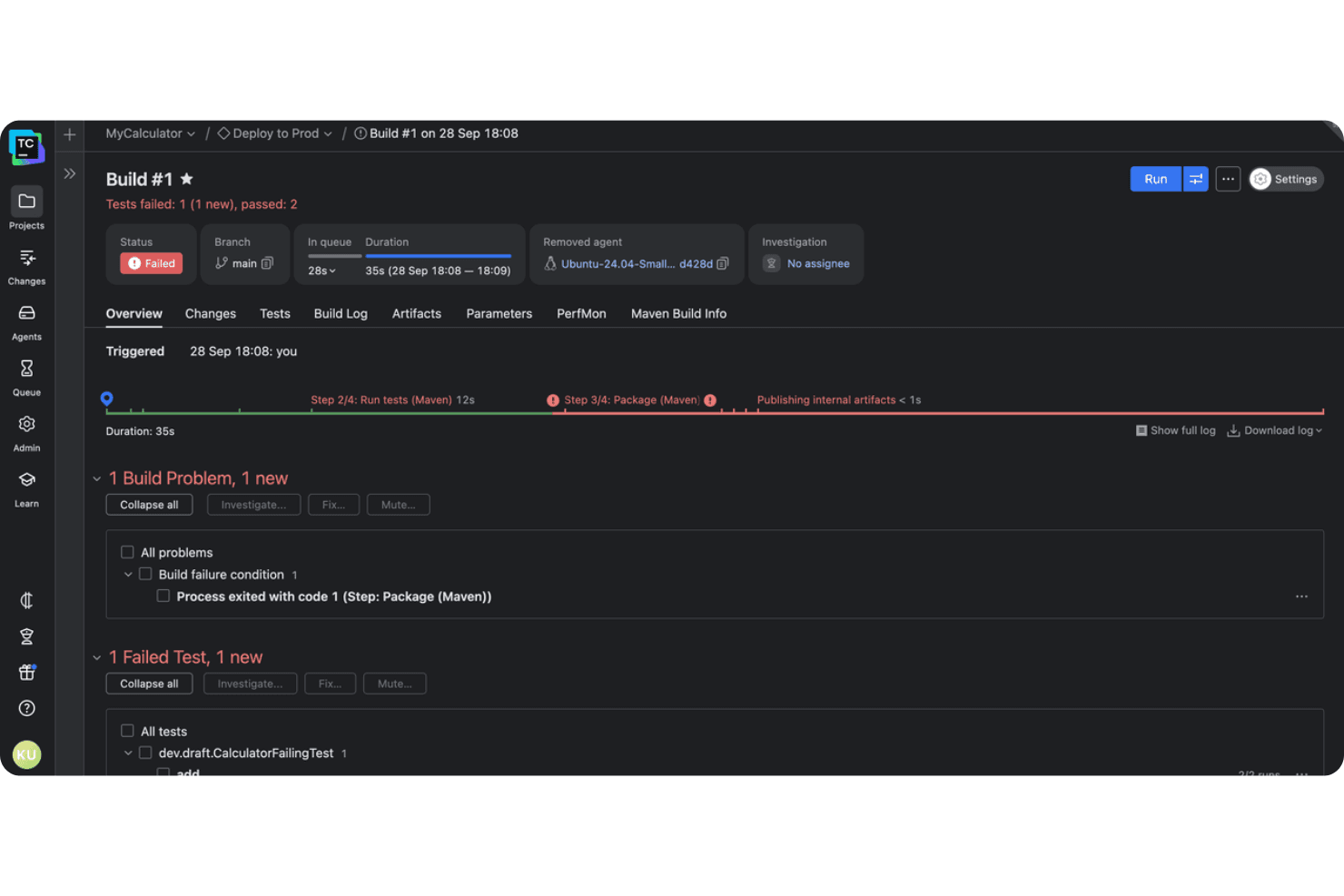
TeamCity lets you assign and track build problems directly within the UI, so teams can collaborate on resolving failures. This feature streamlines troubleshooting by making ownership and progress visible to everyone.
Build Chains and Dependencies
You can define complex build chains with explicit dependencies between builds, ensuring precise control over multi-stage pipelines. This is especially valuable for projects with interdependent components or microservices.
Ease of Use
TeamCity offers a clean, intuitive interface that makes it easy to set up and monitor builds, even for complex projects. I think the guided setup, templates, and detailed documentation help new users get started quickly. Some advanced features can feel dense, but the UI’s logical layout and real-time feedback keep things manageable.
Most users say the learning curve is reasonable, especially given the depth of configuration options available.

Onboarding
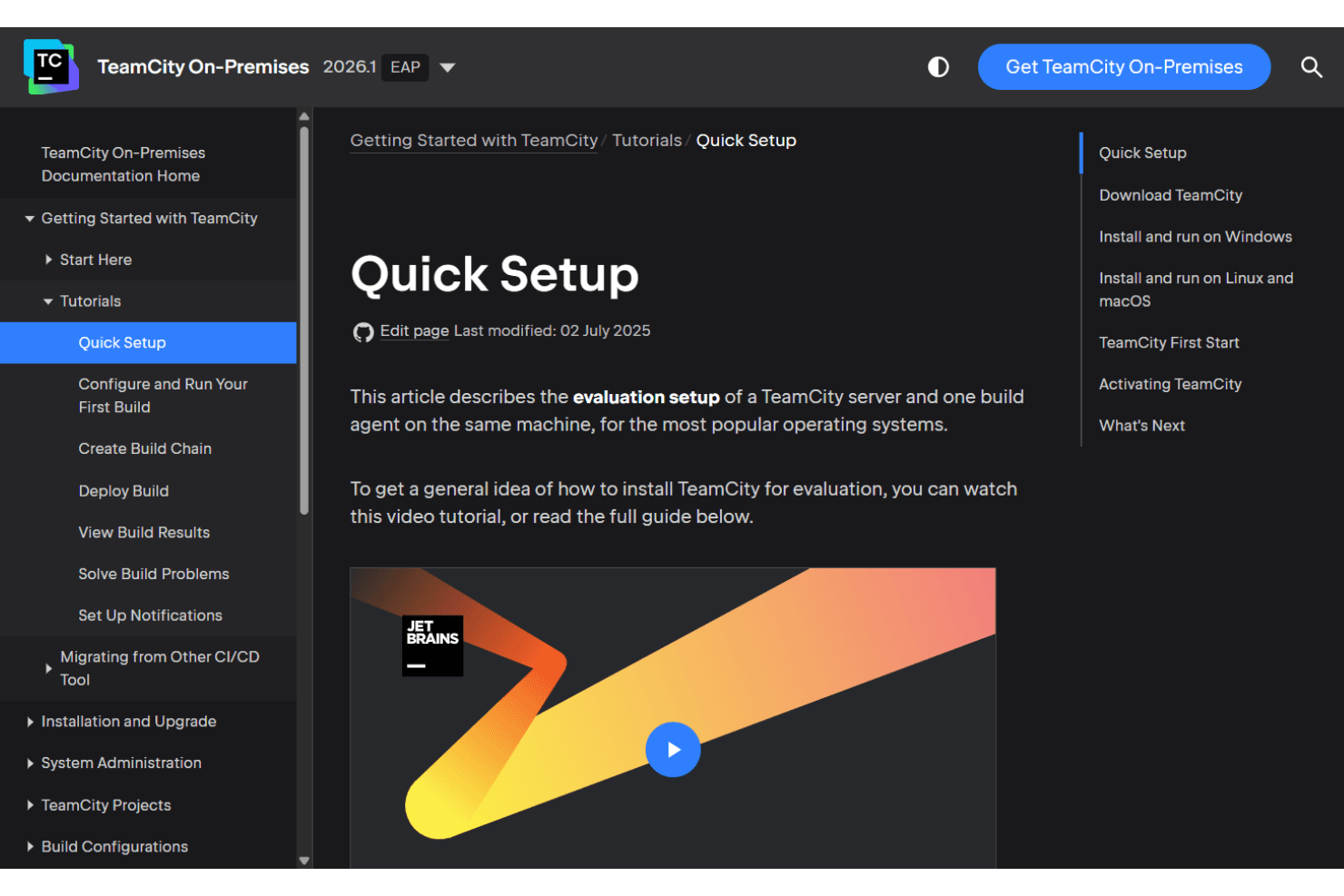
TeamCity’s onboarding experience is smooth, with clear setup wizards, sample projects, and extensive documentation that help new users get up to speed fast. I’ve seen users mention that the official guides, video tutorials, and active community forums make troubleshooting and learning straightforward. Responsive support and a well-organized knowledge base further reduce friction, so most teams can achieve value quickly—even if they’re new to CI/CD automation.
Customer Support
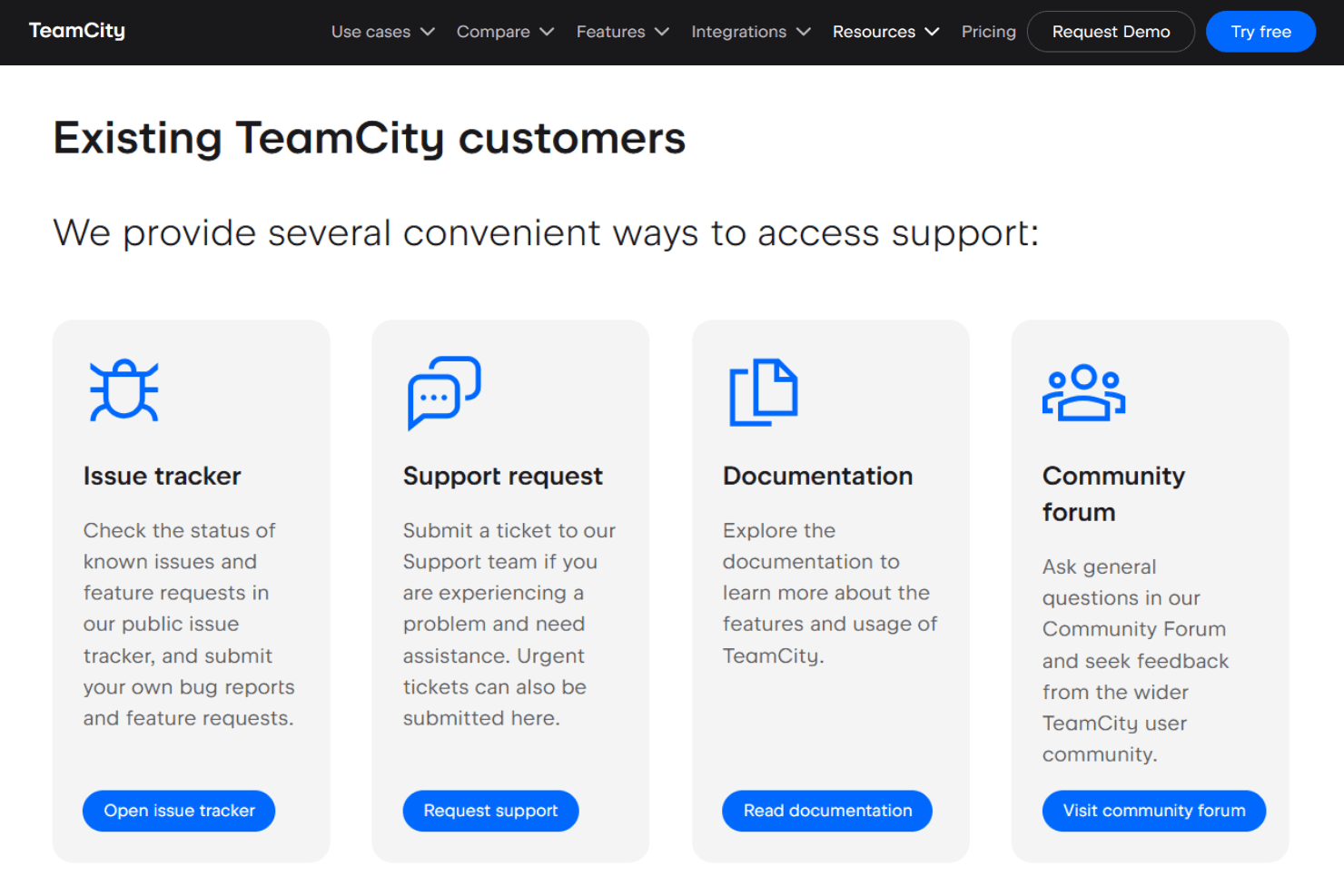
TeamCity’s customer support earns high marks for responsiveness and expertise, with users often highlighting quick turnaround times and helpful guidance. You get access to a dedicated support portal, detailed documentation, and active community forums. I think the combination of direct support and self-service resources means most issues are resolved quickly, whether you’re troubleshooting a build failure or exploring advanced features.
Integrations
TeamCity integrates with GitHub, GitLab, Bitbucket, Azure DevOps, Jira, Slack, Octopus Deploy, SonarQube, Docker, and HashiCorp Vault, among others.
TeamCity also offers a REST API and supports third-party integration tools through its plugin ecosystem.

Value for Money
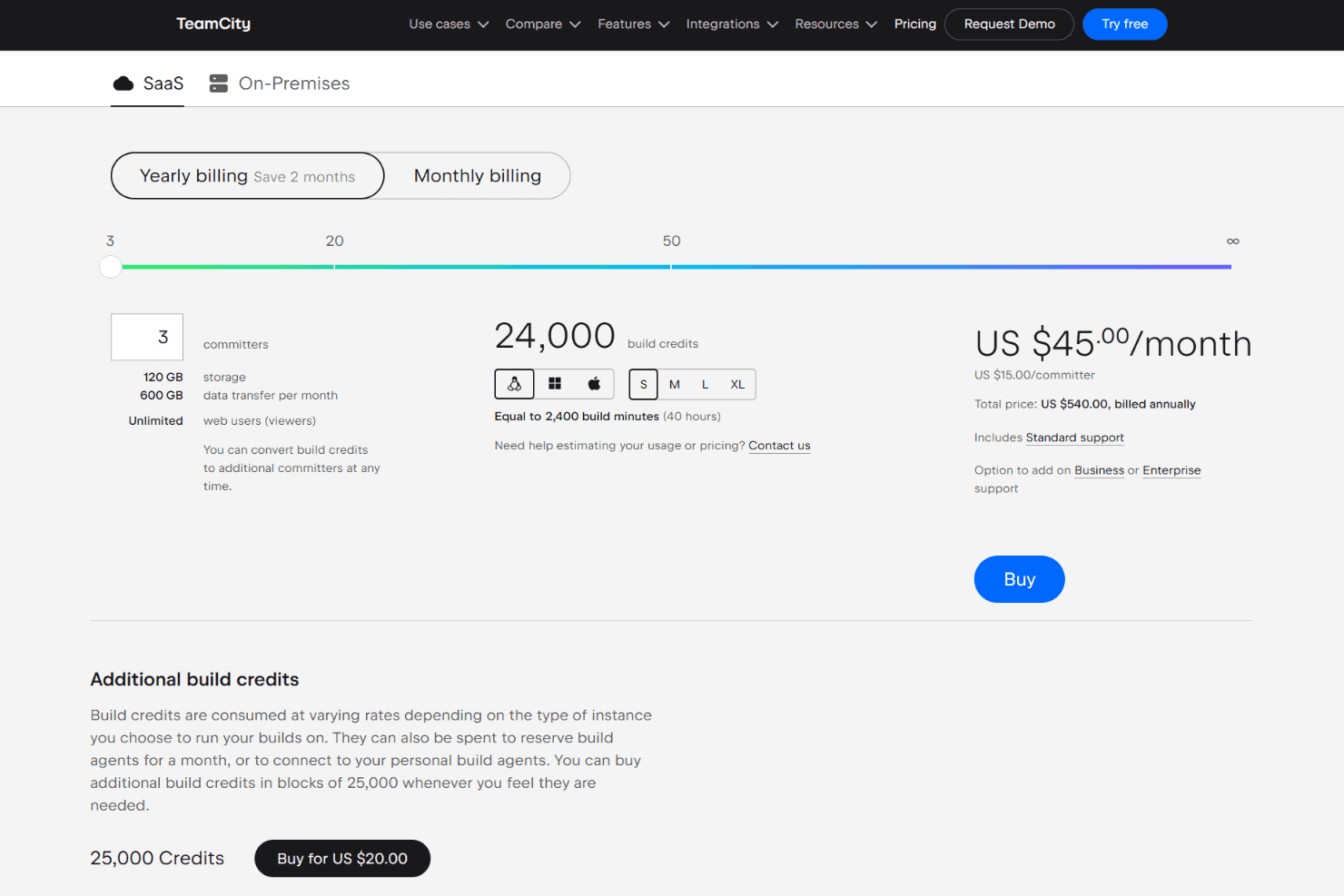
TeamCity offers strong value for engineering teams that need scalable CI/CD without paying per viewer or pipeline seat. Its pricing centers on committers and build credits, which keep costs predictable for active development teams while allowing unlimited web users. The included credits, storage, and concurrency make the entry tier competitive for growing teams.
- Cloud: Includes 3 committers, 24,000 build credits, unlimited web users, unlimited concurrency, hosted build agents, and self-hosted agent support.
- Additional Committer: Adds 1 committer slot plus 8,000 additional build credits.
- Additional Build Credits: Expands build capacity for teams that exceed the included monthly usage.
TeamCity Specs
- A/B Testing: No
- API: Yes
- Automated Testing: Yes
- Browser Compatibility Testing: No
- Bug Tracking: Yes
- Calendar Management: No
- CI/CD Integration: Yes
- Dashboard: Yes
- Data Export: Yes
- Data Import: No
- Data Visualization: No
- Developer Tools: Yes
- External Integrations: Yes
- History/Version Control: Yes
- Manual Testing: No
- Multi-User: Yes
- Notifications: Yes
- Performance Testing: No
- Regression Testing: No
- Scheduling: Yes
- Status Notifications: Yes
- Third-Party Plugins/Add-Ons: Yes
TeamCity FAQs
TeamCity Company Overview & History
TeamCity is developed by JetBrains, a global software company headquartered in Prague, Czech Republic. JetBrains is known for its suite of developer tools, including popular IDEs like IntelliJ IDEA, PyCharm, and WebStorm, as well as languages like Kotlin. The company serves over 30,000 DevOps teams worldwide, with TeamCity trusted by organizations in tech, finance, healthcare, and gaming. JetBrains is a private company and does not publicly disclose its financials, but it is widely recognized for its innovation and developer-focused culture.
TeamCity Major Milestones
- 2000: JetBrains was founded in Prague, Czech Republic.
- 2006: TeamCity was released as JetBrains’ CI/CD solution.
- 2011: TeamCity Cloud was introduced, expanding deployment options.
- 2023: TeamCity achieves SOC 2 certification for security and compliance.
- 2026: TeamCity supports 30,000+ DevOps teams globally.