

Securden Review: Pros, Cons, Key Features & Costs in 2026
Securden combines privileged account management, secure remote access, and session monitoring in a centralized solution for IT and security teams. Find out whether it's the right fit for your organization's privileged access needs in my expert review.

We review tools independently, and commissions help fund our testing. See our transparency policy, our methodology, or suggest a tool.
Privileged access is one of the biggest security risks IT teams can't afford to overlook. Between shared administrator credentials, excessive permissions, and third-party access, keeping critical systems secure without slowing down daily operations can become a challenge.
Securden is a privileged access management (PAM) solution that combines credential security, just-in-time access, session monitoring, and optional endpoint privilege management. It helps IT and security teams control privileged access, reduce administrative overhead, and protect critical systems.
In this detailed review, I'll examine Securden's features, capabilities, pricing, and limitations to help you determine whether it's the right fit for your organization's security needs.
Securden Unified PAM Evaluation Summary
4.8/5
- Pricing upon request
- 14-day free trial
Why Trust Our Software Recommendations
6,700+
Reviews
20
Industry experts
16+
Evaluation factors
14
Years
Our team has been testing and reviewing software since 2012. As tech leaders ourselves, we know how difficult—and important—it is to choose the right software.
For this guide, we evaluated tools using hands-on testing and independent research, scoring tools using our selection criteria.
Our reviews reflect our human editorial judgment, not a sales pitch.
Expert reviewers:
- Paulo Gardini MiguelTech Director
 Tim FisherVP of AI
 Gabriel RosasTech Lead & Software Architect
 Christhian GruhnTech Lead & Platform Architect

Securden Unified PAM Overview
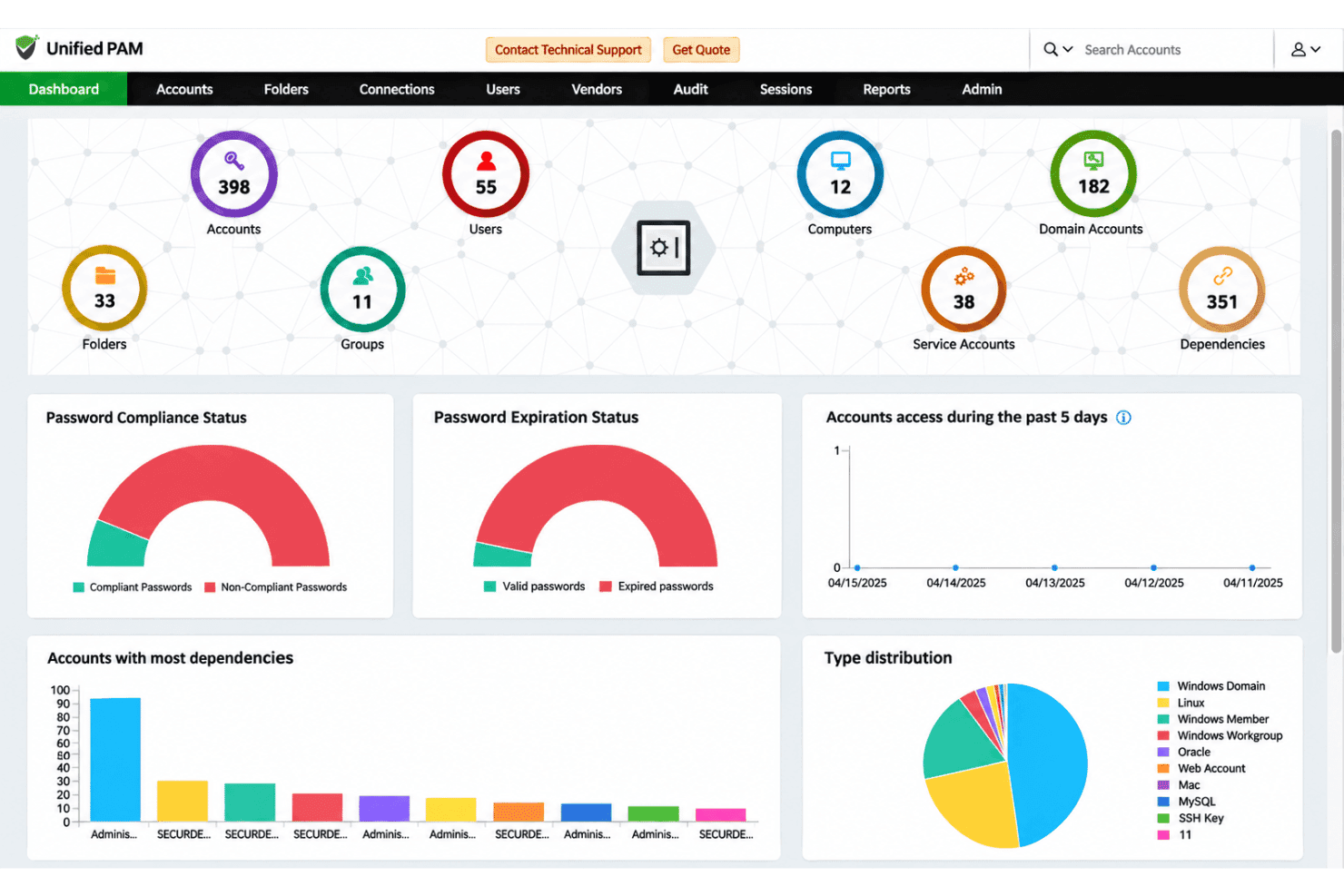
In my opinion, Securden stands out for its unified approach to privileged access management, particularly for IT and security teams managing complex environments. Its centralized architecture brings credential vaulting, automated password rotation, just-in-time access, and session monitoring under one interface, reducing the need to manage disconnected PAM tools. Flexible deployment options, an intuitive interface, and comprehensive implementation support add to its appeal. However, advanced configurations can involve a learning curve, and on-premises deployments require manual upgrades.
Pros
- Unified console centralizes privileged accounts, shared administrator credentials, SSH keys, and service accounts, with automated password rotation and granular access controls.
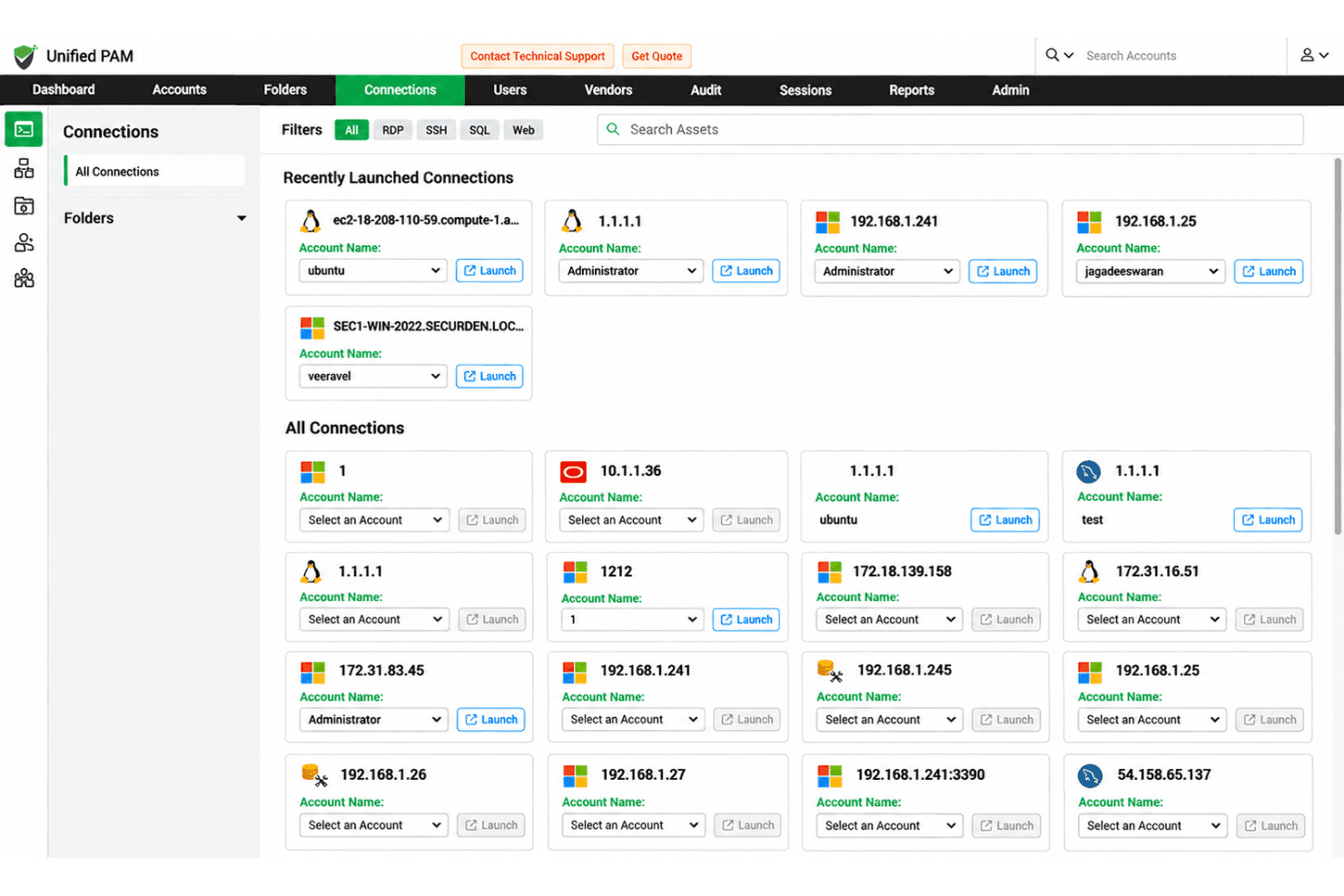
- One-click RDP, SSH, and SQL connections combine session monitoring and recording with approval-based, time-limited access and automatic revocation.
- Flexible SaaS and on-premises deployment options include a free proof of concept, data migration, and implementation assistance.
Cons
- On-premises deployments don't support automatic product upgrades, requiring administrators to manage updates manually.
- Advanced configurations and integrations, such as remote gateway associations and custom application launchers, involve a learning curve for new administrators.
- Built-in troubleshooting doesn't automatically diagnose errors or suggest fixes, requiring administrators to investigate issues manually or contact support.


Our Review Methodology
How We Test & Score Tools
We’ve spent years building, refining, and improving our software testing and scoring system. The rubric is designed to capture the nuances of software selection and what makes a tool effective, focusing on critical aspects of the decision-making process.
Below, you can see exactly how our testing and scoring works across seven criteria. It allows us to provide an unbiased evaluation of the software based on core functionality, standout features, ease of use, onboarding, customer support, integrations, customer reviews, and value for money.
Core Functionality (25% of final scoring)
The starting point of our evaluation is always the core functionality of the tool. Does it have the basic features and functions that a user would expect to see? Are any of those core features locked to higher-tiered pricing plans? At its core, we expect a tool to stand up against the baseline capabilities of its competitors.
Standout Features (25% of final scoring)
Next, we evaluate uncommon standout features that go above and beyond the core functionality typically found in tools of its kind. A high score reflects specialized or unique features that make the product faster, more efficient, or offer additional value to the user.
We also evaluate how easy it is to integrate with other tools typically found in the tech stack to expand the functionality and utility of the software. Tools offering plentiful native integrations, 3rd party connections, and API access to build custom integrations score best.
Ease of Use (10% of final scoring)
We consider how quick and easy it is to execute the tasks defined in the core functionality using the tool. High scoring software is well designed, intuitive to use, offers mobile apps, provides templates, and makes relatively complex tasks seem simple.
Onboarding (10% of final scoring)
We know how important rapid team adoption is for a new platform, so we evaluate how easy it is to learn and use a tool with minimal training. We evaluate how quickly a team member can get set up and start using the tool with no experience. High scoring solutions indicate little or no support is required.
Customer Support (10% of final scoring)
We review how quick and easy it is to get unstuck and find help by phone, live chat, or knowledge base. Tools and companies that provide real-time support score best, while chatbots score worst.
Customer Reviews (10% of final scoring)
Beyond our own testing and evaluation, we consider the net promoter score from current and past customers. We review their likelihood, given the option, to choose the tool again for the core functionality. A high scoring software reflects a high net promoter score from current or past customers.
Value for Money (10% of final scoring)
Lastly, in consideration of all the other criteria, we review the average price of entry level plans against the core features and consider the value of the other evaluation criteria. Software that delivers more, for less, will score higher.
Core Features
Privileged Account Discovery
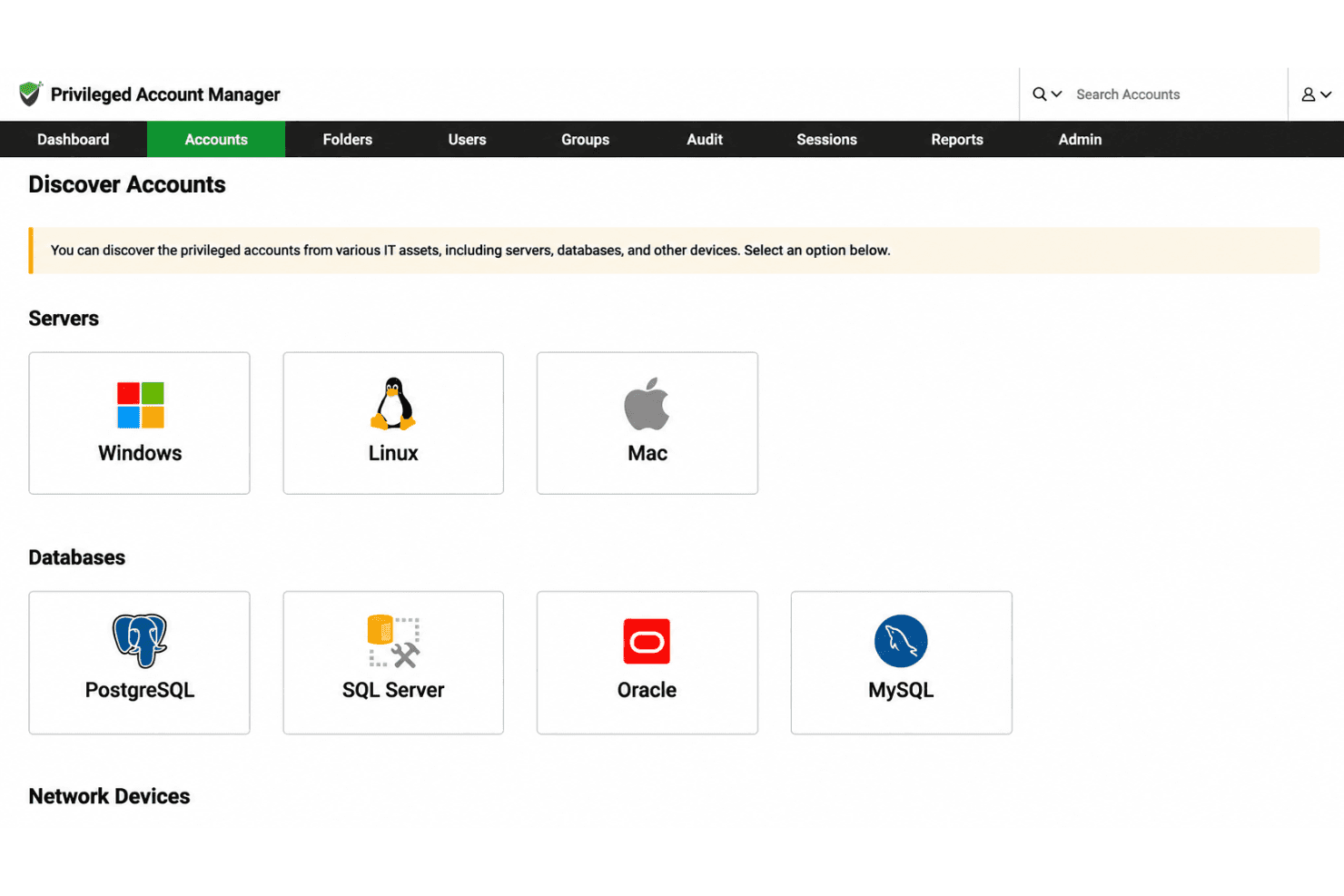
Automatically discover privileged accounts across Windows, macOS, Linux, databases, cloud environments, and network devices, including dormant and unmanaged accounts. Consolidate credentials in a centralized vault for access control and monitoring, while dark web alerts help identify passwords exposed in known breaches.
Shared Admin Account Management
Control access to shared administrator and break-glass accounts without losing accountability for individual users. Granular permissions, multi-factor authentication, and time-limited access help restrict who can use these credentials. Session recordings and audit trails also link activities to specific users, making shared account activity traceable during security investigations.
One-Click Remote Access and Session Recording
Launch agentless, browser-based RDP, SSH, and SQL connections to servers, databases, and network devices without exposing privileged passwords. Connections can be routed through configured jump hosts, while administrators monitor live sessions, terminate suspicious activity, and review recorded sessions. Searchable keystroke activity and command histories help security teams investigate specific actions during privileged access sessions.
Just-in-Time Access
Grant temporary access to privileged accounts through approval workflows that require users to justify their requests. Administrators can approve access on demand, schedule permissions for planned activities, or automate approvals for trusted users. Once the authorized period ends, access is automatically revoked, with optional password rotation to prevent continued use of previously shared credentials.
Automated Password Rotation
Generate and rotate strong, unique passwords for administrative, service, and application accounts across operating systems, databases, and network devices. Rotation schedules follow configurable password policies, with automatic resets available after temporary access expires. For Windows service accounts, password changes can also propagate to dependent services to prevent authentication failures.
Service Account and Non-Human Identity Management
Manage Windows service accounts, SSH keys, API credentials, and application secrets through centralized controls. Password rotation can propagate changes across dependent Windows services, scheduled tasks, and IIS application pools, reducing the risk of authentication failures. Applications and CI/CD pipelines can retrieve credentials through APIs instead of storing hard-coded secrets, while additional capabilities extend governance to non-human identities, AI agents, and MCP servers.
Ease of Use
What I like about Securden is its focus on keeping complex PAM operations manageable. Its centralized, browser-based interface lets administrators manage credentials, configure access policies, and monitor privileged sessions without switching between separate consoles. One-click remote connections also reduce manual steps for everyday access. However, advanced configurations and integrations can take time to learn, particularly for administrators new to PAM.
Integrations
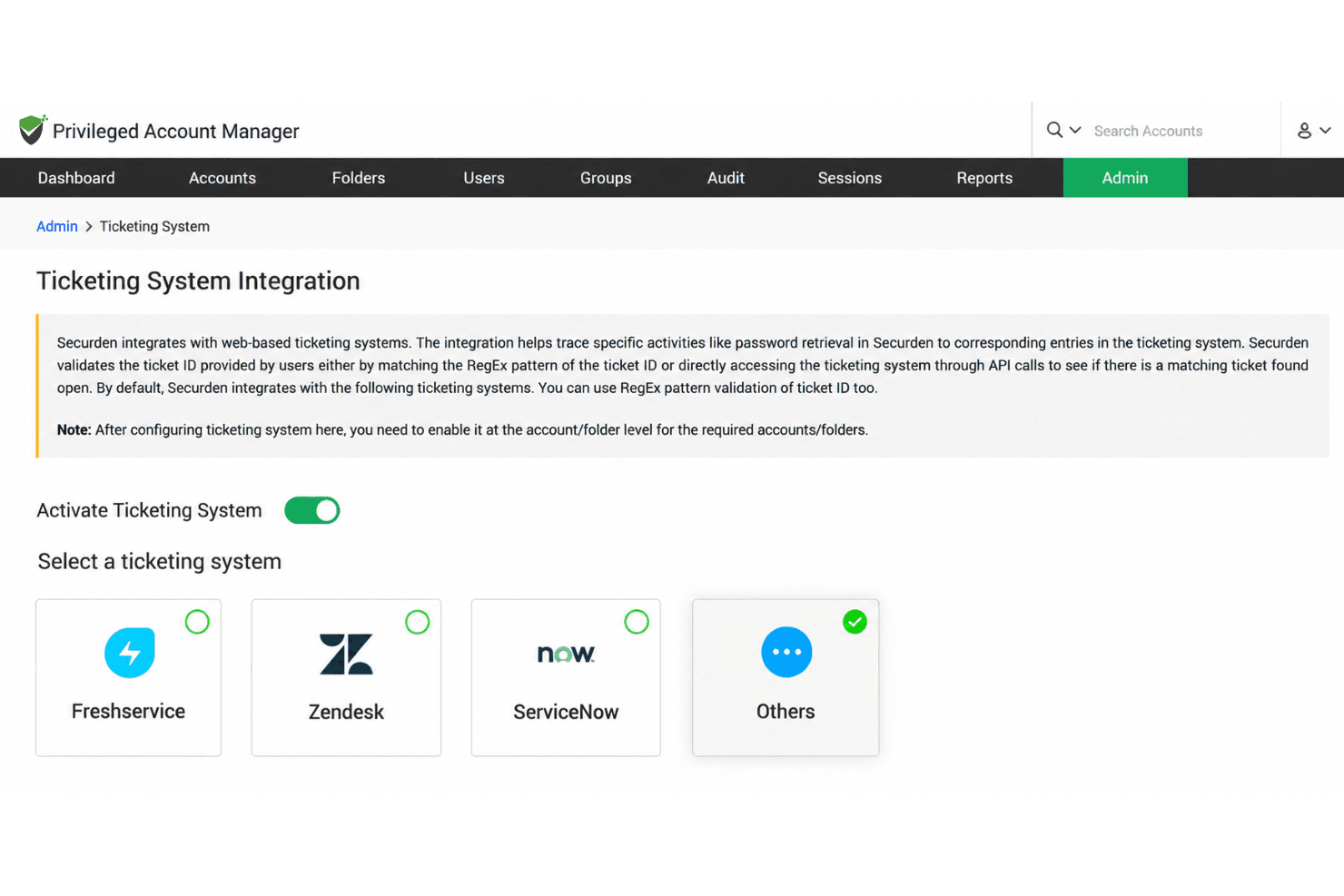
Securden integrates with Active Directory, Microsoft Entra ID, and LDAP for directory management; Okta and OneLogin for SAML-based SSO; and Duo for multi-factor authentication. It also connects with ServiceNow, Freshservice, and Zendesk for ticket-based access validation, supports SIEM tools like Splunk through syslog forwarding, and provides REST APIs for credential retrieval and automation.
Securden Unified PAM Specs
- 2-Factor Authentication: Yes
- API: Yes
- Batch Permissions & Access: Yes
- Dashboard: Yes
- Data Export: Yes
- Data Import: Yes
- Email Integration: No
- External Integrations: Yes
- Google Apps Integration: Yes
- Multi-User: Yes
- Notifications: Yes
- Password & Access Management: Yes


