

Runpod Review: Pros, Cons, Features, and Pricing
Runpod excels in flexibility and user-friendly features, making it a standout choice for teams seeking intuitive cloud computing solutions.

We review tools independently, and commissions help fund our testing. See our transparency policy, our methodology, or suggest a tool.
RunPod is a cloud storage software built for teams running GPU-intensive AI and machine learning workloads, offering persistent network volumes and pod-attached storage alongside on-demand compute. I'd consider it if your team needs storage that stays tightly coupled to GPU infrastructure without juggling separate services. Compared to AWS, RunPod keeps storage and compute on a unified platform at a lower price point—which makes it a more practical pick for AI and ML teams that don't need the broader enterprise ecosystem AWS brings.
RunPod Evaluation Summary
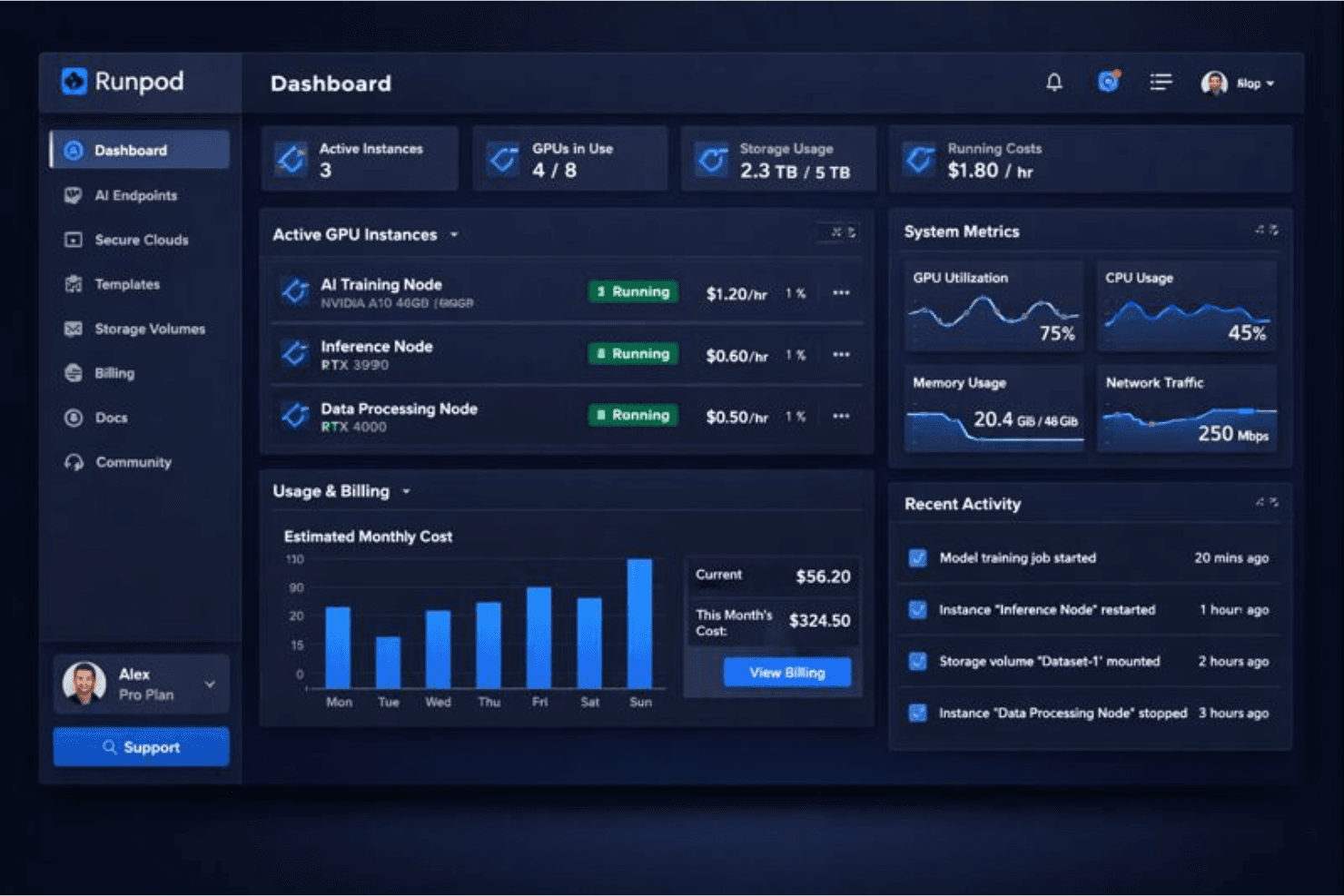
4.7/5
- From $0.16/hour
- Free demo available
Why Trust Our Software Recommendations
6,700+
Reviews
20
Industry experts
16+
Evaluation factors
14
Years
Our team has been testing and reviewing software since 2012. As tech leaders ourselves, we know how difficult—and important—it is to choose the right software.
For this guide, we evaluated tools using hands-on testing and independent research, scoring tools using our selection criteria.
Our reviews reflect our human editorial judgment, not a sales pitch.
Expert reviewers:
- Paulo Gardini MiguelTech Director
 Tim FisherVP of AI
 Gabriel RosasTech Lead & Software Architect
 Christhian GruhnTech Lead & Platform Architect

RunPod Overview
In my opinion, Runpod is a solid choice for teams needing flexible and intuitive cloud computing solutions, especially those deploying serverless endpoints for AI inference or training. Its standout features and ease of use make it attractive, especially for tech-driven industries, such as biotech and finance that rely on NVIDIA-backed hardware for compute-heavy workloads.
However, its limited customer support hours and fewer integrations might be a drawback for global teams needing constant connectivity. I think Runpod's value lies in its ability to offer an intuitive interface and sandbox environment, making it easy for businesses to learn and adapt quickly while experimenting with machine learning frameworks.
If you're choosing a secure cloud computing solution, consider Runpod for its straightforward and accessible platform, although you'll need to consider your requirements for extensive integrations and support.
Pros
- You’ll find it easy to use, even if you're new to cloud computing platforms.
- It offers a flexible environment for data-intensive tasks, ideal for tech-driven industries.
- Your team can onboard quickly with its user-friendly interface and sandbox options.
Cons
- Customer support can be limited, which might slow down your troubleshooting efforts.
- It lacks some advanced key features you might find in other solutions.
- Your team might miss having more integration options for diverse tools.
Is RunPod Right For Your Needs?
Who Would be a Good Fit for RunPod?
Runpod is a great fit for tech companies and research teams that need scalable storage for data-intensive projects. If your work involves handling large datasets, such as in biotech or finance industries, Runpod offers the flexible environment you need. It's also ideal for teams that prioritize user-friendly interfaces and quick onboarding. You’ll also appreciate its sandbox environment, which allows your team to test machine learning workflows and AI development pipelines without risk.
- Biotech ResearchRunpod's scalable storage and data management are perfect for handling large-scale genomic data and computational tasks.
- Tech StartupsYour startup can benefit from Runpod's flexibility and ease of use, helping you focus on innovation rather than infrastructure.
- Financial AnalysisRunpod supports data-intensive tasks, which makes it an ideal platform for financial analysts needing quick access to large datasets and GPU-accelerated AI models.
- Educational InstitutionsYou can use Runpod for storing and managing educational resources, offering students and staff easy access to data.
- Media CompaniesRunpod's flexibility makes it suitable for media teams handling large volumes of video and digital content.
- Data Science TeamsYour team can leverage Runpod’s sandbox environment for testing models and analyzing datasets efficiently.
Who Would be a Bad Fit for RunPod?
Runpod might not suit businesses needing extensive integrations with various tools, as it lacks some advanced integration options commonly found in AWS-centric environments. If your team requires constant customer support or operates across multiple time zones, Runpod's limited support hours could be a drawback. It's also not ideal for industries where specific advanced functions are a must-have, as it may not offer the depth required for highly specialized tasks.
- Global EnterprisesYour global operations might struggle with Runpod's limited customer support hours, hindering around-the-clock troubleshooting.
- Large Retail ChainsRunpod’s lack of advanced integrations may not align with your need for seamless inventory and sales data management.
- Healthcare FacilitiesIf you require specialized capabilities for compliance and patient data handling, Runpod might not meet your stringent requirements.
- Manufacturing CompaniesYour need for complex integrations with machinery and logistics systems might not be fully supported by Runpod.
- Legal FirmsRunpod's features might fall short for your document-intensive work requiring powerful legal software integrations.
- Non-Tech StartupsIf your team lacks tech expertise, you might find Runpod's functionalities overwhelming without extensive onboarding support.
Our Review Methodology
How We Test & Score Tools
We’ve spent years building, refining, and improving our software testing and scoring system. The rubric is designed to capture the nuances of software selection and what makes a tool effective, focusing on critical aspects of the decision-making process.
Below, you can see exactly how our testing and scoring works across seven criteria. It allows us to provide an unbiased evaluation of the software based on core functionality, standout features, ease of use, onboarding, customer support, integrations, customer reviews, and value for money.
Core Functionality (25% of final scoring)
The starting point of our evaluation is always the core functionality of the tool. Does it have the basic features and functions that a user would expect to see? Are any of those core features locked to higher-tiered pricing plans? At its core, we expect a tool to stand up against the baseline capabilities of its competitors.
Standout Features (25% of final scoring)
Next, we evaluate uncommon standout features that go above and beyond the core functionality typically found in tools of its kind. A high score reflects specialized or unique features that make the product faster, more efficient, or offer additional value to the user.
We also evaluate how easy it is to integrate with other tools typically found in the tech stack to expand the functionality and utility of the software. Tools offering plentiful native integrations, 3rd party connections, and API access to build custom integrations score best.
Ease of Use (10% of final scoring)
We consider how quick and easy it is to execute the tasks defined in the core functionality using the tool. High scoring software is well designed, intuitive to use, offers mobile apps, provides templates, and makes relatively complex tasks seem simple.
Onboarding (10% of final scoring)
We know how important rapid team adoption is for a new platform, so we evaluate how easy it is to learn and use a tool with minimal training. We evaluate how quickly a team member can get set up and start using the tool with no experience. High scoring solutions indicate little or no support is required.
Customer Support (10% of final scoring)
We review how quick and easy it is to get unstuck and find help by phone, live chat, or knowledge base. Tools and companies that provide real-time support score best, while chatbots score worst.
Customer Reviews (10% of final scoring)
Beyond our own testing and evaluation, we consider the net promoter score from current and past customers. We review their likelihood, given the option, to choose the tool again for the core functionality. A high scoring software reflects a high net promoter score from current or past customers.
Value for Money (10% of final scoring)
Lastly, in consideration of all the other criteria, we review the average price of entry level plans against the core features and consider the value of the other evaluation criteria. Software that delivers more, for less, will score higher.
Core Features
Scalable Storage
Runpod offers scalable storage solutions, letting you adjust your storage needs as your data grows. This flexibility ensures you're never short on space.
Sandbox Environment
You can experiment with data, applications, and fine-tuning workflows safely in a sandbox environment, minimizing risk to your main operations.
Security Features
Your data stays protected with Runpod's strong security measures, including encryption and access controls across distributed data centers. This gives you peace of mind regarding data breaches.
Backup and Recovery
Runpod ensures your data is backed up regularly, so you can recover lost files quickly, which is crucial for maintaining business continuity.

Standout Features
Flexible Computational Resources
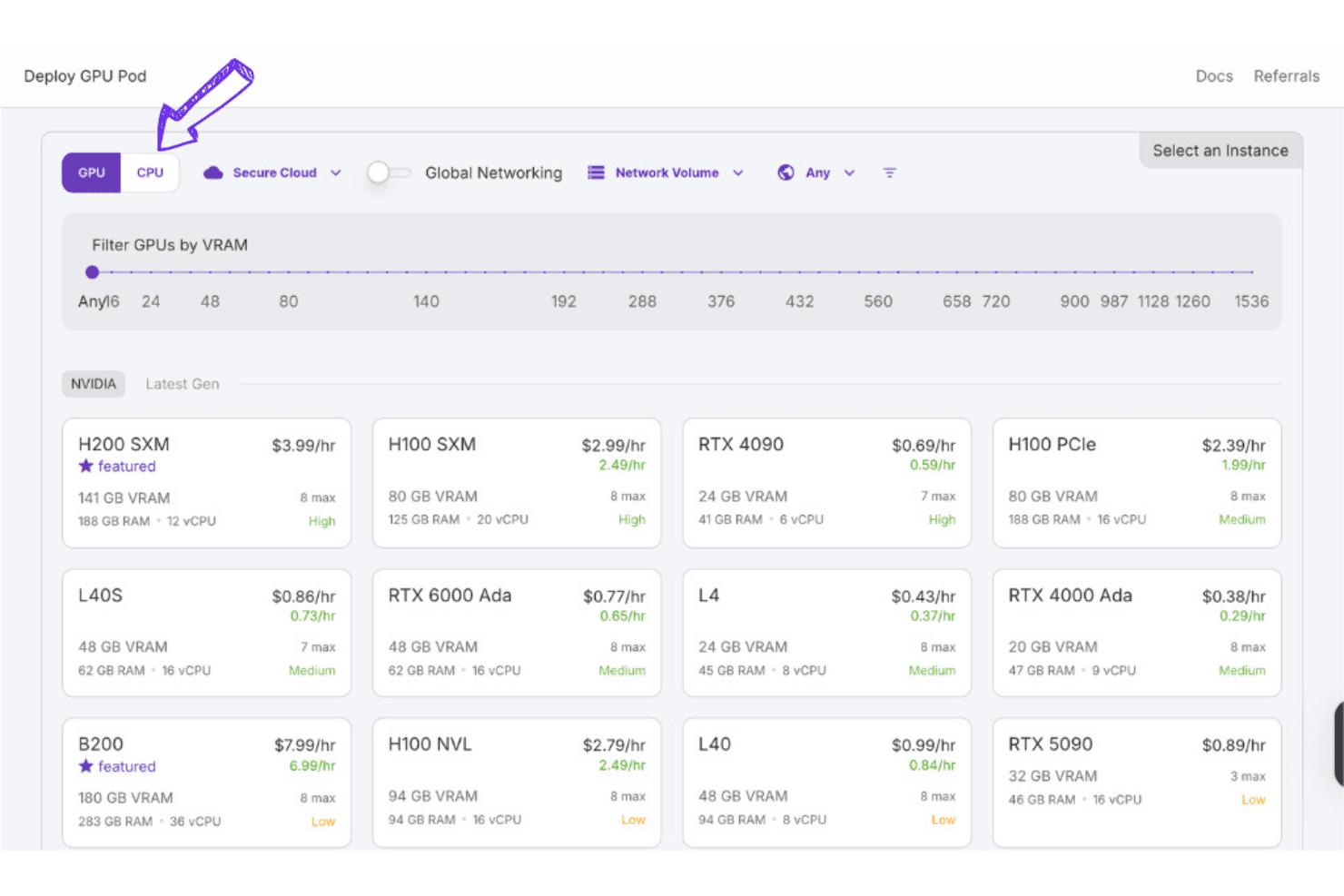
Runpod gives you access to customizable computational resources, including NVIDIA RTX and AMD GPUs, as well as scalable GPU instances, ideal for research, inference, and AI-powered fine-tuning.
Auto-scaling & Instant Clusters
Automatically scale from zero to many GPU workers; deploy multi-node clusters quickly.
Ease of Use
Runpod excels in accessibility, making it a top choice for teams wanting a hassle-free cloud service. The intuitive interface lets you manage data effortlessly and reduces your time spent on training. Users appreciate how quickly they can adapt to the platform, thanks to its clear navigation and organized layout. Functionalities like the sandbox environment further simplify complex tasks, allowing experimentation without risk. If you're looking for a straightforward solution, Runpod's ease of use stands out.

Onboarding
The platform offers a seamless onboarding experience that allows your team to get started quickly with Docker, SSH, and GPU-based workloads, including open-source LLaMA models. The process is straightforward, with clear instructions and helpful resources that guide you every step of the way. Reviewers often note Runpod's efficient time to value, as you can begin working on projects almost immediately. The availability of support materials, such as tutorials and FAQs, ensures your team can resolve any initial questions promptly.
Customer Support
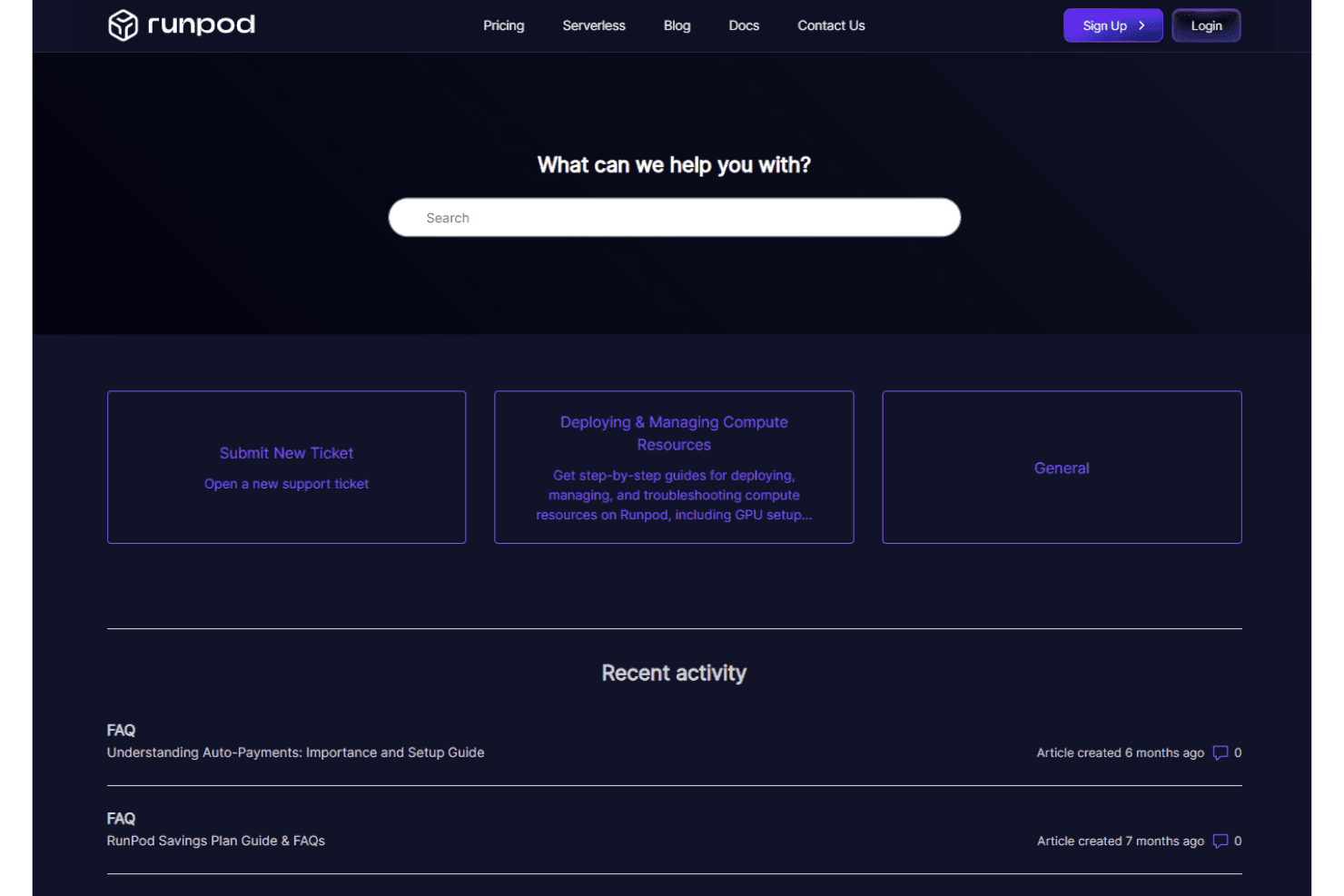
Runpod's customer support is functional but could improve in availability, especially for global businesses needing assistance across time zones. While the support team is knowledgeable, the limited hours might present a challenge during critical times. Users appreciate the detailed online resources, such as FAQs and tutorials, which help troubleshoot common issues independently. However, if you rely on immediate, round-the-clock support, you might find Runpod's customer service somewhat lacking.
Integrations
Runpod provides RESTful API access to easily integrate with external tools.

Value for Money
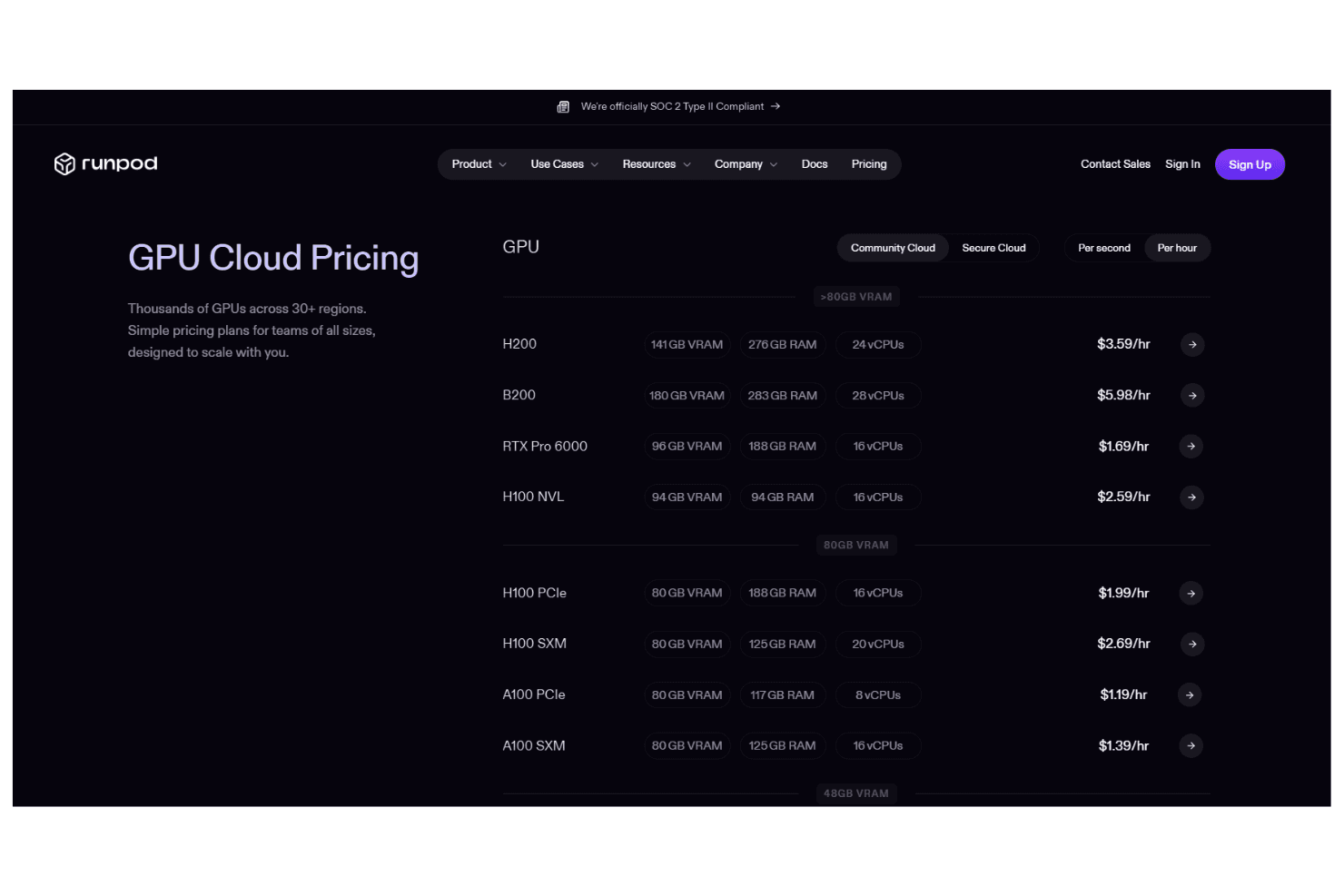
Runpod offers various pricing categories that cater to different needs, making it a versatile option for teams. Users appreciate the balance between cost and functionality with its pay-as-you-go pricing model. It also offers free credits for new users and startups to test the platform. This scalable pricing structure allows you to access essential features without overpaying.
- GPU Cloud Pricing: Starting at $0.16/hour; thousands of GPUs across 30+ regions, with simple pricing for teams of all sizes.
- Serverless Pricing: Starting at $0.00011/second; cost effective for every type of workload, offering flex or active pricing.
- Pod Pricing: Starting at $0.05/GB/month; choose your Runpod pricing based on your storage needs.
RunPod Specs
- 2-Factor Authentication: Yes
- Anti-Virus: Yes
- API: Yes
- Bug Tracking: No
- Dashboard: Yes
- Data Export: Yes
- Data Import: Yes
- Data Visualization: No
- Email Integration: No
- External Integrations: Yes
- File Sharing: Yes
- File Transfer: No
- Firewall: Yes
- Google Apps Integration: No
- Inventory Tracking: No
- Malware Protection: Yes
- Multi-User: Yes
- Network Device Performance Monitoring: Yes
- Network Traffic Monitoring: Yes
- Network Visualization: Yes
- Notifications: Yes
- Project Management: No
- Scheduling: No
- Third-Party Plugins/Add-Ons: Yes
RunPod FAQs
RunPod Company Overview & History
Runpod specializes in cloud computing services, offering on-demand GPU solutions tailored for AI applications. Founded by developers for developers, the company focuses on creating scalable AI systems with a strong emphasis on security through SOC 2 Type II compliance. It supports a community of over 300,000 developers and promotes a culture of innovation and collaboration. As a remote-first team, the platform prioritizes customer satisfaction and encourages team members to contribute beyond their roles.
Runpod Major Milestones
- 2022: Runpod was founded by Zhen Lu and Pardeep Singh.
- 2024: The company raised $20 million in a seed round.