

PDQ Connect Review: Pros, Cons, Features and Pricing Explained
I break down how PDQ Connect streamlines patching for IT professionals and system administrators—revealing where it excels, where it falls short, and why its no-nonsense approach stands out as a deployment tool among patch management solutions.

We review tools independently, and commissions help fund our testing. See our transparency policy, our methodology, or suggest a tool.
It only takes one missed update to open the door to serious trouble. Without the proper patch management software, systems fall behind, vulnerabilities pile up, and IT teams are left scrambling to keep up with constant threats. What starts as a simple delay can quickly turn into security risks, downtime, and hours of manual work just to stay afloat.
PDQ Connect is a cloud-based patch management solution designed to help IT professionals and system administrators keep workstations and servers up to date and secure. If you're wrestling with manual updates, unpredictable vulnerabilities, or time-consuming deployment processes, PDQ Connect's automation and straightforward controls could lighten your load.
In this review, I'll break down PDQ Connect's functionality and features, showcase practical use cases, and call out the pros, cons, and pricing details you need to make the right call for your environment.
PDQ Connect Evaluation Summary
4.6/5
- From $12/device/year
- Free trial + demo available
Why Trust Our Software Recommendations
6,700+
Reviews
20
Industry experts
16+
Evaluation factors
14
Years
Our team has been testing and reviewing software since 2012. As tech leaders ourselves, we know how difficult—and important—it is to choose the right software.
For this guide, we evaluated tools using hands-on testing and independent research, scoring tools using our selection criteria.
Our reviews reflect our human editorial judgment, not a sales pitch.
Expert reviewers:
- Paulo Gardini MiguelTech Director
 Tim FisherVP of AI
 Gabriel RosasTech Lead & Software Architect
 Christhian GruhnTech Lead & Platform Architect

PDQ Connect Overview
Honestly, PDQ Connect's fast setup time, robust automations, and transparent pricing makes it stand out from other patch management solutions. If you want a simple but powerful platform with native app and OS scanning, PDQ would be the obvious choice. I'd say it's best for SMBs or midsize IT departments who value easy setup and reliable patching—regardless of company size. It should be noted, however, that PDQ Connect is designed primarily for Windows and macOS device management. For most internal teams, the trade-off is worth it—especially if fast deployment and transparency matter most.
Pros
- Automates Windows and macOS patch deployment with granular scheduling controls.
- Inventory scanning helps pinpoint unpatched or missing software.
- No remote agent required for updates on most devices.
Cons
- Limited support for Linux and mobile environments.
- RMM options are basic compared to other all-in-one platforms.
- No dedicated onboarding support.
Is PDQ Connect Right For Your Needs?
Who Would be a Good Fit for PDQ Connect?
PDQ Connect is best for IT teams managing mostly Windows and Mac workstations and servers who need quick patch cycles and minimal overhead. It's especially strong for small to midsize organizations with a few admins, departments without deep scripting skills, and distributed workforces. Simple licensing, agentless patching, and a massive package library make it easier to keep systems up to date, even with lean resources.
- Financial InstitutionsFinancial institutions can use PDQ Connect to support compliance and maintain visibility across endpoints.
- K–12 EducationSchools benefit from agentless updates, prebuilt packages, and batch deployment across many Windows PCs.
- Managed Service ProvidersService providers use PDQ's scripting options and reporting for efficient multi-client patch management.
- Healthcare ClinicsAgentless patching and minimal infrastructure keep compliance easy for smaller clinics with mostly Windows devices.
- Distributed WorkforcesRemote deployment supports offsite or hybrid employees without complex VPN or agent installs.
- SMBs With WindowsSmall and midsize businesses running mostly Windows get fast setup and coverage without advanced requirements.
Who Would be a Bad Fit for PDQ Connect?
PDQ Connect isn't as useful for organizations with mostly Linux devices, or highly specialized compliance needs. Large enterprises with thousands of endpoints, extensive automation demands, or strict integration requirements may also hit limits. If your team manages mobile devices or cross-platform environments, or needs in-depth compliance tracking, PDQ Connectmay fall short compared to competing deployment tools and IT management platforms.
- Small BusinessesFor businesses with under 100 devices, PDQ Connect may be more robust than necessary for basic patch management needs.
- Linux-First TeamsPDQ Connect focuses on Windows, so it won't support broad Linux patch deployment.
- Mobile-First OperationsThere's little support for mobile device patching or management.
- Highly Regulated SectorsOrganizations needing granular compliance workflows and certifications may need a more specialized tool.
Our Review Methodology
How We Test & Score Tools
We’ve spent years building, refining, and improving our software testing and scoring system. The rubric is designed to capture the nuances of software selection and what makes a tool effective, focusing on critical aspects of the decision-making process.
Below, you can see exactly how our testing and scoring works across seven criteria. It allows us to provide an unbiased evaluation of the software based on core functionality, standout features, ease of use, onboarding, customer support, integrations, customer reviews, and value for money.
Core Functionality (25% of final scoring)
The starting point of our evaluation is always the core functionality of the tool. Does it have the basic features and functions that a user would expect to see? Are any of those core features locked to higher-tiered pricing plans? At its core, we expect a tool to stand up against the baseline capabilities of its competitors.
Standout Features (25% of final scoring)
Next, we evaluate uncommon standout features that go above and beyond the core functionality typically found in tools of its kind. A high score reflects specialized or unique features that make the product faster, more efficient, or offer additional value to the user.
We also evaluate how easy it is to integrate with other tools typically found in the tech stack to expand the functionality and utility of the software. Tools offering plentiful native integrations, 3rd party connections, and API access to build custom integrations score best.
Ease of Use (10% of final scoring)
We consider how quick and easy it is to execute the tasks defined in the core functionality using the tool. High scoring software is well designed, intuitive to use, offers mobile apps, provides templates, and makes relatively complex tasks seem simple.
Onboarding (10% of final scoring)
We know how important rapid team adoption is for a new platform, so we evaluate how easy it is to learn and use a tool with minimal training. We evaluate how quickly a team member can get set up and start using the tool with no experience. High scoring solutions indicate little or no support is required.
Customer Support (10% of final scoring)
We review how quick and easy it is to get unstuck and find help by phone, live chat, or knowledge base. Tools and companies that provide real-time support score best, while chatbots score worst.
Customer Reviews (10% of final scoring)
Beyond our own testing and evaluation, we consider the net promoter score from current and past customers. We review their likelihood, given the option, to choose the tool again for the core functionality. A high scoring software reflects a high net promoter score from current or past customers.
Value for Money (10% of final scoring)
Lastly, in consideration of all the other criteria, we review the average price of entry level plans against the core features and consider the value of the other evaluation criteria. Software that delivers more, for less, will score higher.
Core Features
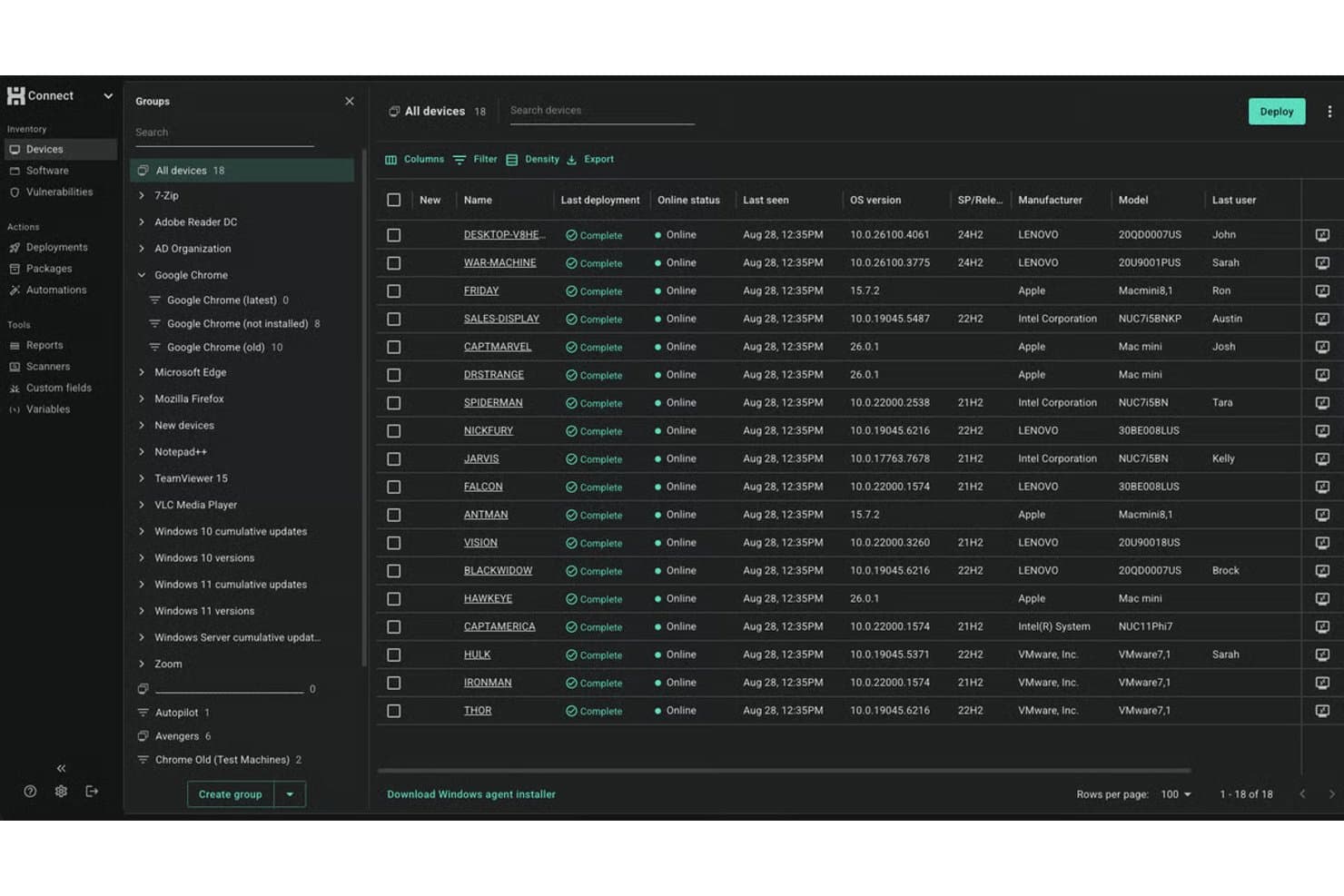
Automated Patch Deployment
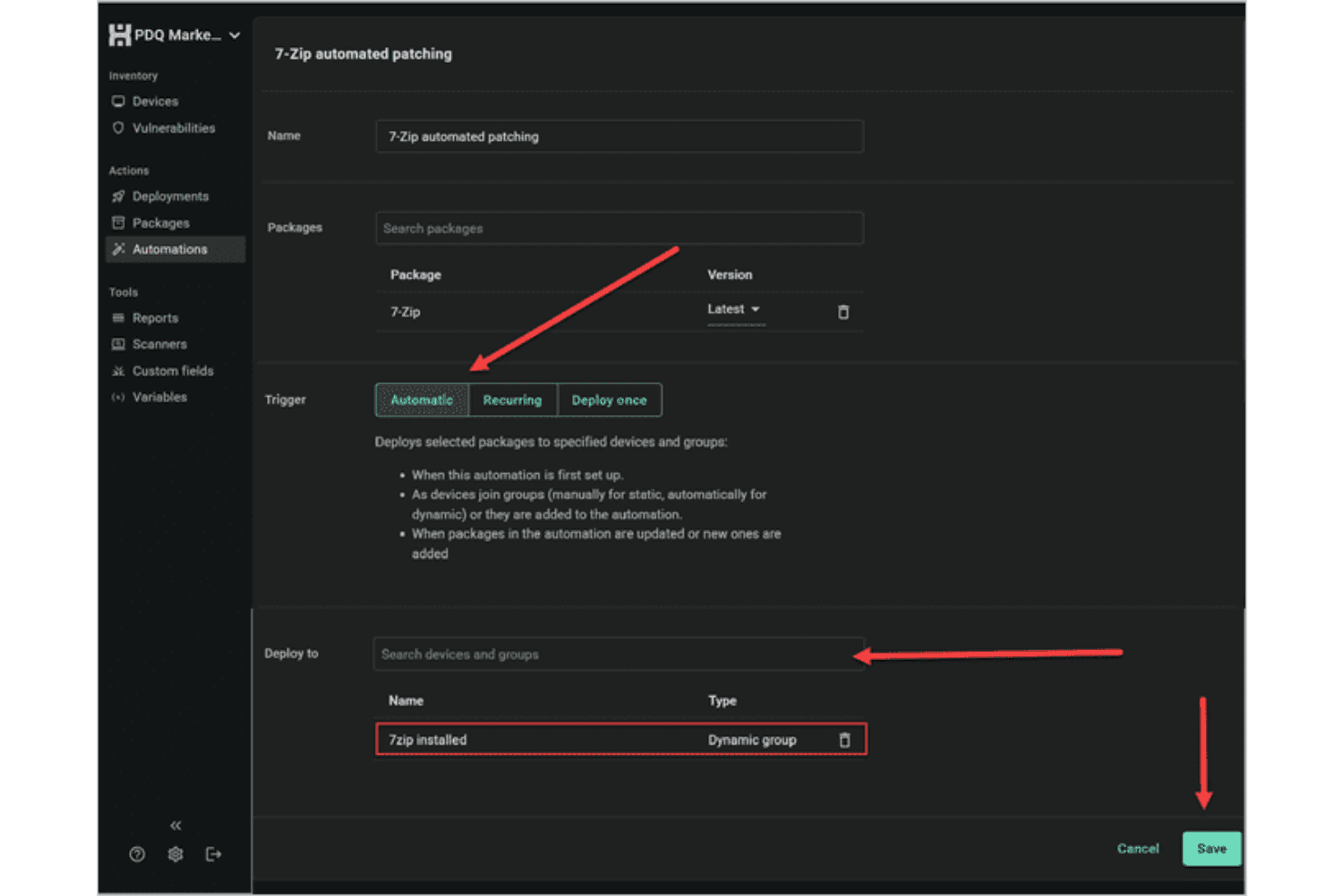
Schedule or trigger Windows software updates across devices with customizable rules. You can automate recurring patches and deployment processes to reduce manual work.
Inventory Scanning
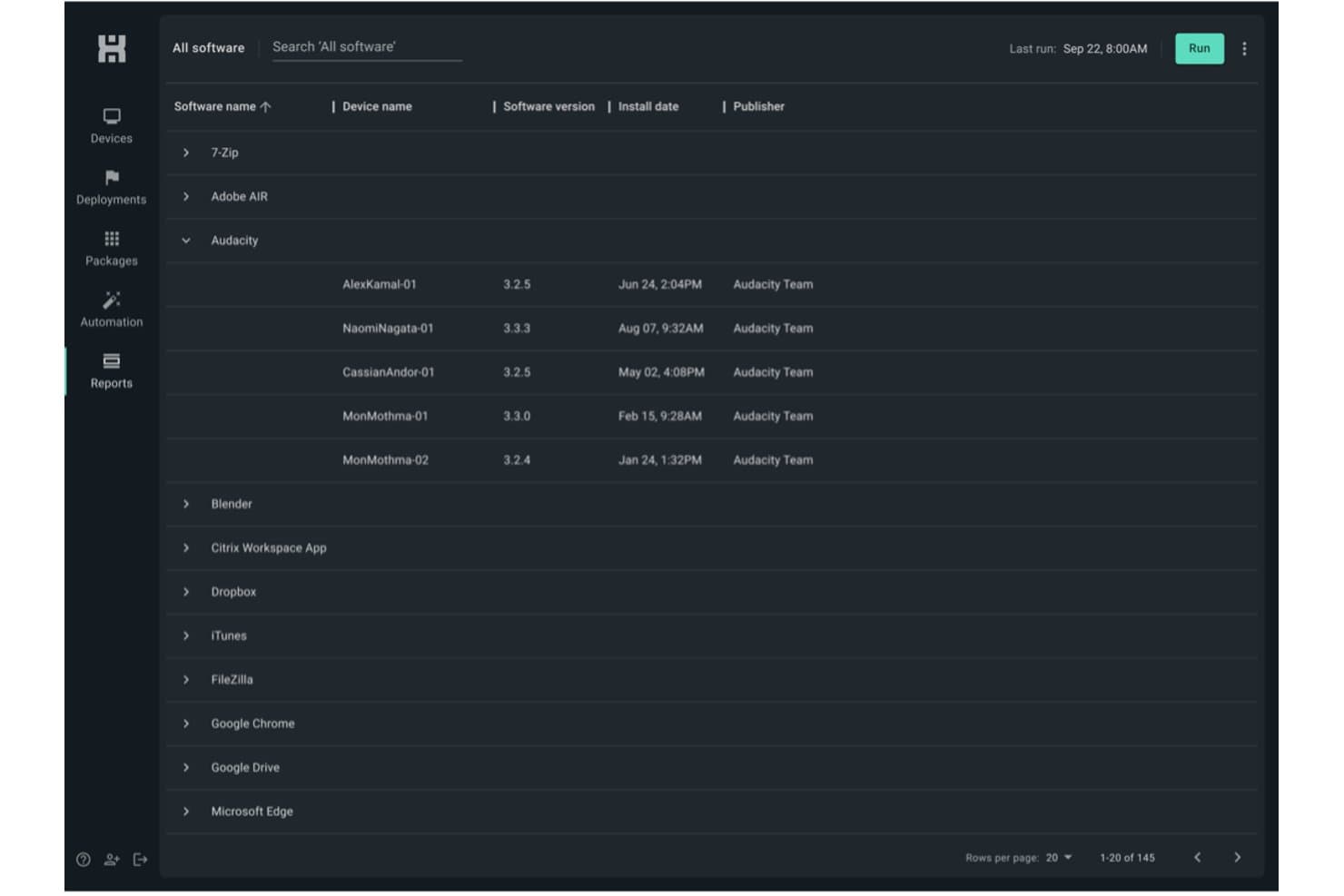
Scan all endpoints for missing or outdated software in real time. This helps you identify and target vulnerabilities quickly—while building a lightweight asset management layer across your Windows fleet.
Scripting Support
Leverage built-in scripting capabilities or create your own scripts to handle custom tasks and complex deployments. This flexibility makes it easier to automate patching processes and manage unique system requirements.
Remote Deployment
Push patches directly to remote endpoints, even if they're offsite. This keeps distributed workforces protected without manual check-ins.
Rollback and Uninstall Options
Easily uninstall or roll back patches from problematic endpoints. You get more control when updates cause unforeseen issues.
Detailed Patch Reporting
Generate reports on patch status, deployment success, and compliance—with real-time notifications on deployment activity. Track which endpoints are up to date at a glance.
Standout Features
Agentless Architecture
PDQ Connect delivers software updates without needing agents on most Windows workstations and servers. This reduces deployment headaches and eliminates another point of failure.
Extensive Package Library
PDQ Connect hosts over 500 continuously updated packages sourced directly from publishers. This extensive library helps ensure faster patching, reduces manual workload, and keeps systems consistently up to date.
Ease of Use
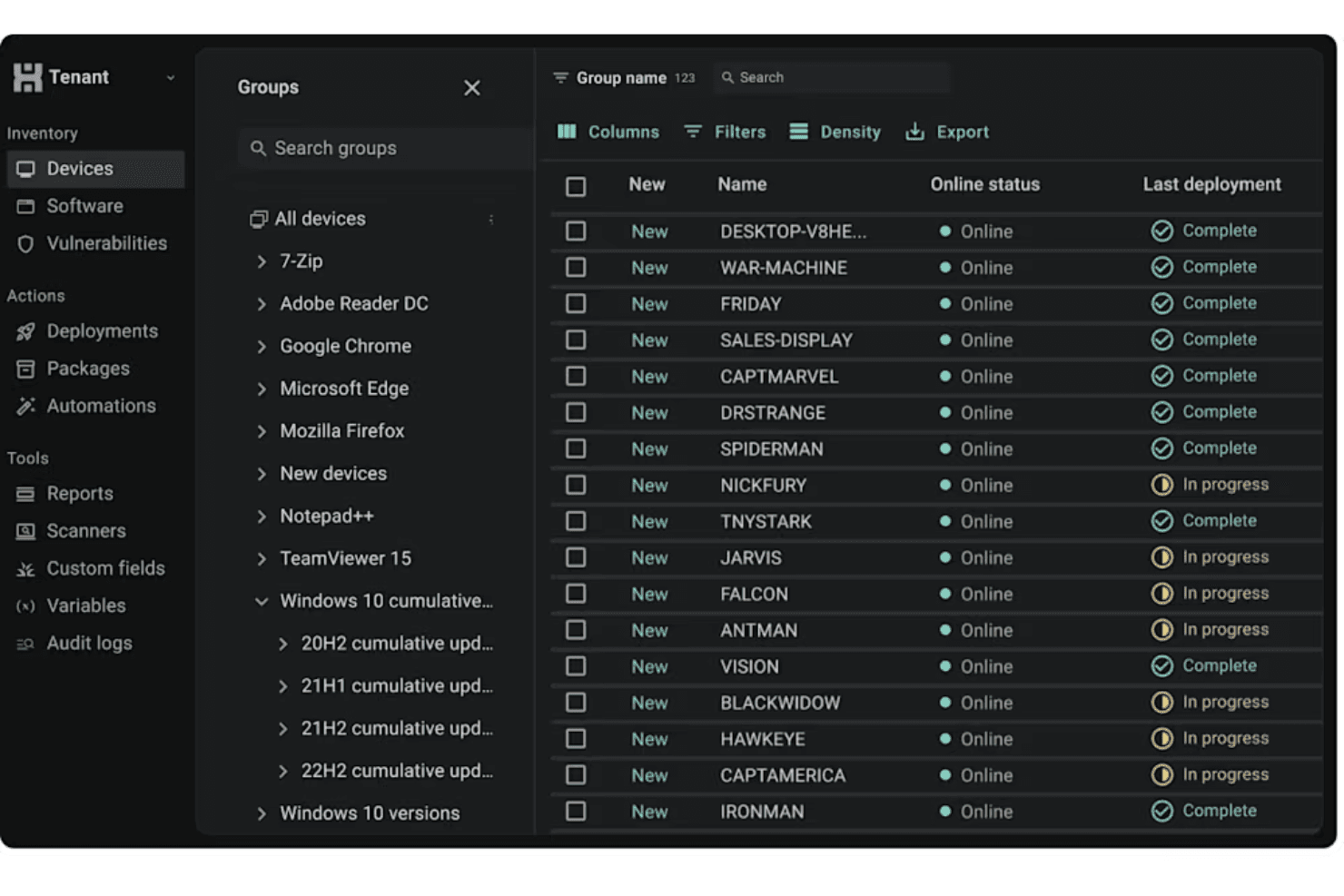
PDQ Connect's user interface is user friendly and direct, letting admins and end users with IT responsibilities launch scans, schedule updates, and review reporting without hunting through menus. I've seen sysadmins praise how quickly they can automate recurring tasks and push patches, even with bigger endpoint lists. The clear layout, built-in package library, and agentless updates help teams get patching jobs done fast, without heavy onboarding or constant troubleshooting.
Onboarding
From my point of view, PDQ Connect's onboarding is quick—you can deploy your first patches in under an hour. The setup wizard, detailed video walkthroughs, and searchable knowledge base flatten the learning process. The self-service onboarding allows admin to start using the platform without the hassle of formal implementation on PDQ's end.
Customer Support
PDQ's customer support holds up well, especially for small IT teams who need quick, clear answers. User reviews regularly point to fast response times via a ticketing system, along with a deep knowledge base and active user forum. Many mention getting resolutions to patching issues in just a few hours, making it easy to keep updates on track.
Integrations
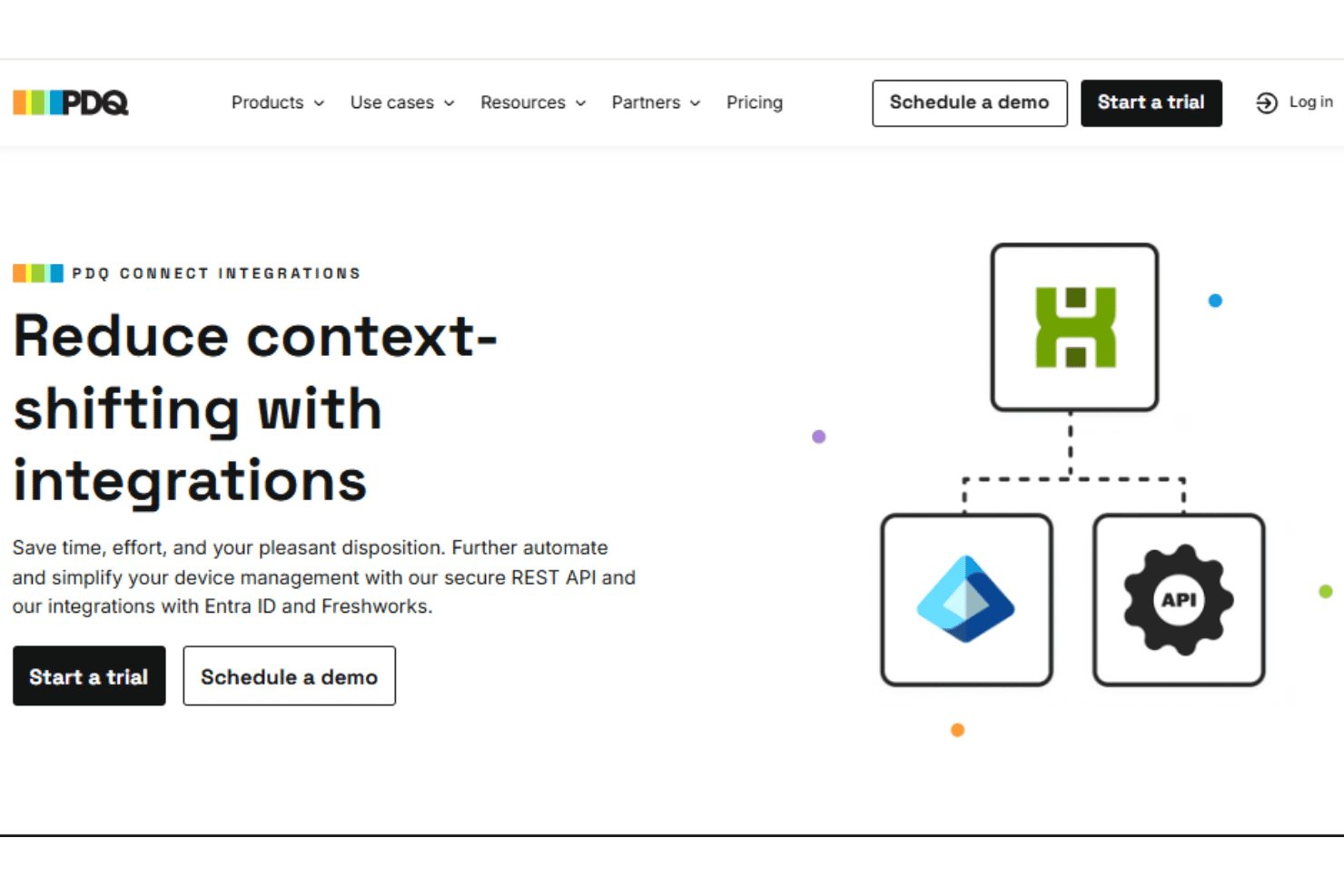
PDQ Connect integrates with Azure Active Directory, Freshdesk, Jira, and Zapier, among others.
PDQ also provides a REST-style API for custom integrations and scripting.
Value for Money
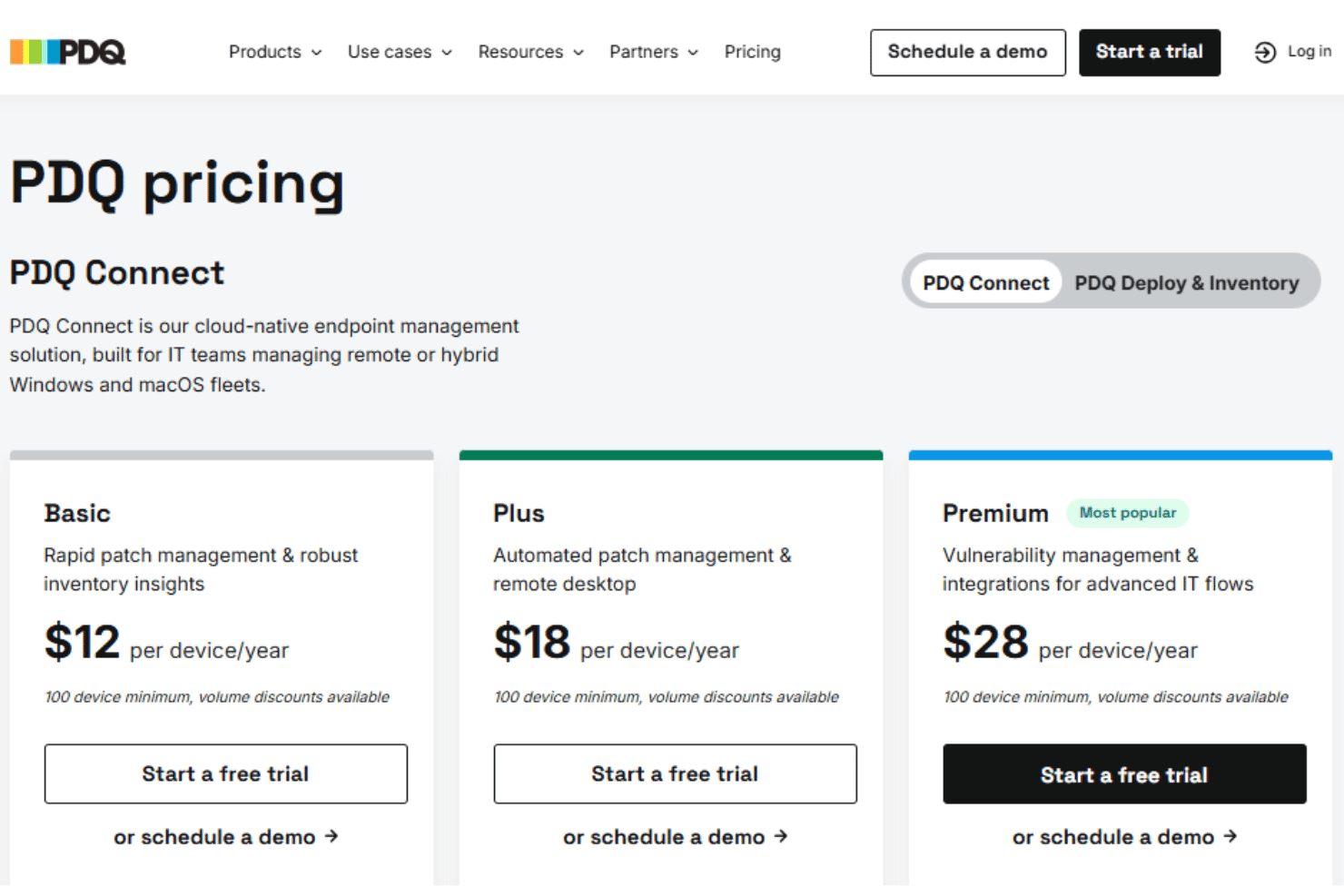
PDQ Connect's pricing is direct, with a per-device model that many users find budget-friendly for the features included. Most IT teams get strong value regardless of company size, especially since you don't pay for endpoints, and features like agentless patching and prebuilt packages are included at all tiers. For on-premise and on-prem environments, this is a notably competitive pricing structure.
- Basic: Includes device inventory, package library, reports, and core Windows & macOS device management.
- Plus: Adds automated deployments, remote desktop, and role-based access control.
- Premium: Offers vulnerability scanning, prioritization, API access, and priority support.
PDQ Connect Specs
- 2-Factor Authentication: Yes
- Analytics: No
- Anti-Virus: Yes
- API: Yes
- Batch Permissions & Access: No
- Bug Tracking: No
- Call Integration: No
- Chat: No
- Contact Management: No
- CRM Integration: No
- Customer Management: No
- Data Export: Yes
- Data Import: Yes
- Email Integration: No
- Escalation Management: Yes
- External Integrations: Yes
- Incident Management: Yes
- Instant Chat Integration: No
- Knowledge Base: Yes
- Malware Protection: Yes
- Multi-User: Yes
- Notifications: Yes
- Organization Management: Yes
- Password & Access Management: No
- Project Management: No
- Real-time Alerts: Yes
- SAP Integration: No
- Self-service Portal: Yes
- Social Media Integration: No
- Support Forum: No
- Ticket Management: Yes
- Workflow Management: Yes
PDQ Connect FAQs
PDQ Connect Company Overview & History
PDQ is headquartered in Salt Lake City, Utah. The company specializes in developing powerful patch management and IT automation tools for Windows environments. PDQ is known for its efficient, agentless deployment solutions and user-focused approach, earning a reputation for humor and approachability in IT communities. PDQ owns and develops multiple products, including PDQ Deploy, PDQ Inventory, and PDQ Connect.
PDQ Major Milestones
- 2001: PDQ founded in Salt Lake City, Utah
- 2011: PDQ Deploy and PDQ Inventory released to the public
- 2021: Acquired by a global growth private equity firm
- 2022: Launched PDQ Connect, expanding offerings for cloud-based device management