

N‑able Review: Pros, Cons, Features, and Pricing
See how N-able bridges the gap between power and simplicity for IT pros—discover where it truly shines, where it surprises, and what that means for your managed services in 2026.

We review tools independently, and commissions help fund our testing. See our transparency policy, our methodology, or suggest a tool.
N-able is a CTO IT management software built for managed service providers and IT teams that need centralized remote monitoring, patch management, and endpoint security across distributed environments. I'd look at it if you want more MSP-native functionality than Atera offers, without having to navigate the added complexity of a platform like Kaseya VSA.
N-able Evaluation Summary
4.3/5
- Pricing upon request
- 14-day free trial
Why Trust Our Software Recommendations
6,700+
Reviews
20
Industry experts
16+
Evaluation factors
14
Years
Our team has been testing and reviewing software since 2012. As tech leaders ourselves, we know how difficult—and important—it is to choose the right software.
For this guide, we evaluated tools using hands-on testing and independent research, scoring tools using our selection criteria.
Our reviews reflect our human editorial judgment, not a sales pitch.
Expert reviewers:
- Paulo Gardini MiguelTech Director
 Tim FisherVP of AI
 Gabriel RosasTech Lead & Software Architect
 Christhian GruhnTech Lead & Platform Architect

N-able Overview
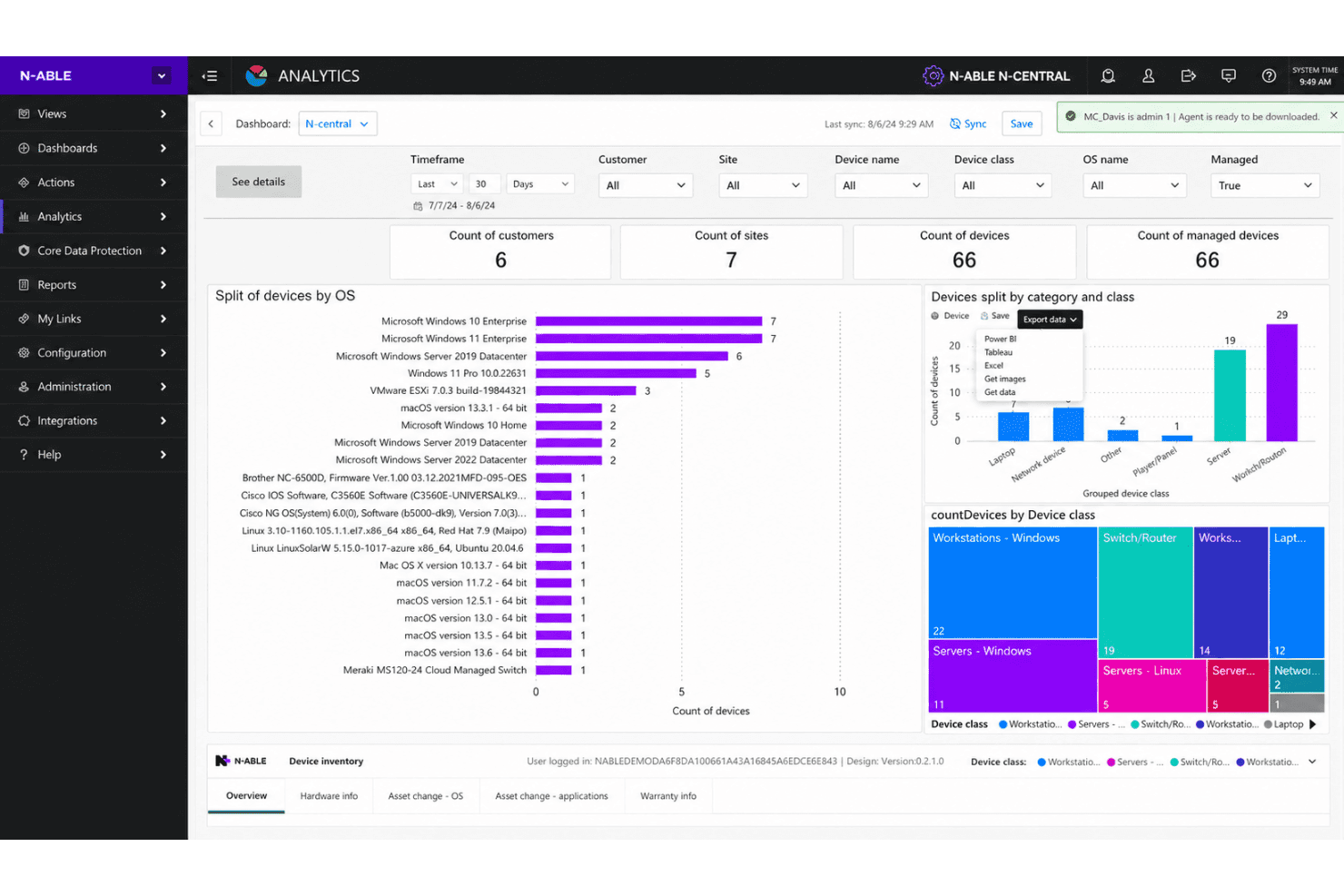
Judging N-able against other IT management software, I think its automation, security, and dashboard flexibility really help it stand out. Its interface sometimes feels dated, and onboarding can take planning, but responsive support and wide integration options make up for it. Pricing’s mid-range, and feature depth tends to suit MSPs or IT teams managing multiple client networks. If you’re selecting a solution for blended cloud and on-premise environments, N-able offers a strong balance of control and value. For example, policy-driven patch management and remote control have been easy to deploy and reliable in practice.
Pros
- Automated patch management covers Windows, Mac, and Linux.
- Centralized multi-tenant dashboard for managing multiple client sites.
- Strong remote control and monitoring tools for hybrid teams.
Cons
- Reporting customization is limited for advanced analytics needs.
- Interface feels dated and lacks modern design polish.
- Some security features cost extra or require add-ons.
Is N-able Right For Your Needs?
Who Would be a Good Fit for N-able?
N-able fits teams that want unified device monitoring, robust EDR capabilities, integrated automation, and scalable support. It works best for managed service providers, internal IT supporting multiple sites, and regulated businesses needing strong auditing. The modular design and compliance tools are especially valuable for organizations needing granular control over endpoints.
- Managed Service ProvidersCentralized management, multi-client dashboards, and flexible billing features suit MSPs handling diverse customer environments.
- Large EnterprisesThe automation, device inventories, and scalable security controls help large IT teams oversee complex, distributed environments.
- Healthcare ITRobust compliance and security reporting help healthcare organizations maintain strict data privacy and system uptime requirements.
- Education IT DepartmentsRemote management, multi-site support, and routine patching align with the needs of school districts and universities.
- Regulated IndustriesAuditing, reporting, and policy enforcement features assist financial services, legal, and other regulated sectors in meeting compliance.
- Multi-Site RetailersCentralized device tracking and bulk actions enable efficient support for many locations and endpoints.
Who Would be a Bad Fit for N-able?
N-able isn’t a good match for small businesses with a handful of endpoints, niche teams that only need ticketing, or companies looking for budget IT solutions. The feature set and minimum commitments can overwhelm those who just want lightweight support. Teams with highly custom system environments may find limited out-of-the-box integrations slow to meet their needs.
- Small StartupsN-able’s broad toolset and higher minimum spend can be more than what early stage or very small teams require.
- Single-Department ITDepartments with narrow needs may not need N-able’s expansive monitoring, patching, and automation options.
- Budget-Conscious CompaniesN-able’s price per device and required minimums may not suit organizations looking for a lightweight or free solution.
- Non-Technical OrganizationsTeams without dedicated IT staff can find setup and ongoing management too complex compared to basic support tools.
- Simple Help Desk TeamsOrganizations focused only on ticketing and basic asset tracking don’t need N-able’s deep infrastructure features.
- Custom System EnvironmentsBusinesses that depend on less common operating systems or highly specialized hardware may see slower integration or support.
Our Review Methodology
How We Test & Score Tools
We’ve spent years building, refining, and improving our software testing and scoring system. The rubric is designed to capture the nuances of software selection and what makes a tool effective, focusing on critical aspects of the decision-making process.
Below, you can see exactly how our testing and scoring works across seven criteria. It allows us to provide an unbiased evaluation of the software based on core functionality, standout features, ease of use, onboarding, customer support, integrations, customer reviews, and value for money.
Core Functionality (25% of final scoring)
The starting point of our evaluation is always the core functionality of the tool. Does it have the basic features and functions that a user would expect to see? Are any of those core features locked to higher-tiered pricing plans? At its core, we expect a tool to stand up against the baseline capabilities of its competitors.
Standout Features (25% of final scoring)
Next, we evaluate uncommon standout features that go above and beyond the core functionality typically found in tools of its kind. A high score reflects specialized or unique features that make the product faster, more efficient, or offer additional value to the user.
We also evaluate how easy it is to integrate with other tools typically found in the tech stack to expand the functionality and utility of the software. Tools offering plentiful native integrations, 3rd party connections, and API access to build custom integrations score best.
Ease of Use (10% of final scoring)
We consider how quick and easy it is to execute the tasks defined in the core functionality using the tool. High scoring software is well designed, intuitive to use, offers mobile apps, provides templates, and makes relatively complex tasks seem simple.
Onboarding (10% of final scoring)
We know how important rapid team adoption is for a new platform, so we evaluate how easy it is to learn and use a tool with minimal training. We evaluate how quickly a team member can get set up and start using the tool with no experience. High scoring solutions indicate little or no support is required.
Customer Support (10% of final scoring)
We review how quick and easy it is to get unstuck and find help by phone, live chat, or knowledge base. Tools and companies that provide real-time support score best, while chatbots score worst.
Customer Reviews (10% of final scoring)
Beyond our own testing and evaluation, we consider the net promoter score from current and past customers. We review their likelihood, given the option, to choose the tool again for the core functionality. A high scoring software reflects a high net promoter score from current or past customers.
Value for Money (10% of final scoring)
Lastly, in consideration of all the other criteria, we review the average price of entry level plans against the core features and consider the value of the other evaluation criteria. Software that delivers more, for less, will score higher.
Core Features
Automated Patch Management
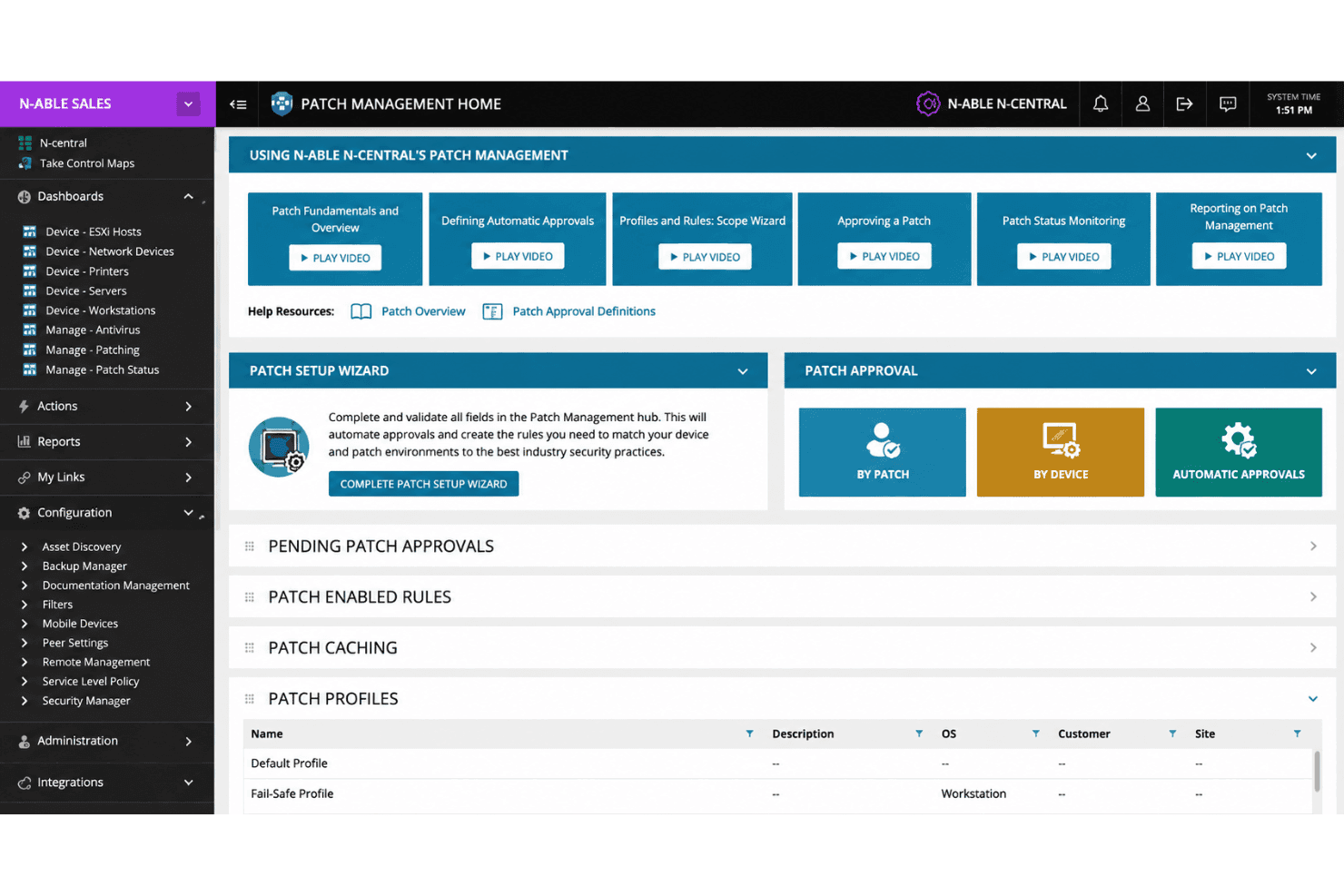
Scan, approve, and deploy patches to Windows, Mac, and Linux endpoints from a central console. Custom scheduling and reporting help reduce vulnerabilities across mixed environments.
Remote Monitoring and Management
Monitor network devices, servers, and workstations in real time with customizable alerts. Track performance, uptime, and health across all managed client sites.
Advanced Endpoint Protection
Deploy antivirus, anti-malware, and active ransomware protection directly through the platform. Automated threat responses help reduce manual intervention for security incidents.
Network Device Discovery
Automatically discover, catalog, and monitor new devices joining your network. This feature keeps asset records up-to-date and exposure low.
Backup and Recovery
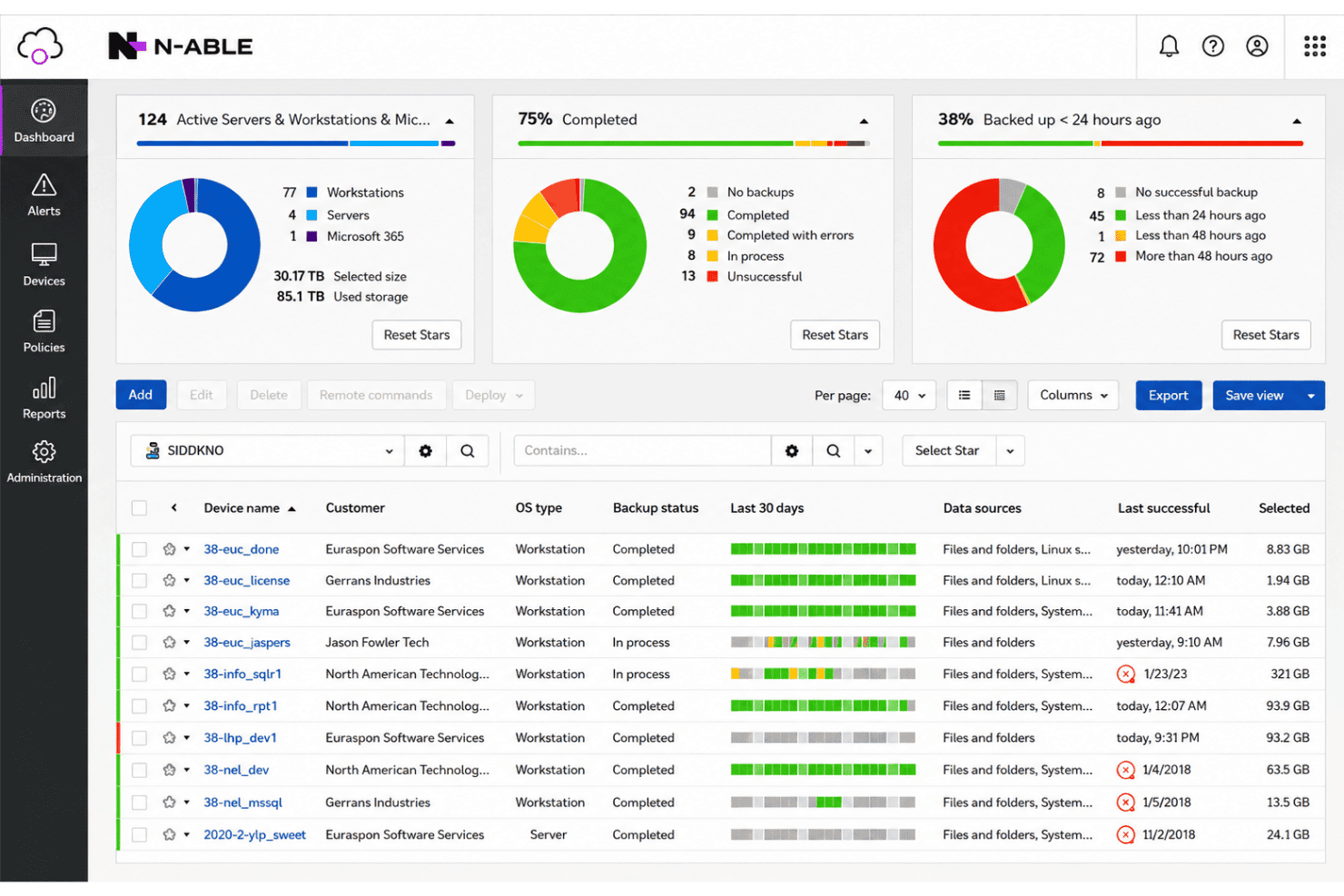
Schedule automated backups for servers and workstations, including cloud storage options. Quick restore tools help minimize downtime after data loss events.
Policy-Based Automation
Create and enforce IT policies for tasks like software deployment, user changes, and security settings. Set up triggers and scripts to save time and standardize processes.
Ease of Use
N-able’s interface feels utility-focused rather than modern, but the navigation is logical, and most functions are accessible in a few clicks. I think users appreciate the customizable dashboards and efficient bulk actions, but some report that deeper reporting options and visual polish are lacking. Once fully set up, managing alerts, patching, and remote access becomes routine, making it ideal for teams prioritizing efficiency and scale over design.
Integrations
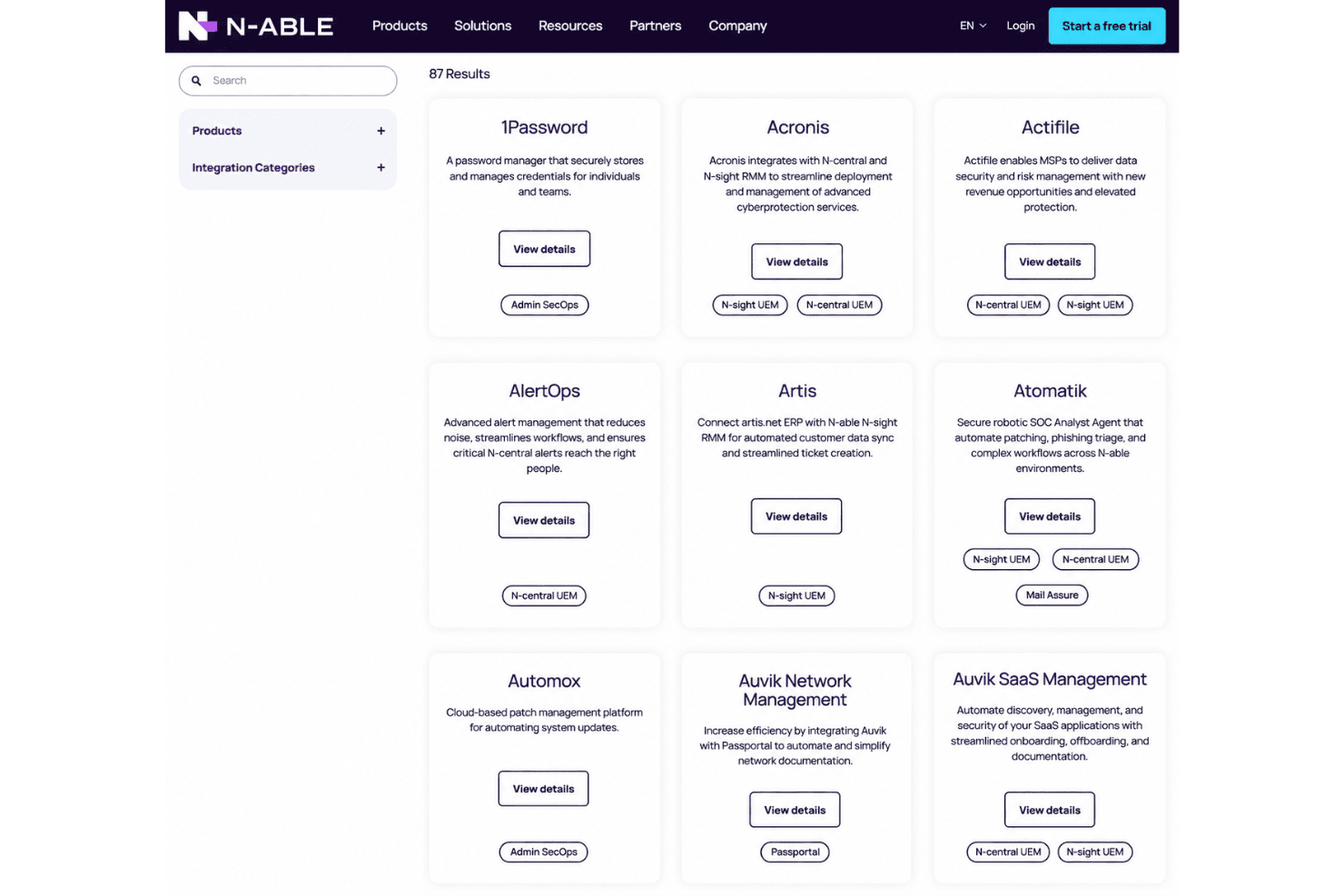
N-able integrates with ConnectWise Manage, ScalePad, and Hudu, among others.
N-able also offers a public API and supports connections with select third-party integration tools for expanded automation and workflow options.
N-able Specs
- API: Yes
- Bug Tracking: Yes
- CI/CD Integration: Yes
- Cloud Deployment: Yes
- Code Review: Yes
- Code Transformation: Yes
- Collaboration Support: Yes
- Data Export: Yes
- Data Import: Yes
- Developer Tools: Yes
- External Integrations: Yes
- Git Integration: Yes
- History/Version Control: Yes
- IDE Plugins: Yes
- Local Deployment: Yes
- Multi-User: Yes
- Notifications: Yes
- Project Management: Yes
- Release Management: Yes
- Static Analysis: Yes
- Task Scheduling/Tracking: Yes
- Testing: Yes


