

Kualitee Review 2026: Pros, Cons, Features and Pricing
Kualitee is a test management tool designed to help QA teams organize testing workflows and improve software quality. Learn how its features support test planning, tracking, and collaboration.

We review tools independently, and commissions help fund our testing. See our transparency policy, our methodology, or suggest a tool.
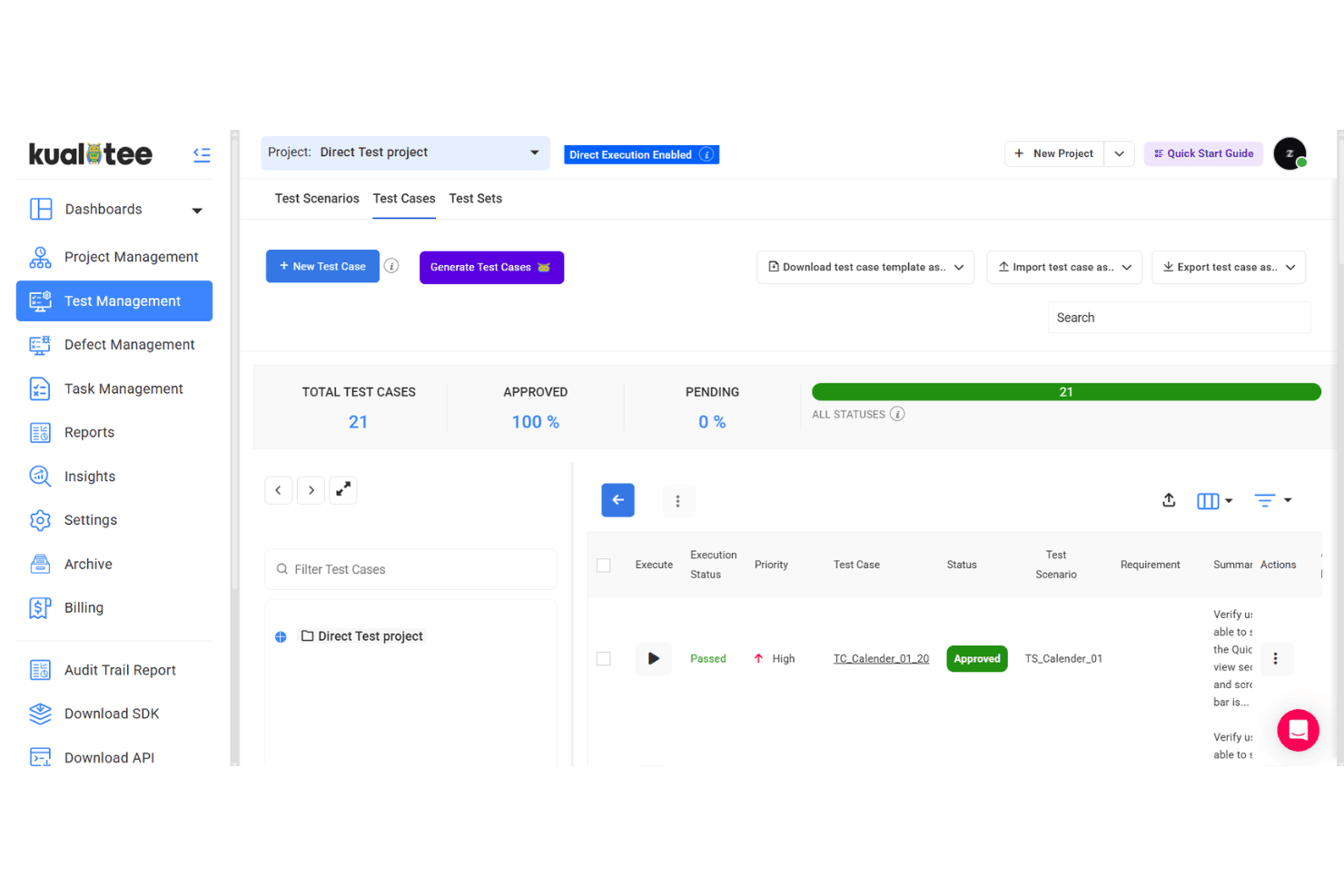
Kualitee is a cloud-based test management tool for QA teams that need to plan, write, execute, and track test cases from a single workspace. It's a particularly good fit if you want built-in defect tracking alongside your test case management—rather than relying on a separate integration the way TestRail does. That makes it worth a close look for teams that want a more self-contained QA setup without stitching together multiple tools.
Kualitee Evaluation Summary
4.6/5
- From $9/user/month (billed annually)
- Free plan available
Why Trust Our Software Recommendations
6,700+
Reviews
20
Industry experts
16+
Evaluation factors
14
Years
Our team has been testing and reviewing software since 2012. As tech leaders ourselves, we know how difficult—and important—it is to choose the right software.
For this guide, we evaluated tools using hands-on testing and independent research, scoring tools using our selection criteria.
Our reviews reflect our human editorial judgment, not a sales pitch.
Expert reviewers:
- Paulo Gardini MiguelTech Director
 Tim FisherVP of AI
 Gabriel RosasTech Lead & Software Architect
 Christhian GruhnTech Lead & Platform Architect

Kualitee Overview
In my view, Kualitee stands out for its clean interface, balanced feature set, and affordable pricing compared to most test management tools I've used. Its defect tracking and built-in integrations make it quick to set up for agile teams, while custom reporting appeals to managers looking for real insight.
I’d judge onboarding as faster than average, though advanced users may wish for more automation options. If you’re selecting a platform for mid-sized QA or dev teams that need flexibility and strong support, I think Kualitee is a smart pick.
Pros
- Centralizes requirements, test cases, and defect tracking together
- Offers granular user permissions and role-based access control
- Built-in dashboard gives instant visibility into project status
Cons
- Mobile app lacks many core web features
- No native exploratory or session-based testing module
- Bulk editing test steps can be time-consuming
Is Kualitee Right For Your Needs?
Who Would be a Good Fit for Kualitee?
Kualitee works best for QA teams, software development groups, and organizations that need end-to-end test and defect management with transparency and traceability. Its structured project workflow, powerful dashboard, and custom workflow options are well-suited for growing companies, regulated industries, and any team that wants user-friendly test process administration with multi-project management from one hub.
- Regulated IndustriesHealthcare, finance, and similar sectors get full traceability of requirements, changes, and test coverage for compliance audits.
- Growing SaaS StartupsTeams scaling fast benefit from permission controls, project templates, and easy test case reusability without heavy onboarding.
- Large QA TeamsDetailed user management, custom roles, and collaboration features help keep big test teams organized and accountable.
- DevOps DepartmentsJenkins and GitHub integrations, API access, and rich reporting make it easy to connect testing with CI/CD workflows.
- Outsourced Testing FirmsMulti-project dashboards and permissioned client access help agencies efficiently manage client engagements and progress.
- Educational InstitutionsInstructors and student testers can use the intuitive interface, role-based controls, and reporting to manage lab work or training projects.
Who Would be a Bad Fit for Kualitee?
Kualitee is less suitable for teams needing exploratory-focused testing workflows, small non-technical teams who need minimal setup, or companies looking for highly specialized test automation or deep integration with niche platforms. Organizations with strong reliance on session-based testing, or those who primarily test on mobile, may hit limitations compared to lighter, more flexible solutions.
- Exploratory Testing TeamsKualitee lacks dedicated exploratory or session-based modules, so testers get little structure or tracking beyond manual case entry.
- Solo FreelancersThe platform’s project-oriented structure and features may feel overly complex for individuals or simple bug reporting needs.
- Game Development StudiosSpecialized needs for game test case design or integration with gaming engines aren’t addressed natively in Kualitee.
- Mobile-First TeamsMobile app functionality is limited, and native support for mobile test automation isn’t a core focus.
- Legacy System MaintainersHighly specialized or legacy platform integrations are limited, making Kualitee less helpful for these unique environments.
- Low-Tech Business UnitsDepartments with very limited technical skills or resources may struggle with initial configuration and onboarding compared to one-click, lightweight tools.
Our Review Methodology
How We Test & Score Tools
We’ve spent years building, refining, and improving our software testing and scoring system. The rubric is designed to capture the nuances of software selection and what makes a tool effective, focusing on critical aspects of the decision-making process.
Below, you can see exactly how our testing and scoring works across seven criteria. It allows us to provide an unbiased evaluation of the software based on core functionality, standout features, ease of use, onboarding, customer support, integrations, customer reviews, and value for money.
Core Functionality (25% of final scoring)
The starting point of our evaluation is always the core functionality of the tool. Does it have the basic features and functions that a user would expect to see? Are any of those core features locked to higher-tiered pricing plans? At its core, we expect a tool to stand up against the baseline capabilities of its competitors.
Standout Features (25% of final scoring)
Next, we evaluate uncommon standout features that go above and beyond the core functionality typically found in tools of its kind. A high score reflects specialized or unique features that make the product faster, more efficient, or offer additional value to the user.
We also evaluate how easy it is to integrate with other tools typically found in the tech stack to expand the functionality and utility of the software. Tools offering plentiful native integrations, 3rd party connections, and API access to build custom integrations score best.
Ease of Use (10% of final scoring)
We consider how quick and easy it is to execute the tasks defined in the core functionality using the tool. High scoring software is well designed, intuitive to use, offers mobile apps, provides templates, and makes relatively complex tasks seem simple.
Onboarding (10% of final scoring)
We know how important rapid team adoption is for a new platform, so we evaluate how easy it is to learn and use a tool with minimal training. We evaluate how quickly a team member can get set up and start using the tool with no experience. High scoring solutions indicate little or no support is required.
Customer Support (10% of final scoring)
We review how quick and easy it is to get unstuck and find help by phone, live chat, or knowledge base. Tools and companies that provide real-time support score best, while chatbots score worst.
Customer Reviews (10% of final scoring)
Beyond our own testing and evaluation, we consider the net promoter score from current and past customers. We review their likelihood, given the option, to choose the tool again for the core functionality. A high scoring software reflects a high net promoter score from current or past customers.
Value for Money (10% of final scoring)
Lastly, in consideration of all the other criteria, we review the average price of entry level plans against the core features and consider the value of the other evaluation criteria. Software that delivers more, for less, will score higher.
Core Features
Test Case Management
Manage, organize, and prioritize test cases in structured folders. Quickly reuse, clone, and link test cases across multiple projects.
Requirements Traceability
Map requirements to test cases and defects for full coverage tracking. This makes audit trails and gap analysis simple for distributed teams.
Defect Management
Log, assign, and track defects through detailed workflows. Real-time status updates and filtering help teams pinpoint blocking issues fast.
Customizable Reporting
Generate on-demand reports to monitor test progress, coverage, and quality. Export reports in multiple formats for easy sharing with stakeholders.
Task Assignment and Roles
Assign tests and manage permissions with role-based access controls. This keeps responsibilities clear and sensitive data protected.
Dashboard and Metrics
Get live project metrics and testing trends at a glance. Drill into pass rates, open bugs, and team activity for rapid health checks.
Ease of Use
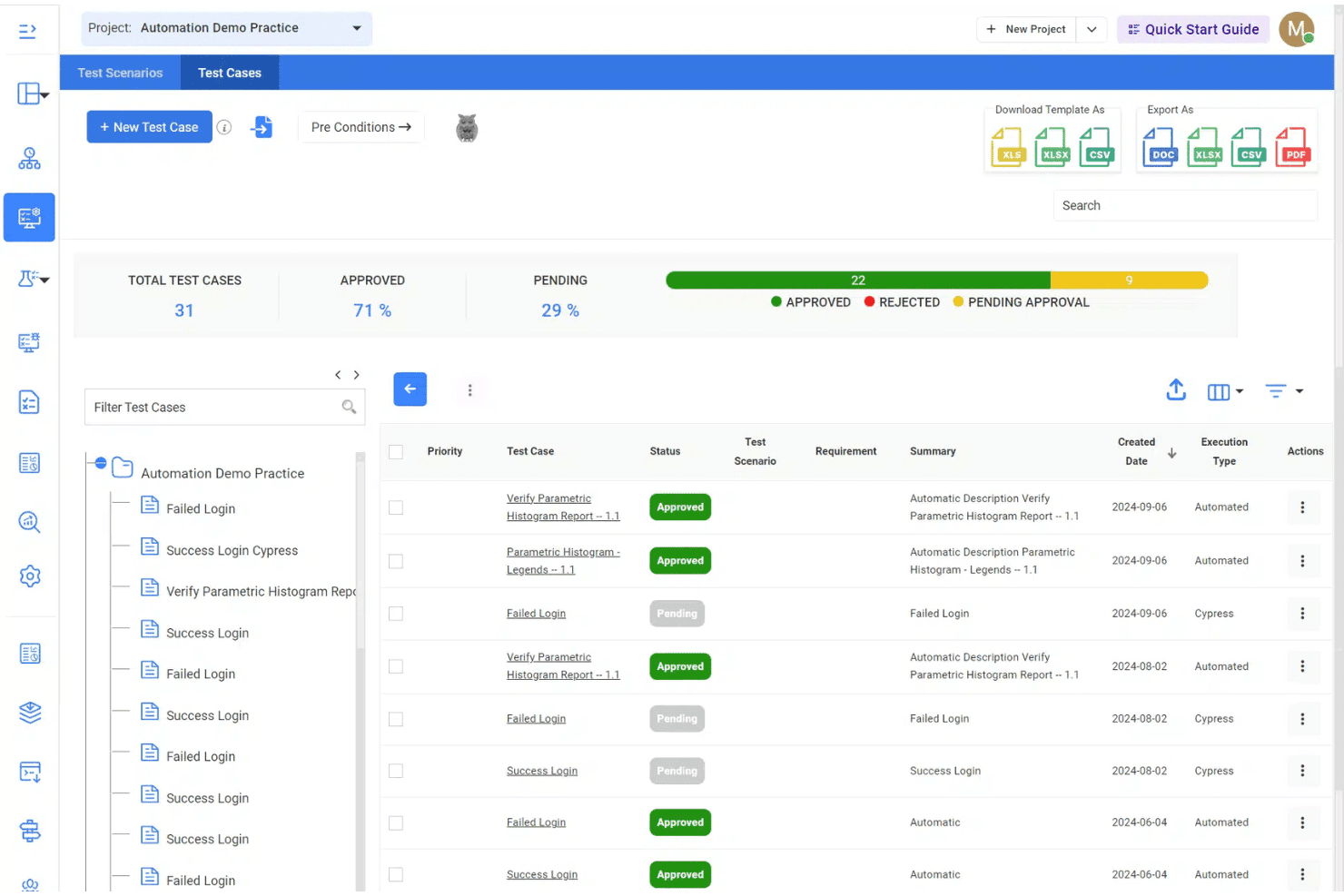
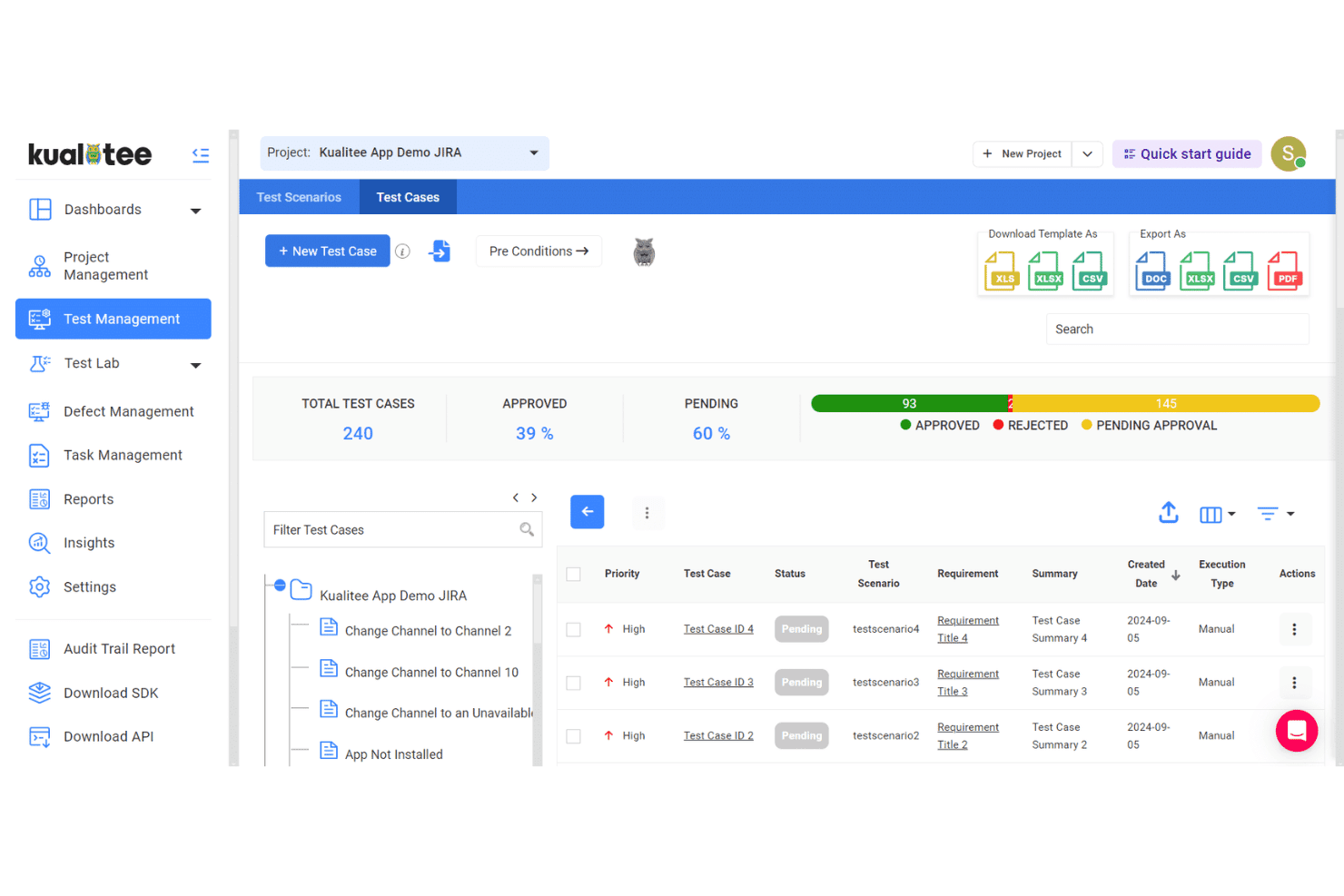
Kualitee’s interface feels intuitive with clearly labeled modules and logical navigation, making it easy for new users to hit the ground running. I’ve noticed most users praise how quickly you can organize test cases and defects, though some wish bulk actions were faster.
Features like customizable dashboards and straightforward permission settings make day-to-day management feel accessible, even for non-technical team members.
Integrations
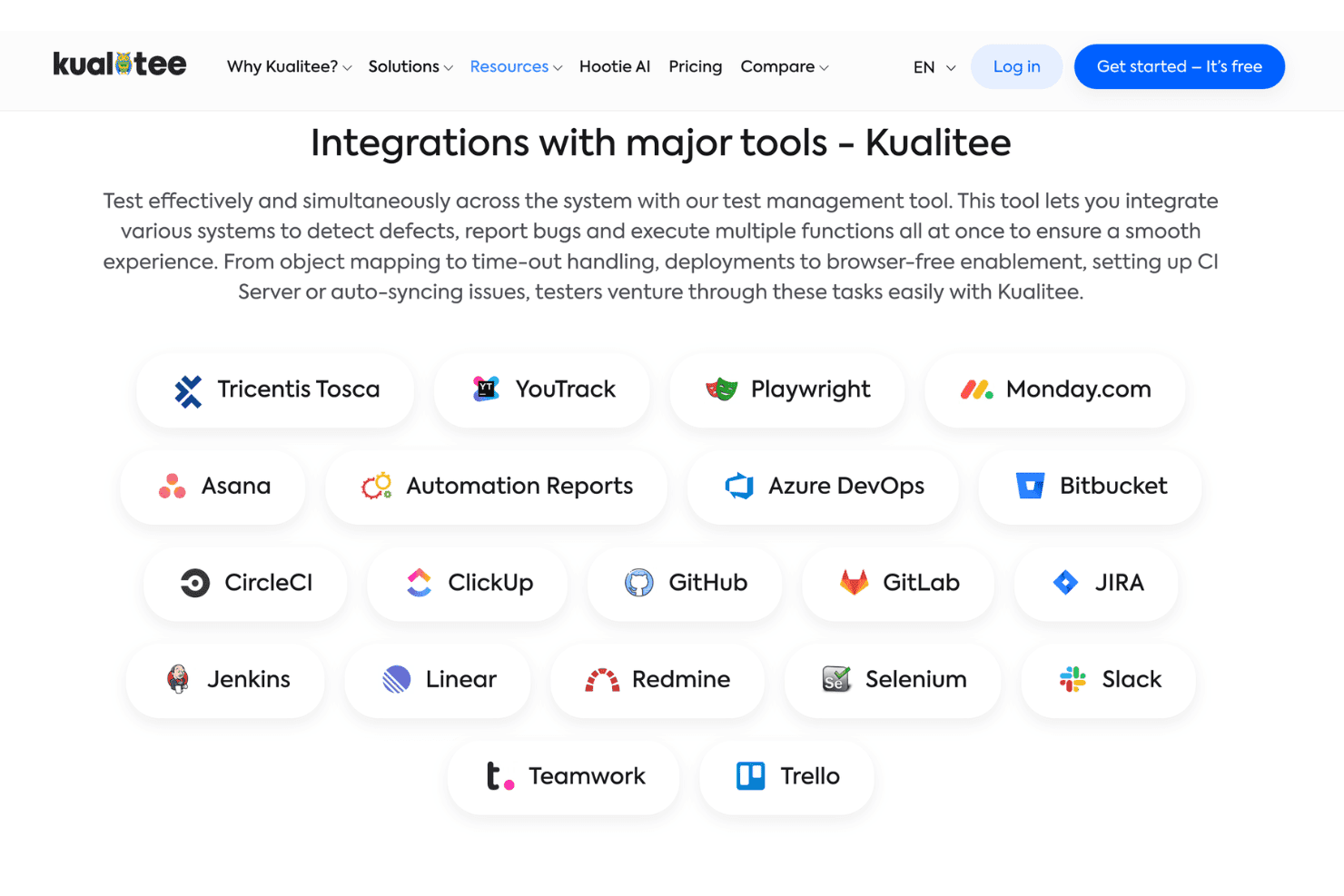
Kualitee integrates with Jira, Jenkins, GitHub, GitLab, Bitbucket, Redmine, Azure DevOps, Asana, Slack, and Bugzilla, among others.
Kualitee also offers a REST API and supports connections with third-party integration tools.
Kualitee Specs
- A/B Testing: No
- API: Yes
- Automated Testing: No
- Browser Compatibility Testing: No
- Bug Tracking: Yes
- Calendar Management: Yes
- CI/CD Integration: No
- Dashboard: Yes
- Data Export: Yes
- Data Import: Yes
- Data Visualization: Yes
- Developer Tools: No
- External Integrations: Yes
- History/Version Control: No
- Manual Testing: No
- Multi-User: Yes
- Notifications: Yes
- Performance Testing: No
- Regression Testing: No
- Scheduling: Yes
- Status Notifications: No
- Third-Party Plugins/Add-Ons: Yes


