

Iru Review 2026: Pros, Cons, Features, and Pricing
Iru stands out in mobile device management with its global connectivity focus, making it ideal for businesses managing fleets across borders, though it may not suit those needing advanced app controls.

We review tools independently, and commissions help fund our testing. See our transparency policy, our methodology, or suggest a tool.
Iru is an MDM software for IT teams managing device fleets across remote or distributed environments. It handles device enrollment, policy enforcement, and app management across platforms from a single console. I'd mainly consider it if you need tighter control over endpoint configuration than Microsoft Intune provides out of the box, but want something less resource-intensive to deploy and maintain than an enterprise platform like VMware Workspace ONE.
Iru Evaluation Summary
4.7/5
- Pricing upon request
- 14-day free trial + free demo available
Why Trust Our Software Recommendations
6,700+
Reviews
20
Industry experts
16+
Evaluation factors
14
Years
Our team has been testing and reviewing software since 2012. As tech leaders ourselves, we know how difficult—and important—it is to choose the right software.
For this guide, we evaluated tools using hands-on testing and independent research, scoring tools using our selection criteria.
Our reviews reflect our human editorial judgment, not a sales pitch.
Expert reviewers:
- Paulo Gardini MiguelTech Director
 Tim FisherVP of AI
 Gabriel RosasTech Lead & Software Architect
 Christhian GruhnTech Lead & Platform Architect

Iru Overview
Iru offers a unique edge in MDM by prioritizing global connectivity and fleet oversight, making it a strong choice for organizations with international logistics or transport operations. While its interface is straightforward and onboarding is quick, Iru’s feature set is more focused on tracking and compliance than deep app management or custom integrations. Pricing is competitive for large-scale deployments, and support is responsive, but those needing granular device controls may find it limited.
I think Iru is best for teams managing cross-border assets who value reliable tracking and simple, centralized management over advanced customization.
Pros
- Zero-touch deployment simplifies onboarding for large device fleets
- Strong compliance automation with adaptive evidence mapping
- Reliable endpoint protection across Apple, Windows, and Android devices
Cons
- Limited advanced app management compared to some competitors
- API access not included in base pricing tier
- Fewer third-party integrations for directory and workflow tools
Is Iru Right For Your Needs?
Who Would be a Good Fit for Iru?
Iru is a strong choice for organizations that manage large fleets of devices across borders, especially in industries where compliance, logistics, and real-time tracking are essential. Its strengths in zero-touch deployment, compliance automation, and reliable endpoint protection make it ideal for teams that need to monitor and secure devices in the field without complex app management needs. Iru’s focus on global connectivity and centralized oversight is best suited for businesses with distributed assets and strict regulatory requirements.
- Logistics CompaniesIru’s real-time tracking and compliance features support fleet management and regulatory needs.
- Transportation ProvidersCentralized device oversight helps monitor vehicles and drivers across regions.
- Field Service TeamsZero-touch deployment enables quick device rollouts for remote technicians.
- Healthcare OrganizationsCompliance automation assists with regulatory evidence and device security.
- Large EnterprisesScalable management supports thousands of devices across multiple countries.
- Government AgenciesStrong endpoint protection and compliance tools meet public sector standards.
Who Would be a Bad Fit for Iru?
Iru may not be the best option for organizations that require deep app management, extensive integrations, or highly customized workflows. Teams focused on granular device controls, advanced application deployment, or integration with a wide range of third-party tools may find Iru’s feature set limiting. Smaller businesses or those with simple device needs might also find its capabilities more than they require.
- Small StartupsIru’s advanced compliance and tracking features may be unnecessary overhead.
- App-Heavy Tech FirmsLimited app management restricts control over custom or proprietary apps.
- Retail ChainsFewer integrations make it harder to connect with POS or inventory systems.
- Education DepartmentsLack of classroom management tools limits suitability for schools.
- HR DepartmentsMinimal workflow integrations don’t support onboarding or offboarding processes.
- Creative AgenciesLimited customization and app deployment options hinder device flexibility.
Our Review Methodology
How We Test & Score Tools
We’ve spent years building, refining, and improving our software testing and scoring system. The rubric is designed to capture the nuances of software selection and what makes a tool effective, focusing on critical aspects of the decision-making process.
Below, you can see exactly how our testing and scoring works across seven criteria. It allows us to provide an unbiased evaluation of the software based on core functionality, standout features, ease of use, onboarding, customer support, integrations, customer reviews, and value for money.
Core Functionality (25% of final scoring)
The starting point of our evaluation is always the core functionality of the tool. Does it have the basic features and functions that a user would expect to see? Are any of those core features locked to higher-tiered pricing plans? At its core, we expect a tool to stand up against the baseline capabilities of its competitors.
Standout Features (25% of final scoring)
Next, we evaluate uncommon standout features that go above and beyond the core functionality typically found in tools of its kind. A high score reflects specialized or unique features that make the product faster, more efficient, or offer additional value to the user.
We also evaluate how easy it is to integrate with other tools typically found in the tech stack to expand the functionality and utility of the software. Tools offering plentiful native integrations, 3rd party connections, and API access to build custom integrations score best.
Ease of Use (10% of final scoring)
We consider how quick and easy it is to execute the tasks defined in the core functionality using the tool. High scoring software is well designed, intuitive to use, offers mobile apps, provides templates, and makes relatively complex tasks seem simple.
Onboarding (10% of final scoring)
We know how important rapid team adoption is for a new platform, so we evaluate how easy it is to learn and use a tool with minimal training. We evaluate how quickly a team member can get set up and start using the tool with no experience. High scoring solutions indicate little or no support is required.
Customer Support (10% of final scoring)
We review how quick and easy it is to get unstuck and find help by phone, live chat, or knowledge base. Tools and companies that provide real-time support score best, while chatbots score worst.
Customer Reviews (10% of final scoring)
Beyond our own testing and evaluation, we consider the net promoter score from current and past customers. We review their likelihood, given the option, to choose the tool again for the core functionality. A high scoring software reflects a high net promoter score from current or past customers.
Value for Money (10% of final scoring)
Lastly, in consideration of all the other criteria, we review the average price of entry level plans against the core features and consider the value of the other evaluation criteria. Software that delivers more, for less, will score higher.
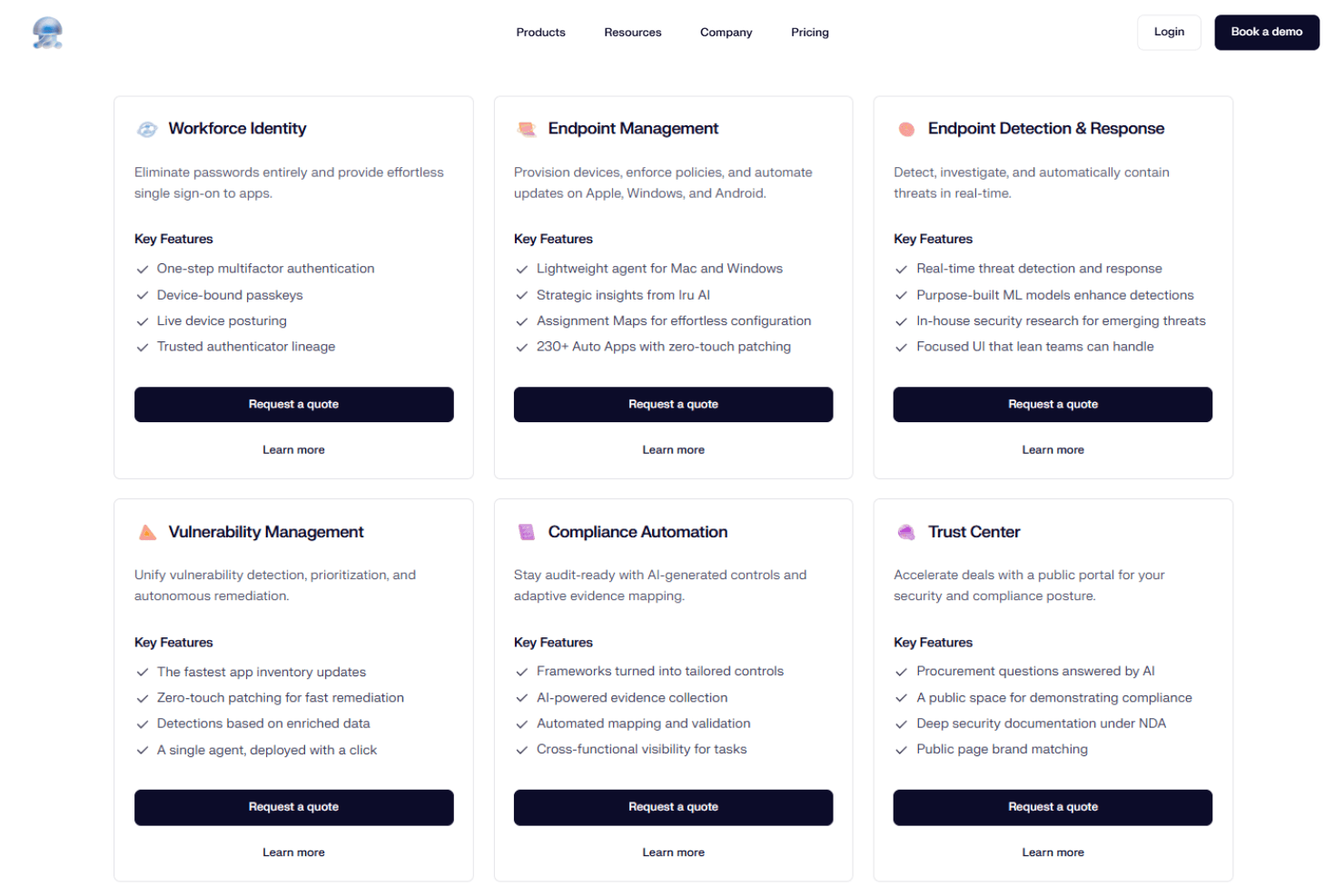
Core Features
Endpoint Management
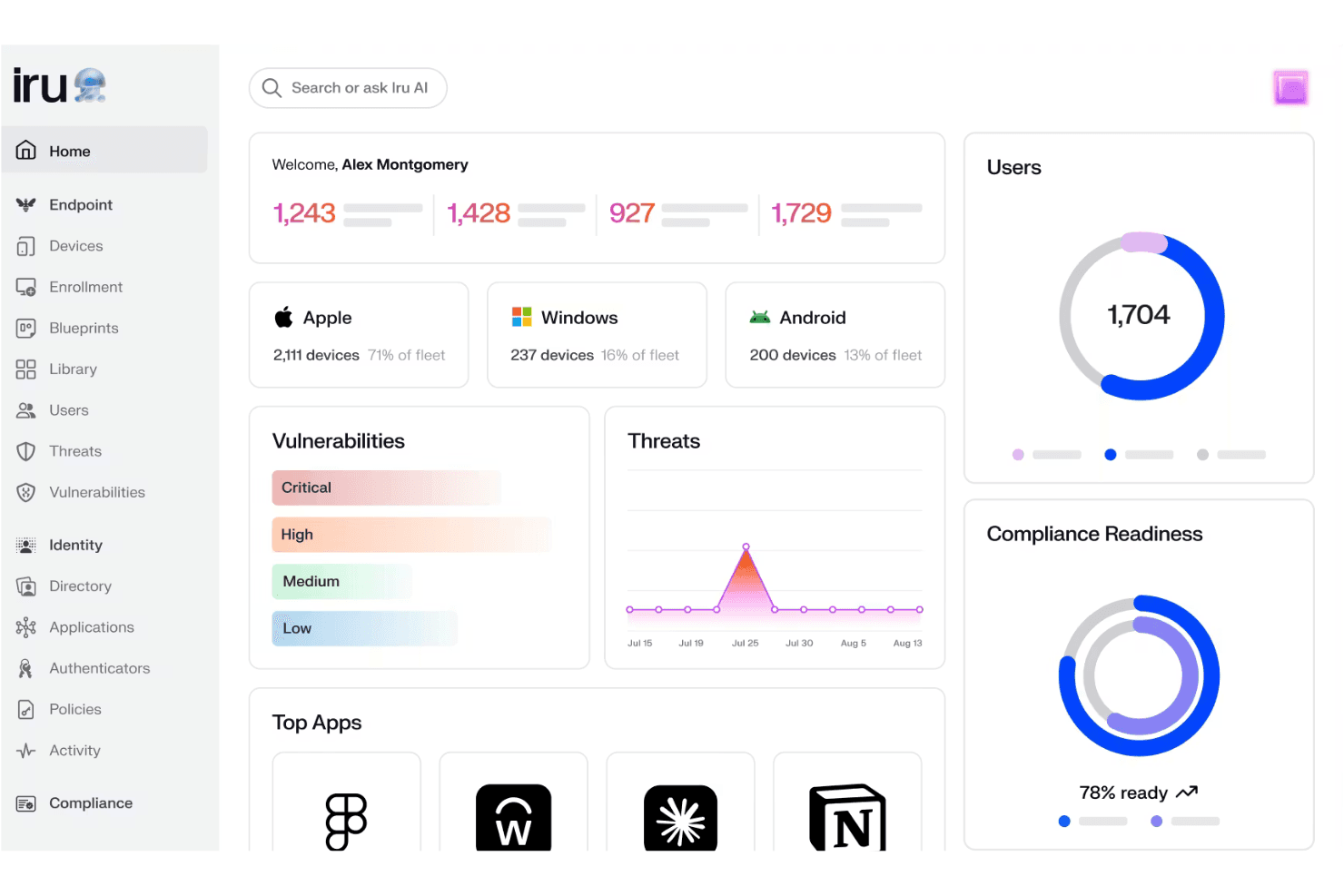
Manage every device with a single lightweight agent for centralized control. This lets you monitor, update, and secure devices across your organization.
Passwordless Identity
Enable passwordless access that adapts to user context for secure authentication. This reduces credential risks and streamlines user logins.
Continuous Compliance
Stay audit-ready with ongoing evidence collection and adaptive compliance automation. Iru’s AI-driven compliance tools help you meet regulatory requirements without manual tracking.
Endpoint Detection
Detect and respond to threats on Apple, Windows, and Android devices in real time. This feature helps IT teams quickly identify and contain security incidents.
Vulnerability Management
Identify and address vulnerabilities across your device fleet automatically. Iru’s system scans for weaknesses and provides actionable remediation steps.
AI-Powered Insights
Leverage Iru AI to automate compliance, generate insights, and trigger actions from a unified interface. This helps you make informed decisions and respond faster to issues.

Standout Features
Adaptive Evidence Mapping
Iru automatically maps compliance evidence to multiple frameworks, reducing manual effort for audits. This saves time for IT and compliance teams managing complex regulatory environments.
Zero-Touch Deployment
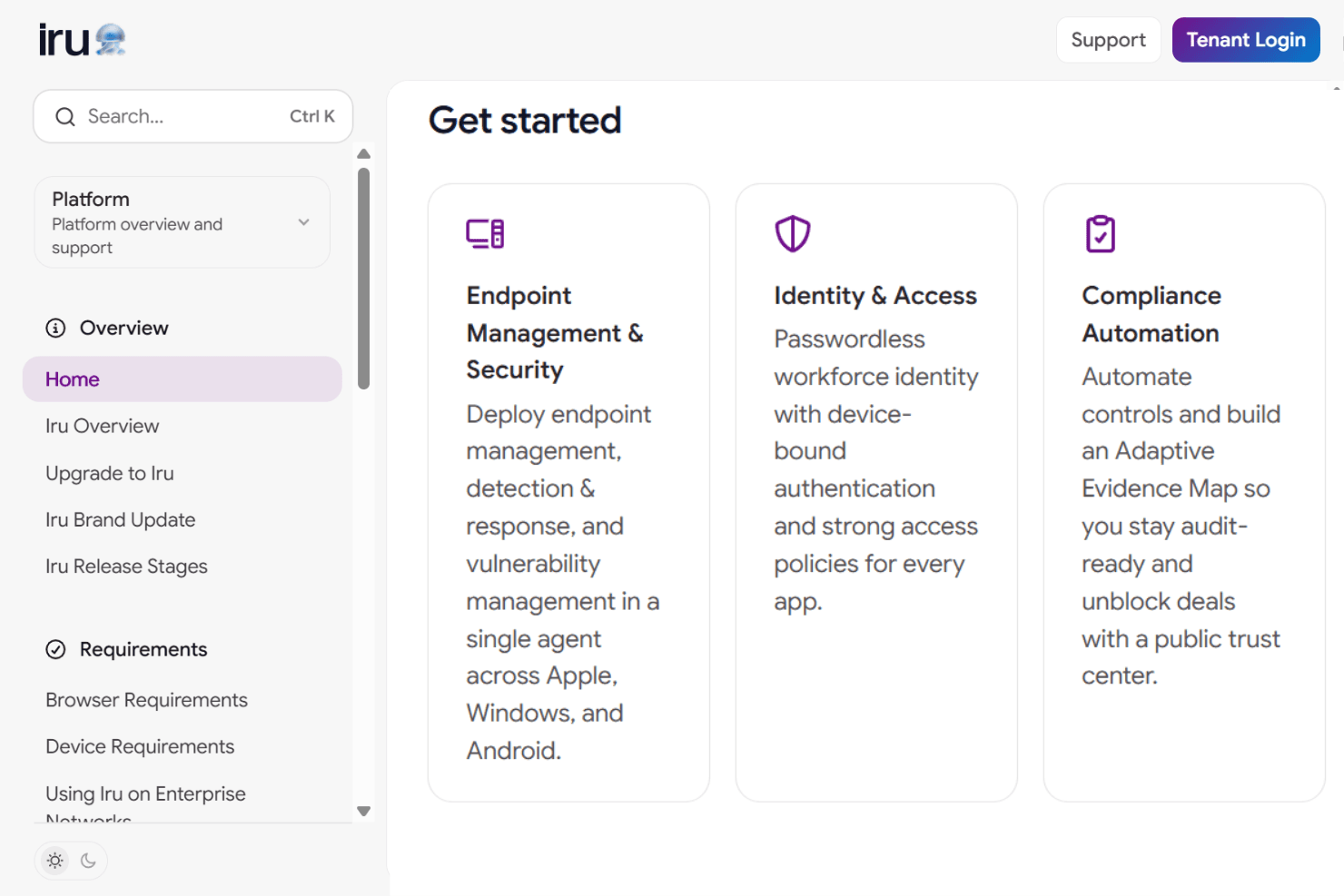
Deploy and configure devices remotely without any user interaction required. This feature is especially valuable for organizations rolling out large fleets to distributed or remote teams.

Ease of Use
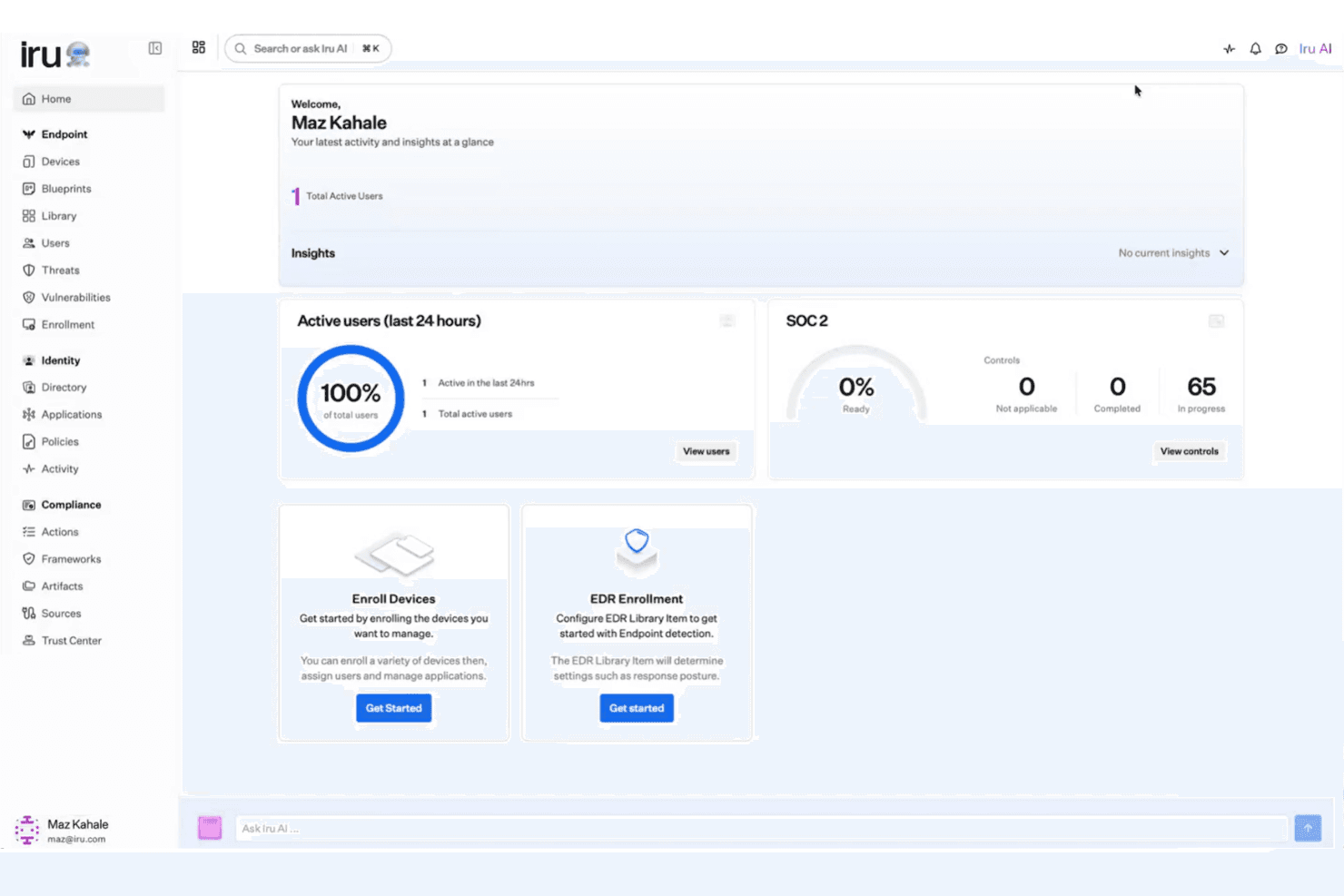
Iru’s interface is clean and straightforward, making it easy for IT teams to onboard and manage devices without extensive training. Users often mention the intuitive dashboard and clear workflows for compliance and device monitoring. I think the zero-touch deployment and passwordless identity features reduce friction for both admins and end users.
While it lacks some advanced customization, Iru’s focus on simplicity and automation makes it accessible for organizations managing large, distributed fleets.
Onboarding
Iru’s onboarding process is fast and straightforward, with zero-touch deployment making it easy to roll out devices at scale. New users report that setup guides and in-app prompts are clear, and support is responsive during initial configuration. I think the availability of dedicated onboarding resources and compliance templates helps teams achieve value quickly, especially for organizations with strict regulatory needs. The process minimizes downtime and gets devices operational with minimal manual intervention.
Customer Support
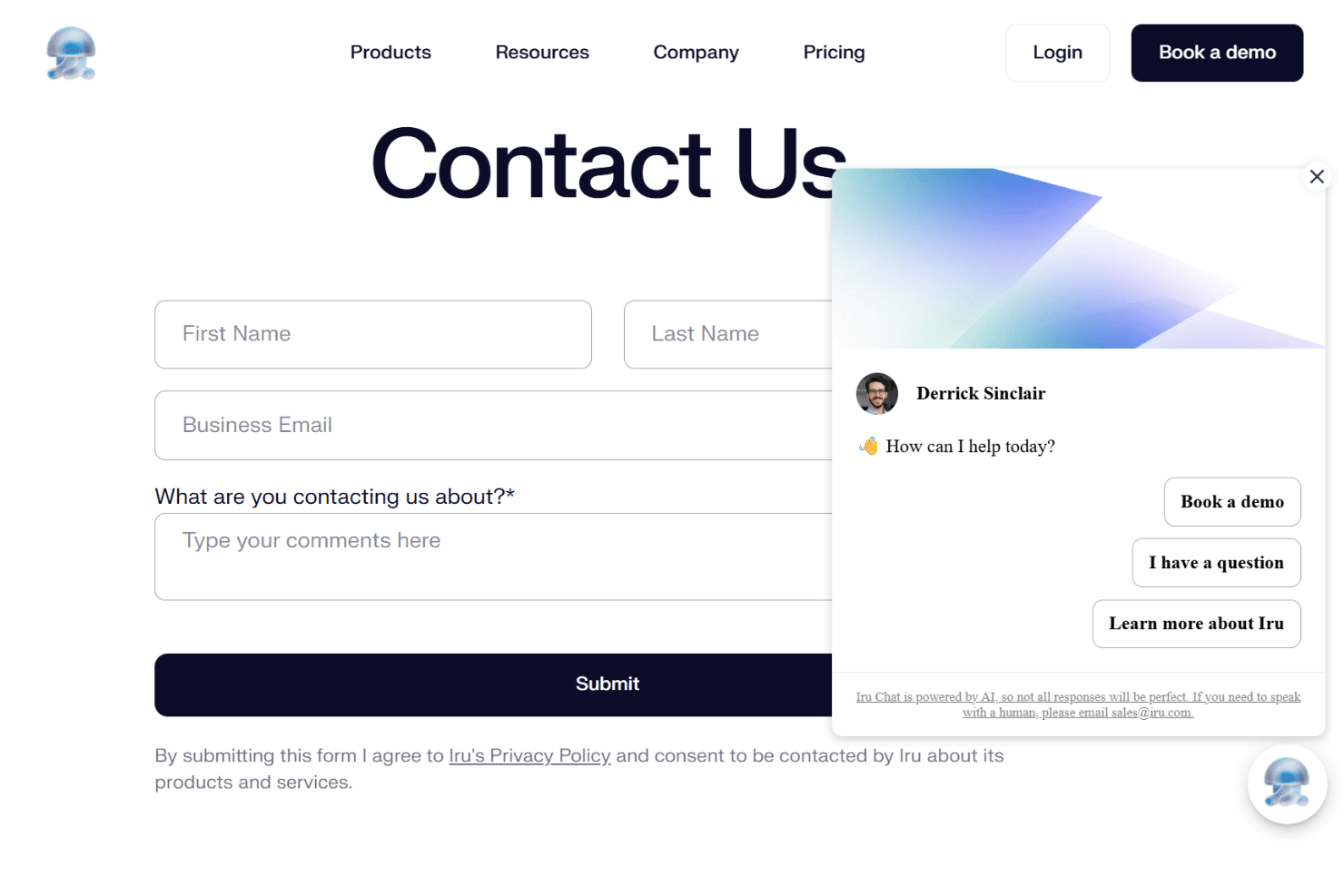
Iru’s customer support is responsive and knowledgeable, with users highlighting quick turnaround times and helpful troubleshooting. Live chat and email channels are available, and support staff are familiar with both technical and compliance-related questions. I think the dedicated onboarding assistance and clear documentation make it easier for IT teams to resolve issues quickly. For organizations with complex deployments, the proactive support approach stands out as a real advantage.
Integrations
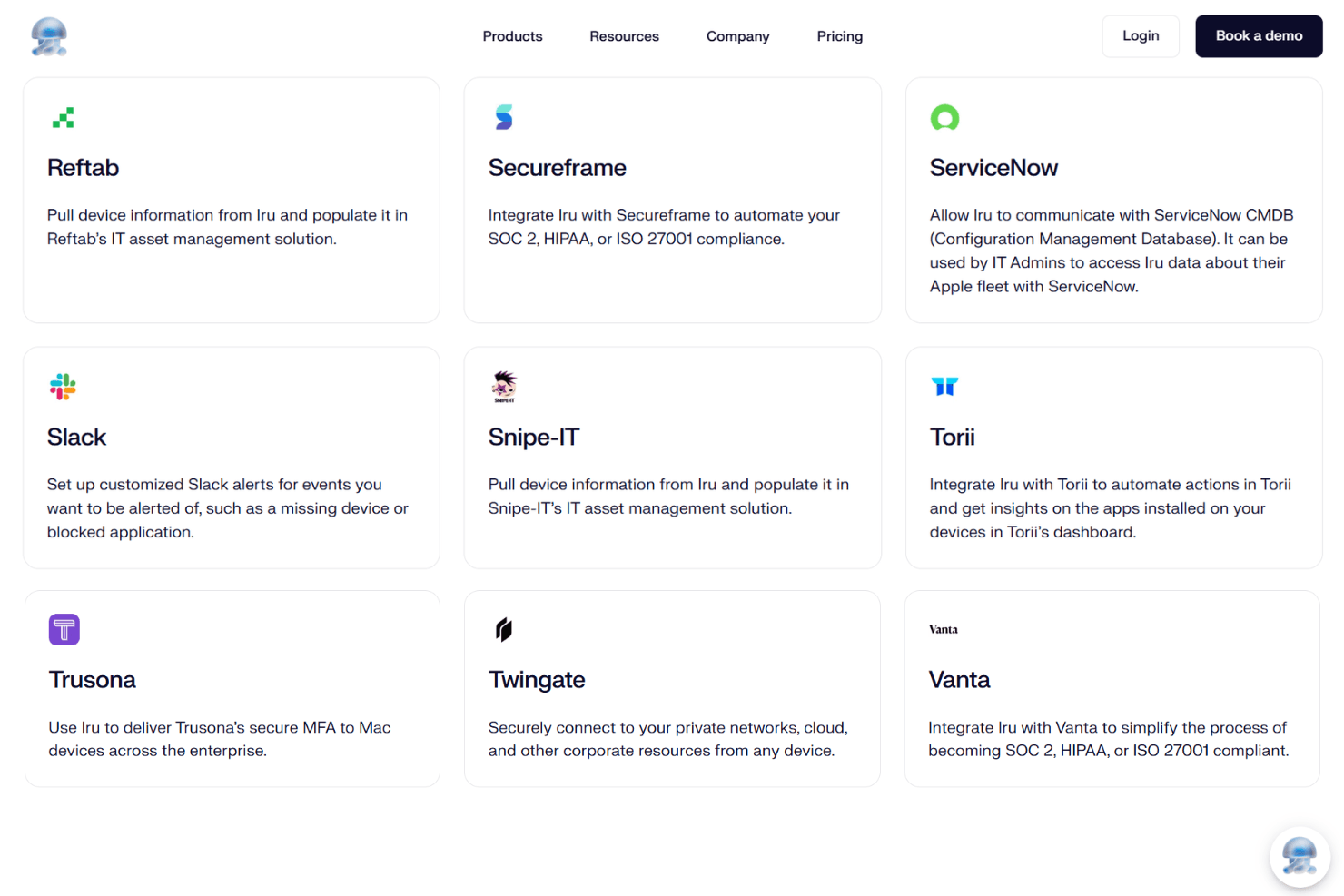
Iru integrates with Microsoft Azure Active Directory, Okta, Google Workspace, Slack, ServiceNow, Jira, AWS, Salesforce, Zendesk, and OneLogin, among others.
Iru also offers an API for custom integrations and automation, but does not connect with third-party integration tools out of the box.
Value for Money
Iru delivers strong value through bundled identity, endpoint, and compliance features in one platform, reducing tool sprawl. Pricing is custom and scales by users and devices, which suits growing teams but limits transparency. Free onboarding, migration, and included support improve ROI, though minimum tiers can raise costs for smaller teams.
Custom Pricing: Tailored pricing based on users, devices, and selected solutions; includes free onboarding and migration support.
Iru Specs
- 2-Factor Authentication: Yes
- Access Management: Yes
- Anti-Virus: Yes
- API: Yes
- Audit Trail: Yes
- Bug Tracking: No
- Calendar Management: No
- Customer Management: No
- Dashboard: Yes
- Data Export: Yes
- Data Import: Yes
- Data Visualization: Yes
- Email Integration: No
- External Integrations: Yes
- File Sharing: No
- File Transfer: No
- Firewall: Yes
- Google Apps Integration: No
- Inventory Tracking: No
- Malware Protection: Yes
- Multi-User: Yes
- Network Device Performance Monitoring: Yes
- Network Traffic Monitoring: Yes
- Network Visualization: No
- Notifications: Yes
- Project Management: No
- Remote Access: Yes
- Risk Assessment: Yes
- SAP Integration: No
- Scheduling: Yes
- Software Integration: Yes
- Third-Party Plugins/Add-Ons: Yes
- Ticket Management: No
Iru FAQs
Iru Company Overview & History
Iru is an AI-powered platform focused on unifying identity, endpoint, and compliance management for modern organizations. The company is trusted by teams at over 5,000 companies, including notable clients like Hunters, Varo Bank, and Rackspace Technology. It is known for its integrated approach and strong user satisfaction, with a 4.75/5 rating from over 700 G2 reviews.
Iru Major Milestones
- 2025: Demandbase switches to Iru to supercharge productivity (customer story featured)
- 2025: Miercom competitive assessment highlights Iru’s macOS EDR solution for stopping zero-day exploits
- 2025: Surpassed 5,000 companies using the platform
- 2025: Achieved a 4.75/5 rating from over 700 G2 reviews