

Glary Utilities Review: Pros, Cons, Features and Pricing
Glary Utilities excels in providing comprehensive disk cleanup features, making it a reliable choice for users seeking effective system optimization.

We review tools independently, and commissions help fund our testing. See our transparency policy, our methodology, or suggest a tool.
Glary Utilities is a disk cleanup software for Windows that combines junk file removal, registry repair, duplicate file detection, startup management, and disk analysis in a single interface. I'd consider it if you need a free, all-in-one tool for routine PC maintenance, especially if you've outgrown CCleaner's free version, which has moved more of its core tools behind a paid tier. Glary Utilities keeps most of that functionality available without a subscription.
Glary Utilities Evaluation Summary

0/5
- From $39.95/year
- Free trial available
Why Trust Our Software Recommendations
6,700+
Reviews
20
Industry experts
16+
Evaluation factors
14
Years
Our team has been testing and reviewing software since 2012. As tech leaders ourselves, we know how difficult—and important—it is to choose the right software.
For this guide, we evaluated tools using hands-on testing and independent research, scoring tools using our selection criteria.
Our reviews reflect our human editorial judgment, not a sales pitch.
Expert reviewers:
- Paulo Gardini MiguelTech Director
 Tim FisherVP of AI
 Gabriel RosasTech Lead & Software Architect
 Christhian GruhnTech Lead & Platform Architect

Glary Utilities Overview
In my opinion, Glary Utilities performs well as a lightweight yet capable PC maintenance suite, particularly for small to medium-sized businesses that need reliable disk cleanup and routine optimization across multiple Windows machines. Its dashboard is intuitive, and the one-click maintenance workflow delivers immediate performance gains by automating tasks such as junk removal, registry repair, shortcut fixing, and startup optimization.
While its customer support could be more responsive, the overall value for money is commendable. Compared to competitors like CCleaner, Glary Utilities offers a more straightforward user experience. It's best for teams that want simple yet effective tools without the need for extensive training or support. If you're deciding on a tool for your IT department, Glary Utilities is worth considering for its balance of features and ease of use.
Pros
- Runs 20+ maintenance tools in one click for automated cleanup and spyware removal
- Centralizes disk cleanup, defrag, and startup management
- Provides deeper registry cleaning and a stronger uninstall manager
Cons
- Your team might find occasional software updates disruptive.
- Support response times may be slow.
- Registry cleaning carries known instability risks despite automatic backups.
- Older UI and deep system access can trigger false positive antivirus alerts.
Is Glary Utilities Right For Your Needs?
Who Would be a Good Fit for Glary Utilities?
Glary Utilities is a capable all-in-one optimization suite well suited for users who value simplicity and tool consolidation. The “one-click maintenance” feature, which runs more than 20 utilities automatically, is its main strength. However, despite its highly detailed registry scanner, there is an ongoing industry debate about the safety and value of third-party registry cleaning, a topic frequently raised in technical forums.
- Small BusinessesFor small businesses, Glary Utilities provides a unified, simplified utility package that non-IT staff can use to maintain system health and improve boot times with minimal effort or training.
- IT DepartmentsYour IT department can use Glary Utilities to efficiently manage many non-critical workstations that require periodic cleanup and optimization without requiring specialized RMM tools.
- FreelancersFreelancers benefit from its simple interface, saving time on PC maintenance tasks. It also offers excellent value for money for individuals managing 1-3 personal or office machines without complex licensing.
- Remote WorkersRemote workers find it handy for maintaining their PCs without needing IT support.
- Educational InstitutionsSchools and colleges can use it to keep educational computers running efficiently.
- NonprofitsNonprofits will appreciate its value for money, offering essential features at a reasonable cost.
- Healthcare FacilitiesHealthcare facilities typically require specialized tools to manage sensitive data and complex systems.
Who Would be a Bad Fit for Glary Utilities?
Glary Utilities isn’t ideal for large enterprises or tech-heavy environments that depend on advanced integrations and specialized tooling. Complex systems often require deeper customization, richer automation, and more robust support than Glary provides. Large IT teams that rely on frequent updates and enterprise-grade features may find the platform limiting.
- Large EnterprisesNo central deployment, remote control, or API, making it unusable for large-scale management or SIEM integration.
- Tech CompaniesTech companies might find its features too basic for their complex IT environments.
- Data CentersData centers usually require more specialized tools for managing extensive networks and servers.
- Software DevelopersGlary Utilities provides limited granular control over system processes and lacks the deep customization and diagnostics needed by highly technical users.
- Financial InstitutionsFinancial institutions often have complex systems that demand more robust software solutions. Glary Utilities is not suitable for systems due to the lack of enterprise-grade auditi
Our Review Methodology
How We Test & Score Tools
We’ve spent years building, refining, and improving our software testing and scoring system. The rubric is designed to capture the nuances of software selection and what makes a tool effective, focusing on critical aspects of the decision-making process.
Below, you can see exactly how our testing and scoring works across seven criteria. It allows us to provide an unbiased evaluation of the software based on core functionality, standout features, ease of use, onboarding, customer support, integrations, customer reviews, and value for money.
Core Functionality (25% of final scoring)
The starting point of our evaluation is always the core functionality of the tool. Does it have the basic features and functions that a user would expect to see? Are any of those core features locked to higher-tiered pricing plans? At its core, we expect a tool to stand up against the baseline capabilities of its competitors.
Standout Features (25% of final scoring)
Next, we evaluate uncommon standout features that go above and beyond the core functionality typically found in tools of its kind. A high score reflects specialized or unique features that make the product faster, more efficient, or offer additional value to the user.
We also evaluate how easy it is to integrate with other tools typically found in the tech stack to expand the functionality and utility of the software. Tools offering plentiful native integrations, 3rd party connections, and API access to build custom integrations score best.
Ease of Use (10% of final scoring)
We consider how quick and easy it is to execute the tasks defined in the core functionality using the tool. High scoring software is well designed, intuitive to use, offers mobile apps, provides templates, and makes relatively complex tasks seem simple.
Onboarding (10% of final scoring)
We know how important rapid team adoption is for a new platform, so we evaluate how easy it is to learn and use a tool with minimal training. We evaluate how quickly a team member can get set up and start using the tool with no experience. High scoring solutions indicate little or no support is required.
Customer Support (10% of final scoring)
We review how quick and easy it is to get unstuck and find help by phone, live chat, or knowledge base. Tools and companies that provide real-time support score best, while chatbots score worst.
Customer Reviews (10% of final scoring)
Beyond our own testing and evaluation, we consider the net promoter score from current and past customers. We review their likelihood, given the option, to choose the tool again for the core functionality. A high scoring software reflects a high net promoter score from current or past customers.
Value for Money (10% of final scoring)
Lastly, in consideration of all the other criteria, we review the average price of entry level plans against the core features and consider the value of the other evaluation criteria. Software that delivers more, for less, will score higher.
Core Features
Disk Cleanup: Performs comprehensive junk file removal by scanning beyond standard Windows temp files to clear browser caches (Chrome, Edge, Firefox), residual installation files, broken shortcuts, and outdated system logs. It helps your team maintain optimal system health effortlessly.
Registry Repair: Runs a deep registry scan across 12 distinct registry zones to identify invalid paths, obsolete entries, and broken file references. It then provides granular remediation reports that help reduce system instability and improve performance.
Startup Manager: This lets you manage startup programs to speed up boot times. You can easily disable unnecessary programs that slow your system.
File Shredder: Securely deletes files to prevent unauthorized recovery. This feature ensures your sensitive data stays private.
System Optimizer: Applies targeted system tuning by disabling unnecessary background processes, cleaning temp directories, and adjusting performance-related OS configurations to deliver measurable gains in responsiveness.
Uninstall Manager: Provides a more thorough uninstall process than native Windows tools by detecting leftover directories, registry traces, and orphaned shortcuts, ensuring complete removal of unwanted software.

Standout Features
One-Click Maintenance: Automates the execution of 20+ optimization utilities (registry repair, disk cleanup, shortcut fixer, spyware remover, etc.) in a single workflow. It enables low-effort, high-impact system maintenance for non-technical and power users alike.
Cross-Browser Privacy Protection: Simultaneously clears sensitive browser traces: history, cookies, cached files, download logs across all major browsers to safeguard user privacy while reclaiming disk space.
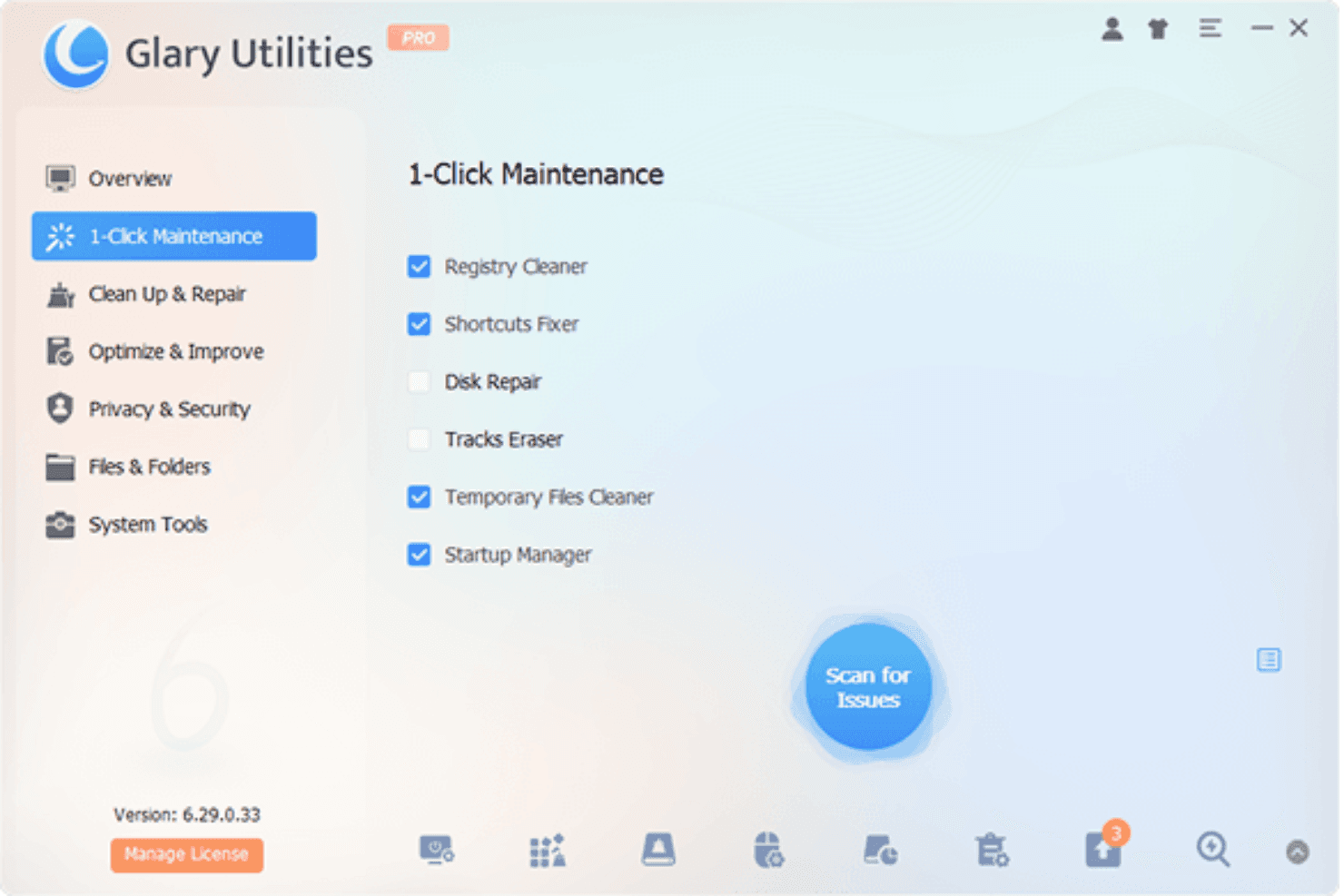
Ease of Use
Glary Utilities is user-friendly, making it a breeze for your team to navigate without any tech expertise. It achieves exceptional ease of use by consolidating 20+ maintenance tools into one intuitive dashboard. This design helps non-technical users and small office environments avoid the complexity of native Windows utilities like msconfig or Registry Editor, enabling effective cleanup with minimal training.

Onboarding
Glary Utilities offers a straightforward onboarding experience, allowing your team to start quickly without extensive training. The software provides clear instructions and intuitive setup, so you can get up and running fast. While support resources are somewhat limited, the ease of installation and use compensates for it. New users find the initial setup hassle-free, ensuring your team can focus on improving system performance rather than struggling with complex onboarding procedures.
Customer Support
Glary Utilities' customer support is somewhat limited, with users noting slower response times. While basic support is available, it might not meet your team's needs if you require immediate assistance. The available resources, like FAQs and online guides, help but don't fully compensate for the lack of responsive live support. If your team values quick and comprehensive support, you might find Glary Utilities' customer service lacking compared to more responsive options.
Integrations
Glary Utilities integrates with Windows operating systems, including Windows 11, 10, 8.1, 8, 7, and Vista.
There is no information indicating that Glary Utilities has an API or connects with third-party integration tools.

Value for Money
Glary Utilities offers a competitive pricing model, making it a solid choice for users looking for essential PC optimization without breaking the bank. User reviews often highlight its cost-effectiveness, especially considering the comprehensive suite of tools available in the Pro version. The availability of a free trial allows your team to explore its features before committing to a purchase.
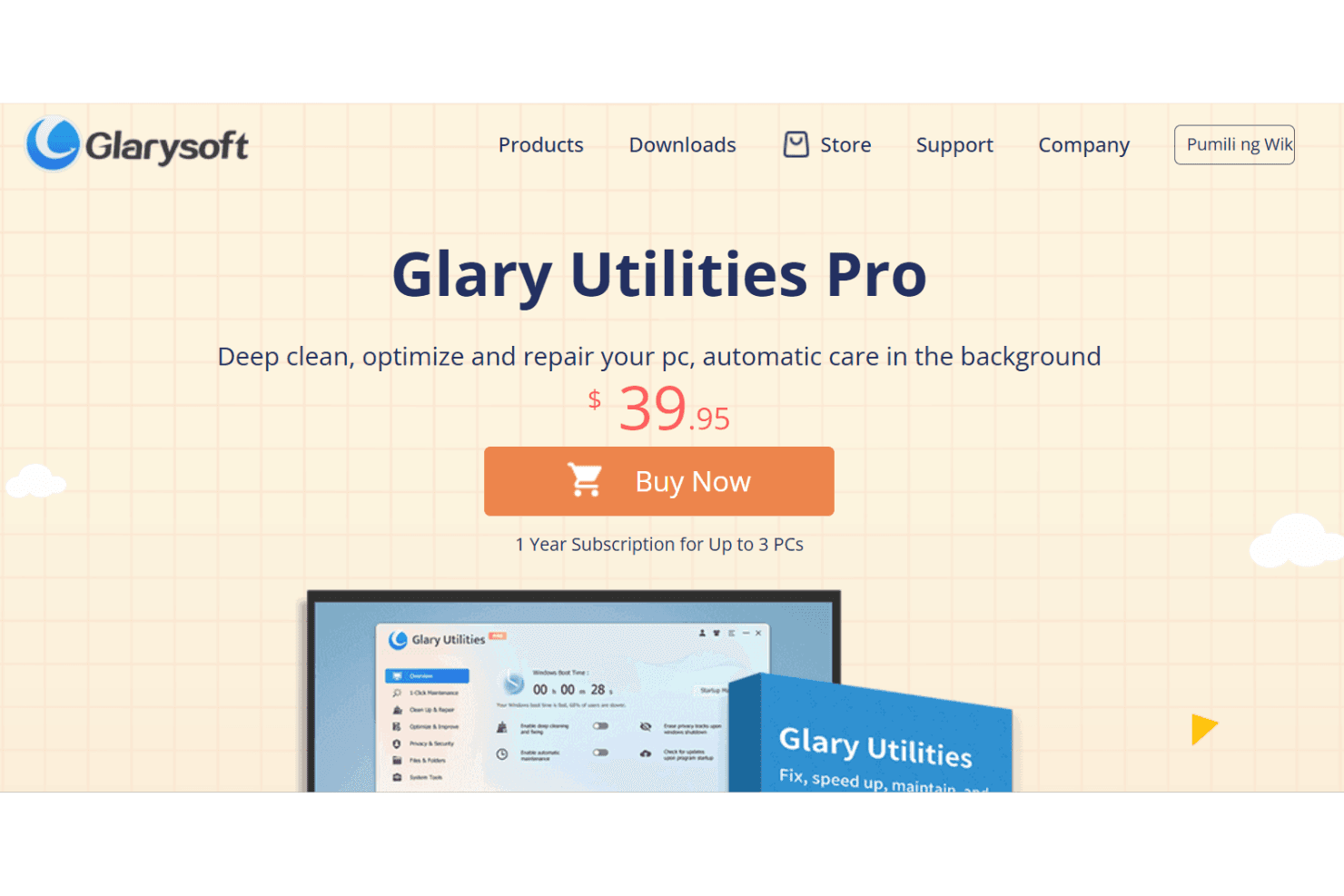
- Pro Plan: $39.95/year for up to 3 PCs; includes deep cleaning and optimization.
- Technician Plan: $169/year; designed for service providers needing advanced optimization tools.
Glary Utilities Specs
- 2-Factor Authentication: No
- Access Management: No
- Anti-Virus: No
- API: No
- Audit Trail: No
- Bug Tracking: No
- Calendar Management: No
- Customer Management: No
- Dashboard: No
- Data Export: No
- Data Import: No
- Data Visualization: No
- Email Integration: No
- External Integrations: No
- File Sharing: No
- File Transfer: No
- Firewall: No
- Google Apps Integration: No
- Inventory Tracking: No
- Malware Protection: Yes
- Multi-User: No
- Network Device Performance Monitoring: No
- Network Traffic Monitoring: No
- Network Visualization: No
- Notifications: Yes
- Project Management: No
- Remote Access: No
- Risk Assessment: No
- SAP Integration: No
- Scheduling: Yes
- Software Integration: No
- Third-Party Plugins/Add-Ons: No
- Ticket Management: No
Glary Utilities FAQs
Glary Utilities Company Overview & History
Glarysoft, headquartered in China, specializes in developing utility software for Windows systems, with Glary Utilities as its flagship product. The company is known for creating user-friendly and powerful tools, enhancing both personal and professional computing experiences. Glarysoft also offers other products like Malware Hunter and File Recovery. The company is recognized globally, with hundreds of millions of users trusting their solutions for smooth and secure PC operations.
Glary Utilities Major Milestones
2003: Glarysoft was founded.
2006: Release of Glary Utilities, their flagship product.
2010: Launched Gary Utilities Pro to expand customer base
2012: Launched additional products like Malware Hunter and File Recovery.
2020: Reached hundreds of millions of users worldwide.