Databricks vs. Snowflake: Comparison and Expert Reviews for 2026
As data environments grow, teams often end up managing more pipelines, tools, and governance requirements than expected. The right DataOps tool should make those workflows easier to manage without creating another layer of complexity.
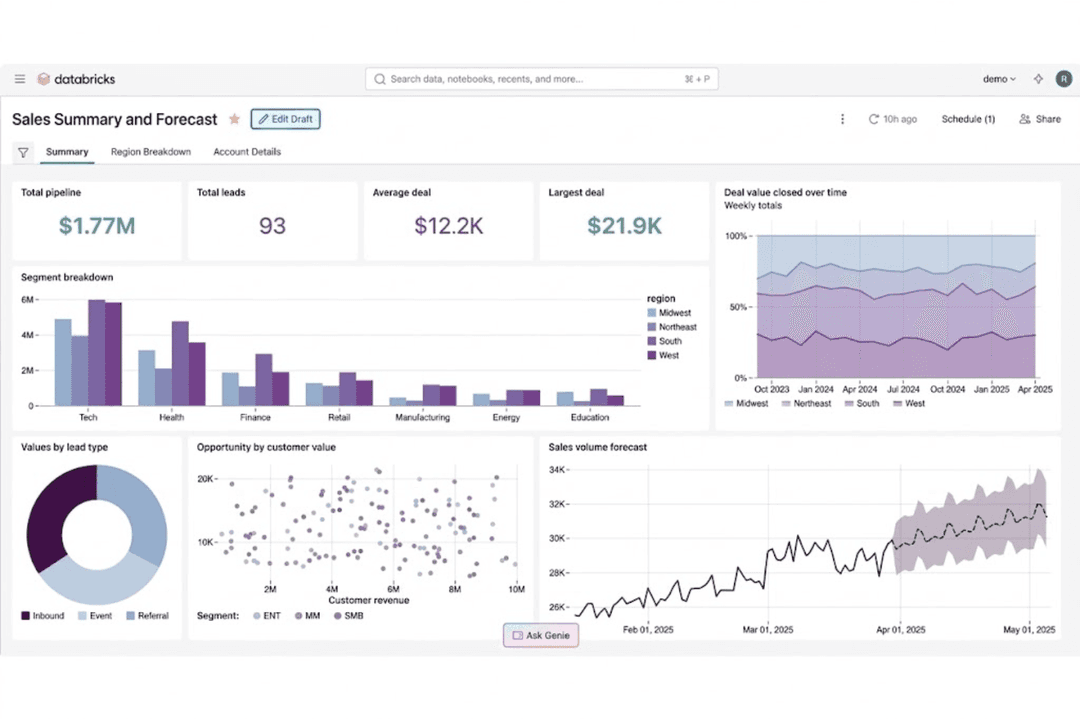
Databricks and Snowflake both support modern data operations, but they take different approaches. Databricks leans into data engineering, streaming, analytics, and AI on a lakehouse foundation, while Snowflake follows a managed, warehouse-first approach with expanding data engineering and AI capabilities.
In this article, I compare Databricks and Snowflake across features, pros and cons, pricing, security, ease of use, and best-fit scenarios to help you decide which platform better suits your data strategy and technical needs.
Databricks vs. Snowflake: An Overview
Databricks
Read Databricks ReviewOpens new windowSnowflake
Read Snowflake ReviewOpens new windowWhy Trust Our Software Reviews
We’ve been testing and reviewing software since 2023. As tech leaders ourselves, we know how critical and difficult it is to make the right decision when selecting software.
We invest in deep research to help our audience make better software purchasing decisions. We’ve tested more than 2,000 tools for different tech use cases and written over 1,000 comprehensive software reviews. Learn how we stay transparent & our software review methodology.
Databricks vs. Snowflake Pricing Comparison
| Databricks | Snowflake | |
|---|---|---|
| Free Trial | Free edition available + 14-day free trial | 30-day free trial |
| Pricing | From $0.069/Capacity Unit Hour | From $2.00/credit |
Databricks vs. Snowflake Pricing & Hidden Costs
Databricks uses consumption-based pricing across workloads such as data engineering, data warehousing, AI, and interactive analytics. Costs can also include cloud infrastructure, storage, networking, and support depending on how your environment is configured. Snowflake also uses a consumption model, with compute billed through credits and storage charged separately. Its pricing also varies by edition, cloud provider, and region.
To compare the two fairly, look beyond the base usage rates and map out how your pipelines actually run. Consider ingestion frequency, transformation volume, compute duration, data retention, and cross-region or cross-cloud traffic. With Databricks, long-running or poorly optimized compute can raise costs, while Snowflake can add charges through serverless services, storage, and features tied to higher editions. Modeling these costs against your expected workload will give you a clearer view of long-term value and help avoid surprises as your data environment grows.
Databricks vs. Snowflake Feature Comparison
| Databricks | Snowflake | |
|---|---|---|
| API | ||
| Data Export | ||
| Data Import | ||
| External Integrations | ||
| Multi-User | ||
| Notifications |
Databricks vs. Snowflake Integrations
| Integration | Databricks | Snowflake |
|---|---|---|
| AWS S3 | ✅ | ✅ |
| Microsoft Azure | ✅ | ✅ |
| Google Cloud Platform | ✅ | ✅ |
| Tableau | ✅ | ✅ |
| Power BI | ✅ | ✅ |
| Salesforce | ✅ | ✅ |
| ServiceNow | ✅ | ✅ |
| dbt | ✅ | ✅ |
| Fivetran | ✅ | ✅ |
| Datadog | ✅ | ✅ |
| API | ✅ | ✅ |
| Zapier | ✅ | ✅ |
Both Databricks and Snowflake offer broad integration ecosystems across cloud platforms, BI tools, data sources, and APIs. Databricks connects these integrations closely with Lakeflow and its wider data engineering workflows, which helps teams manage ingestion, transformation, and downstream analytics in the same environment. Snowflake, by contrast, focuses on bringing external data and services into its managed cloud platform.
Databricks vs. Snowflake Security, Compliance & Reliability
| Factor | Databricks | Snowflake |
|---|---|---|
| Data Encryption | Encrypts data at rest and in transit with support for customer-managed keys, cloud-native key management, and security controls that extend across data, analytics, and AI workloads. | Encrypts data at rest and in transit by default, with customer-managed key options, private connectivity, and additional encryption controls available on qualifying editions. |
| Regulatory Compliance | Holds SOC 1 Type II, SOC 2 Type II, ISO 27001, ISO 27017, and ISO 27018 certifications, with HIPAA, PCI DSS, and FedRAMP Moderate support available depending on deployment tier, region, and configuration. | Supports a broad range of enterprise and regulated environments through SOC, ISO, HIPAA, PCI DSS, FedRAMP, and other compliance programs that vary by edition, cloud, and region. |
| Access Controls | Uses Unity Catalog to centralize permissions and governance across data, models, applications, and AI assets, with role-based access, SSO, identity provider integrations, and fine-grained policies across workloads. | Provides role-based access controls, SSO, identity integrations, secure views, masking policies, and granular governance controls for managing access across users, workloads, and shared data. |
| Reliability | Supports autoscaling, serverless and managed compute, workload isolation, and cloud-native availability across AWS, Azure, and Google Cloud, with recovery strategies that can be configured around workload requirements. | Uses fully managed infrastructure with elastic compute, multi-cluster scaling, automated maintenance, and failover capabilities that reduce the amount of infrastructure teams need to manage directly. |
| Data Auditing | Provides centralized audit logs and automated lineage through Unity Catalog across tables, files, notebooks, jobs, dashboards, models, and other governed assets, helping IT teams trace access, movement, and downstream dependencies. | Tracks query, login, account, access, and data activity through detailed usage histories and governance controls, giving administrators visibility into how data is accessed and used across the platform. |
Both platforms provide strong security, compliance, and governance for enterprise data environments, but they approach control differently. Databricks connects governance, lineage, identity, and auditing across data and AI assets through Unity Catalog, giving IT teams one policy model across complex workloads. Snowflake emphasizes managed security, granular access policies, and built-in governance controls.
Databricks vs. Snowflake Ease of Use
| Factor | Databricks | Snowflake |
|---|---|---|
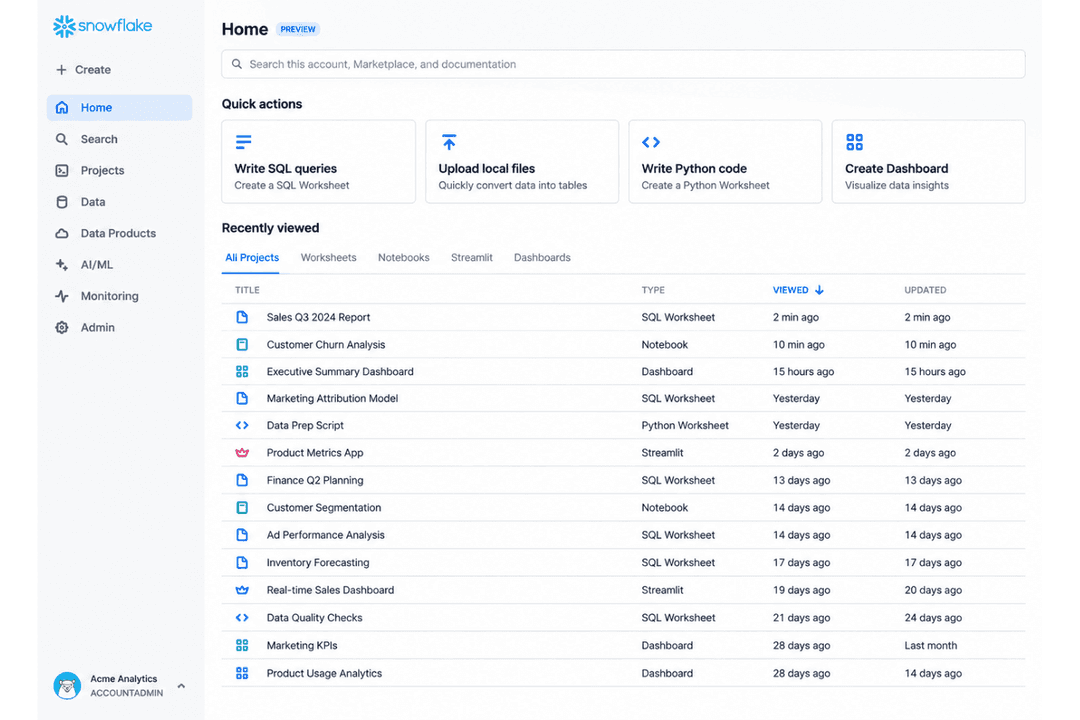
| User Interface | Uses a technical workspace centered on notebooks, SQL, pipelines, and collaborative development, giving engineering and data science teams considerable control. | Uses a SQL-focused interface with worksheets, dashboards, administrative tools, and guided workflows for common analytics tasks. |
| Onboarding | Basic workspaces can be launched quickly, but production setups involving Unity Catalog, identity management, pipelines, and governance require planning and technical expertise. | Common analytics workloads can be set up with limited infrastructure configuration, while governance, integrations, and enterprise requirements add additional setup. |
| Documentation | Provides extensive documentation, tutorials, training, and implementation guidance across its data engineering, analytics, governance, and AI capabilities. | Provides centralized documentation covering SQL, administration, data loading, security, integrations, and platform management. |
| Workflow Setup | Lakeflow supports configurable batch and streaming pipelines, orchestration, and monitoring, with advanced workflows often involving SQL, Python, Spark, or other engineering skills. | Provides managed tools for loading, transforming, scheduling, and automating data workflows, with SQL playing a central role in development and administration. |
| Support | Offers public documentation and community resources alongside tiered paid support with expanded response coverage, technical contacts, and critical-issue assistance. | Offers documentation, community resources, and paid support options for troubleshooting, administration, and enterprise deployments. |
From an ease-of-use perspective, Snowflake emphasizes a managed, SQL-centered workflow for common analytics tasks. Databricks offers a broader development environment across pipelines, streaming, governance, and machine learning, while serverless compute and managed Lakeflow capabilities reduce much of the underlying infrastructure work. Teams centered on SQL analytics may feel comfortable with Snowflake’s workflow, while established engineering teams can make use of Databricks’ flexibility and control across more complex workloads.
Databricks vs Snowflake: Pros & Cons
Databricks
- Unifies data engineering, analytics, governance, and AI workloads, reducing the need to maintain separate platforms and duplicate data
- Built on open technologies like Delta Lake and Apache Spark, giving teams more flexibility and portability than proprietary data formats
- Unity Catalog applies governance and access policies consistently across data and workloads, which is useful for complex or multi-cloud environments
- Usage-based pricing can become difficult to predict as workloads grow, especially without careful compute and query optimization
- Requires strong technical expertise in areas like SQL, Python, Spark, and data engineering to get full value from the platform
- Can be excessive for teams with simple reporting or low-volume analytics needs, where the platform’s complexity may outweigh the benefits
Snowflake
- Delivers true separation of storage and compute resources.
- Scales instantly to handle unpredictable or spiky workloads.
- Multi-cloud support across AWS, Azure, and Google Cloud.
- Pricing is hard to predict for high-volume workloads.
- Full database administration controls require premium support.
- Performance tuning options are limited compared to Redshift.
Best Use Cases for Databricks and Snowflake
Databricks
- Large Enterprises Organizations with multiple data teams and high-volume workloads can use Databricks to centralize data engineering, analytics, governance, and AI while reducing duplicated data and tooling.
- Financial Services Banks, insurers, and other financial organizations can use Databricks for governed analytics, fraud detection, risk modeling, and machine learning across sensitive datasets.
- Healthcare and Life Sciences Healthcare and life sciences teams can manage large, sensitive datasets while applying centralized governance to analytics, research, and AI workloads.
- Retail and Consumer Goods Retailers can combine customer, transaction, inventory, and operational data for forecasting, personalization, supply chain analytics, and machine learning.
- Manufacturing Manufacturers can bring together operational, IoT, and enterprise data for predictive maintenance, production analytics, forecasting, and AI-driven optimization.
- Technology and Software Technology companies with data-intensive products or services can use Databricks for large-scale pipelines, real-time analytics, ML development, and AI applications.
Snowflake
- Retail Analytics Retailers with massive, fast-changing transaction volumes can quickly analyze sales and inventory because Snowflake handles elastic scaling and integrates well with BI tools.
- Multi-Cloud Enterprises Businesses operating across AWS, Azure, and Google Cloud can centralize data easily—Snowflake’s cross-cloud support is best in its class.
- Marketing Teams Marketing groups gain from Snowflake’s easy SQL analytics and integration with platforms like Salesforce, Looker, and Tableau for campaign performance analysis.
- Healthcare Organizations Healthcare companies benefit from Snowflake’s advanced compliance features (like HIPAA support in higher tiers) and strong security for sensitive data.
- SaaS Startups SaaS vendors wanting to provision analytics for customers get fast onboarding and don’t have to build or maintain database infrastructure.
- Finance Departments Finance teams processing high-frequency transactions or complex reporting can leverage Snowflake’s performance for queries and workload isolation features.
Who Should Use Databricks, and Who Should Use Snowflake?
If you’re looking for a DataOps platform for complex data engineering, streaming, analytics, governance, machine learning, and AI, Databricks is likely the better fit. It suits teams that need flexible development, collaborative notebooks, managed compute, centralized governance through Unity Catalog, and a lakehouse foundation for running varied workloads at scale.
By contrast, Snowflake fits organizations focused on managed infrastructure, SQL-based analytics, and scalable data processing across multiple clouds. It works well for teams consolidating data from multiple sources and supporting analytics across departments without managing as much underlying infrastructure.
Differences Between Databricks and Snowflake
| Databricks | Snowflake | |
|---|---|---|
| AI & Data Intelligence | The Data Intelligence Engine uses organizational metadata and context to support discovery, optimization, analytics, governance, and AI workflows. | Cortex AI supports AI-assisted analytics, models, natural-language queries, and agents using governed Snowflake data. |
| Collaboration | Collaborative notebooks support real-time work across SQL, Python, Scala, and R, while OpenSharing enables governed sharing of data and AI assets across organizations and platforms. | Supports secure data sharing, shared access, and zero-copy cloning for analytics, testing, and collaboration. |
| Core Architecture | Uses a lakehouse architecture that brings data engineering, warehousing, BI, ML, and AI onto the same foundation using open technologies like Delta Lake and Apache Spark. | Uses a fully managed, warehouse-first architecture that separates storage and compute for analytics, engineering, and AI workloads. |
| Data Engineering | Lakeflow supports ingestion, batch and streaming pipelines, transformations, orchestration, and monitoring in one data engineering environment. | Supports managed ingestion, transformation, scheduling, and SQL-based pipelines within its cloud data platform. |
| Governance | Unity Catalog centralizes access controls, auditing, discovery, and lineage across data, models, applications, and AI assets. | Provides role-based access, masking policies, auditing, and governance controls across data and analytics workloads. |
| Read Databricks ReviewOpens new window | Read Snowflake ReviewOpens new window |
Similarities Between Databricks and Snowflake
| Consumption-Based Pricing | Both charge according to platform usage rather than relying only on fixed software licenses or seat-based pricing. |
|---|---|
| Data Type Support | Both work with structured and semi-structured data, including common formats used across modern analytics environments. |
| Integrations & APIs | Both connect with major BI, ingestion, transformation, and cloud tools and provide APIs for custom integrations. |
| Multi-Cloud Support | Both operate across AWS, Microsoft Azure, and Google Cloud and support scalable cloud-based workloads. |
| SQL Analytics | Both support SQL-based querying and analytics for business intelligence, reporting, and data exploration. |
| Read Databricks ReviewOpens new window Read Snowflake ReviewOpens new window | |