

Databricks vs. Dataiku: Comparison and Expert Reviews for 2026
Choosing between Databricks and Dataiku comes down to how deeply your team works across data engineering, analytics, and AI. I compare their strengths, tradeoffs, and best-fit use cases to help you choose the right DataOps platform.

We review tools independently, and commissions help fund our testing. See our transparency policy, our methodology, or suggest a tool.
Data and analytics projects rarely struggle because teams lack tools. The harder part is keeping ingestion, transformation, governance, analytics, and AI workflows connected as data volumes and teams grow.
Databricks and Dataiku both address that challenge as DataOps tools, but they approach it differently. Databricks centers on a lakehouse architecture for data engineering, analytics, governance, and AI. We’ve also reviewed Dataiku as a machine learning cloud platform, while Dataiku now positions itself as the Platform for AI Success, with an emphasis on people, orchestration, and governance across enterprise AI workflows.
In this comparison, I’ll look at their features, pricing, security, integrations, ease of use, and best-fit use cases to help you decide which platform fits your data environment.
Databricks
4.5/5
- Free edition available + 14-day free trial
- From $0.15/DBU
Dataiku
4.6/5
- 14-day free trial
- Pricing upon request
Why Trust Our Software Recommendations
6,700+
Reviews
20
Industry experts
16+
Evaluation factors
14
Years
Our team has been testing and reviewing software since 2012. As tech leaders ourselves, we know how difficult—and important—it is to choose the right software.
For this guide, we evaluated tools using hands-on testing and independent research, scoring tools using our selection criteria.
Our reviews reflect our human editorial judgment, not a sales pitch.
Expert reviewers:
- Paulo Gardini MiguelTech Director
 Tim FisherVP of AI
 Gabriel RosasTech Lead & Software Architect
 Christhian GruhnTech Lead & Platform Architect

| Databricks | Dataiku | |
|---|---|---|
| Free Trial | Free edition available + 14-day free trial | 14-day free trial |
| Pricing | From $0.15/DBU | Pricing upon request |
Databricks vs. Dataiku Pricing & Hidden Costs
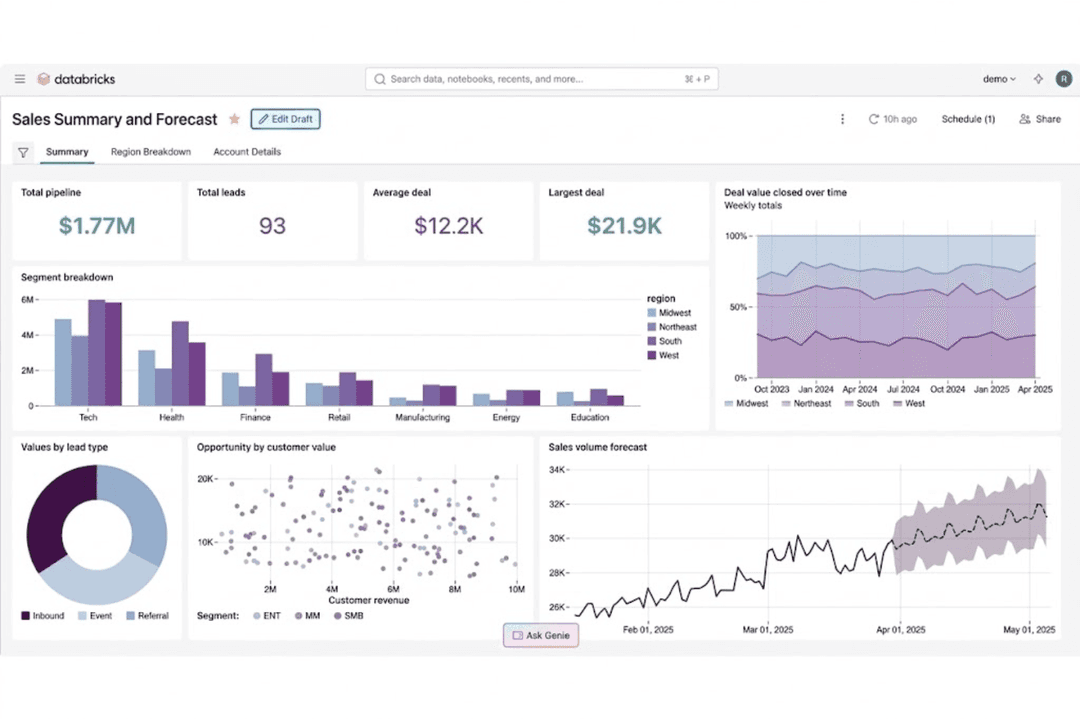
Databricks uses consumption-based pricing across data engineering, warehousing, analytics, and AI, so costs vary with compute, storage, networking, and workload efficiency. Dataiku uses quote-based pricing, with total costs depending on deployment, infrastructure, support, implementation, and required capabilities.
Beyond the base price, Databricks costs can grow through long-running compute, data transfer, storage, support, and premium services. With Dataiku, total cost can vary with licensing, deployment infrastructure, implementation, support, and the capabilities included in the enterprise agreement. I’d model a realistic production workload and ask Dataiku for an itemized quote before comparing total cost.
| Databricks | Dataiku | |
|---|---|---|
| API | Yes | Yes |
| Comparative Reporting | No | No |
| Custom Reports | Yes | Yes |
| Dashboard | Yes | Yes |
| Data Export | Yes | Yes |
| Data Import | Yes | Yes |
| Data Visualization | Yes | Yes |
| External Integrations | Yes | Yes |
| Forecasting | Yes | Yes |
| Historical Data Analysis | Yes | Yes |
| Multi-User | Yes | Yes |
| Notifications | Yes | Yes |
| Scenario Planning | No | No |
| Integration | Databricks | Dataiku |
|---|---|---|
| IntegrationMicrosoft Azure | Databricks✅ | Dataiku✅ |
| IntegrationAmazon Web Services (AWS) | Databricks✅ | Dataiku✅ |
| IntegrationGoogle Cloud Platform (GCP) | Databricks✅ | Dataiku✅ |
| IntegrationPostgreSQL | Databricks✅ | Dataiku✅ |
| IntegrationServiceNow | Databricks✅ | Dataiku✅ |
| IntegrationSAP | Databricks✅ | Dataiku✅ |
| IntegrationSalesforce | Databricks✅ | Dataiku✅ |
| IntegrationMongoDB | Databricks✅ | Dataiku✅ |
| IntegrationOracle Database | Databricks✅ | Dataiku✅ |
| IntegrationPower BI | Databricks✅ | Dataiku✅ |
| IntegrationAPI | Databricks✅ | Dataiku✅ |
| IntegrationZapier | Databricks✅ | Dataiku❌ |
Both Databricks and Dataiku support broad integration ecosystems across cloud platforms, databases, BI tools, APIs, and enterprise data sources. Databricks ties these connections closely to its lakehouse, Lakeflow, and managed data engineering workflows, while Dataiku focuses on connecting existing systems into visual, collaborative analytics and AI workflows.
| Factor | Databricks | Dataiku |
|---|---|---|
| FactorData Encryption | DatabricksEncrypts data at rest and in transit, with customer-managed keys and additional encryption controls available for enterprise and regulated workloads. | DataikuSupports encryption controls across deployments, with data protection responsibilities varying between Dataiku Cloud and customer-managed environments. |
| FactorRegulatory Compliance | DatabricksSupports SOC 1 Type II, SOC 2 Type II, ISO 27001, ISO 27017, ISO 27018, HIPAA, PCI DSS, HITRUST, and FedRAMP Moderate and High depending on cloud, region, and configuration. | DataikuHolds SOC 1 Type II, SOC 2 Type II, ISO 27001, and ISO 27701 certifications, with HIPAA controls available for Dataiku Cloud. |
| FactorAccess Controls | DatabricksUnity Catalog centralizes fine-grained permissions across data and AI assets, with identity federation, SSO, row and column controls, and workspace-level restrictions. | DataikuUses group- and project-level permissions alongside SSO, LDAP, and identity-provider integrations to control access to projects, data, and platform functions. |
| FactorService Reliability | DatabricksSupports autoscaling, serverless and managed compute, workload isolation, and cloud-native availability across AWS, Azure, and Google Cloud. | DataikuSupports scalable production deployments through Automation and API nodes, including multi-node configurations, load balancing, and high-availability architectures. |
| FactorAudit Logging | DatabricksProvides centralized audit logging for account and workspace activity, complementing Unity Catalog governance and lineage across data and AI workloads. | DataikuMaintains an audit trail covering user actions, timestamps, IP addresses, authentication methods, and other platform events. |
Both platforms provide enterprise security controls, but their emphasis differs. Databricks combines security, compliance, access control, and governance across data and AI workloads through its broader cloud platform and Unity Catalog, while Dataiku provides detailed project-level permissions, authentication controls, and auditability across collaborative analytics and AI workflows. Databricks also supports a broader set of regulated workload frameworks, although availability depends on the cloud, region, and configuration.
| Factor | Databricks | Dataiku |
|---|---|---|
| FactorUser Interface | DatabricksCombines collaborative notebooks, SQL tools, dashboards, visual pipeline workflows, and AI-assisted development in a unified workspace for data and AI teams. | DataikuUses its visual Flow interface alongside notebooks and code editors, giving technical and non-technical users multiple ways to build workflows. |
| FactorLearning Curve | DatabricksOffers managed and serverless services that reduce infrastructure work, though advanced engineering and AI workloads still benefit from SQL, Python, Spark, and cloud expertise. | DataikuVisual recipes and no-code tools reduce the need for programming across common analytics and ML workflows. |
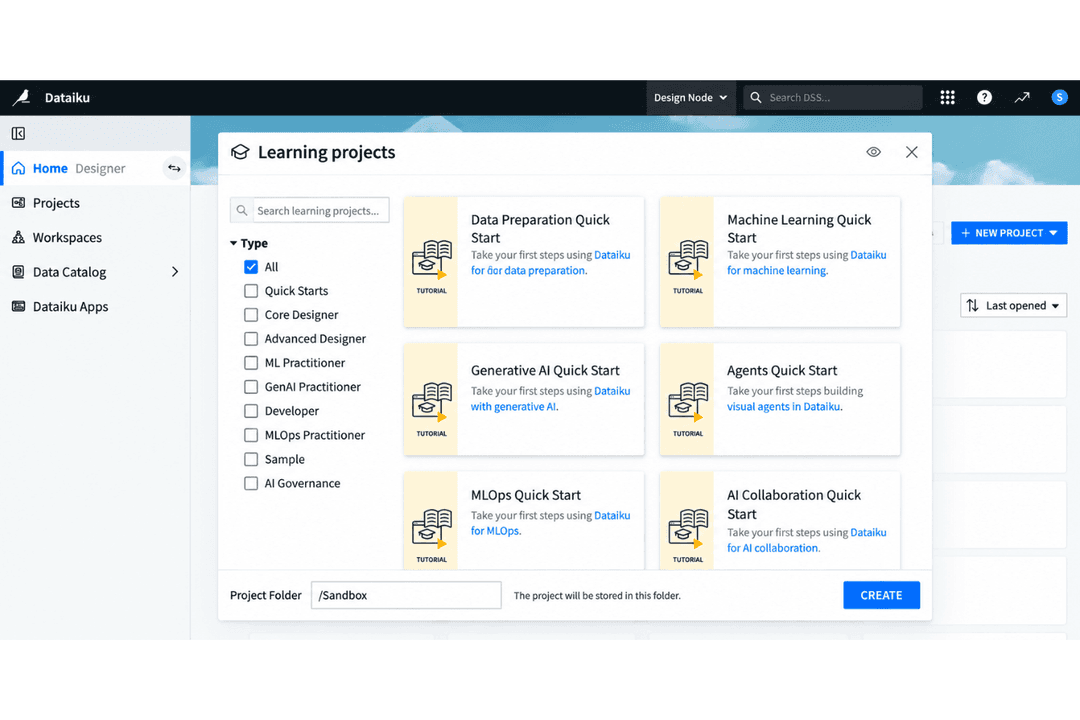
| FactorOnboarding | DatabricksProvides guided workspace setup, sample notebooks, tutorials, training, and managed services for moving from development to governed production. | DataikuProvides tutorials, sample projects, and guided tools for learning data preparation, analytics, and ML workflows. |
| FactorCollaboration | DatabricksSupports real-time notebook collaboration, shared pipelines, dashboards, governed data access, and AI workflows across technical teams. | DataikuSupports shared projects that combine visual and code-based work for analysts, data scientists, and business users. |
| FactorSupport Resources | DatabricksOffers extensive documentation, training, community resources, and tiered enterprise support across engineering, analytics, governance, and AI. | DataikuProvides documentation, Dataiku Academy, community resources, and enterprise support. |
From an ease-of-use perspective, Databricks combines managed infrastructure, collaborative notebooks, visual pipelines, and AI-assisted development in a unified environment for data and AI teams. By contrast, Dataiku takes a more visual approach through Flow, no-code recipes, and shared projects that make analytics and ML workflows accessible to a broader mix of users. For teams running complex engineering, analytics, and AI workloads, Databricks offers greater depth and managed services, while organizations with more mixed-skill teams may prefer Dataiku’s visual workflow model.
Databricks
- Unifies data engineering, analytics, governance, and AI workloads, reducing the need to maintain separate platforms and duplicate data
- Built on open technologies like Delta Lake and Apache Spark, giving teams more flexibility and portability than proprietary data formats
- Unity Catalog applies governance and access policies consistently across data and workloads, which is useful for complex or multi-cloud environments
- Usage-based pricing can become difficult to predict as workloads grow, especially without careful compute and query optimization
- Requires strong technical expertise in areas like SQL, Python, Spark, and data engineering to get full value from the platform
- Can be excessive for teams with simple reporting or low-volume analytics needs, where the platform’s complexity may outweigh the benefits
Dataiku
- Visual workflow enables collaboration between technical and non-technical users
- Supports both code and no-code data science projects within one platform
- Offers governed project management with strong version control options
- Real-time deployment capabilities lag behind competitors like Databricks
- Pricing can be high for large-scale production use
- Interface performance slows with extremely complex pipelines
Databricks
- Large EnterprisesOrganizations with multiple data teams and high-volume workloads can use Databricks to centralize data engineering, analytics, governance, and AI while reducing duplicated data and tooling.
- Financial ServicesBanks, insurers, and other financial organizations can use Databricks for governed analytics, fraud detection, risk modeling, and machine learning across sensitive datasets.
- Healthcare and Life SciencesHealthcare and life sciences teams can manage large, sensitive datasets while applying centralized governance to analytics, research, and AI workloads.
- Retail and Consumer GoodsRetailers can combine customer, transaction, inventory, and operational data for forecasting, personalization, supply chain analytics, and machine learning.
- ManufacturingManufacturers can bring together operational, IoT, and enterprise data for predictive maintenance, production analytics, forecasting, and AI-driven optimization.
- Technology and SoftwareTechnology companies with data-intensive products or services can use Databricks for large-scale pipelines, real-time analytics, ML development, and AI applications.
Dataiku
- Financial ServicesDataiku’s security controls, rich audit trails, and integrations with enterprise databases support strict compliance and large, multi-user data teams.
- Retail AnalyticsThe visual flow and data prep features simplify shopper behavior analysis, inventory optimization, and omni-channel reporting for retail BI departments.
- Healthcare ProvidersCollaboration tools and responsible AI features help clinicians and administrators securely build predictive models using sensitive health data.
- Large EnterprisesSupport for governance, workspace management, and automation at scale is designed for organizations with hundreds of users and complex data environments.
- Data Science TeamsPython, R, and SQL integration, combined with visual ML model building, suit data professionals needing flexible, repeatable workflows.
- Manufacturing OperationsNo-code tools and strong cloud integrations help process engineers and analysts optimize supply chain, sensor, and production data without heavy scripting.
Who Should Use Databricks, and Who Should Use Dataiku?
If you’re looking for a DataOps platform for large-scale data engineering, analytics, streaming, governance, and AI, Databricks is likely the better fit. It suits teams managing complex pipelines and large data environments that need managed compute, collaborative development, lakehouse architecture, centralized governance through Unity Catalog, and integrated engineering, analytics, and AI workflows.
By contrast, Dataiku suits organizations that want analytics and AI workflows to be accessible across mixed-skill teams. Its visual Flow, code/no-code tools, AutoML, and governance capabilities support collaborative data preparation, analytics, and model development without requiring every user to work primarily in code.
| Databricks | Dataiku | |
|---|---|---|
| AI & Data Intelligence | Databricks Its Data Intelligence Engine uses organizational metadata and context to improve discovery, optimization, governance, analytics, and AI, alongside MLflow for the ML lifecycle. | Dataiku Combines AutoML, model deployment and monitoring, GenAI tooling, and responsible AI controls with visual and code-based model development. |
| Data Engineering | Databricks Lakeflow supports managed ingestion, batch and streaming pipelines, transformation, orchestration, and monitoring, backed by elastic and serverless compute for large-scale workloads. | Dataiku Uses Visual Flow, recipes, and code-based steps to build data pipelines, with workloads able to run through connected databases, cloud services, and compute engines. |
| Deployment Approach | Databricks Runs as a cloud-native platform across AWS, Azure, and Google Cloud, with Databricks-managed and serverless compute available for different workloads. | Dataiku Can be deployed through Dataiku Cloud or customer-managed cloud, on-premises, and hybrid environments, fitting into existing data infrastructure. |
| Governance Model | Databricks Unity Catalog centralizes access policies, discovery, auditing, classification, and lineage across data, models, applications, and AI assets. | Dataiku Emphasizes governed project management with permissions, documentation, lineage, approvals, and controls across analytics and AI projects. |
| Platform Foundation | Databricks Uses a lakehouse architecture that unifies data engineering, warehousing, analytics, ML, and AI on open technologies such as Delta Lake and Apache Spark. | Dataiku Provides a collaborative data and AI platform that brings preparation, analytics, ML, GenAI, and governance into shared projects and visual workflows. |
| Analytics & Visualization | Both support SQL-based analysis, dashboards, data exploration, and broader analytics workflows alongside their engineering and AI capabilities. |
|---|---|
| Collaboration | Both provide shared environments where data engineers, analysts, and data scientists can work together on data and AI projects, although their collaboration models differ. |
| Data Integration | Both connect to major cloud platforms, databases, enterprise applications, and APIs so teams can work with data across existing systems. |
| Enterprise Security | Both provide role-based permissions, SSO and identity integrations, encryption, auditability, and enterprise governance controls for regulated data environments. |
| Workflow Automation | Both support scheduling, orchestration, monitoring, and repeatable production workflows for moving data and analytics processes from development into operation. |