

Databricks vs. Cloudera: Comparison and Reviews for 2026
Choosing between Databricks and Cloudera comes down to how your team manages data across cloud and hybrid environments. I compare their strengths, tradeoffs, and best-fit use cases.

We review tools independently, and commissions help fund our testing. See our transparency policy, our methodology, or suggest a tool.
As data environments spread across cloud, on-premises systems, and multiple pipelines, keeping ingestion and transformation workflows consistent gets harder. The right DataOps tool should help teams manage that complexity without creating more operational overhead.
Databricks and Cloudera both support large-scale data engineering and analytics, but they solve the problem from different starting points. Databricks centers on a lakehouse model with managed pipelines, streaming, governance, and AI, while Cloudera emphasizes hybrid data operations across cloud, data center, and edge environments.
In this article, I compare Databricks and Cloudera across features, pricing, security, ease of use, and best-fit scenarios to help you decide which platform suits your data strategy and infrastructure.
Databricks
4.5/5
- Free edition available + 14-day free trial
- From $0.15/DBU
Cloudera
4.1/5
- 60-day free trial
- From $0.04/CCU/hour
Why Trust Our Software Recommendations
6,700+
Reviews
20
Industry experts
16+
Evaluation factors
14
Years
Our team has been testing and reviewing software since 2012. As tech leaders ourselves, we know how difficult—and important—it is to choose the right software.
For this guide, we evaluated tools using hands-on testing and independent research, scoring tools using our selection criteria.
Our reviews reflect our human editorial judgment, not a sales pitch.
Expert reviewers:
- Paulo Gardini MiguelTech Director
 Tim FisherVP of AI
 Gabriel RosasTech Lead & Software Architect
 Christhian GruhnTech Lead & Platform Architect

| Databricks | Cloudera | |
|---|---|---|
| Free Trial | Free edition available + 14-day free trial | 60-day free trial |
| Pricing | From $0.15/DBU | From $0.04/CCU/hour |
Databricks vs. Cloudera Pricing & Hidden Costs
Databricks uses consumption-based pricing across data engineering, warehousing, AI, and other workloads, with costs shaped by compute usage plus cloud infrastructure, storage, networking, and support. Cloudera takes a hybrid approach: its cloud services are billed by consumption through Cloudera Compute Units (CCUs), while on-premises deployments use annual subscriptions. In both cases, infrastructure and networking can add to the total cost beyond the core platform fees.
When comparing the two, it helps to look past the headline pricing and map out where your workloads will run and how often pipelines, streaming jobs, and transformations execute. With Databricks, inefficient or long-running compute and data transfer can increase spend. Cloudera, meanwhile, can add costs through infrastructure, networking, Private Link, observability, and services such as Data Flow or Lakehouse Optimizer. Factoring in deployment model, workload volume, support, and scaling needs will give you a more realistic view of long-term cost.
| Databricks | Cloudera | |
|---|---|---|
| A/B Testing | No | No |
| Analytics | Yes | Yes |
| API | Yes | Yes |
| Conversion Tracking | No | No |
| Custom Reports | Yes | Yes |
| Dashboards | Yes | Yes |
| Data Export | Yes | Yes |
| Data Import | Yes | Yes |
| Data Mining | Yes | Yes |
| Data Visualization | Yes | Yes |
| External Integrations | Yes | Yes |
| Forecasting | Yes | Yes |
| Keyword Tracking | No | No |
| Link Tracking | No | No |
| Multi-User | Yes | Yes |
| Notifications | Yes | Yes |
| Reports | Yes | Yes |
| Scenario Planning | No | No |
| SEO | No | No |
| Visualization | Yes | Yes |
| Integration | Databricks | Cloudera |
|---|---|---|
| IntegrationMicrosoft Azure | Databricks✅ | Cloudera✅ |
| IntegrationAmazon Web Services | Databricks✅ | Cloudera✅ |
| IntegrationGoogle Cloud Platform | Databricks✅ | Cloudera✅ |
| IntegrationTableau | Databricks✅ | Cloudera✅ |
| IntegrationInformatica | Databricks✅ | Cloudera✅ |
| IntegrationSalesforce | Databricks✅ | Cloudera✅ |
| IntegrationQlik | Databricks✅ | Cloudera✅ |
| IntegrationOracle Database | Databricks✅ | Cloudera✅ |
| IntegrationMongoDB | Databricks✅ | Cloudera✅ |
| IntegrationAPI | Databricks✅ | Cloudera✅ |
| IntegrationZapier | Databricks✅ | Cloudera❌ |
Both Databricks and Cloudera support broad ecosystems across cloud platforms, databases, BI tools, APIs, and data services. Databricks ties these connections into Lakeflow, Partner Connect, and its managed data engineering workflows, while Cloudera emphasizes connectivity across cloud, on-premises, and hybrid environments.
| Factor | Databricks | Cloudera |
|---|---|---|
| FactorEncryption | DatabricksEncrypts data at rest and in transit, with support for customer-managed keys, cloud-native key management, and granular protection across governed data and AI assets. | ClouderaSupports encryption at rest and in transit, key management, and security controls across cloud and on-premises environments. |
| FactorAccess Controls | DatabricksUnity Catalog centralizes fine-grained access policies across data, models, applications, and AI assets, with SSO, identity integrations, row and column controls, and workspace bindings. | ClouderaUses Apache Ranger, Knox, and identity integrations to manage authentication, authorization, SSO, and fine-grained access across hybrid environments. |
| FactorRegulatory Compliance | DatabricksHolds SOC 1 Type II, SOC 2 Type II, ISO 27001, ISO 27017, and ISO 27018 certifications, with compliance support for HIPAA, PCI DSS, HITRUST, and FedRAMP Moderate and High depending on cloud, region, and configuration. | ClouderaMaintains certifications and programs including SOC 2 Type II, ISO 27001, PCI DSS, and FedRAMP Moderate for qualifying Cloudera environments. |
| FactorReliability | DatabricksSupports autoscaling, serverless and managed compute, workload isolation, and cloud-native availability across AWS, Azure, and Google Cloud, with recovery strategies configured around workload requirements. | ClouderaSupports multi-zone deployments, redundant infrastructure, failover, and disaster recovery across cloud and hybrid deployments. |
| FactorData Governance | DatabricksUnity Catalog provides centralized auditing, discovery, classification, and automated lineage from source data through notebooks, jobs, models, services, and dashboards. | ClouderaSDX combines Apache Ranger and Atlas to apply policies, auditing, metadata management, classification, and lineage across cloud and on-premises data. |
Both platforms provide enterprise-grade security and governance, but the emphasis differs. Databricks brings access control, auditing, classification, and lineage together through Unity Catalog across data and AI workloads, while Cloudera extends centralized governance across hybrid and on-premises environments through SDX, Ranger, and Atlas.
| Factor | Databricks | Cloudera |
|---|---|---|
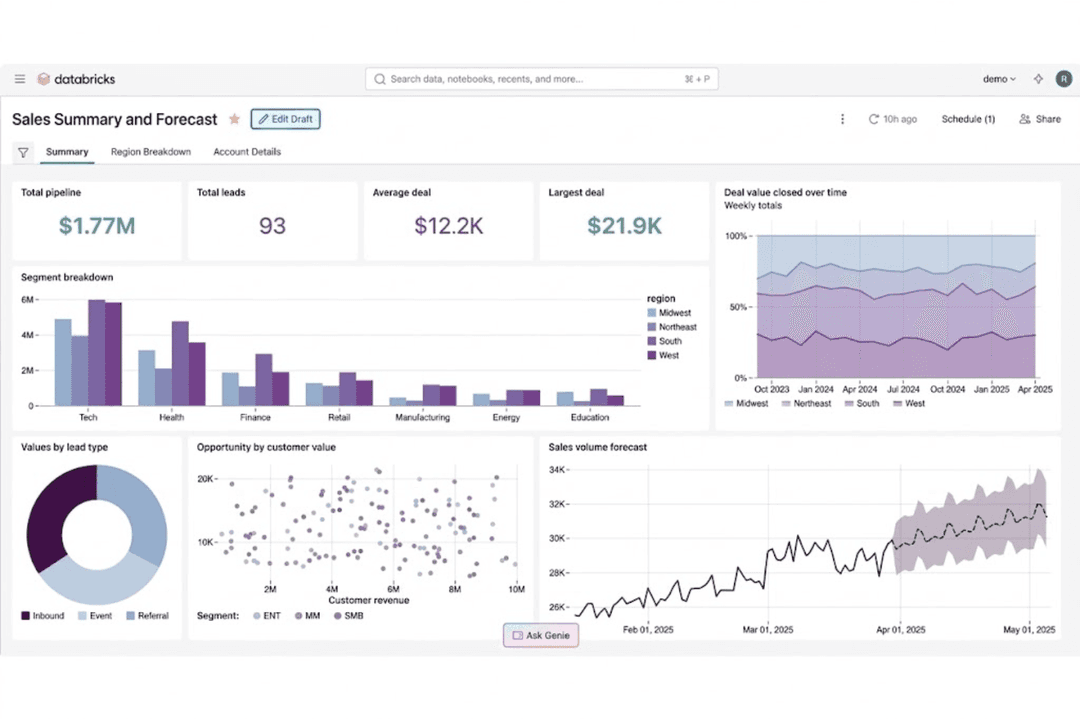
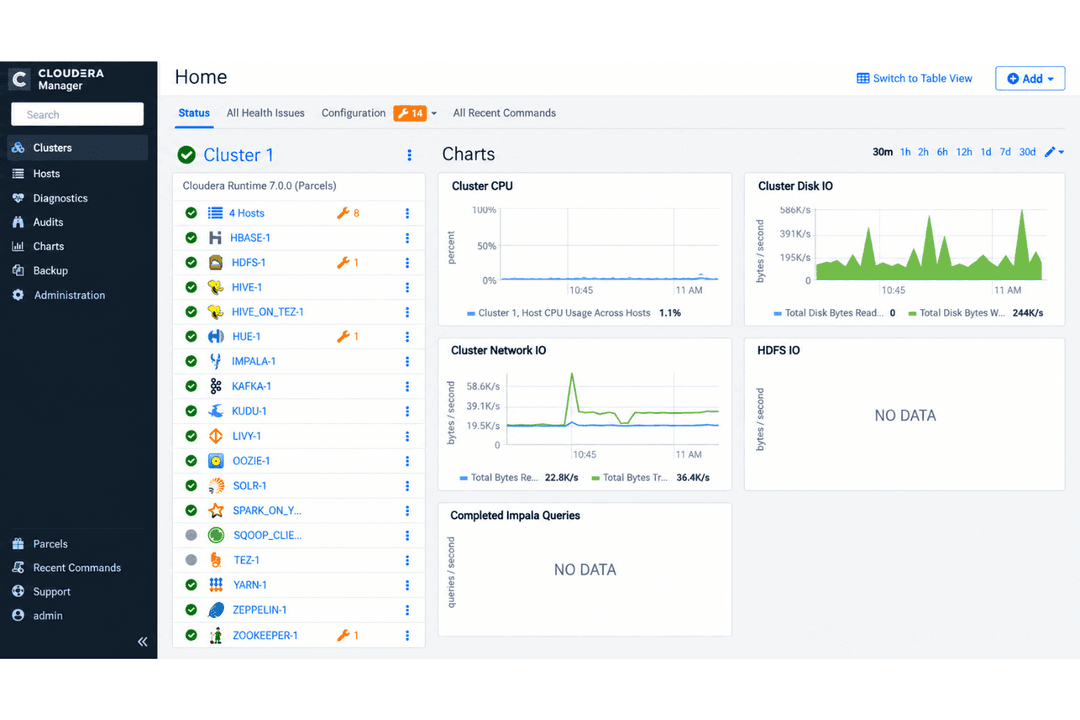
| FactorUser Interface | DatabricksCombines collaborative notebooks, SQL tools, dashboards, and visual workflows in one workspace for engineering, analytics, and AI teams. | ClouderaUses administrative consoles and service-specific interfaces for managing data and hybrid infrastructure. |
| FactorSetup Process | DatabricksCloud workspaces can be provisioned quickly, while serverless and managed compute reduce infrastructure configuration for common workloads. | ClouderaSetup depends on deployment model, with additional configuration for hybrid and on-premises environments. |
| FactorOnboarding | DatabricksProvides guided setup, sample notebooks, training, and managed services that help teams move from initial experimentation to governed production workflows. | ClouderaRequires familiarity with its broader ecosystem, particularly when teams work across technologies such as NiFi, Spark, Ranger, and hybrid infrastructure. |
| FactorDocumentation | DatabricksOffers extensive documentation, tutorials, implementation guidance, and training across data engineering, governance, analytics, and AI. | ClouderaProvides technical documentation across cloud, on-premises, security, and platform administration. |
| FactorSupport Access | DatabricksOffers public resources and tiered paid support with technical contacts, escalation paths, and critical-issue coverage for enterprise deployments. | ClouderaIncludes enterprise support and technical resources across cloud and on-premises offerings. |
From an ease-of-use perspective, Databricks combines a technical development environment with managed services that reduce infrastructure work across pipelines, analytics, and AI. Cloudera supports cloud, on-premises, and hybrid environments, which brings additional deployment considerations. For cloud-focused data teams, Databricks provides a cohesive workflow from development through production, while Cloudera suits organizations that need to operate across mixed infrastructure.
Databricks
- Unifies data engineering, analytics, governance, and AI workloads, reducing the need to maintain separate platforms and duplicate data
- Built on open technologies like Delta Lake and Apache Spark, giving teams more flexibility and portability than proprietary data formats
- Unity Catalog applies governance and access policies consistently across data and workloads, which is useful for complex or multi-cloud environments
- Usage-based pricing can become difficult to predict as workloads grow, especially without careful compute and query optimization
- Requires strong technical expertise in areas like SQL, Python, Spark, and data engineering to get full value from the platform
- Can be excessive for teams with simple reporting or low-volume analytics needs, where the platform’s complexity may outweigh the benefits
Cloudera
- Handles petabyte-scale datasets with strong data governance tools
- Flexible deployment across on-premises, private, and public clouds
- Open-source architecture with full control over data location
- Interface is complex for smaller or less technical teams
- Initial setup and onboarding can be time-consuming
- Performance tuning requires deep technical expertise
Databricks
- Large EnterprisesOrganizations with multiple data teams and high-volume workloads can use Databricks to centralize data engineering, analytics, governance, and AI while reducing duplicated data and tooling.
- Financial ServicesBanks, insurers, and other financial organizations can use Databricks for governed analytics, fraud detection, risk modeling, and machine learning across sensitive datasets.
- Healthcare and Life SciencesHealthcare and life sciences teams can manage large, sensitive datasets while applying centralized governance to analytics, research, and AI workloads.
- Retail and Consumer GoodsRetailers can combine customer, transaction, inventory, and operational data for forecasting, personalization, supply chain analytics, and machine learning.
- ManufacturingManufacturers can bring together operational, IoT, and enterprise data for predictive maintenance, production analytics, forecasting, and AI-driven optimization.
- Technology and SoftwareTechnology companies with data-intensive products or services can use Databricks for large-scale pipelines, real-time analytics, ML development, and AI applications.
Cloudera
- Financial ServicesCloudera’s advanced governance, lineage, and security features make it a reliable fit for meeting banking and financial regulatory demands.
- Healthcare & Life SciencesStrict data governance, in-depth audit trails, and hybrid cloud options match healthcare’s compliance and privacy requirements.
- TelecommunicationsManaging massive data pipelines is easier with Cloudera’s Apache Spark, Kafka, and NiFi integrations.
- Large EnterprisesCloudera’s hybrid deployment support and control over complex infrastructures suit organizations with diverse, global operations.
- Data Engineering TeamsNative integration with tools like Apache Airflow, Impala, and Hive gives data engineers extensive workflow and processing flexibility.
- Government AgenciesFull data residency control, advanced security controls, and detailed auditing cater to public sector compliance standards.
Who Should Use Databricks, and Who Should Use Cloudera?
If you’re looking for a DataOps platform that brings data engineering, analytics, governance, and AI into the same cloud-focused environment, Databricks is likely the better fit. It’s especially useful for teams that want managed pipelines, collaborative notebooks, streaming support, and centralized governance without handling as much infrastructure manually.
If, instead, you need to run data workflows across cloud, on-premises, and hybrid environments, Cloudera may suit your infrastructure better. It’s a strong choice for enterprises with strict compliance or data residency requirements, established open-source ecosystems, and teams managing distributed data platforms across multiple environments.
| Databricks | Cloudera | |
|---|---|---|
| Compute & Development | Databricks Workload-aware compute, autoscaling, and collaborative notebooks support engineering, SQL, and AI workloads without provisioning everything for peak demand. | Cloudera Provides configurable compute and data services designed to operate across cloud and on-premises infrastructure. |
| Data Intelligence | Databricks Its Data Intelligence Engine uses organizational metadata and context to improve discovery, governance, optimization, analytics, and AI workflows. | Cloudera Uses metadata, cataloging, and platform services to manage data and analytics across distributed environments. |
| Deployment Model | Databricks Runs as a cloud-native platform across AWS, Azure, and Google Cloud, with managed and serverless compute reducing infrastructure work across data and AI workloads. | Cloudera Extends across public cloud, private cloud, on-premises data centers, and edge environments. |
| Governance Model | Databricks Unity Catalog centralizes access policies, auditing, discovery, and lineage across data, models, applications, and AI assets. | Cloudera SDX combines technologies such as Apache Ranger and Atlas for policy enforcement, auditing, metadata, and lineage. |
| Lakehouse Foundation | Databricks Combines warehousing, engineering, BI, ML, and AI on a lakehouse built around open technologies such as Delta Lake and Apache Spark. | Cloudera Uses an open lakehouse approach based on technologies such as Apache Iceberg, HDFS, and the broader Apache ecosystem. |
| Analytics & Machine Learning | Both support SQL analytics, data science, machine learning, and AI workloads within their broader data platforms. |
|---|---|
| Apache Spark Support | Both use Apache Spark for distributed data processing and large-scale engineering workloads. |
| Batch & Streaming | Both process batch and real-time data for analytics, operational workflows, and downstream applications. |
| Data Integration & ETL | Both support ingestion, transformation, orchestration, and monitoring for large-scale data pipelines. |
| Integrations & APIs | Both connect with major cloud platforms, databases, BI tools, and enterprise systems and provide APIs for extending workflows. |