

Cloudera Review 2026: Pros, Cons, Features, and Pricing Breakdown
Cloudera isn’t just another data warehouse—here’s where it stands out, where it stumbles, and how it reshapes decision-making for enterprises in 2026.

We review tools independently, and commissions help fund our testing. See our transparency policy, our methodology, or suggest a tool.
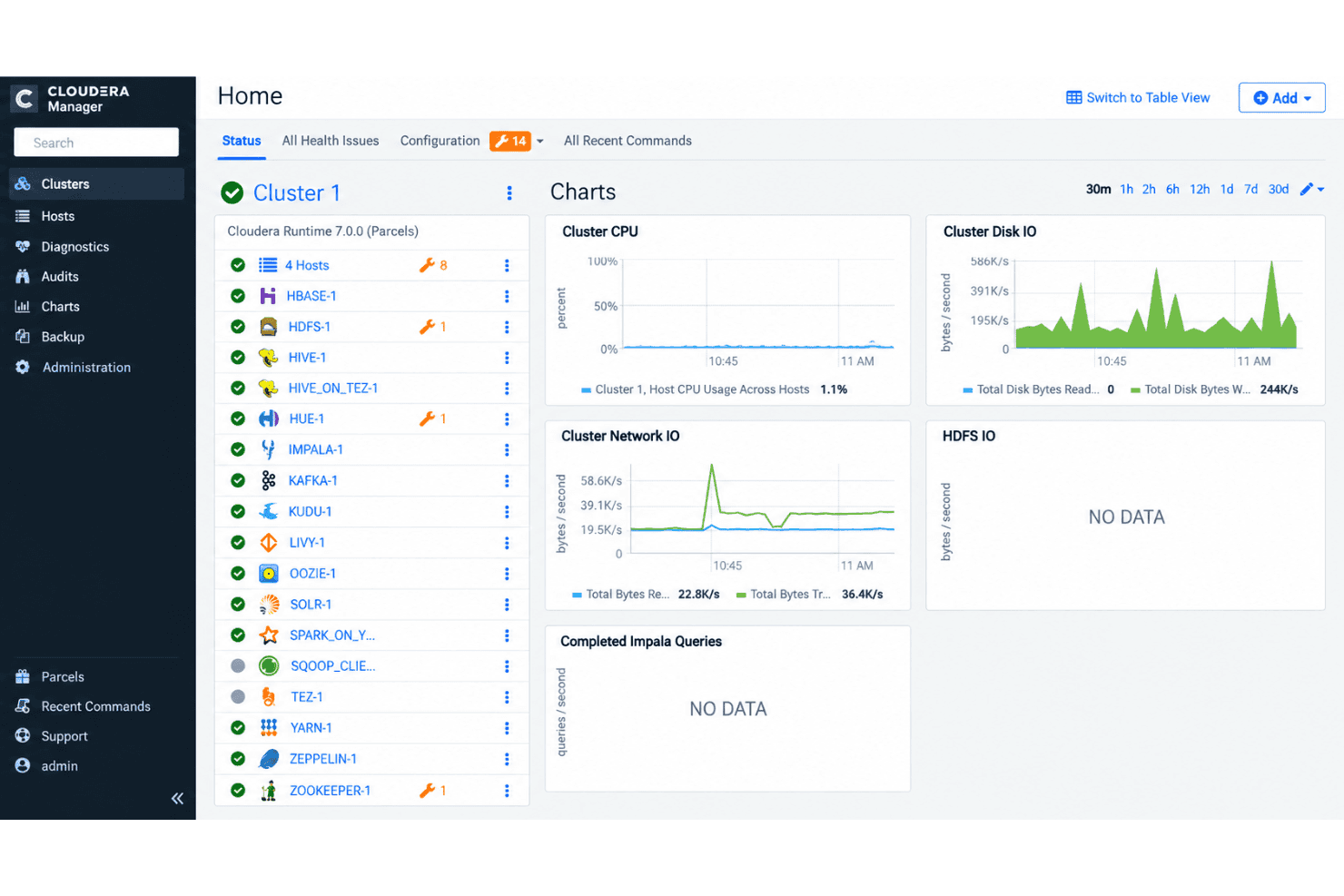
Cloudera is a hybrid data warehouse software built on an open-source data lakehouse architecture, giving IT teams a single platform to run analytics, machine learning, and data engineering workloads across on-premises, private cloud, and public cloud environments. I'd consider it if your organization manages petabyte-scale datasets under strict governance or residency requirements and you need portability across AWS, Azure, Google Cloud, and your own data centers without rewriting pipelines. Compared to Snowflake, which locks you into a cloud-only, proprietary compute model, Cloudera gives you more control over where data lives and how it's processed, which matters when you're balancing regulated workloads with modernization plans.
Cloudera Evaluation Summary
4.1/5
- From $0.04/CCU/hour
- 60-day free trial
Why Trust Our Software Recommendations
6,700+
Reviews
20
Industry experts
16+
Evaluation factors
14
Years
Our team has been testing and reviewing software since 2012. As tech leaders ourselves, we know how difficult—and important—it is to choose the right software.
For this guide, we evaluated tools using hands-on testing and independent research, scoring tools using our selection criteria.
Our reviews reflect our human editorial judgment, not a sales pitch.
Expert reviewers:
- Paulo Gardini MiguelTech Director
 Tim FisherVP of AI
 Gabriel RosasTech Lead & Software Architect
 Christhian GruhnTech Lead & Platform Architect

Cloudera Overview
I think Cloudera sets itself apart if you need open-source flexibility and hybrid deployment. I’d judge its data governance, support for petabyte-scale workloads, and multi-cloud compatibility as its strongest features. The interface and onboarding can feel heavy for smaller teams, but I’d pick it when I need granular control and strong security with customizable integrations. Compared to others, Cloudera sometimes underperforms on ease of use and quick setup, but it’s a solid choice for environments with strict compliance needs or data residency requirements. It’s best for regulated industries or organizations balancing legacy and modern cloud systems.
Pros
- Handles petabyte-scale datasets with strong data governance tools
- Flexible deployment across on-premises, private, and public clouds
- Open-source architecture with full control over data location
Cons
- Interface is complex for smaller or less technical teams
- Initial setup and onboarding can be time-consuming
- Performance tuning requires deep technical expertise


Our Review Methodology
How We Test & Score Tools
We’ve spent years building, refining, and improving our software testing and scoring system. The rubric is designed to capture the nuances of software selection and what makes a tool effective, focusing on critical aspects of the decision-making process.
Below, you can see exactly how our testing and scoring works across seven criteria. It allows us to provide an unbiased evaluation of the software based on core functionality, standout features, ease of use, onboarding, customer support, integrations, customer reviews, and value for money.
Core Functionality (25% of final scoring)
The starting point of our evaluation is always the core functionality of the tool. Does it have the basic features and functions that a user would expect to see? Are any of those core features locked to higher-tiered pricing plans? At its core, we expect a tool to stand up against the baseline capabilities of its competitors.
Standout Features (25% of final scoring)
Next, we evaluate uncommon standout features that go above and beyond the core functionality typically found in tools of its kind. A high score reflects specialized or unique features that make the product faster, more efficient, or offer additional value to the user.
We also evaluate how easy it is to integrate with other tools typically found in the tech stack to expand the functionality and utility of the software. Tools offering plentiful native integrations, 3rd party connections, and API access to build custom integrations score best.
Ease of Use (10% of final scoring)
We consider how quick and easy it is to execute the tasks defined in the core functionality using the tool. High scoring software is well designed, intuitive to use, offers mobile apps, provides templates, and makes relatively complex tasks seem simple.
Onboarding (10% of final scoring)
We know how important rapid team adoption is for a new platform, so we evaluate how easy it is to learn and use a tool with minimal training. We evaluate how quickly a team member can get set up and start using the tool with no experience. High scoring solutions indicate little or no support is required.
Customer Support (10% of final scoring)
We review how quick and easy it is to get unstuck and find help by phone, live chat, or knowledge base. Tools and companies that provide real-time support score best, while chatbots score worst.
Customer Reviews (10% of final scoring)
Beyond our own testing and evaluation, we consider the net promoter score from current and past customers. We review their likelihood, given the option, to choose the tool again for the core functionality. A high scoring software reflects a high net promoter score from current or past customers.
Value for Money (10% of final scoring)
Lastly, in consideration of all the other criteria, we review the average price of entry level plans against the core features and consider the value of the other evaluation criteria. Software that delivers more, for less, will score higher.
Core Features
Hybrid and Multi-Cloud Deployment
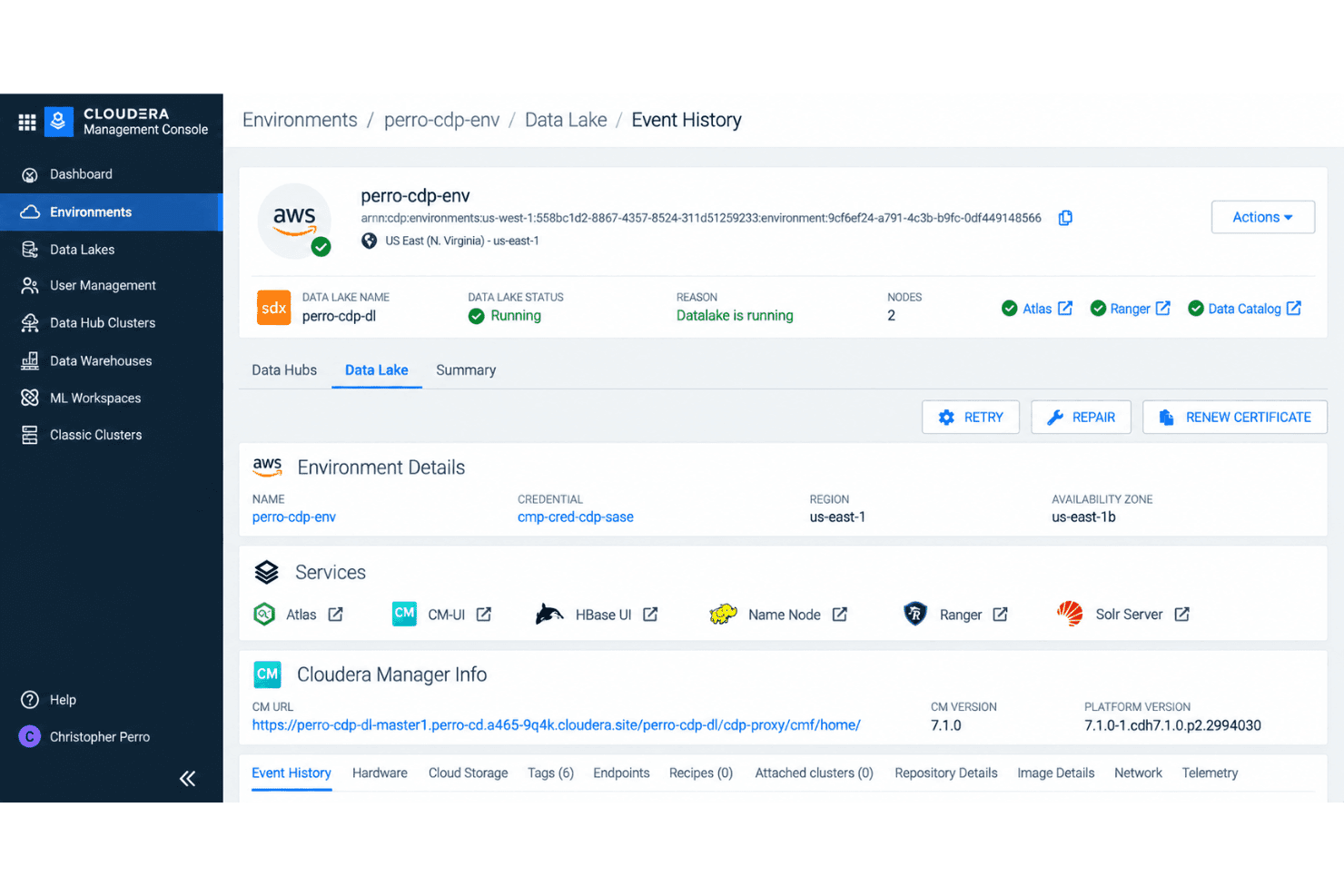
Run Cloudera across on-premises, private cloud, and public cloud environments to keep data where you need it. Move workloads between AWS, Azure, Google Cloud, and data centers without modifying pipelines.
Unified Data Governance
Manage access, security policies, and audit trails centrally with Apache Ranger and Atlas built in. You’ll get fine-grained governance for regulated industries and transparent tracking for compliance.
Data Lakehouse Architecture
Combine structured and unstructured data in one system using open-source Apache Iceberg and HDFS. Analyze batch and streaming data together without data movement, making it easier to unify analytics projects.
Enterprise-Scale Analytics and Machine Learning
Run analytics, SQL queries, and machine learning at petabyte scale with engines like Apache Spark and Hive. Process huge workloads in parallel and connect directly to BI tools for real-time insights.
Advanced Data Engineering Workflows
Use built-in Apache NiFi, Airflow, and Spark to automate pipelines and transformations across diverse data. Schedule and monitor ETL, prepping your data for analytics or AI, all in one place.
End-to-End Security Controls
Encrypt data at rest and in transit, manage keys, and isolate workloads. Built-in authentication and role-based access controls keep sensitive information protected across your environment.
Ease of Use
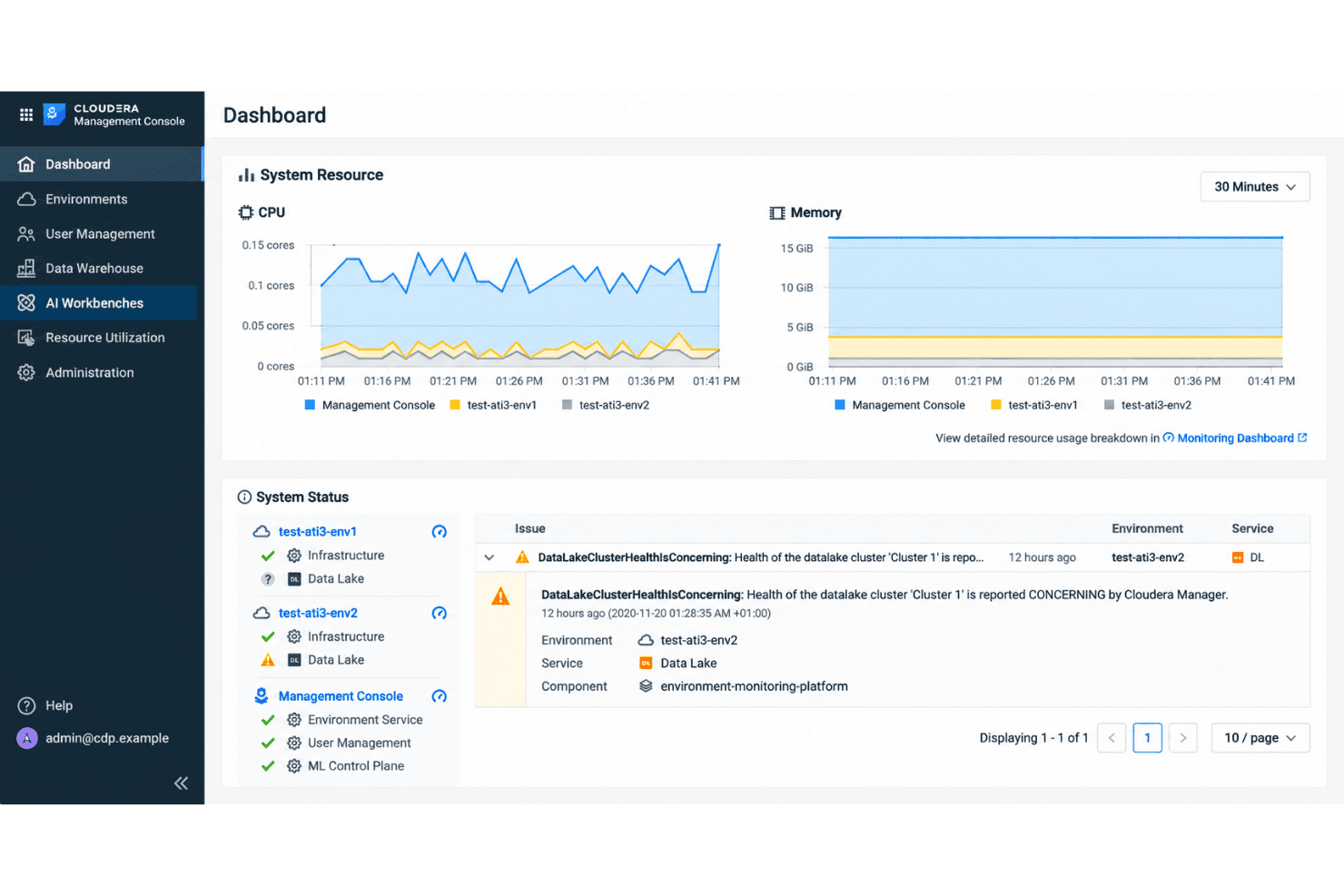
Cloudera’s user interface can feel dense and overwhelming, especially during the initial onboarding and setup process. Many users mention a steep learning curve and the need for technical expertise to get the most out of its governance and hybrid features. While it offers strong flexibility and control, you’ll likely spend extra time configuring workflows, managing security, and tuning performance compared to other options with simpler interfaces.
Integrations
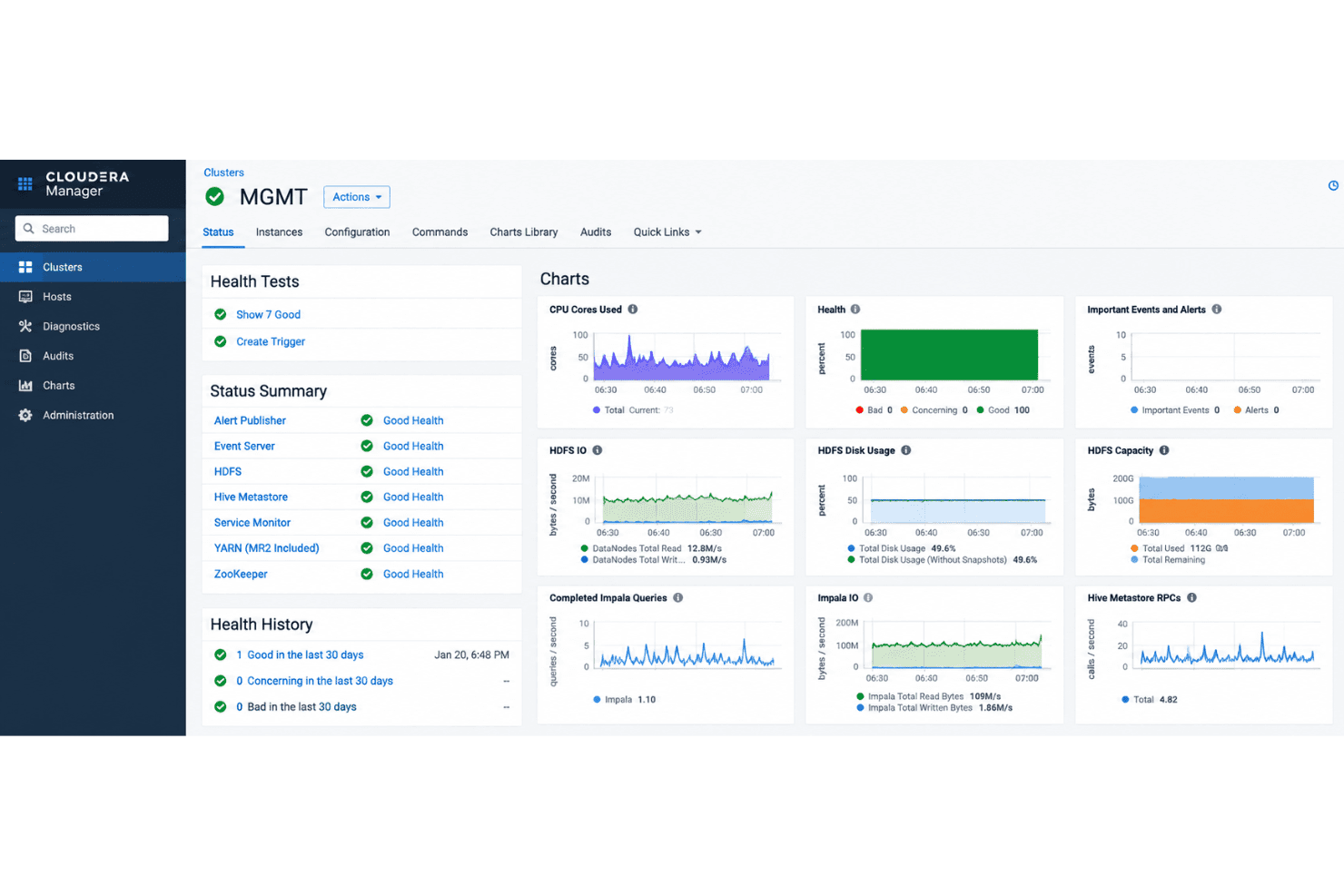
Cloudera works with open-source technologies including Apache Hive, Apache Spark, Apache NiFi, Apache Kafka, Apache HBase, Apache Impala, Apache Ranger, Apache Atlas, Apache Airflow, and Apache Iceberg, among others.
Cloudera also provides REST APIs and supports connections with third-party integration and workflow tools.
Cloudera Specs
- A/B Testing: No
- Access Management: Yes
- Analytics: Yes
- API: Yes
- Conversion Tracking: No
- Custom Reports: Yes
- Customer Management: No
- Dashboards: Yes
- Data Export: Yes
- Data Import: Yes
- Data Mining: Yes
- Data Visualization: Yes
- External Integrations: Yes
- Forecasting: Yes
- Inventory Tracking: No
- Keyword Tracking: No
- Link Tracking: No
- Multi-User: Yes
- Notifications: Yes
- Project Management: No
- Reports: Yes
- Scenario Planning: No
- SEO: No
- Supplier Management: No
- Visualization: Yes


