

Clearview Review: Pros, Cons, Features, and Pricing
Clearview excels in facial recognition with its unique data handling capabilities, making it a standout choice for your security needs.

We review tools independently, and commissions help fund our testing. See our transparency policy, our methodology, or suggest a tool.
Clearview AI is an AI software built around facial recognition, designed for law enforcement agencies and investigators who need to match unidentified individuals against a large-scale image database. I'd consider it over a general-purpose vision API like Amazon Rekognition if your team needs a purpose-built investigative tool—Clearview AI's search workflow and database scale are tailored specifically to identification use cases, not broad computer vision development.
Clearview AI Evaluation Summary

0/5
- Pricing upon request
Why Trust Our Software Recommendations
6,700+
Reviews
20
Industry experts
16+
Evaluation factors
14
Years
Our team has been testing and reviewing software since 2012. As tech leaders ourselves, we know how difficult—and important—it is to choose the right software.
For this guide, we evaluated tools using hands-on testing and independent research, scoring tools using our selection criteria.
Our reviews reflect our human editorial judgment, not a sales pitch.
Expert reviewers:
- Paulo Gardini MiguelTech Director
 Tim FisherVP of AI
 Gabriel RosasTech Lead & Software Architect
 Christhian GruhnTech Lead & Platform Architect

Clearview AI Overview
In my opinion, Clearview stands out for its advanced facial recognition features, making it ideal for sectors like law enforcement and security where its specialized capabilities can be fully leveraged. While it excels in matching accuracy, users may need formal training to use the software in compliance with privacy laws. The software's value shines in environments where precise identification is crucial. However, for teams prioritizing ease of use and broader integrations, exploring other options might be worthwhile.
Pros
- You get highly accurate faceprints results.
- Your team benefits from a vast image database, including photos from social media.
- It's ideal for security-focused tasks and environments.
Cons
- You might find the onboarding process a bit challenging without proper training.
- Some users might find the user interface less intuitive.
- It may lack flexibility for broader applications outside security because of regulatory limitations.
Is Clearview AI Right For Your Needs?
Who Would be a Good Fit for Clearview AI?
Clearview is a good fit for law enforcement agencies and security departments that need a search engine with precise facial recognition capabilities. Police use its large image database for quick identification, making it ideal for tasks requiring accuracy and speed. It’s especially useful in environments that require post-incident investigations, like matching a mugshot to a suspect. Clearview’s specialized features support your team’s efforts in identifying individuals effectively.
- Law EnforcementClearview's facial recognition tool aids police officers in identifying suspects swiftly and effectively.
- Regulatory InvestigationsAgencies use ClearView AI facial recognition to investigate fraud, missing persons, and other legal cases that require identity verification.
- Government FacilitiesEnsure only authorized access with Clearview’s precise identification technology, often complementing existing surveillance cameras.
Who Would be a Bad Fit for Clearview AI?
Clearview isn’t suitable for private companies because its facial recognition technology is restricted to law enforcement and approved public-sector use cases. If you operate in a commercial, corporate, or consumer-facing environment, you won’t be able to legally or ethically deploy the platform. If you need a solution to strengthen surveillance or biometric security, you’ll need a commercial-friendly option.
- Commercial organizationsMost organizations, unless they’re government-authorized or legally permitted, will not benefit from ClearView’s high-level security features.
- Educational InstitutionsClearview is not available for use in schools and universities.
- Non-Profit OrganizationsYour focus on community outreach doesn't align with Clearview’s security-focused technology.
- Healthcare ProvidersPatient care doesn’t require Clearview’s biometric information, which may breach Health Insurance Portability and Accountability Act (HIPAA) policies.
Our Review Methodology
How We Test & Score Tools
We’ve spent years building, refining, and improving our software testing and scoring system. The rubric is designed to capture the nuances of software selection and what makes a tool effective, focusing on critical aspects of the decision-making process.
Below, you can see exactly how our testing and scoring works across seven criteria. It allows us to provide an unbiased evaluation of the software based on core functionality, standout features, ease of use, onboarding, customer support, integrations, customer reviews, and value for money.
Core Functionality (25% of final scoring)
The starting point of our evaluation is always the core functionality of the tool. Does it have the basic features and functions that a user would expect to see? Are any of those core features locked to higher-tiered pricing plans? At its core, we expect a tool to stand up against the baseline capabilities of its competitors.
Standout Features (25% of final scoring)
Next, we evaluate uncommon standout features that go above and beyond the core functionality typically found in tools of its kind. A high score reflects specialized or unique features that make the product faster, more efficient, or offer additional value to the user.
We also evaluate how easy it is to integrate with other tools typically found in the tech stack to expand the functionality and utility of the software. Tools offering plentiful native integrations, 3rd party connections, and API access to build custom integrations score best.
Ease of Use (10% of final scoring)
We consider how quick and easy it is to execute the tasks defined in the core functionality using the tool. High scoring software is well designed, intuitive to use, offers mobile apps, provides templates, and makes relatively complex tasks seem simple.
Onboarding (10% of final scoring)
We know how important rapid team adoption is for a new platform, so we evaluate how easy it is to learn and use a tool with minimal training. We evaluate how quickly a team member can get set up and start using the tool with no experience. High scoring solutions indicate little or no support is required.
Customer Support (10% of final scoring)
We review how quick and easy it is to get unstuck and find help by phone, live chat, or knowledge base. Tools and companies that provide real-time support score best, while chatbots score worst.
Customer Reviews (10% of final scoring)
Beyond our own testing and evaluation, we consider the net promoter score from current and past customers. We review their likelihood, given the option, to choose the tool again for the core functionality. A high scoring software reflects a high net promoter score from current or past customers.
Value for Money (10% of final scoring)
Lastly, in consideration of all the other criteria, we review the average price of entry level plans against the core features and consider the value of the other evaluation criteria. Software that delivers more, for less, will score higher.
Core Features
Facial Recognition Accuracy: Clearview offers a precise facial recognition algorithm, helping your team identify individuals quickly and reliably. Its high accuracy rate is crucial for security tasks.
Large Image Database: With access to a vast image repository, your team can match faces against millions of images. This feature supports comprehensive identification efforts.
Investigative Identification: Clearview is designed for post-event investigative searches, not real-time surveillance. Investigative officers can generate leads from the matches Clearview provides.
Scalability: Clearview scales to meet law enforcers’ needs, especially when they are handling complex cases that require multiple searches.
User Management: Manage user access and permissions, keeping your data secure while allowing your team to work efficiently. This control helps maintain security protocols.
Data Security: Clearview prioritizes data protection, ensuring your sensitive information stays safe. This feature is vital for organizations handling personal data.

Standout Features
Advanced Image Matching: Clearview's image matching technology stands out by providing high precision in identifying faces. Your team benefits from its ability to handle complex images and lighting conditions.
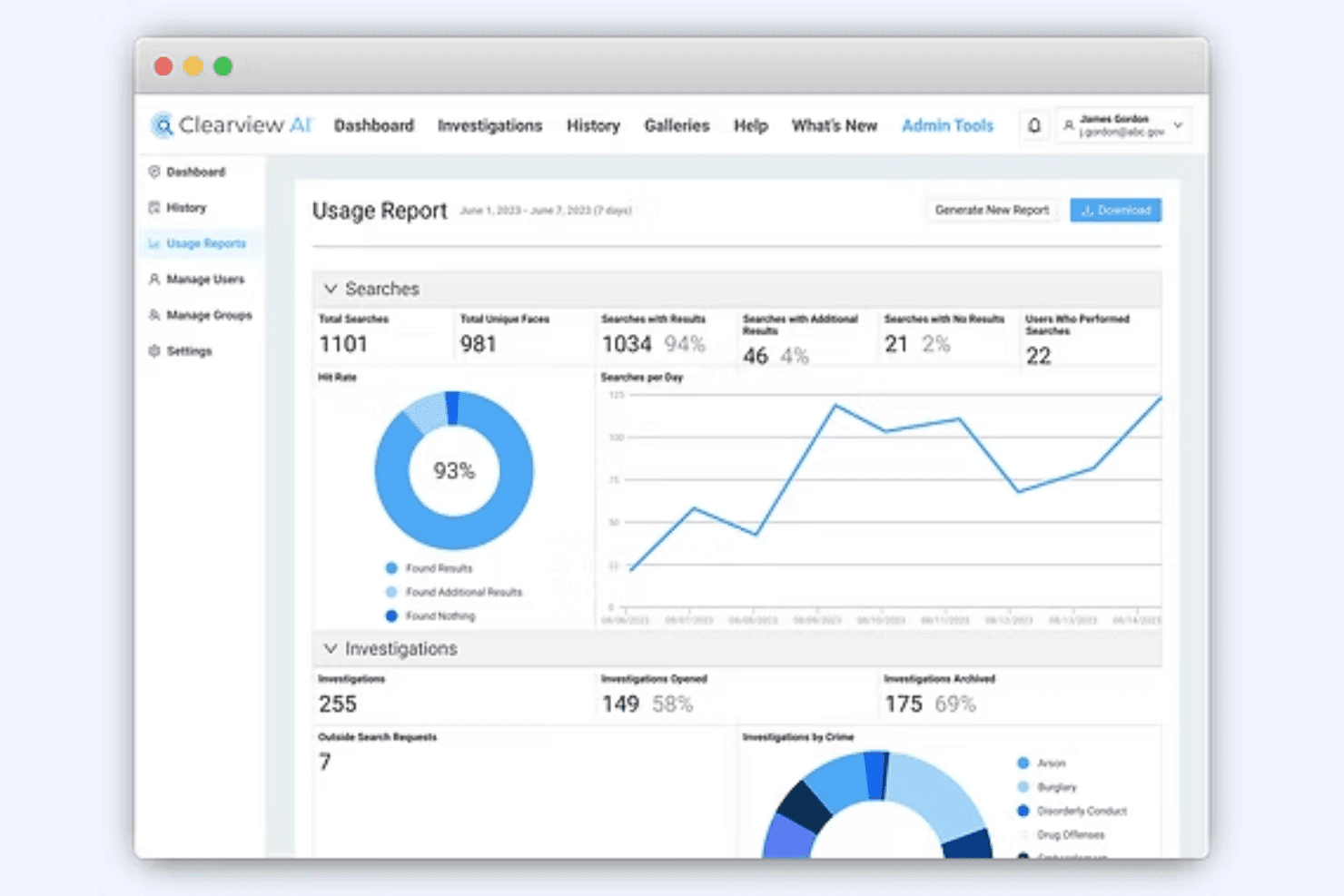
Automated reporting: Clearview automatically generates a usage report to inform enforcement teams of cases currently in process.
Ease of Use
Clearview’s advanced facial-recognition features provide significant value for law enforcement investigations. Investigators may need formal training and guidance to use the system in compliance with regulatory policies. Once trained, teams can leverage its high-accuracy matching and large image database to support investigative and security operations effectively.

Onboarding
Law enforcement agencies require structured onboarding and training to use Clearview effectively. Support resources, tutorials, and guidance are available to help investigators understand the system and follow legal and ethical requirements. With guidance from Clearview, law enforcers will be able to leverage the platform’s facial recognition features.
Customer Support
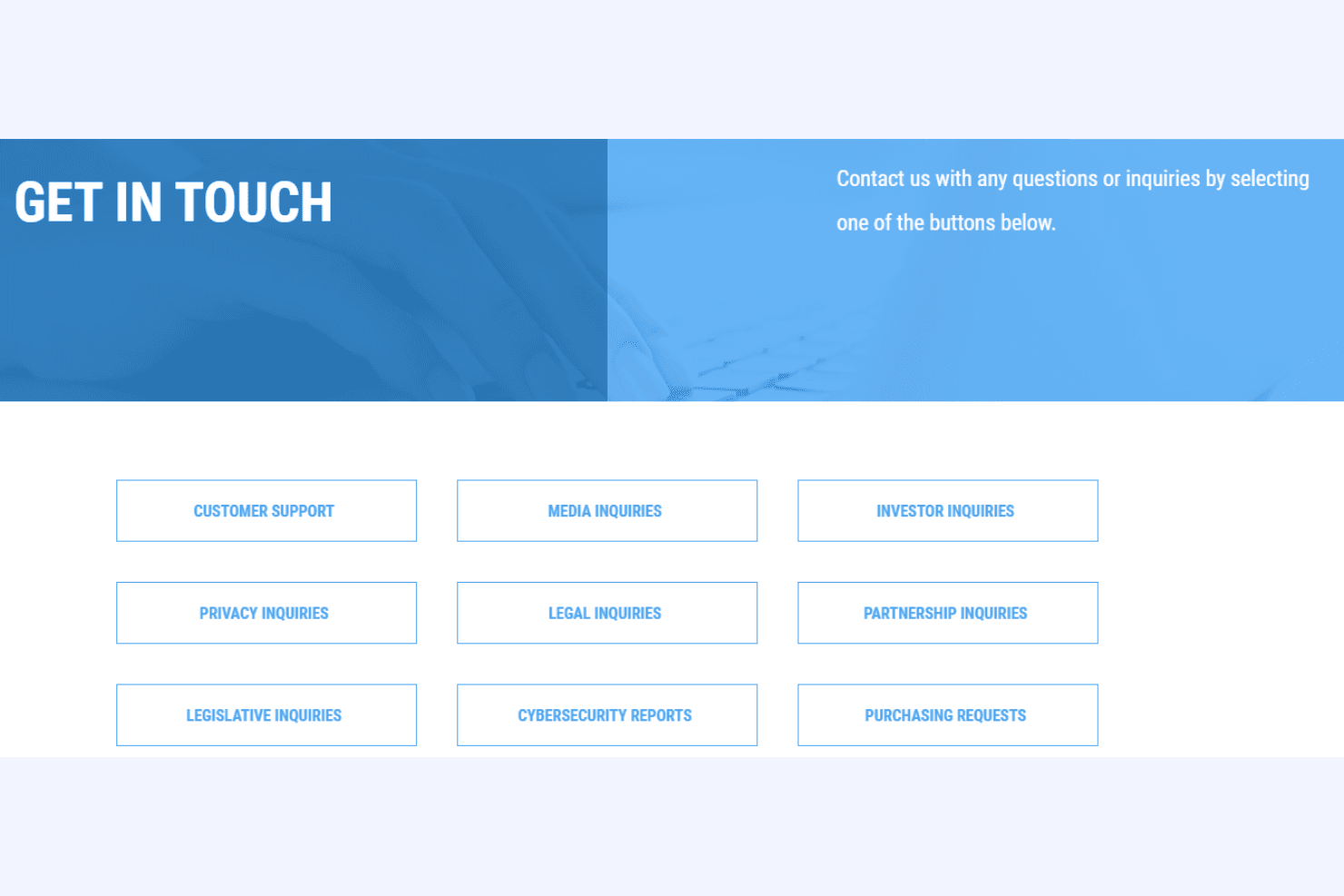
Clearview provides structured support and training for licensed law enforcement agencies to ensure proper use of its facial-recognition software. Resources and guidance are available to help investigators understand workflows, comply with regulatory requirements, and use the platform effectively.
Integrations
Clearview integrates with law enforcement databases, security management systems, and other governmental tools. It also offers an API for internal agency use.

Value for Money
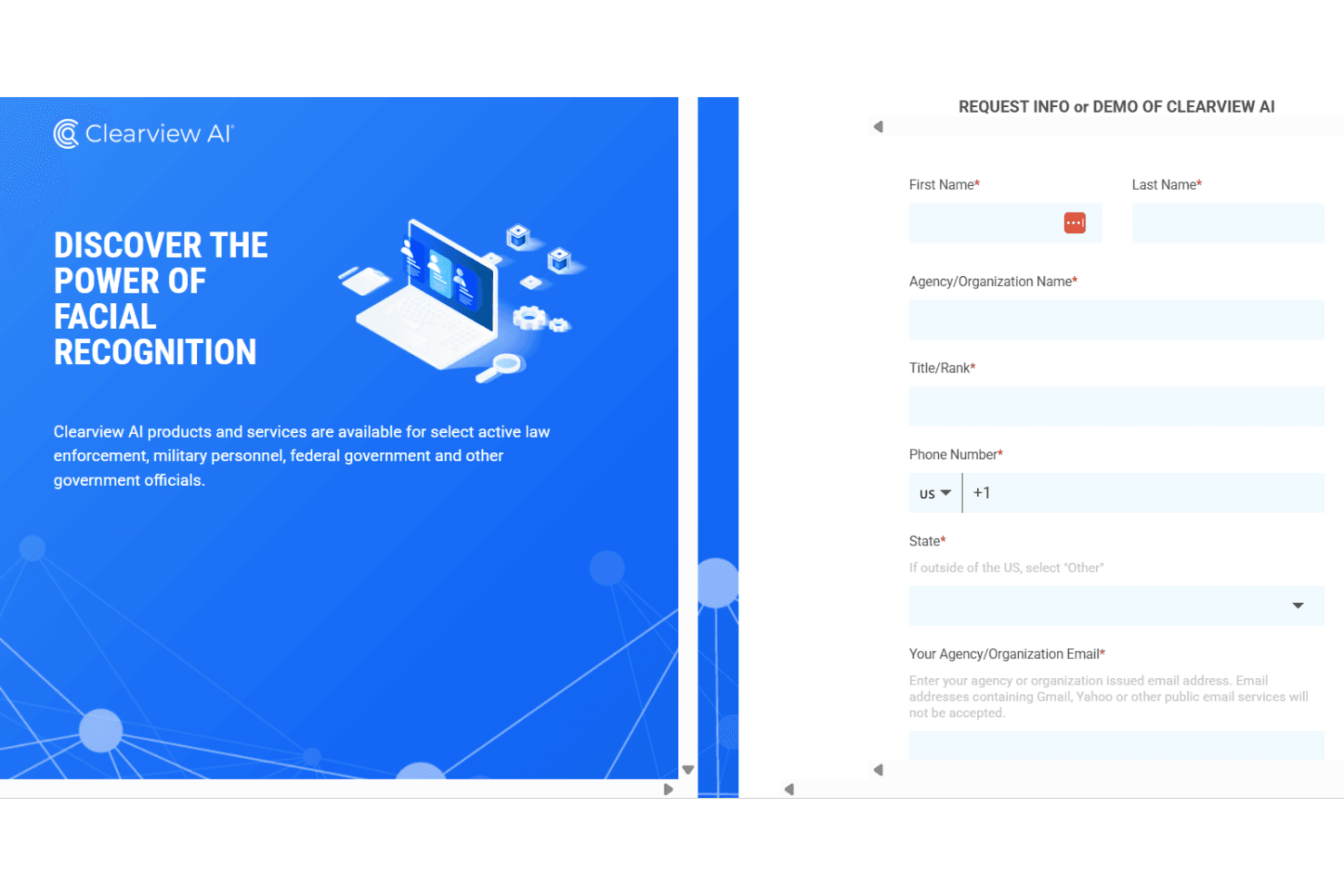
Use of Clearview is limited to law enforcers, the military, and government agencies. Therefore, it’s not commercially available for subscription. A demo is available for qualified users to assess the software before committing to a purchase.
Clearview AI Specs
- A/B Testing: No
- AI Integration: No
- Analytics: No
- API: Yes
- Calendar Management: No
- Comparative Reporting: No
- Custom Reports: No
- Dashboard: No
- Data Export: No
- Data Import: Yes
- Data Mining: No
- Data Visualization: No
- External Integrations: Yes
- Forecasting: No
- Historical Data Analysis: No
- Multi-User: No
- Notifications: No
- Process Reporting: No
- Real-time Alerts: No
- Scenario Planning: No
- Scheduling: No
- Sentiment Analysis: No
- SEO: No
- Time Series Modeling: No
- Workflow Management: No
Clearview AI FAQs
Clearview AI Company Overview & History
Clearview AI is a US-based facial recognition company headquartered in New York, primarily serving law enforcement and government agencies. The facial recognition startup was founded by Hoan Ton-That and Richard Schwartz. It is a privately-owned company known for its extensive image database used for facial recognition. Clearview has gained attention for its innovative yet controversial technology, which matches faces to billions of images collected from the Internet. Notable clients include various law enforcement agencies, and the company has faced legal challenges regarding privacy concerns.
Clearview Major Milestones
2017: Founded in New York by Hoan Ton-That and Richard Schwartz.
2020: Featured by the New York Times for its facial recognition technology.
2021: Faced legal challenges related to privacy and data use.
2023: Continued expansion and adaptation of its technology amidst ongoing scrutiny.