

Atlassian Jira-recension: Fördelar, nackdelar, funktioner & priser
Atlassian Jira utmärker sig genom robusta integrationsmöjligheter och anpassningsalternativ, vilket gör det idealiskt för agila team som behöver skräddarsydda lösningar för projekthantering.

We review tools independently, and commissions help fund our testing. See our transparency policy, our methodology, or suggest a tool.
Atlassian Jira is a project management software that helps teams plan, track, and manage agile software development projects. It’s best for software development teams in tech companies, IT departments, and agile-focused organizations, such as startups and large enterprises like Spotify and Airbnb. Jira’s value lies in its ability to adapt to your team’s workflow, offering transparency and collaboration that scales with your needs.
Jira Evaluation Summary
4.4/5
- From $7.91/user/month
- Free plan + 14-day free trial available
Varför du kan lita på våra programvarurekommendationer
6,700+
Reviews
20
Industry experts
16+
Evaluation factors
14
Years
Vårt team har testat och recenserat programvara sedan 2012. Som teknikledare själva vet vi hur svårt — och viktigt — det är att välja rätt programvara.
För den här guiden utvärderade vi verktyg genom praktisk testning och oberoende research, och betygsatte verktygen enligt våra urvalskriterier.
Våra recensioner speglar vårt mänskliga redaktionella omdöme, inte ett säljbudskap.
Expertgranskare:
- Paulo Gardini MiguelTeknikdirektör
 Tim FisherVP för AI
 Gabriel RosasTech Lead & mjukvaruarkitekt
 Christhian GruhnTech Lead & plattformsarkitekt

Jira Overview
Jira excels in adaptability, making it ideal for teams needing custom workflows and detailed issue tracking.
Pros
- You can customize workflows to fit your team's needs.
- It offers powerful issue tracking for clear task management.
- You get detailed reporting to help track your project's progress.
Cons
- The interface can feel complex and overwhelming for new users.
- Your team might find the initial setup time-consuming.
- It requires a learning curve to fully leverage its capabilities.
Is Jira Right For Your Needs?
Who Would be a Good Fit for Jira?
Jira is perfect for software development teams and IT departments that need robust issue tracking and customizable workflows. Agile teams will appreciate its sprint planning and backlog management features. If your team thrives on detailed reporting and needs to manage complex projects with multiple tasks, Jira’s capabilities will suit you well. Companies like tech startups, large enterprises, and teams focused on continuous delivery will find it particularly useful for maintaining transparency and efficiency in their projects.
- Software Development TeamsJira excels in tracking issues and managing sprints, making it ideal for software developers.
- Agile TeamsYour team can use Jira’s tools for sprint planning and backlog prioritization to stay agile.
- IT DepartmentsIts customizable workflows and detailed issue tracking help manage IT projects effectively.
- Tech StartupsStartups benefit from Jira’s scalability and ability to adapt to growing project needs.
- Large EnterprisesJira supports complex project management with transparency and comprehensive reporting.
- Project ManagersUse Jira to oversee tasks, track progress, and manage resources efficiently.
Who Would be a Bad Fit for Jira?
Jira might not be the best choice for small teams or non-technical departments that don’t require detailed issue tracking or complex workflows. If your team values simplicity and quick setup over customization, Jira’s robust features could feel overwhelming. Creative agencies or marketing teams that focus on visual project management might find Jira’s interface too rigid and technical for their needs.
- Small TeamsYour team might find Jira’s setup too complex for simple project management needs.
- Non-Technical DepartmentsJira’s technical focus could make it challenging for teams not dealing with software development.
- Creative AgenciesThe interface isn’t tailored for visual project management, which your creative team might need.
- Marketing TeamsIf your focus is on campaign management, you might find Jira’s features overly technical.
- FreelancersYou might find Jira’s detailed tracking excessive for individual project management.
- Event PlannersJira’s capabilities aren’t designed for the dynamic and flexible needs of event planning.
Core Features
Task Tracking
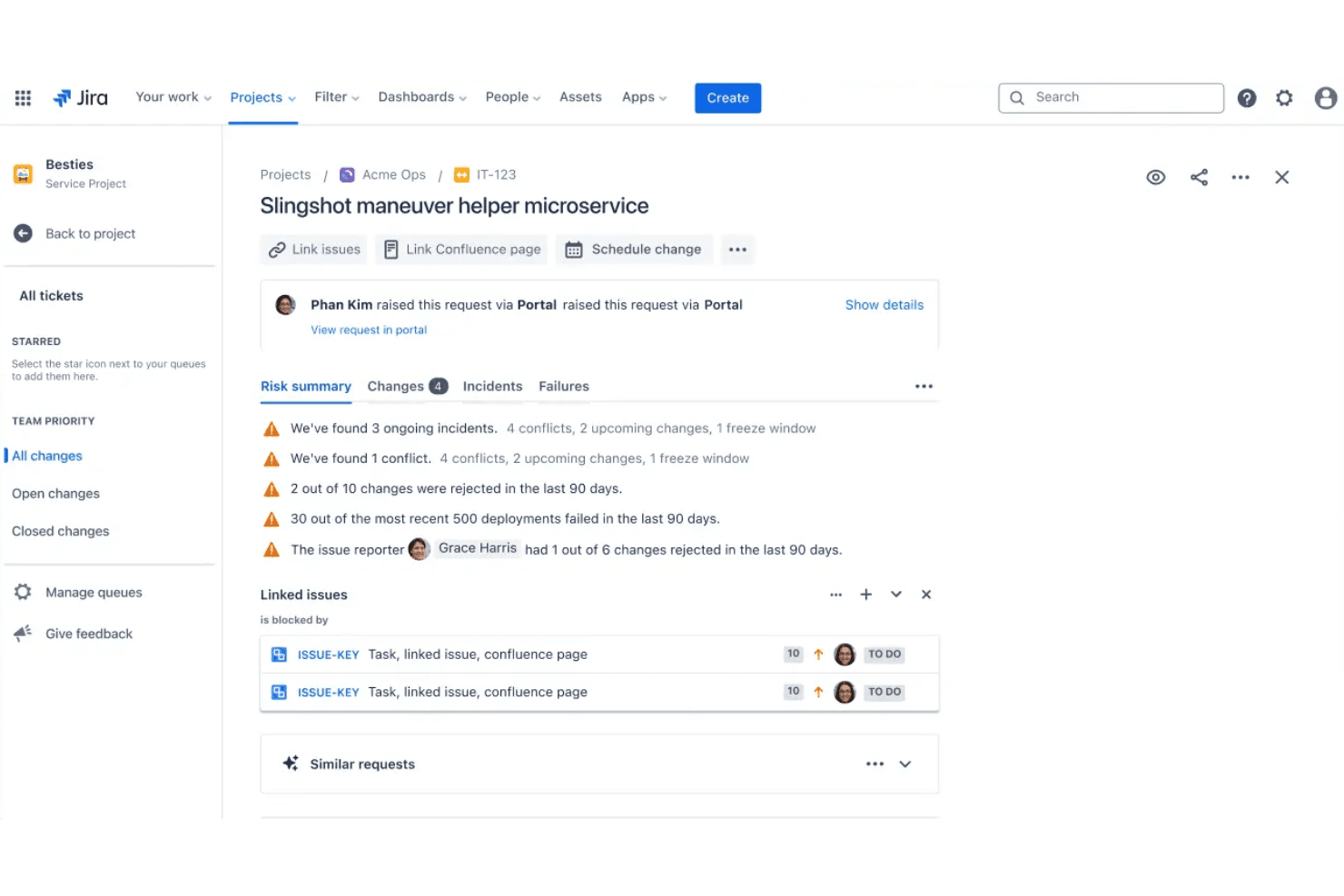
You can easily assign, monitor, and update tasks to keep your team on track with project goals. This feature helps you maintain accountability and clarity in your workflows.
Agile Boards
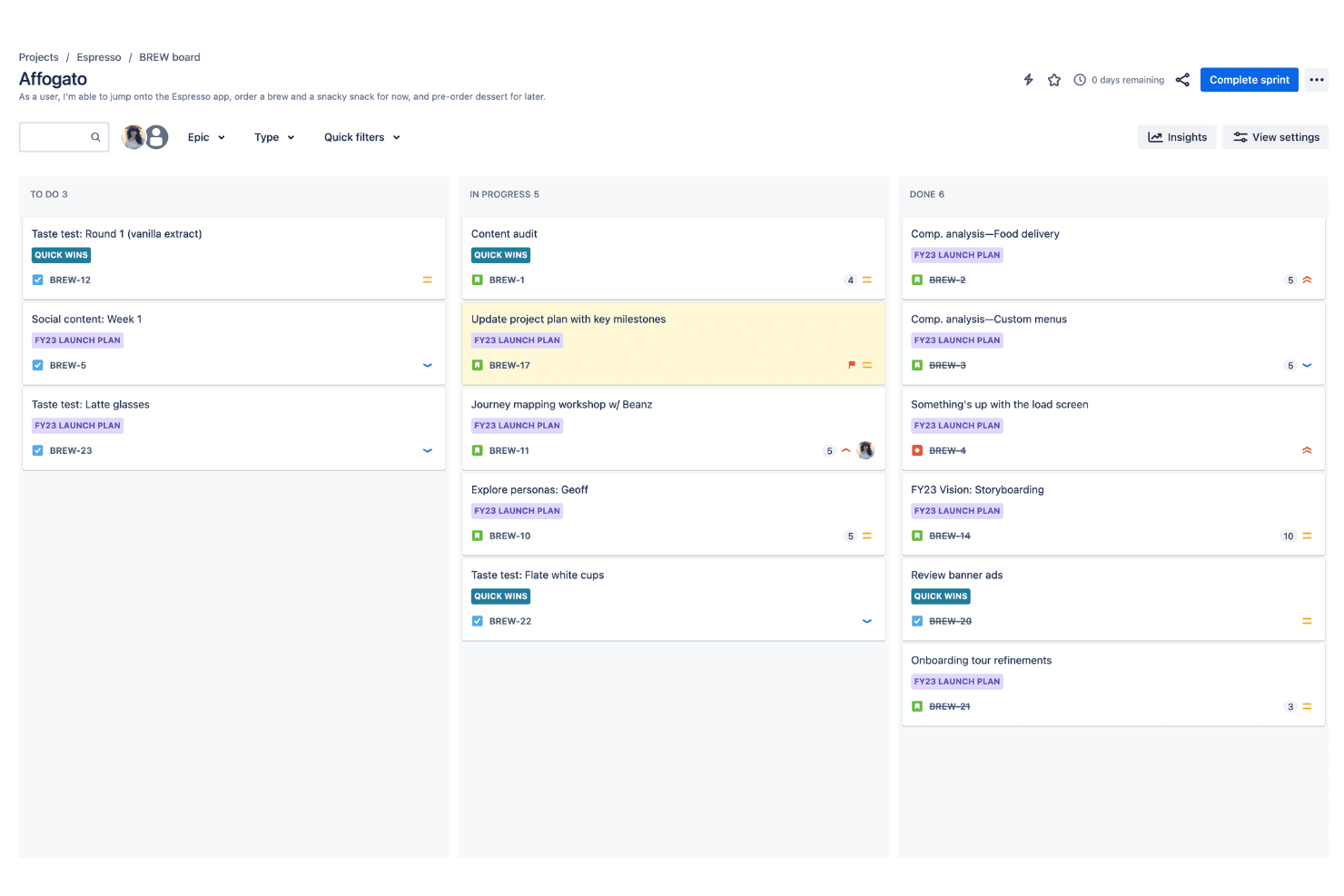
Use Scrum and Kanban boards to visualize your team's progress and manage tasks efficiently. These boards make it simple to adapt to changes and prioritize work.
Reporting
Generate comprehensive reports to analyze your team's performance and project status. This feature provides insights that guide decision-making and improve efficiency.
Custom Workflows
Customize workflows to fit your team's unique processes, ensuring flexibility and control. This allows you to create processes that align with your specific project needs.
Backlog Management
Manage your project backlog with ease, organizing tasks and prioritizing future work. This helps your team stay focused and aligned on project objectives.
Issue Tracking
Track and resolve issues quickly to minimize disruptions in your project timeline. This feature ensures you address problems promptly and keep your project on schedule.

Ease of Use
Atlassian Jira can feel overwhelming at first due to its complex interface and extensive features. If your team isn't familiar with agile methodologies, the learning curve might slow you down. However, once you get the hang of it, Jira's customization options and agile boards can significantly enhance your project management. It requires time and patience to master, but the payoff in efficiency and control can be worth it for teams needing detailed project oversight.
Jira Specs
- API: Yes
- Calendar Management: Yes
- Collaboration Support: No
- Dashboards: Yes
- Data Export: Yes
- Data Import: Yes
- External Integrations: Yes
- File Sharing: Yes
- Gantt Charts: Yes
- Kanban Boards: Yes
- Mobile App: Yes
- Multi-User: Yes
- Notifications: Yes
- Prioritization: No
- Project Management: Yes
- Status Notifications: Yes
- Task Scheduling/Tracking: Yes
- Time Management: No
Alternatives to Jira


Jira FAQs
Vad händer härnäst?
Ta din produktstrategi och marknadsföring till nästa nivå. Prenumerera på vårt nyhetsbrev för expertstödda tips, verktyg och ramverk som ledande produktteam använder. Få smartare insikter i din inkorg – utan utfyllnad, bara det som fungerar.