

Software-ul MBaaS vă oferă o modalitate rapidă și eficientă de a crea aplicații, gestionând infrastructura de backend în locul dumneavoastră, astfel încât să vă puteți concentra pe funcțiile care contează cel mai mult pentru utilizatori. Aceste instrumente se ocupă de baze de date, autentificare și notificări push, ceea ce vă face munca de dezvoltare mult mai ușoară.
După ce am analizat și testat personal cele mai bune opțiuni MBaaS, vă voi prezenta cele mai bune alegeri pentru a crește productivitatea echipei și pentru a vă ajuta să o alegeți pe cea potrivită pentru următorul proiect.
Why Trust Our Software Recommendations
6,700+
Reviews
20
Industry experts
16+
Evaluation factors
14
Years
Our team has been testing and reviewing software since 2012. As tech leaders ourselves, we know how difficult—and important—it is to choose the right software.
For this guide, we evaluated tools using hands-on testing and independent research, scoring tools using our selection criteria.
Our reviews reflect our human editorial judgment, not a sales pitch.
Expert reviewers:
- Paulo Gardini MiguelTech Director
 Tim FisherVP of AI
 Gabriel RosasTech Lead & Software Architect
 Christhian GruhnTech Lead & Platform Architect

Tabel comparativ al software-urilor MBaaS
Tabelul de mai jos compară detaliile de preț pentru selecția mea de software-uri MBaaS de top.
Score legend (out of 5)
- Excellent4.5–5
- Good4–4.4
- Average3–3.9
- Below average2–2.9
- Poor1–1.9
Sorted by: Default
| Tool | Starting Price | Website | |||||||
|---|---|---|---|---|---|---|---|---|---|
Best for easy scalability and user authentication | 5.0 out of 5 | 5 | 5 | 5 | 5 | 5 | 5 | Pricing upon request Free plan available | Website |
Best for scalable backend services | 4.3 out of 5 | 5 | 5 | 4 | 4 | 4 | 4 | $15/month Free plan available | Website |
Best for codeless development and cloud hosting | 4.2 out of 5 | 5 | 5 | 4 | 3 | 4 | 4 | $15/month Free plan available | Website |
Best for rapid prototyping with AWS services | 4.7 out of 5 | 5 | 5 | 5 | 5 | 4 | 4 | Pricing upon request Free plan available | Website |
Best for cross-platform development and integration | 4.0 out of 5 | 3 | 4 | 4 | 3 | 5 | 5 | $14/user/month for the Basic tier. This pricing does not include add-on costs for additional services. | Website |
Best for enterprise mobile app development and data management | 3.2 out of 5 | 4 | 3 | 3 | 2 | 4 | 3 | $101.00 per month. This includes 20,000 API calls per month and 10GB of storage. | Website |
Best for open-source mobile development needs | 3.7 out of 5 | 5 | 4 | 3 | 3 | 3 | 4 | Parse is an open-source platform and hence, it's free to use. | Website |
Best for real-time data synchronization | 3.0 out of 5 | 3 | 4 | 1 | 3 | 4 | 3 | Free to use Free download + free demo available | Website |
Best for comprehensive backend solutions | 3.8 out of 5 | 3 | 4 | 3 | 4 | 5 | 4 | $5/month Free plan available | Website |
Best for modernizing legacy applications | 3.7 out of 5 | 4 | 4 | 2 | 4 | 4 | 4 | Pricing upon request Not available | Website |


Recenzii ale celor mai bune software-uri MBaaS
Iată o prezentare a celor mai bune software-uri MBaaS. Voi evidenția funcțiile oferite de fiecare instrument și motivele pentru care merită să se afle pe această listă.
 Best for easy scalability and user authentication
- Free plan available
- Pricing upon request
Visit WebsiteCustomer Rating:4.5/5
Here's the analytics dashboard of Firebase.\ Firebase is a leading backend-as-a-service platform for serverless Android, iOS, and web app development. The platform's core strengths lie in its scalability and robust user authentication, making it a top choice for these specific needs.
Why I Picked Firebase:
In selecting Firebase, I was particularly struck by its comprehensive suite of services, most notably its real-time database and user authentication functionalities. These features differentiate Firebase, and its capabilities to scale easily with increasing user demand are unrivaled in the field.
Consequently, I concluded Firebase is the ideal choice for developers who need to prioritize scalability and efficient user authentication in their applications.
Standout Features & Integrations:
Firebase offers a variety of features such as a real-time database, Firestore for more complex data structures, Firebase Authentication, Cloud Messaging, and Firebase Storage for storing user-generated content.
Furthermore, Firebase provides important integrations with other Google services like Google Analytics, Cloud Storage, and AdMob, which can further improve app development and user experience.
Pros and Cons
Pros:
- Real-time database capabilities
- Comprehensive suite of services under one platform
- Easy to use with good documentation
Cons:
- Can be difficult to migrate away from due to the proprietary nature of the service
- Cost can quickly escalate on the pay-as-you-go plan with increased usage
- Limited querying capabilities in its real-time database
 Best for scalable backend services
- Free plan available
- From $15/month (billed annually)
Visit WebsiteCustomer Rating:4.6/5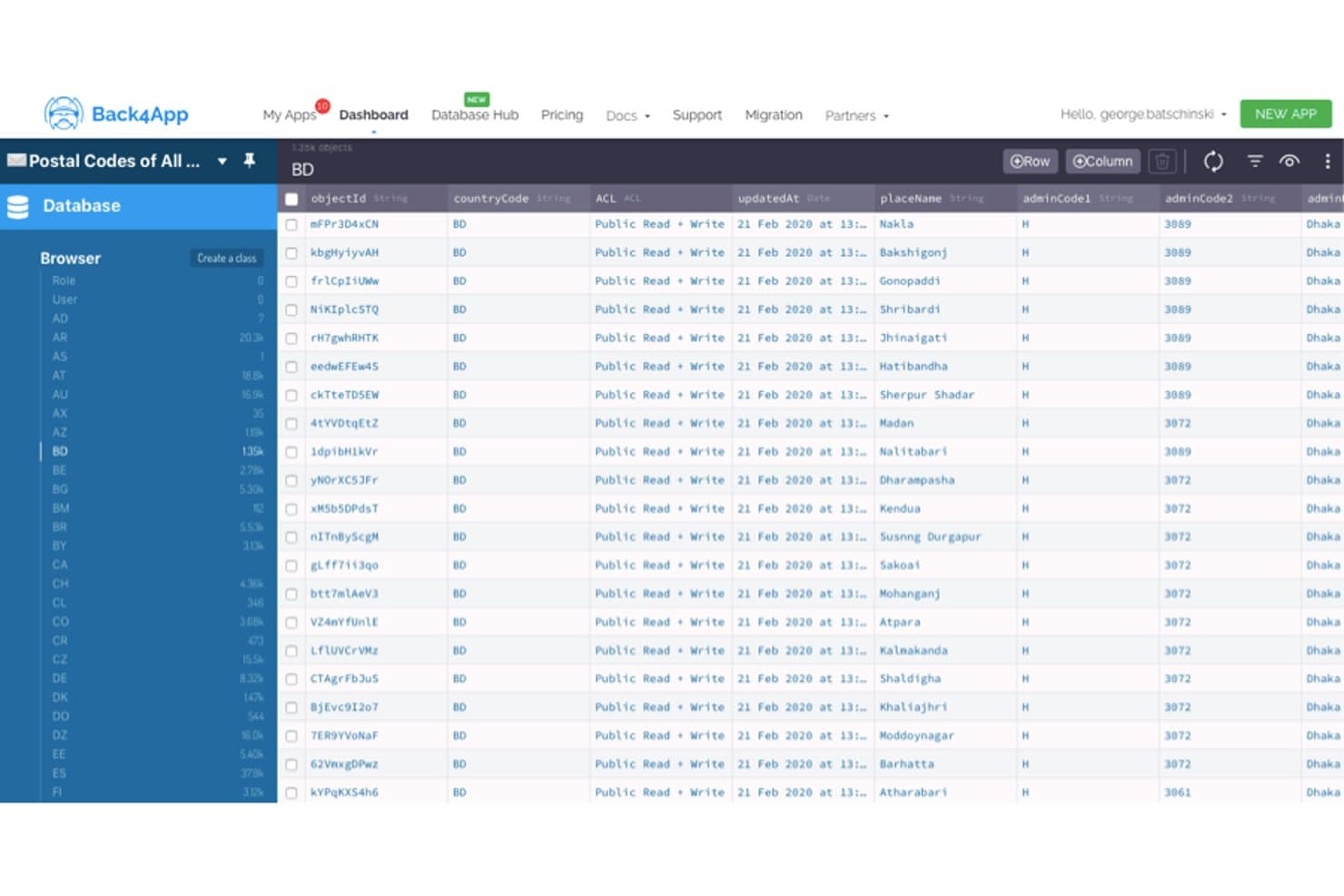
Back4App displays postal code data in a spreadsheet-like database browser. Built on the open-source Parse Server framework, Back4App is a managed MBaaS platform with native SDKs for iOS, Android, Flutter, and JavaScript frameworks, plus built-in authentication, real-time data sync, push notifications, and serverless cloud functions.
Who Is Back4App Best For?
Back4App suits mobile-first startups and solo developers who need a ready-to-run backend without hiring a dedicated infrastructure team.
Why I Picked Back4App
Back4App earns its spot on my shortlist because its tiered infrastructure scales cleanly from a free prototype to a dedicated cluster with 10 CPUs, without forcing a backend rewrite at each stage. I'm particularly impressed by Live Queries over WebSocket, which keep client data in sync instantly across iOS, Android, and Flutter apps without any polling logic. Paired with auto-scaling and multi-region deployment across AWS, DigitalOcean, and MongoDB Atlas, it's a genuinely solid choice for backends that need to grow fast.
Back4App Key Features
- Social login authentication: Built-in support for sign-in with Google, GitHub, Apple, and Facebook, complete with RBAC and object-level ACLs.
- Scheduled Cloud Code Jobs: Node.js serverless functions that run on a defined schedule with full npm package access and database event triggers.
- Automatic REST and GraphQL APIs: Every database class you create instantly generates both a REST and GraphQL endpoint with full CRUD, filtering, and pagination.
- Global CDN file storage: Images, video, and large assets are served through an integrated CDN with automatic image optimization and direct SDK uploads.
Back4App Integrations
Back4App has documented integrations with Stripe, Mailgun, Cursor, VS Code, Windsurf, and Claude. It offers REST/GraphQL APIs and webhooks for Slack, custom endpoints, and Zapier.
Pros and Cons
Pros:
- Native SDK coverage spans major mobile stacks
- Live Queries support real-time mobile sync
- Open-source Parse foundation eases migration
Cons:
- Documentation gaps complicate CLI workflows
- Free tier restricts serious backend testing
Learn more about Back4App: Best for codeless development and cloud hosting
- Free plan available
- From $15/month
Visit WebsiteCustomer Rating:4.4/5
Here's the data management feature in Backendless. Backendless is a backend-as-a-service (BaaS) platform that enables developers to create applications without dealing with the backend coding. Its codeless nature, combined with robust cloud hosting facilities, makes it an ideal pick for developers who want to focus more on the front end and less on server-side concerns.
Why I Picked Backendless:
In deciding on a tool for this list, I selected Backendless due to its significant advantages in codeless development and cloud hosting. It's a unique proposition that stands out because it allows developers to accelerate their projects without getting tied up in backend complexities.
Standout Features & Integrations:
Backendless offers a visual development interface to create backend logic without coding. It also provides a user-friendly database, user management, and cloud code functions. Integration-wise, it works well with a variety of frontend frameworks such as Angular, React, and Vue, which can help developers streamline their overall development process.
Pros and Cons
Pros:
- Smooth integration with popular frontend frameworks
- Robust and reliable cloud hosting
- Offers codeless backend development
Cons:
- Additional costs for usage beyond the included limits
- Limitations in the free plan can hinder large projects
- The user interface might be intimidating for beginners
Learn more about Backendless: Best for rapid prototyping with AWS services
- Free plan available
- Pricing upon request

Here's AWS Amplify's data modeling feature. AWS Amplify is a development platform provided by Amazon Web Services (AWS) that enables developers to build and deploy scalable mobile and web applications quickly. Its deep integration with other AWS services and focus on rapid prototyping align well with its positioning as a top choice for creating prototypes in an AWS environment.
Why I Picked AWS Amplify:
I chose AWS Amplify for this list because of its excellent support for rapid prototyping within the AWS ecosystem. Its ability to leverage a host of AWS services, including authentication, APIs, storage, and analytics, distinguishes it from other tools. This makes AWS Amplify ideal for developers already embedded in or moving towards the AWS environment.
Standout Features & Integrations:
AWS Amplify has a feature-rich environment that includes Authentication, GraphQL, and REST APIs, Analytics, and more, all aimed at enabling fast prototype development. It integrates well with a range of other AWS services, like AWS Lambda for serverless functions and Amazon S3 for storage, creating a holistic development experience.
Pros and Cons
Pros:
- Provides serverless functions
- Deep integration with other AWS services
- Excellent for rapid prototyping
Cons:
- Can be overkill for smaller projects not requiring AWS services
- Steeper learning curve for developers new to AWS
- Pricing can be complex due to the pay-as-you-go model
Learn more about AWS Amplify: Best for cross-platform development and integration
- From $14/user/month for the Basic tier (billed annually). This pricing does not include add-on costs for additional services.

Here's the monitoring dashboard screenshot in Microsoft Azure Mobile App Service. Microsoft Azure Mobile App Service is a comprehensive cloud platform that allows developers to build, test, deploy, and manage applications for any platform including iOS, Android, and Windows.
Given its robust cross-platform support and broad integration capabilities, it becomes a go-to solution for developers prioritizing these aspects in their projects.
Why I Picked Microsoft Azure Mobile App Service:
Upon examining various tools, I picked Azure Mobile App Service because of its wide-ranging capabilities, especially in terms of cross-platform development and service integration. What sets it apart is its strong commitment to compatibility and integration with other services, making it an excellent choice for developers who require a tool that excels in these aspects.
Standout Features & Integrations:
Azure Mobile App Service boasts features like the ability to build and deploy for any platform using a variety of web development languages, including .NET, Node.js, Java, Python, or PHP. It also includes out-of-the-box services like push notifications, user authentication, offline sync, and auto-scaling.
The tool provides key integrations with many other Azure services, including Azure DevOps for CI/CD, Azure Functions for serverless computing, and Azure Logic Apps for workflow orchestration.
Pros and Cons
Pros:
- Extensive scalability and reliability
- Robust integration capabilities with other Azure services
- Comprehensive support for different programming languages
Cons:
- Requires a learning curve to fully leverage its capabilities
- Costs can escalate quickly with additional services
- Can be complex for beginners due to the broad range of services
Learn more about Microsoft Azure Mobile App Service: Best for enterprise mobile app development and data management
- From $101.00 per month (billed annually). This includes 20,000 API calls per month and 10GB of storage.

Here's the mobile backend collections feature in Oracle Mobile App. Oracle Mobile Hub is a cloud-based, mobile-backend-as-a-service (MBaaS) offering from Oracle. It empowers enterprises to develop, test, connect, and manage their mobile applications and associated data effectively.
It's the tool of choice for enterprise mobile app development and data management due to its extensive features and Oracle's proven data management capabilities.
Why I Picked Oracle Mobile Hub:
In deciding on Oracle Mobile Hub, the first thing that stood out to me was its extensive suite of tools and features tailored to enterprise needs. Moreover, with Oracle's deep experience in data management, the platform shines when it comes to handling complex data requirements within a mobile app ecosystem.
That's why I think Oracle Mobile Hub is best suited for enterprise-level mobile app development and data management.
Standout Features & Integrations:
Oracle Mobile Hub provides robust application development tools like API Catalog, which simplifies the integration process with other systems. Other notable features include Mobile Analytics, which provides insights into app usage and performance. It integrates with other Oracle services like Oracle Database and Oracle Identity Management, ensuring a holistic enterprise solution.
Pros and Cons
Pros:
- Good support for data management
- Strong integrations with other Oracle services
- Comprehensive toolset for enterprise mobile app development
Cons:
- Limited third-party integrations
- May be complex for small-scale applications
- More expensive than some other platforms
Learn more about Oracle Mobile Hub: Best for open-source mobile development needs
- Parse is an open-source platform and hence, it's free to use.

Screenshot of Parse dashboard, which gives you a quick view of your IoT data storage. Parse is a highly flexible, open-source Backend as a Service (BaaS) platform that is particularly well-suited for mobile application development. With its broad range of capabilities, developers can create, host, and maintain applications more efficiently, which makes it a suitable choice for open-source mobile development needs.
Why I Picked Parse:
I selected Parse for its noteworthy open-source nature and its focus on mobile development. When comparing different MBaaS tools, Parse stood out for its extensive customization options and its strong developer community. It is this flexibility and support that positions Parse as a top choice for those with open-source mobile development requirements.
Standout Features & Integrations:
Parse's key features include a user-friendly dashboard, cloud code functions, and a real-time database. These features facilitate efficient application development and management.
On the integration front, Parse provides software development kits (SDKs) for many platforms including iOS, Android, JavaScript, Flutter, and more, which facilitates cross-platform app development.
Pros and Cons
Pros:
- Robust developer community
- Extensive platform-specific SDKs
- Open-source with broad customization options
Cons:
- Some advanced features may require complex setup
- Absence of direct customer support
- May require more development skills than managed BaaS solutions
Learn more about Parse: Best for real-time data synchronization
- Free download + free demo available
- Free to use

Here's Kuzzle's IoT index feature, which contains device info, device state, and update collections. Kuzzle is a scalable and open-source IoT backend and MBaaS solution, renowned for its real-time capabilities. It provides developers with a flexible toolset to manage complex data structures and ensure effective synchronization between different systems in real time.
Why I Picked Kuzzle:
I chose Kuzzle for its exceptional handling of real-time data synchronization. With my comprehensive comparison, it stands out due to its open-source nature and focus on real-time data management. The real-time aspect is critical in today's mobile applications, and Kuzzle's capacity to manage this effortlessly makes it the best option for such use cases.
Standout Features & Integrations:
Kuzzle comes packed with features such as geofencing, pub/sub messaging, and real-time database management. Its data validation rules and role-based access control improve security and compliance. Regarding integrations, Kuzzle supports connections to various databases, including PostgreSQL, Elasticsearch, and Redis, improving the flexibility of data management and analytics.
Pros and Cons
Pros:
- Variety of supported database integrations
- Open-source platform allows for customization
- Excellent real-time data synchronization
Cons:
- Requires technical expertise for setup and management
- Might be too complex for simple applications
- Pricing details are not transparent
Learn more about Kuzzle:
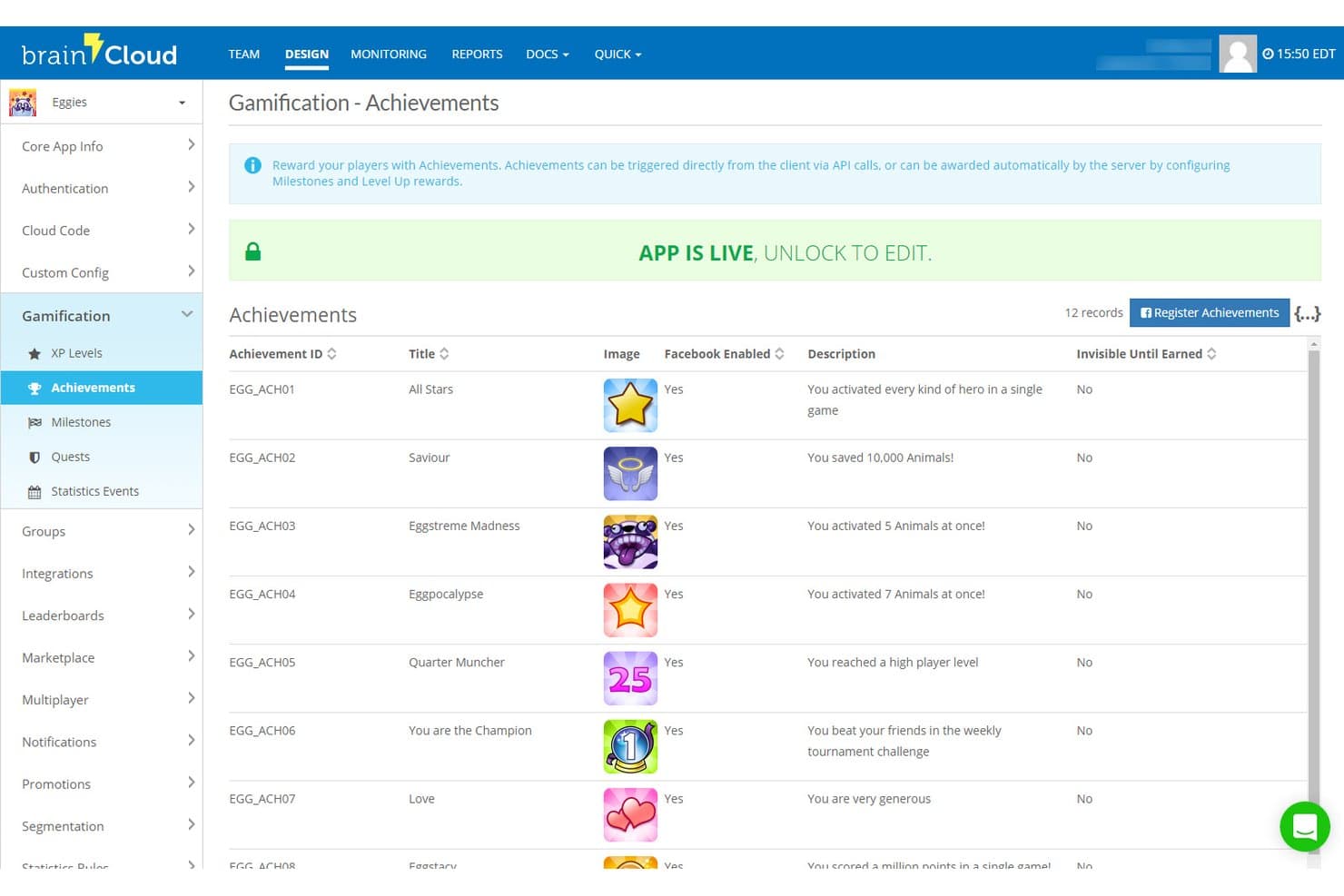
brainCloud lets users manage in-game achievements with descriptions and Facebook integration. brainCloud is an MBaaS platform built for games and interactive apps, offering user authentication, cloud data storage, serverless Cloud Code, real-time multiplayer infrastructure, push notifications, and LiveOps tooling across a range of game engine SDKs.
Who Is brainCloud Best For?
brainCloud is a strong fit for game studios and interactive app teams that need deep LiveOps, multiplayer, and backend features without building from scratch.
Why I Picked brainCloud
I picked brainCloud as one of the best because its backend feature catalog is unusually deep for a managed MBaaS platform. I'm particularly impressed by how Cloud Code handles versioned, schedulable JavaScript routines with API hooks and external web-service access, so you're not stitching together separate serverless tools to run game logic or LiveOps campaigns. Its Custom Entities layer supports custom indexing, sharding, and millions of records, which I think makes it a genuinely solid fit for teams building data-heavy interactive apps at scale.
brainCloud Key Features
- Real-time multiplayer infrastructure: Room and Relay servers support up to 40 players per session with multi-region, elastic scaling across real-time, turn-based, and async gameplay patterns.
- LiveOps campaign tooling: Schedule automated promotions, segmented sales, and redemption codes that go live without requiring an app update.
- User segmentation engine: Group players by behavior, activity, or custom criteria to target push notifications, promotions, and analytics queries.
- Leaderboards and tournaments: Native ranked leaderboards with division-based tournament support, configurable scoring, and built-in rotation management.
brainCloud Integrations
brainCloud has documented integrations with Segment.com, Kafka, EdgeGap, Amazon GameLift, i3D Flex Metal, SendGrid, and WebPurify. It also provides APIs and Cloud Code for custom integrations.
Pros and Cons
Pros:
- Multiplayer sync covers real-time and async
- Versioned Cloud Code supports scheduled routines
- Broad identity support with account merging
Cons:
- Documentation can hinder first-time implementation
- Game-engine focus limits general app appeal
Learn more about brainCloud:
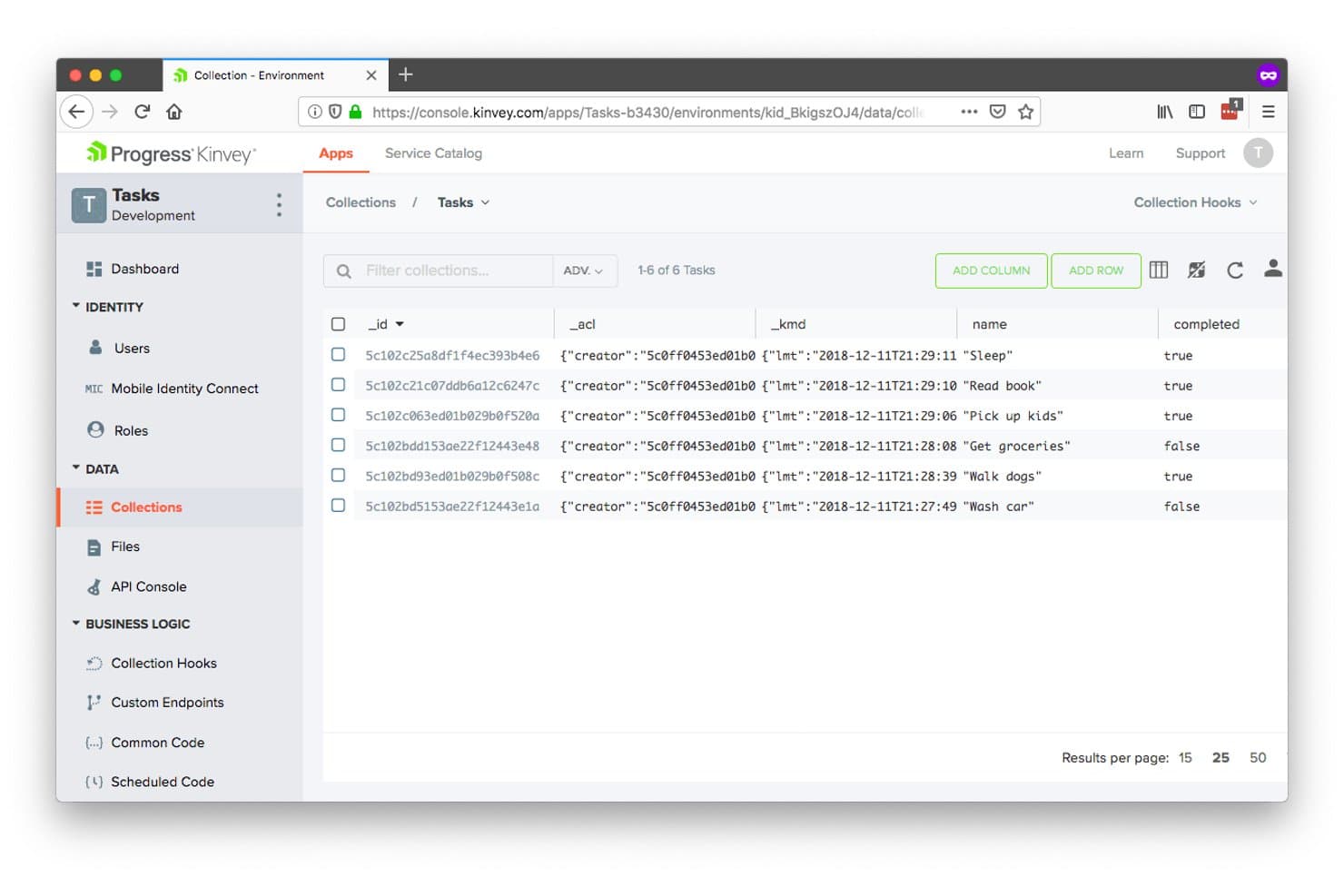
Kinvey lets users manage backend data collections visually. Kinvey is a mobile backend-as-a-service (MBaaS) platform from Progress that provides managed data storage, user authentication, serverless cloud functions, push notifications, and real-time data sync—with a patented data-integration layer that exposes legacy and on-premises systems as modern APIs.
Who Is Kinvey Best For?
Kinvey suits enterprise mobile development teams that need to expose legacy on-premises systems as modern APIs without replatforming existing infrastructure.
Why I Picked Kinvey
I've included Kinvey in my top picks because its patented data-integration layer does something most MBaaS platforms simply don't: it exposes legacy on-premises systems as modern REST APIs without replatforming or replicating data. If your team maintains an ERP or EHR system that mobile apps need to talk to, Kinvey's "Instant Data Modernization" approach connects that existing infrastructure directly. I also like its "Mobile Identity Connect" feature, which federates enterprise identity providers like Active Directory and SAML into mobile auth flows without custom backend work.
Kinvey Key Features
- Kinvey Studio: A low-code visual development environment for building mobile, web, and chatbot apps with round-trip code generation for professional developers.
- Kinvey DataStore: A managed NoSQL data store with mobile-optimized CRUD and query APIs for structured data access across iOS, Android, and web apps.
- Offline data sync: SDK-level delta synchronization lets mobile apps sync large offline datasets—hundreds of thousands of records—back to the cloud without full refreshes.
- Push notifications: Built-in push notification delivery for iOS and Android apps, configurable directly through the Kinvey SDK without third-party setup.
Kinvey Integrations
Kinvey connects to Salesforce, SAP, Microsoft, Oracle, and EHR systems, plus Active Directory, OpenID, and SAML identity providers. Its REST APIs and DataDirect connectivity support custom access to legacy and on-premises data sources.
Pros and Cons
Pros:
- Offers broad mobile framework coverage
- Supports large offline datasets with delta sync
- Modernizes legacy systems without replatforming
Cons:
- REST-first design trails newer GraphQL platforms
- Current support status remains uncertain
Learn more about Kinvey:
Alte software-uri MBaaS
Mai jos este o listă cu alte software-uri MBaaS pe care le-am inclus pe lista scurtă, dar care nu au ajuns în primele 12 poziții. Merită cu siguranță să le analizați.
- 11KumulosBest for comprehensive app performance analytics
- 12ApigeeBest for full lifecycle API management
- 13DreamFactoryBest for auto-generated APIs
- 14GameSparksBest for video game backend development
- 15Apps PanelBest for integrating native features swiftly
- 16Appgyver ComposerBest for low-code app development
- 17AppDragBest for visual development and cloud hosting
- 18BaasBoxBest for secure data storage and retrieval
- 19CodeNgoBest for app store distribution
- 20Apple CloudKitBest for iOS app data storage
- 21PubNubBest for real-time data streaming
How I Evaluate MBaaS Software
I evaluate MBaaS tools in two layers: the backend basics a mobile app can't ship without—auth, SDKs, real-time sync—and the differentiators that matter for your specific team and stack.
Core Functionality (Table Stakes For This List)
When I'm selecting tools for my list, I rank each one on a scale from 0 (does not offer the functionality) to 5 (excels in this area) for each core functionality listed below. Then, I calculate the tool's total score into a percentage. Each tool needs to achieve a minimum total score of 65% to be considered for inclusion.
- Mobile SDKs & Platform Coverage: I check for native SDKs across iOS, Android, and cross-platform frameworks like Flutter or React Native, since most teams ship to multiple platforms at once.
- User Authentication Services: Built-in auth flows matter—I look at social login support, MFA options, and whether the platform handles identity providers so your team isn't wiring up OAuth from scratch.
- Cloud Data Storage & APIs: I evaluate the managed database layer, including whether it exposes mobile-optimized APIs for common operations like queries, filtering, and pagination.
- Push Notification Delivery: The ability to send segmented, targeted push notifications across iOS and Android from a single backend is something I look for in every MBaaS I consider.
- Serverless Cloud Functions: I check whether the platform supports custom server-side logic triggered by database writes, auth events, or HTTP calls—things like sending a welcome email after signup.
- Real-Time Data Sync: For apps like chat, live dashboards, or collaborative tools, I evaluate how the platform handles real-time listeners and offline data persistence on the device.
Once I have a list of tools that meet this criteria, I consider what sets each platform apart.
Differentiating Factors (What Sets Vendors Apart)
Here's how I compare and contrast different vendors:
Standout Features
Remote config and feature flags let your team toggle functionality or roll out changes without waiting on app store reviews—a huge advantage when you need to kill a buggy feature fast. I also look at whether a platform offers a GraphQL API layer, which gives mobile clients more control over the shape and size of data responses. For apps serving a global user base, multi-region deployment options help reduce latency and keep data residency requirements in check.
Beyond Features
Vendor lock-in is a real risk in the MBaaS space. I evaluate whether a platform offers data export paths, self-hosting options, or relies on open standards like REST and OAuth—because migrating auth users and cloud functions mid-project is painful. Pricing structure matters too, especially how costs scale with monthly active users. A generous free tier helps during prototyping, but I also check whether growth pricing stays predictable. Developer experience rounds it out: good SDK docs, CLI tooling, and local emulators make a measurable difference in onboarding speed.
Cum să alegeți software-ul MBaaS
Este ușor să vă pierdeți în liste lungi de funcții și structuri complexe de prețuri. Pentru a vă ajuta să rămâneți concentrat în timp ce parcurgeți procesul unic de selectare a software-ului, iată o listă de verificare a factorilor de care trebuie să țineți cont:
| Factor | Ce trebuie luat în considerare |
|---|---|
| FactorScalabilitate | Ce trebuie luat în considerarePoate software-ul să se dezvolte odată cu afacerea dumneavoastră? Căutați opțiuni care pot gestiona volume tot mai mari de date și cerințe crescute din partea utilizatorilor fără probleme de performanță sau costuri suplimentare. |
| FactorIntegrări | Ce trebuie luat în considerareSe conectează cu instrumentele existente? Asigurați compatibilitatea cu stiva tehnologică actuală pentru a evita întreruperile fluxului de lucru. |
| FactorPosibilitatea de personalizare | Ce trebuie luat în considerareÎl puteți adapta nevoilor dumneavoastră? Verificați dacă platforma permite funcții sau fluxuri de lucru personalizate care să corespundă proceselor afacerii. |
| FactorUșurință în utilizare | Ce trebuie luat în considerareEste ușor de utilizat pentru echipa dumneavoastră? Luați în considerare curba de învățare și dacă interfața corespunde nivelului de competențe al echipei. |
| FactorImplementare și integrare inițială | Ce trebuie luat în considerareCât de repede puteți începe? Evaluați procesul de configurare și disponibilitatea resurselor de instruire pentru a asigura o tranziție fără probleme. |
| FactorCost | Ce trebuie luat în considerareSe încadrează în bugetul dumneavoastră? Comparați planurile tarifare, inclusiv taxele ascunse, și luați în considerare costurile pe termen lung în raport cu beneficiile. |
| FactorMăsuri de securitate | Ce trebuie luat în considerareSunt protejate datele și utilizatorii dumneavoastră? Căutați certificări de securitate și funcții precum criptarea și controalele de acces. |
| FactorDisponibilitatea asistenței | Ce trebuie luat în considerarePuteți primi ajutor atunci când aveți nevoie? Verificați canalele de asistență ale furnizorului, timpii de răspuns și disponibilitatea pentru a asigura un ajutor de încredere. |
Ce este software-ul MBaaS?
Software-ul MBaaS este o platformă care gestionează infrastructura de backend pentru aplicații mobile și web. Dezvoltatorii și profesioniștii IT folosesc de obicei aceste instrumente pentru a accelera dezvoltarea și a reduce sarcina gestionării backendului. Funcții precum stocarea datelor, autentificarea utilizatorilor și notificările push contribuie la scalabilitate, integrare și ușurința în utilizare. În general, instrumentele MBaaS simplifică dezvoltarea aplicațiilor și sporesc productivitatea.
Funcții
Atunci când selectați un software MBaaS, urmăriți următoarele funcții esențiale:
- Stocarea datelor: Oferă soluții de stocare sigure și scalabile pentru datele aplicației, ajutând la gestionarea eficientă a informațiilor utilizatorilor.
- Autentificarea utilizatorilor: Oferă instrumente pentru gestionarea proceselor de înregistrare și conectare a utilizatorilor, asigurând un control securizat al accesului.
- Notificări push: Permite trimiterea de alerte în timp real către utilizatori, îmbunătățind implicarea și comunicarea.
- Software de analiză mobilă cu raportare: Oferă informații despre performanța aplicației și comportamentul utilizatorilor, contribuind la luarea deciziilor bazate pe date.
- Capacități de integrare: Permite conectarea fără întreruperi cu instrumentele și platformele existente, asigurând continuitatea fluxului de lucru.
- Fluxuri de lucru personalizabile: Oferă flexibilitatea de a adapta procesele și funcționalitățile la nevoile specifice ale companiei.
- Sincronizarea datelor în timp real: Asigură coerența datelor pe toate dispozitivele, oferind o experiență unitară utilizatorilor.
- Funcții de securitate: Include criptare și controale de acces pentru protejarea datelor aplicației și a confidențialității utilizatorilor.
- Scalabilitate: Acceptă creșterea volumului de date și a cererilor utilizatorilor fără a afecta performanța sau a genera costuri suplimentare.
- Instrumente pentru dezvoltatori: Oferă API-uri și SDK-uri pentru dezvoltare și integrare mai ușoare, accelerând procesul de creare a aplicației.
Beneficii
Implementarea unui software MBaaS oferă mai multe beneficii echipei și companiei dumneavoastră. Iată câteva dintre avantajele de care vă puteți bucura:
- Dezvoltare mai rapidă: Accelerează crearea aplicațiilor prin gestionarea infrastructurii backend, permițând dezvoltatorilor să se concentreze asupra funcționalităților interfeței utilizatorului.
- Economii de costuri: Reduce cheltuielile cu infrastructura, oferind spațiu de stocare și putere de procesare scalabile, după necesități.
- Securitate îmbunătățită: Protejează datele utilizatorilor prin funcții de securitate integrate, precum criptarea și controalele de acces.
- Implicare sporită a utilizatorilor: Îmbunătățește comunicarea prin notificări push și sincronizarea datelor în timp real, menținând utilizatorii informați și conectați.
- Scalabilitate: Crește odată cu compania dumneavoastră, gestionând un număr mai mare de utilizatori și volume mai mari de date fără probleme de performanță.
- Informații bazate pe date: Oferă instrumente de analiză pentru monitorizarea performanței aplicației și a comportamentului utilizatorilor, sprijinind luarea deciziilor în cunoștință de cauză.
- Integrare ușoară: Se conectează cu instrumentele și platformele existente, asigurând fluxuri de lucru fluide și minimizând întreruperile.
Costuri și prețuri
Selectarea unui software MBaaS necesită înțelegerea diferitelor modele și planuri tarifare disponibile. Costurile variază în funcție de funcționalități, dimensiunea echipei, suplimente și alți factori. Tabelul de mai jos sintetizează planurile comune, prețurile medii ale acestora și funcționalitățile tipice incluse în soluțiile software MBaaS:
Tabel comparativ al planurilor pentru software MBaaS
| Tipul planului | Preț mediu | Funcționalități comune |
|---|---|---|
| Tipul planuluiPlan gratuit | Preț mediu$0 | Funcționalități comuneStocare de bază a datelor, apeluri API limitate și asistență din partea comunității. |
| Tipul planuluiPlan personal | Preț mediu$10-$30/utilizator/lună | Funcționalități comuneStocare îmbunătățită a datelor, autentificarea utilizatorilor, notificări push și asistență prin e-mail. |
| Tipul planuluiPlan pentru companii | Preț mediu$50-$100/utilizator/lună | Funcționalități comuneAnaliză avansată, sincronizarea datelor în timp real, integrări și asistență prioritară. |
| Tipul planuluiPlan pentru întreprinderi | Preț mediu$150+/utilizator/lună | Funcționalități comuneFluxuri de lucru personalizabile, manager de cont dedicat, controale de securitate și garanții SLA. |
Întrebări frecvente despre software-ul MBaaS
Iată câteva răspunsuri la întrebările frecvente despre software-ul MBaaS:
Este posibilă integrarea MBaaS cu sistemele existente?
Majoritatea platformelor MBaaS oferă capacități de integrare prin intermediul API-urilor, permițându-vă să vă conectați la instrumentele și serviciile existente. Astfel, fluxurile de lucru rămân intacte și puteți valorifica investițiile existente. Verificați compatibilitatea cu stiva tehnologică actuală înainte de a lua o decizie.
Cum se compară software-ul MBaaS cu dezvoltarea personalizată a backendului?
Software-ul MBaaS oferă o implementare mai rapidă, funcții predefinite și costuri inițiale mai mici decât dezvoltarea personalizată a backendului. Backendurile personalizate oferă un control mai mare pentru cerințe complexe, dar necesită expertiză specializată și întreținere continuă. Multe echipe aleg software-ul pentru dezvoltarea rapidă, utilizând în același timp dezvoltarea personalizată pentru cerințe unice.
Este posibilă migrarea între diferiți furnizori de software MBaaS?
Migrarea între furnizorii de software MBaaS poate fi dificilă, în funcție de integrarea cu funcțiile și API-urile specifice furnizorului. Pentru a facilita eventualele migrări, utilizați straturi de abstractizare la implementarea software-ului. Unele platforme software oferă instrumente de migrare pentru a ajuta la transferul datelor de la servicii concurente.
Cum pot întreprinderile să asigure conformitatea datelor atunci când utilizează software MBaaS?
Întreprinderile ar trebui să verifice dacă furnizorii de software oferă certificări de conformitate relevante pentru domeniul lor (GDPR, HIPAA, SOC2). Implementați politici de guvernanță a datelor care să se alinieze la capacitățile platformei software MBaaS alese. Multe soluții software MBaaS pentru întreprinderi oferă opțiuni privind localizarea datelor, controale de criptare și jurnale de audit pentru a contribui la menținerea cerințelor de conformitate.