

I den hektiske verdenen av programvareutvikling trenger du verktøy som holder tritt. Kjøretidsprogramvare kan være en livredder og hjelpe teamet ditt med å administrere ressurser og forbedre ytelsen uten hodebry.
Jeg har brukt flere år på å vurdere programvare, og jeg vet hvor utfordrende det kan være å finne den rette løsningen. Du ønsker noe som dekker behovene dine uten å overvelde deg med unødvendige funksjoner.
I denne artikkelen deler jeg mine beste valg innen kjøretidsprogramvare. Du får en ærlig og objektiv gjennomgang av hvert alternativ, slik at du kan ta en informert beslutning for teamet ditt. La oss sette i gang og finne den beste løsningen for deg.
Hvorfor du kan stole på våre programvareanbefalinger
6,700+
Reviews
20
Industry experts
16+
Evaluation factors
14
Years
Teamet vårt har testet og anmeldt programvare siden 2012. Vi er selv teknologiledere, så vi vet hvor vanskelig og hvor viktig det er å velge riktig programvare.
I denne guiden har vi vurdert verktøyene gjennom praktisk testing og uavhengig research og gitt dem poeng ut fra våre utvelgelseskriterier.
Anmeldelsene våre bygger på vår egen redaksjonelle vurdering. De er ikke et salgsargument.
Ekspertanmeldere:
- Paulo Gardini MiguelTech Director
 Tim FisherVP of AI
 Gabriel RosasTech Lead & Software Architect
 Christhian GruhnTech Lead & Platform Architect

Sammenligningstabell for kjøretidsprogramvare
Tabellen nedenfor sammenligner prisopplysningene for mine beste utvalg av kjøretidsprogramvare.
| Tool | Best For | Trial Info | Price | ||
|---|---|---|---|---|---|
| 1 | Best for multi-language apps on one runtime | Not available | Free plan available | Website | |
| 2 | Best for modular Java applications | Not available | Free and open-source | Website | |
| 3 | Best for daemonless, rootless container execution | Free plan available | Pricing upon request | Website | |
| 4 | Best for industry-standard container runtime | Not available | Pricing upon request | Website | |
| 5 | Best for Android app execution sandboxing | Not available | Pricing upon request | Website | |
| 6 | Best for cross-language interoperability | Free plan available | Pricing upon request | Website | |
| 7 | Best for scalable network applications | Free plan available | Free and open-source | Website | |
| 8 | Best for concurrent programming | Not available | Free and open source | Website | |
| 9 | Best for serverless event-driven function execution | Free plan available | From $0.20 per 1 million requests/month | Website | |
| 10 | Best for secure-by-default JS/TS execution | Free plan available | From $20/month | Website |


Anmeldelse av den beste kjøretidsprogramvaren
Nedenfor finner du mine detaljerte sammendrag av den beste kjøretidsprogramvaren som kom med på kortlisten min. Omtalene mine gir en detaljert oversikt over de viktigste funksjonene, fordelene & ulempene, integrasjonene og ideelle bruksområdene for hvert verktøy, slik at du kan finne det beste alternativet for deg.

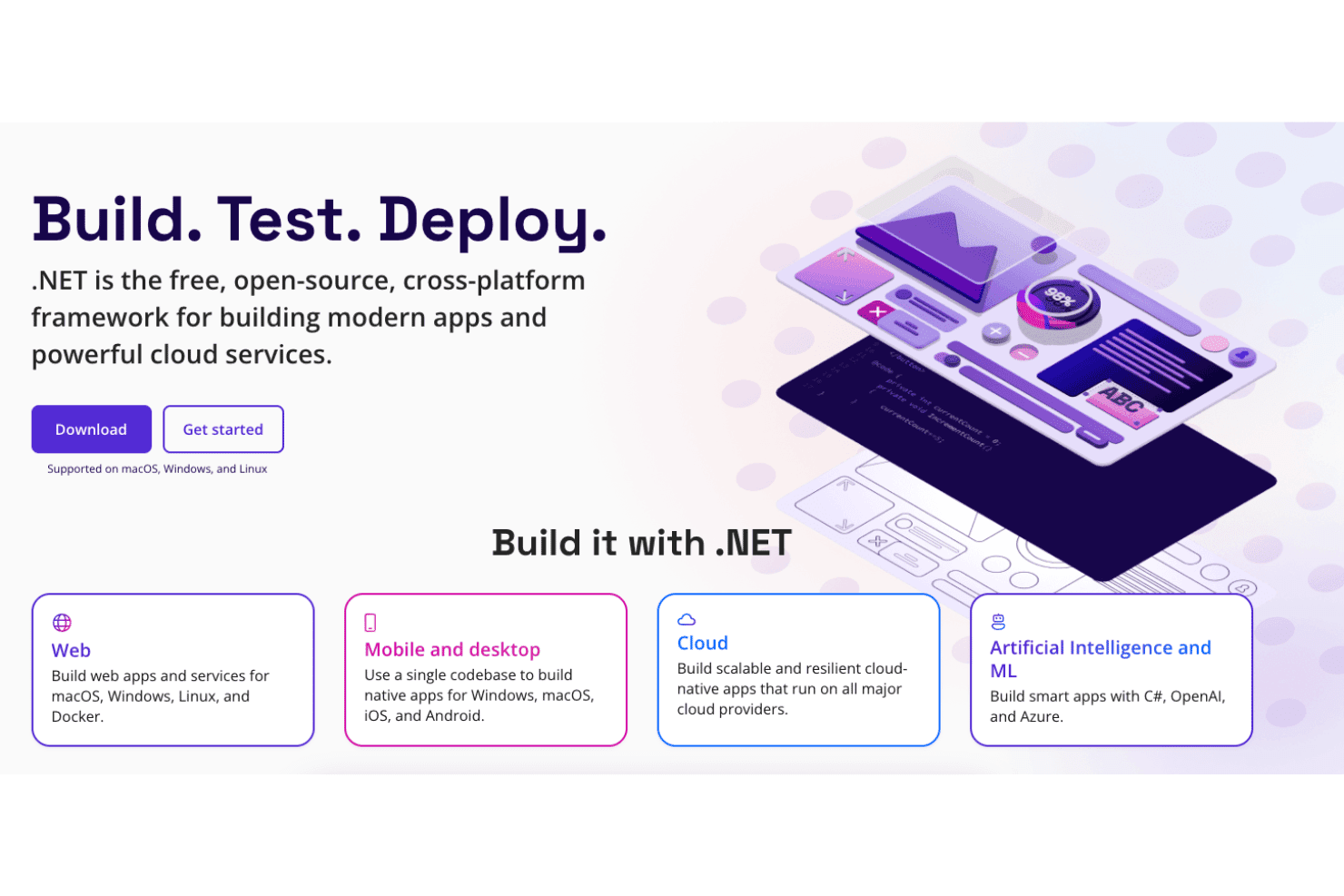
.NET supports web, mobile, cloud, and AI app development. .NET is Microsoft's free, open-source runtime platform that executes code written in C#, F#, and Visual Basic across web, cloud, desktop, mobile, and IoT workloads using a shared CLR with JIT, Native AOT, and Mono execution options.
Who Is .NET Best For?
.NET is a strong fit for platform engineers and software architects building multi-workload systems that need to run C#, F#, or Visual Basic on a single, consistent runtime across cloud, containers, and desktop.
Why I Picked .NET
.NET earns its spot as one of the best on my shortlist because C#, F#, and Visual Basic all compile down to and execute on the same CLR, which means you're not juggling separate runtimes as your codebase grows across languages. I especially like how the versioning discipline backs that up: even-numbered releases get three years of LTS support with a published end-of-support date, so production planning isn't a guessing game. Native AOT gives you lean, fast-starting binaries when JIT overhead is a concern, and the generational GC's server mode scales cleanly under high-throughput workloads.
.NET Key Features
- Native AOT compilation: Compiles your app ahead of time into a self-contained native binary, removing JIT warm-up overhead and reducing container image size.
- Aspire distributed app model: A code-first orchestration layer that auto-configures OpenTelemetry logs, traces, and metrics across services with no manual instrumentation.
- NuGet package ecosystem: Gives you access to 300,000+ versioned packages covering everything from data access to AI integrations.
- Side-by-side runtime versioning: Lets you install and run multiple .NET versions on the same machine, so different apps can target different runtimes without conflicts.
.NET Integrations
.NET offers 100+ curated Aspire integrations, including PostgreSQL, Redis, Dapr, and Azure Container Apps, plus native integrations across the Microsoft ecosystem. It supports GitHub Actions, Docker, OpenTelemetry, Entity Framework Core data providers, and custom integrations through APIs.
Pros and Cons
Pros:
- Side-by-side version installs for safer upgrades
- Built-in observability via OpenTelemetry and Aspire
- Runs C#, F#, and VB on one runtime
Cons:
- Major upgrades can introduce breaking changes
- No in-runtime sandbox for untrusted code
Learn more about .NET: Best for modular Java applications
- Not available
- Free and open-source

Apache Karaf web console Apache Karaf is an open-source Java runtime that supports modular application deployment through OSGi-based bundle isolation, hot deployment, dynamic configuration, and built-in clustering, security, and observability tooling.
Who Is Apache Karaf Runtime Best For?
Apache Karaf is a strong fit for software architects and platform engineers building modular Java applications that need strict dependency isolation and dynamic configuration across complex, multi-bundle environments.
Why I Picked Apache Karaf Runtime
Apache Karaf earns its spot on my shortlist because of how well it handles true bundle-level dependency isolation for modular Java applications. I've worked with setups where two plugins need conflicting versions of the same library in a single JVM, and Karaf's per-bundle OSGi classloading solves that cleanly without workarounds. Its Features provisioning system also makes managing dependencies across complex deployments much more predictable, resolving requirements and capabilities automatically at install time.
Apache Karaf Runtime Key Features
- Karaf Decanter monitoring: A built-in observability subproject that collects JMX metrics, logs, and application events, then routes them to backends like Elasticsearch, Prometheus, and Grafana Loki.
- Karaf Cellar clustering: A Hazelcast-based clustering layer that handles node discovery, synchronization of features and configuration across cluster groups, and distributed OSGi remote calls.
- SSH remote console access: An embedded SSHd server that gives you full shell access to a running Karaf instance from any SSH client, including SFTP and SCP filesystem access.
- JAAS-based RBAC security: A role-based access control system built on JAAS that governs shell commands and JMX objects, with LDAP login module support for enterprise identity integration.
Apache Karaf Runtime Integrations
Apache Karaf Runtime has documented integrations with Apache Felix, Eclipse Equinox, Apache Camel, Spring, Spring Boot, CDI, Blueprint, Pax Web, Pax JDBC, and Pax Logging. It also supports Maven repositories, Docker packaging, JMX, SSH, and custom OSGi services.
Pros and Cons
Pros:
- Dynamic configuration changes without runtime restart
- Built-in SSH and JMX for remote management
- OSGi bundle isolation for conflicting dependencies
Cons:
- No official vendor SLA or paid support
- JVM-exclusive, no multi-language execution support
Learn more about Apache Karaf Runtime: Best for daemonless, rootless container execution
- Free plan available
- Pricing upon request
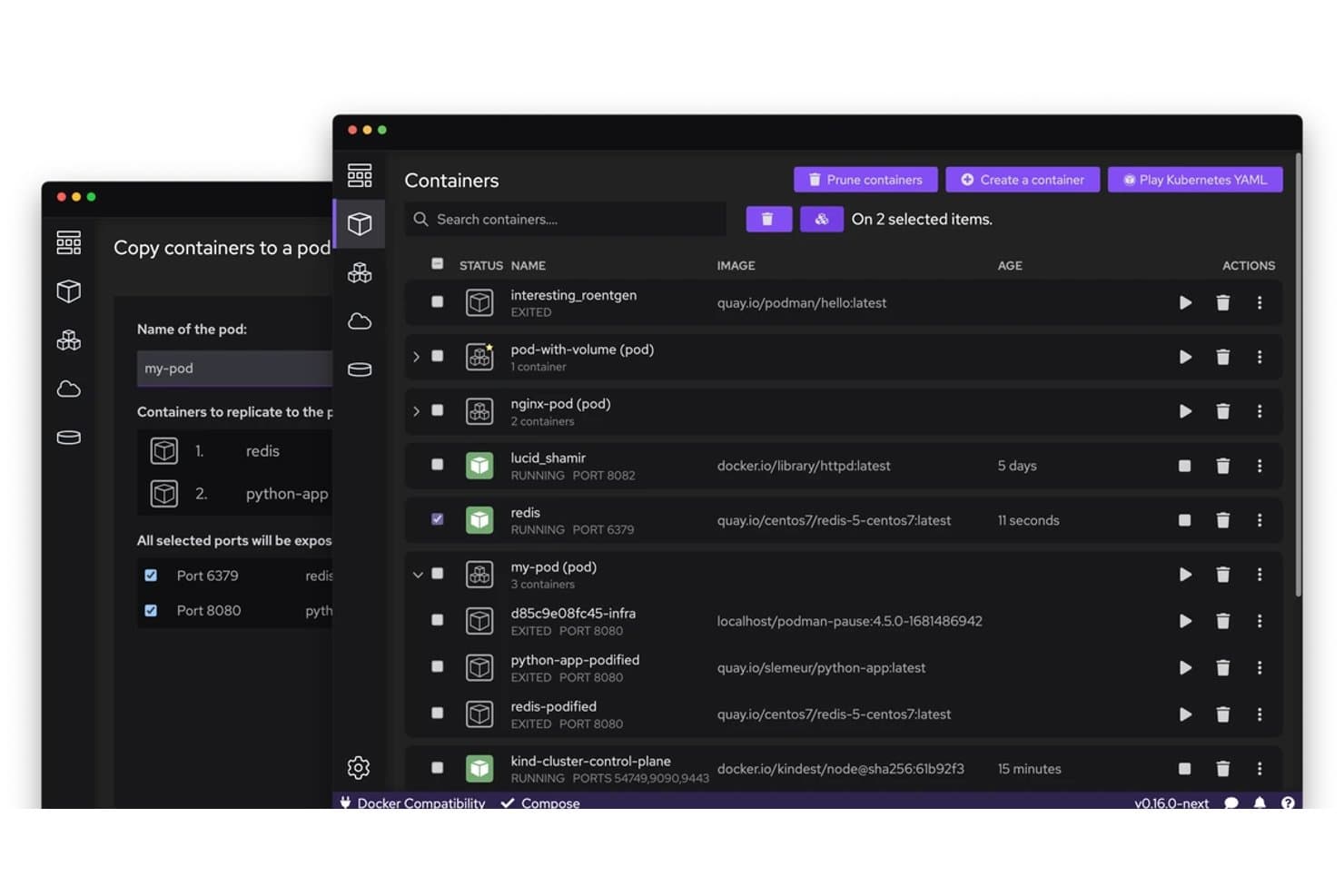
Podman lets users copy and manage containers into pods visually. Podman is an open-source container runtime engine that lets you run, manage, and orchestrate OCI containers and pods using a daemonless, rootless architecture with Docker-compatible CLI commands and deep systemd integration via Quadlet.
Who Is Podman Best For?
Podman is a strong fit for DevOps engineers and platform teams running Linux workloads who need a Docker-compatible runtime without the security risks of a privileged daemon.
Why I Picked Podman
I picked Podman as one of the best because its daemonless, rootless architecture genuinely changes the security posture of container execution: containers run as child processes of your user session, not under a privileged root daemon. That means a compromised container can't escalate through a daemon socket the way it can in Docker. I also rely on Quadlet for production reliability, since it lets me declare containers as systemd units that start at boot, respect dependencies, and restart on failure without any custom wrapper scripts.
Podman Key Features
- Docker-compatible CLI: Podman mirrors Docker's command syntax almost exactly, so you can run
podman pull,podman run, andpodman pswithout relearning your workflow. - Quadlet systemd unit files: Declare containers as
.container,.pod, or.kubeunit files that systemd manages at boot with dependency ordering and restart policies. - CRIU checkpoint and restore: Snapshot a running container's full memory state, export it as an archive, and restore it on the same or a different host.
- cgroups v2 resource controls: Set per-container CPU, memory, PID, and I/O limits using standard OCI-spec flags enforced directly through the Linux cgroups v2 hierarchy.
Podman Integrations
Podman integrates with Buildah, Skopeo, CRI-O, Kubernetes, OpenShift, GitHub Actions, Cirrus CLI, Docker-compatible clients, and OCI registries. Its Docker-compatible REST API supports custom integrations and CI/CD workflows.
Pros and Cons
Pros:
- Supports advanced checkpoint and restore operations
- Lets you manage containers as systemd services
- Runs containers without a persistent privileged daemon
Cons:
- Upgrades can break backwards compatibility and workflows
- Compose workflows differ from standard Docker Compose
Learn more about Podman: Best for industry-standard container runtime
- Not available
- Pricing upon request

containerd runtime's container help feature containerd is an open-source container runtime daemon that manages the full container lifecycle, including image transfer and storage, task execution via OCI-compliant runtimes, snapshotters, sandbox management, and namespace-based multi-tenancy across Linux and Windows.
Who Is containerd Best For?
containerd is a strong fit for platform engineers and DevOps teams running Kubernetes in production who need a stable, lightweight runtime they can build on top of rather than a batteries-included container management tool.
Why I Picked containerd
containerd earns its spot as one of the best on my shortlist because it's the actual runtime running beneath Kubernetes on EKS, AKS, and GKE, making it the de facto industry standard rather than just a contender. I particularly like its Runtime v2 shim architecture, which keeps one shim per container so the daemon can restart without disrupting running workloads. Its Sandbox API, stable since 2.0, also lets platform teams natively model Kubernetes pod semantics, including microVM-style isolation, without bolting on external abstractions.
containerd Key Features
- NRI plugin framework: A runtime-agnostic interface for injecting custom resource-management logic—like NUMA/CPU pinning—into container creation without modifying the core daemon.
- OTel tracing: Built-in OpenTelemetry tracing on gRPC calls, configurable via standard
OTEL_*environment variables and a manual instrumentation package for custom spans. - Image verifier plugin: An external binary hook that approves or blocks an image pull based on the OCI descriptor, letting you enforce signature or naming policies before content is stored.
- Checkpoint and restore: Captures a running task's state via CRIU, pushes the checkpoint to a registry, and restores it into a new container on any compatible host.
containerd Integrations
containerd integrates natively with Kubernetes through its built-in CRI plugin and supports Docker Engine, Docker Desktop, runc, CRIU, and OpenTelemetry. Its Go client and gRPC API support custom integrations, while nerdctl provides a Docker-compatible CLI.
Pros and Cons
Pros:
- OpenTelemetry tracing built directly into daemon
- Advanced isolation with user namespaces support
- Runs natively on Linux and Windows
Cons:
- No commercial support or SLA offered
- No built-in networking or log management
Learn more about containerd: Best for Android app execution sandboxing
- Not available
- Pricing upon request

Android Runtime (ART) sits within Android's layered software stack. Android Runtime (ART) is Android's managed runtime engine that executes DEX bytecode using a hybrid AOT, JIT, and interpreter model, combined with profile-guided recompilation, concurrent garbage collection, and OS-enforced app sandboxing.
Who Is Android Runtime (ART) Best For?
ART is a strong fit for platform engineers and software architects building or optimizing Android system images who need precise control over execution, memory, and app isolation at the OS level.
Why I Picked Android Runtime (ART)
ART earns its spot on my shortlist because no other runtime delivers Android app execution sandboxing as thoroughly as it does. I'm particularly impressed by how isolation is enforced below the runtime itself: each app gets a unique Linux UID, a dedicated SELinux domain, and seccomp-bpf syscall filtering, so containment isn't just a runtime promise but a kernel-level guarantee. Layer on ART's hybrid AOT/JIT execution with profile-guided recompilation, and you get a runtime that tightens security without sacrificing performance.
Android Runtime (ART) Key Features
- Profile-guided recompilation loop: ART merges cloud-sourced and locally recorded JIT profiles during idle time, then recompiles hot methods via a background daemon.
- Compiler filter selection: Platform engineers set per-module compilation strategies—
verify,speed,speed-profile—throughdex2oatflags and dexpreopt make-file variables. - Concurrent copying garbage collector: The default CC collector defragments the heap concurrently using a read barrier, with a single fixed-size pause that doesn't grow with heap size.
- JDWP-based debugger with field watchpoints: ART supports standard Java debug wire protocol, including watchpoints that suspend execution on field reads or writes and live-instance queries.
Android Runtime (ART) Integrations
ART integrates with the Android Open Source Project build system,
adb, Android package manager, Perfetto, Systrace, JDWP, and Google Play cloud profiles. It also supports custom connectivity through JNI,libnativebridge, andlibnativeloader.Pros and Cons
Pros:
- Built-in sampling profiler and JDWP debugging
- Kernel-enforced app sandboxing via SELinux and seccomp
- Production-proven hybrid AOT and JIT execution
Cons:
- Advanced tuning requires root or build-time changes
- Device and OS scope limited to Android
Learn more about Android Runtime (ART): Best for cross-language interoperability
- Free plan available
- Pricing upon request
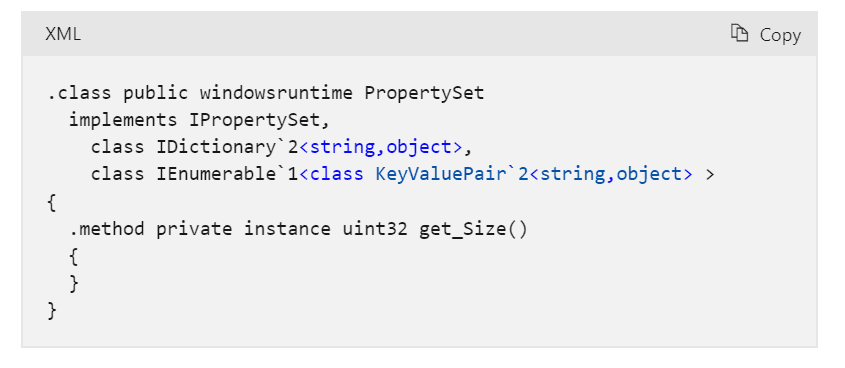
Partial view of PropertySet after the Common Language Runtime projection Microsoft Common Language Runtime (CLR) is the managed execution engine at the core of the .NET platform, combining JIT and Native AOT compilation, automatic memory management, multi-language support, and built-in diagnostics tooling to run managed code across Windows, Linux, and macOS.
Who Is Microsoft Common Language Runtime (CLR) Best For?
CLR is a strong fit for development and platform teams building .NET applications across multiple languages who need a proven, cross-platform managed execution environment.
Why I Picked Microsoft Common Language Runtime (CLR)
I've included CLR in my top picks because its cross-language interoperability is genuinely unmatched: C#, F#, Visual Basic, and even third-party languages like COBOL can share types, inherit from each other's classes, and handle exceptions across language boundaries within a single runtime. The Common Type System enforces this at the spec level, so you're not just hoping things work. I also rate its GC configuration depth highly, with container-aware heap limits and Server GC mode giving platform teams real control over how production workloads consume memory.
Microsoft Common Language Runtime (CLR) Key Features
- Native AOT compilation: Compiles .NET apps ahead-of-time into self-contained native binaries that run without a JIT or installed runtime on the target machine.
- AssemblyLoadContext: Loads, isolates, and unloads assemblies within a single process, enabling side-by-side versioning of conflicting dependencies.
- Built-in diagnostics tooling: Provides CLI tools—
dotnet-counters,dotnet-trace,dotnet-dump—for live performance monitoring, tracing, and memory analysis in production. - Structured exception handling across languages: Manages exceptions uniformly across C#, F#, Visual Basic, and third-party CLR-targeting languages within the same runtime.
Microsoft Common Language Runtime (CLR) Integrations
Microsoft Common Language Runtime (CLR) supports the Microsoft ecosystem, including Azure, Visual Studio, and the .NET CLI, plus NuGet, OpenTelemetry, Docker, Kubernetes, and Podman. It also supports custom integrations through P/Invoke, COM interop, and native interoperability APIs.
Pros and Cons
Pros:
- Built-in production-grade diagnostics and tracing
- Deep garbage collection tuning options offered
- Runs multi-language code in one runtime
Cons:
- GC settings cannot change at runtime
- No in-process sandbox for untrusted code
Learn more about Microsoft Common Language Runtime (CLR):

Node.js web shot library Node.js is a free, open-source JavaScript runtime built on V8 that executes JS and TypeScript code server-side, with a non-blocking, event-driven I/O model, a bundled npm ecosystem, and built-in tooling for testing, profiling, and single-executable application builds.
Who Is Node.js Best For?
Node.js is a strong fit for developers and platform engineers building I/O-heavy, network-facing applications who need a free, widely supported runtime with a massive ecosystem behind it.
Why I Picked Node.js
Node.js earns its spot as one of the best on my shortlist because its non-blocking, event-driven I/O model lets a single process handle thousands of concurrent connections without spawning a thread per request, which is exactly what scalable network applications need. I particularly like that the
clustermodule andworker_threadslet you spread load across CPU cores when traffic spikes, without reaching for external tooling. Native TypeScript stripping and built-in test runner round out a runtime that covers real production workflows from the start.Node.js Key Features
- Native TypeScript execution: Runs TypeScript files directly by stripping type annotations at runtime, with no separate build step required.
- Single Executable Applications (SEA): Bundles your script and assets into a standalone binary that runs on machines without Node.js installed.
- Built-in test runner: Runs tests natively via the
--testflag, with reporters and global setup/teardown support, no third-party framework needed. - Permission model: Restricts file system, network, and child process access at runtime using flags like
--allow-netand--allow-fs-read.
Node.js Integrations
Native integrations are not clearly documented. Node.js supports the npm ecosystem, Chrome DevTools through the V8 Inspector Protocol, and custom integrations through Node-API, fetch/undici, WebAssembly, and WASI.
Pros and Cons
Pros:
- Bundled test runner and script automation
- Native TypeScript execution with no build step
- Handles thousands of concurrent network connections
Cons:
- Permission model not a true security boundary
- Single-threaded event loop bottlenecks CPU-bound tasks
Learn more about Node.js:

Simulated Mnesia transaction that writes one record in Erlang Runtime software Erlang/OTP is a runtime system built around the BEAM virtual machine that executes compiled bytecode with a JIT compiler, lightweight process scheduling, built-in distribution, and a full standard library for building fault-tolerant, concurrent applications.
Who Is Erlang Runtime Best For?
Erlang/OTP is a strong fit for software architects and platform engineers building distributed, always-on systems where concurrency and fault tolerance aren't optional.
Why I Picked Erlang Runtime
Erlang Runtime earns its spot on my shortlist because concurrency isn't a feature you configure—it's baked into the BEAM virtual machine itself. I've worked with systems where lightweight process scheduling and per-process heaps let hundreds of thousands of concurrent operations run without shared memory contention or stop-the-world garbage collection. The BeamAsm JIT compiler adds native code execution on x86-64 and aarch64, and hot code upgrades via appup/relup let you push live releases to production nodes with zero downtime.
Erlang Runtime Key Features
- BeamAsm JIT compiler: Converts BEAM bytecode to native code at load time on x86-64 and aarch64, with performance gains up to 4x over the interpreter depending on workload.
- Observer GUI: A built-in diagnostic tool that displays live memory allocation, scheduler utilization, process details, ETS tables, and a trace overview across connected nodes.
- Emulator resource flags: Runtime flags like
+S,+SDcpu, and+hmaxlet you control scheduler threads, dirty schedulers, and per-process heap limits directly from the command line. - OTP application library: Ships with a broad set of first-party libraries including
crypto,ssl,ssh,mnesia,snmp, anddiameterfor building production-ready distributed systems.
Erlang Runtime Integrations
Erlang Runtime integrates with Rebar3, Hex.pm, Docker, and GitHub Actions through
erlef/setup-beam, with interoperability through C ports, NIFs, and Javajinterface. It also supports custom connectivity through TCP, TLS, SNMP, and distributed Erlang.Pros and Cons
Pros:
- Lightweight processes support massive concurrency scaling
- Built-in Observer provides live diagnostics dashboard
- Hot code upgrades enable zero downtime releases
Cons:
- No official vendor support contracts available
- Not intended for CPU-bound workloads
Learn more about Erlang Runtime: Best for serverless event-driven function execution
- Free plan available
- From $0.20 per 1 million requests/month

AWS Lambda lets users pin functions to a specific runtime version manually. AWS Lambda is a serverless runtime platform from AWS that runs event-driven functions across managed runtimes for Node.js, Python, Java, .NET, and Ruby, with additional support for custom runtimes, MicroVM sandboxes, long-running Managed Instances, and multi-step Durable Functions.
Who Is AWS Lambda Best For?
AWS Lambda is a strong fit for DevOps engineers and application developers building event-driven workloads on AWS who want to ship code without managing infrastructure.
Why I Picked AWS Lambda
I picked AWS Lambda as one of the best because no other platform matches its depth for serverless event-driven function execution at scale. Its execution isolation stands out to me: every function runs in a dedicated Nitro-based environment, never shared across accounts, and MicroVM sandboxes take that further by offering VM-level isolation for untrusted or AI-generated code. SnapStart cuts Java cold starts by up to 10x, which I think is a genuine differentiator when latency consistency matters in production.
AWS Lambda Key Features
- Managed runtime deprecation calendar: Lambda publishes exact deprecation, block-create, and block-update dates for every supported runtime version, so you can plan upgrades before enforcement kicks in.
- Lambda layers: Package shared libraries, dependencies, or custom runtimes into reusable layers that multiple functions can reference, keeping deployment artifacts lean.
- Provisioned concurrency: Pre-initializes execution environments ahead of traffic so functions respond without a cold start delay, useful for latency-sensitive workloads.
- Lambda Durable Functions: Runs multi-step, long-running workflows with built-in checkpointing, retries, branching, and wait-for-signal support across executions that can span hours.
AWS Lambda Integrations
AWS Lambda offers 220+ native integrations across AWS services and about 50 SaaS applications, including Amazon S3, DynamoDB, API Gateway, EventBridge, SQS, SNS, Kinesis, Step Functions, Amazon ECR, and Amazon EFS. AWS SDKs and APIs support custom connectivity.
Pros and Cons
Pros:
- Strong cold start optimization options available
- Supports durable, multi-step workflows natively
- Never-shared Nitro-based execution isolation
Cons:
- Resource and execution time limits apply
- Only runs on AWS-managed infrastructure
Learn more about AWS Lambda:

Deno lets users inspect WebSocket messages in the browser debugger. Deno is an open-source JavaScript and TypeScript runtime built on V8 and Rust that bundles execution, package management, testing, linting, formatting, and compilation into a single binary with a secure-by-default permission model.
Who Is Deno Best For?
Deno is a strong fit for security-conscious developers and platform teams who need TypeScript execution out of the box without assembling a separate toolchain.
Why I Picked Deno
I picked Deno as one of the best because its secure-by-default permission model is genuinely unlike anything Node.js or Bun offers. Every file, network, and subprocess access requires an explicit grant, and the enterprise permission broker lets you enforce those policies centrally without relying on individual
--allow-*flags. I also love thatdeno compileproduces fully self-contained executables, so you can ship a sandboxed binary with no runtime dependency on the target machine.Deno Key Features
- Built-in OpenTelemetry instrumentation: Set
OTEL_DENO=trueto automatically collect logs, traces, and metrics without adding any extra libraries. - All-in-one toolchain binary: A single Deno binary includes a test runner, linter, formatter, task runner, and coverage tool, replacing multiple separately managed packages.
- LTS release channel: Deno's LTS channel delivers only security patches and critical fixes for a defined maintenance window, giving teams a stable upgrade target.
- Node.js and npm compatibility: Deno runs npm packages via
npm:specifiers and supportsnode:built-ins, letting you reuse existing Node.js code without a full rewrite.
Deno Integrations
Deno integrates with npm, Node.js APIs, JSR, AWS Lambda, Google Cloud Run, Azure Functions, Cloudflare Workers, Docker, GitHub, and OpenTelemetry-compatible backends. It also supports private npm registries, CI/CD workflows, and custom integrations through OTLP and deployment APIs.
Pros and Cons
Pros:
- Enterprise permission broker and audit logging
- Native TypeScript runs without build steps
- Secure-by-default permission model for execution
Cons:
- LTS support periods are relatively short
- Node.js compatibility is not complete
Learn more about Deno:- Built-in OpenTelemetry instrumentation: Set
Annen kjøretidsprogramvare
Her er noen flere alternativer innen kjøretidsprogramvare som ikke kom med på kortlisten min, men som likevel er verdt å sjekke ut:
- 11Ruby MRIGood for executing scripts in the Ruby language
- 12Docker EngineBest for container security isolation controls
- 13CRI-OBest for Kubernetes-aligned runtime version tracking
- 14Docker RuntimeBest for container orchestration
- 15Red Hat RuntimesBest for cloud-native development
- 16PHP RuntimeBest for web server scripting
- 17ElectronBest for desktop apps built on web tech
How I Evaluate Runtime Software
I split my evaluation into two layers: the core execution and runtime management capabilities a tool needs to cover, and the differentiators, like performance optimization, observability, and runtime versioning, that set individual options apart.
Core Functionality (Table Stakes For This List)
When I'm selecting tools for my list, I rank each one on a scale from 0 (does not offer the functionality) to 5 (excels in this area) for each core functionality listed below. I then calculate the tool's total score into a percentage, using 65% as a benchmark to help assess its overall fit for the list.
- Code & Workload Execution: I look at whether the runtime reliably executes its intended application code or computational workloads, whether that's language-specific code, bytecode, containers, or another supported workload type.
- Platform & Environment Compatibility: I evaluate whether the runtime supports the operating systems, architectures, infrastructure environments, and deployment targets relevant to its runtime type, and how consistently it behaves across them.
- Runtime Resource Management: I assess how the runtime manages resources such as memory, processes, threads, I/O, garbage collection, and compute allocation, based on what's relevant to its execution model.
- Runtime Services & Dependencies: I check how the runtime provides or integrates with the libraries, modules, APIs, packages, system services, and dependency mechanisms its supported workloads need during execution.
- Application Lifecycle Support: I look at how the runtime handles initialization, execution, termination, errors, recovery, and other lifecycle operations appropriate to the workloads it supports.
- Execution Controls & Isolation: I evaluate the permissions, process controls, isolation mechanisms, resource boundaries, and other safeguards the runtime provides for its particular execution model.
Once I have a list of tools that meet the criteria, I consider what sets each runtime apart.
Differentiating Factors (What Sets Vendors Apart)
Here's how I compare and contrast different vendors:
Standout Features
Runtime performance optimization is an important differentiator, so I look for capabilities such as JIT or AOT compilation, adaptive optimization, caching, garbage collection tuning, and hardware acceleration where they're relevant. I also consider multi-language support for runtimes that can execute multiple languages or bytecode formats within the same ecosystem. Security sandboxing can provide stronger isolation for untrusted or compromised workloads, while built-in observability and diagnostics, including tracing, profiling, debugging, logging, and runtime metrics, can make production issues easier to investigate. I also look at runtime versioning and compatibility features such as LTS releases, side-by-side versions, backward compatibility, controlled upgrades, and rollback support.
Beyond Features
Performance overhead and footprint are important because CPU consumption, memory usage, and startup time can affect runtime efficiency in production. I also evaluate ecosystem and community maturity, including documentation, third-party libraries, development tooling, project governance, and the availability of commercial support. Licensing and long-term support matter for teams considering redistribution rights, enterprise support, patch cadence, and the cost of maintaining the runtime over time. Finally, I consider security and maintenance practices, including vulnerability disclosure, patch responsiveness, signed releases, secure distribution, and support for relevant security requirements.
Slik velger du kjøretidsprogramvare
Det er lett å gå seg vill i lange funksjonslister og kompliserte prisstrukturer. For å hjelpe deg med å holde fokus mens du jobber deg gjennom den unike prosessen med å velge programvare, får du her en sjekkliste over faktorer du bør ha i mente:
| Faktor | Hva du bør vurdere |
|---|---|
| FaktorSkalerbarhet | Hva du bør vurdereKan programvaren vokse med virksomheten din? Sjekk om den støtter økende arbeidsmengder uten ytelsesproblemer. |
| FaktorIntegrasjoner | Hva du bør vurdereFungerer den med verktøyene du bruker nå? Se etter enkle integrasjoner med eksisterende systemer for å unngå ekstra konfigurasjonsarbeid. |
| FaktorTilpasningsmuligheter | Hva du bør vurdereKan du tilpasse den etter behovene dine? Vurder om du kan justere innstillinger og funksjoner slik at de passer arbeidsflyten til teamet ditt. |
| FaktorBrukervennlighet | Hva du bør vurdereEr grensesnittet brukervennlig? Sørg for at programvaren er intuitiv og ikke krever omfattende opplæring for at teamet ditt skal kunne bruke den effektivt. |
| FaktorImplementering og oppstart | Hva du bør vurdereHvor raskt kan du komme i gang? Vurder tiden og ressursene som kreves for oppsettet, og om det finnes støtte i denne fasen. |
| FaktorKostnad | Hva du bør vurderePasser den inn i budsjettet ditt? Sammenlign prisplanene og se opp for skjulte gebyrer eller langsiktige avtaler som kan påvirke økonomien din. |
| FaktorSikkerhetstiltak | Hva du bør vurdereEr dataene dine beskyttet? Kontroller om programvaren følger bransjestandarder for sikkerhet og tilbyr funksjoner som kryptering og tilgangskontroll. |
| FaktorTilgjengelig støtte | Hva du bør vurdereFår du hjelp når du trenger det? Sjekk om kundestøtten er tilgjengelig og svarer raskt, og om den tilbyr flere kanaler som chat eller telefonstøtte. |
Hva er kjøretidsprogramvare?
Kjøretidsprogramvare er en type program som gjør det mulig for applikasjoner å kjøre effektivt ved å administrere ressurser og kjøre kode. Utviklere, IT-fagfolk og programvareingeniører bruker vanligvis disse verktøyene for å forbedre applikasjonsytelsen og sikre problemfri drift. Funksjoner for feilhåndtering, ressursadministrasjon og ytelsesovervåking bidrar til å opprettholde systemets stabilitet og effektivitet. Alt i alt gir disse verktøyene viktig støtte for å kjøre applikasjoner effektivt.
Funksjoner
Når du velger kjøretidsprogramvare, bør du se etter følgende viktige funksjoner:
- Ressursadministrasjon: Tildeler systemressurser effektivt for å sikre at applikasjoner kjører problemfritt uten avbrudd.
- Feilhåndtering: Oppdager og håndterer feil automatisk for å opprettholde applikasjonsstabiliteten og forhindre krasj.
- Ytelsesovervåking: Følger med på måleverdier for applikasjonsytelse for å identifisere flaskehalser og optimalisere ressursbruken.
- Støtte for flere språk: Støtter ulike programmeringsspråk for å gi fleksibilitet til utviklere som arbeider med forskjellige kodebaser.
- Sanntidsanalyse: Gir innsikt i applikasjonsytelse og systemtilstand for å legge til rette for rettidige beslutninger.
- Tilpassbare dashbord: Gjør det mulig for brukere å tilpasse grensesnittet slik at det viser relevante data og måleverdier for deres spesifikke behov.
- Integrasjonsfunksjoner: Sikrer kompatibilitet med eksisterende systemer og verktøy for å effektivisere arbeidsflyter og redusere oppsettstiden.
- Sikkerhetstiltak: Tilbyr funksjoner som kryptering og tilgangskontroller for å beskytte sensitive data og opprettholde samsvar med sikkerhetsstandarder.
- Automatisk skalering: Justerer ressursene dynamisk basert på etterspørselen for å opprettholde ytelsen i perioder med høy belastning.
- Brukervennlig grensesnitt: Sikrer enkel bruk med intuitiv navigasjon og utforming, noe som reduserer læringskurven for nye brukere.
Fordeler
Implementering av kjøretidsprogramvare gir flere fordeler for teamet og virksomheten din. Her er noen av fordelene du kan se frem til:
- Forbedret ytelse: Optimaliserer ressursbruken og overvåker ytelsen for å holde applikasjonene i jevn drift.
- Redusert nedetid: Oppdager og håndterer feil automatisk, noe som minimerer avbrudd og forhindrer krasj.
- Fleksibilitet: Støtter flere programmeringsspråk, slik at utviklere enkelt kan arbeide med ulike kodebaser.
- Bedre beslutningsgrunnlag: Sanntidsanalyse gir innsikt i systemtilstanden og bidrar til raske og effektive tiltak.
- Forbedret sikkerhet: Tilbyr kryptering og tilgangskontroller for å beskytte sensitive data og oppfylle samsvarsstandarder.
- Skalerbarhet: Justerer ressursene automatisk basert på etterspørselen og sikrer ytelsen ved høy belastning.
- Enkel bruk: Brukervennlige grensesnitt reduserer læringskurven og gjør det enklere for team å ta i bruk og utnytte programvaren effektivt.
Kostnader & priser
Valg av kjøretidsprogramvare krever en forståelse av de ulike prismodellene og abonnementene som er tilgjengelige. Kostnadene varierer basert på funksjoner, teamstørrelse, tillegg og mer. Tabellen nedenfor oppsummerer vanlige abonnementer, gjennomsnittsprisene deres og typiske funksjoner som er inkludert i løsninger for kjøretidsprogramvare:
Sammenligningstabell for abonnementer for kjøretidsprogramvare
| Abonnementstype | Gjennomsnittspris | Vanlige funksjoner |
|---|---|---|
| AbonnementstypeGratisabonnement | Gjennomsnittspris$0 | Vanlige funksjonerGrunnleggende ressursadministrasjon, begrenset feilhåndtering og brukerstøtte fra fellesskapet. |
| AbonnementstypePersonlig abonnement | Gjennomsnittspris$5-$25/bruker/måned | Vanlige funksjonerForbedret ytelsesovervåking, støtte for flere språk og brukerstøtte via e-post. |
| AbonnementstypeBedriftsabonnement | Gjennomsnittspris$30-$75/bruker/måned | Vanlige funksjonerSanntidsanalyse, tilpassbare dashbord og integrasjonsfunksjoner. |
| AbonnementstypeVirksomhetsabonnement | Gjennomsnittspris$100+/bruker/måned | Vanlige funksjonerAvanserte sikkerhetstiltak, automatisk skalering og dedikert kundestøtte. |
Vanlige spørsmål om kjøretidsprogramvare
Her er noen svar på vanlige spørsmål om kjøretidsprogramvare:
Hva er forskjellen mellom kjøretidsprogramvare og utviklingsprogramvare?
Kjøretidsprogramvare håndterer kjøringen av applikasjoner, mens utviklingsprogramvare brukes til å lage disse applikasjonene. Som utvikler bruker du utviklingsverktøy til å skrive og teste kode, mens kjøretidsprogramvare sørger for at koden kjører riktig på brukernes systemer. Tenk på kjøretiden som scenen der det ferdige produktet fungerer.
Trenger jeg spesifikk maskinvare for å kjøre kjøretidsprogramvare?
Nei, det meste av kjøretidsprogramvaren kjører på standardmaskinvare og er utviklet for å være kompatibel med ulike systemer. Kontroller likevel de spesifikke systemkravene for programvaren du velger, slik at du sikrer kompatibilitet med den eksisterende infrastrukturen din. Noen avanserte funksjoner kan kreve mer prosessorkraft eller minne.
Kan kjøretidsprogramvare brukes til mobilapplikasjoner?
Ja, mange løsninger for kjøretidsprogramvare støtter utvikling av mobilapplikasjoner. De tilbyr funksjoner som bidrar til å håndtere mobilspesifikke ressurser og optimalisere appytelsen på ulike enheter. Hvis teamet ditt utvikler mobilapper, bør du se etter kjøretidsprogramvare med mobilkompatibilitet og testfunksjoner.
Hvor ofte bør kjøretidsprogramvare oppdateres?
Regelmessige oppdateringer er avgjørende for å holde kjøretidsprogramvaren effektiv og sikker. De fleste leverandører tilbyr periodiske oppdateringer for å løse feil, forbedre ytelsen og styrke sikkerheten. Aktiver automatiske oppdateringer hvis det er tilgjengelig, eller planlegg regelmessige kontroller for å sikre at programvaren alltid er oppdatert.
Hva er forholdet mellom kjøretidsprogramvare og programmeringsspråket som brukes?
Kjøretidsprogramvare er ofte knyttet til bestemte programmeringsspråk eller plattformer. JVM er for eksempel tilpasset Java, Ruby MRI er for Ruby, og CUDA Runtime API er utviklet for parallell databehandling ved hjelp av CUDA-kompatible GPU-er. Dette forholdet sikrer at kode som er skrevet i et bestemt språk, kjører effektivt og sikkert på den tiltenkte plattformen.
Kan kjøretidsprogramvare påvirke ytelsen til en applikasjon?
Ja, valget av kjøretidsprogramvare kan ha stor innvirkning på ytelsen til en applikasjon. Funksjoner som optimaliseringsteknikker, minnehåndtering og integrasjonsmuligheter spiller en viktig rolle for hvor jevnt og effektivt en applikasjon kjører. Et informert valg basert på applikasjonens behov og kjøretidsprogramvarens funksjoner kan føre til optimal ytelse.