
Recensione di Red Sift: vantaggi, svantaggi, funzionalità e prezzi spiegati
Dive into my hands-on take: here’s how Red Sift’s DMARC platform doesn’t just crunch email data—it actually transforms how you spot, investigate, and resolve email threats in 2026.

Recensiamo gli strumenti in modo indipendente e le commissioni ci aiutano a finanziare i nostri test. Consulta la nostra politica sulla trasparenza, la nostra metodologia, oppure suggerisci uno strumento.
Red Sift is a DMARC software for security and IT teams that need to authenticate outbound email, monitor sending sources, and enforce DMARC, SPF, DKIM, and BIMI across their domains. I'd reach for it over a tool like Valimail when you want deeper visibility into your email ecosystem paired with broader domain and certificate discovery, rather than a narrower DMARC-only workflow. Red Sift OnDMARC is the piece that drives DMARC enforcement, and it arrives bundled with the wider domain-security tooling rather than sold separately.
Red Sift Evaluation Summary
4.8/5
- From $9/month (billed annually)
- Free trial available
Perché fidarsi dei nostri consigli sui software
6,700+
Reviews
20
Industry experts
16+
Evaluation factors
14
Years
Il nostro team testa e recensisce software dal 2012. In quanto leader tecnologici noi stessi, sappiamo quanto sia difficile — e importante — scegliere il software giusto.
Per questa guida, abbiamo valutato gli strumenti attraverso test praticie ricerche indipendenti, assegnando un punteggio agli strumenti in base ai nostri criteri di selezione.
Le nostre recensioni riflettono il nostro giudizio editoriale umano, non un discorso di vendita.
Revisori esperti:
- Paulo Gardini MiguelDirettore tecnico
 Tim FisherVP dell'IA
 Gabriel RosasTech Lead e architetto software
 Christhian GruhnTech Lead e architetto della piattaforma

Red Sift Overview
I think Red Sift stands out for its rich reporting, automated DMARC setup, and unified visibility across multiple domains, making it easy to judge your compliance posture at a glance. I find its clear interface and responsive support make initial onboarding smooth. It writes and validates the DNS records for you, which is where most rollouts stall and where email deliverability quietly suffers. Pricing lands on the higher end, and you might miss granular API integrations available elsewhere, but if you’re selecting a solution for complex enterprise or multi-brand environments, Red Sift is a strong, reliable choice.
Pros
- Offers BIMI automation and hosted MTA-STS management
- Gives detailed reporting for threat detection and source analysis
- Supports monitoring multiple domains and subdomain activity in a single dashboard
Cons
- Most plans require a quote
- Can overwhelm small teams with the feature set
- Lacks in-depth guided remediation for advanced authentication issues
Is Red Sift Right For Your Needs?
Who Would be a Good Fit for Red Sift?
Teams in regulated industries, companies managing a high volume of external email, and those with limited IT resources are going to see real value with Red Sift. Its guided onboarding, automation, and clear dashboards help lean security teams, while deep integrations appeal to organizations with complex compliance or reporting needs. If email impersonation is a live threat to your brand rather than a theoretical one, the breadth here starts to justify itself. If email authentication is non-negotiable or you prioritize proactive security, Red Sift stands out.
- Financial Services FirmsRed Sift delivers visual DMARC analytics and granular reporting that support industry regulatory requirements and help prevent phishing attacks.
- Midsize EnterprisesFeature-rich plans and API access suit businesses with multiple domains, supporting IT teams that need scalable and hands-off DMARC management.
- Public SectorGovernment and education organizations get value from Red Sift’s automation and compliance tools, which streamline reporting and lower management workload.
- Managed Service ProvidersThe multi-tenant support and automated alerts allow MSPs to serve multiple customers and reduce overhead.
- Security Operations TeamsSIEM and SOAR integrations enable proactive incident detection and response directly from the same interface.
- Companies With No Security StaffAutomated workflows, easy onboarding, and strong support mean non-specialists can set up and manage DMARC fast.
Who Would be a Bad Fit for Red Sift?
Red Sift isn’t ideal if you just need one-off DMARC lookups, operate at a very small scale, or want total hands-on script control. Organizations with advanced in-house capabilities or teams outside traditional corporate environments may also find it limiting. If you have no subdomain estate to protect and domain takeovers aren’t on your risk register, the breadth is wasted. If you work in a niche sector, it pays to confirm compatibility first.
- FreelancersThe feature set and cost overshoot what solo users or tiny businesses typically require for basic domain monitoring.
- Startups With No DomainsWithout multiple domains or established sending infrastructure, Red Sift’s tools go underused.
- DIY Security TeamsTeams that build and script everything themselves may find Red Sift’s managed platform too restrictive.
- Manufacturing With No Email FocusIndustries that rarely use outbound email for customer contact won’t benefit from DMARC analytics or reporting.
- Small CharitiesOrganizations with little to no security budget may struggle to justify the spend, even with entry-level plans.
- Informal Clubs or GroupsRed Sift is overpowered for volunteer groups or clubs that don’t deal with sophisticated email infrastructure or threat models.
La Nostra Metodologia di Recensione
Come Testiamo e Valutiamo gli Strumenti
Abbiamo trascorso anni a costruire, perfezionare e migliorare il nostro sistema di testing e valutazione del software. Il nostro schema è progettato per cogliere le sfumature della selezione software e cosa rende efficace uno strumento, focalizzandosi sugli aspetti critici del processo decisionale.
Di seguito, puoi vedere esattamente come funziona il nostro testing e punteggio su sette criteri. Ci permette di offrire una valutazione imparziale del software basata su funzionalità principali, caratteristiche distintive, facilità d’uso, onboarding, assistenza clienti, integrazioni, recensioni dei clienti e rapporto qualità-prezzo.
Funzionalità Principali (25% del punteggio finale)
Il punto di partenza della nostra valutazione è sempre la funzionalità principale dello strumento. Ha le funzioni e caratteristiche base che ci si aspetta? Alcune di queste caratteristiche sono limitate ai piani tariffari superiori? Fondamentalmente, ci aspettiamo che uno strumento regga il confronto rispetto alle capacità di base dei concorrenti.
Caratteristiche Distintive (25% del punteggio finale)
Successivamente, valutiamo le caratteristiche distintive e non comuni che vanno oltre la funzionalità base tipicamente trovata negli strumenti di questa categoria. Un punteggio alto riflette funzionalità specializzate o uniche che rendono il prodotto più veloce, efficiente o offrono ulteriore valore all’utente.
Valutiamo inoltre quanto sia semplice integrare altri strumenti tipicamente utilizzati nell’infrastruttura tecnologica per espandere la funzionalità e l’utilità del software. Gli strumenti che offrono numerose integrazioni native, connessioni di terze parti e accesso API per creare integrazioni personalizzate ottengono i punteggi migliori.
Facilità d’Uso (10% del punteggio finale)
Consideriamo quanto sia rapido e semplice svolgere i compiti definiti nella funzionalità principale utilizzando lo strumento. Il software con punteggio alto è ben progettato, intuitivo da usare, offre app mobili, fornisce modelli e rende semplici attività relativamente complesse.
Onboarding (10% del punteggio finale)
Sappiamo quanto sia importante l’adozione rapida da parte del team per una nuova piattaforma, quindi valutiamo quanto sia facile imparare e utilizzare uno strumento con formazione minima. Valutiamo quanto velocemente un membro del team possa iniziare a usare lo strumento anche senza esperienza. Soluzioni con punteggio alto indicano che sono richiesti pochi o nessun supporto.
Assistenza Clienti (10% del punteggio finale)
Esaminiamo quanto sia veloce e facile ricevere assistenza e risolvere problemi tramite telefono, live chat o knowledge base. Gli strumenti e le aziende che garantiscono supporto in tempo reale ottengono il miglior punteggio, mentre i chatbot ottengono il peggiore.
Recensioni dei Clienti (10% del punteggio finale)
Oltre ai nostri test e valutazioni, prendiamo in considerazione il net promoter score dei clienti attuali e passati. Valutiamo la probabilità che, data la scelta, selezionerebbero nuovamente lo strumento per la funzionalità principale. Un software con punteggio alto riflette un alto net promoter score da parte dei clienti attuali o passati.
Rapporto Qualità-Prezzo (10% del punteggio finale)
Infine, considerando tutti gli altri criteri, analizziamo il prezzo medio dei piani base rispetto alle funzionalità principali e consideriamo il valore degli altri criteri di valutazione. Il software che offre di più a meno otterrà un punteggio più alto.
Core Features
Automated DMARC Report Analysis
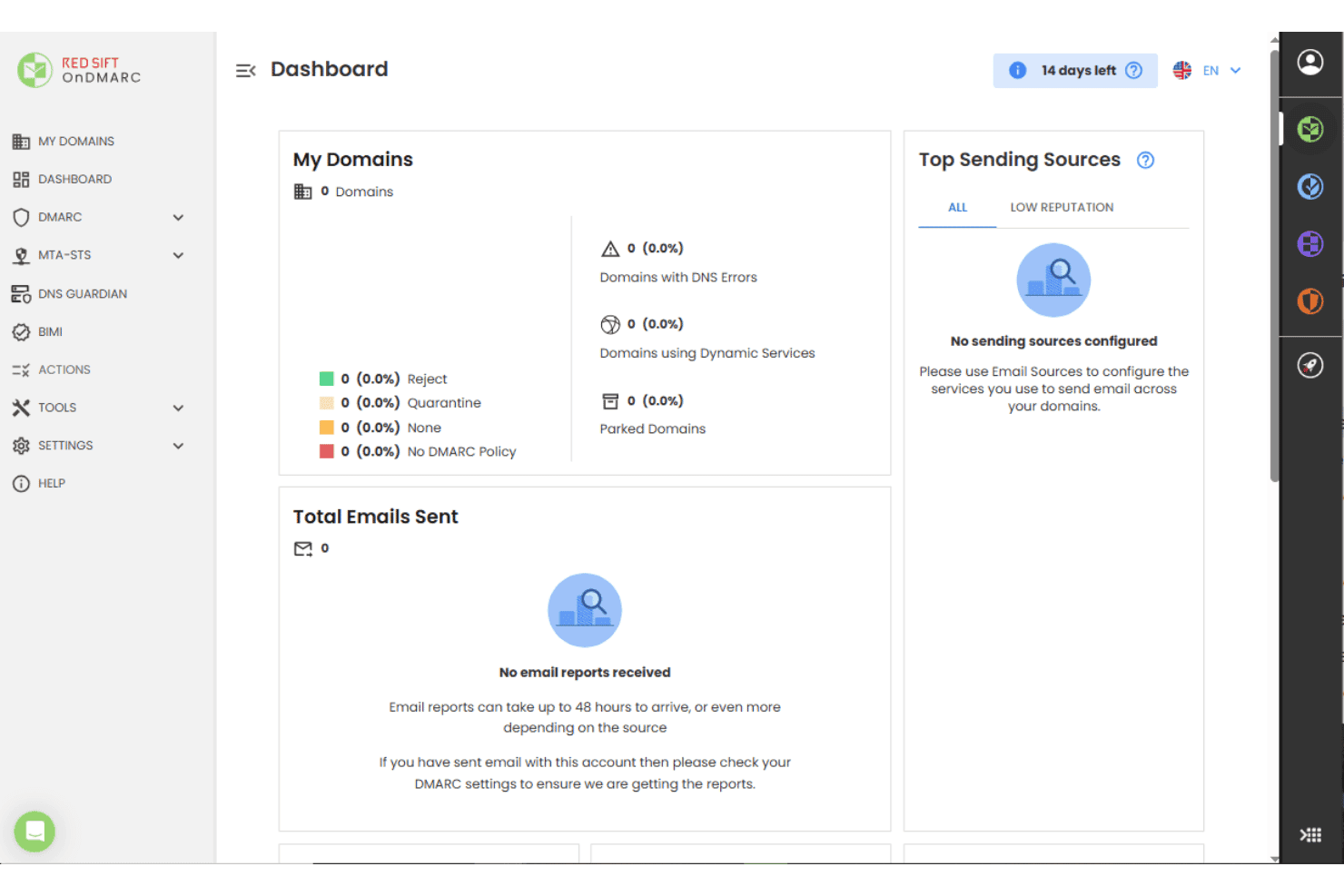
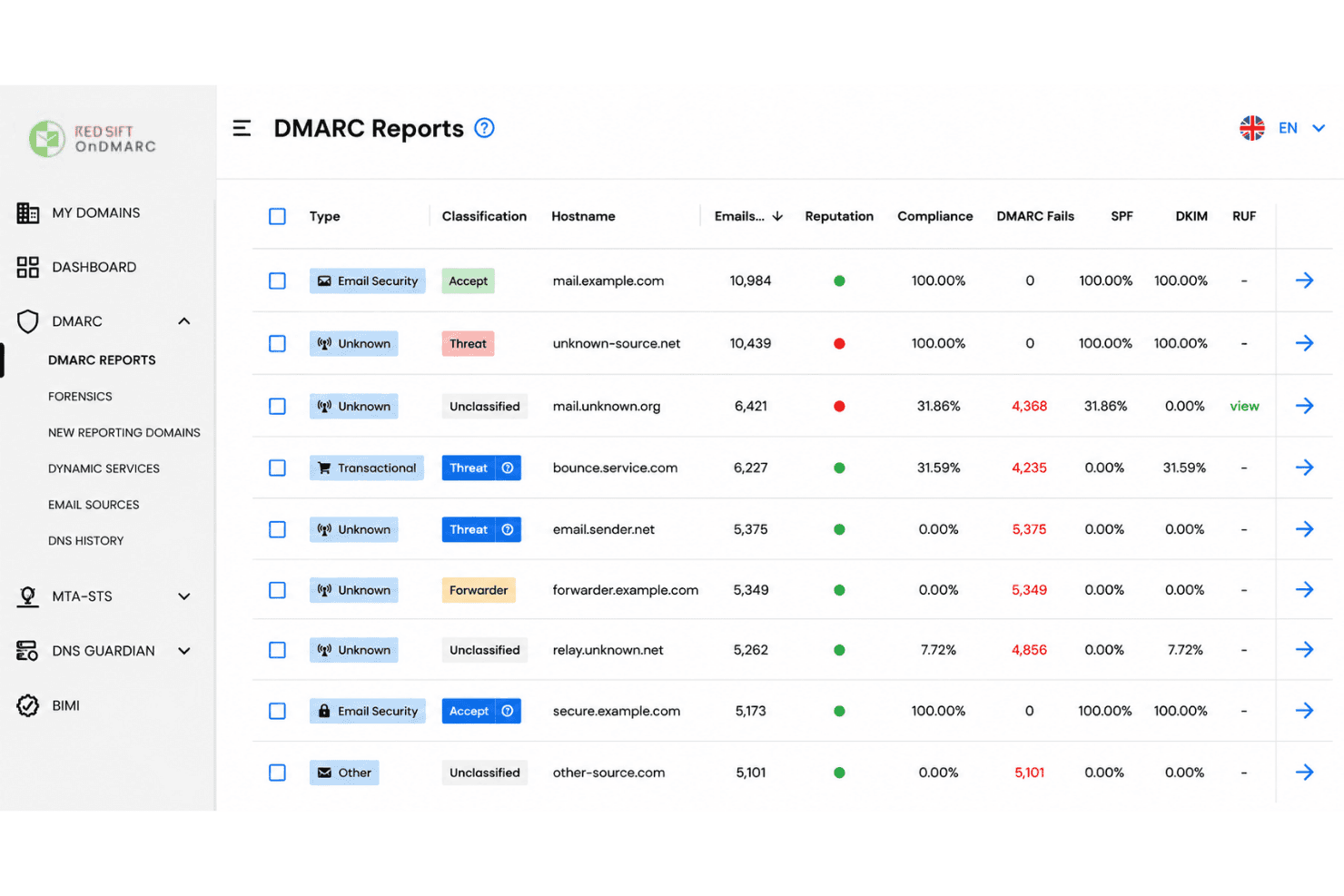
Red Sift auto-collects, aggregates, and analyzes DMARC reports to surface threat trends. You see source-specific insights without needing manual parsing.
BIMI and MTA-STS Automation
The platform manages BIMI records, VMC provisioning, and hosted MTA-STS policies out of the box. This streamlines brand authentication and transport security.
Multi-Domain Monitoring
Monitor and compare authentication activity across all domains in one dashboard. DNS Guardian watches for subdomain takeover attempts as that estate grows.
Threat Intelligence Integration
Red Sift correlates report data with global threat feeds to identify malicious senders fast. Teams spot business email compromise sooner than with raw logs.
Visual Policy Builder
A drag-and-drop interface lets you create and update DMARC, SPF records, and DKIM policies. This reduces misconfigurations and simplifies enforcement for non-experts.
Real-Time Alerts and Recommendations
Actionable alerts and practical guidance land when new risks, policy failures, or lookalike domains appear. This helps you remediate before issues escalate.
Ease of Use
Red Sift feels approachable for both technical and non-technical users thanks to its clear dashboards, guided setup flows, and policy wizards. I think the real value shows up in how quickly you can move from DMARC data to prioritized actions, with plenty of context provided in alerts and reports. Dynamic SPF is a small mercy here too, since it keeps you inside the 10 SPF lookup limit without hand-editing records every time a vendor changes. Some users say the breadth of features can be a bit much early on, but most find it intuitive after initial onboarding.

Integrations
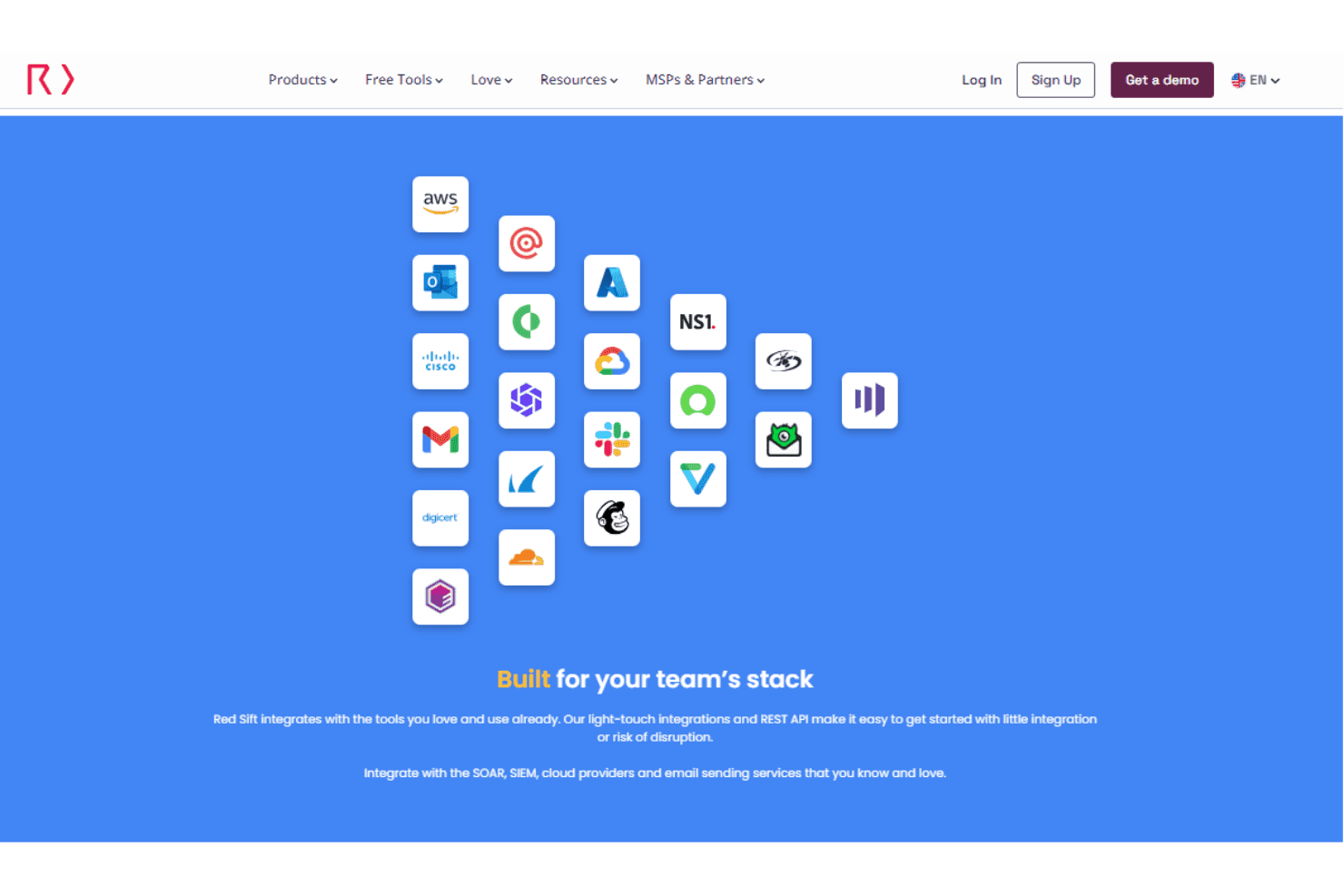
Red Sift integrates with AWS, Microsoft Outlook, Cisco, Gmail, DigiCert, Cloudflare, and NS1, alongside supported SIEM, SOAR, cloud, and email-sending services.
Red Sift also provides light-touch integrations and a REST API for connecting its platform with external tools and custom workflows.
Red Sift Specs
- 2-Factor Authentication: Yes
- Access Management: Yes
- Anti-Virus: No
- API: Yes
- Audit Management: Yes
- Audit Trail: Yes
- Batch Permissions & Access: No
- Compliance Tracking: Yes
- Dashboard: Yes
- Data Export: Yes
- Data Import: Yes
- DDoS Protection: No
- External Integrations: Yes
- File Sharing: No
- File Transfer: No
- Firewall: No
- Incident Management: No
- Malware Protection: No
- Multi-User: Yes
- Notifications: Yes
- Password & Access Management: Yes
- Policy Management: Yes
- Real-time Alerts: Yes
- Report & Compliance: Yes
- Risk Assessment: Yes
- Security Migration: No
- Threat Detection: Yes
- Workflow Management: No


