

Recensione di PDQ Connect: Pro, Contro, Caratteristiche e Prezzi Spiegati
Analizzo come PDQ Connect semplifica la gestione delle patch per professionisti IT e amministratori di sistema—svelando dove eccelle, dove presenta delle lacune e perché il suo approccio diretto si distingue come strumento di distribuzione tra le soluzioni di gestione delle patch.

Recensiamo gli strumenti in modo indipendente e le commissioni ci aiutano a finanziare i nostri test. Consulta la nostra politica sulla trasparenza, la nostra metodologia, oppure suggerisci uno strumento.
It only takes one missed update to open the door to serious trouble. Without the proper patch management software, systems fall behind, vulnerabilities pile up, and IT teams are left scrambling to keep up with constant threats. What starts as a simple delay can quickly turn into security risks, downtime, and hours of manual work just to stay afloat.
PDQ Connect is a cloud-based patch management solution designed to help IT professionals and system administrators keep workstations and servers up to date and secure. If you're wrestling with manual updates, unpredictable vulnerabilities, or time-consuming deployment processes, PDQ Connect's automation and straightforward controls could lighten your load.
In this review, I'll break down PDQ Connect's functionality and features, showcase practical use cases, and call out the pros, cons, and pricing details you need to make the right call for your environment.
PDQ Connect Evaluation Summary
4.6/5
- From $12/device/year
- Free trial + demo available
Perché fidarsi dei nostri consigli sui software
6,700+
Reviews
20
Industry experts
16+
Evaluation factors
14
Years
Il nostro team testa e recensisce software dal 2012. In quanto leader tecnologici noi stessi, sappiamo quanto sia difficile — e importante — scegliere il software giusto.
Per questa guida, abbiamo valutato gli strumenti attraverso test praticie ricerche indipendenti, assegnando un punteggio agli strumenti in base ai nostri criteri di selezione.
Le nostre recensioni riflettono il nostro giudizio editoriale umano, non un discorso di vendita.
Revisori esperti:
- Paulo Gardini MiguelDirettore tecnico
 Tim FisherVP dell'IA
 Gabriel RosasTech Lead e architetto software
 Christhian GruhnTech Lead e architetto della piattaforma

PDQ Connect Overview
Honestly, PDQ Connect's fast setup time, robust automations, and transparent pricing makes it stand out from other patch management solutions. If you want a simple but powerful platform with native app and OS scanning, PDQ would be the obvious choice. I'd say it's best for SMBs or midsize IT departments who value easy setup and reliable patching—regardless of company size. It should be noted, however, that PDQ Connect is designed primarily for Windows and macOS device management. For most internal teams, the trade-off is worth it—especially if fast deployment and transparency matter most.
Pros
- Automates Windows and macOS patch deployment with granular scheduling controls.
- Inventory scanning helps pinpoint unpatched or missing software.
- No remote agent required for updates on most devices.
Cons
- Limited support for Linux and mobile environments.
- RMM options are basic compared to other all-in-one platforms.
- No dedicated onboarding support.
Is PDQ Connect Right For Your Needs?
Who Would be a Good Fit for PDQ Connect?
PDQ Connect is best for IT teams managing mostly Windows and Mac workstations and servers who need quick patch cycles and minimal overhead. It's especially strong for small to midsize organizations with a few admins, departments without deep scripting skills, and distributed workforces. Simple licensing, agentless patching, and a massive package library make it easier to keep systems up to date, even with lean resources.
- Financial InstitutionsFinancial institutions can use PDQ Connect to support compliance and maintain visibility across endpoints.
- K–12 EducationSchools benefit from agentless updates, prebuilt packages, and batch deployment across many Windows PCs.
- Managed Service ProvidersService providers use PDQ's scripting options and reporting for efficient multi-client patch management.
- Healthcare ClinicsAgentless patching and minimal infrastructure keep compliance easy for smaller clinics with mostly Windows devices.
- Distributed WorkforcesRemote deployment supports offsite or hybrid employees without complex VPN or agent installs.
- SMBs With WindowsSmall and midsize businesses running mostly Windows get fast setup and coverage without advanced requirements.
Who Would be a Bad Fit for PDQ Connect?
PDQ Connect isn't as useful for organizations with mostly Linux devices, or highly specialized compliance needs. Large enterprises with thousands of endpoints, extensive automation demands, or strict integration requirements may also hit limits. If your team manages mobile devices or cross-platform environments, or needs in-depth compliance tracking, PDQ Connectmay fall short compared to competing deployment tools and IT management platforms.
- Small BusinessesFor businesses with under 100 devices, PDQ Connect may be more robust than necessary for basic patch management needs.
- Linux-First TeamsPDQ Connect focuses on Windows, so it won't support broad Linux patch deployment.
- Mobile-First OperationsThere's little support for mobile device patching or management.
- Highly Regulated SectorsOrganizations needing granular compliance workflows and certifications may need a more specialized tool.
La Nostra Metodologia di Recensione
Come Testiamo e Valutiamo gli Strumenti
Abbiamo trascorso anni a costruire, perfezionare e migliorare il nostro sistema di testing e valutazione del software. Il nostro schema è progettato per cogliere le sfumature della selezione software e cosa rende efficace uno strumento, focalizzandosi sugli aspetti critici del processo decisionale.
Di seguito, puoi vedere esattamente come funziona il nostro testing e punteggio su sette criteri. Ci permette di offrire una valutazione imparziale del software basata su funzionalità principali, caratteristiche distintive, facilità d’uso, onboarding, assistenza clienti, integrazioni, recensioni dei clienti e rapporto qualità-prezzo.
Funzionalità Principali (25% del punteggio finale)
Il punto di partenza della nostra valutazione è sempre la funzionalità principale dello strumento. Ha le funzioni e caratteristiche base che ci si aspetta? Alcune di queste caratteristiche sono limitate ai piani tariffari superiori? Fondamentalmente, ci aspettiamo che uno strumento regga il confronto rispetto alle capacità di base dei concorrenti.
Caratteristiche Distintive (25% del punteggio finale)
Successivamente, valutiamo le caratteristiche distintive e non comuni che vanno oltre la funzionalità base tipicamente trovata negli strumenti di questa categoria. Un punteggio alto riflette funzionalità specializzate o uniche che rendono il prodotto più veloce, efficiente o offrono ulteriore valore all’utente.
Valutiamo inoltre quanto sia semplice integrare altri strumenti tipicamente utilizzati nell’infrastruttura tecnologica per espandere la funzionalità e l’utilità del software. Gli strumenti che offrono numerose integrazioni native, connessioni di terze parti e accesso API per creare integrazioni personalizzate ottengono i punteggi migliori.
Facilità d’Uso (10% del punteggio finale)
Consideriamo quanto sia rapido e semplice svolgere i compiti definiti nella funzionalità principale utilizzando lo strumento. Il software con punteggio alto è ben progettato, intuitivo da usare, offre app mobili, fornisce modelli e rende semplici attività relativamente complesse.
Onboarding (10% del punteggio finale)
Sappiamo quanto sia importante l’adozione rapida da parte del team per una nuova piattaforma, quindi valutiamo quanto sia facile imparare e utilizzare uno strumento con formazione minima. Valutiamo quanto velocemente un membro del team possa iniziare a usare lo strumento anche senza esperienza. Soluzioni con punteggio alto indicano che sono richiesti pochi o nessun supporto.
Assistenza Clienti (10% del punteggio finale)
Esaminiamo quanto sia veloce e facile ricevere assistenza e risolvere problemi tramite telefono, live chat o knowledge base. Gli strumenti e le aziende che garantiscono supporto in tempo reale ottengono il miglior punteggio, mentre i chatbot ottengono il peggiore.
Recensioni dei Clienti (10% del punteggio finale)
Oltre ai nostri test e valutazioni, prendiamo in considerazione il net promoter score dei clienti attuali e passati. Valutiamo la probabilità che, data la scelta, selezionerebbero nuovamente lo strumento per la funzionalità principale. Un software con punteggio alto riflette un alto net promoter score da parte dei clienti attuali o passati.
Rapporto Qualità-Prezzo (10% del punteggio finale)
Infine, considerando tutti gli altri criteri, analizziamo il prezzo medio dei piani base rispetto alle funzionalità principali e consideriamo il valore degli altri criteri di valutazione. Il software che offre di più a meno otterrà un punteggio più alto.
Core Features
Automated Patch Deployment
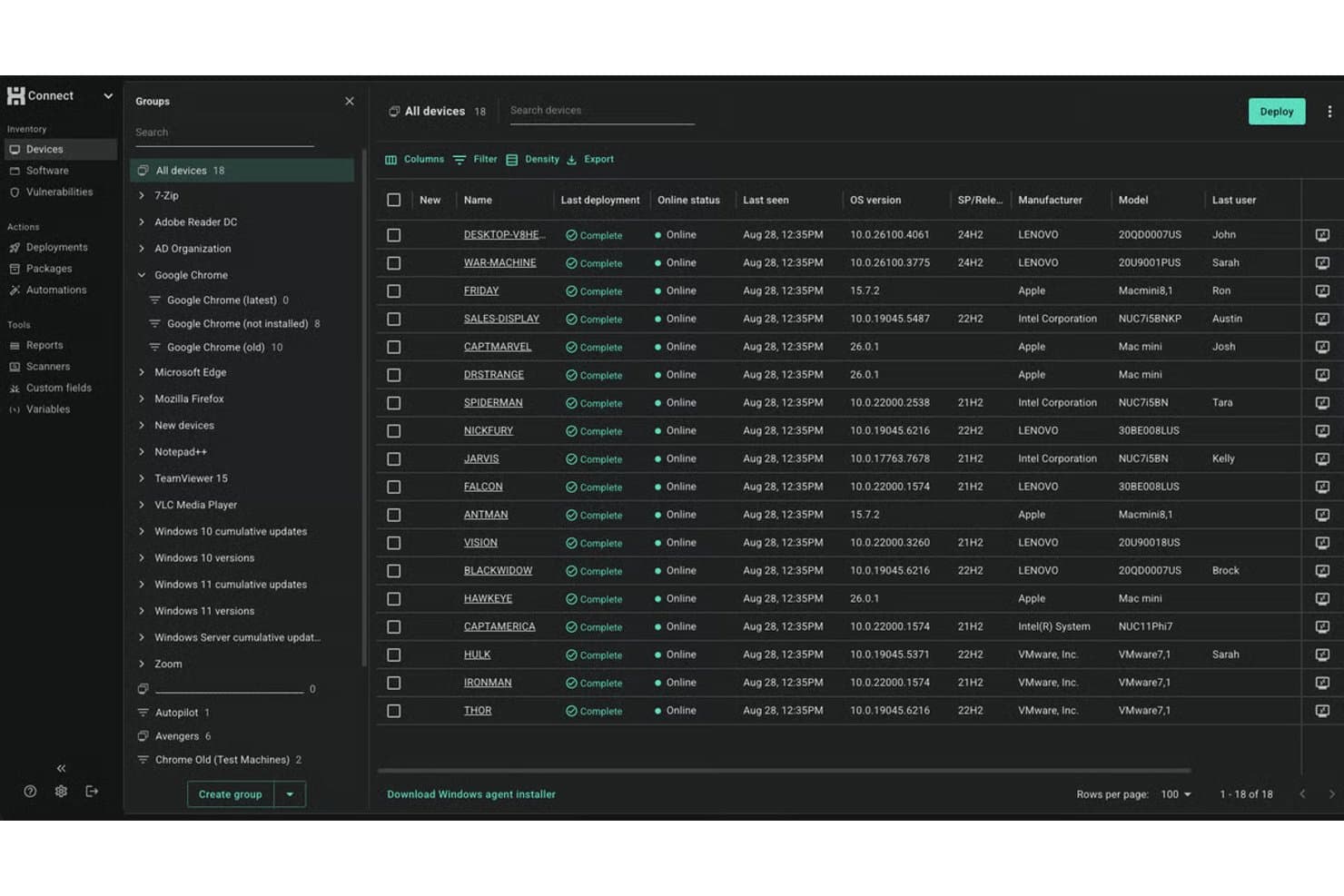
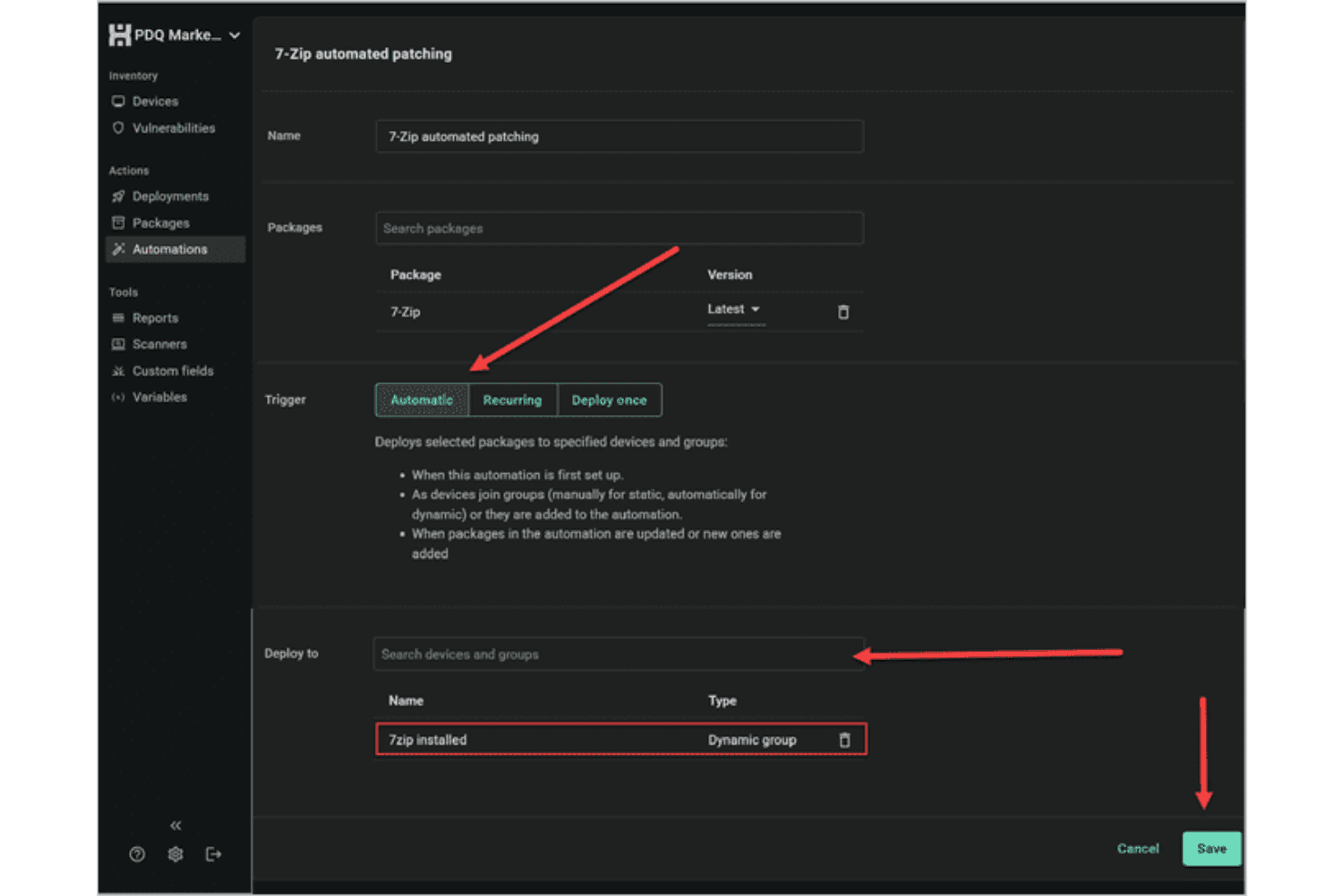
Schedule or trigger Windows software updates across devices with customizable rules. You can automate recurring patches and deployment processes to reduce manual work.
Inventory Scanning
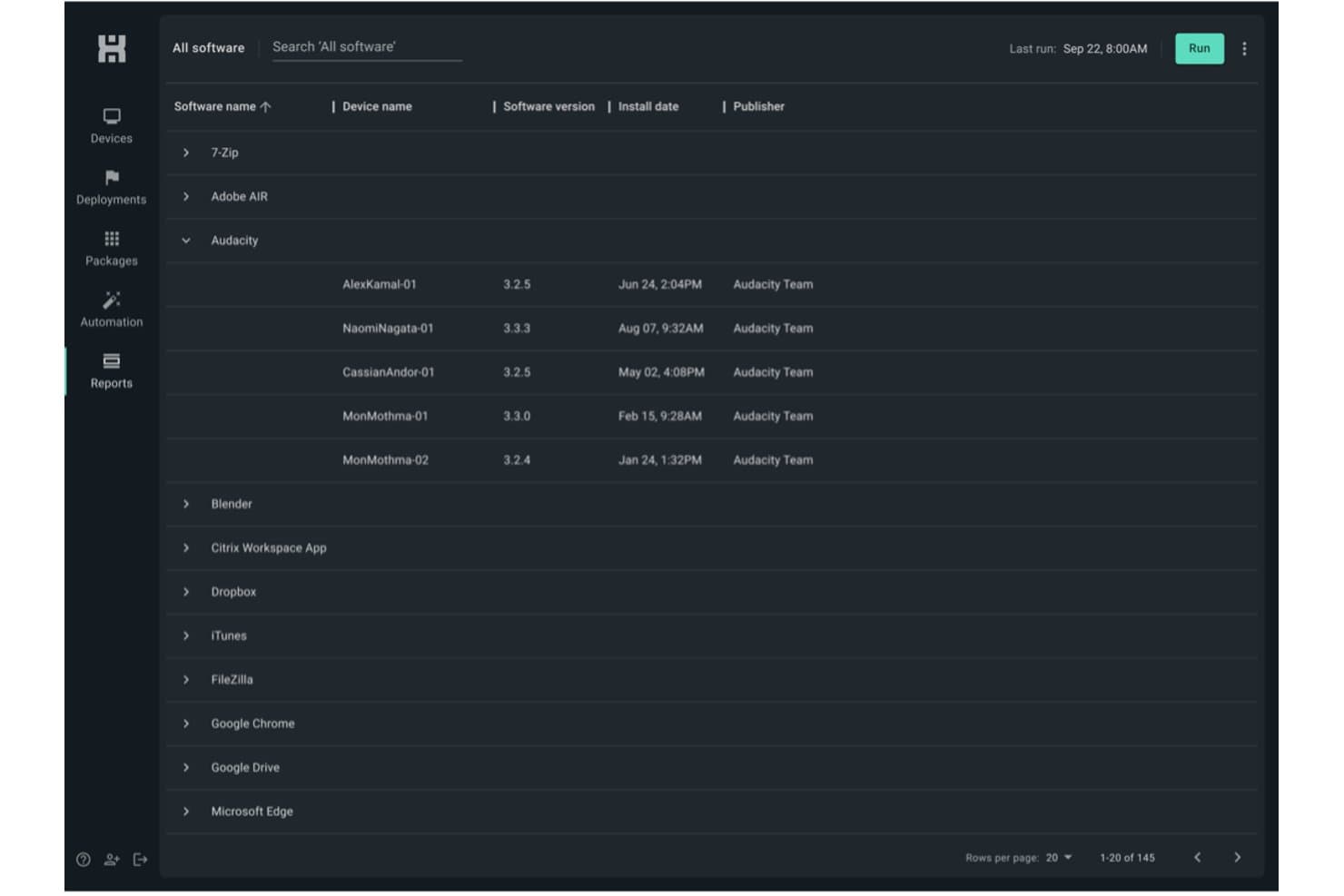
Scan all endpoints for missing or outdated software in real time. This helps you identify and target vulnerabilities quickly—while building a lightweight asset management layer across your Windows fleet.
Scripting Support
Leverage built-in scripting capabilities or create your own scripts to handle custom tasks and complex deployments. This flexibility makes it easier to automate patching processes and manage unique system requirements.
Remote Deployment
Push patches directly to remote endpoints, even if they're offsite. This keeps distributed workforces protected without manual check-ins.
Rollback and Uninstall Options
Easily uninstall or roll back patches from problematic endpoints. You get more control when updates cause unforeseen issues.
Detailed Patch Reporting
Generate reports on patch status, deployment success, and compliance—with real-time notifications on deployment activity. Track which endpoints are up to date at a glance.
Standout Features
Agentless Architecture
PDQ Connect delivers software updates without needing agents on most Windows workstations and servers. This reduces deployment headaches and eliminates another point of failure.
Extensive Package Library
PDQ Connect hosts over 500 continuously updated packages sourced directly from publishers. This extensive library helps ensure faster patching, reduces manual workload, and keeps systems consistently up to date.
Ease of Use
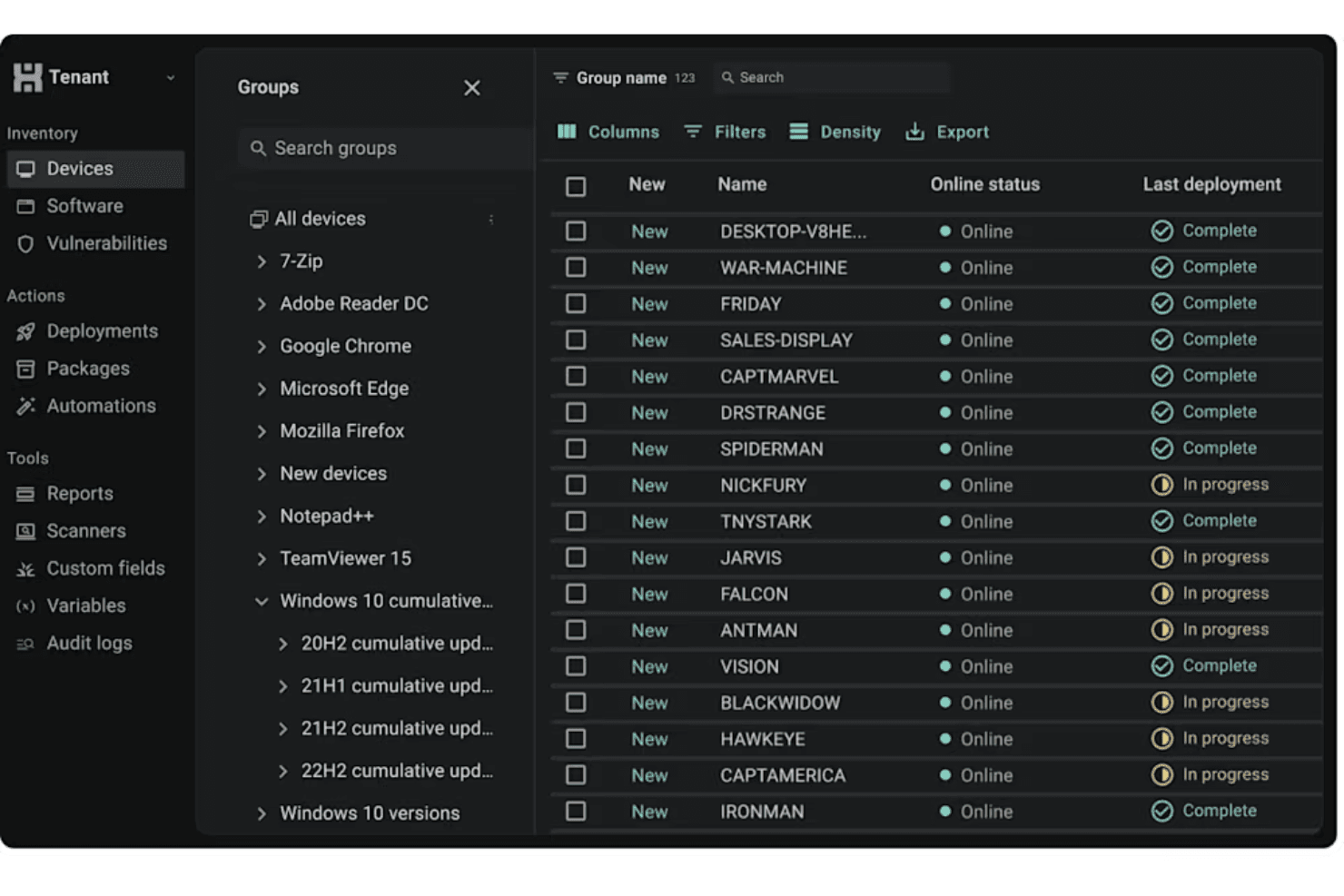
PDQ Connect's user interface is user friendly and direct, letting admins and end users with IT responsibilities launch scans, schedule updates, and review reporting without hunting through menus. I've seen sysadmins praise how quickly they can automate recurring tasks and push patches, even with bigger endpoint lists. The clear layout, built-in package library, and agentless updates help teams get patching jobs done fast, without heavy onboarding or constant troubleshooting.
Onboarding
From my point of view, PDQ Connect's onboarding is quick—you can deploy your first patches in under an hour. The setup wizard, detailed video walkthroughs, and searchable knowledge base flatten the learning process. The self-service onboarding allows admin to start using the platform without the hassle of formal implementation on PDQ's end.
Customer Support
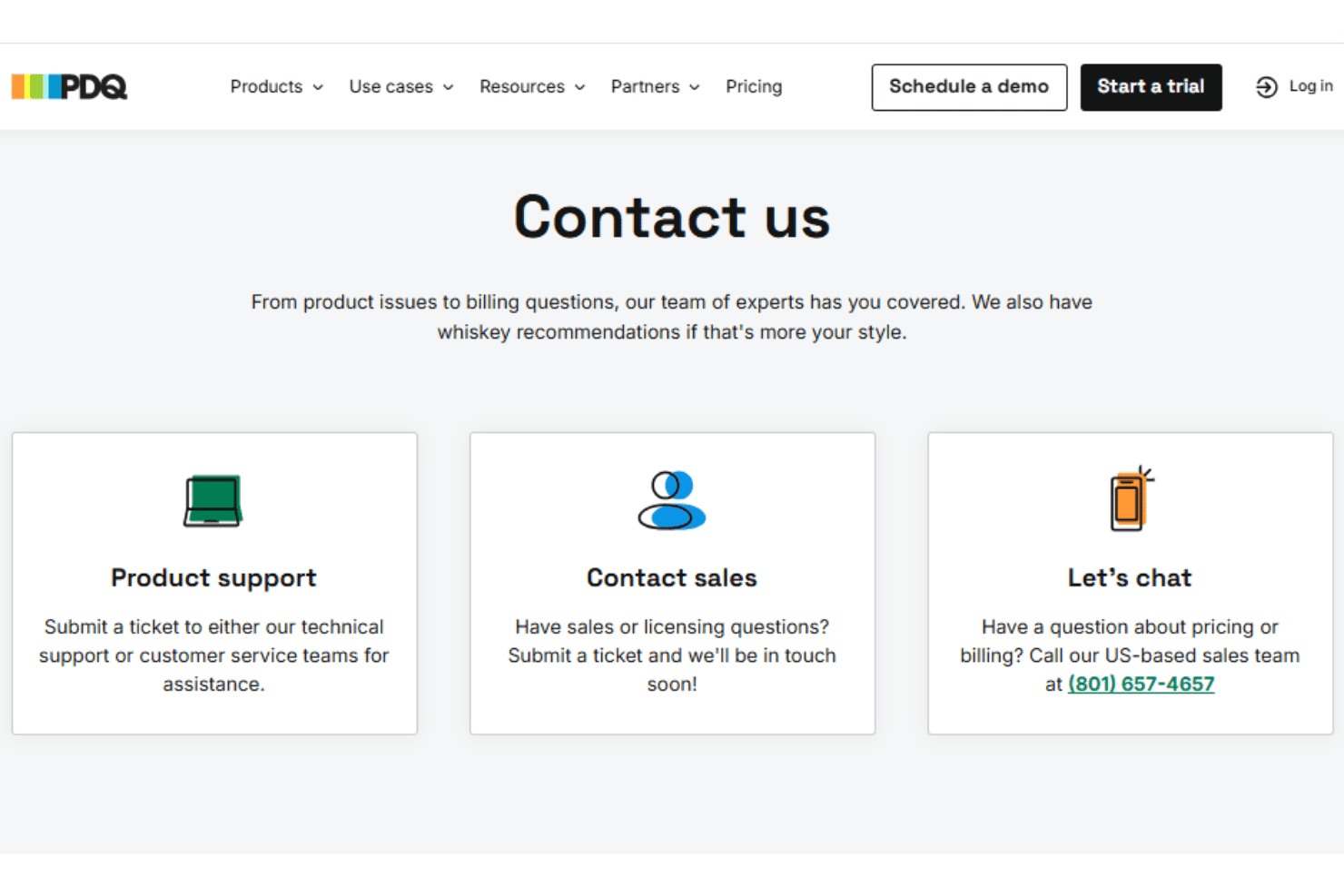
PDQ's customer support holds up well, especially for small IT teams who need quick, clear answers. User reviews regularly point to fast response times via a ticketing system, along with a deep knowledge base and active user forum. Many mention getting resolutions to patching issues in just a few hours, making it easy to keep updates on track.
Integrations
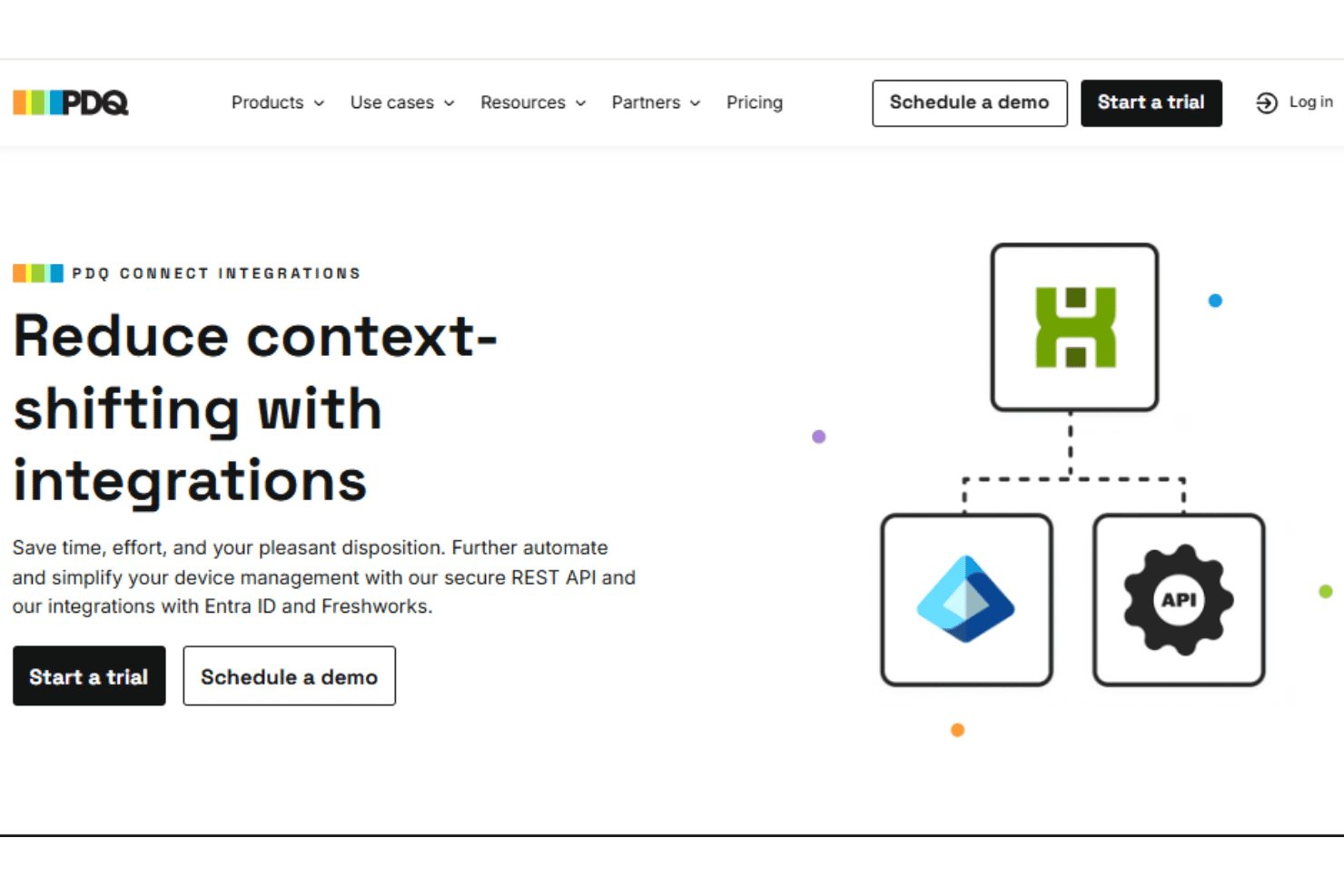
PDQ Connect integrates with Azure Active Directory, Freshdesk, Jira, and Zapier, among others.
PDQ also provides a REST-style API for custom integrations and scripting.
Value for Money
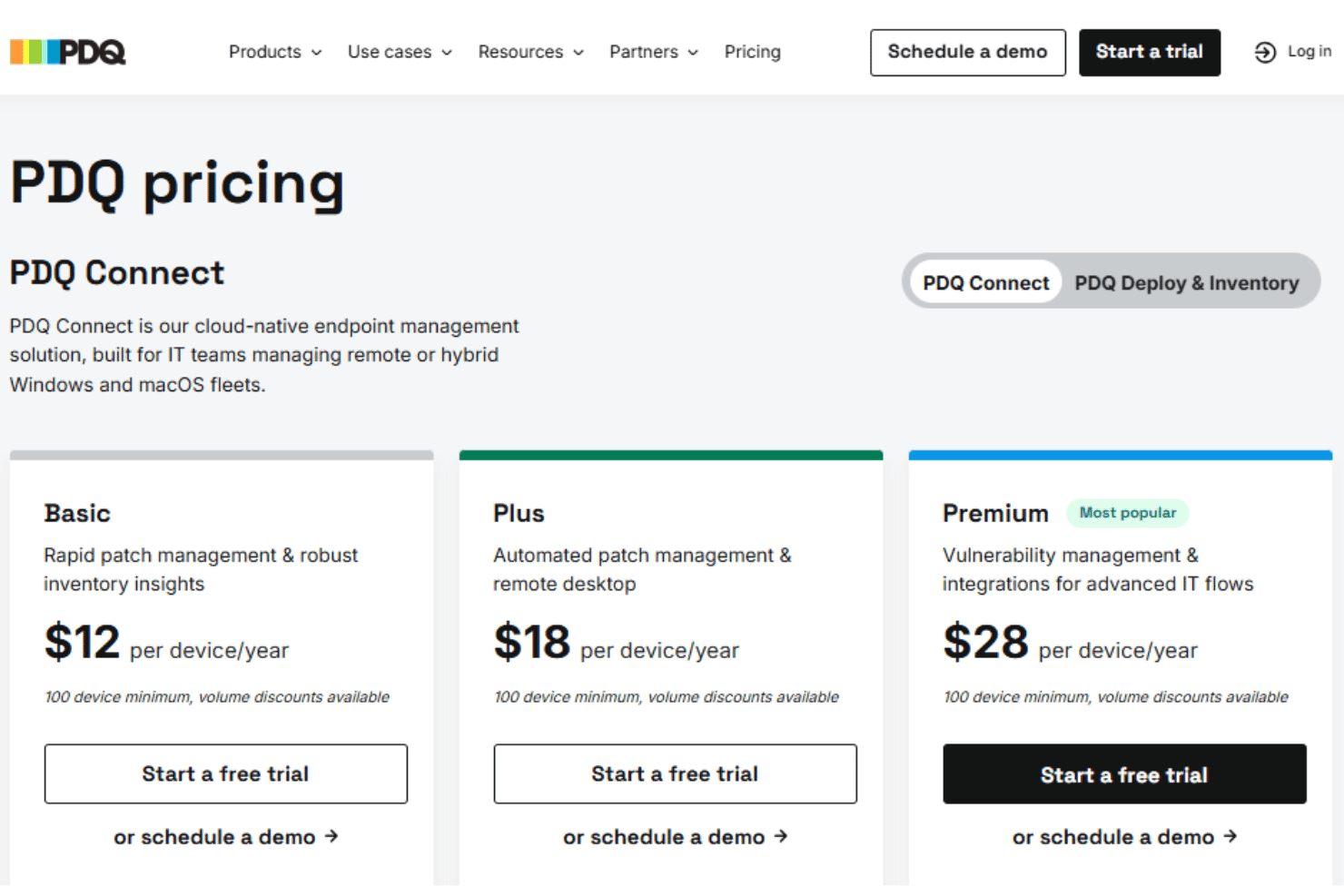
PDQ Connect's pricing is direct, with a per-device model that many users find budget-friendly for the features included. Most IT teams get strong value regardless of company size, especially since you don't pay for endpoints, and features like agentless patching and prebuilt packages are included at all tiers. For on-premise and on-prem environments, this is a notably competitive pricing structure.
- Basic: Includes device inventory, package library, reports, and core Windows & macOS device management.
- Plus: Adds automated deployments, remote desktop, and role-based access control.
- Premium: Offers vulnerability scanning, prioritization, API access, and priority support.
PDQ Connect Specs
- 2-Factor Authentication: Yes
- Analytics: No
- Anti-Virus: Yes
- API: Yes
- Batch Permissions & Access: No
- Bug Tracking: No
- Call Integration: No
- Chat: No
- Contact Management: No
- CRM Integration: No
- Customer Management: No
- Data Export: Yes
- Data Import: Yes
- Email Integration: No
- Escalation Management: Yes
- External Integrations: Yes
- Incident Management: Yes
- Instant Chat Integration: No
- Knowledge Base: Yes
- Malware Protection: Yes
- Multi-User: Yes
- Notifications: Yes
- Organization Management: Yes
- Password & Access Management: No
- Project Management: No
- Real-time Alerts: Yes
- SAP Integration: No
- Self-service Portal: Yes
- Social Media Integration: No
- Support Forum: No
- Ticket Management: Yes
- Workflow Management: Yes
PDQ Connect FAQs
PDQ Connect Company Overview & History
PDQ is headquartered in Salt Lake City, Utah. The company specializes in developing powerful patch management and IT automation tools for Windows environments. PDQ is known for its efficient, agentless deployment solutions and user-focused approach, earning a reputation for humor and approachability in IT communities. PDQ owns and develops multiple products, including PDQ Deploy, PDQ Inventory, and PDQ Connect.
PDQ Major Milestones
- 2001: PDQ founded in Salt Lake City, Utah
- 2011: PDQ Deploy and PDQ Inventory released to the public
- 2021: Acquired by a global growth private equity firm
- 2022: Launched PDQ Connect, expanding offerings for cloud-based device management