
Recensione ESET NOD32: Pro, Contro, Caratteristiche e Prezzi
ESET NOD32 si distingue per il suo equilibrio tra protezione e convenienza, rendendolo una scelta solida per chi cerca un software antivirus affidabile.

Recensiamo gli strumenti in modo indipendente e le commissioni ci aiutano a finanziare i nostri test. Consulta la nostra politica sulla trasparenza, la nostra metodologia, oppure suggerisci uno strumento.
ESET is an internet security software for IT teams that need endpoint protection across devices without heavy system resource usage. If you're weighing it against something like Norton, I'd choose ESET when keeping a light footprint on endpoints matters—it consistently runs leaner than Norton while still covering malware detection, network traffic inspection, and device control. It's worth a close look if you're managing a large device fleet and can't afford performance drag on end-user machines.
ESET Evaluation Summary
0/5
- From $211/year
- 30-day free trial
Perché fidarsi dei nostri consigli sui software
6,700+
Reviews
20
Industry experts
16+
Evaluation factors
14
Years
Il nostro team testa e recensisce software dal 2012. In quanto leader tecnologici noi stessi, sappiamo quanto sia difficile — e importante — scegliere il software giusto.
Per questa guida, abbiamo valutato gli strumenti attraverso test praticie ricerche indipendenti, assegnando un punteggio agli strumenti in base ai nostri criteri di selezione.
Le nostre recensioni riflettono il nostro giudizio editoriale umano, non un discorso di vendita.
Revisori esperti:
- Paulo Gardini MiguelDirettore tecnico
 Tim FisherVP dell'IA
 Gabriel RosasTech Lead e architetto software
 Christhian GruhnTech Lead e architetto della piattaforma

ESET Overview
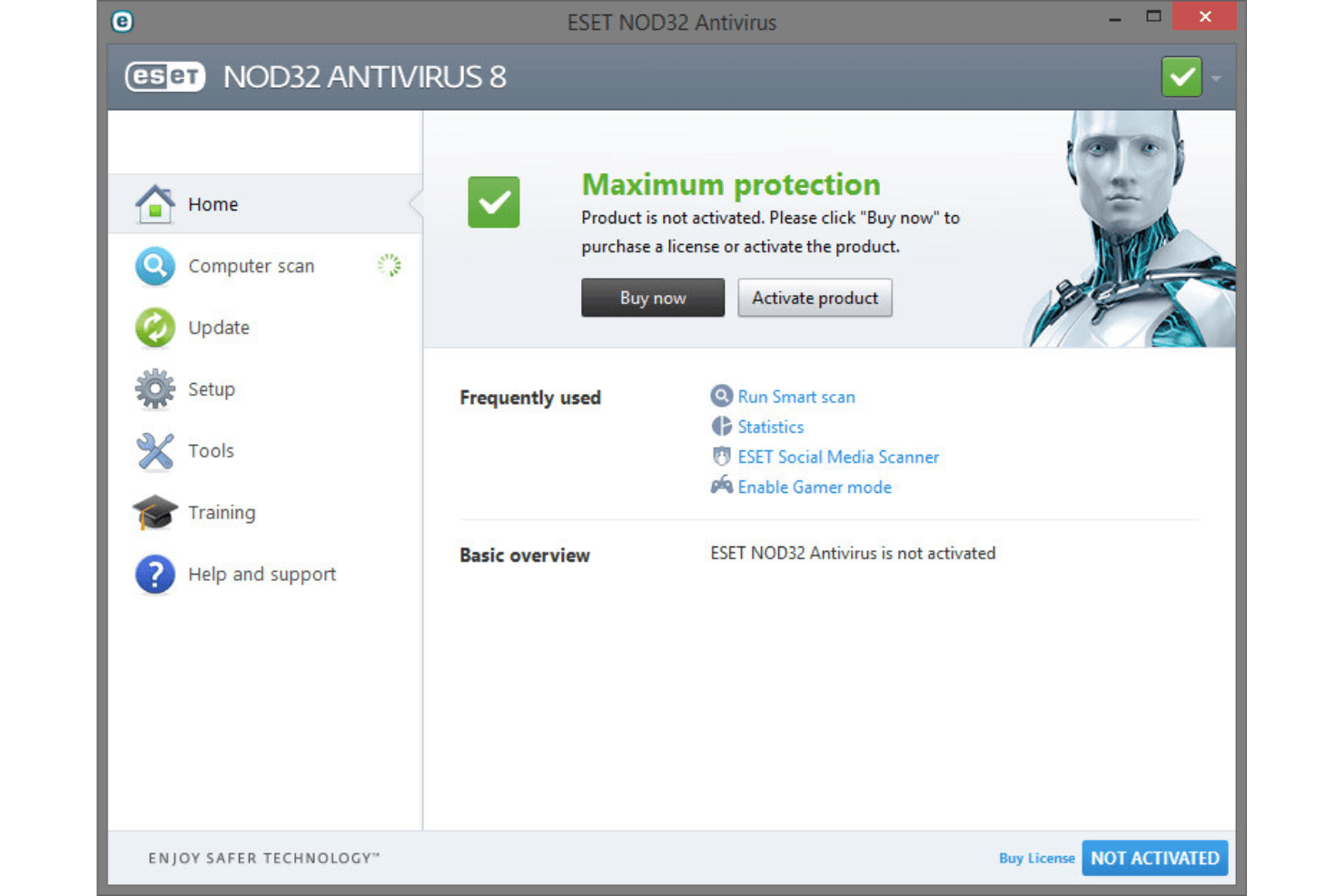
In my opinion, ESET NOD32 is a solid choice for businesses looking for reliable antivirus protection. It offers a good balance of protection features and ease of use, making it suitable for small to medium-sized businesses and IT departments. While its standout features shine, onboarding and customer support could be smoother. Compared to other antivirus solutions such as Avast and Bitdefender, ESET NOD32 provides strong malware and ransomware protection. It may not have all the additional security features of higher-end competitors such as Norton and McAfee, however. For teams prioritizing straightforward and effective security, ESET NOD32 is worth considering.
Pros
- ESET NOD32 provides strong malware protection for your team.
- It runs well without slowing down your systems.
- The interface is user-friendly and straightforward.
Cons
- It lacks some in-depth features.
- Customer support can be slow to address urgent needs.
- Onboarding isn't as smooth as that of some other providers.
Is ESET Right For Your Needs?
Who Would be a Good Fit for ESET?
ESET NOD32 is a great fit for small to medium-sized businesses and IT departments that need reliable antivirus protection without sacrificing system performance. It's ideal for Windows and Mac teams that prioritize straightforward security solutions over complex, feature-heavy software. The simple interface and strong malware protection make it perfect for those who want effective security without a steep learning curve.
- Small BusinessesESET NOD32 provides solid protection without the need for extensive IT resources.
- IT DepartmentsIts ease of use, strong malware protection, and anti-theft features support your team's IT security needs.
- Education SectorESET NOD32's lightweight design ensures your systems run smoothly in resource-limited environments.
- Healthcare FacilitiesThe software's reliable protection effectively safeguards sensitive patient data.
- Remote TeamsESET NOD32 makes it easy for your team to manage security remotely with additional features such as a secure browser mode, computer scans, authentication, and permissions.
- Retail OperationsIts efficient performance ensures your systems stay secure without slowing down point-of-sale processes.
Who Would be a Bad Fit for ESET?
ESET NOD32 might not suit large enterprises or tech-heavy industries that need advanced security features and extensive customization options. If your team requires high-end threat intelligence and detailed analytics, ESET NOD32's straightforward approach may fall short. It also might not be ideal for businesses needing rapid customer support.
- Large EnterprisesYour team needs more advanced features and customization than ESET NOD32 offers.
- Tech StartupsYou might require cutting-edge threat intelligence that ESET NOD32 doesn't provide.
- Financial InstitutionsFinance companies often need detailed analytics and high-end security measures beyond ESET NOD32's scope.
- Government AgenciesYou may demand extensive customization options that ESET NOD32 lacks.
- Cybersecurity FirmsThis type of work requires advanced threat detection capabilities that ESET NOD32 doesn't cover.
- High-Support NeedsIf your team needs rapid customer support, ESET's customer service response times might not meet your expectations.
La Nostra Metodologia di Recensione
Come Testiamo e Valutiamo gli Strumenti
Abbiamo trascorso anni a costruire, perfezionare e migliorare il nostro sistema di testing e valutazione del software. Il nostro schema è progettato per cogliere le sfumature della selezione software e cosa rende efficace uno strumento, focalizzandosi sugli aspetti critici del processo decisionale.
Di seguito, puoi vedere esattamente come funziona il nostro testing e punteggio su sette criteri. Ci permette di offrire una valutazione imparziale del software basata su funzionalità principali, caratteristiche distintive, facilità d’uso, onboarding, assistenza clienti, integrazioni, recensioni dei clienti e rapporto qualità-prezzo.
Funzionalità Principali (25% del punteggio finale)
Il punto di partenza della nostra valutazione è sempre la funzionalità principale dello strumento. Ha le funzioni e caratteristiche base che ci si aspetta? Alcune di queste caratteristiche sono limitate ai piani tariffari superiori? Fondamentalmente, ci aspettiamo che uno strumento regga il confronto rispetto alle capacità di base dei concorrenti.
Caratteristiche Distintive (25% del punteggio finale)
Successivamente, valutiamo le caratteristiche distintive e non comuni che vanno oltre la funzionalità base tipicamente trovata negli strumenti di questa categoria. Un punteggio alto riflette funzionalità specializzate o uniche che rendono il prodotto più veloce, efficiente o offrono ulteriore valore all’utente.
Valutiamo inoltre quanto sia semplice integrare altri strumenti tipicamente utilizzati nell’infrastruttura tecnologica per espandere la funzionalità e l’utilità del software. Gli strumenti che offrono numerose integrazioni native, connessioni di terze parti e accesso API per creare integrazioni personalizzate ottengono i punteggi migliori.
Facilità d’Uso (10% del punteggio finale)
Consideriamo quanto sia rapido e semplice svolgere i compiti definiti nella funzionalità principale utilizzando lo strumento. Il software con punteggio alto è ben progettato, intuitivo da usare, offre app mobili, fornisce modelli e rende semplici attività relativamente complesse.
Onboarding (10% del punteggio finale)
Sappiamo quanto sia importante l’adozione rapida da parte del team per una nuova piattaforma, quindi valutiamo quanto sia facile imparare e utilizzare uno strumento con formazione minima. Valutiamo quanto velocemente un membro del team possa iniziare a usare lo strumento anche senza esperienza. Soluzioni con punteggio alto indicano che sono richiesti pochi o nessun supporto.
Assistenza Clienti (10% del punteggio finale)
Esaminiamo quanto sia veloce e facile ricevere assistenza e risolvere problemi tramite telefono, live chat o knowledge base. Gli strumenti e le aziende che garantiscono supporto in tempo reale ottengono il miglior punteggio, mentre i chatbot ottengono il peggiore.
Recensioni dei Clienti (10% del punteggio finale)
Oltre ai nostri test e valutazioni, prendiamo in considerazione il net promoter score dei clienti attuali e passati. Valutiamo la probabilità che, data la scelta, selezionerebbero nuovamente lo strumento per la funzionalità principale. Un software con punteggio alto riflette un alto net promoter score da parte dei clienti attuali o passati.
Rapporto Qualità-Prezzo (10% del punteggio finale)
Infine, considerando tutti gli altri criteri, analizziamo il prezzo medio dei piani base rispetto alle funzionalità principali e consideriamo il valore degli altri criteri di valutazione. Il software che offre di più a meno otterrà un punteggio più alto.
Core Features
Antivirus Protection: It conducts a system scan to detect and remove malware, ensuring your work remains secure from threats. Its real-time scanning and notifications keep your team safe from emerging dangers.
Anti-Phishing: This feature shields your team from fraudulent websites and scams. It prevents data breaches by identifying phishing attempts before they reach your inbox.
Device Control: You can manage and monitor external devices connected to your network. This helps prevent unauthorized data transfers and maintains your team's security.
Ransomware Shield: It defends against ransomware attacks by monitoring suspicious behavior. Your critical files and data stay protected under this layer of security.
Web Control: This feature lets you control website access and filter content for your team. You can maintain productivity and security by blocking harmful IP addresses, creating webcam protection rules, and installing a browser extension for privacy.
Network Attack Protection: It enhances your network security by detecting potential threats in network traffic. This proactive approach keeps your team safe from cyberattacks.
Ease of Use
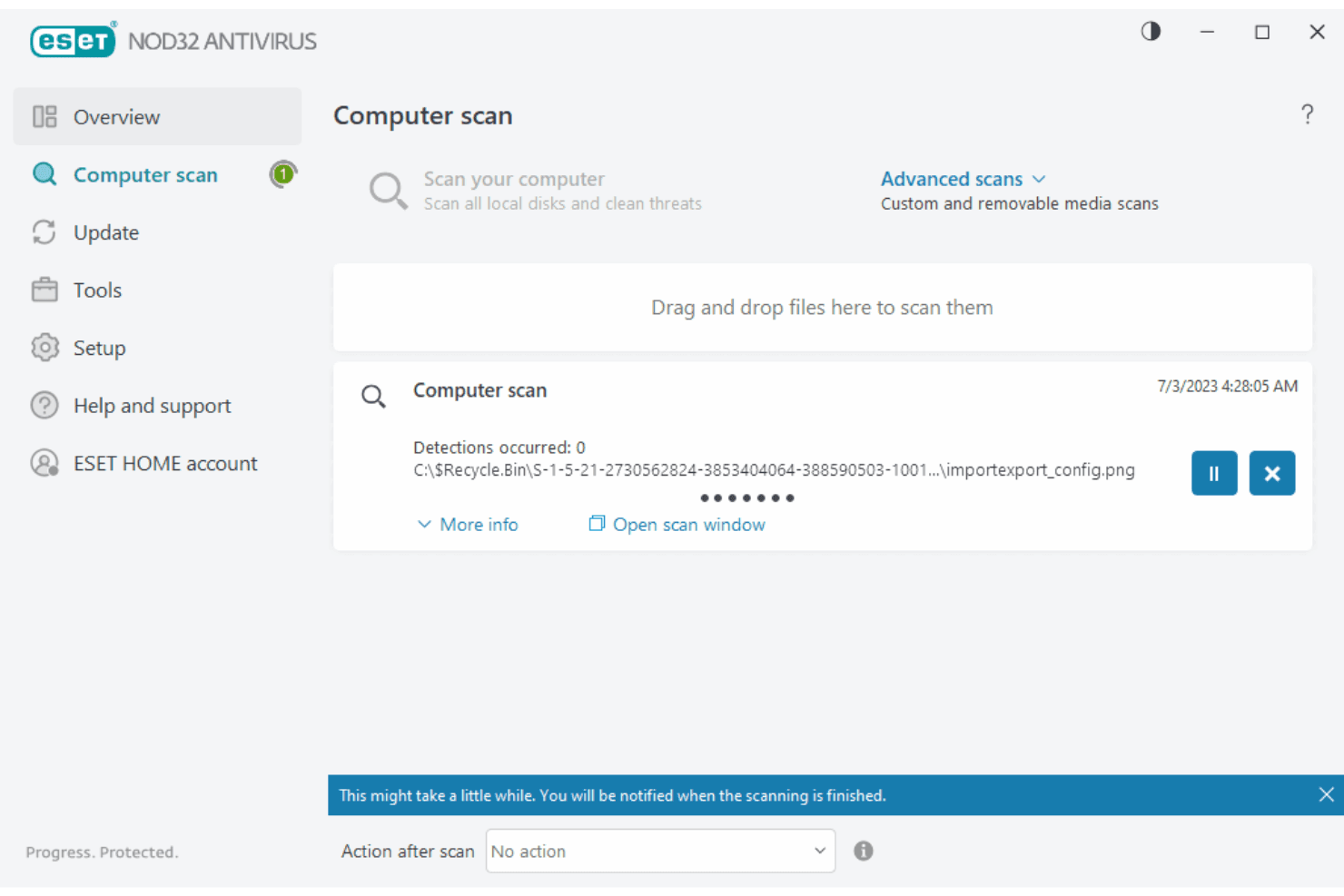
ESET NOD32 is easy to use and navigate with a straightforward dashboard. You can quickly access essential ESET security features and settings. The intuitive design allows even those without technical expertise to handle security tasks such as custom scans. Compared to other solutions, ESET NOD32 delivers simplicity without sacrificing functionality, making it a practical choice for teams seeking effective protection without a steep learning curve.
Integrations
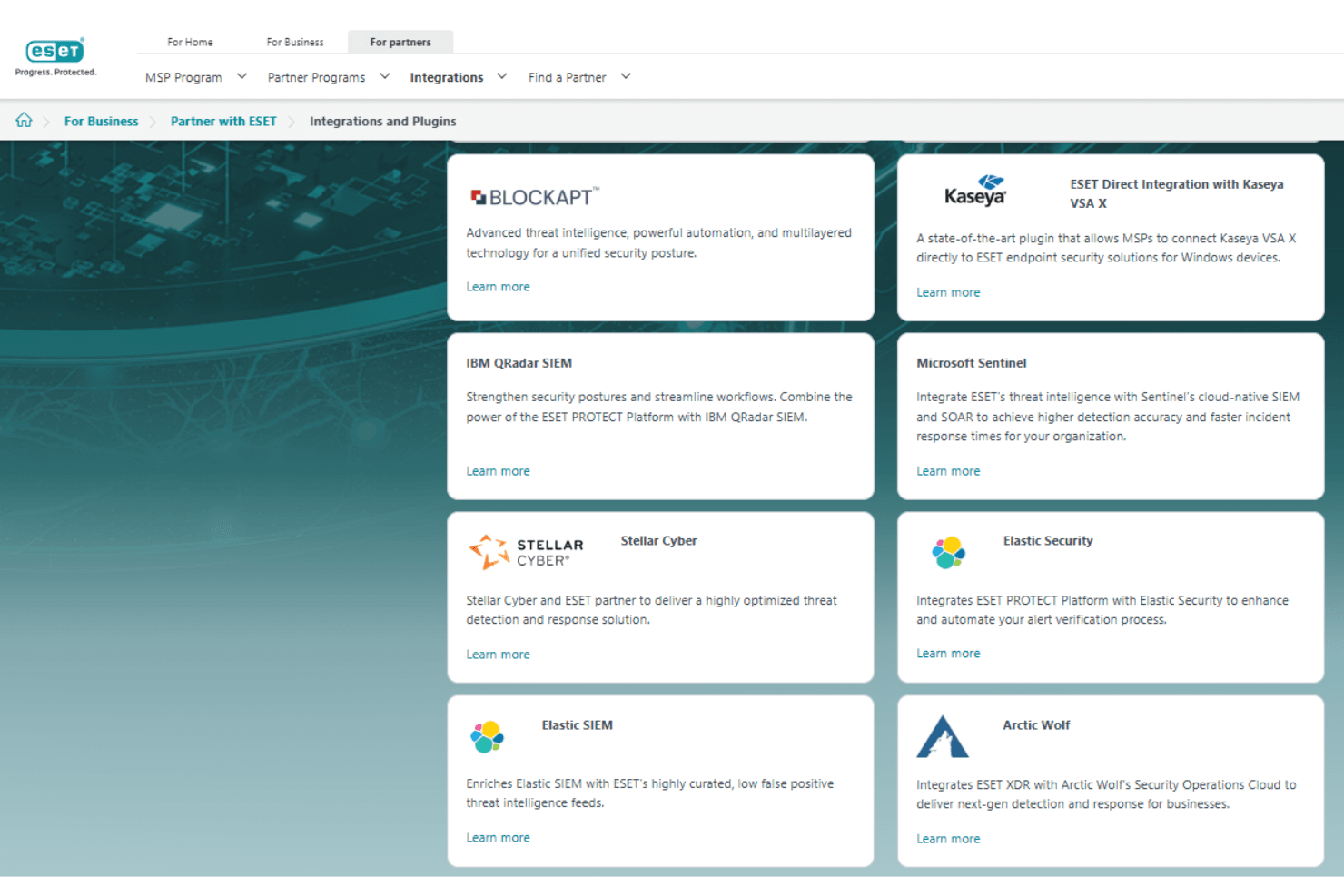
ESET NOD32 integrates with Arctic Wolf, BlockAPT, Elastic, IBM QRadar, Microsoft Sentinel, Mindflow, Stellar Cyber, and Wazuh.
ESET also offers an API for integration with other third-party tools.
ESET Specs
- 2-Factor Authentication: Yes
- Access Management: Yes
- Anti-Virus: Yes
- API: Yes
- Audit Management: Yes
- Audit Trail: Yes
- Batch Permissions & Access: Yes
- Compliance Tracking: Yes
- Dashboard: Yes
- Data Export: Yes
- Data Import: Yes
- DDoS Protection: Yes
- External Integrations: Yes
- File Sharing: Yes
- File Transfer: Yes
- Firewall: Yes
- Incident Management: Yes
- Malware Protection: Yes
- Multi-User: Yes
- Notifications: Yes
- Password & Access Management: Yes
- Policy Management: Yes
- Real-time Alerts: Yes
- Report & Compliance: Yes
- Risk Assessment: Yes
- Security Migration: Yes
- Threat Detection: Yes
- Workflow Management: Yes


