
Recensione di Aisera 2026: funzionalità, vantaggi, svantaggi e prezzi
I’ve dug into Aisera AI’s service management tools—here’s what actually sets it apart and where it falls short, so you know if it’s the smart move for transforming support in 2026.

Recensiamo gli strumenti in modo indipendente e le commissioni ci aiutano a finanziare i nostri test. Consulta la nostra politica sulla trasparenza, la nostra metodologia, oppure suggerisci uno strumento.
Aisera is a service management software built for IT and tech teams that need to automate, scale, and personalize support operations without drowning in tickets or manual processes. For IT leaders who face mounting pressure to reduce downtime, drive self-service adoption, and quickly resolve issues across increasingly complex environments, Aisera brings AI-driven automation and conversational support to the table.
In this review, I’ll break down Aisera’s core features, best and worst use cases, pricing, and the real pros and cons you can expect if you’re considering it for your own tech stack.
Aisera Evaluation Summary
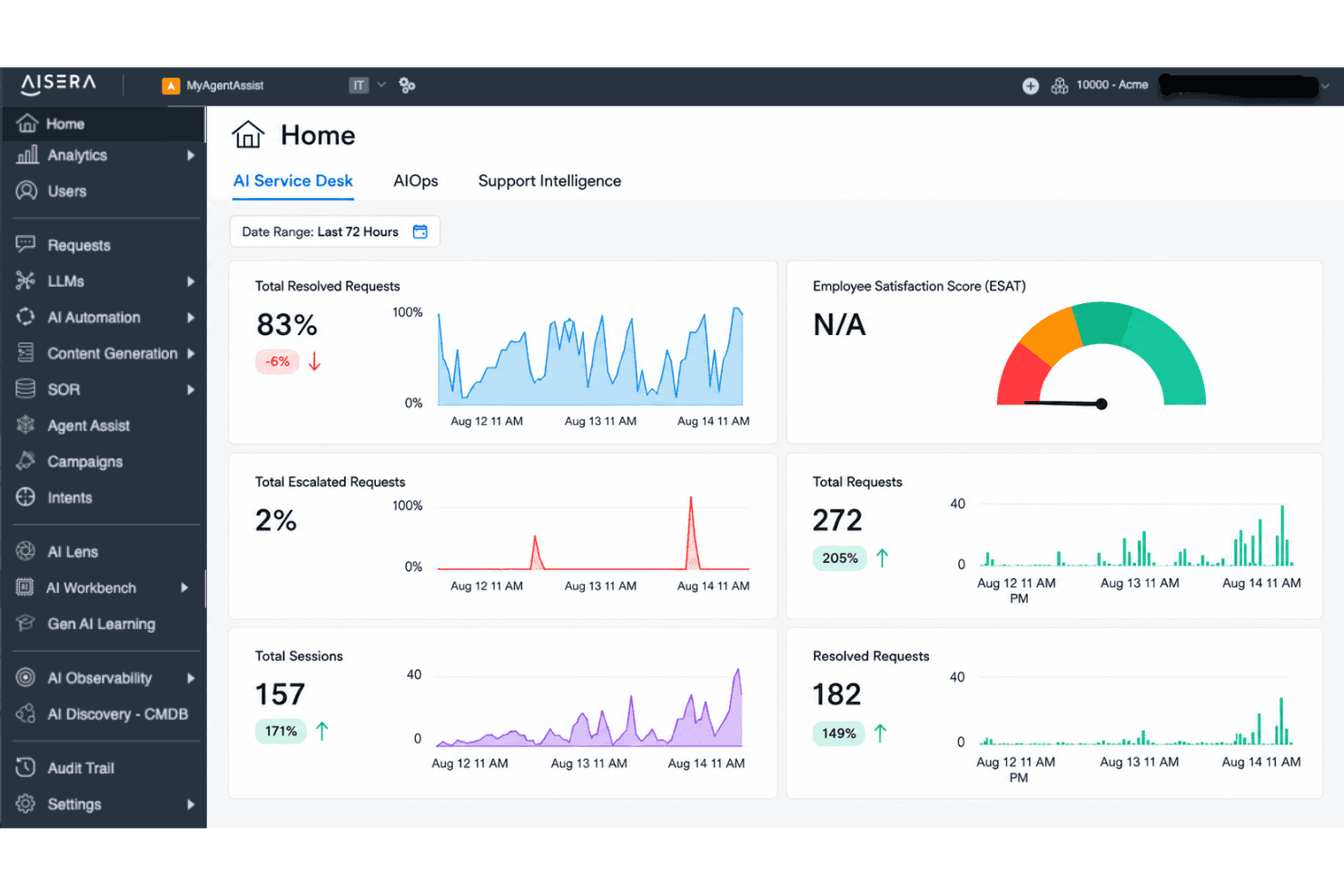
4.5/5
- Pricing upon request
- Free demo available
Perché fidarsi dei nostri consigli sui software
6,700+
Reviews
20
Industry experts
16+
Evaluation factors
14
Years
Il nostro team testa e recensisce software dal 2012. In quanto leader tecnologici noi stessi, sappiamo quanto sia difficile — e importante — scegliere il software giusto.
Per questa guida, abbiamo valutato gli strumenti attraverso test praticie ricerche indipendenti, assegnando un punteggio agli strumenti in base ai nostri criteri di selezione.
Le nostre recensioni riflettono il nostro giudizio editoriale umano, non un discorso di vendita.
Revisori esperti:
- Paulo Gardini MiguelDirettore tecnico
 Tim FisherVP dell'IA
 Gabriel RosasTech Lead e architetto software
 Christhian GruhnTech Lead e architetto della piattaforma

Aisera Overview
From my perspective, Aisera stands out for its strong AI automation, intuitive interface, and deep integration options, which makes selecting it appealing if reducing manual workloads is a top priority. While its pricing is on the higher side and onboarding may need some dedicated time, I think it outperforms much of the market for enterprise IT teams seeking customizable, scalable workflows.
Its real strength shows up in environments where fast ticket resolution and proactive self-service matter most, but those juggling tight budgets or looking for simple out-of-the-box setups might judge other options more favorably.
Pros
- AI-driven ticket routing reduces manual triage for IT teams
- Conversational AI chatbot supports advanced self-service workflows
- Strong automation for repetitive support and incident tasks
Cons
- Setup and implementation can require significant upfront effort
- Limited real-time analytics compared to some competitors
- Pricing can be high for smaller IT organizations
Is Aisera Right For Your Needs?
Who Would be a Good Fit for Aisera?
Aisera is well suited for organizations with high ticket volumes, diverse data sources, and strong automation needs. Enterprise IT, managed services, and regulated industries gain the most value from its AI-driven workflows, broad integrations, and advanced ticket resolution capabilities. Fast-growing SaaS providers and hybrid workforce support teams also benefit from automation, while departments with distributed support get rapid, consistent responses.
- Enterprise IT DepartmentsYou get scalable automation for complex internal service requests and system integrations.
- Financial Services FirmsAisera helps manage high compliance demands and strict documentation requirements with robust recordkeeping.
- Healthcare OrganizationsThe platform’s secure, AI-powered responses and audit trails support sensitive patient and operational inquiries.
- Global Customer SupportYou handle high volumes and varied languages, taking advantage of Aisera’s multi-channel and multilingual support.
- SaaS Growth TeamsAisera helps support teams maintain speed and quality as user bases expand rapidly.
- Hybrid or Remote WorkforcesAI-driven self-service is ideal for distributed teams dealing with mixed technical and business needs.
Who Would be a Bad Fit for Aisera?
Aisera isn’t built for everyone. Small startups, hands-on boutique agencies, and businesses with very low ticket volume may find its cost hard to justify. Teams needing basic email support, limited automation, or heavy customization that falls outside AI-driven models might struggle with its approach. Niche industries with highly specialized workflows or organizations with strict on-premises requirements also face challenges.
- Small StartupsThe entry price and advanced features typically exceed what a small team really needs.
- Boutique Consulting FirmsHands-on, relationship-driven support models won’t benefit from Aisera’s heavy automation focus.
- Nonprofit OrganizationsBudget-sensitive teams with fewer IT complexities may not see enough value for the investment.
- Minimalist IT OperationsIf your support needs are basic and ticket volume is consistently low, Aisera’s AI features add unnecessary cost and complexity.
- On-Premises-Only EnvironmentsAisera’s cloud-first architecture can’t always accommodate strict on-premises data or security requirements.
- Highly Specialized IndustriesWorkflows requiring extremely unique or nonstandard support processes may not map well to Aisera’s automation models.
La Nostra Metodologia di Recensione
Come Testiamo e Valutiamo gli Strumenti
Abbiamo trascorso anni a costruire, perfezionare e migliorare il nostro sistema di testing e valutazione del software. Il nostro schema è progettato per cogliere le sfumature della selezione software e cosa rende efficace uno strumento, focalizzandosi sugli aspetti critici del processo decisionale.
Di seguito, puoi vedere esattamente come funziona il nostro testing e punteggio su sette criteri. Ci permette di offrire una valutazione imparziale del software basata su funzionalità principali, caratteristiche distintive, facilità d’uso, onboarding, assistenza clienti, integrazioni, recensioni dei clienti e rapporto qualità-prezzo.
Funzionalità Principali (25% del punteggio finale)
Il punto di partenza della nostra valutazione è sempre la funzionalità principale dello strumento. Ha le funzioni e caratteristiche base che ci si aspetta? Alcune di queste caratteristiche sono limitate ai piani tariffari superiori? Fondamentalmente, ci aspettiamo che uno strumento regga il confronto rispetto alle capacità di base dei concorrenti.
Caratteristiche Distintive (25% del punteggio finale)
Successivamente, valutiamo le caratteristiche distintive e non comuni che vanno oltre la funzionalità base tipicamente trovata negli strumenti di questa categoria. Un punteggio alto riflette funzionalità specializzate o uniche che rendono il prodotto più veloce, efficiente o offrono ulteriore valore all’utente.
Valutiamo inoltre quanto sia semplice integrare altri strumenti tipicamente utilizzati nell’infrastruttura tecnologica per espandere la funzionalità e l’utilità del software. Gli strumenti che offrono numerose integrazioni native, connessioni di terze parti e accesso API per creare integrazioni personalizzate ottengono i punteggi migliori.
Facilità d’Uso (10% del punteggio finale)
Consideriamo quanto sia rapido e semplice svolgere i compiti definiti nella funzionalità principale utilizzando lo strumento. Il software con punteggio alto è ben progettato, intuitivo da usare, offre app mobili, fornisce modelli e rende semplici attività relativamente complesse.
Onboarding (10% del punteggio finale)
Sappiamo quanto sia importante l’adozione rapida da parte del team per una nuova piattaforma, quindi valutiamo quanto sia facile imparare e utilizzare uno strumento con formazione minima. Valutiamo quanto velocemente un membro del team possa iniziare a usare lo strumento anche senza esperienza. Soluzioni con punteggio alto indicano che sono richiesti pochi o nessun supporto.
Assistenza Clienti (10% del punteggio finale)
Esaminiamo quanto sia veloce e facile ricevere assistenza e risolvere problemi tramite telefono, live chat o knowledge base. Gli strumenti e le aziende che garantiscono supporto in tempo reale ottengono il miglior punteggio, mentre i chatbot ottengono il peggiore.
Recensioni dei Clienti (10% del punteggio finale)
Oltre ai nostri test e valutazioni, prendiamo in considerazione il net promoter score dei clienti attuali e passati. Valutiamo la probabilità che, data la scelta, selezionerebbero nuovamente lo strumento per la funzionalità principale. Un software con punteggio alto riflette un alto net promoter score da parte dei clienti attuali o passati.
Rapporto Qualità-Prezzo (10% del punteggio finale)
Infine, considerando tutti gli altri criteri, analizziamo il prezzo medio dei piani base rispetto alle funzionalità principali e consideriamo il valore degli altri criteri di valutazione. Il software che offre di più a meno otterrà un punteggio più alto.
Core Features
AI-Powered Ticket Routing
Automatically assigns tickets to the right support team or agent using AI models. This helps IT teams cut down on misrouted or delayed tickets.
Conversational AI Chatbot
Handles user queries and requests through natural conversations on chat platforms and portals. The chatbot resolves common issues instantly and escalates complex problems as needed.
Workflow Automation
Automates multi-step support processes like approvals, escalations, and status notifications. You can build custom workflows to fit your organization’s unique needs.
Knowledge Management
Surfaces relevant articles and answers for users and agents within the support interface. This reduces repeat questions and improves self-service adoption.
Incident Management
Tracks, categorizes, and resolves IT incidents with clear timelines and ownership. Real-time updates keep your team aligned and enable fast resolution.
Service Catalog
Presents end users with an AI-powered catalog for submitting service requests. Employees can browse, request, and track services with self-service at the front end.
Ease of Use
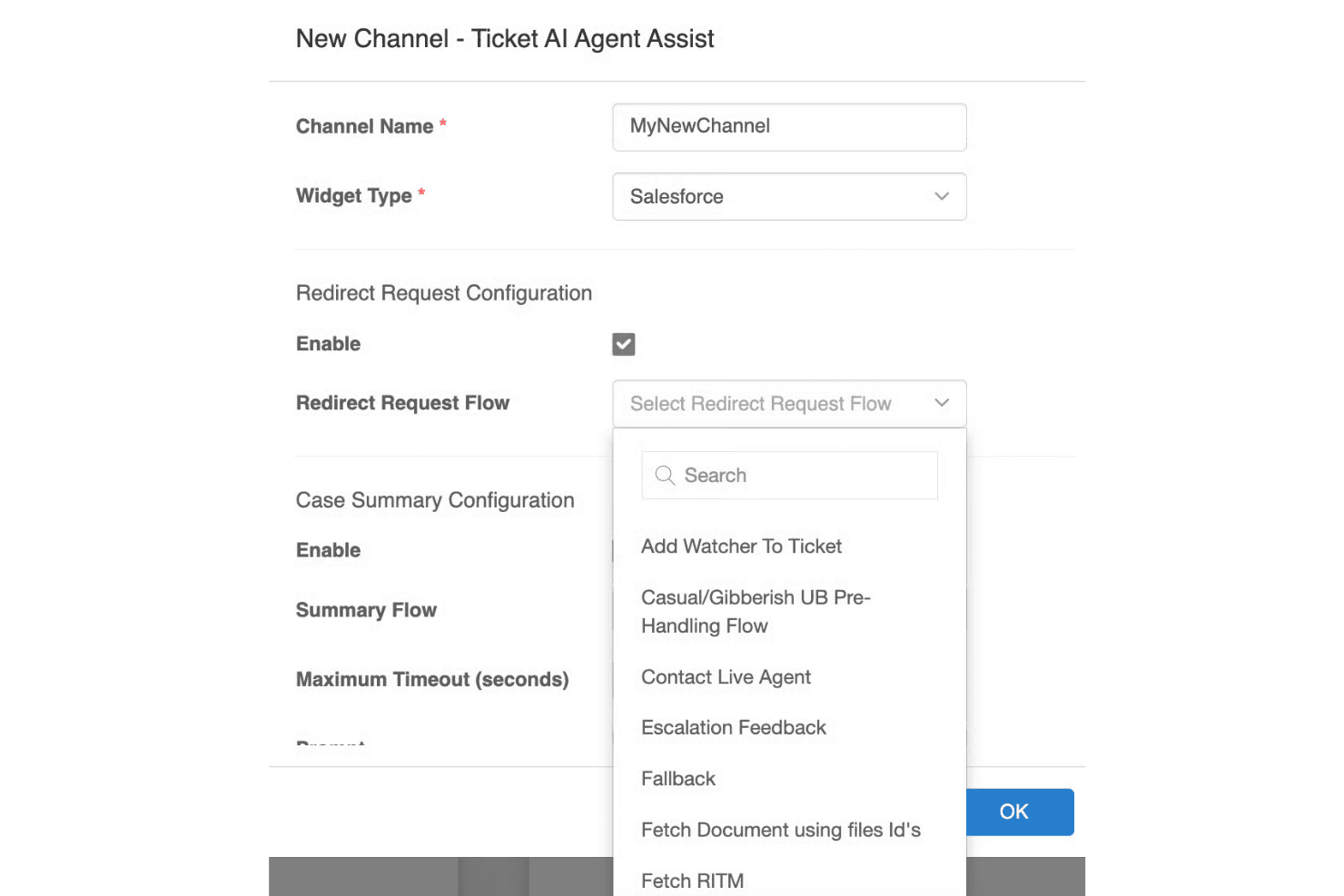
Aisera makes complex service workflows feel much simpler thanks to its conversational UI, smart ticket handling, and clear dashboards. I find the AI-driven interface intuitive for both end users and IT staff, especially when automating repetitive requests or surfacing knowledge articles. Some reviewers note initial setup can be dense, but daily interactions and ongoing management feel approachable and streamlined compared to more manual tools.
Integrations
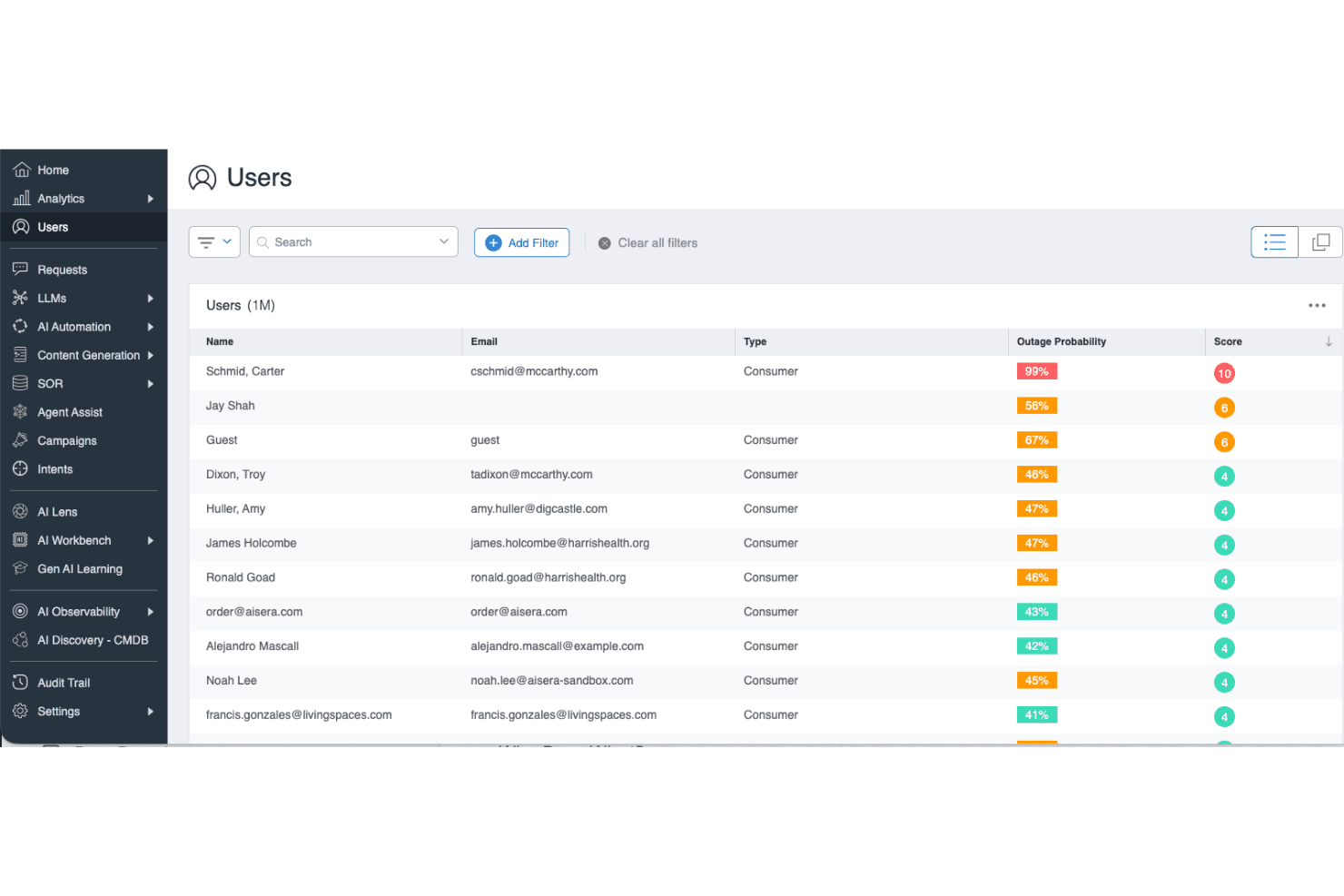
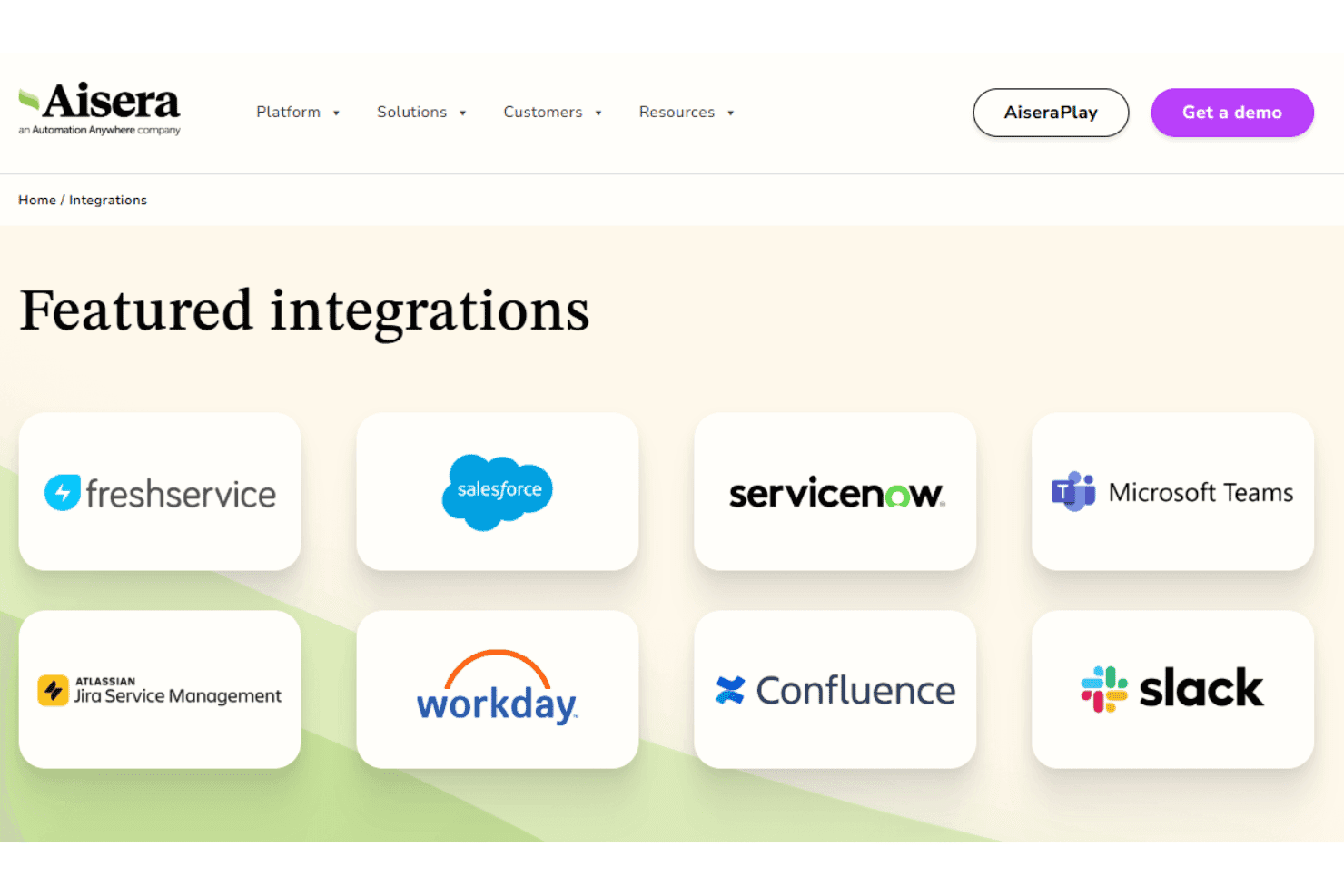
Aisera integrates with ServiceNow, Salesforce, Microsoft Teams, Slack, Zendesk, Jira, Okta, Zoom, Freshdesk, and Google Workspace, among others.
You can also connect Aisera to other systems using its open API architecture, and it supports third-party integration tools like Workato for broader connectivity.
Aisera Specs
- Analytics: Yes
- API: Yes
- Batch Permissions & Access: No
- Call Integration: Yes
- Chat: Yes
- Contact Management: No
- Contact Sharing: No
- CRM Integration: Yes
- Customer Management: No
- Customer Service: Yes
- Dashboard: Yes
- Data Export: Yes
- Data Import: Yes
- Data Visualization: Yes
- Email Integration: Yes
- Escalation Management: Yes
- External Integrations: Yes
- Instant Chat Integration: Yes
- Knowledge Base: Yes
- Lead Management: Yes
- Lead Scoring: Yes
- Multi-User: Yes
- Notifications: Yes
- Real-time Alerts: Yes
- Scheduling: Yes
- Self-service Portal: Yes
- Social Media Integration: No
- Support Forum: No
- Third-Party Plugins/Add-Ons: No
- Ticket Management: Yes
- Workflow Management: Yes


