

Recensione Adobe Dreamweaver: Pro, Contro, Caratteristiche e Prezzi
Adobe Dreamweaver eccelle grazie alla combinazione di modifica visiva e codice, rendendolo una scelta versatile sia per principianti che per sviluppatori esperti.

Recensiamo gli strumenti in modo indipendente e le commissioni ci aiutano a finanziare i nostri test. Consulta la nostra politica sulla trasparenza, la nostra metodologia, oppure suggerisci uno strumento.
Adobe Dreamweaver è uno strumento di sviluppo web che consente agli utenti di creare, modificare e gestire siti web e applicazioni web. Questo strumento si rivolge a professionisti creativi e team in aziende orientate alla tecnologia, offrendo una piattaforma per sviluppare siti web responsivi in modo efficiente e supportando una vasta gamma di linguaggi di programmazione e sistemi di controllo versione, rendendolo una scelta versatile per i progetti di sviluppo web.
Adobe Dreamweaver affronta problematiche comuni come la gestione di progetti web complessi e la garanzia della compatibilità tra browser. In questo articolo, illustrerò le funzionalità di Adobe Dreamweaver, i suoi pro e contro, i casi d'uso, i prezzi e altro ancora per aiutare te e il tuo team a decidere se questo software si adatta alle vostre esigenze di sviluppo web.
Adobe Dreamweaver Evaluation Summary
4.1/5
- From $22.99/month (billed annually)
- 7-day free trial
Perché fidarsi dei nostri consigli sui software
6,700+
Reviews
20
Industry experts
16+
Evaluation factors
14
Years
Il nostro team testa e recensisce software dal 2012. In quanto leader tecnologici noi stessi, sappiamo quanto sia difficile — e importante — scegliere il software giusto.
Per questa guida, abbiamo valutato gli strumenti attraverso test praticie ricerche indipendenti, assegnando un punteggio agli strumenti in base ai nostri criteri di selezione.
Le nostre recensioni riflettono il nostro giudizio editoriale umano, non un discorso di vendita.
Revisori esperti:
- Paulo Gardini MiguelDirettore tecnico
 Tim FisherVP dell'IA
 Gabriel RosasTech Lead e architetto software
 Christhian GruhnTech Lead e architetto della piattaforma

Adobe Dreamweaver Overview
In my opinion, Adobe Dreamweaver serves as a reliable web development tool for those who are both new and seasoned in web design. Its visual interface allows for a straightforward design process while maintaining the ability to directly edit the code, which is beneficial for those who prefer hands-on control. Compared to competitors like WordPress or WYSIWYG drag and drog editors, Dreamweaver offers a more integrated coding and design environment, which can be a deciding factor for developers who appreciate an all-in-one solution.
Pros
- You can use both visual design and code editing in one platform.
- Your team will appreciate the support for multiple web technologies.
- It's great for managing responsive design frameworks effectively.
Cons
- You might find a steep learning curve if you're new to web development or using advanced features.
- Your team could experience occasional performance issues with larger projects.
- It sometimes feels a bit outdated compared to newer tools.
Is Adobe Dreamweaver Right For Your Needs?
Who Would be a Good Fit for Adobe Dreamweaver?
If your team works in creative industries like digital marketing or media, Adobe Dreamweaver is a great fit. It's ideal for web designers who need to switch between visual and code editing smoothly. Educational institutions can also benefit, as it supports teaching both design and coding. If you're in an e-commerce business, Dreamweaver's ability to manage responsive design frameworks will help you create engaging shopping experiences. Its versatility makes it suitable for both beginners and experienced developers in your team.
- Digital MarketingYou can use Dreamweaver to create visually appealing and functional websites that capture your audience’s attention.
- Media CompaniesYour team will benefit from its support for multimedia content and seamless integration with other Adobe tools.
- Educational InstitutionsDreamweaver is perfect for teaching students both web design and coding in a unified platform.
- E-commerceYou can effectively manage responsive designs, ensuring a smooth shopping experience across devices.
- Small BusinessesDreamweaver offers a balance of design and coding tools that can help you build professional websites without a large team.
- FreelancersIf you juggle multiple client needs, Dreamweaver’s flexibility in design and coding can handle diverse project requirements.
Who Would be a Bad Fit for Adobe Dreamweaver?
If your team relies heavily on cutting-edge development tools, Adobe Dreamweaver might not be the best fit. Tech startups focused on rapid innovation may find it lacking in modern features compared to newer tools. Large enterprises with established workflows might struggle with its performance on massive projects. If your work is primarily backend-focused, Dreamweaver’s front-end emphasis won't suit your needs. Teams that prefer open-source solutions might also find its proprietary nature limiting, particularly if they expect drag and drop simplicity found in many web builders.
- Tech StartupsYour team might find Dreamweaver outdated compared to the latest development tools.
- Large EnterprisesHandling massive projects can be challenging due to occasional performance issues.
- Backend DevelopersDreamweaver’s front-end focus won't align with your backend development needs.
- Open Source EnthusiastsIf you prefer open-source tools, Dreamweaver’s proprietary nature could be a barrier.
- Non-DesignersThose who focus solely on coding might not benefit from Dreamweaver's design features.
- Budget-Conscious TeamsIf cost is a major factor, Dreamweaver’s pricing might be a concern for your team.
La Nostra Metodologia di Recensione
Come Testiamo e Valutiamo gli Strumenti
Abbiamo trascorso anni a costruire, perfezionare e migliorare il nostro sistema di testing e valutazione del software. Il nostro schema è progettato per cogliere le sfumature della selezione software e cosa rende efficace uno strumento, focalizzandosi sugli aspetti critici del processo decisionale.
Di seguito, puoi vedere esattamente come funziona il nostro testing e punteggio su sette criteri. Ci permette di offrire una valutazione imparziale del software basata su funzionalità principali, caratteristiche distintive, facilità d’uso, onboarding, assistenza clienti, integrazioni, recensioni dei clienti e rapporto qualità-prezzo.
Funzionalità Principali (25% del punteggio finale)
Il punto di partenza della nostra valutazione è sempre la funzionalità principale dello strumento. Ha le funzioni e caratteristiche base che ci si aspetta? Alcune di queste caratteristiche sono limitate ai piani tariffari superiori? Fondamentalmente, ci aspettiamo che uno strumento regga il confronto rispetto alle capacità di base dei concorrenti.
Caratteristiche Distintive (25% del punteggio finale)
Successivamente, valutiamo le caratteristiche distintive e non comuni che vanno oltre la funzionalità base tipicamente trovata negli strumenti di questa categoria. Un punteggio alto riflette funzionalità specializzate o uniche che rendono il prodotto più veloce, efficiente o offrono ulteriore valore all’utente.
Valutiamo inoltre quanto sia semplice integrare altri strumenti tipicamente utilizzati nell’infrastruttura tecnologica per espandere la funzionalità e l’utilità del software. Gli strumenti che offrono numerose integrazioni native, connessioni di terze parti e accesso API per creare integrazioni personalizzate ottengono i punteggi migliori.
Facilità d’Uso (10% del punteggio finale)
Consideriamo quanto sia rapido e semplice svolgere i compiti definiti nella funzionalità principale utilizzando lo strumento. Il software con punteggio alto è ben progettato, intuitivo da usare, offre app mobili, fornisce modelli e rende semplici attività relativamente complesse.
Onboarding (10% del punteggio finale)
Sappiamo quanto sia importante l’adozione rapida da parte del team per una nuova piattaforma, quindi valutiamo quanto sia facile imparare e utilizzare uno strumento con formazione minima. Valutiamo quanto velocemente un membro del team possa iniziare a usare lo strumento anche senza esperienza. Soluzioni con punteggio alto indicano che sono richiesti pochi o nessun supporto.
Assistenza Clienti (10% del punteggio finale)
Esaminiamo quanto sia veloce e facile ricevere assistenza e risolvere problemi tramite telefono, live chat o knowledge base. Gli strumenti e le aziende che garantiscono supporto in tempo reale ottengono il miglior punteggio, mentre i chatbot ottengono il peggiore.
Recensioni dei Clienti (10% del punteggio finale)
Oltre ai nostri test e valutazioni, prendiamo in considerazione il net promoter score dei clienti attuali e passati. Valutiamo la probabilità che, data la scelta, selezionerebbero nuovamente lo strumento per la funzionalità principale. Un software con punteggio alto riflette un alto net promoter score da parte dei clienti attuali o passati.
Rapporto Qualità-Prezzo (10% del punteggio finale)
Infine, considerando tutti gli altri criteri, analizziamo il prezzo medio dei piani base rispetto alle funzionalità principali e consideriamo il valore degli altri criteri di valutazione. Il software che offre di più a meno otterrà un punteggio più alto.
Core Features
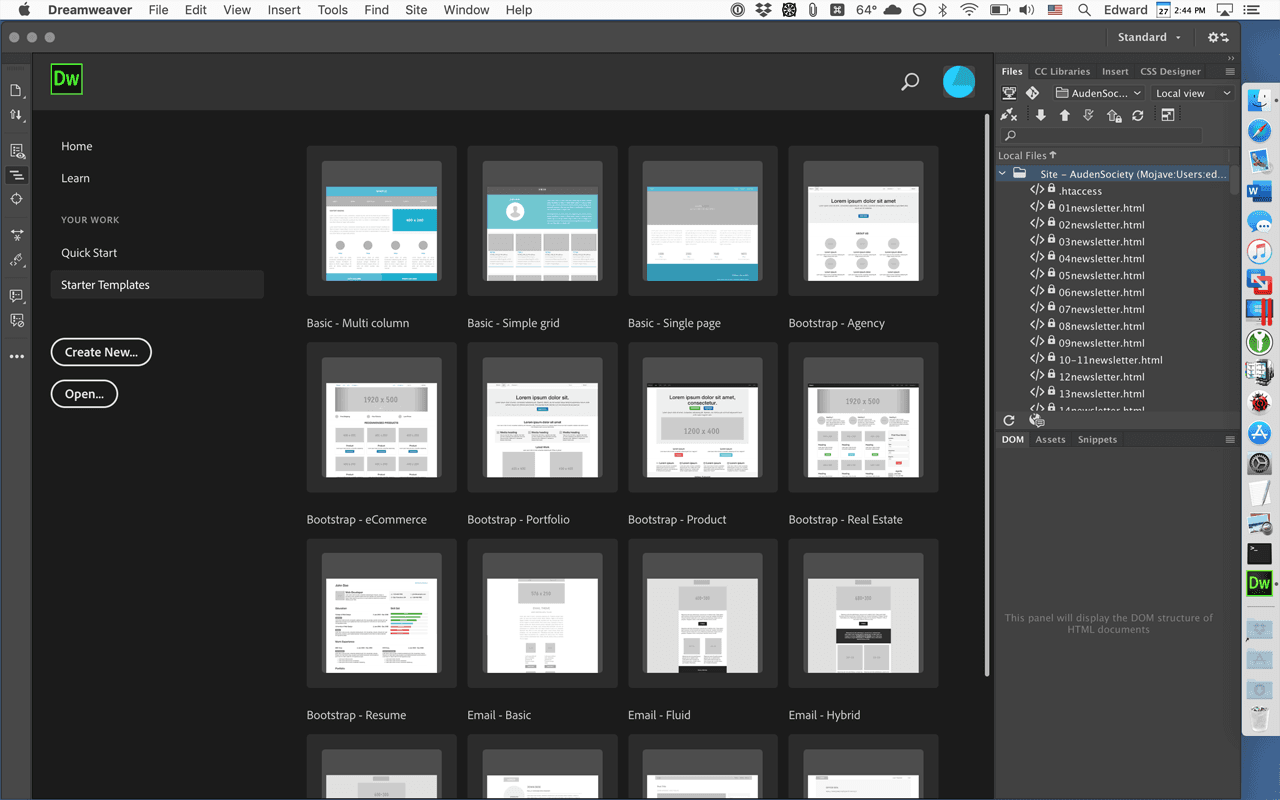
Visual Design Interface: You can design your web pages using a user-friendly visual editor that lets you see changes in real-time. This feature helps your team create attractive designs without deep coding knowledge.
Code Editor: Dreamweaver offers a robust code editor that supports HTML, CSS, and JavaScript. It gives you syntax highlighting and code suggestions to streamline your coding process.
Responsive Design Tools: You can easily build responsive websites with Dreamweaver's built-in tools for media queries. This ensures your sites look great on any device.
Live View: Test your pages in a real browser environment without leaving Dreamweaver. This helps you catch errors quickly and improve your workflow.
Template Support: Use pre-built templates to speed up your development process. It lets you maintain design consistency across your projects.
Site Management: Dreamweaver offers site management tools that help you organize files and deploy updates efficiently. This keeps your projects structured and saves you time.
Ease of Use
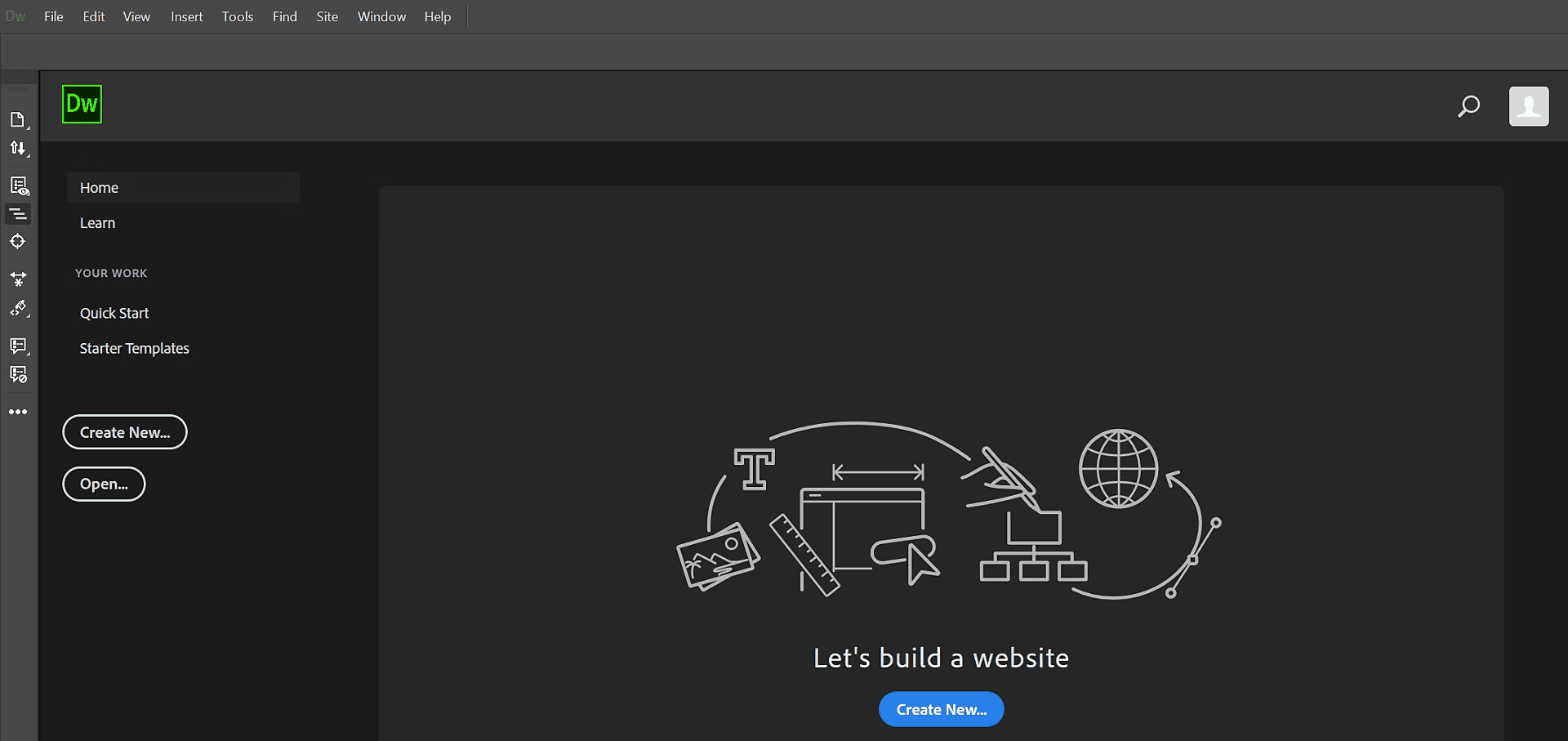
Adobe Dreamweaver offers a mix of visual and code editing that can be both a blessing and a curse. While the visual interface helps beginners, the complexity of its features might overwhelm those new to web development. You’ll find the code suggestions handy, but navigating through its various tools requires patience. Compared to simpler tools, Dreamweaver demands a bit more time to master, which might slow your team initially but pays off with its extensive capabilities.
Integrations
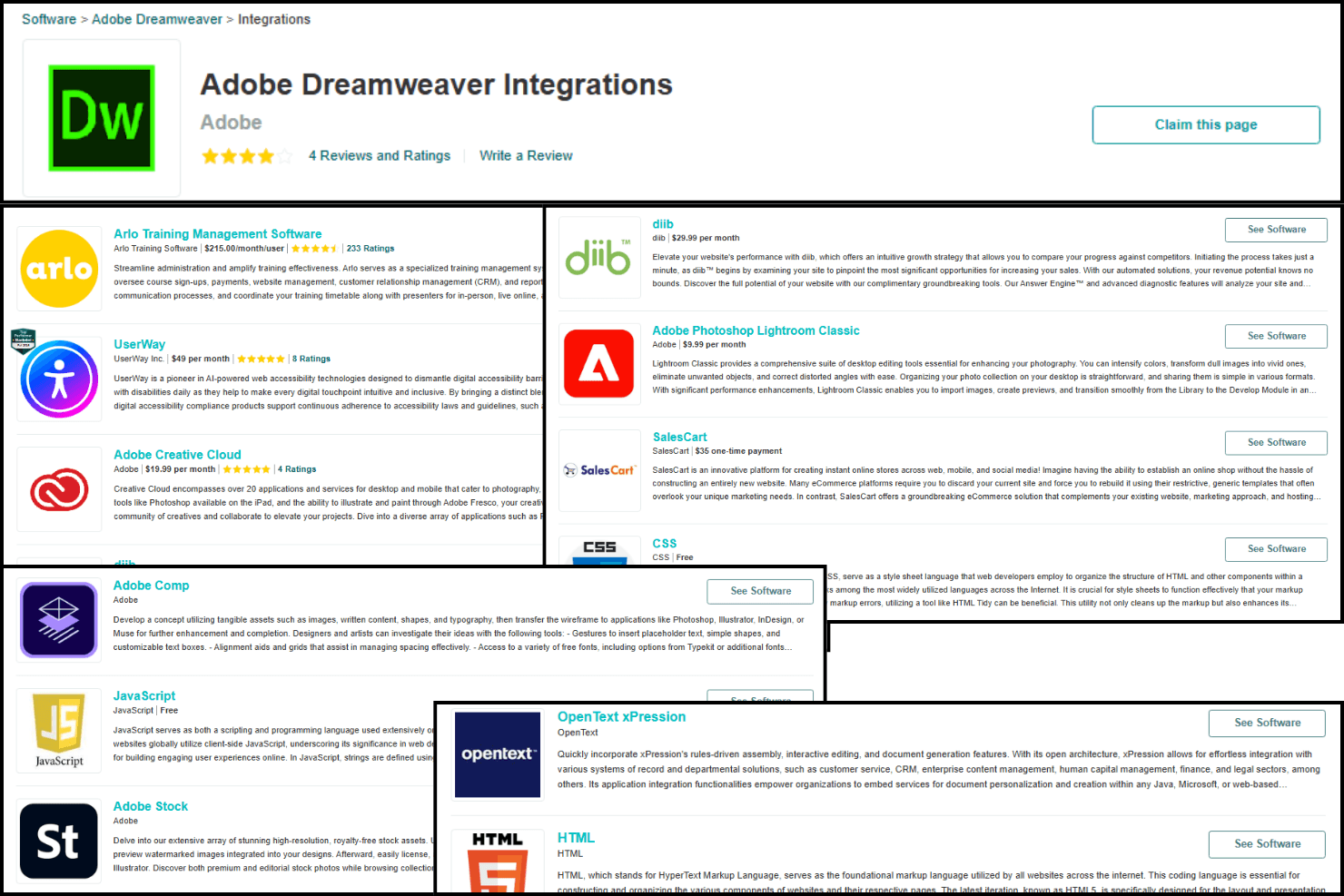
Adobe Dreamweaver integrates natively with UserWay, Adobe Creative Cloud, Diib, SalesCart, CSS, PHP, and jQuery Mobile.
Adobe Dreamweaver provides its own API and connects with third-party integration tools through the Common Extensibility Platform (CEP).
Adobe Dreamweaver Specs
- CAD Tools: No
- Data Export: No
- Data Import: No
- Multi-User: No
- Pixel Graphics: No
- Third-Party Plugins/Add-Ons: No
- Vector File Support: No
- Video: No


