

I 10 migliori software per la gestione finanziaria IT nel 2026

Elenco dei software di gestione finanziaria IT


Il software di gestione finanziaria IT ti aiuta a monitorare, analizzare e controllare la spesa tecnologica in tutta la tua azienda. Se stai cercando il miglior software di gestione finanziaria IT, probabilmente vuoi tenere sotto controllo i budget, ridurre gli sprechi e prendere decisioni più consapevoli sui tuoi investimenti IT.
Con così tanti strumenti disponibili, è difficile capire quali offrano davvero la visibilità e il controllo di cui hai bisogno. In questa guida troverai opzioni affidabili che ti aiutano a gestire i costi, migliorare le previsioni e supportare la tua strategia IT, così potrai mantenere i tuoi sistemi in funzione senza problemi e il tuo budget sotto controllo.
Perché fidarsi dei nostri consigli sui software
Il nostro team testa e recensisce software dal 2012. In quanto leader tecnologici noi stessi, sappiamo quanto sia difficile — e importante — scegliere il software giusto.
Per questa guida, abbiamo valutato gli strumenti attraverso test praticie ricerche indipendenti, assegnando un punteggio agli strumenti in base ai nostri criteri di selezione.
Le nostre recensioni riflettono il nostro giudizio editoriale umano, non un discorso di vendita.
Riepilogo dei migliori software di gestione finanziaria IT
Questo grafico comparativo riassume i dettagli dei prezzi delle mie migliori selezioni di software di gestione finanziaria IT, per aiutarti a trovare quello più adatto al tuo budget e alle esigenze della tua azienda.
| Tool | Best For | Trial Info | Price | ||
|---|---|---|---|---|---|
| 1 | Ideale per allocazione dei costi dei servizi IT | Demo gratuita disponibile | Prezzo su richiesta | Website | |
| 2 | Ideale per il monitoraggio della spesa IT ibrida | Demo gratuita disponibile | Prezzi su richiesta | Website | |
| 3 | Ideale per la trasparenza dei costi IT | Demo gratuita disponibile | Prezzo su richiesta | Website | |
| 4 | Ideale per la governance dei costi multi-cloud | Prova gratuita disponibile | Prezzo su richiesta | Website | |
| 5 | Ideale per il chargeback dei servizi IT | Demo gratuita disponibile | Prezzo su richiesta | Website | |
| 6 | Ideale per l'allineamento con l'erogazione dei servizi e le attività operative | Dimostrazione gratuita disponibile | Prezzi disponibili su richiesta | Website | |
| 7 | Ideale per la gestione finanziaria aziendale unificata | Demo gratuita disponibile | Prezzo su richiesta | Website | |
| 8 | Ideale per l'allocazione dei costi tecnologici | Demo gratuita disponibile | Prezzo su richiesta | Website | |
| 9 | Ideale per budgeting IT e chargeback | Demo gratuita disponibile | Prezzo su richiesta | Website | |
| 10 | Ideale per il controllo finanziario basato su progetti | Demo gratuita disponibile | Da $20/utente/mese | Website |
Recensioni dei software di gestione finanziaria IT
Di seguito trovi i miei riepiloghi dettagliati dei software di gestione finanziaria IT inclusi nel mio elenco. Le mie recensioni offrono una panoramica approfondita delle funzionalità, delle capacità e delle integrazioni di ciascuna piattaforma, per aiutarti a trovare quella più adatta alle tue esigenze.

Nicus
Ideale per allocazione dei costi dei servizi IT

Nicus Software è una piattaforma di gestione finanziaria IT che riunisce modellazione dei costi, budgeting, previsione dei costi e allocazione dei costi dei servizi per organizzazioni che gestiscono ambienti tecnologici complessi.
Per chi è ideale Nicus Software?
Team di finanza IT in grandi aziende che cercano trasparenza dettagliata dei costi e ottimizzazione attraverso servizi tecnologici.
Perché ho scelto Nicus Software
Ho scelto Nicus Software perché ho bisogno di una piattaforma che offra al mio team un'elevata trasparenza dei costi e strumenti per l'ottimizzazione dei servizi IT. Utilizzo le sue funzionalità di modellazione dei costi e allocazione dei servizi per suddividere le spese per unità aziendale e servizio. I moduli di budgeting e previsione mi aiutano a pianificare e modificare la spesa man mano che il nostro ambiente cambia.
Funzionalità chiave di Nicus Software
- Importazione dati automatica: consente di acquisire dati finanziari e operativi da più fonti per l'analisi.
- Dashboard basati sui ruoli: offre agli utenti visualizzazioni personalizzate in base alle loro responsabilità e livello di accesso.
- Generatore di report personalizzati: permette di creare e programmare report finanziari dettagliati per gli stakeholder.
- Tracciamento delle modifiche per audit: monitora modifiche e azioni degli utenti per garantire conformità e responsabilità.
Integrazioni di Nicus Software
Le integrazioni native non sono chiaramente documentate. Nicus Software offre una API per integrazioni personalizzate.
Pros and Cons
Pros:
- Solida allocazione dei costi tra servizi IT e unità aziendali
- Progettato specificatamente per la pianificazione finanziaria IT e la determinazione dei costi dei servizi
- Modellazione flessibile per strutture organizzative complesse
Cons:
- La configurazione iniziale può richiedere un notevole sforzo
- L'interfaccia utente può sembrare poco intuitiva per i nuovi utenti

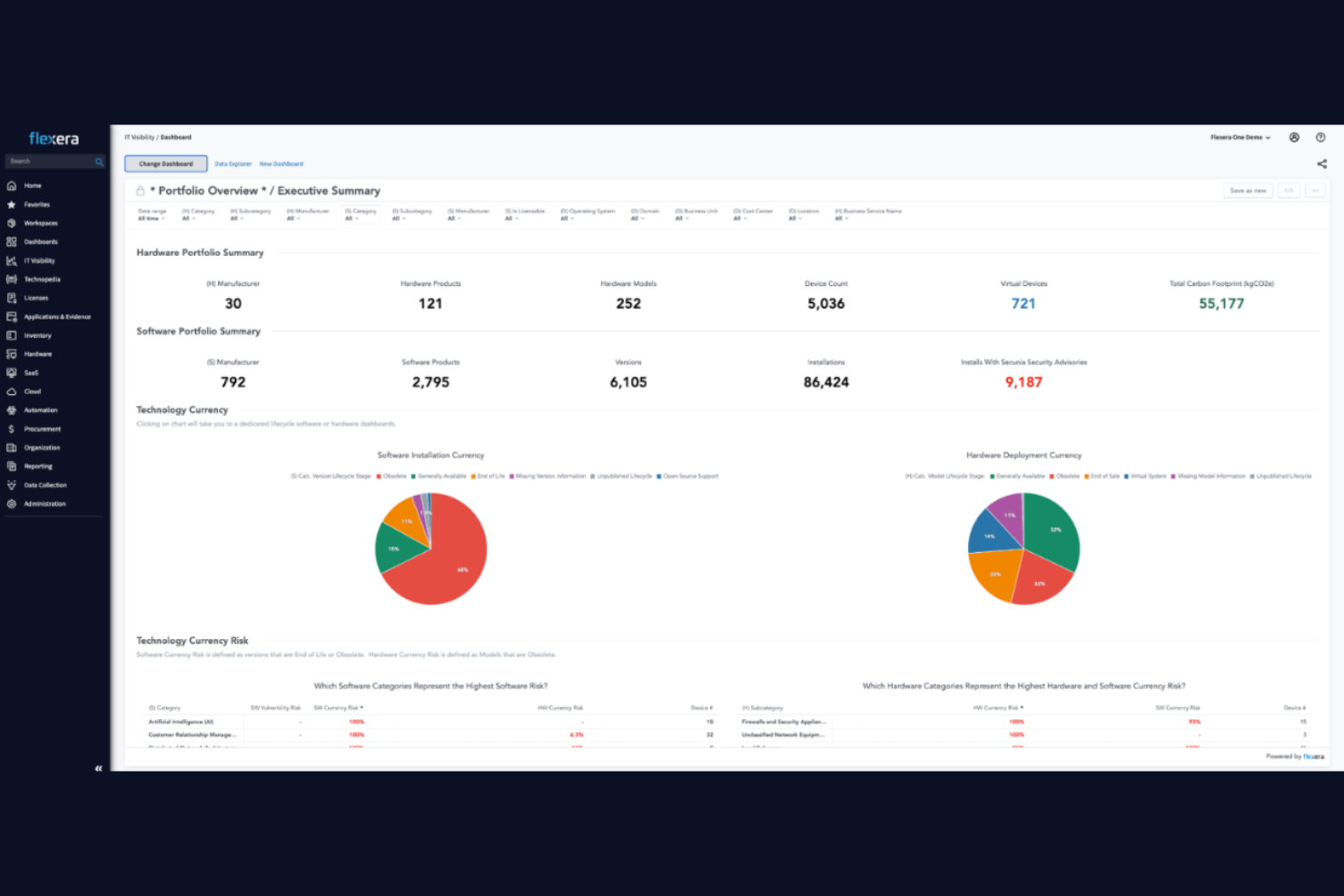
Flexera One è una piattaforma di gestione finanziaria IT che riunisce la gestione dei costi cloud, la gestione delle risorse software e il monitoraggio della spesa IT ibrida in un'unica soluzione.
Per chi è più indicato Flexera One?
Responsabili delle risorse IT e team finanziari di grandi imprese che gestiscono ambienti ibridi tra cloud e on-premise.
Perché ho scelto Flexera One
Ho scelto Flexera One perché posso gestire risorse IT ibride e la spesa cloud da un'unica dashboard. Il mio team utilizza la sua piattaforma unificata per monitorare insieme software, hardware e risorse cloud. Mi affido alla sua analisi dettagliata della spesa e alla scoperta delle risorse per mantenere i costi sotto controllo nell'ambiente ibrido.
Funzionalità principali di Flexera One
- Ottimizzazione delle licenze: Analizza e ottimizza l'utilizzo delle licenze software nel tuo ambiente.
- Gestione dei contratti: Monitora e gestisci contratti IT e date di rinnovo in un unico posto.
- Pianificazione della migrazione cloud: Valuta e pianifica i progetti di migrazione al cloud con strumenti integrati.
- Report di conformità: Genera report per monitorare e documentare lo stato di conformità del software.
Integrazioni di Flexera One
Flexera One offre integrazioni native con ServiceNow, Microsoft Azure, AWS, Google Cloud Platform, Oracle, IBM, Snowflake, Salesforce e SAP. È disponibile un'API per integrazioni personalizzate.
Pros and Cons
Pros:
- Vista unificata della spesa per software, hardware e cloud in un'unica piattaforma
- Potenti capacità di monitoraggio delle risorse e dei costi in ambienti IT ibridi
- Ottimizzazione dettagliata delle licenze e visibilità sui contratti
Cons:
- Il processo di implementazione può essere lungo e complesso
- L'interfaccia può richiedere formazione per un uso efficace

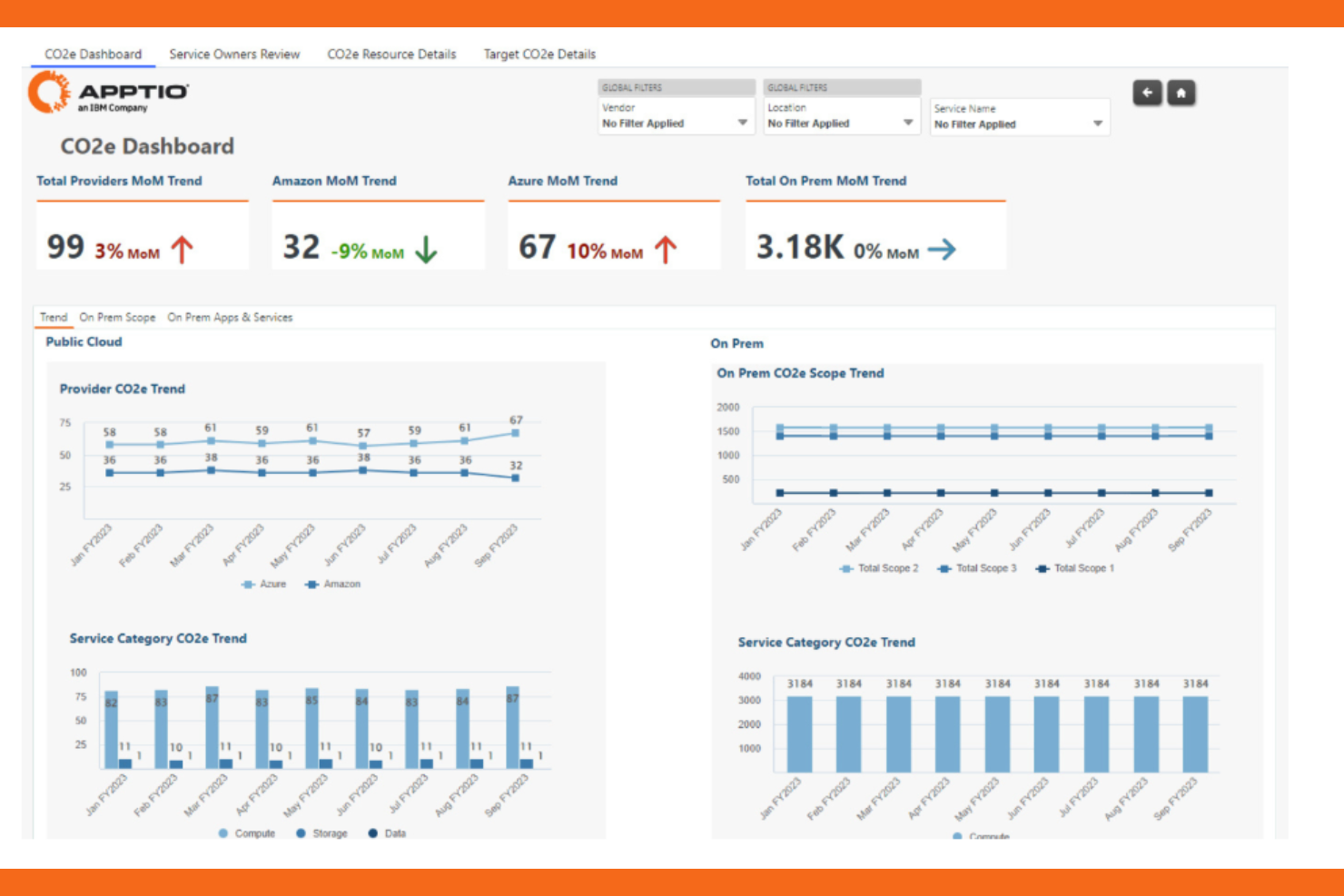
Apptio (IBM) è una piattaforma di gestione finanziaria IT progettata per i responsabili tecnologici che necessitano di una modellizzazione dettagliata dei costi, pianificazione del budget, previsioni e analisi su ambienti cloud, on-premises e ibridi.
Per chi è indicato Apptio (IBM)?
Grandi aziende e team di finanza IT che gestiscono portfolio tecnologici complessi in più unità aziendali o regioni.
Perché ho scelto Apptio (IBM)
Ho scelto Apptio (IBM) perché è specificamente pensato per la trasparenza dei costi IT e la gestione del business tecnologico. Utilizzo le sue funzionalità di modellizzazione e allocazione dei costi per suddividere la spesa per servizio, progetto o dipartimento. Le funzionalità di analisi della piattaforma permettono di approfondire i costi cloud e on-premises, mentre gli strumenti di budgeting aiutano il mio team a prevedere e monitorare la spesa IT durante l’anno.
Caratteristiche principali di Apptio (IBM)
- Ingestione automatica dei dati: Importa dati finanziari e operativi da più fonti per un’analisi unificata.
- Reportistica personalizzata: Crea report su misura per visualizzare la spesa IT e l’allocazione delle risorse.
- Modellizzazione di scenari: Simula modifiche di budget e investimenti tecnologici per valutare l’impatto finanziario.
- Controlli di accesso basati sui ruoli: Imposta permessi per diversi utenti per gestire la visibilità e la modifica dei dati.
Integrazioni di Apptio (IBM)
Le integrazioni native non sono documentate chiaramente.
Pros and Cons
Pros:
- Allocazione dettagliata dei costi tra servizi, progetti e unità aziendali
- Forte supporto al monitoraggio dei costi in ambienti ibridi e multipli
- Modellizzazione avanzata di scenari per previsioni e pianificazione degli investimenti
Cons:
- L’implementazione può richiedere tempi e pianificazione significativi
- L’interfaccia può risultare complessa per i nuovi utenti

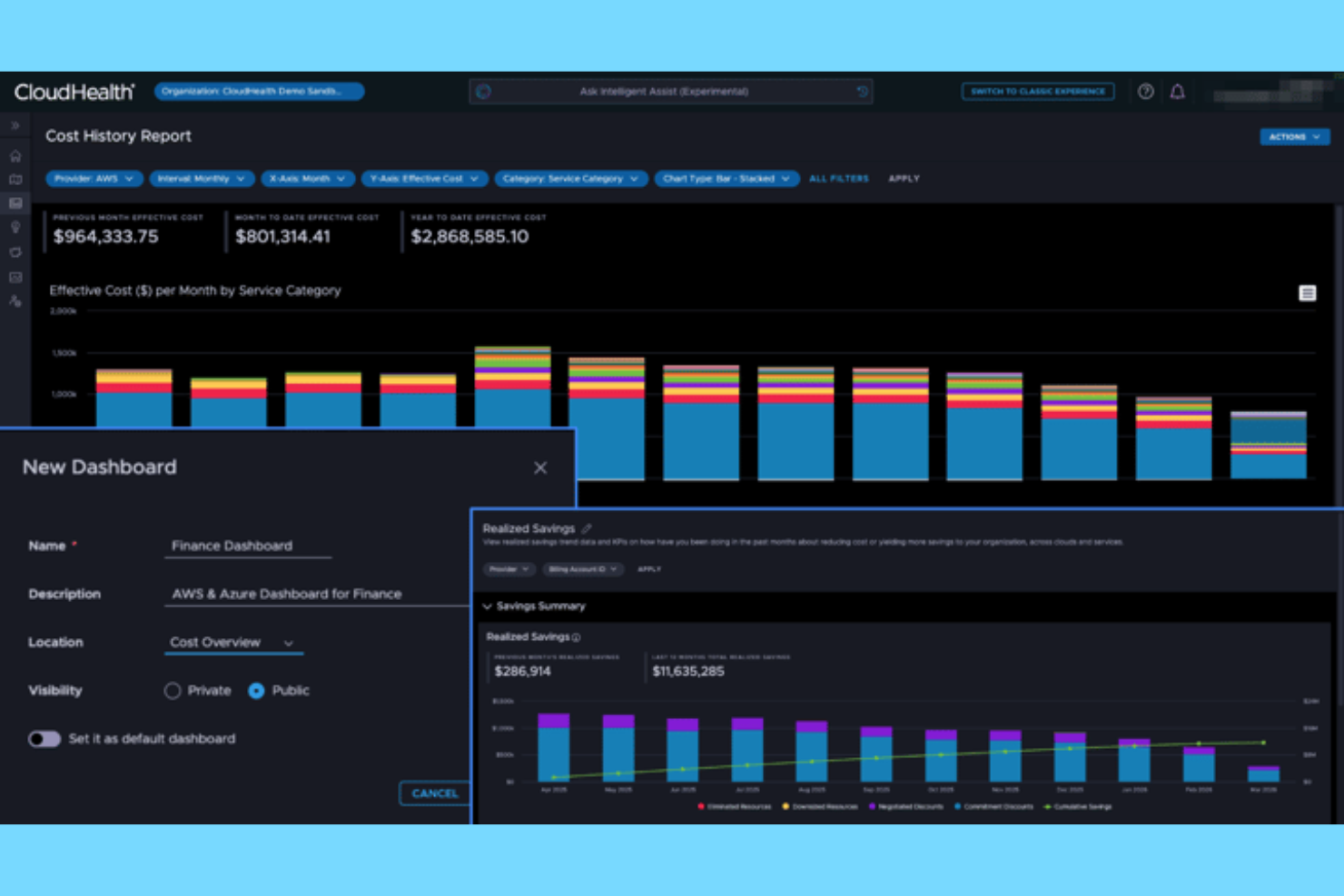
CloudHealth by Broadcom è una piattaforma di gestione finanziaria IT per ambienti multi-cloud che fornisce visibilità sui costi, governance guidata da policy e ottimizzazione delle risorse su AWS, Azure, Google Cloud e VMware.
Per chi è CloudHealth by Broadcom?
Team di operazioni cloud e finanza nelle grandi aziende che gestiscono infrastrutture e spese multi-cloud.
Perché ho scelto CloudHealth by Broadcom
Ho scelto CloudHealth by Broadcom perché ho bisogno di una piattaforma che dia al mio team visibilità dettagliata e controllo sui costi e sull'utilizzo multi-cloud. Utilizzo la sua automazione guidata da policy per applicare la governance su AWS, Azure e Google Cloud. I report e le analisi della piattaforma mi permettono di suddividere la spesa per progetto, team o ambiente, essenziale per la gestione di operazioni cloud complesse.
Funzionalità chiave di CloudHealth by Broadcom
- Motore personalizzato di policy: Crea e applica regole automatizzate per la gestione delle risorse cloud.
- Governance della targhettizzazione: Standardizza e verifica i tag delle risorse in tutti gli ambienti cloud.
- Previsione e avvisi di budget: Imposta budget e ricevi avvisi per proiezioni di spesa eccessiva.
- Gestione dell'inventario degli asset: Tieni traccia e organizza tutti gli asset cloud in una dashboard unificata.
Integrazioni di CloudHealth by Broadcom
CloudHealth by Broadcom offre integrazioni native con AWS, Azure, Google Cloud Platform e VMware, e fornisce un'API per integrazioni personalizzate.
Pros and Cons
Pros:
- Visibilità approfondita su costi e dati di utilizzo multi-cloud
- Governance basata su policy per il controllo della spesa cloud
- Report avanzati per l'allocazione dei costi tra team e progetti
Cons:
- Si concentra principalmente sul cloud e non sulla gestione finanziaria IT completa
- Configurazione iniziale e impostazione delle policy possono richiedere tempo

Serviceware è una suite software per la gestione finanziaria IT che centralizza la determinazione dei costi dei servizi, la pianificazione dei budget, le previsioni e il chargeback per organizzazioni con ambienti IT complessi.
Per chi è più indicato Serviceware?
Team di finanza IT e gestione dei servizi in grandi organizzazioni complesse che necessitano di una dettagliata determinazione dei costi dei servizi e del chargeback.
Perché ho scelto Serviceware
Ho scelto Serviceware perché necessito di una piattaforma che gestisca in modo dettagliato il costing dei servizi IT e il chargeback per organizzazioni complesse. Utilizzo i suoi strumenti di modellazione per mappare le gerarchie dei servizi e allocare i costi tra i reparti. Le funzionalità di budgeting e forecasting della piattaforma permettono al mio team di gestire piani finanziari IT pluriennali con precisione.
Funzionalità principali di Serviceware
- Controlli di accesso basati sui ruoli: Imposta permessi per gli utenti in base ai ruoli e alle responsabilità.
- Importazione automatica dei dati: Importa dati finanziari e operativi da sistemi esterni.
- Tracciamento della cronologia delle modifiche: Mantieni un registro dettagliato di tutte le modifiche e azioni.
- Supporto multivaluta: Gestisci la finanza IT in diverse valute e regioni.
Integrazioni di Serviceware
Le integrazioni native non sono chiaramente documentate. Lo strumento supporta integrazioni tramite API per connessioni personalizzate.
Pros and Cons
Pros:
- Funzionalità dettagliate per costing dei servizi e chargeback
- Modellazione flessibile per strutture di servizi IT complesse
- Supporta la pianificazione finanziaria a lungo termine tra i servizi
Cons:
- L'interfaccia utente può risultare datata rispetto agli strumenti più recenti
- La configurazione può essere complessa per le grandi organizzazioni

Ideale per l'allineamento con l'erogazione dei servizi e le attività operative
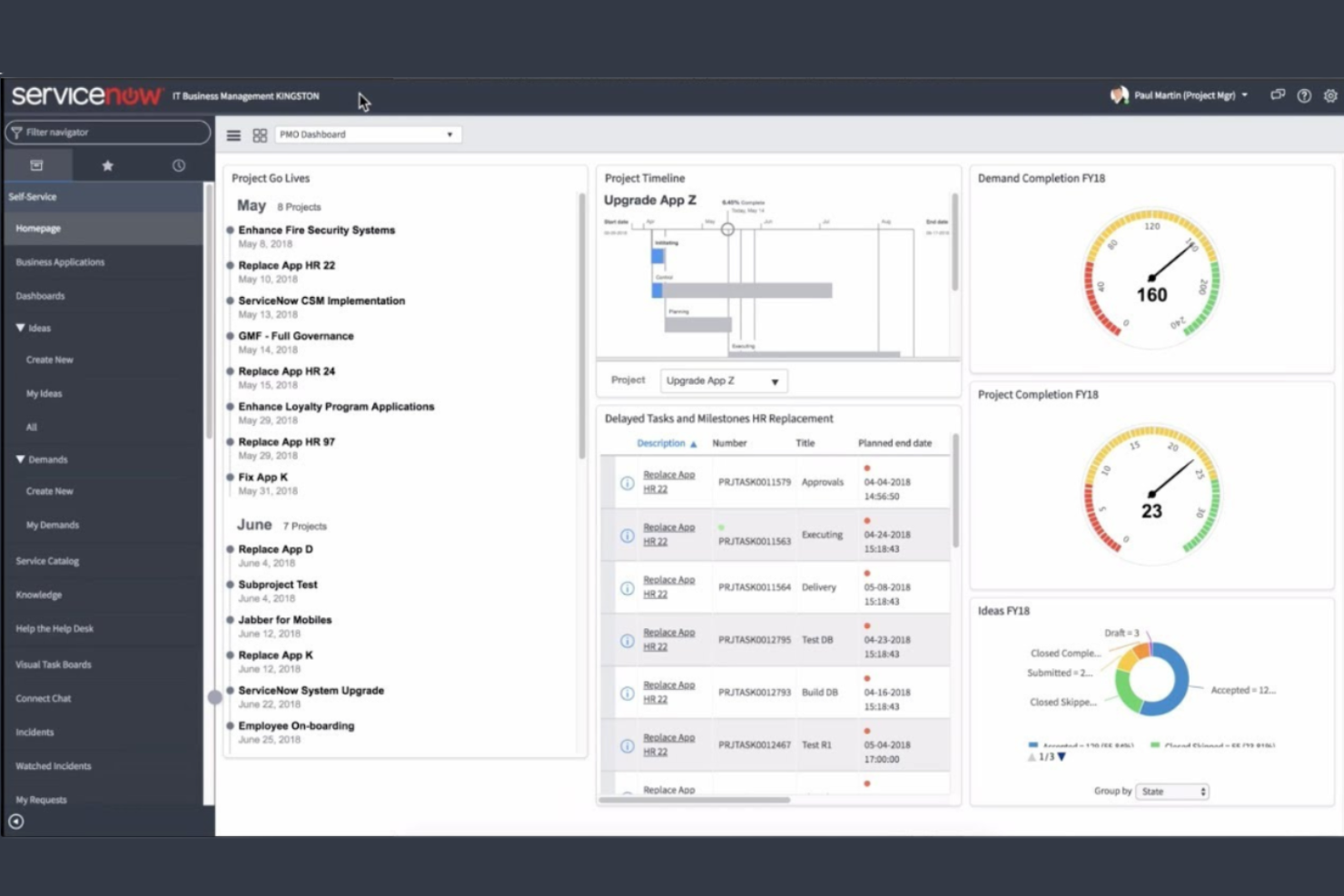
La Gestione finanziaria IT di ServiceNow è una piattaforma aziendale per la gestione finanziaria dell'IT che collega la definizione del budget, le previsioni, la modellazione dei costi e l'analisi della spesa all'erogazione dei servizi e ai flussi di lavoro operativi nell'intero ecosistema ServiceNow.
A chi è più adatta la Gestione finanziaria IT di ServiceNow?
Responsabili della finanza IT e organizzazioni aziendali che necessitano di un controllo unificato della spesa tecnologica e della definizione del budget.
Perché ho scelto la Gestione finanziaria IT di ServiceNow
Ho scelto la Gestione finanziaria IT di ServiceNow perché posso allineare direttamente la spesa IT all'erogazione dei servizi e alle attività operative. Utilizzo i suoi pannelli di controllo per monitorare i costi relativi a servizi, reparti e progetti, offrendo al mio team una visibilità più chiara sull'impatto della spesa sulle operazioni. Le sue funzionalità per i flussi di lavoro aiutano a gestire approvazioni e allocazione delle risorse nel contesto appropriato, mantenendo così le decisioni finanziarie collegate alle prestazioni quotidiane dei servizi.
Funzionalità principali della Gestione finanziaria IT di ServiceNow
- Gestione del portafoglio dei servizi: Catalogare e monitorare i servizi IT e i relativi costi.
- Pannelli di controllo per la trasparenza dei costi: Visualizzare in tempo reale i modelli di spesa e le allocazioni.
- Strumenti di riaddebito e rendicontazione dei costi: Allocare i costi IT alle unità aziendali o ai reparti.
- Integrazione con la piattaforma ServiceNow: Collegare i dati finanziari ai moduli ITSM, ITOM e ITBM.
Integrazioni della Gestione finanziaria IT di ServiceNow
La Gestione finanziaria IT di ServiceNow offre integrazioni native nell'intera piattaforma ServiceNow, inclusi i moduli ITSM, ITOM e ITBM, e mette a disposizione un'API per integrazioni personalizzate.
Pros and Cons
Pros:
- Allinea la spesa IT all'erogazione dei servizi e ai flussi di lavoro operativi
- Visibilità unificata su servizi, progetti e unità aziendali
- I flussi di lavoro integrati collegano i dati finanziari ai processi operativi
Cons:
- L'implementazione può richiedere molte risorse negli ambienti di grandi dimensioni
- Flessibilità limitata al di fuori dell'ecosistema ServiceNow

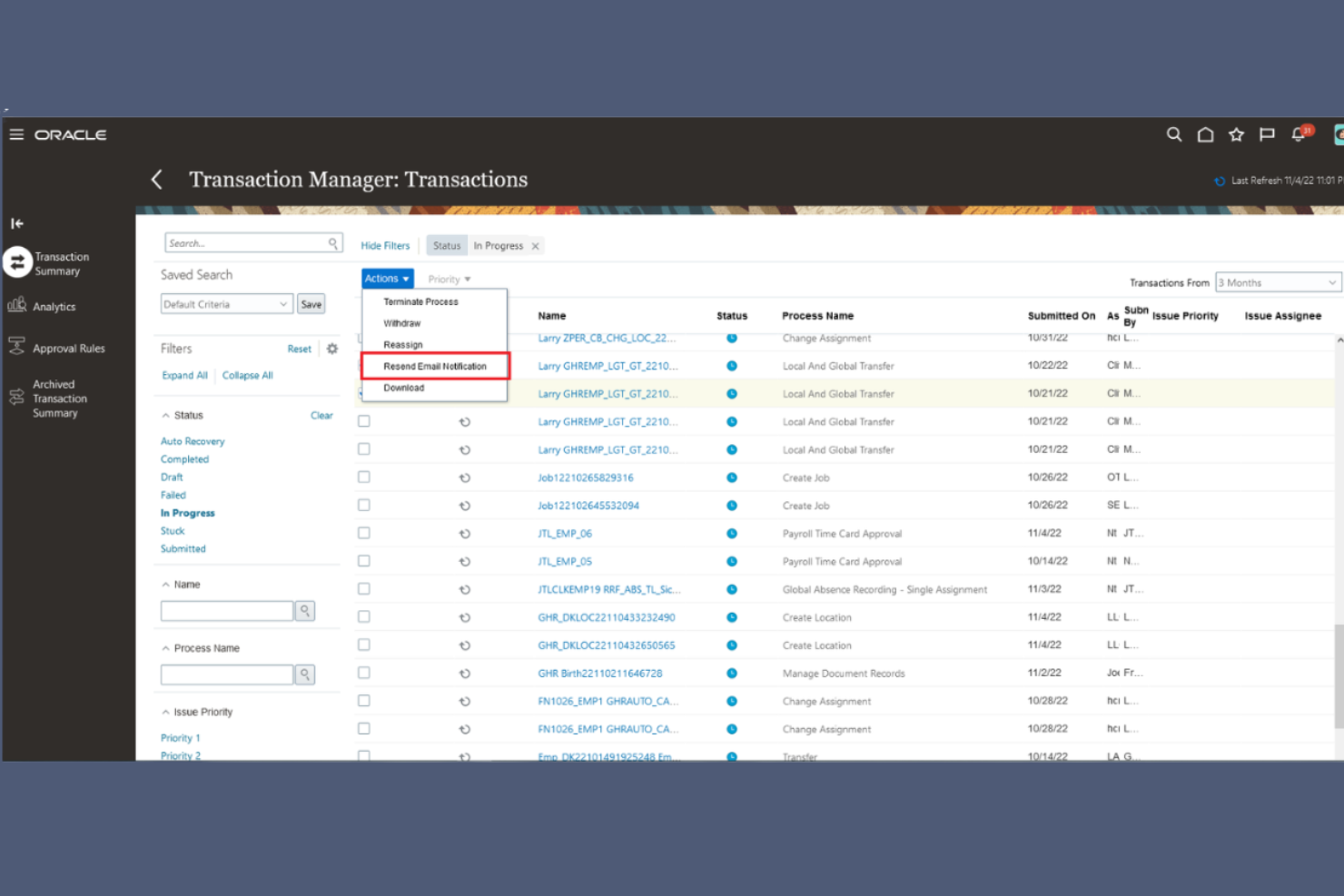
Fusion Cloud Financials è una piattaforma di gestione finanziaria aziendale di Oracle che riunisce contabilità, approvvigionamento, gestione progetti e analisi in un unico sistema basato su cloud.
Per chi è ideale Fusion Cloud Financials?
Grandi imprese e organizzazioni multinazionali con operazioni finanziarie globali complesse.
Perché ho scelto Fusion Cloud Financials
Ho scelto Fusion Cloud Financials tra i migliori perché consente di gestire operazioni finanziarie globali da un'unica piattaforma cloud. Utilizzo la contabilità multi-valuta e multi-ente per gestire strutture internazionali complesse. Il mio team si affida alla sua suite ERP unificata per collegare approvvigionamento, progetti e analisi, garantendo una visibilità finanziaria end-to-end.
Caratteristiche principali di Fusion Cloud Financials
- Automazione della gestione delle fatture: Semplifica la cattura delle fatture fornitori e i flussi di lavoro di approvazione.
- Gestione delle spese: Traccia, verifica e riconcilia le spese dei dipendenti all'interno della piattaforma.
- Gestione della chiusura finanziaria: Coordina le attività di chiusura di periodo e automatizza le riconciliazioni.
- Cruscotti basati sui ruoli: Offre cruscotti configurabili in base ai diversi ruoli finanziari.
Integrazioni di Fusion Cloud Financials
Fusion Cloud Financials offre integrazioni native con Oracle Cloud HCM, Oracle Procurement Cloud, Oracle Project Management Cloud e Oracle Analytics Cloud. È disponibile un'API per integrazioni personalizzate.
Pros and Cons
Pros:
- Supporta la finanza globale complessa con strutture multi-ente
- Piattaforma unificata per contabilità, approvvigionamenti e progetti
- Solidi controlli finanziari e capacità di tracciamento degli audit
Cons:
- Implementazione complessa per grandi aziende
- Meno orientato alle esigenze di gestione finanziaria IT-specifiche


MagicOrange è una piattaforma di gestione finanziaria IT che offre modellazione dei costi, allocazione dei servizi, budgeting, previsione e analisi per le organizzazioni che gestiscono la spesa tecnologica.
Per chi è ideale MagicOrange?
Team finanziari IT in grandi aziende che necessitano di una trasparenza e allocazione dettagliata dei costi.
Perché ho scelto MagicOrange
Ho scelto MagicOrange come uno dei migliori perché posso modellare e allocare i costi IT con un alto livello di dettaglio. Il mio team utilizza il suo motore di trasparenza dei costi per suddividere la spesa tecnologica per servizio, dipartimento o progetto. Mi affido alle sue regole di allocazione e ai report per supportare chargeback e showback all'interno di ambienti IT complessi.
Caratteristiche principali di MagicOrange
- Flussi di lavoro per il budgeting: Imposta, gestisci e monitora i budget IT tra i vari dipartimenti.
- Motore di previsione: Genera proiezioni di spesa future basate su dati storici e in tempo reale.
- Dashboard basate sui ruoli: Fornisci viste finanziarie personalizzate per diversi stakeholder.
- Strumenti di importazione dati: Importa dati finanziari e operativi da più fonti per l'analisi.
Integrazioni di MagicOrange
Le integrazioni includono SAP, Oracle, AWS, Azure, Jira, Workday e ServiceNow.
Pros and Cons
Pros:
- Allocazione dettagliata dei costi tra servizi, dipartimenti e progetti
- Forte trasparenza su spesa e utilizzo tecnologico
- Modellazione flessibile adattata alle strutture finanziarie IT
Cons:
- La configurazione iniziale può richiedere un notevole setup
- La personalizzazione dei report può essere limitata per esigenze avanzate


Upland Comsci è una piattaforma di gestione finanziaria IT che fornisce modellazione dei costi, budgeting, chargeback, allocazione dei servizi e analisi per le organizzazioni che gestiscono le spese tecnologiche.
Per chi è ideale Upland Comsci?
Responsabili finanziari IT di grandi aziende che gestiscono budget tecnologici complessi e processi di chargeback.
Perché ho scelto Upland Comsci
Ho scelto Upland Comsci tra i migliori perché posso costruire modelli di costo dettagliati e automatizzare i flussi di lavoro di chargeback per i servizi IT. Il mio team utilizza i suoi strumenti di budgeting e previsione per gestire la spesa tecnologica tra i dipartimenti. Mi affido alle sue analisi per monitorare il consumo dei servizi e favorire la trasparenza finanziaria.
Caratteristiche principali di Upland Comsci
- Gestione del catalogo dei servizi: Mantieni un catalogo centralizzato di servizi e offerte IT.
- Supporto multivaluta: Gestisci i dati finanziari in più valute per operazioni globali.
- Controlli di accesso basati sui ruoli: Imposta permessi e livelli di accesso per diversi ruoli utente.
- Importazione dati automatizzata: Importa dati finanziari e operativi da sistemi esterni.
Integrazioni di Upland Comsci
Le integrazioni native non sono chiaramente documentate.
Pros and Cons
Pros:
- Potenti capacità di budgeting e chargeback per servizi IT
- Modellazione dei costi flessibile per esigenze organizzative complesse
- Visione chiara sul consumo dei servizi e sulle spese
Cons:
- L'interfaccia può richiedere formazione per un uso efficace
- Configurazione e impostazione possono richiedere tempo

BigTime
Ideale per il controllo finanziario basato su progetti

BigTime è una piattaforma di gestione finanziaria basata su progetti per aziende di servizi professionali che combina rilevamento delle ore, gestione delle spese, fatturazione e allocazione delle risorse in un unico sistema.
Per chi è più indicato BigTime?
Responsabili di progetto e team finanziari in aziende di servizi professionali che necessitano di una gestione integrata di ore, fatturazione e spese.
Perché ho scelto BigTime
Ho scelto BigTime tra i migliori perché è pensato per la rilevazione e la fatturazione delle ore su base progetto: il mio team può tracciare le ore fatturabili, gestire le spese e generare fatture tutto in un unico posto. Utilizzo i suoi strumenti di allocazione delle risorse per assegnare il personale e monitorare i budget dei progetti in tempo reale. Le funzionalità di reportistica della piattaforma mi permettono di analizzare la redditività dei progetti e le prestazioni finanziarie senza dover esportare dati altrove.
Caratteristiche principali di BigTime
- Flussi di approvazione personalizzati: Imposta processi di approvazione multilivello per fogli presenza e spese.
- Pianificazione progetti con diagramma di Gantt: Visualizza le tempistiche dei progetti e le dipendenze con diagrammi di Gantt interattivi.
- Inserimento ore e spese da mobile: Registra ore e spese da qualsiasi dispositivo tramite l'app mobile.
- Integrazione con QuickBooks: Sincronizza i dati di progetto e quelli finanziari direttamente con QuickBooks per una contabilità semplificata.
Integrazioni di BigTime
BigTime offre integrazioni native con QuickBooks, Salesforce, Sage Intacct, Lacerte, Xero e Zapier. È disponibile un'API per integrazioni personalizzate.
Pros and Cons
Pros:
- Solida gestione dei budget su base progetto collegata al rilevamento di ore e spese
- Fatturazione e creazione di fatture integrate collegate alle finanze di progetto
- Tracciamento facile dell'allocazione delle risorse e della redditività dei progetti
Cons:
- Supporto limitato per casi d'uso più ampi di gestione finanziaria IT
- La personalizzazione dei report può essere limitante
Altri software di gestione finanziaria IT
Ecco alcune ulteriori opzioni di software di gestione finanziaria IT che non sono state incluse nel mio elenco, ma che vale comunque la pena esaminare:
- ProsperOps
Ideale per risparmi AWS automatizzati
- CostPerform
Piattaforma di gestione finanziaria IT e modellazione dei costi
- Intuit Field Service Management
Gestione integrata dei servizi sul campo con


Come Valuto il Software di Gestione Finanziaria IT
Gli strumenti ITFM sono ciò a cui si affidano i team finanziari IT e i CIO quando devono ricondurre una crescente fattura cloud a un’unità di business specifica, costruire un modello di chargeback difendibile o giustificare gli investimenti IT in termini comprensibili per un CFO. Quando valuto strumenti in questa categoria, divido il mio pensiero su due livelli: ciò che ogni prodotto deve necessariamente offrire per meritare un posto nell’elenco e ciò che distingue davvero una soluzione dall’altra.
Funzionalità Chiave (Requisiti Minimi per Questa Lista)
Per il software di gestione finanziaria IT, le funzionalità principali che testo e valuto sono:
- Modellazione dei Costi: Valuto come ogni strumento struttura gerarchie di allocazione multi-livello, come il tracciamento del costo di una VM dall’infrastruttura attraverso una torre IT fino a un’unità di business.
- Chargeback & Showback: La capacità di calcolare tassi unitari per servizio e pubblicare report di consumo per le unità di business è irrinunciabile per qualsiasi strumento ITFM.
- Aggregazione della Spesa IT: Verifico se lo strumento può estrarre e normalizzare dati finanziari da ERP, feed di fatturazione cloud, CMDB e abbonamenti SaaS in un unico punto.
- Budgeting & Forecasting: I budget a livello di servizio collegati a elementi IT sono fondamentali. Cerco previsioni dinamiche che si aggiornano con i dati reali e non semplici piani annuali statici.
- Logica di Allocazione: Regole configurabili basate su driver sono essenziali. Valuto se sia possibile allocare per numero di dipendenti, volume dei ticket o storage consumato senza codice personalizzato.
- Analisi degli Scenari: La modellazione what-if per decisioni come la migrazione al cloud o la consolidazione dei data center dovrebbe essere integrata e non aggiunta tramite uno strumento BI separato.
- Reporting Finanziario: I dashboard devono mostrare i costi di servizio completi per fornitore, piattaforma e unità di business con la possibilità di approfondire fino alle singole transazioni di origine.
Uno strumento deve offrire la maggior parte di queste funzionalità per meritare un posto nella lista. Da lì, considero ciò che distingue ogni soluzione.
Funzionalità Distintive (Cosa Distingue le Soluzioni Selezionate)
Il supporto nativo per la tassonomia TBM risalta, poiché accelera l’implementazione e il benchmarking per le aziende che già adottano i principi TBM. Cerco strumenti in grado di integrare i dati di costo cloud insieme alle spese on-premise, con funzionalità FinOps in tempo reale come il monitoraggio dettagliato della spesa multi-cloud. Il supporto per la modellazione di scenari che include carichi di lavoro AI/ML o l’impatto dei costi hybrid cloud è diventato un elemento distintivo, poiché sempre più team pianificano budget per infrastrutture dinamiche.
Fattori Oltre le Funzionalità
Le implementazioni ITFM possono richiedere mesi e spesso necessitano di servizi professionali, quindi valuto quanto supporto consulenziale si preveda di acquistare prima di andare live. La profondità dell’integrazione con ERP come SAP e Oracle, piattaforme ITSM come ServiceNow e API di fatturazione cloud è fondamentale, perché dati scorretti in ingresso significano allocazioni errate in uscita. Considero anche l’aderenza all’organizzazione, poiché alcuni strumenti sono pensati per grandi aziende con enormi budget IT, mentre altri sono rivolti a team mid-market che stanno iniziando il percorso verso la trasparenza dei costi.
Come scegliere un software di gestione finanziaria IT
È facile perdersi in lunghi elenchi di funzionalità e strutture tariffarie complesse. Per aiutarti a rimanere concentrato mentre affronti il tuo processo di selezione del software, unico per la tua organizzazione, ecco un elenco di fattori da tenere presenti:
| Fattore | Cosa considerare |
|---|---|
| Scalabilità | Il software sarà in grado di gestire la spesa IT attuale e prevista, il numero di utenti e l'impronta nel cloud man mano che la tua azienda cresce? |
| Integrazioni | Si collega nativamente ai tuoi fornitori di servizi cloud, al tuo ERP e ai tuoi sistemi finanziari, oppure dovrai realizzare integrazioni API personalizzate? |
| Personalizzazione | Puoi adattare l'allocazione dei costi, la reportistica e i flussi di lavoro alla struttura e alle politiche della tua organizzazione? |
| Facilità d'uso | I tuoi team finanziari e IT potranno navigare nella piattaforma e utilizzarla senza una formazione o un'assistenza estese? |
| Implementazione e avvio | Quanto tempo sarà necessario per implementare la soluzione, migrare i dati e rendere operativi i team? Sono disponibili risorse per l'avvio? |
| Costo | I livelli di prezzo sono trasparenti e in linea con i tuoi modelli di utilizzo e i vincoli di budget? Fai attenzione ai costi nascosti. |
| Misure di sicurezza | Lo strumento soddisfa gli standard di sicurezza della tua organizzazione in materia di accesso ai dati, crittografia e conformità? |
| Disponibilità dell'assistenza | È disponibile un'assistenza tempestiva nella tua regione e nel tuo fuso orario? Il fornitore offre più canali di assistenza? |
Che cos'è il software ITFM?
Il software ITFM è un tipo di soluzione per la gestione finanziaria che aiuta i responsabili IT e i CFO a monitorare, gestire e analizzare la spesa tecnologica in tutta l'organizzazione. Questi strumenti di gestione finanziaria centralizzano le informazioni finanziarie, supportano l'allocazione dei costi e offrono visibilità sul costo totale, aiutando i team a collegare gli investimenti IT al valore aziendale.
Molte piattaforme supportano anche le pratiche FinOps migliorando la trasparenza dei costi e consentendo decisioni migliori attraverso report, visualizzazioni e benchmarking. Riducendo la dipendenza dai processi manuali, il software ITFM aiuta le organizzazioni a mantenere una supervisione finanziaria più accurata e ad allineare la spesa IT alle priorità operative.
Funzionalità
Quando selezioni un software di gestione finanziaria IT, presta attenzione alle seguenti funzionalità chiave:
- Allocazione dei costi: assegna le spese IT a dipartimenti, progetti o unità aziendali, semplificando il monitoraggio della spesa e la giustificazione dei budget.
- Budget e previsioni: consente di impostare obiettivi finanziari, monitorare i progressi e prevedere i costi IT futuri sulla base dei dati storici e delle tendenze di utilizzo.
- Monitoraggio della spesa cloud: monitora l'utilizzo e la fatturazione dei servizi cloud, aiutandoti a identificare i fattori che determinano i costi e a ottimizzare il consumo delle risorse.
- Riconciliazione automatizzata della fatturazione: confronta le fatture con l'utilizzo effettivo e i termini contrattuali, riducendo gli errori manuali e garantendo pagamenti accurati.
- Report personalizzabili: genera report finanziari personalizzati per i diversi stakeholder, favorendo la trasparenza e decisioni informate.
- Addebito e rendicontazione dei costi: consente di addebitare ai team interni il loro utilizzo IT oppure di mostrare semplicemente la loro quota dei costi, promuovendo la responsabilità.
- Integrazione con i sistemi finanziari: si connette alle piattaforme ERP, di contabilità e di approvvigionamento per ottimizzare il flusso dei dati e ridurre le duplicazioni.
- Controlli di accesso basati sui ruoli: limita l'accesso ai dati finanziari sensibili agli utenti autorizzati, supportando i requisiti di conformità e di tutela della privacy dei dati.
- Tracce di controllo: tiene traccia delle modifiche ai dati finanziari e delle azioni degli utenti, semplificando l'indagine sulle discrepanze e il supporto agli audit.
Funzionalità comuni di intelligenza artificiale nei software di gestione finanziaria IT
Oltre alle funzionalità standard dei software di gestione finanziaria IT elencate sopra, molte di queste soluzioni integrano l'intelligenza artificiale con funzionalità come:
- Rilevamento delle anomalie: utilizza l'intelligenza artificiale per segnalare automaticamente modelli di spesa insoliti o errori di fatturazione, aiutando i team a individuare i problemi prima che si aggravino.
- Modellazione predittiva dei costi: sfrutta l'apprendimento automatico per prevedere le future spese IT sulla base delle tendenze storiche e dei dati di utilizzo.
- Raccomandazioni automatizzate per l'ottimizzazione: analizza i dati relativi alla spesa e all'utilizzo per suggerire azioni specifiche volte a ridurre i costi o riallocare le risorse.
- Query in linguaggio naturale: consente agli utenti di porre domande finanziarie in linguaggio semplice e ricevere istantaneamente analisi o report generati dall'intelligenza artificiale.
- Classificazione intelligente delle fatture: utilizza l'intelligenza artificiale per categorizzare e associare le fatture agli account o ai progetti corretti, riducendo il lavoro manuale e gli errori.
Vantaggi
L'implementazione di un software di gestione finanziaria IT offre diversi vantaggi al tuo team e alla tua azienda. Eccone alcuni:
- Maggiore visibilità sui costi: centralizza i dati e i report sulla spesa IT, semplificando la comprensione della destinazione del budget.
- Budget più accurati: utilizza i dati storici e gli strumenti di previsione per aiutarti a definire obiettivi finanziari realistici ed evitare spese eccessive.
- Decisioni più rapide: fornisce analisi in tempo reale e report personalizzabili, consentendoti di reagire rapidamente alle mutevoli esigenze aziendali.
- Maggiore responsabilità: offre funzionalità di addebito e rendicontazione dei costi che chiariscono la titolarità dei costi tra dipartimenti o progetti.
- Riduzione del lavoro manuale: automatizza la riconciliazione della fatturazione, l'allocazione dei costi e la reportistica, lasciando al team più tempo per attività a maggior valore aggiunto.
- Migliore conformità e preparazione agli audit: conserva le tracce di controllo e applica controlli di accesso basati sui ruoli per supportare i requisiti normativi.
- Spesa cloud ottimizzata: monitora l'utilizzo del cloud e fornisce informazioni utili per aiutarti a individuare opportunità di risparmio ed evitare sprechi.
Costi e prezzi
La selezione di un software di gestione finanziaria IT richiede la comprensione dei diversi modelli e piani tariffari disponibili. I costi variano in base alle funzionalità, alle dimensioni del team, agli elementi aggiuntivi e ad altri fattori. La tabella seguente riassume i piani più comuni, i relativi prezzi medi e le funzionalità tipicamente incluse nelle soluzioni software di gestione finanziaria IT:
Tabella comparativa dei piani per il software di gestione finanziaria IT
| Tipo di piano | Prezzo medio | Funzionalità comuni |
|---|---|---|
| Piano gratuito | $0 | Monitoraggio di base dei costi, reportistica limitata, accesso per un singolo utente e assistenza della community. |
| Piano personale | $10-$30/utente/mese | Strumenti di budgeting individuale, semplice allocazione dei costi, integrazioni di base e assistenza via e-mail. |
| Piano aziendale | $40-$80/utente/mese | Accesso multiutente, reportistica avanzata, monitoraggio della spesa nel cloud, dashboard personalizzabili e controlli basati sui ruoli. |
| Piano per grandi imprese | $100-$200/utente/mese | Integrazioni complete, riconciliazione automatizzata della fatturazione, tracce di audit, assistenza dedicata e funzionalità di conformità. |
Domande frequenti sul software di gestione finanziaria IT
Ecco alcune risposte alle domande più comuni sul software di gestione finanziaria IT:
In che modo il software di gestione finanziaria IT aiuta a controllare i costi cloud?
Il software di gestione finanziaria IT monitora l’utilizzo e la spesa cloud in tempo reale, aiutandoti a individuare picchi di costo e risorse inutilizzate. Questa visibilità consente di ottimizzare i carichi di lavoro, impostare avvisi per le soglie di budget ed evitare fatture impreviste.
Il software di gestione finanziaria IT può integrarsi con i sistemi ERP o contabili esistenti?
Sì, la maggior parte delle soluzioni offre integrazioni con le piattaforme ERP e contabili più diffuse. Ciò consente di sincronizzare i dati finanziari, automatizzare l’allocazione dei costi e ridurre l’inserimento manuale, rendendo i processi finanziari più accurati ed efficienti.
Cosa devo valutare quando analizzo la sicurezza del software di gestione finanziaria IT?
Verifica la presenza di funzionalità come controlli degli accessi basati sui ruoli, crittografia dei dati, tracce di audit e certificazioni di conformità. Queste misure di sicurezza contribuiscono a proteggere i dati finanziari sensibili e garantiscono che la tua organizzazione rispetti i requisiti normativi.
Quanto tempo occorre per implementare il software di gestione finanziaria IT?
Il tempo di implementazione varia in base allo strumento e alle dimensioni dell’organizzazione, ma la maggior parte dei team può aspettarsi da alcune settimane a qualche mese. Tra i fattori da considerare vi sono la migrazione dei dati, la configurazione delle integrazioni e la formazione degli utenti. Cerca fornitori che offrano risorse e assistenza per l’avviamento.
Il software di gestione finanziaria IT è adatto alle piccole imprese?
Sì, molte piattaforme offrono piani ridotti o livelli gratuiti per le piccole imprese. Queste versioni includono generalmente funzionalità essenziali come il monitoraggio dei costi e la reportistica di base, rendendole accessibili alle organizzazioni con budget limitati o esigenze più semplici.