
Avis sur GFI LanGuard : Avantages, Inconvénients, Fonctionnalités et Tarifs
GFI LanGuard se distingue par son interface conviviale et son automatisation, offrant un avantage concurrentiel en matière d'évaluation des vulnérabilités et de gestion des correctifs.

Nous évaluons les outils indépendamment ; les commissions aident à financer nos tests. Consultez notre politique de transparence et notre méthodologie.
GFI LanGuard is a threat intelligence solution that combines network vulnerability scanning with patch management in a single agent-based tool. It's worth considering if your team needs to audit devices, identify missing patches, and track open ports across your network without managing multiple tools. I'd lean toward GFI LanGuard over something like Tenable Nessus if you're working in a mid-sized environment where you want built-in patch remediation alongside scanning—rather than paying separately for a standalone patch management layer on top of your vulnerability data.
GFI Languard Evaluation Summary
4/5
- Pricing upon request
- Free demo available
Pourquoi faire confiance à nos recommandations de logiciels
6,700+
Reviews
20
Industry experts
16+
Evaluation factors
14
Years
Notre équipe teste et évalue des logiciels depuis 2012. En tant que leaders technologiques nous-mêmes, nous savons à quel point il est difficile — et important — de choisir le bon logiciel.
Pour ce guide, nous avons évalué les outils grâce à des tests pratiques et une recherche indépendante, en notant les outils selon nos critères de sélection.
Nos avis reflètent notre jugement éditorial humain, et non un argumentaire de vente.
Réviseurs experts:
- Paulo Gardini MiguelDirecteur technique
 Tim FisherVP de l'IA
 Gabriel RosasTech Lead et architecte logiciel
 Christhian GruhnTech Lead et architecte plateforme

GFI Languard Overview
In my opinion, GFI LanGuard is a strong fit for IT departments that need a reliable network security scanner and centralized vulnerability scanner for on-premises environments. It performs well in medium to large enterprises that manage hundreds of workstations and require automated patch deployment across Windows-heavy infrastructures. The SNMP-based discovery and agentless scanning add value, although integrations are narrower compared to platforms like Nessus or Tenable. If you want a solution that balances usability with operational depth, LanGuard remains a dependable choice.
Pros
- Single-pane-of-glass dashboard for fast visibility into network vulnerabilities.
- Combines vulnerability assessment with automated patching for Microsoft
- Generates detailed, regulation-aligned compliance reports for audits
- Supports agentless deployment to ease rollout and and reduce overhead
Cons
- Agentless scanning can become CPU-heavy and network-intensive at scale
- Outdated and visually clunky UI compared to modern SaaS tools
- Provides weaker support and more manual setup requirements for Linux, macOS
- Limited customization options can restrict your team's flexibility.
Is GFI Languard Right For Your Needs?
Who Would be a Good Fit for GFI Languard?
GFI LanGuard is ideal for medium to large enterprises, especially in sectors like finance and healthcare, where security is paramount. Its automated patch management and detailed reporting are perfect for IT departments needing efficient vulnerability management. If your team requires a user-friendly interface and reliable security tools, GFI LanGuard can meet those needs effectively.
- Finance DepartmentsGFI LanGuard offers detailed reporting and automated patch management, which is crucial for security and compliance in financial operations. It helps organizations meet PCI DSS and HIPAA requirements by maintaining a centralized audit trail of vulnerabilities, severity scores, and patch activity across all devices.
- Healthcare OrganizationsIts vulnerability management ensures sensitive patient data remains protected, making it a strong choice for healthcare IT teams.
- Medium to Large EnterprisesIdeal for IT teams managing 100 to 1,500 Windows-based assets who need to consolidate vulnerability scanning and automated patching into a streamlined, non-SaaS solution.
- IT Security TeamsGFI LanGuard’s automated discovery and reporting features streamline proactive threat detection for IT teams. With agentless scanning and automated remediation, even small teams can maintain security across hundreds of endpoints without heavy manual intervention.
- Educational InstitutionsWith its ease of use, GFI LanGuard helps educational IT departments maintain secure networks without extensive resources.
- Government AgenciesIts robust security features align with the stringent security requirements of government IT infrastructures.
Who Would be a Bad Fit for GFI Languard?
GFI LanGuard offers detailed reporting and automated patch management, which is crucial for security and compliance in financial operations. It helps organizations meet PCI DSS and HIPAA requirements by maintaining a centralized audit trail of vulnerabilities, severity scores, and patch activity across all devices.
- Small StartupsThe per-IP licensing model and the requirement for a dedicated server to run the scan engine make the cost and resource demands disproportionately high for very small businesses.
- Creative AgenciesGFI LanGuard's focus on security may not align with the flexible, creative workflows of design and marketing teams.
- Retail ChainsThe software's limited customization might not suit retail chains needing tailored security solutions for diverse locations. Retails orgs with highly heterogeneous networks (e.g., large Linux server farms or complex multi-cloud infrastructure) will find GFI LanGuard's scanning scope and patching capabilities restrictive.
- Non-Tech DepartmentsFor teams without dedicated IT support, GFI LanGuard's features may seem overwhelming and unnecessary.
- FreelancersThe tool's extensive security features and costs don't align with the needs of individual freelancers managing smaller operations.
- Non-Profit OrganizationsWith tight budgets, non-profits might find GFI LanGuard's pricing and complexity unsuitable for their operations.
Notre méthodologie d'évaluation
Comment nous testons et notons les outils
Nous avons passé des années à développer, affiner et améliorer notre système de test et de notation des logiciels. Cette grille d’évaluation est conçue pour saisir les subtilités de la sélection des logiciels et ce qui rend un outil efficace, en se concentrant sur les aspects critiques du processus de décision.
Vous trouverez ci-dessous le détail de notre processus de test et de notation sur sept critères. Cela nous permet de fournir une évaluation impartiale du logiciel basée sur les fonctionnalités principales, les caractéristiques distinctives, la facilité d’utilisation, l’intégration, l’accompagnement lors de la prise en main, le support client, les avis utilisateurs et le rapport qualité-prix.
Fonctionnalité principale (25% de la note finale)
Le point de départ de notre évaluation est toujours la fonctionnalité principale de l’outil. Possède-t-il les fonctions de base auxquelles un utilisateur s’attend ? Certaines de ces fonctionnalités principales sont-elles limitées à des forfaits plus chers ? Nous attendons d’un outil qu’il soit au moins à la hauteur des capacités de base de ses concurrents.
Fonctionnalités remarquables (25% de la note finale)
Ensuite, nous évaluons les fonctionnalités exceptionnelles qui dépassent la fonctionnalité de base habituellement trouvée dans ce type d’outil. Un score élevé reflète des fonctionnalités spécialisées ou uniques rendant le produit plus rapide, plus efficace ou apportant une valeur ajoutée à l’utilisateur.
Nous évaluons aussi la facilité d’intégration avec d’autres outils courants dans la pile technologique pour élargir les fonctionnalités et l’utilité du logiciel. Les outils dotés de nombreuses intégrations natives, de connexions tierces et d’un accès API facilitant des intégrations personnalisées obtiennent les meilleurs scores.
Facilité d’utilisation (10% de la note finale)
Nous considérons la rapidité et la simplicité d’exécution des tâches principales avec l’outil. Les logiciels les mieux notés sont bien conçus, intuitifs, proposent des applications mobiles, offrent des modèles et rendent des tâches relativement complexes très simples.
Accompagnement lors de la prise en main (10% de la note finale)
Nous savons que l’adoption rapide d’une nouvelle plateforme au sein d’une équipe est cruciale. Nous évaluons donc la facilité avec laquelle un nouvel utilisateur peut apprendre et utiliser un outil avec un minimum de formation. Les meilleures solutions permettent une mise en route rapide, sans nécessité de support.
Support client (10% de la note finale)
Nous analysons la facilité et la rapidité avec lesquelles il est possible d’obtenir de l’aide par téléphone, chat en direct ou base de connaissances. Les outils et entreprises offrant une assistance en temps réel obtiennent les meilleurs scores, tandis que les chatbots sont moins bien notés.
Avis utilisateurs (10% de la note finale)
Au-delà de nos propres tests et évaluations, nous tenons compte du net promoter score des utilisateurs actuels et passés. Nous regardons la probabilité qu’ils choisiraient à nouveau l’outil pour ses fonctionnalités principales. Un logiciel bien noté reflète un net promoter score élevé.
Rapport qualité-prix (10% de la note finale)
Enfin, en tenant compte de tous les autres critères, nous examinons le prix moyen des forfaits d’entrée de gamme par rapport aux fonctionnalités principales et à la valeur des autres critères. Un logiciel offrant plus, pour moins cher, obtiendra un meilleur score.
Core Features
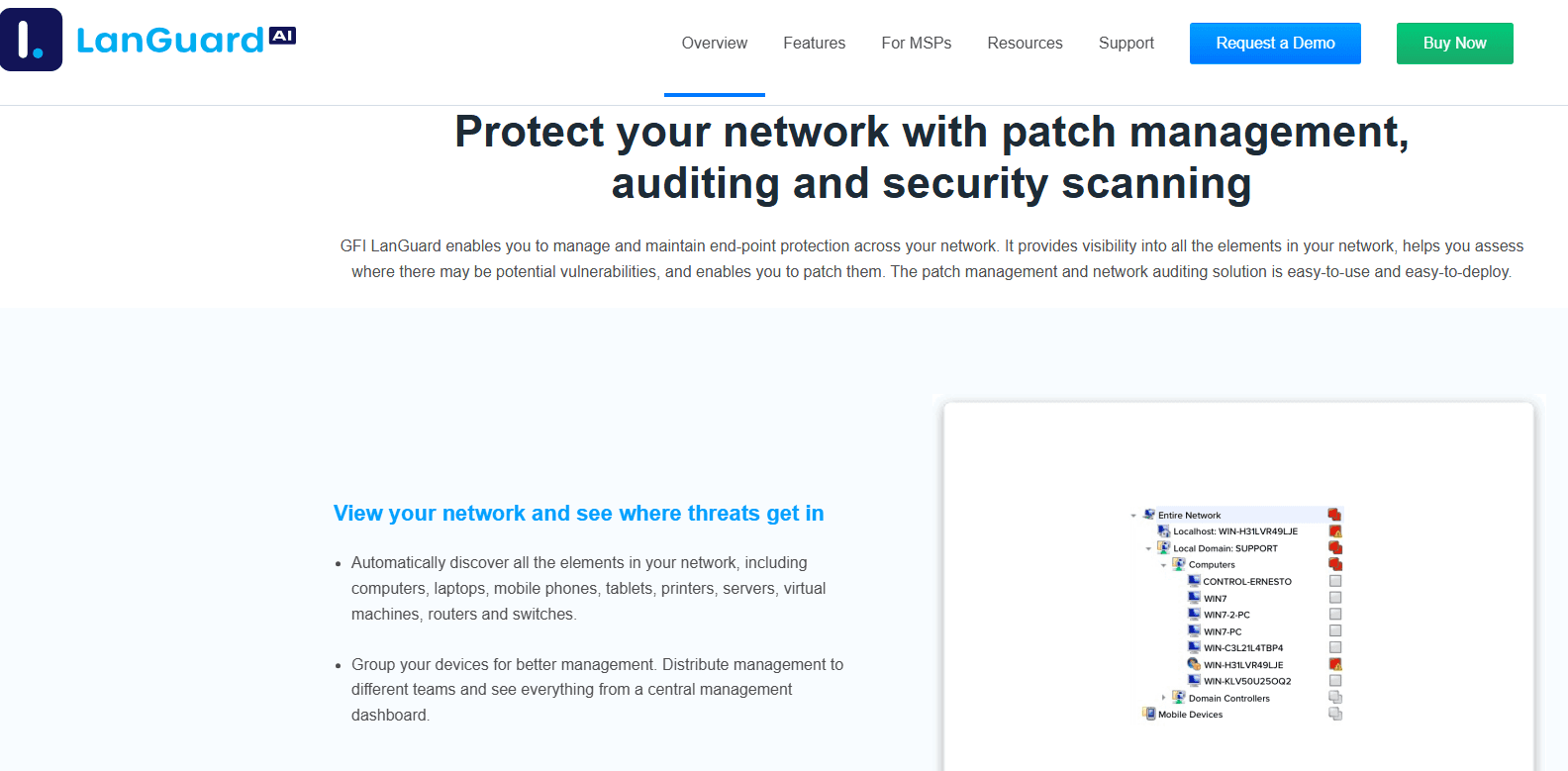
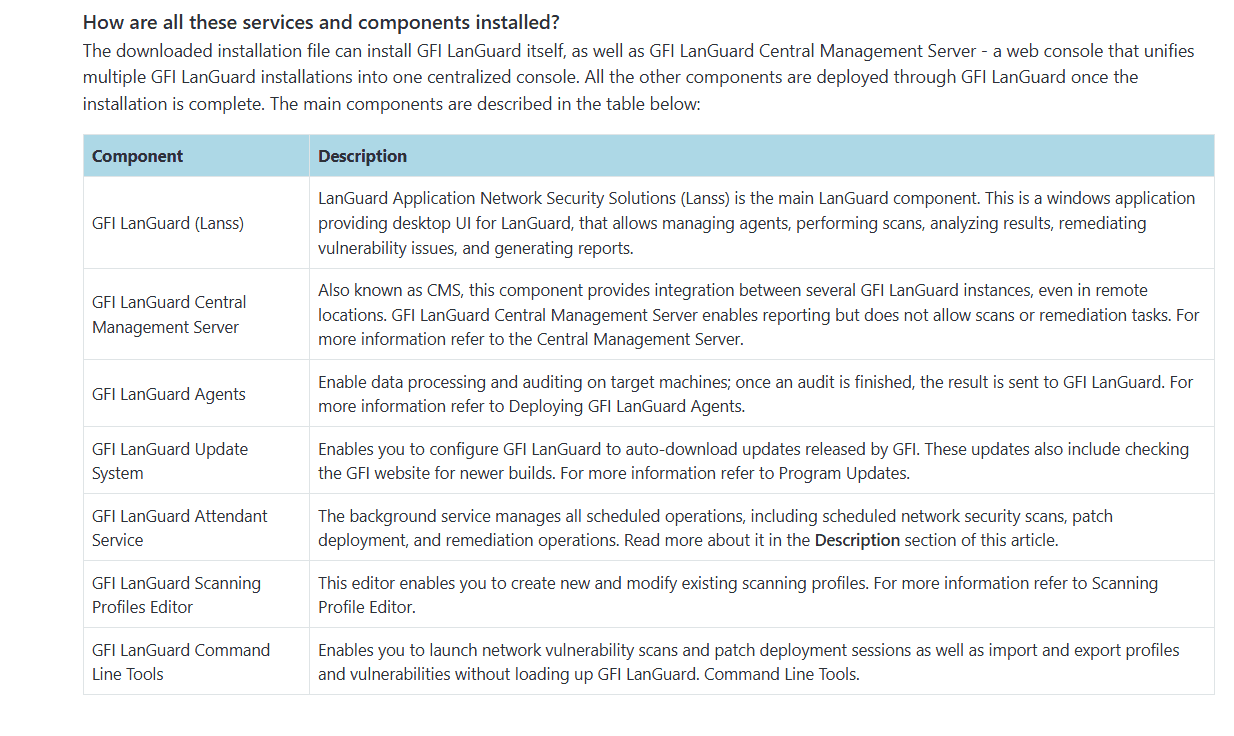
Vulnerability Scanning: Scans the network using agentless technology to identify security configuration weaknesses, missing patches, and known vulnerabilities on hosts and network devices.
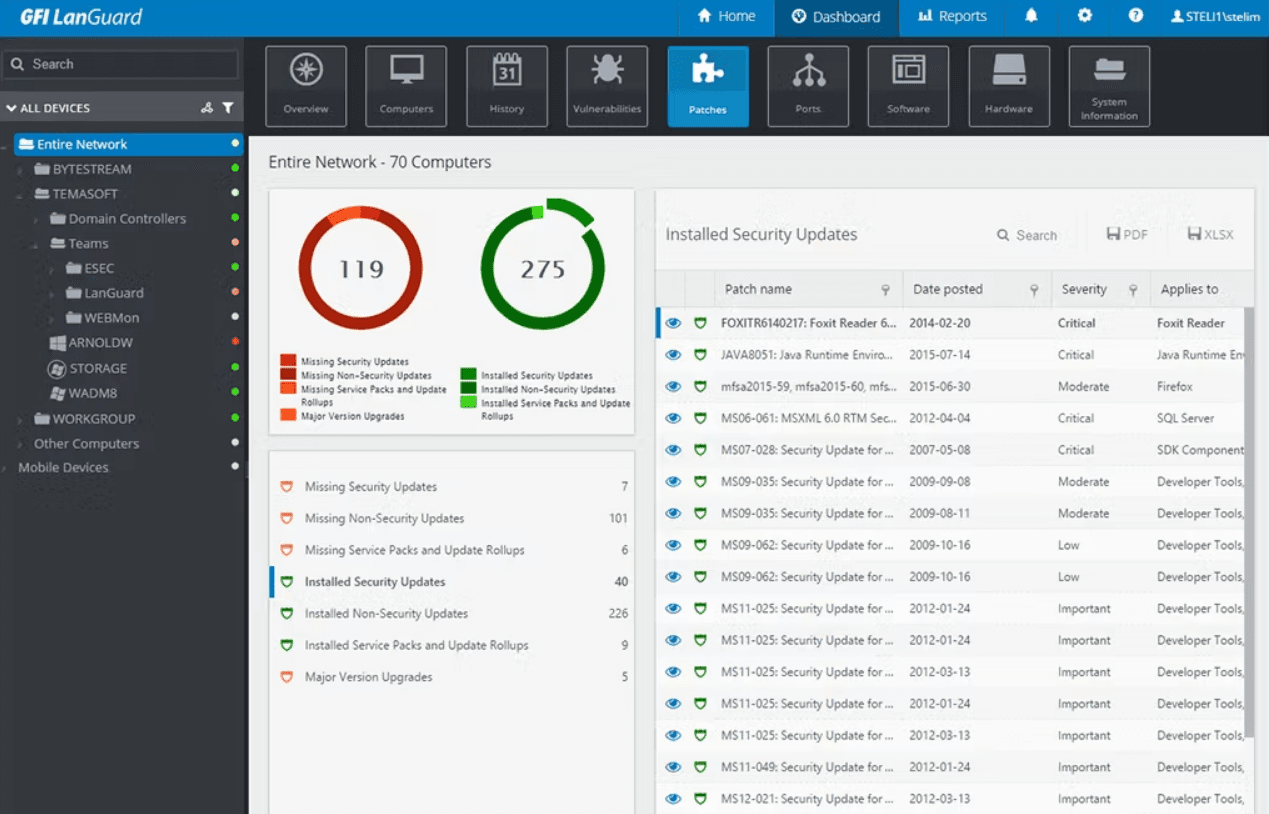
Patch Management: Automate patching for Microsoft operating systems and over 60 major third-party applications (e.g., Adobe, Java, browsers) from a single console.
Network Device Security: Monitor and secure all devices connected to your network, ensuring comprehensive coverage. This feature helps you manage and secure the growing number of devices in your environment.
Inventory Assessment: Provides a detailed, always-up-to-date inventory of all installed hardware, software, and running services on the network. Crucial for license management and risk assessment.
Compliance Reporting: Generate detailed reports to ensure your organization meets industry-specific compliance standards. These reports simplify audits and help you maintain regulatory compliance.
Security Alerts: Provides real-time alerts integrated with current vulnerability databases (CVEs) and prioritizes remediation based on the detected severity and exploitability.
Ease of Use
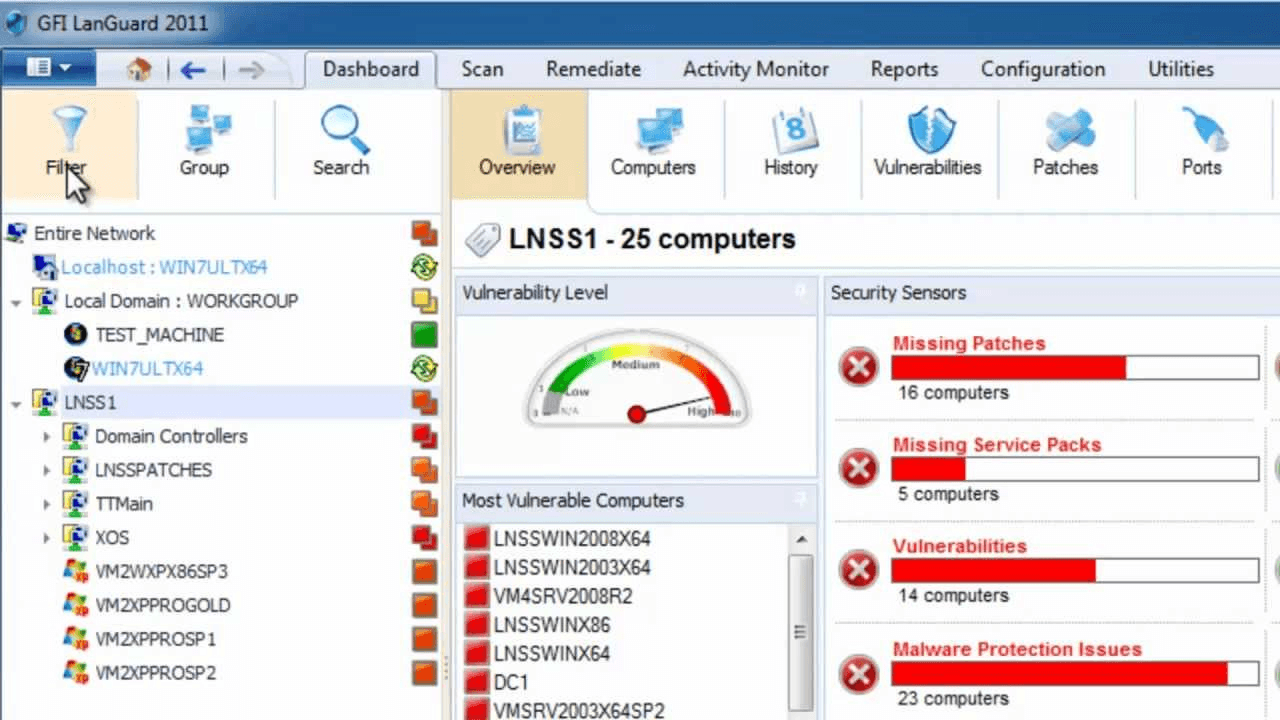
GFI LanGuard is rated highly for its ease of administration and deployment, with a centralized dashboard that provides a clear view of network status and patch compliance. However, many users note that the interface feels outdated and cumbersome compared to modern SaaS tools. As a result, while initial deployment is simple, interpreting and customizing complex compliance reports often requires significant manual effort.
Integrations
GFI LanGuard integrates with antivirus applications, anti-spyware tools, firewalls, patch management systems, vulnerability assessment solutions, and network monitoring tools.
GFI LanGuard also provides an API for custom integrations and connects with third-party integration tools.
GFI Languard Specs
- A/B Testing: No
- API: Yes
- Automated Testing: No
- Browser Compatibility Testing: No
- Bug Tracking: No
- Calendar Management: No
- CI/CD Integration: No
- Dashboard: Yes
- Data Export: Yes
- Data Import: Yes
- Data Visualization: Yes
- Developer Tools: No
- External Integrations: Yes
- History/Version Control: No
- Manual Testing: No
- Multi-User: Yes
- Notifications: Yes
- Performance Testing: No
- Regression Testing: No
- Scheduling: Yes
- Status Notifications: Yes
- Third-Party Plugins/Add-Ons: Yes


