
Avis sur Dataiku 2026 : principales fonctionnalités, avantages, inconvénients et tarifs expliqués
I’ve put Dataiku to the test—here’s what makes it stand out (and trip up) as a cloud ML platform, with real insight into its features, fit, and hidden tradeoffs for your 2026 decisions.

Nous évaluons les outils indépendamment ; les commissions aident à financer nos tests. Consultez notre politique de transparence et notre méthodologie.
Dataiku is a machine learning cloud platform for data science teams that need to build, deploy, and monitor AI and analytics projects across a shared environment. I'd consider it when your organization has a mix of data engineers, analysts, and business users who all need to collaborate on the same pipelines, without forcing everyone into a code-first workflow. Compared to a tool like Databricks, which leans heavily on notebooks and Spark expertise, Dataiku gives you a visual flow interface alongside Python, R, and SQL, so IT teams can support both citizen data scientists and advanced ML engineers on one governed platform.
Dataiku Evaluation Summary
4.6/5
- Pricing upon request
- 14-day free trial
Pourquoi faire confiance à nos recommandations de logiciels
6,700+
Reviews
20
Industry experts
16+
Evaluation factors
14
Years
Notre équipe teste et évalue des logiciels depuis 2012. En tant que leaders technologiques nous-mêmes, nous savons à quel point il est difficile — et important — de choisir le bon logiciel.
Pour ce guide, nous avons évalué les outils grâce à des tests pratiques et une recherche indépendante, en notant les outils selon nos critères de sélection.
Nos avis reflètent notre jugement éditorial humain, et non un argumentaire de vente.
Réviseurs experts:
- Paulo Gardini MiguelDirecteur technique
 Tim FisherVP de l'IA
 Gabriel RosasTech Lead et architecte logiciel
 Christhian GruhnTech Lead et architecte plateforme

Dataiku Overview
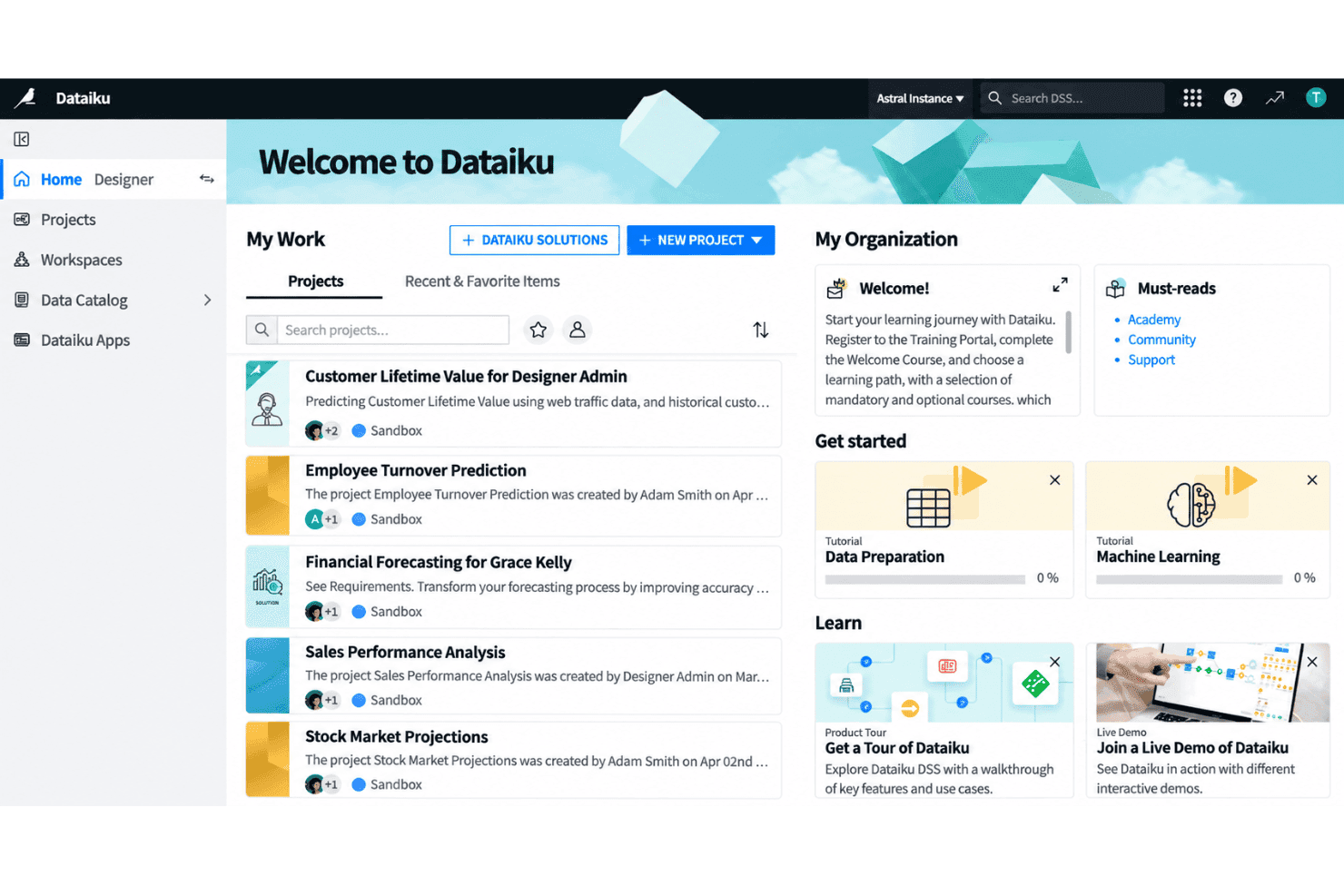
Choosing Dataiku as your machine learning cloud platform means you get an intuitive visual interface and solid collaboration tools that suit cross-functional teams. I think Dataiku’s low-code flexibility lets a broader group dig in, while its granular controls support technical customization when you need it. Onboarding is friendlier than most, with extensive docs and guided flows. Dataiku’s prebuilt integrations cover all the major data sources, but real-time production use cases can feel less mature compared to some. I’d recommend it for organizations balancing strong governance and diverse user skill sets.
Pros
- Visual workflow enables collaboration between technical and non-technical users
- Supports both code and no-code data science projects within one platform
- Offers governed project management with strong version control options
Cons
- Real-time deployment capabilities lag behind competitors like Databricks
- Pricing can be high for large-scale production use
- Interface performance slows with extremely complex pipelines
Is Dataiku Right For Your Needs?
Who Would be a Good Fit for Dataiku?
Dataiku suits teams and organizations with mixed technical skills that need a collaborative environment for analytics, automation, and governed AI. The visual interface, strong SQL and Python support, and wide cloud and database integrations make it ideal for regulated industries, enterprise data teams, and those needing scalable, responsible AI. Users benefit from guided onboarding, extensive support, and template-driven workflows that accelerate time to insight—whether you’re tackling large-scale data prep or deploying machine learning models to production.
- Financial ServicesDataiku’s security controls, rich audit trails, and integrations with enterprise databases support strict compliance and large, multi-user data teams.
- Retail AnalyticsThe visual flow and data prep features simplify shopper behavior analysis, inventory optimization, and omni-channel reporting for retail BI departments.
- Healthcare ProvidersCollaboration tools and responsible AI features help clinicians and administrators securely build predictive models using sensitive health data.
- Large EnterprisesSupport for governance, workspace management, and automation at scale is designed for organizations with hundreds of users and complex data environments.
- Data Science TeamsPython, R, and SQL integration, combined with visual ML model building, suit data professionals needing flexible, repeatable workflows.
- Manufacturing OperationsNo-code tools and strong cloud integrations help process engineers and analysts optimize supply chain, sensor, and production data without heavy scripting.
Who Would be a Bad Fit for Dataiku?
Dataiku can be overkill for businesses with minimal analytics needs, limited resources, or highly specialized requirements that fall outside typical cloud ML workflows. Small teams without dedicated data staff, firms needing highly custom modeling pipelines, or those locked into vendor-specific environments may find Dataiku’s architecture too broad, rigid, or resource-intensive for their needs.
- Small StartupsHigh pricing and feature complexity don’t match small budgets or lean teams just starting with analytics.
- Freelance ConsultantsSolo practitioners rarely need enterprise collaboration, multi-user security, or full-scale automation baked into Dataiku.
- Edge-Only DeploymentsIf your use case demands running models entirely at the edge or offline, Dataiku’s cloud-first approach doesn’t fit.
- Marketing AgenciesTeams focused purely on marketing automation or campaign analytics will find Dataiku’s full-featured data science stack excessive.
- Real-Time TradingDataiku isn’t designed for ultra-low latency, real-time prediction—trading platforms may need more specialized, speed-optimized tools.
- Open-Source-Only ShopsOrganizations requiring open source software and full code transparency will be limited by Dataiku’s proprietary platform structure.
Notre méthodologie d'évaluation
Comment nous testons et notons les outils
Nous avons passé des années à développer, affiner et améliorer notre système de test et de notation des logiciels. Cette grille d’évaluation est conçue pour saisir les subtilités de la sélection des logiciels et ce qui rend un outil efficace, en se concentrant sur les aspects critiques du processus de décision.
Vous trouverez ci-dessous le détail de notre processus de test et de notation sur sept critères. Cela nous permet de fournir une évaluation impartiale du logiciel basée sur les fonctionnalités principales, les caractéristiques distinctives, la facilité d’utilisation, l’intégration, l’accompagnement lors de la prise en main, le support client, les avis utilisateurs et le rapport qualité-prix.
Fonctionnalité principale (25% de la note finale)
Le point de départ de notre évaluation est toujours la fonctionnalité principale de l’outil. Possède-t-il les fonctions de base auxquelles un utilisateur s’attend ? Certaines de ces fonctionnalités principales sont-elles limitées à des forfaits plus chers ? Nous attendons d’un outil qu’il soit au moins à la hauteur des capacités de base de ses concurrents.
Fonctionnalités remarquables (25% de la note finale)
Ensuite, nous évaluons les fonctionnalités exceptionnelles qui dépassent la fonctionnalité de base habituellement trouvée dans ce type d’outil. Un score élevé reflète des fonctionnalités spécialisées ou uniques rendant le produit plus rapide, plus efficace ou apportant une valeur ajoutée à l’utilisateur.
Nous évaluons aussi la facilité d’intégration avec d’autres outils courants dans la pile technologique pour élargir les fonctionnalités et l’utilité du logiciel. Les outils dotés de nombreuses intégrations natives, de connexions tierces et d’un accès API facilitant des intégrations personnalisées obtiennent les meilleurs scores.
Facilité d’utilisation (10% de la note finale)
Nous considérons la rapidité et la simplicité d’exécution des tâches principales avec l’outil. Les logiciels les mieux notés sont bien conçus, intuitifs, proposent des applications mobiles, offrent des modèles et rendent des tâches relativement complexes très simples.
Accompagnement lors de la prise en main (10% de la note finale)
Nous savons que l’adoption rapide d’une nouvelle plateforme au sein d’une équipe est cruciale. Nous évaluons donc la facilité avec laquelle un nouvel utilisateur peut apprendre et utiliser un outil avec un minimum de formation. Les meilleures solutions permettent une mise en route rapide, sans nécessité de support.
Support client (10% de la note finale)
Nous analysons la facilité et la rapidité avec lesquelles il est possible d’obtenir de l’aide par téléphone, chat en direct ou base de connaissances. Les outils et entreprises offrant une assistance en temps réel obtiennent les meilleurs scores, tandis que les chatbots sont moins bien notés.
Avis utilisateurs (10% de la note finale)
Au-delà de nos propres tests et évaluations, nous tenons compte du net promoter score des utilisateurs actuels et passés. Nous regardons la probabilité qu’ils choisiraient à nouveau l’outil pour ses fonctionnalités principales. Un logiciel bien noté reflète un net promoter score élevé.
Rapport qualité-prix (10% de la note finale)
Enfin, en tenant compte de tous les autres critères, nous examinons le prix moyen des forfaits d’entrée de gamme par rapport aux fonctionnalités principales et à la valeur des autres critères. Un logiciel offrant plus, pour moins cher, obtiendra un meilleur score.
Core Features
Visual Flow Interface
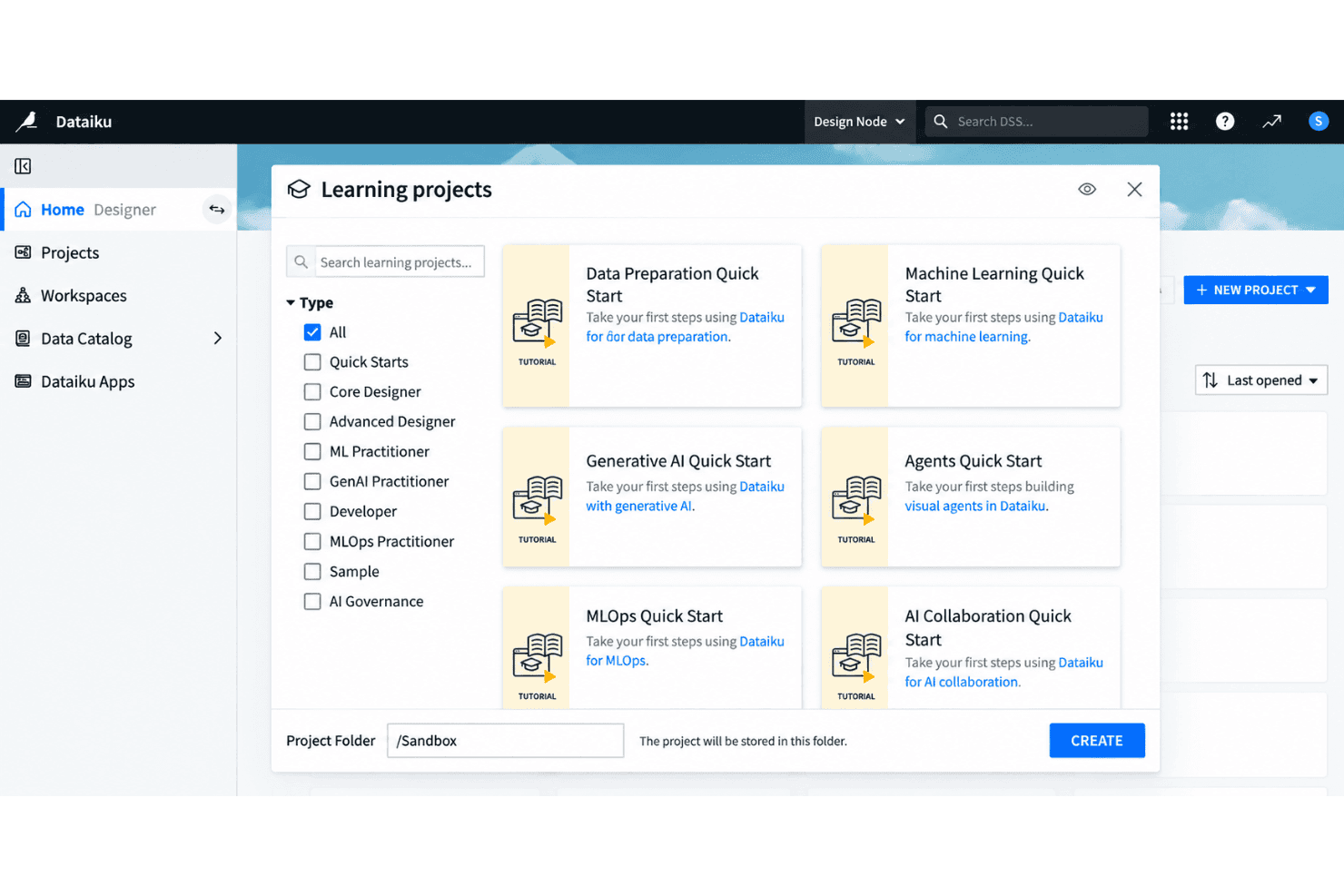
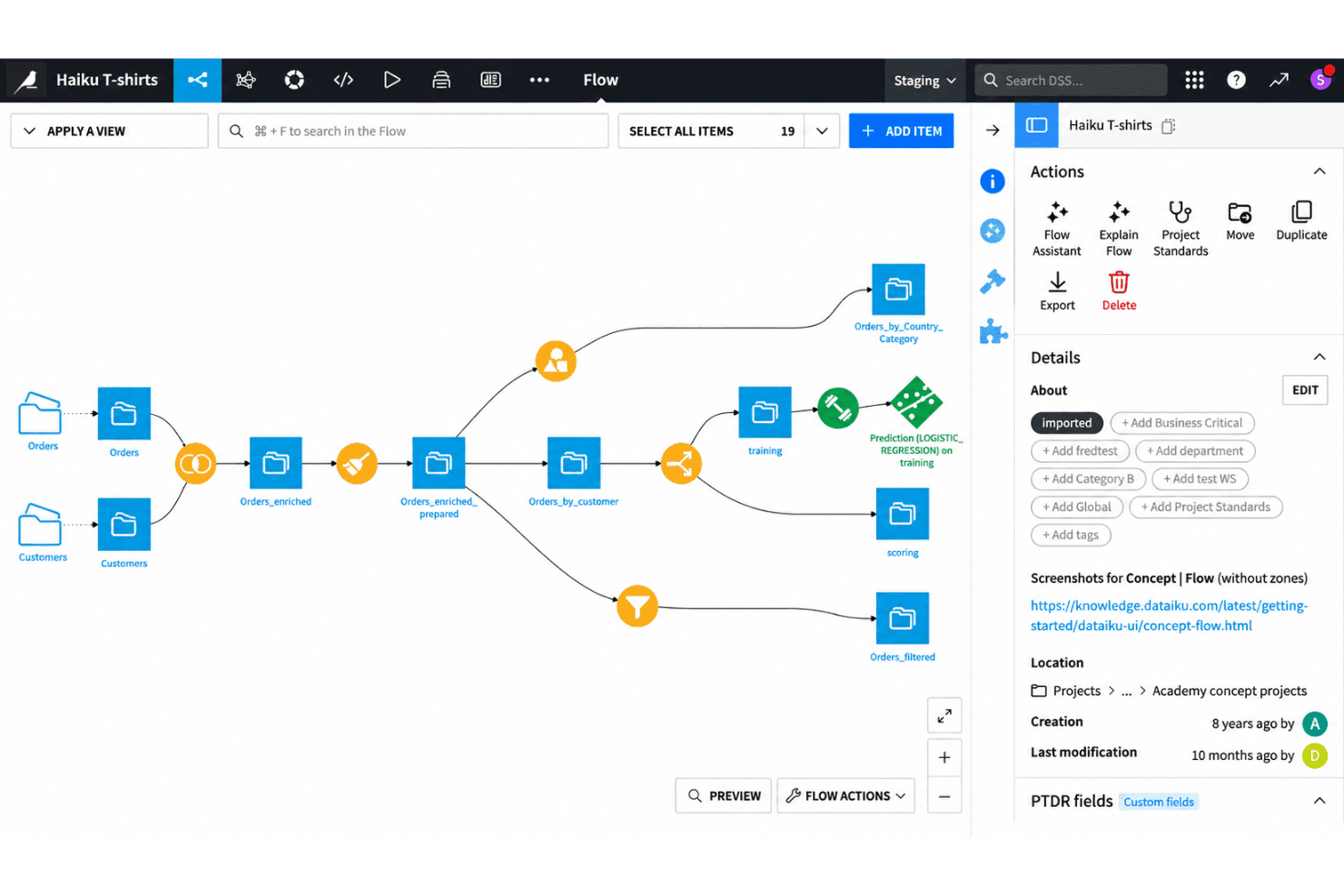
Design, manage, and monitor end-to-end data workflows using a drag-and-drop canvas. This lets both technical and non-technical users build pipelines without writing code.
AutoML for Model Building
Train, compare, and deploy machine learning models using automated workflows. You can adjust algorithms, feature engineering, and validation steps in a visual environment.
Code and No-Code Collaboration
Switch between code-based (Python, R, SQL) and no-code interfaces in the same project. This helps mixed-skill teams contribute to the same workflows without friction.
Governed Project Management
Control versioning, documentation, and project permissions to keep workflows audit-ready. Every step in a pipeline is tracked for transparency and compliance.
Integrated Data Preparation
Clean, enrich, and merge datasets with built-in visual recipes and transformation tools. You can profile data and explore statistics on the fly while prepping for modeling.
Model Deployment and Monitoring
Deploy models to production as APIs or batch jobs directly from the platform. Monitor performance drift and get alerts when retraining is needed.
Ease of Use
Dataiku is easy for new users to pick up, thanks to its visual flow interface and intuitive drag-and-drop tools. You can manage data prep, modeling, and collaboration without heavy scripting or setup. Users regularly highlight the clear onboarding experience and guided analytics flows. Some mention the interface slows down on very large projects, but most say it strikes a good balance between flexibility and user-friendliness, especially in mixed-skill teams.
Integrations
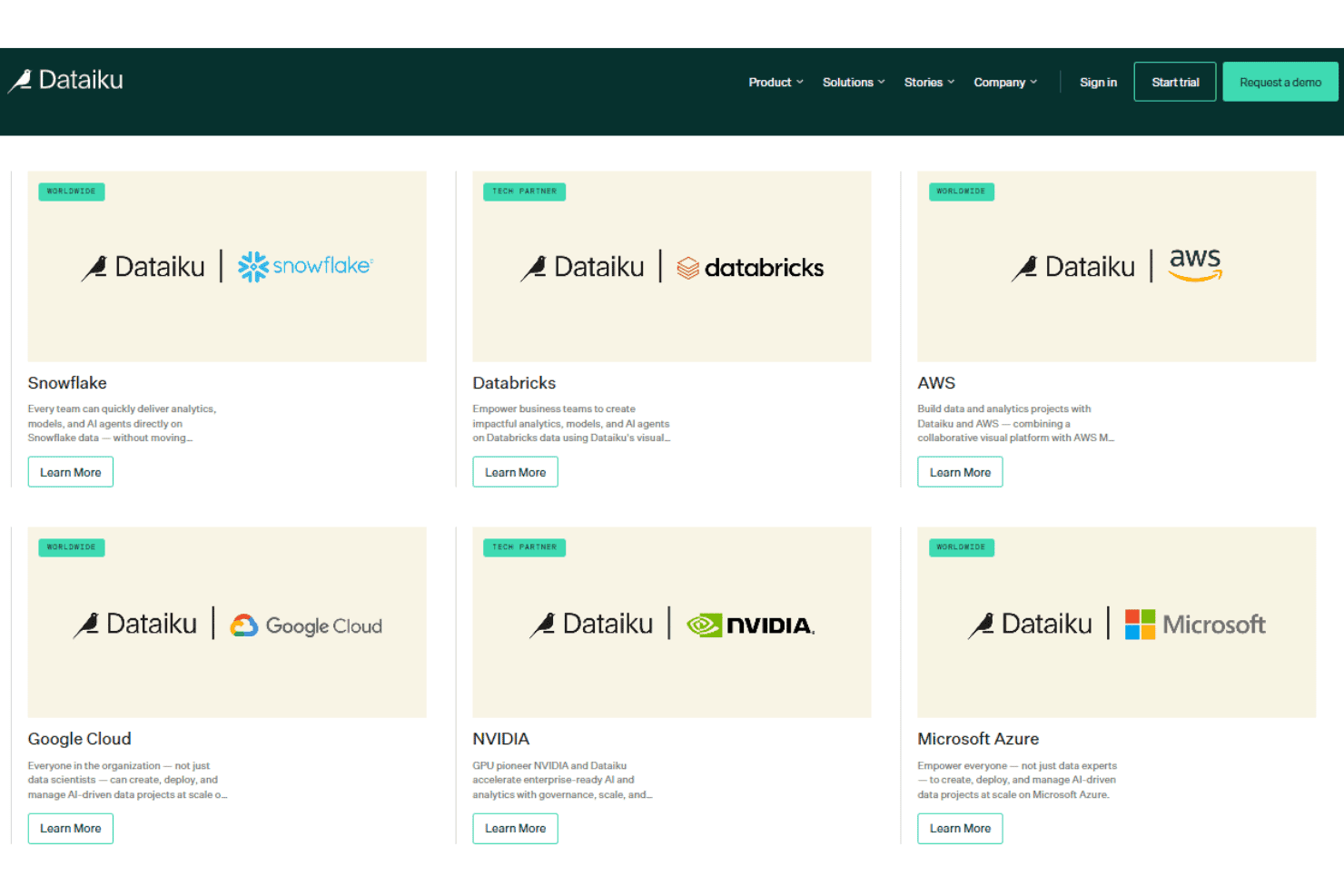
Dataiku integrates with Snowflake, Google BigQuery, Microsoft Azure Blob Storage, Amazon Redshift, Databricks, PostgreSQL, MySQL, Google Cloud Storage, Microsoft SQL Server, and Amazon S3, among others.
Dataiku also supports connections with third-party tools and provides a public API for integrating with external systems and programmatically accessing platform features.
Dataiku Specs
- 2-Factor Authentication: No
- Accounts Payable: No
- Accounts Receivable: No
- API: Yes
- Approval Workflows: No
- Balance Sheet: No
- Billing/Invoicing: No
- Budgeting: No
- Calendar Management: No
- Comparative Reporting: No
- CRM Integration: Yes
- Custom Reports: Yes
- Customer Management: No
- Dashboard: Yes
- Data Export: Yes
- Data Import: Yes
- Data Visualization: Yes
- Expense Tracking: No
- External Integrations: Yes
- Forecasting: Yes
- General Account Ledger: No
- Historical Data Analysis: Yes
- Inventory Tracking: No
- Multi-Currency: No
- Multi-User: Yes
- Notifications: Yes
- P&L: No
- Payroll: No
- Scenario Planning: No
- Scheduling: Yes
- Supplier Management: No
- Tax Management: No
- Time Management: No


