
TinyMDM-arvostelu 2026: hyödyt, haitat, ominaisuudet ja hinnoittelu
I judge TinyMDM less by feature count than by fit: this review weighs its strengths, trade-offs, and pricing to help you decide if it suits your device fleet.

We review tools independently, and commissions help fund our testing. See our transparency policy, our methodology, or suggest a tool.
TinyMDM is MDM software for managing Android devices from one console, suited to teams that need to secure and configure a company-owned or mixed-use fleet without a dedicated MDM team. If you’re comparing it with ManageEngine, TinyMDM is a good choice when you want Android-focused device controls through a simpler interface and straightforward per-device pricing.
TinyMDM Evaluation Summary
4.7/5
- From $2.40/device/year (billed annually)
- 30-day free trial
Miksi luottaa ohjelmistosuosituksiimme
6,700+
Reviews
20
Industry experts
16+
Evaluation factors
14
Years
Tiimimme on testannut ja arvioinut ohjelmistoja vuodesta 2012 lähtien. Teknologiajohtajina tiedämme itse, kuinka vaikeaa — ja tärkeää — oikean ohjelmiston valitseminen on.
Tätä opasta varten arvioimme työkaluja käytännön testauksen ja itsenäisen tutkimuksen avulla, pisteyttäen työkalut valintakriteeriemme perusteella.
Arvostelumme perustuvat inhimilliseen toimitukselliseen harkintaamme, eivät myyntipuheeseen.
Asiantuntija-arvioijat:
- Paulo Gardini MiguelTech Director
 Tim FisherVP of AI
 Gabriel RosasTech Lead & Software Architect
 Christhian GruhnTech Lead & Platform Architect

TinyMDM Overview
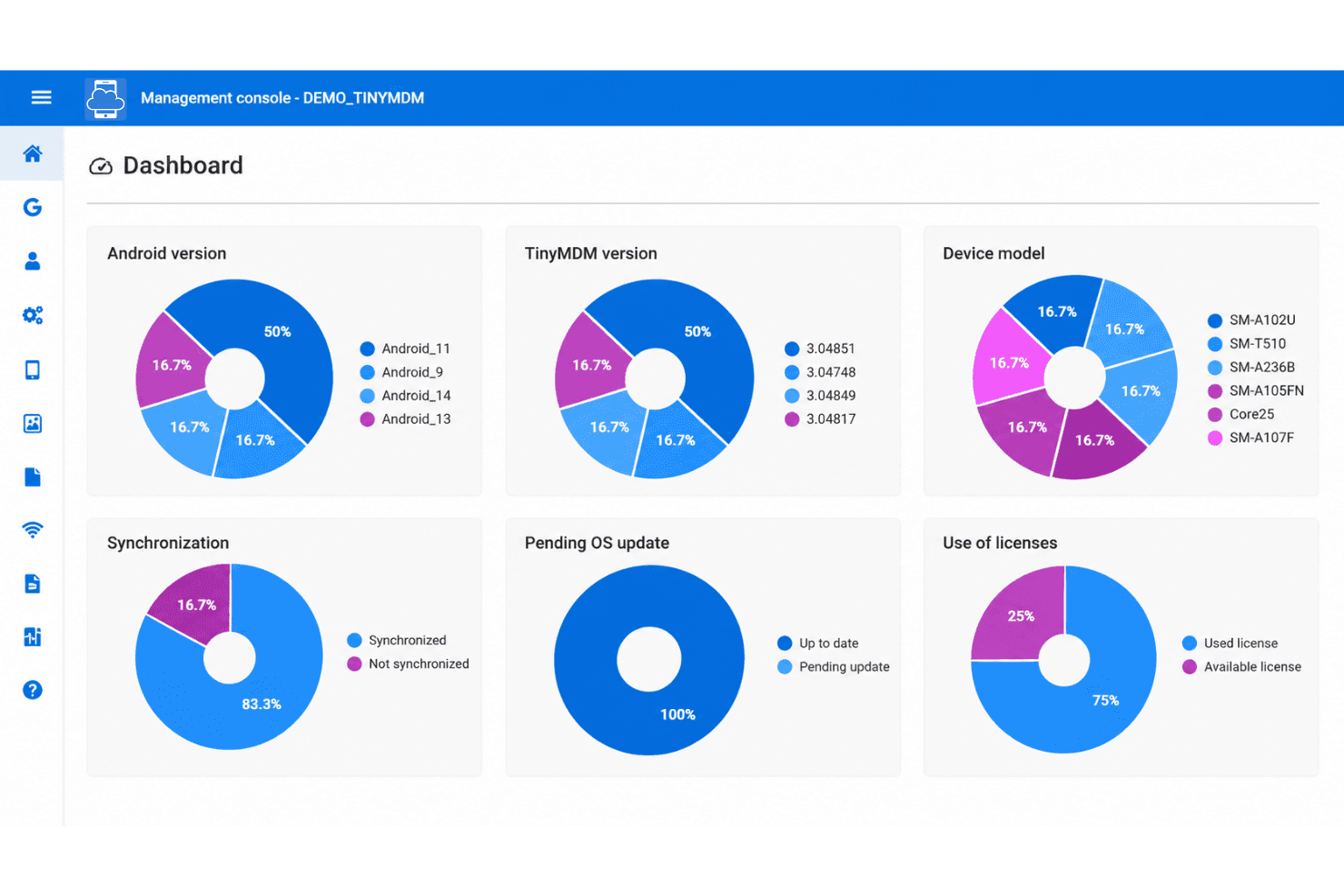
When choosing an MDM, I’d judge TinyMDM by its Android focus: it pairs app deployment, kiosk controls, remote lock and wipe, and device policies with a simpler interface than broad cross-platform suites A 30-day trial, zero-touch or Samsung KME enrollment, Microsoft Entra ID sync, and an API ease setup and integration. I’d select it for Android-only fleets and frontline or kiosk devices, but not mixed-OS environments that need one console for multiple platforms.
Pros
- Flat per-device pricing includes the full feature set.
- Kiosk controls and silent app deployment suit dedicated fleets.
- Reviewers praise responsive support and centralized device management.
Cons
- Android-only management excludes iOS and Windows fleets.
- Reviewers report slow policy updates and cumbersome app deployments.
- Managing large device lists can make the console unwieldy.
Is TinyMDM Right For Your Needs?
Who Would be a Good Fit for TinyMDM?
TinyMDM fits teams managing straightforward Android fleets that need app deployment, kiosk controls, and security policies in one focused console. Its per-device pricing and included features also suit smaller organizations that want predictable costs.
- Small BusinessesAt $2.40 per device monthly with annual billing, TinyMDM offers small businesses app deployment, security policies, and remote lock or wipe at a predictable price.
- Retail StoresRetail teams can use kiosk controls to restrict Android devices to the apps and functions needed for store tasks.
- Field ServiceField service teams can deploy apps and security policies to Android devices and remotely lock or wipe them if a device is lost.
- SchoolsSchools managing Android tablets can use app deployment and policy controls to configure devices for student or staff use.
- Clinic DevicesClinics with straightforward Android fleets can apply security policies and remotely lock or wipe devices, without relying on unverified healthcare compliance claims.
- Lean IT TeamsSmall IT teams can use TinyMDM’s setup guide, tutorials, and included support to manage Android enrollment, policies, and apps without a broad MDM suite.
Who Would be a Bad Fit for TinyMDM?
TinyMDM may not suit organizations that need broad platform coverage, complex integrations, or fast policy changes across very large fleets. Reviewers report cumbersome app deployments, slow policy updates, and an unwieldy console with large device lists. Fully managed deployments can also require factory-reset enrollment, adding a step for devices already in use.
- Mixed-OS FleetsOrganizations managing Android alongside other operating systems should look for broader platform coverage than TinyMDM’s Android-focused administration provides.
- Large FleetsIT teams managing large device lists may find the console unwieldy, and reviewers also report slow policy updates.
- Frequent App ChangesTeams that regularly push app updates across many devices may struggle with reviewer-reported cumbersome app deployments.
- Complex IntegrationsOrganizations that need many specified third-party connectors may find the listed options limited to Entra ID, Android Zero-Touch, Samsung enrollment, KSP, and an API.
- Active DevicesTeams enrolling fully managed devices that cannot be factory-reset should account for the added reset step in TinyMDM’s enrollment process.
- Rapid Policy ChangesOperations that depend on quick policy rollouts across a large fleet may be a poor fit given reports of slow policy updates.
Our Review Methodology
How We Test & Score Tools
We’ve spent years building, refining, and improving our software testing and scoring system. The rubric is designed to capture the nuances of software selection and what makes a tool effective, focusing on critical aspects of the decision-making process.
Below, you can see exactly how our testing and scoring works across seven criteria. It allows us to provide an unbiased evaluation of the software based on core functionality, standout features, ease of use, onboarding, customer support, integrations, customer reviews, and value for money.
Core Functionality (25% of final scoring)
The starting point of our evaluation is always the core functionality of the tool. Does it have the basic features and functions that a user would expect to see? Are any of those core features locked to higher-tiered pricing plans? At its core, we expect a tool to stand up against the baseline capabilities of its competitors.
Standout Features (25% of final scoring)
Next, we evaluate uncommon standout features that go above and beyond the core functionality typically found in tools of its kind. A high score reflects specialized or unique features that make the product faster, more efficient, or offer additional value to the user.
We also evaluate how easy it is to integrate with other tools typically found in the tech stack to expand the functionality and utility of the software. Tools offering plentiful native integrations, 3rd party connections, and API access to build custom integrations score best.
Ease of Use (10% of final scoring)
We consider how quick and easy it is to execute the tasks defined in the core functionality using the tool. High scoring software is well designed, intuitive to use, offers mobile apps, provides templates, and makes relatively complex tasks seem simple.
Onboarding (10% of final scoring)
We know how important rapid team adoption is for a new platform, so we evaluate how easy it is to learn and use a tool with minimal training. We evaluate how quickly a team member can get set up and start using the tool with no experience. High scoring solutions indicate little or no support is required.
Customer Support (10% of final scoring)
We review how quick and easy it is to get unstuck and find help by phone, live chat, or knowledge base. Tools and companies that provide real-time support score best, while chatbots score worst.
Customer Reviews (10% of final scoring)
Beyond our own testing and evaluation, we consider the net promoter score from current and past customers. We review their likelihood, given the option, to choose the tool again for the core functionality. A high scoring software reflects a high net promoter score from current or past customers.
Value for Money (10% of final scoring)
Lastly, in consideration of all the other criteria, we review the average price of entry level plans against the core features and consider the value of the other evaluation criteria. Software that delivers more, for less, will score higher.
Core Features
Application Management
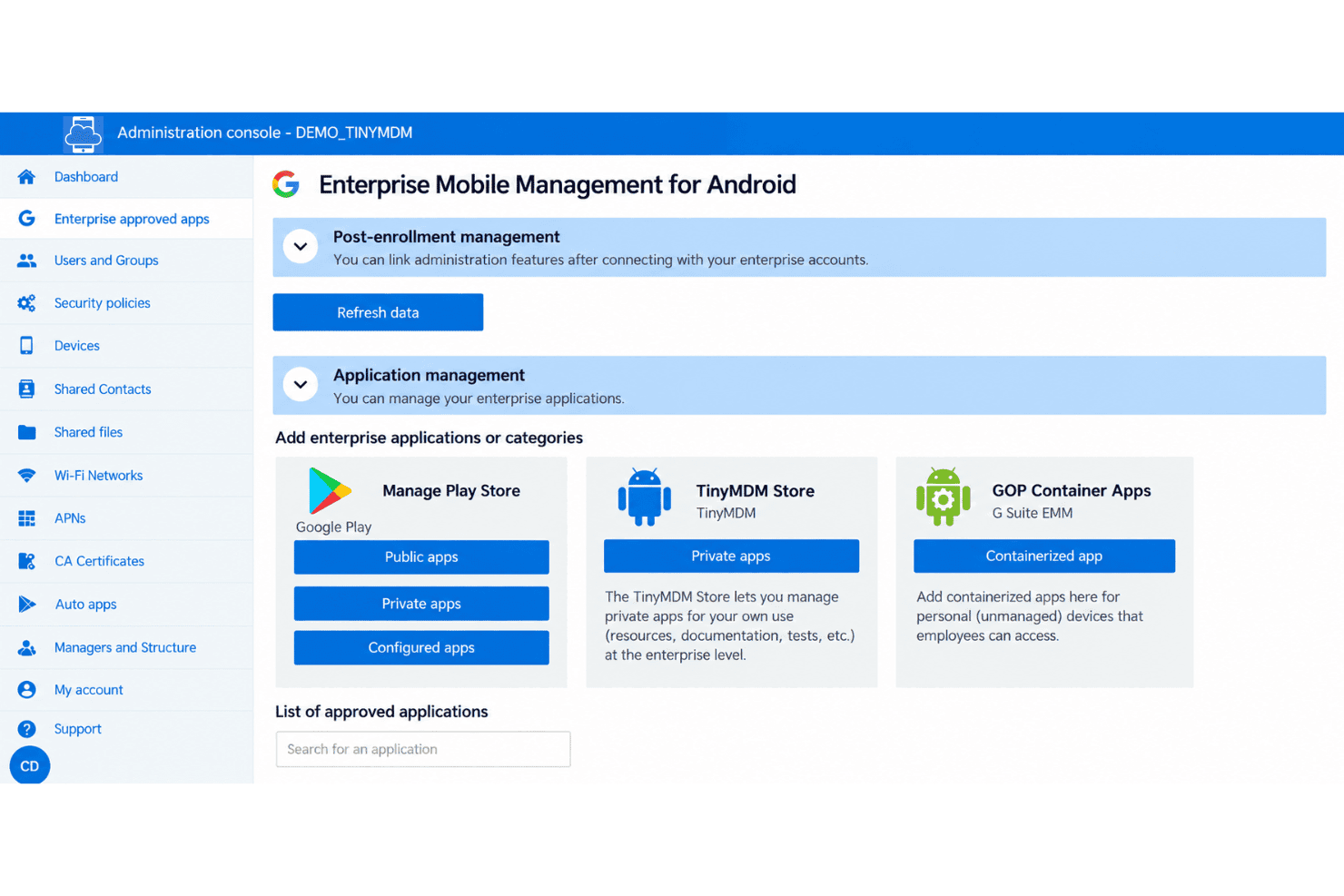
TinyMDM remotely installs, updates, and removes approved public, private, and web apps across Android devices. You can also set app configurations and permissions in advance, so, for example, a field app opens with the required settings already applied.
Kiosk Mode
Kiosk Mode locks a device to one app or a selected set of apps, blocking access to other apps and settings. It suits dedicated devices such as check-in kiosks or point-of-sale terminals where users should only access work tools.
Security Policies
TinyMDM lets admins set password requirements, manage OS updates, and remotely lock or wipe devices. If a company-owned phone is lost, you can lock it to block access or wipe it to remove its data.
Remote Control
Admins can view and control enrolled Android devices from the management console to troubleshoot issues remotely. Remote viewing works across device brands, while interactive control is available for supported manufacturer devices.
Location Tracking
Admins can view a managed device’s current location and up to three days of location history in the console. Tracking is disabled by default, intended for company-owned devices, and displays a notification when a device is geotagged.
Internet Filtering
TinyMDM applies web restrictions across Android browsers, with four restriction levels and website allowlists or blocklists. For example, you can limit a shared device to approved sites while blocking access to others.
Ease of Use
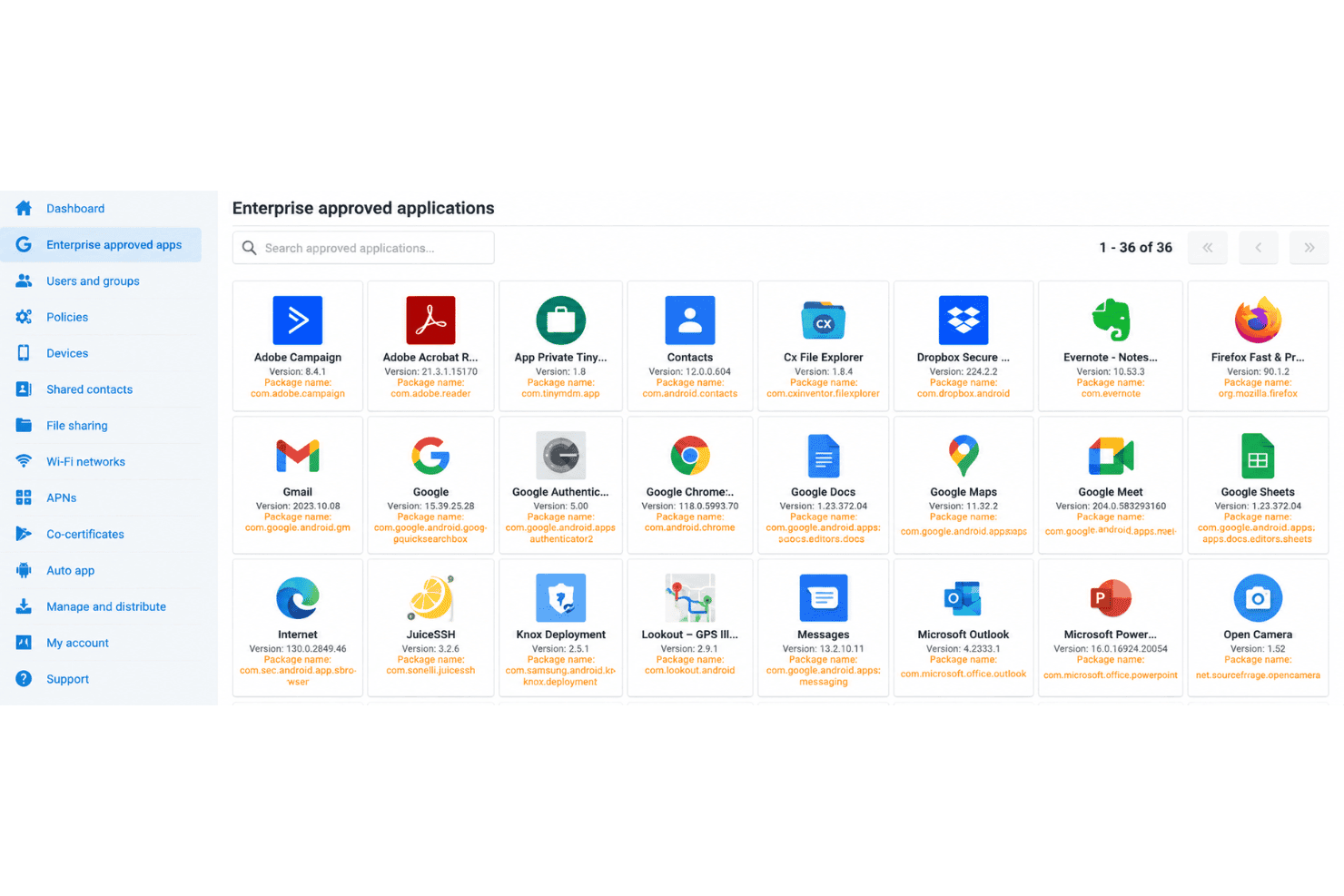
TinyMDM is easy to learn for Android administration, and reviewers praise its simple setup and day-to-day device management. Its focused console combines app deployment, kiosk controls, security policies, and remote lock or wipe without the complexity of a broad, multi-platform suite. Usability can suffer as fleets grow: reviewers report cumbersome app deployments, slow policy updates, and an unwieldy console with large device lists. I’d choose it for straightforward Android fleets, not complex, large-scale operations.
Integrations
TinyMDM integrates with Microsoft Entra ID, Android Zero-Touch Enrollment, Samsung Knox Mobile Enrollment, and Samsung Knox Service Plugin (KSP). It also provides a REST API for connecting TinyMDM with external applications, though no third-party integration platform is specified.
TinyMDM Specs
- 2-Factor Authentication: Yes
- Cloud Deployment: Yes
- Dashboard: Yes
- Data Export: Yes
- Data Import: Yes
- External Integrations: Yes
- Inventory Tracking: No
- Multi-User: Yes
- Network Device Performance Monitoring: No
- Notifications: Yes
- Password & Access Management: Yes
- Remote Access: Yes


