

TestGear-arvostelu 2026: hyvät ja huonot puolet, ominaisuudet ja hinnoittelu
TestGear kokoaa testienhallinnan yhteen alustaan: testitapausten järjestämisestä ja suoritusten seurannasta virheraportointiin, yhteistyöhön ja laadunvarmistuksen työnkulkujen hallintaan.

We review tools independently, and commissions help fund our testing. See our transparency policy, our methodology, or suggest a tool.
TestGear is a test management tool built for QA teams that need to organize test cases, plan test runs, and track defect status in one place. I'd consider it seriously if your team wants something more approachable than TestRail—TestGear's interface is cleaner and the setup is considerably lighter, without giving up the reporting depth and integration capabilities that QA teams actually depend on.
TestGear Evaluation Summary
4.6/5
- Pricing upon request
- 30-day free trial
Why Trust Our Software Recommendations
6,700+
Reviews
20
Industry experts
16+
Evaluation factors
14
Years
Our team has been testing and reviewing software since 2012. As tech leaders ourselves, we know how difficult—and important—it is to choose the right software.
For this guide, we evaluated tools using hands-on testing and independent research, scoring tools using our selection criteria.
Our reviews reflect our human editorial judgment, not a sales pitch.
Expert reviewers:
- Paulo Gardini MiguelTech Director
 Tim FisherVP of AI
 Gabriel RosasTech Lead & Software Architect
 Christhian GruhnTech Lead & Platform Architect

TestGear Overview
When I compare TestGear to other test management software, I think its clean interface, flexible test case organization, and strong automation support set it apart. Pricing is transparent and competitive, and onboarding is quick—even for teams new to structured testing. While its integration options aren’t as deep as some, the API covers most needs.
I’d suggest TestGear for teams who want a balance of usability and advanced features, especially if you value customizable workflows and responsive support. For example, agile QA teams or fast-moving startups will find it easy to adopt and scale.
Pros
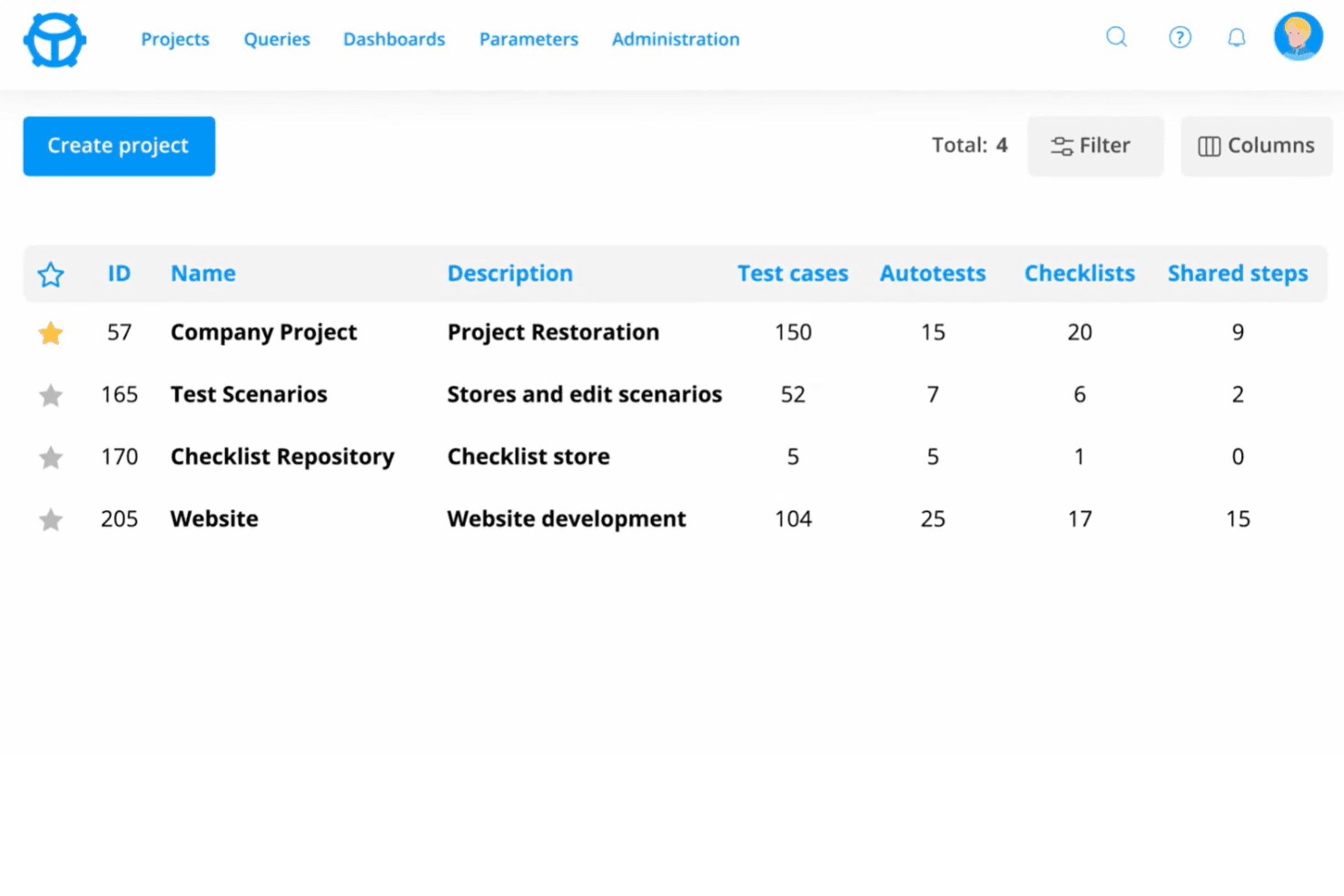
- TestGear's intuitive design makes it easy for your team to navigate and manage tests efficiently.
- Its robust collaboration tools enhance teamwork and streamline communication within your QA processes.
- Users praise the responsive customer support, ensuring your team gets prompt assistance when needed.
Cons
- Some users find that TestGear's customization options are limited compared to other tools.
- The onboarding process can be overwhelming, requiring time for your team to fully grasp its functionalities.
- A few users mention that the software's reporting features aren't as advanced as expected, requiring supplementary tools for detailed analytics.
Is TestGear Right For Your Needs?
Who Would be a Good Fit for TestGear?
TestGear is perfect for agile development teams in tech startups and mid-sized enterprises that need efficient test management. Its intuitive design helps your team quickly adapt and manage testing tasks without a steep learning curve. QA departments in these settings will appreciate the robust collaboration tools that facilitate teamwork and streamline communication.
If your team values responsive customer support and needs a solution that enhances productivity with minimal fuss, TestGear is a solid choice.
- Tech StartupsTestGear’s user-friendly interface helps your new team quickly adapt and focus on developing innovative solutions.
- Agile DevelopmentIts collaboration tools enhance teamwork, making it ideal for your agile processes and sprint planning.
- QA DepartmentsTestGear’s efficient test management is a boon for your QA team, streamlining testing workflows.
- Mid-Sized EnterprisesYour enterprise will benefit from TestGear’s balance of functionality and ease of use, aiding in scaling operations.
- Software Development TeamsThe intuitive design supports your development team in managing testing tasks efficiently without disruptions.
- Product ManagersTestGear’s features help you oversee testing processes, ensuring your product meets quality standards.
Who Would be a Bad Fit for TestGear?
TestGear might not suit large corporations needing extensive customization and advanced reporting capabilities. Its limited customization options could hinder teams that require tailored solutions for complex testing environments. Additionally, if your work demands in-depth analytics and reporting, TestGear’s features might fall short, compelling you to seek supplementary tools. If your team prioritizes extensive customization and detailed reports, consider other options.
- Large CorporationsTestGear’s limited customization might not meet your complex testing needs.
- Data-Driven TeamsIf detailed analytics are your focus, TestGear’s reporting features might disappoint.
- Highly Regulated IndustriesYour industry might need more robust compliance features than what TestGear offers.
- Custom Software CompaniesYou may find TestGear’s limited customization restrictive for diverse client needs.
- Financial InstitutionsSecurity-focused teams might need more specialized features than TestGear provides.
- Government AgenciesTestGear’s capabilities may not align with your stringent security and reporting requirements.
Our Review Methodology
How We Test & Score Tools
We’ve spent years building, refining, and improving our software testing and scoring system. The rubric is designed to capture the nuances of software selection and what makes a tool effective, focusing on critical aspects of the decision-making process.
Below, you can see exactly how our testing and scoring works across seven criteria. It allows us to provide an unbiased evaluation of the software based on core functionality, standout features, ease of use, onboarding, customer support, integrations, customer reviews, and value for money.
Core Functionality (25% of final scoring)
The starting point of our evaluation is always the core functionality of the tool. Does it have the basic features and functions that a user would expect to see? Are any of those core features locked to higher-tiered pricing plans? At its core, we expect a tool to stand up against the baseline capabilities of its competitors.
Standout Features (25% of final scoring)
Next, we evaluate uncommon standout features that go above and beyond the core functionality typically found in tools of its kind. A high score reflects specialized or unique features that make the product faster, more efficient, or offer additional value to the user.
We also evaluate how easy it is to integrate with other tools typically found in the tech stack to expand the functionality and utility of the software. Tools offering plentiful native integrations, 3rd party connections, and API access to build custom integrations score best.
Ease of Use (10% of final scoring)
We consider how quick and easy it is to execute the tasks defined in the core functionality using the tool. High scoring software is well designed, intuitive to use, offers mobile apps, provides templates, and makes relatively complex tasks seem simple.
Onboarding (10% of final scoring)
We know how important rapid team adoption is for a new platform, so we evaluate how easy it is to learn and use a tool with minimal training. We evaluate how quickly a team member can get set up and start using the tool with no experience. High scoring solutions indicate little or no support is required.
Customer Support (10% of final scoring)
We review how quick and easy it is to get unstuck and find help by phone, live chat, or knowledge base. Tools and companies that provide real-time support score best, while chatbots score worst.
Customer Reviews (10% of final scoring)
Beyond our own testing and evaluation, we consider the net promoter score from current and past customers. We review their likelihood, given the option, to choose the tool again for the core functionality. A high scoring software reflects a high net promoter score from current or past customers.
Value for Money (10% of final scoring)
Lastly, in consideration of all the other criteria, we review the average price of entry level plans against the core features and consider the value of the other evaluation criteria. Software that delivers more, for less, will score higher.
Core Features
Test Library
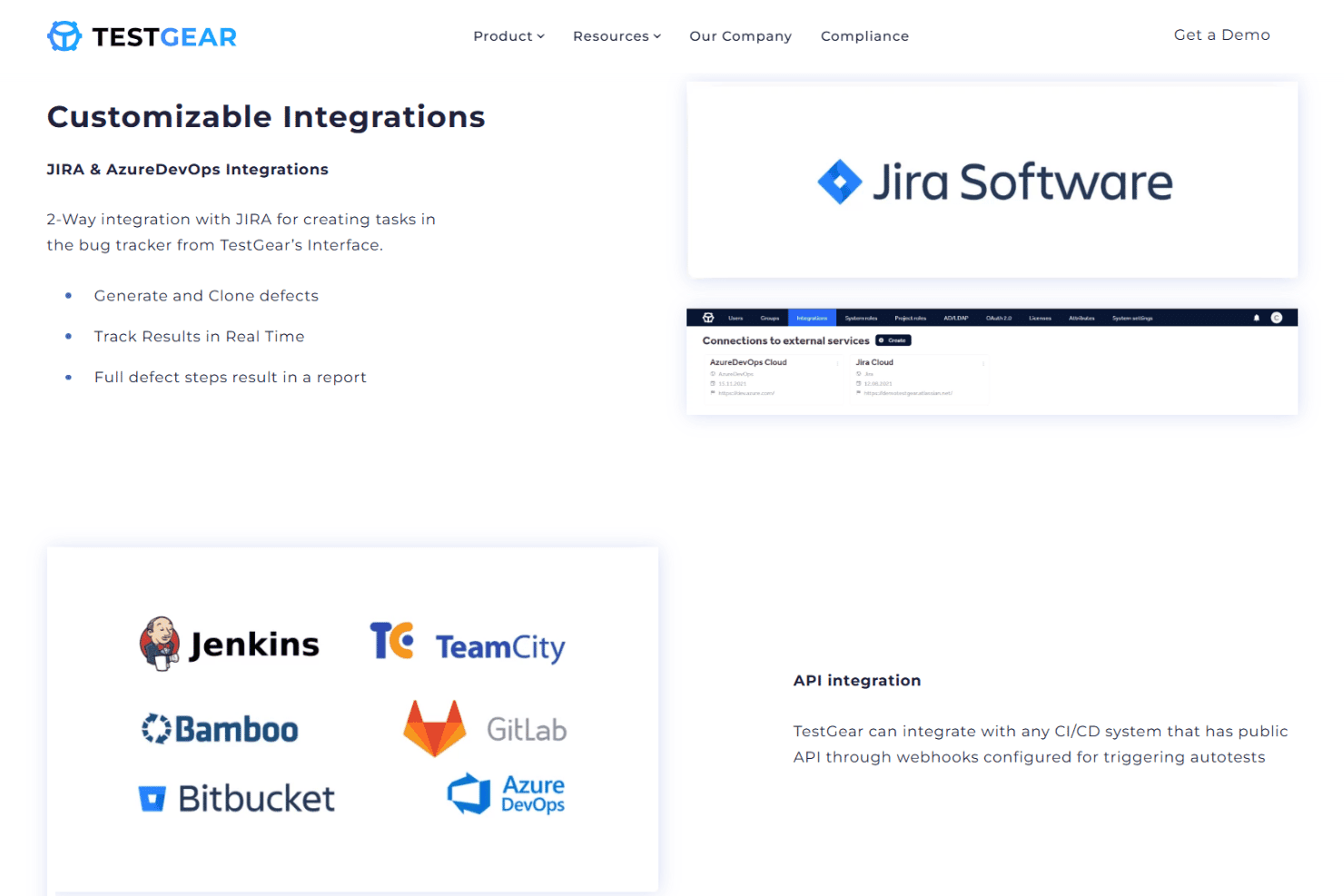
Organize, store, and manage all test cases in a central location. Quickly search and reuse tests across multiple projects.
2-Click Test Case Creation
Create new test cases with just two clicks for faster documentation. This speeds up onboarding and reduces manual entry errors.
Automated Cause of Failure Analysis
Automatically identify and highlight the root cause of failed tests. This helps teams resolve issues faster and improve test reliability.
Change History
Track every change, version, and action for any test artifact. This ensures full traceability and supports audit requirements.
Shared Steps
Save common test steps and reuse them across different test cases. This reduces duplication and keeps test documentation consistent.
Customizable Dashboards
Build dashboards to visualize test progress, results, and quality metrics. Tailor views for different team roles and reporting needs.
Ease of Use
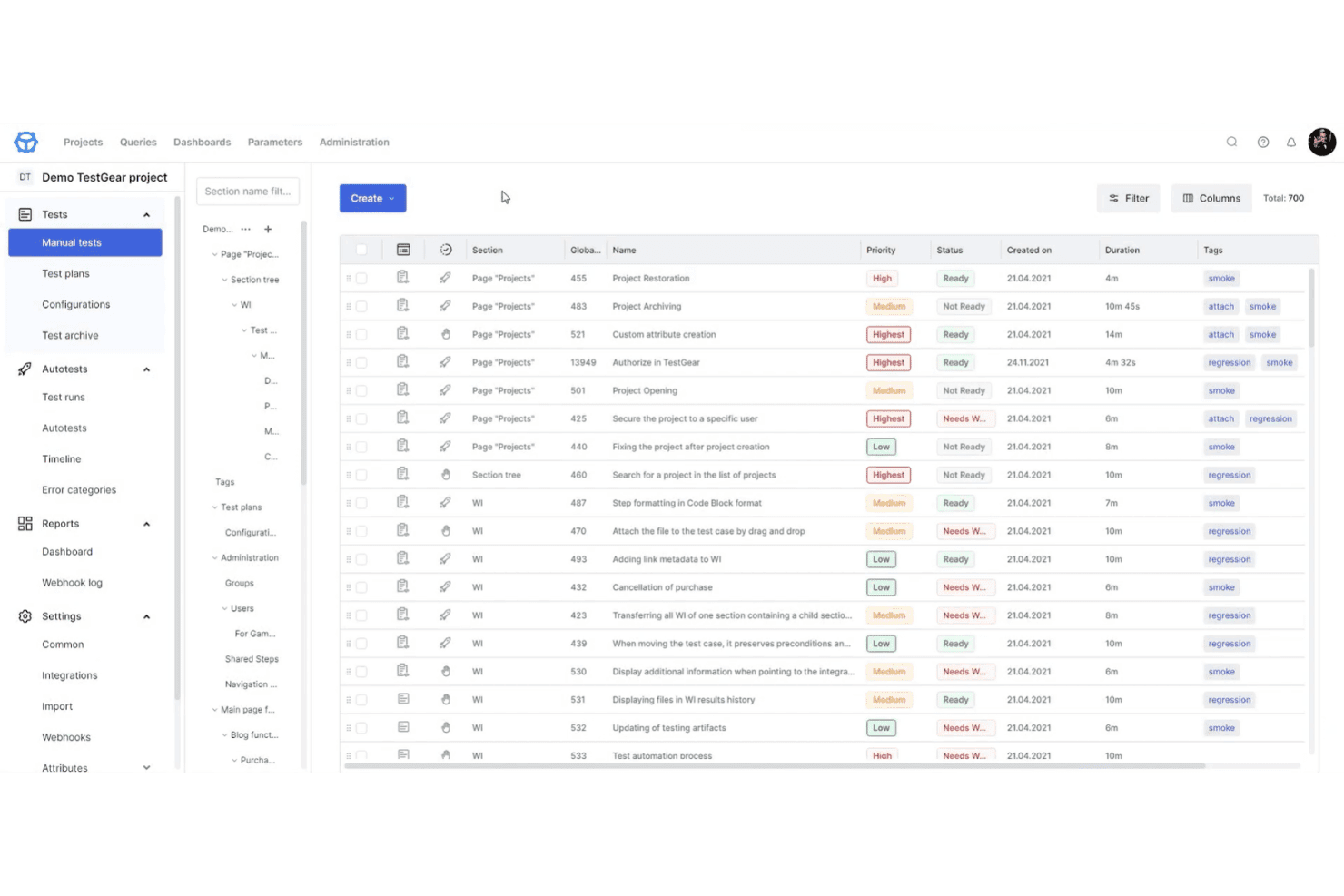
TestGear stands out for its clean, intuitive interface and quick onboarding process. Users mention that creating and organizing test cases is straightforward, thanks to features like 2 Click Test Case Creation and visual test design. The navigation feels modern and uncluttered, making it easy to find what you need without digging through menus.
I think teams new to structured testing will appreciate how little training is required to get started.
Integrations
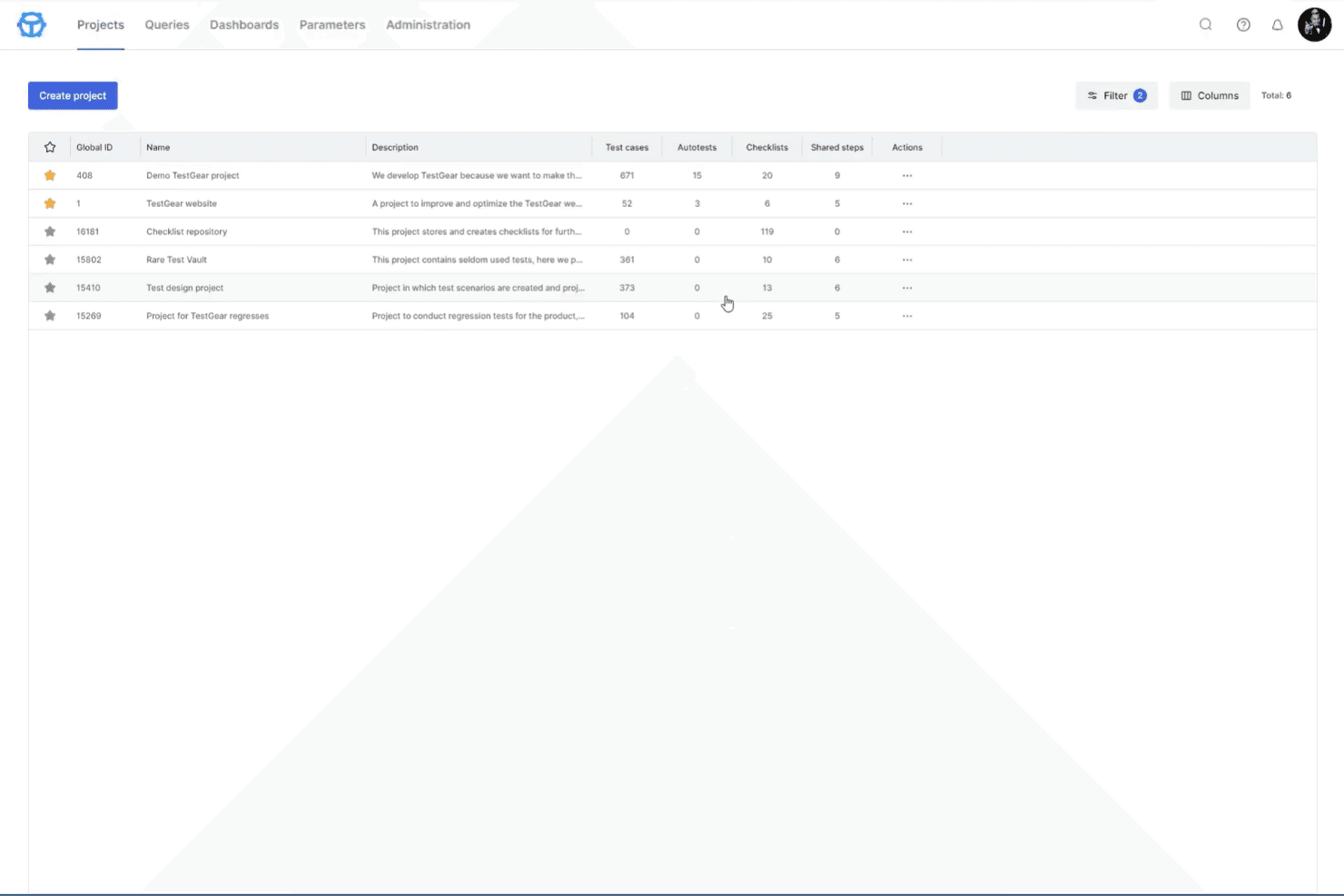
TestGear integrates with Jira, Azure DevOps, Active Directory, LDAP, CI/CD systems via webhooks, and supports import/export in popular test formats, among others.
TestGear also offers a public API for custom integrations and supports connecting to external services via webhooks.
TestGear Specs
- A/B Testing: No
- API: Yes
- Automated Testing: Yes
- Browser Compatibility Testing: No
- Bug Tracking: Yes
- Calendar Management: No
- CI/CD Integration: Yes
- Dashboard: Yes
- Data Export: Yes
- Data Import: Yes
- Data Visualization: Yes
- Developer Tools: No
- External Integrations: Yes
- History/Version Control: Yes
- Manual Testing: Yes
- Multi-User: Yes
- Notifications: Yes
- Performance Testing: No
- Regression Testing: Yes
- Scheduling: Yes
- Status Notifications: Yes
- Third-Party Plugins/Add-Ons: No


