
Snyk-arvostelu: hyvät ja huonot puolet, ominaisuudet ja hinnoittelu

We review tools independently, and commissions help fund our testing. See our transparency policy, our methodology, or suggest a tool.
Tietoturva-arviointi päätyy työpöydällesi uuden projektin alkaessa kasvaa, ja yhtäkkiä kehitystyönkulun aukkoja on vaikeampi olla huomioimatta. Alat perehtyä työkaluihin, jotka todella pysyvät nykyaikaisten toimitusnopeuksien tahdissa ja tuovat tietoturvan lähemmäs kehittäjiä.
Tuo haku johtaa tänne.
Tässä arviossa esittelen Snykin sovellusturva-alustana, käsittelen sen toimintaa, sitä, mihin se sopii parhaiten, sekä sitä, mitä sinun tulisi tietää ennen sen lisäämistä teknologiapinoosi.
Snyk Evaluation Summary
4.6/5
- From $25/contributing developer/month
- Free plan + free demo available
Miksi luottaa ohjelmistosuosituksiimme
6,700+
Reviews
20
Industry experts
16+
Evaluation factors
14
Years
Tiimimme on testannut ja arvioinut ohjelmistoja vuodesta 2012 lähtien. Teknologiajohtajina tiedämme itse, kuinka vaikeaa — ja tärkeää — oikean ohjelmiston valitseminen on.
Tätä opasta varten arvioimme työkaluja käytännön testauksen ja itsenäisen tutkimuksen avulla, pisteyttäen työkalut valintakriteeriemme perusteella.
Arvostelumme perustuvat inhimilliseen toimitukselliseen harkintaamme, eivät myyntipuheeseen.
Asiantuntija-arvioijat:
- Paulo Gardini MiguelTech Director
 Tim FisherVP of AI
 Gabriel RosasTech Lead & Software Architect
 Christhian GruhnTech Lead & Platform Architect

Snyk Overview
Pros
- Continuous monitoring with actionable remediation guidance
- Strong coverage across the modern application stack
- Developer-first security that fits into existing workflows
Cons
- Users mention slow scans, bugs, and gaps in integrations or support responsiveness.
- Teams often need planning and tuning before the platform runs smoothly.
- Some users report frequent false positives that make vulnerability triage more time-consuming.
Is Snyk Right For Your Needs?
Who Would be a Good Fit for Snyk?
Snyk is best suited for organizations that want to embed security directly into the development lifecycle instead of treating it as a separate step. If your team ships code frequently, relies on open-source dependencies, or runs modern cloud infrastructure, Snyk helps developers find and fix vulnerabilities early without slowing delivery.
- Teams using AI-generated code and modern workflowsSnyk helps secure AI-generated code and modern development practices by scanning code early and continuously.
- Companies managing software supply-chain riskSnyk provides visibility across code, dependencies, containers, and infrastructure with risk-based prioritization.
- Organizations adopting shift-left securitySnyk helps developers fix vulnerabilities early in the SDLC, improving collaboration between security and engineering teams.
- Cloud-native teams using containers and IaCSnyk secures Docker, Kubernetes, and infrastructure-as-code to help teams prevent misconfigurations before deployment.
- Teams heavily using open-source softwareSnyk continuously scans third-party dependencies and alerts teams to newly discovered vulnerabilities with fix suggestions.
- Fast-moving DevOps and platform teamsSnyk integrates with CI/CD pipelines, repositories, and IDEs so teams can catch issues during development instead of after release.
Who Would be a Bad Fit for Snyk?
Snyk is built for modern software development teams. If your organization doesn’t ship software frequently, lacks a development team, or doesn’t rely heavily on cloud and open-source technologies, the platform can feel complex and unnecessarily expensive.
- Companies seeking fully on-premise security toolingSnyk is primarily a cloud-based platform. Organizations with strict on-prem or air-gapped requirements may struggle to adopt it.
- Solo developers or very small engineering teamsSnyk’s strength lies in collaboration, automation, and scaling security across teams. Individual developers or very small teams may find lighter tools more practical.
- Businesses outside tech-driven or software-heavy industriesIndustries with minimal application development typically don’t need full application security tooling, making Snyk more than what’s required.
- Teams managing mostly static or legacy systemsSnyk focuses on continuous scanning for frequently changing code and infrastructure. Environments that rarely update software won’t benefit from real-time scanning or automated fixes.
- Organizations without an in-house development teamSnyk is designed for developers and DevOps workflows. If your company doesn’t actively build and maintain software, most of the platform’s capabilities won’t provide real value.
- Small businesses with very limited security budgetsSnyk is a full DevSecOps platform with multiple products and enterprise pricing tiers. Teams that only need basic vulnerability scanning may find the cost and setup difficult to justify.
Our Review Methodology
How We Test & Score Tools
We’ve spent years building, refining, and improving our software testing and scoring system. The rubric is designed to capture the nuances of software selection and what makes a tool effective, focusing on critical aspects of the decision-making process.
Below, you can see exactly how our testing and scoring works across seven criteria. It allows us to provide an unbiased evaluation of the software based on core functionality, standout features, ease of use, onboarding, customer support, integrations, customer reviews, and value for money.
Core Functionality (25% of final scoring)
The starting point of our evaluation is always the core functionality of the tool. Does it have the basic features and functions that a user would expect to see? Are any of those core features locked to higher-tiered pricing plans? At its core, we expect a tool to stand up against the baseline capabilities of its competitors.
Standout Features (25% of final scoring)
Next, we evaluate uncommon standout features that go above and beyond the core functionality typically found in tools of its kind. A high score reflects specialized or unique features that make the product faster, more efficient, or offer additional value to the user.
We also evaluate how easy it is to integrate with other tools typically found in the tech stack to expand the functionality and utility of the software. Tools offering plentiful native integrations, 3rd party connections, and API access to build custom integrations score best.
Ease of Use (10% of final scoring)
We consider how quick and easy it is to execute the tasks defined in the core functionality using the tool. High scoring software is well designed, intuitive to use, offers mobile apps, provides templates, and makes relatively complex tasks seem simple.
Onboarding (10% of final scoring)
We know how important rapid team adoption is for a new platform, so we evaluate how easy it is to learn and use a tool with minimal training. We evaluate how quickly a team member can get set up and start using the tool with no experience. High scoring solutions indicate little or no support is required.
Customer Support (10% of final scoring)
We review how quick and easy it is to get unstuck and find help by phone, live chat, or knowledge base. Tools and companies that provide real-time support score best, while chatbots score worst.
Customer Reviews (10% of final scoring)
Beyond our own testing and evaluation, we consider the net promoter score from current and past customers. We review their likelihood, given the option, to choose the tool again for the core functionality. A high scoring software reflects a high net promoter score from current or past customers.
Value for Money (10% of final scoring)
Lastly, in consideration of all the other criteria, we review the average price of entry level plans against the core features and consider the value of the other evaluation criteria. Software that delivers more, for less, will score higher.
Core Features
SAST with Snyk Code
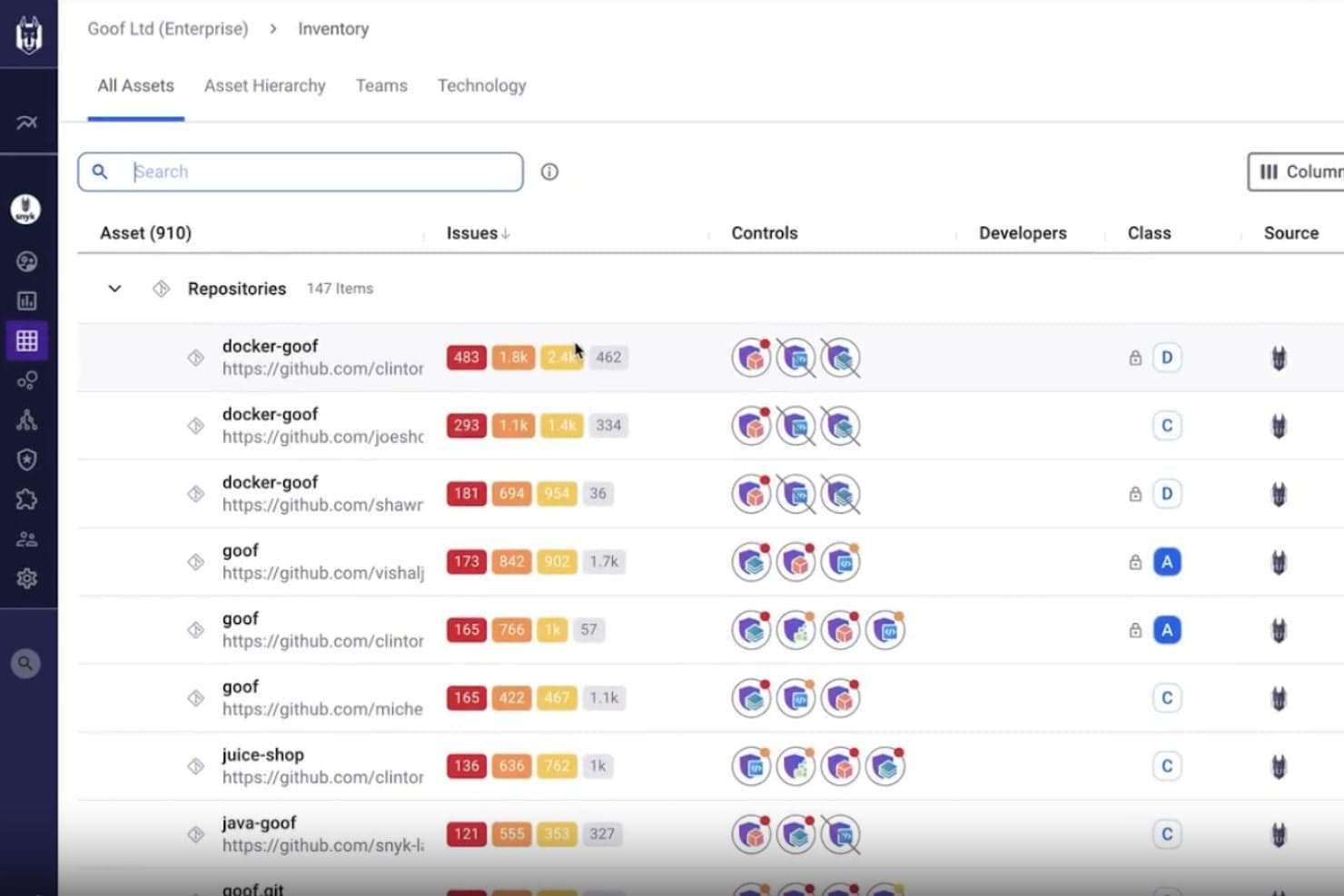
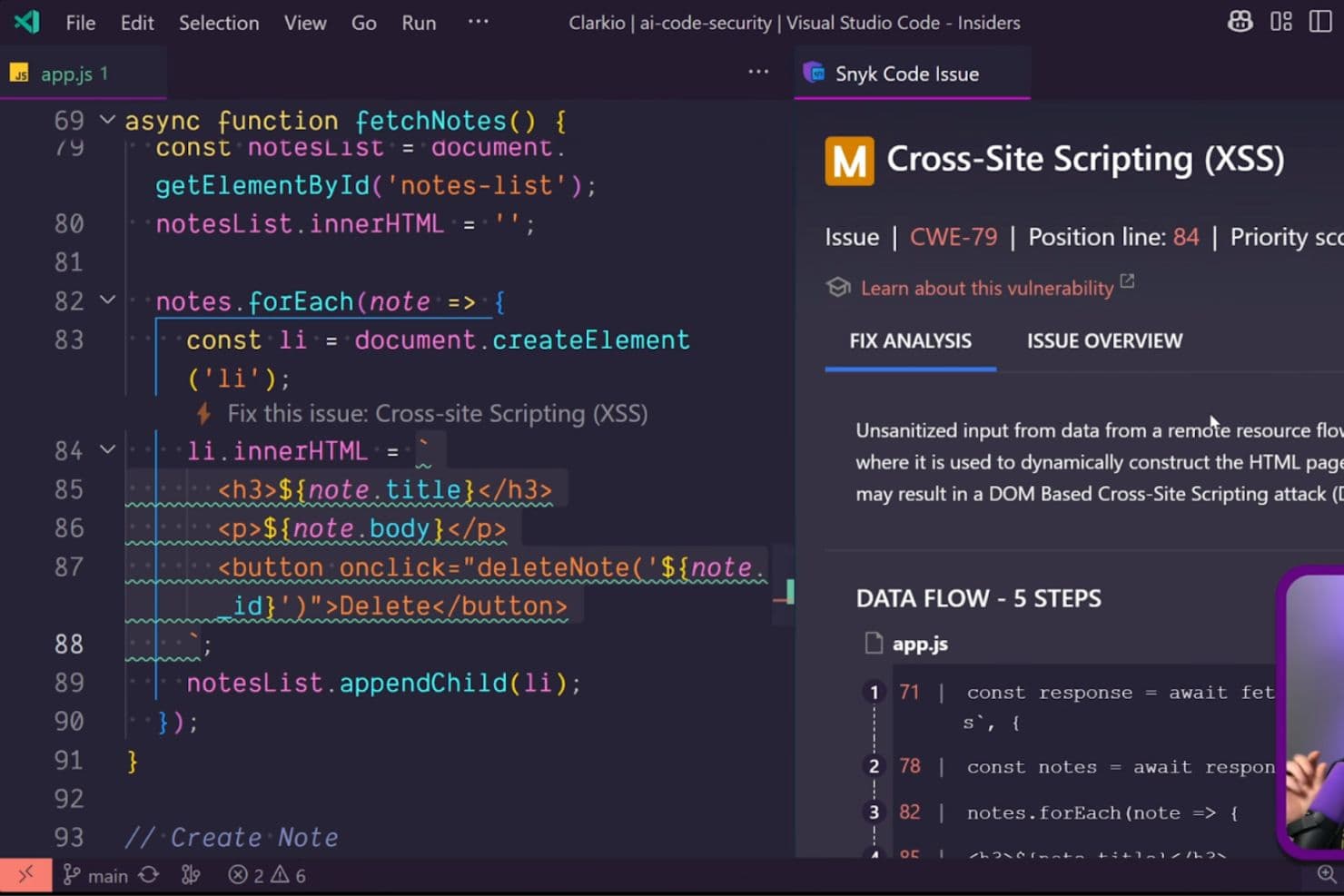
Snyk scans your custom code in real time to detect vulnerabilities and provides fix suggestions directly in your IDE and pull requests.
Open-Source Dependency Security (SCA)
Snyk continuously monitors third-party libraries, alerts you to newly discovered vulnerabilities, and recommends upgrades or patches.
Container Image Security
Snyk scans container images and base images to detect vulnerabilities before deployment and suggests more secure alternatives.
Infrastructure-as-Code Security
Snyk detects misconfigurations in Terraform, Kubernetes, and other IaC tools to prevent cloud security issues before deployment.
DAST for APIs and Web Apps
Snyk dynamically tests running applications and APIs to identify runtime vulnerabilities and security weaknesses.
Security Intelligence and Risk Prioritization
Snyk prioritizes vulnerabilities based on exploitability and business risk so teams can focus on the most critical issues first.
Ease of Use
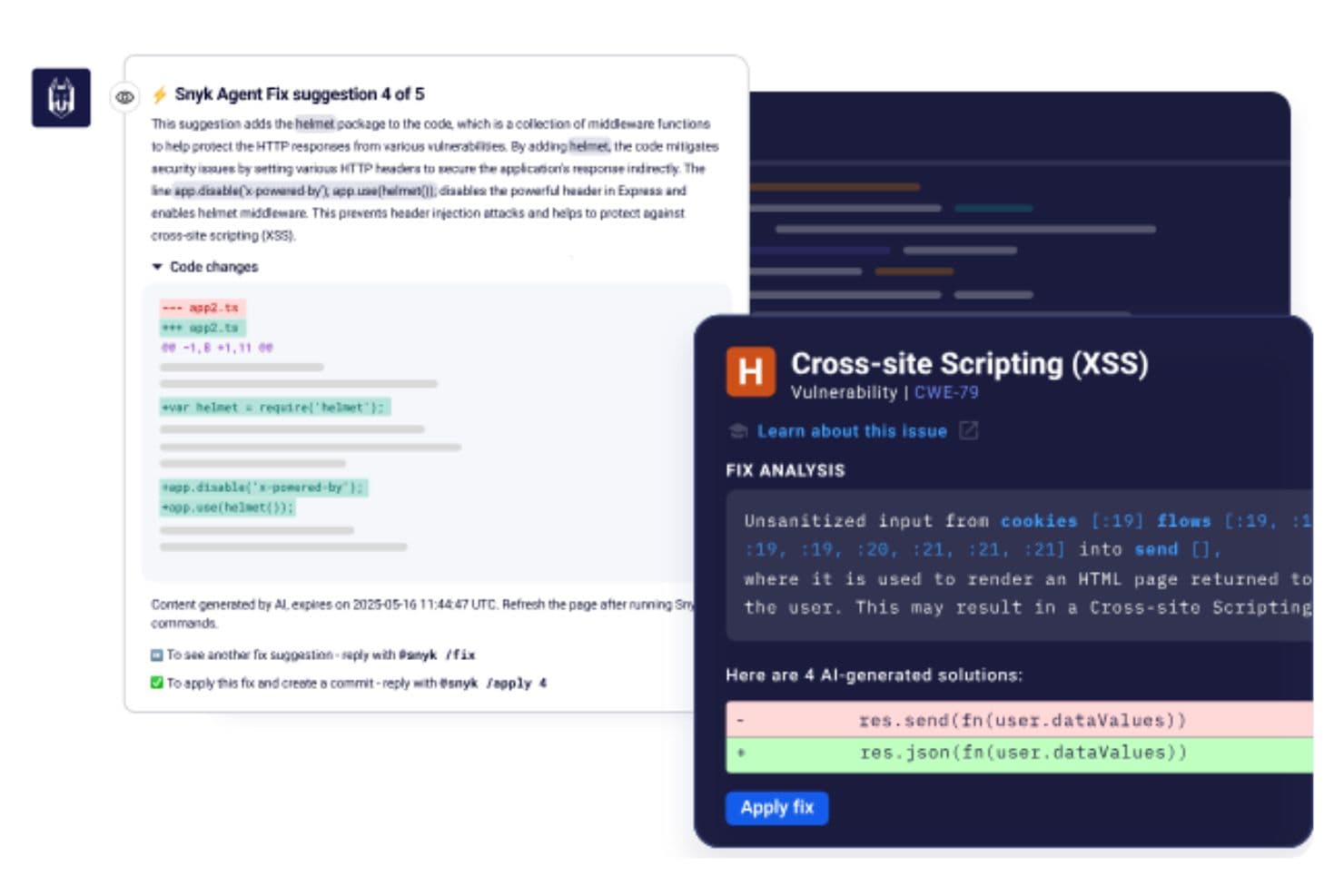
Snyk is generally easy to navigate thanks to its intuitive interface and developer-friendly workflow.
Teams can organize developers into separate orgs, making it simple to control access and keep vulnerability reports relevant to each team’s repositories. Onboarding repositories through the GitHub app is straightforward, and developers can receive security feedback directly inside GitHub pull requests, which helps reduce context switching.
The platform is also customizable per team, allowing you to control settings and automate PR creation based on your workflow.
Integrations
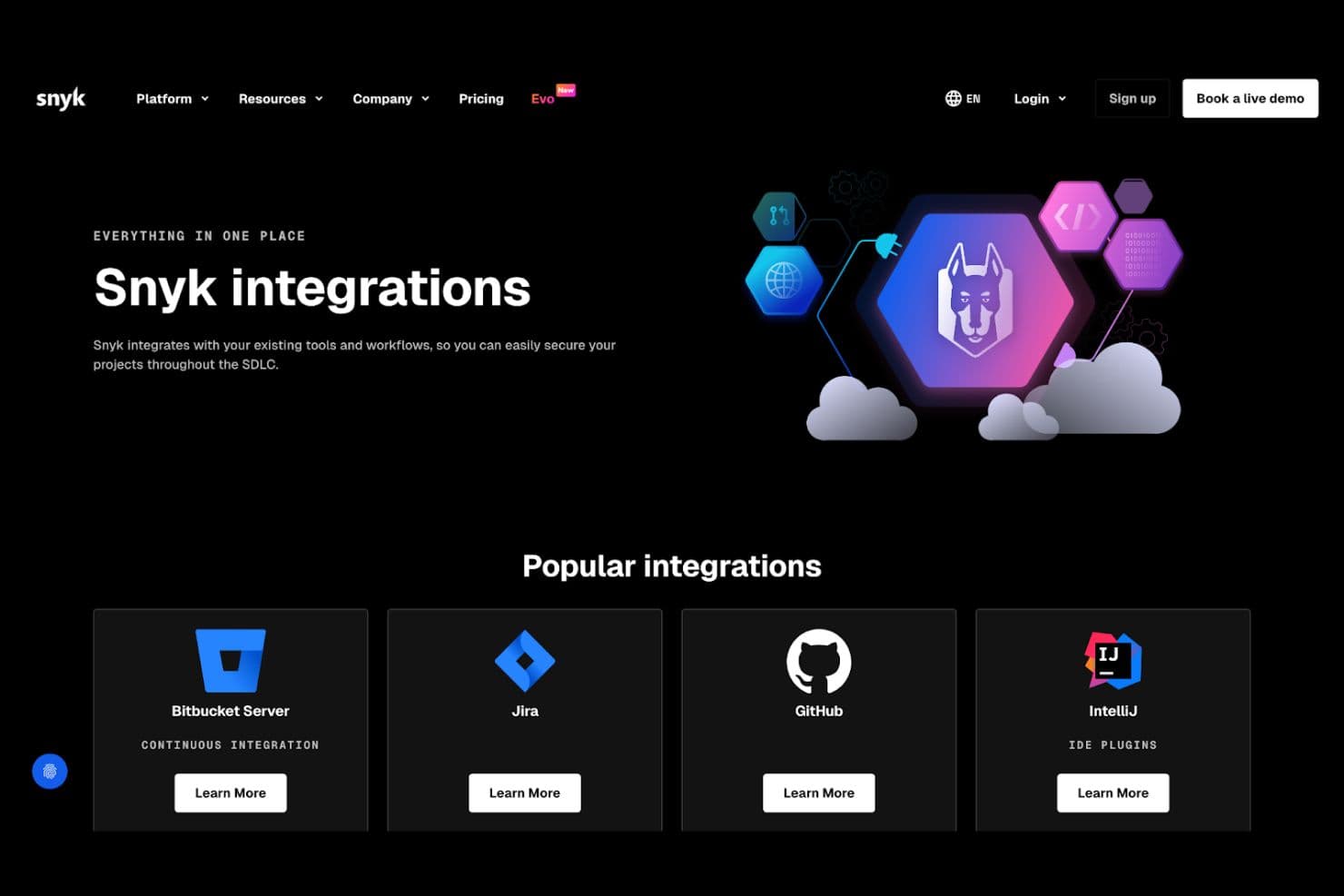
Snyk offers a large ecosystem of native integrations so teams can embed security directly into their existing workflows.
Integrations include version control platforms such as GitHub, GitLab, Bitbucket, and Azure DevOps. CI/CD and automation tools are also supported, helping teams scan projects during builds and deployments.
An API is available for building custom integrations and extending Snyk into additional workflows.
Snyk Specs
- A/B Testing: No
- API: Yes
- Automated Testing: No
- Browser Compatibility Testing: No
- Bug Tracking: No
- Calendar Management: No
- CI/CD Integration: No
- Dashboard: No
- Data Export: Yes
- Data Import: Yes
- Data Visualization: No
- Developer Tools: No
- External Integrations: Yes
- History/Version Control: No
- Manual Testing: No
- Multi-User: Yes
- Notifications: Yes
- Performance Testing: No
- Regression Testing: No
- Scheduling: No
- Status Notifications: No
- Third-Party Plugins/Add-Ons: No


