

Jamf-arvostelu: hyvät puolet, huonot puolet, ominaisuudet ja hinnoittelu
Jamf on erinomainen Apple-laitteiden hallinnassa saumattoman integraation ja vahvan tietoturvan ansiosta, mikä tekee siitä ensisijaisen vaihtoehdon Apple-keskeisille organisaatioille.

We review tools independently, and commissions help fund our testing. See our transparency policy, our methodology, or suggest a tool.
Jamf is an MDM software built specifically for Apple device management across Mac, iPhone, iPad, and Apple TV. It's the go-to pick for IT teams managing Apple-heavy environments who need precise control over device enrollment, configuration profiles, and security policies at scale. If your organization runs a mixed-device fleet, then something like Microsoft Intune handles cross-platform management well—but if Apple is your primary ecosystem, Jamf gives you deeper native integration and more Apple-specific control than Intune can match.
Jamf Evaluation Summary

4.7/5
- From $4/device/month
- 14-day free trial + free demo available
Miksi luottaa ohjelmistosuosituksiimme
6,700+
Reviews
20
Industry experts
16+
Evaluation factors
14
Years
Tiimimme on testannut ja arvioinut ohjelmistoja vuodesta 2012 lähtien. Teknologiajohtajina tiedämme itse, kuinka vaikeaa — ja tärkeää — oikean ohjelmiston valitseminen on.
Tätä opasta varten arvioimme työkaluja käytännön testauksen ja itsenäisen tutkimuksen avulla, pisteyttäen työkalut valintakriteeriemme perusteella.
Arvostelumme perustuvat inhimilliseen toimitukselliseen harkintaamme, eivät myyntipuheeseen.
Asiantuntija-arvioijat:
- Paulo Gardini MiguelTech Director
 Tim FisherVP of AI
 Gabriel RosasTech Lead & Software Architect
 Christhian GruhnTech Lead & Platform Architect

Jamf Overview
In my opinion, Jamf stands out for its strong Apple device management capabilities, making it ideal for organizations that use Apple products. Its standout features and excellent customer support set it apart from other MDM solutions. However, the pricing might be a concern for smaller businesses, making it more suitable for larger enterprises or institutions. If your team needs reliable Apple device management and you value exceptional support from a help desk, Jamf is worth considering despite its cost.
Pros
- Jamf's functionalities are unmatched.
- Your team will appreciate Jamf's top-notch customer support.
- Jamf provides seamless security with Jamf Protect.
Cons
- Your team might find Jamf's interface less intuitive compared to other tools.
- Jamf's updates can sometimes disrupt your workflow.
- Jamf may require IT training to fully utilize advanced MDM features.
Is Jamf Right For Your Needs?
Who Would be a Good Fit for Jamf?
Jamf is a great fit for organizations reliant on Apple products, where managing numerous Apple devices is important for daily IT operations. Jamf's specialized Apple management features will streamline your device management tasks through automated provisioning and on-demand controls. Its strong security controls ensure your devices meet industry standards, and its excellent customer support offers peace of mind.
- Education SectorJamf's device management simplifies managing iPads and Macs for schools and universities, improving the user experience for students and educators through centralized application management.
- Healthcare OrganizationsJamf ensures compliance and security for iPads and iPhones used in patient care, protecting sensitive data across every endpoint.
- Creative AgenciesAgencies using Macs for design work will find Jamf's management tools ideal for maintaining device performance, app store access control, and security.
- Large EnterprisesCompanies with a significant number of Apple devices will benefit from Jamf's scalable device deployment, smart groups, and security compliance.
- IT DepartmentsIT teams managing Apple devices appreciate Jamf's comprehensive management tools for efficient device configuration and automated updates that support smooth IT operations.
- Government AgenciesAgencies using Apple products for secure communication and data handling will find Jamf's security features indispensable for regulated endpoint environments.
Who Would be a Bad Fit for Jamf?
Jamf isn't the best choice for organizations that primarily use Android devices, as its features are tailored for Apple operating systems. Businesses looking for cross-platform management should consider other options, such as Intune or Kandji, that support a wider range of devices. Small businesses with limited budgets might find Jamf's pricing prohibitive, especially if their device management needs are minimal.
- Windows-Based OfficesJamf's Apple-specific features won't benefit offices that primarily use Windows devices or Android hardware.
- Small StartupsStartups with tight budgets might find Jamf's cost too high for their limited Apple device management needs.
- Cross-Platform TeamsTeams using a mix of Apple and non-Apple devices won't get the full benefit from Jamf's Apple-focused tools.
- Retail ChainsRetail businesses with a variety of device types and operating systems won't find Jamf's Apple-centric features suitable for their needs.
- Manufacturing FirmsFirms relying on non-Apple machinery and devices won't gain value from Jamf's focus on Apple devices.
- Linux EnvironmentsOrganizations using Linux systems will find Jamf's Apple-oriented capabilities irrelevant to their operations.
Core Features
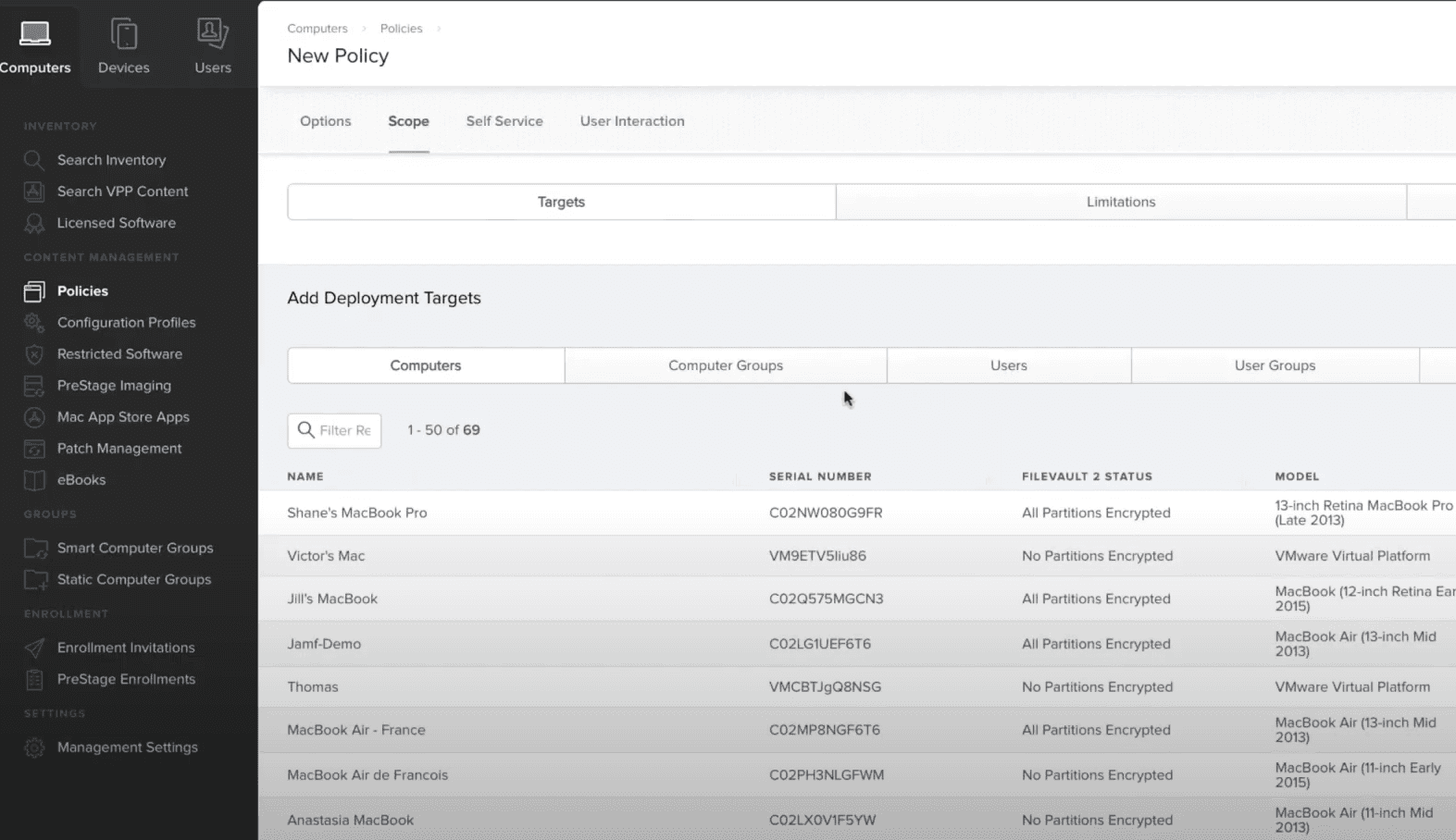
Device Inventory: Jamf tracks all your Apple devices, providing detailed information about each one. This helps your team manage assets efficiently.
Configuration Management: You can automate device settings and policies across your organization using smart groups. This ensures consistency and saves time.
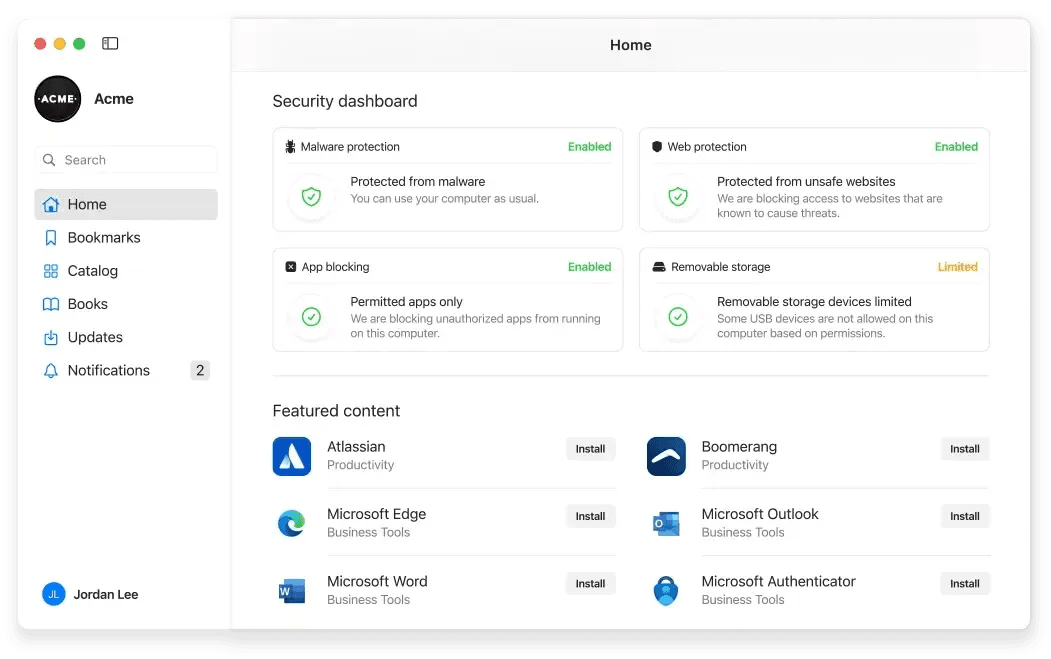
Security Compliance: Jamf keeps your devices compliant with industry security standards, ensuring the protection of sensitive data.
Remote Management: Jamf's cloud-based console allows you to control and update devices remotely without disrupting your team's work. This feature is valuable when managing a distributed workforce.
Self-Service Portal: Jamf empowers your team to install apps and updates without IT intervention, reducing dependency on IT for routine tasks and improving end users' experience.
Patch Management: Jamf keeps your software up to date with automated patching, minimizing vulnerabilities and ensuring your devices run smoothly.
Ease of Use
Jamf delivers a strong user experience for end users, but it may require some time for your team to harness its full potential. The setup can feel complex, especially for those new to Apple-focused management tools. However, with use, Jamf's features are easy to navigate and streamline your device management tasks. The self-service portal stands out for empowering your team to handle simple tasks independently.
Integrations
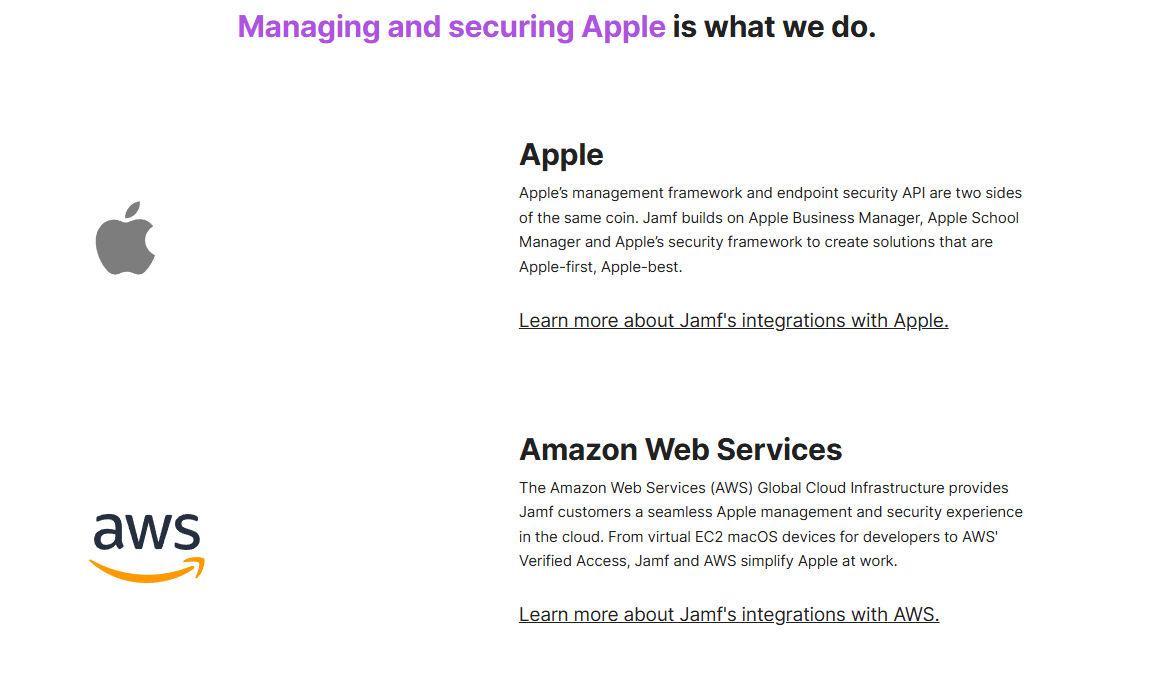
Jamf integrates with Apple, Amazon Web Services, Google, Microsoft, and Okta.
Jamf also offers an API for custom integrations and connects with third-party integration tools through the Jamf Marketplace.
Jamf Specs
- 2-Factor Authentication: Yes
- Access Management: Yes
- Anti-Virus: Yes
- API: Yes
- Audit Trail: Yes
- Bug Tracking: No
- Calendar Management: No
- Customer Management: No
- Dashboard: Yes
- Data Export: Yes
- Data Import: Yes
- Data Visualization: No
- Email Integration: Yes
- External Integrations: Yes
- File Sharing: No
- File Transfer: No
- Firewall: No
- Google Apps Integration: Yes
- Inventory Tracking: Yes
- Malware Protection: Yes
- Multi-User: Yes
- Network Device Performance Monitoring: No
- Network Traffic Monitoring: No
- Network Visualization: No
- Notifications: Yes
- Project Management: No
- Remote Access: Yes
- Risk Assessment: No
- SAP Integration: No
- Scheduling: Yes
- Software Integration: Yes
- Third-Party Plugins/Add-Ons: Yes
- Ticket Management: No


