

iDealsin virtuaalisen datahuoneen arvio: hyvät ja huonot puolet, ominaisuudet ja hinnoittelu
iDealsin virtuaalinen datahuone erottuu helppokäyttöisillä ominaisuuksillaan ja luotettavalla tietoturvallaan, mikä tekee siitä erinomaisen vaihtoehdon turvalliseen asiakirjojen jakamiseen.

We review tools independently, and commissions help fund our testing. See our transparency policy, our methodology, or suggest a tool.
Ideals Virtual Data Room is a data virtualization software that gives IT and data teams a unified access layer across disparate data sources without physically moving or replicating data. It's worth considering if your organization needs tighter security controls and audit visibility alongside standard virtualization capabilities—areas where I think it has a clear edge over Denodo, which offers strong virtualization features but less granular access governance out of the box.
Ideals Virtual Data Room Evaluation Summary
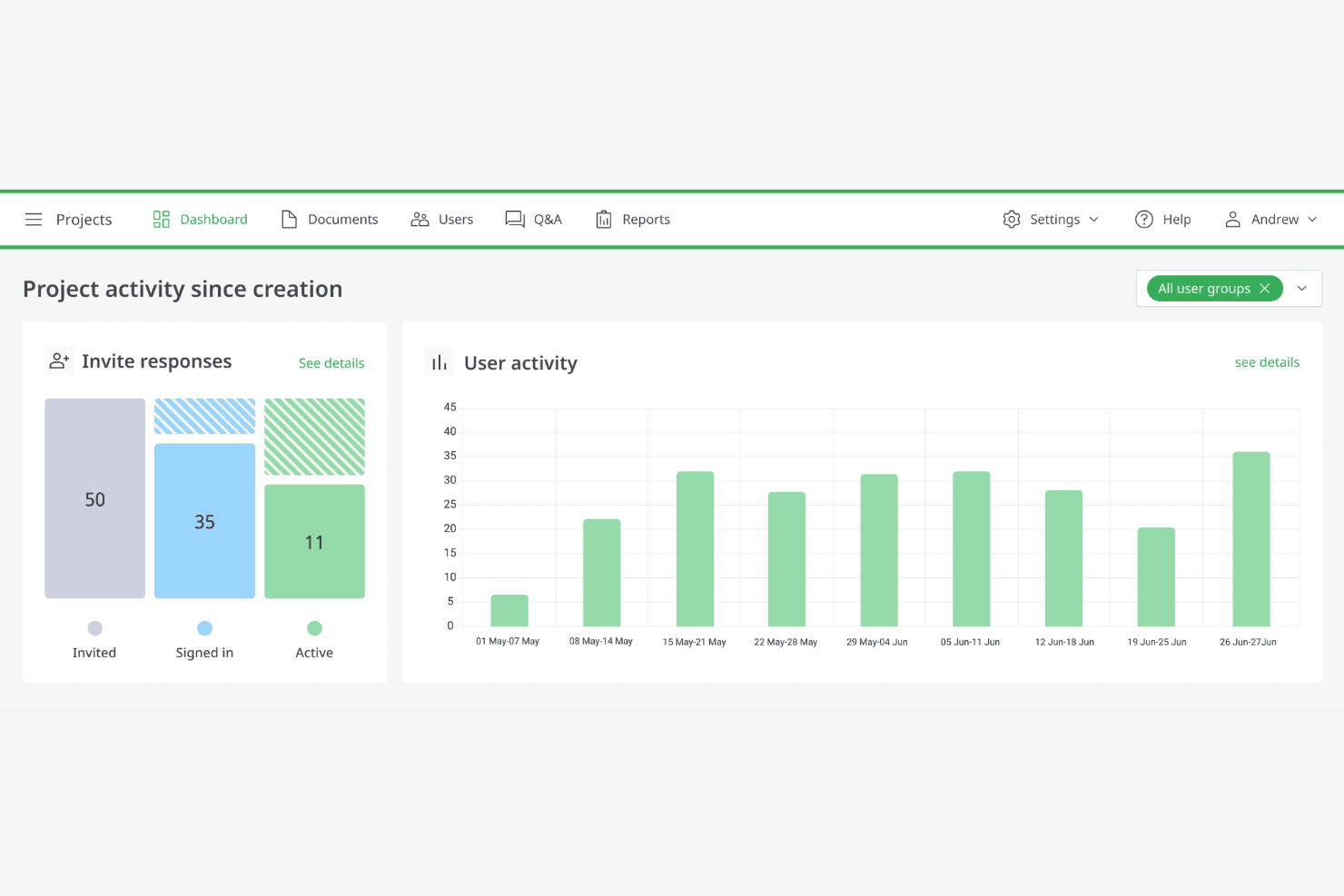
4.8/5
- Pricing upon request
- Free trial available
Why Trust Our Software Recommendations
6,700+
Reviews
20
Industry experts
16+
Evaluation factors
14
Years
Our team has been testing and reviewing software since 2012. As tech leaders ourselves, we know how difficult—and important—it is to choose the right software.
For this guide, we evaluated tools using hands-on testing and independent research, scoring tools using our selection criteria.
Our reviews reflect our human editorial judgment, not a sales pitch.
Expert reviewers:
- Paulo Gardini MiguelTech Director
 Tim FisherVP of AI
 Gabriel RosasTech Lead & Software Architect
 Christhian GruhnTech Lead & Platform Architect

Ideals Virtual Data Room Overview
In my opinion, iDeals Virtual Data Room software offers a solid mix of security and user-friendly features that make it a strong contender among VDR providers. It excels in secure document management and collaboration, making it ideal for legal and financial sectors. The interface is intuitive, onboarding is smooth, and customer support is responsive. Compared to other VDRs, such as Intralinks, its pricing model is reasonable for the features offered. If you prioritize security and ease of use, iDeals is worth considering, especially for teams needing efficient data handling.
Pros
- Your account is secured with two-factor authentication.
- The interface is easy for your team to navigate.
- It offers excellent collaboration tools for your work.
Cons
- It may not offer the extensive multimedia support needed by creative teams.
- Some users find certain advanced features tricky to master.
- Customization options may be limited for your specific needs.
Is Ideals Virtual Data Room Right For Your Needs?
Who Would be a Good Fit for Ideals Virtual Data Room?
iDeals Virtual Data Room is perfect for the technology, investment banking, and real estate industries. Its strong security features make it ideal for sectors handling sensitive documents. Your team will find its drag-and-drop functionality useful for managing documents efficiently. The easy-to-use interface ensures that even those not tech-savvy can navigate it without issues, improving productivity in your work environment.
- Legal FirmsiDeals is great for legal firms because it securely handles large volumes of confidential documents.
- Financial InstitutionsYour financial team will benefit from its robust data protection and streamlined collaboration tools.
- Real EstateReal estate companies find value in its easy document management and secure client communications.
- Mergers and AcquisitionsFor M&A teams, iDeals simplifies due diligence with secure and organized data sharing.
- Small BusinessesSmall businesses appreciate its user-friendly interface and affordability for secure document management.
- Corporate DepartmentsCorporate departments value its efficient communication and document sharing features for internal projects.
Who Would be a Bad Fit for Ideals Virtual Data Room?
iDeals Virtual Data Room might not be suitable for creative teams or industries needing extensive multimedia support. If your work involves handling large video files or complex media projects, iDeals lacks the advanced multimedia functionalities you might require. Startups with limited budgets seeking extensive customization might also find it less appealing due to its limited customization options.
- Creative AgenciesCreative agencies might struggle with its lack of multimedia management features.
- Video ProductionVideo production teams need more robust support for handling large video files.
- FreelancersFreelancers might find it too feature-heavy for their simple document sharing needs.
- Tech StartupsTech startups may need more customization than iDeals provides.
- Marketing DepartmentsMarketing departments often require more dynamic and media-rich collaboration tools.
- Non-Profit OrganizationsNon-profit organizations might need more budget-friendly solutions with broader customization options.
Our Review Methodology
How We Test & Score Tools
We’ve spent years building, refining, and improving our software testing and scoring system. The rubric is designed to capture the nuances of software selection and what makes a tool effective, focusing on critical aspects of the decision-making process.
Below, you can see exactly how our testing and scoring works across seven criteria. It allows us to provide an unbiased evaluation of the software based on core functionality, standout features, ease of use, onboarding, customer support, integrations, customer reviews, and value for money.
Core Functionality (25% of final scoring)
The starting point of our evaluation is always the core functionality of the tool. Does it have the basic features and functions that a user would expect to see? Are any of those core features locked to higher-tiered pricing plans? At its core, we expect a tool to stand up against the baseline capabilities of its competitors.
Standout Features (25% of final scoring)
Next, we evaluate uncommon standout features that go above and beyond the core functionality typically found in tools of its kind. A high score reflects specialized or unique features that make the product faster, more efficient, or offer additional value to the user.
We also evaluate how easy it is to integrate with other tools typically found in the tech stack to expand the functionality and utility of the software. Tools offering plentiful native integrations, 3rd party connections, and API access to build custom integrations score best.
Ease of Use (10% of final scoring)
We consider how quick and easy it is to execute the tasks defined in the core functionality using the tool. High scoring software is well designed, intuitive to use, offers mobile apps, provides templates, and makes relatively complex tasks seem simple.
Onboarding (10% of final scoring)
We know how important rapid team adoption is for a new platform, so we evaluate how easy it is to learn and use a tool with minimal training. We evaluate how quickly a team member can get set up and start using the tool with no experience. High scoring solutions indicate little or no support is required.
Customer Support (10% of final scoring)
We review how quick and easy it is to get unstuck and find help by phone, live chat, or knowledge base. Tools and companies that provide real-time support score best, while chatbots score worst.
Customer Reviews (10% of final scoring)
Beyond our own testing and evaluation, we consider the net promoter score from current and past customers. We review their likelihood, given the option, to choose the tool again for the core functionality. A high scoring software reflects a high net promoter score from current or past customers.
Value for Money (10% of final scoring)
Lastly, in consideration of all the other criteria, we review the average price of entry level plans against the core features and consider the value of the other evaluation criteria. Software that delivers more, for less, will score higher.
Core Features
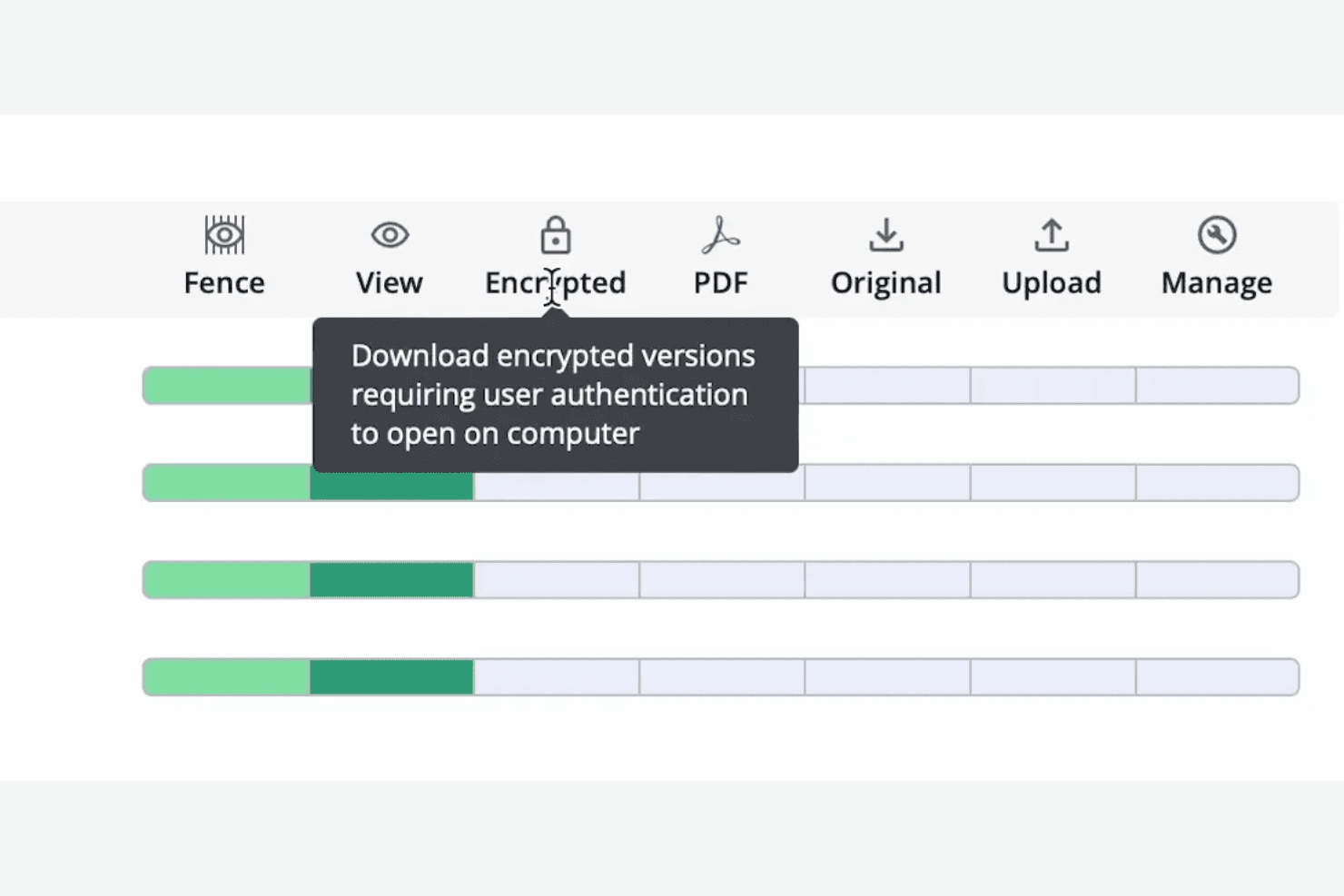
Secure Document Sharing: You can share your documents securely with encryption, ensuring your data stays protected. This feature is essential for industries handling sensitive information.
User Permissions: Set specific access permissions and prevent screenshots of secure information with Fence view. Maintain confidentiality and control over your files.
Audit Trails: Monitor document interactions within the data room with activity tracking. This transparency helps you keep an eye on data usage and access.
Q&A Management: Manage questions and answers efficiently during due diligence processes. It streamlines communication and keeps your team informed with notifications.
Bulk Uploads: Upload multiple files at once, saving you time and effort. This feature is handy for large projects with extensive documentation.
Document Watermarking: Add watermarks to your documents to prevent unauthorized sharing. It provides an extra layer of security for your important files.
Full-Text Search: Optical character recognition technology allows you to enter keywords and apply multiple search filters. Your team can find specific information quickly.
Ease of Use
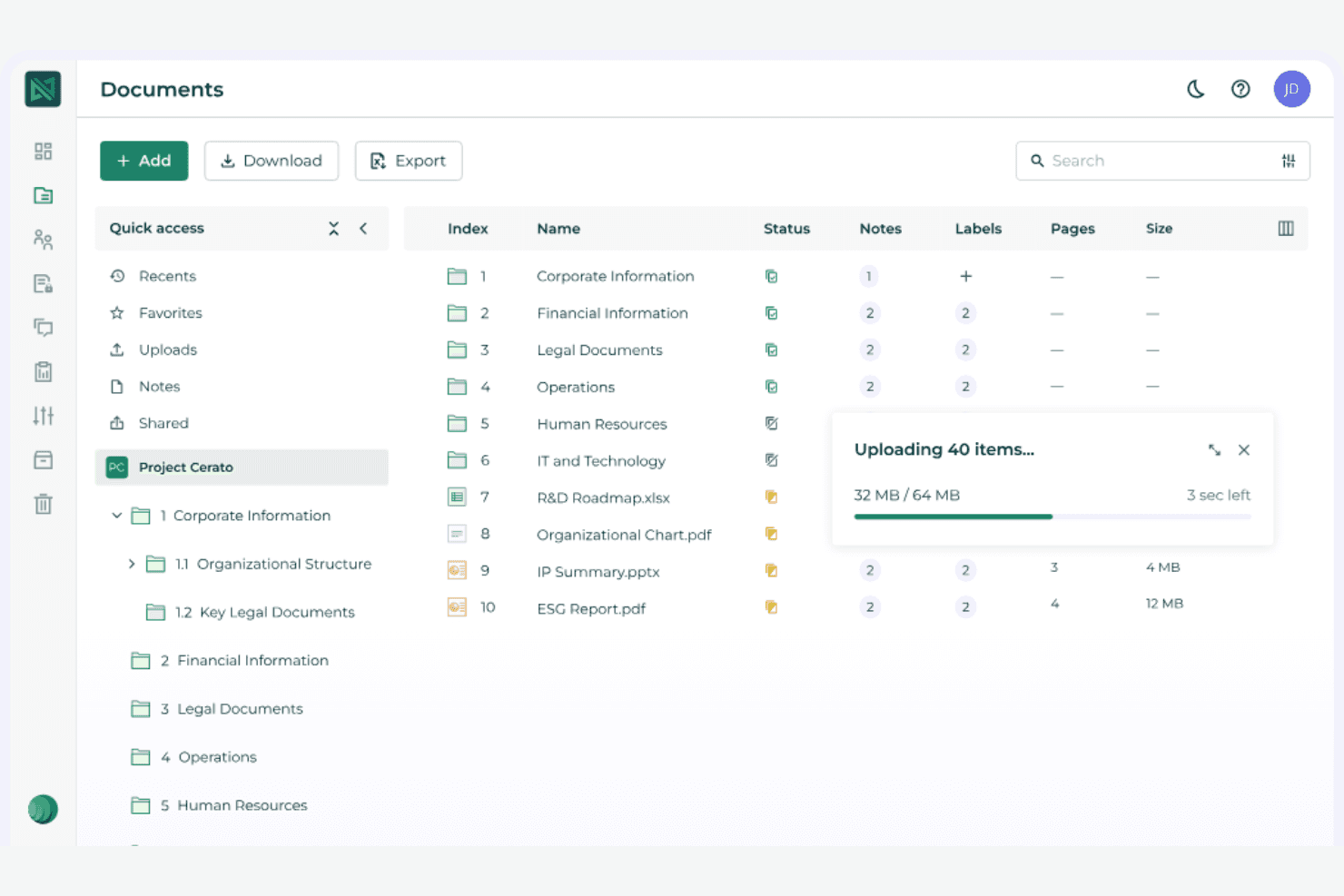
iDeals Virtual Data Room is easy for your team to navigate, thanks to its intuitive user interface. User reviews often praise how the clear layout makes it easy to find and manage documents. The setup process is quick, so you can get up and running without hassle. Compared to other solutions, it offers a more user-friendly experience, ensuring that less tech-savvy team members won't struggle with its features, saving you time and boosting productivity.
Integrations
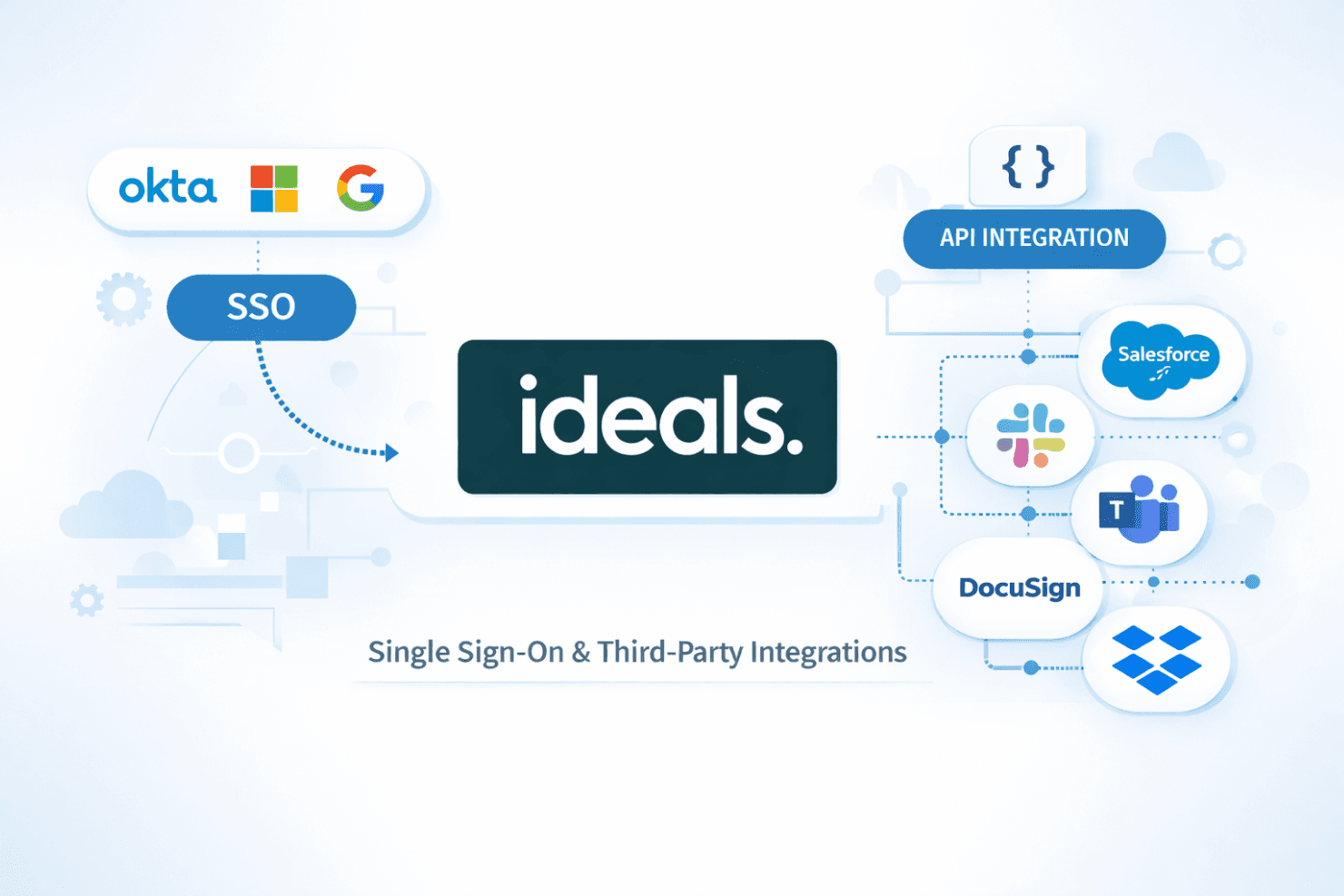
iDeals Virtual Data Room integrates with Single Sign-On (SSO), and offers an API for further integration possibilities, allowing users to connect with third-party tools.
Ideals Virtual Data Room Specs
- 2-Factor Authentication: Yes
- Analytics: Yes
- API: No
- Big Data: No
- Campaign Management: No
- Dashboard: Yes
- Data Export: Yes
- Data Import: Yes
- Document Comparison: No
- Entry Management: No
- External Integrations: No
- File Format Conversion: Yes
- File Sharing: Yes
- File Transfer: Yes
- Google Apps Integration: No
- Hardware Integration: No
- Multi-Account: No
- Multi-App: Yes
- Multi-Source Feedback: No
- Multi-User: Yes
- Organization Management: No
- Resource Management: No
- Security Migration: No
- Software Integration: No