

Fortinet-arvostelu: hyvät ja huonot puolet, ominaisuudet ja hinnoittelu
Fortinet tarjoaa luotettavaa tietoturvaa monipuolisilla ominaisuuksilla, mikä tekee siitä erinomaisen valinnan vankkaa verkkosuojausta etsiville yrityksille.

We review tools independently, and commissions help fund our testing. See our transparency policy, our methodology, or suggest a tool.
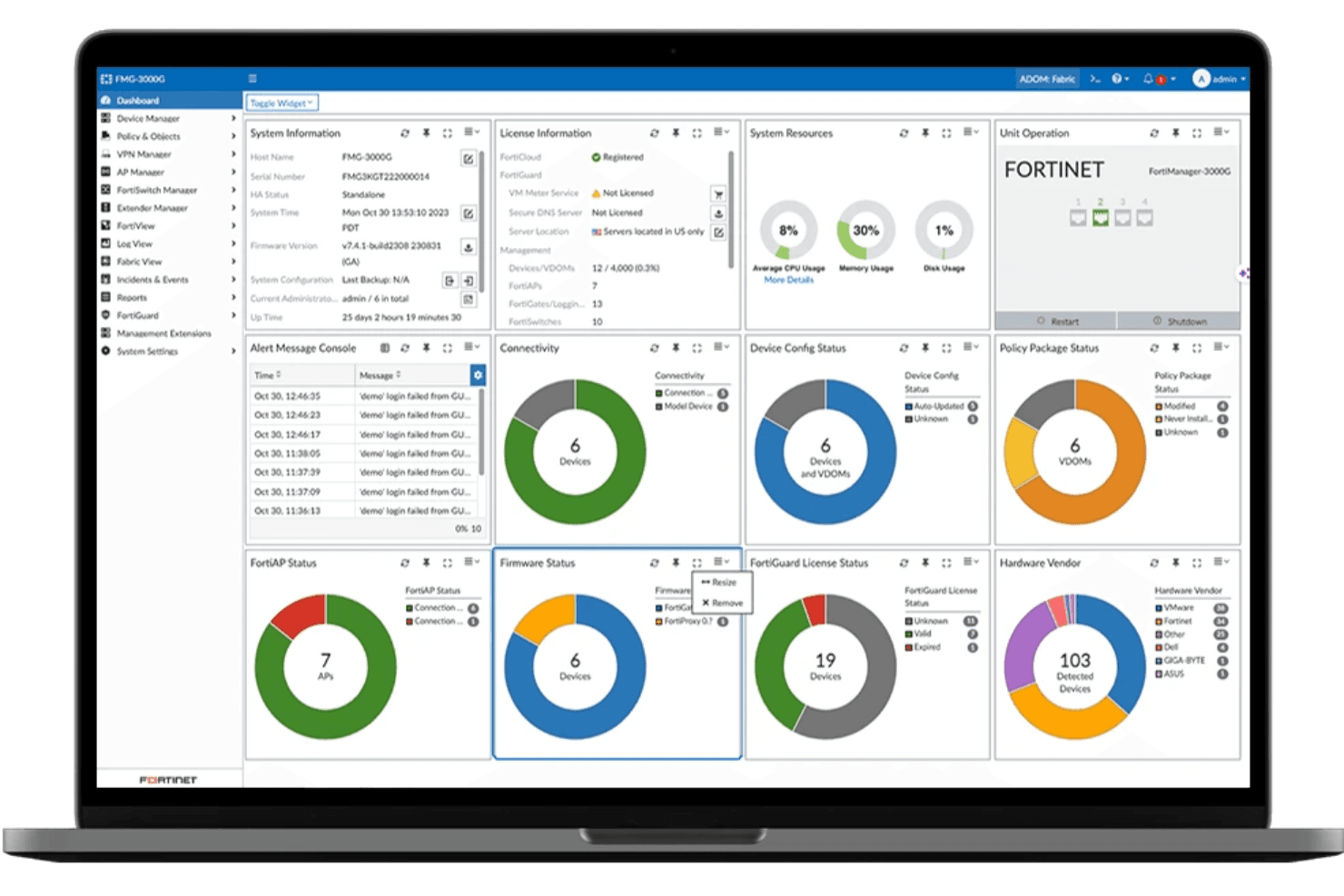
Fortinet is a network security software built around a unified Security Fabric that ties together firewalls, SD-WAN, endpoint protection, and threat intelligence across enterprise environments. I'd consider it if your team manages distributed networks—multiple sites, OT infrastructure, or hybrid cloud—and needs consistent security policy enforcement from a single platform. Compared to Palo Alto Networks, Fortinet gives you broader hardware and software integration at a lower total cost, making it the stronger choice if you're consolidating vendors rather than layering in point solutions.
Fortinet Evaluation Summary
0/5
- Pricing upon request
- Free demo available
Miksi luottaa ohjelmistosuosituksiimme
6,700+
Reviews
20
Industry experts
16+
Evaluation factors
14
Years
Tiimimme on testannut ja arvioinut ohjelmistoja vuodesta 2012 lähtien. Teknologiajohtajina tiedämme itse, kuinka vaikeaa — ja tärkeää — oikean ohjelmiston valitseminen on.
Tätä opasta varten arvioimme työkaluja käytännön testauksen ja itsenäisen tutkimuksen avulla, pisteyttäen työkalut valintakriteeriemme perusteella.
Arvostelumme perustuvat inhimilliseen toimitukselliseen harkintaamme, eivät myyntipuheeseen.
Asiantuntija-arvioijat:
- Paulo Gardini MiguelTech Director
 Tim FisherVP of AI
 Gabriel RosasTech Lead & Software Architect
 Christhian GruhnTech Lead & Platform Architect

Fortinet Overview
In my opinion, Fortinet stands out for its solid integration of security features and ease of management, making it a strong contender for businesses prioritizing security without complexity. Its main advantage comes from custom FortiASIC processors such as NP7 and CP9, which deliver high throughput, low latency, and one of the lowest TCOs per protected Mbps in the industry. The GUI is widely appreciated for straightforward firewall policy management, although the CLI and API can feel inconsistent, and customer support response times vary across regions and cases. Fortinet is best suited for organizations that value consolidated security, strong automation, and ultra-low-latency performance rather than highly customized or niche configurations.
Pros
- Custom NP7 and CP9 processors deliver high throughput and low latency
- Full NGFW and UTM features enabled for reliable threat detection and protection
- Centralized interface for managing complex UTM policies
- Unified management and data sharing across other Fortinet products
- Lowest TCO per protected Mbps
Cons
- Fortinet's onboarding process can be a bit complex for your team at first
- FortiGuard and FortiCare auto-activate and make device ownership transfers slow
- ou might find customer support response times slower than expected
- Non-critical support tickets experience long delays
- Automation and scripting are hindered by strict FortiOS upgrade paths
- Some advanced features may require additional training for your team to use effectively
Is Fortinet Right For Your Needs?
Who Would be a Good Fit for Fortinet?
Fortinet is a great fit for small to mid-sized businesses that need strong security without complex management. If you work in retail or healthcare, Fortinet's user-friendly interface and reliable threat detection can help protect sensitive data efficiently. IT departments with limited resources will appreciate its straightforward deployment and management. Fortinet's integration of security features offers peace of mind, making it a smart choice for industries where data protection is crucial.
- Small BusinessesThe FortiGate NGFW provides excellent unified threat management (UTM) functionality in a single, cost-effective appliance, simplifying security for teams with limited resources.
- Healthcare IndustryIts robust security features protect sensitive patient information, essential for healthcare compliance.
- Retail SectorFortinet's reliable threat detection helps safeguard customer data against breaches. . Also offers IoT device detection and OT security features for protecting retail and manufacturing environments.
- Education InstitutionsSchools benefit from its ease of use, ensuring student and faculty data remain secure.
- IT DepartmentsIT teams find its integrated features and straightforward management beneficial for daily operations.
- Finance CompaniesHigh-end NP7-based models deliver single-digit microsecond latency and massive throughput for financial exchanges and large cloud aggregation points.
Who Would be a Bad Fit for Fortinet?
Fortinet might not be the best choice for large enterprises with complex IT infrastructures that need highly customizable solutions. If your team requires advanced features and extensive integrations, Fortinet's offerings might feel limited. Companies in tech-heavy industries with specific security needs may find that Fortinet lacks the flexibility or depth required to meet their unique demands. Additionally, organizations that prioritize fast onboarding might struggle with Fortinet's initial setup process.
- Large EnterprisesFortinet may fall short for enterprises that require deep customization across complex environments. Organizations that depend on strict SLAs and sub-hour incident resolution must also account for the well-known variability in TAC response times, often forcing reliance on higher-cost reseller or partner support.
- Tech StartupsStartups focusing on cutting-edge technology might find Fortinet's features too basic for their innovative needs. Moreover, teams prioritizing purely cloud-native (e.g., serverless) or open-source environments may find integration challenging.
- Government AgenciesAgencies with strict regulatory requirements may need more specialized solutions than Fortinet provides.
- Advanced IT TeamsTeams seeking seamless, complex automation via API or custom scripting will find the CLI/API inconsistency and rigidity to be a roadblock.
- TelecommunicationsTelecom companies needing highly specialized security measures may find Fortinet insufficient.
- Multinational CorporationsGlobal corporations with diverse IT landscapes might require more flexibility than Fortinet offers.
Our Review Methodology
How We Test & Score Tools
We’ve spent years building, refining, and improving our software testing and scoring system. The rubric is designed to capture the nuances of software selection and what makes a tool effective, focusing on critical aspects of the decision-making process.
Below, you can see exactly how our testing and scoring works across seven criteria. It allows us to provide an unbiased evaluation of the software based on core functionality, standout features, ease of use, onboarding, customer support, integrations, customer reviews, and value for money.
Core Functionality (25% of final scoring)
The starting point of our evaluation is always the core functionality of the tool. Does it have the basic features and functions that a user would expect to see? Are any of those core features locked to higher-tiered pricing plans? At its core, we expect a tool to stand up against the baseline capabilities of its competitors.
Standout Features (25% of final scoring)
Next, we evaluate uncommon standout features that go above and beyond the core functionality typically found in tools of its kind. A high score reflects specialized or unique features that make the product faster, more efficient, or offer additional value to the user.
We also evaluate how easy it is to integrate with other tools typically found in the tech stack to expand the functionality and utility of the software. Tools offering plentiful native integrations, 3rd party connections, and API access to build custom integrations score best.
Ease of Use (10% of final scoring)
We consider how quick and easy it is to execute the tasks defined in the core functionality using the tool. High scoring software is well designed, intuitive to use, offers mobile apps, provides templates, and makes relatively complex tasks seem simple.
Onboarding (10% of final scoring)
We know how important rapid team adoption is for a new platform, so we evaluate how easy it is to learn and use a tool with minimal training. We evaluate how quickly a team member can get set up and start using the tool with no experience. High scoring solutions indicate little or no support is required.
Customer Support (10% of final scoring)
We review how quick and easy it is to get unstuck and find help by phone, live chat, or knowledge base. Tools and companies that provide real-time support score best, while chatbots score worst.
Customer Reviews (10% of final scoring)
Beyond our own testing and evaluation, we consider the net promoter score from current and past customers. We review their likelihood, given the option, to choose the tool again for the core functionality. A high scoring software reflects a high net promoter score from current or past customers.
Value for Money (10% of final scoring)
Lastly, in consideration of all the other criteria, we review the average price of entry level plans against the core features and consider the value of the other evaluation criteria. Software that delivers more, for less, will score higher.
Core Features
Firewall Protection: Fortinet provides robust firewall capabilities that safeguard your network from unauthorized access. The NP7 network processor offloads stateful firewalling and high-speed IPsec VPN tasks from the CPU, delivering very high throughput and low latency.
Intrusion Prevention System (IPS): This feature detects and blocks threats in real-time, keeping your network secure. The CP9 processor handles heavy IPS workloads such as pre-scanning, signature correlation, and application identification, freeing the main CPU for other tasks.
VPN Support: Fortinet enables secure remote access through its VPN feature, which is easy for your team to set up and use. It ensures encrypted connections for safe data transmission.
Antivirus and Anti-malware: Protect your network from viruses and malware with Fortinet's comprehensive scanning tools. These tools work in the background to keep your systems clean.
Application Control: Control the applications used within your network to prevent data leaks and security breaches. Fortinet allows you to set rules and monitor app usage effectively.
Web Filtering: This feature helps you control and monitor web access, blocking harmful or unwanted sites. It ensures safe browsing for your team by filtering out malicious websites.
Ease of Use
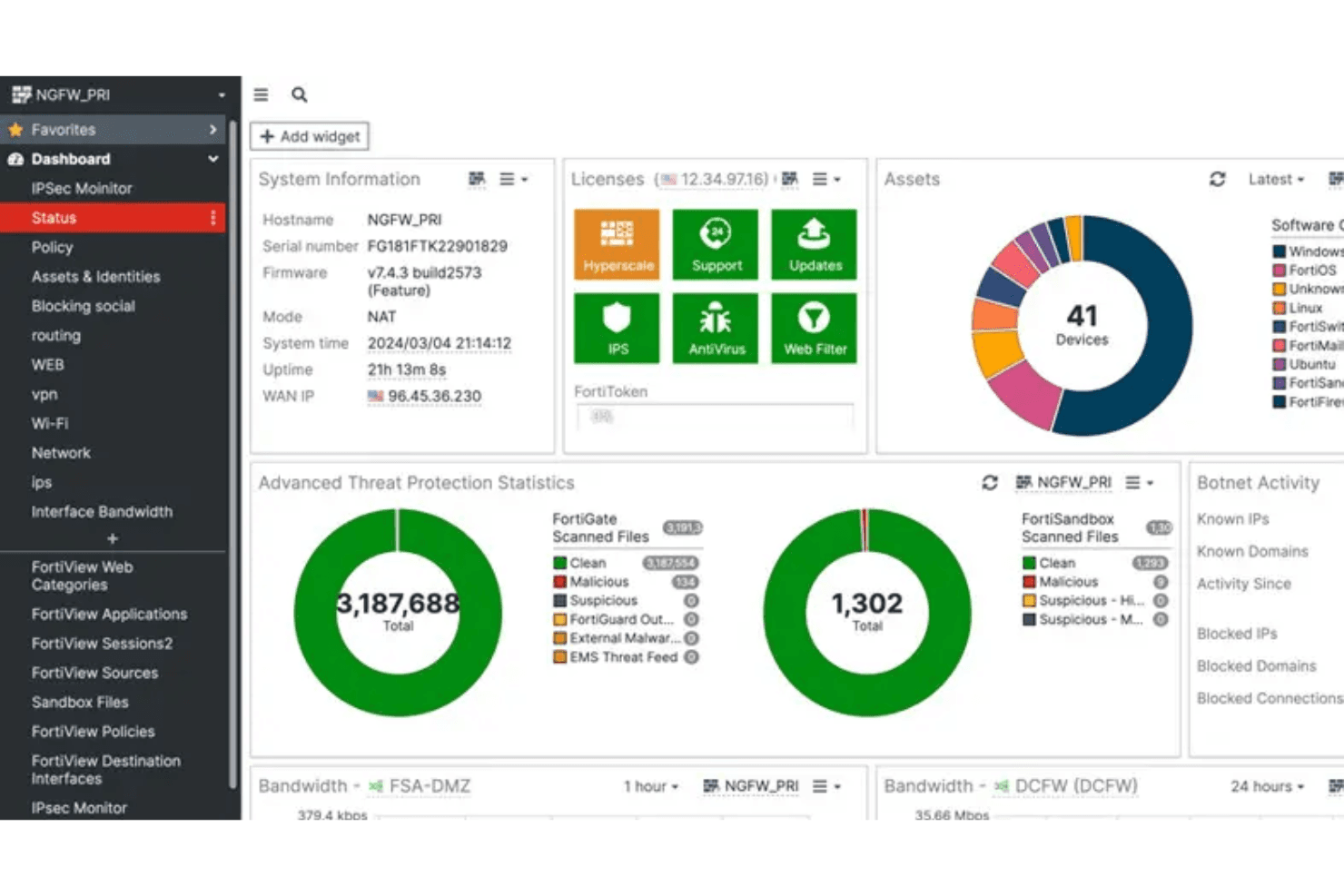
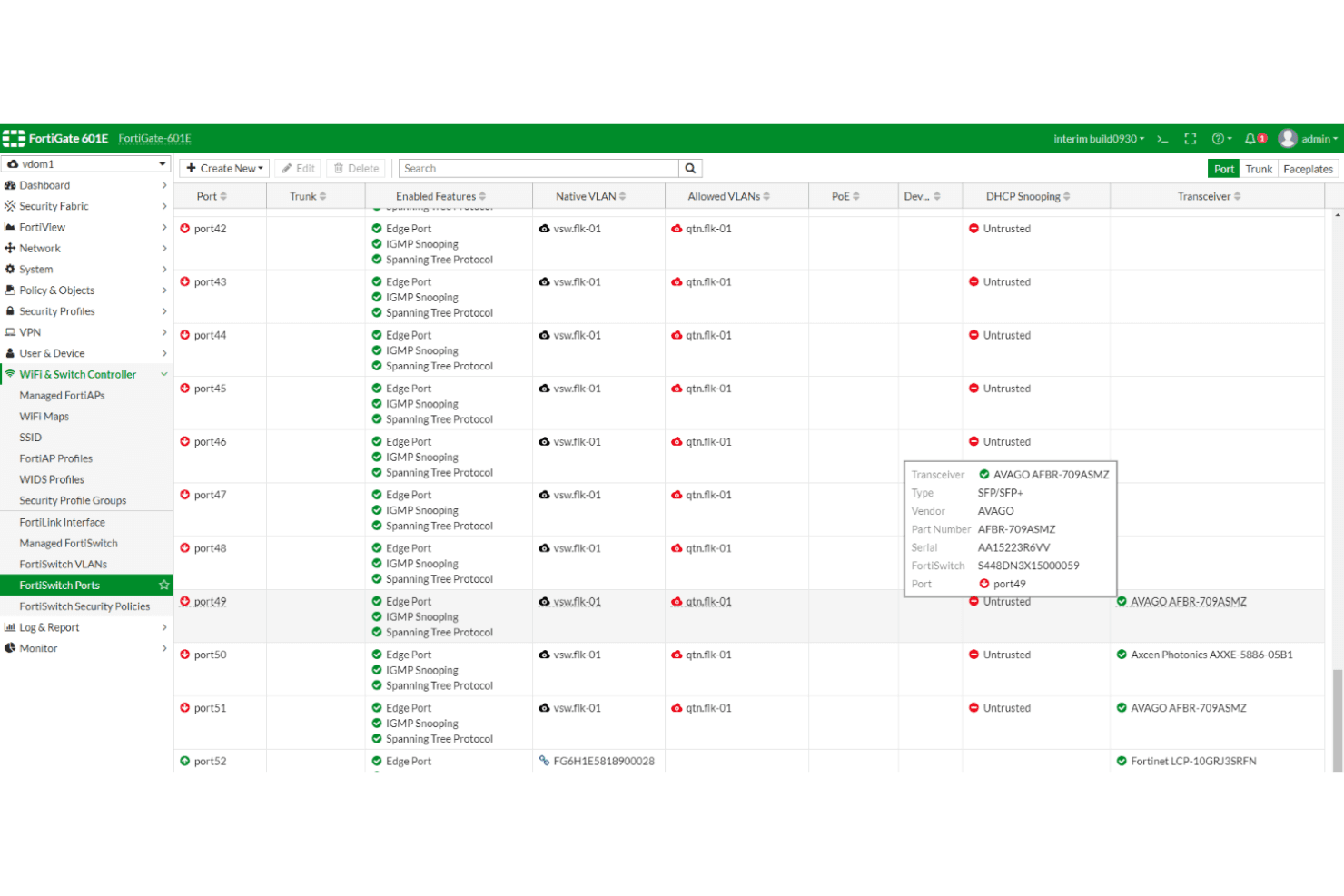
Fortinet offers a user-friendly interface that makes navigating its features straightforward for your team. The FortiOS GUI is widely regarded as best-in-class for visual policy creation, security monitoring, and everyday UTM management, which helps shorten the learning curve for firewall administrators. Its dashboard is intuitive, allowing quick access to essential tools like firewall settings and VPN management. However, the CLI and API remain inconsistent across versions, creating friction for advanced teams that depend on automation, custom scripting, or centralized orchestration through tools such as FortiManager.
Integrations
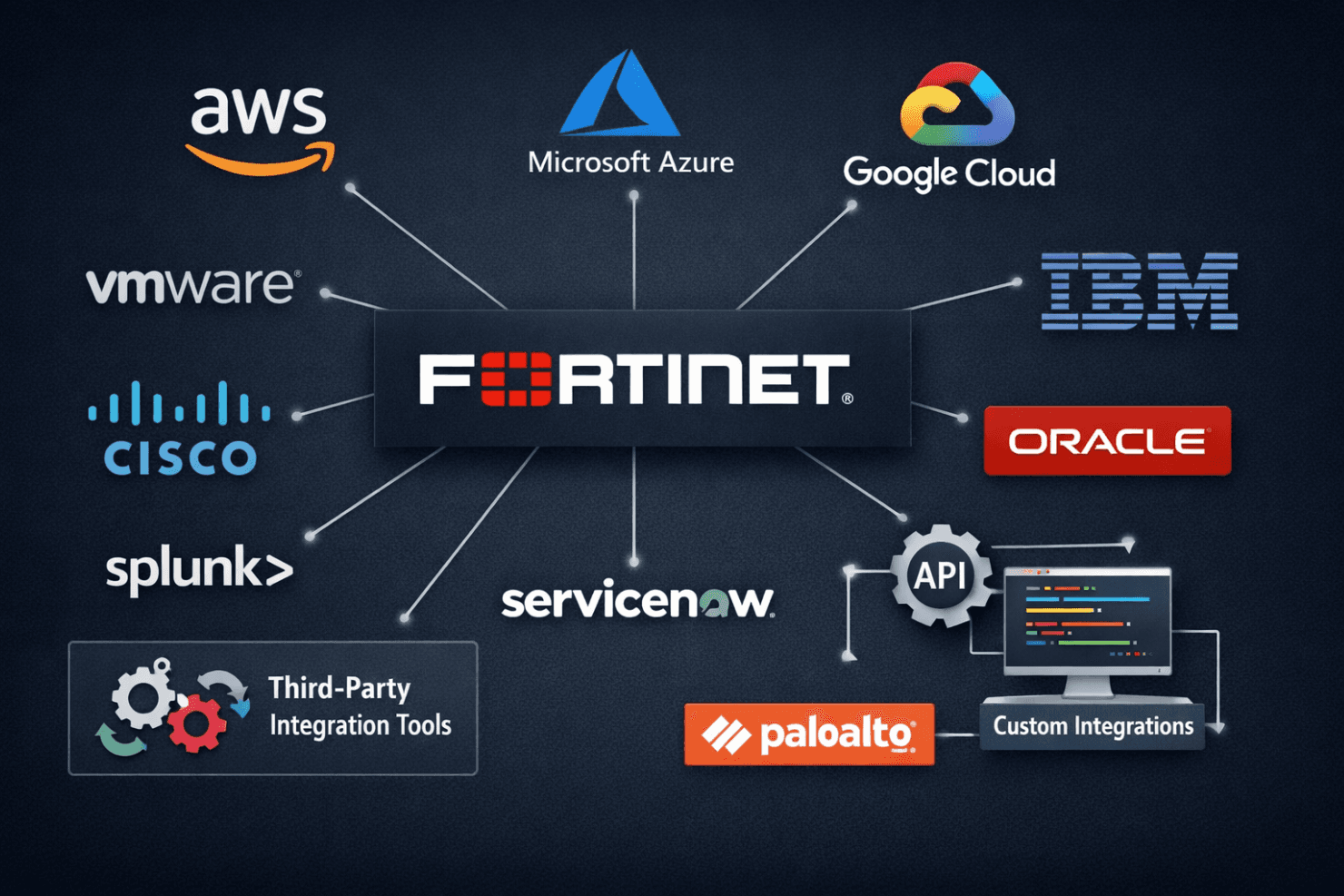
Fortinet integrates with AWS, Microsoft Azure, Google Cloud Platform, VMware, Cisco, IBM, Oracle, Splunk, ServiceNow, and Palo Alto Networks.
Fortinet also offers an API for custom integrations and connects with third-party integration tools to expand its capabilities.
Fortinet Specs
- 2-Factor Authentication: Yes
- Access Management: Yes
- Anti-Virus: Yes
- API: Yes
- Audit Management: Yes
- Audit Trail: Yes
- Batch Permissions & Access: Yes
- Compliance Tracking: Yes
- Dashboard: Yes
- Data Export: Yes
- Data Import: Yes
- DDoS Protection: Yes
- External Integrations: Yes
- File Sharing: Yes
- File Transfer: Yes
- Firewall: Yes
- Incident Management: Yes
- Malware Protection: Yes
- Multi-User: Yes
- Notifications: Yes
- Password & Access Management: Yes
- Policy Management: Yes
- Real-time Alerts: Yes
- Report & Compliance: Yes
- Risk Assessment: Yes
- Security Migration: Yes
- Threat Detection: Yes
- Workflow Management: Yes


