

Cypress-arvostelu: hyvät ja huonot puolet, ominaisuudet ja hinnoittelu
Cypress tarjoaa erinomaista reaaliaikaista palautetta ja saumattoman integroinnin JavaScript-kehysten kanssa, mikä tekee siitä erinomaisen valinnan käyttöliittymien testaukseen mobiilitestauksen rajoituksista huolimatta.

We review tools independently, and commissions help fund our testing. See our transparency policy, our methodology, or suggest a tool.
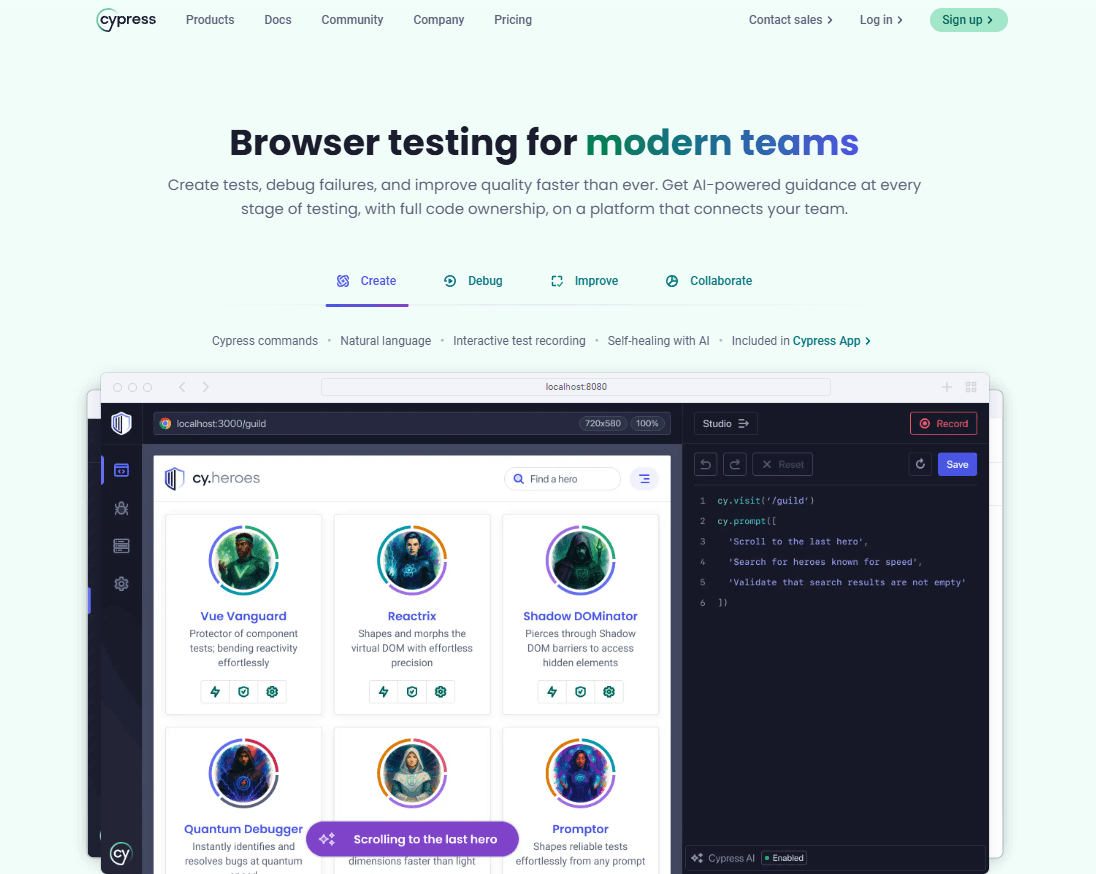
Cypress is a website testing tool built for end-to-end testing of modern web applications. I'd consider it if your team needs to write and debug tests for JavaScript-heavy frontends without heavy setup overhead. Where Selenium requires external drivers and significant configuration to get running, Cypress runs directly in the browser and gives you real-time test execution and built-in debugging from the start—making it a more approachable option for teams that want reliable automated testing without a lengthy ramp-up.
Cypress Evaluation Summary
4.7/5
- From $67/month (billed annually)
- Free plan available
Why Trust Our Software Recommendations
6,700+
Reviews
20
Industry experts
16+
Evaluation factors
14
Years
Our team has been testing and reviewing software since 2012. As tech leaders ourselves, we know how difficult—and important—it is to choose the right software.
For this guide, we evaluated tools using hands-on testing and independent research, scoring tools using our selection criteria.
Our reviews reflect our human editorial judgment, not a sales pitch.
Expert reviewers:
- Paulo Gardini MiguelTech Director
 Tim FisherVP of AI
 Gabriel RosasTech Lead & Software Architect
 Christhian GruhnTech Lead & Platform Architect

Cypress Overview
In my opinion, Cypress is a powerful automation tool for web application testing, especially for front-end developers who need immediate feedback. It excels in ease of use and integrates well with JavaScript frameworks, including TypeScript, making it suitable for agile teams. While its onboarding and customer support are solid, it might not be the best fit for teams heavily focused on mobile testing due to its limitations in that area. Compared to other tools like Selenium or Playwright, Cypress offers great value for money but may fall short for organizations requiring extensive mobile testing capabilities. If your team prioritizes speed and efficiency in web testing, Cypress could be a smart choice.
Pros
- Real-time feedback during test execution.
- Easy debugging with detailed error messages and screenshots.
- Integrates seamlessly with JavaScript frameworks you already use.
Cons
- It doesn't support mobile testing well.
- Some limitations in cross-browser support, particularly Safari and Firefox.
- Requires running within a browser, which may not suit all testing needs.
Is Cypress Right For Your Needs?
Who Would be a Good Fit for Cypress?
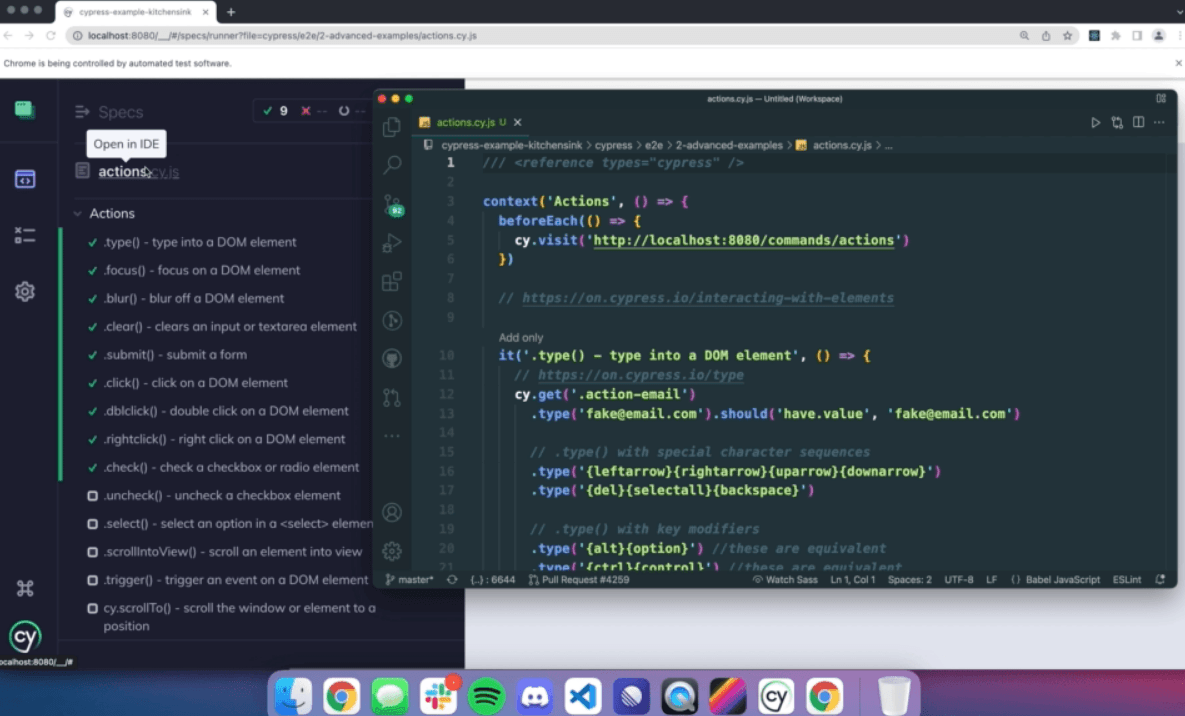
Cypress is ideal for agile development teams and startups focused on frontend web applications. Your team will appreciate its real-time feedback and fast test execution, which speeds up your development cycle. If you're working with JavaScript frameworks, Cypress's integration capabilities make it a natural fit for your workflow. Its easy debugging features are perfect for developers who need to identify and fix issues quickly, making it a valuable tool for tech-focused companies. It also integrates well into modern test automation frameworks, enabling coordinated test cases and API testing.
- Agile TeamsYour team will benefit from Cypress's fast execution and real-time feedback, keeping your development cycle quick and efficient.
- Frontend DevelopersCypress works well with JavaScript frameworks or Python and Java backends, making it a great choice if you're focused on web app interfaces.
- StartupsIf you're a startup, Cypress's ease of use and quick setup help get your testing up and running without much fuss.
- QA TeamsQA teams will find Cypress's detailed error messages useful for quick debugging and issue resolution.
- Tech CompaniesTech companies can leverage Cypress's capabilities to enhance their web testing processes, especially when focusing on frontend development.
- Small to Medium BusinessesSMBs benefit from Cypress's value for money and ease of integration, making it a practical choice for limited resources.
Who Would be a Bad Fit for Cypress?
Cypress isn't the best choice for teams heavily focused on mobile testing or those requiring extensive cross-browser compatibility. If your work involves testing on platforms beyond Chrome-based browsers, you might find Cypress lacking. It's not ideal for enterprises needing a comprehensive mobile testing solution, as it doesn't support mobile devices well. Teams that require server-side testing will also find Cypress unsuitable due to its browser-only execution.
- Mobile DevelopersIf your team focuses on mobile app testing, Cypress's lack of mobile support makes it unsuitable for your needs.
- Cross-Browser TestingYour team will struggle with Cypress's limitations outside of Chrome-based browsers, making it a poor fit for diverse browser testing.
- Large EnterprisesEnterprises needing extensive mobile and cross-browser testing will find Cypress's capabilities lacking for their complex requirements.
- Server-Side TestingCypress isn't a fit for server-side testing, as it operates entirely within the browser, limiting your testing scope.
- Financial InstitutionsIf your industry demands high-security testing across various platforms, Cypress's limitations in cross-browser and mobile testing could be a setback.
- Legacy SystemsOrganizations relying on older systems might find Cypress incompatible due to its modern browser focus.
Core Features
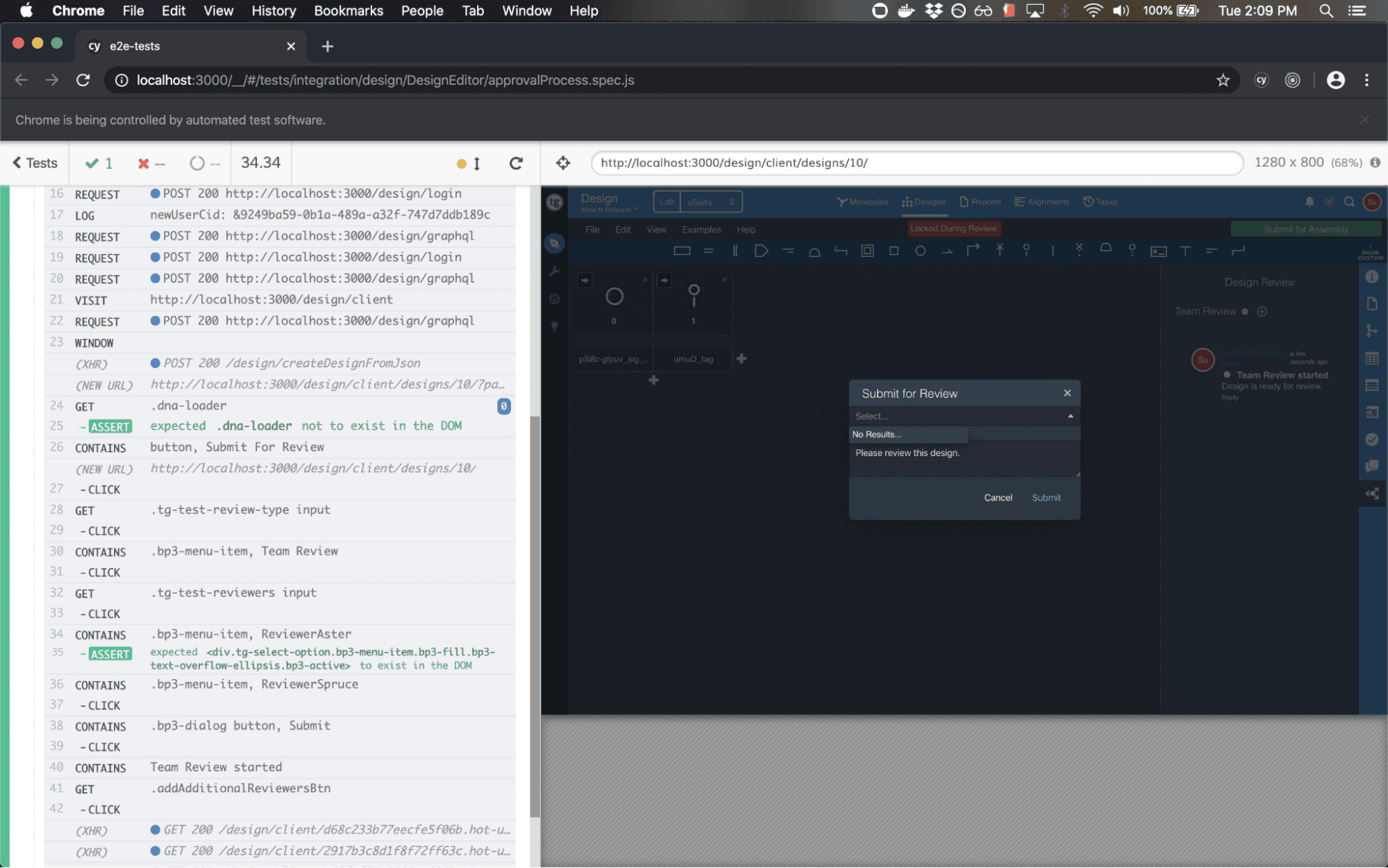
Real-Time Reloads: Cypress automatically reloads your tests whenever you make changes, so you get instant feedback as you develop your work. This feature saves your team time by eliminating manual restarts.
Automatic Waiting: Cypress waits for commands and assertions, so you don't have to add waits or timeouts. It ensures your tests run smoothly without manual intervention.
Debugging: You can easily debug your work with readable error messages and stack traces. Cypress's built-in debugging tools make identifying issues straightforward.
Time Travel: Cypress captures snapshots of your tests for each step, allowing you to hover over commands in the Command Log to see what happened at each point. This feature helps your team understand test flow and failures quickly.
Network Traffic Control: You can stub and spy on network requests for API testing. This gives you control over your application's network interactions during tests.
DOM Manipulation: Cypress provides direct access to the Document Object Model, allowing you to interact with elements just like a user would. This ensures that your tests accurately reflect user behavior.
Ease of Use
Cypress shines in user-friendliness, making it a breeze for your team to get started with testing. Its automatic waiting and real-time reloads mean you don't have to fuss with manual configurations, saving you time. The intuitive interface and detailed command log make debugging straightforward, even for those new to testing. With easy setup and extensive documentation, you can quickly integrate Cypress into your workflow, enhancing your productivity without a steep learning curve.
Integrations
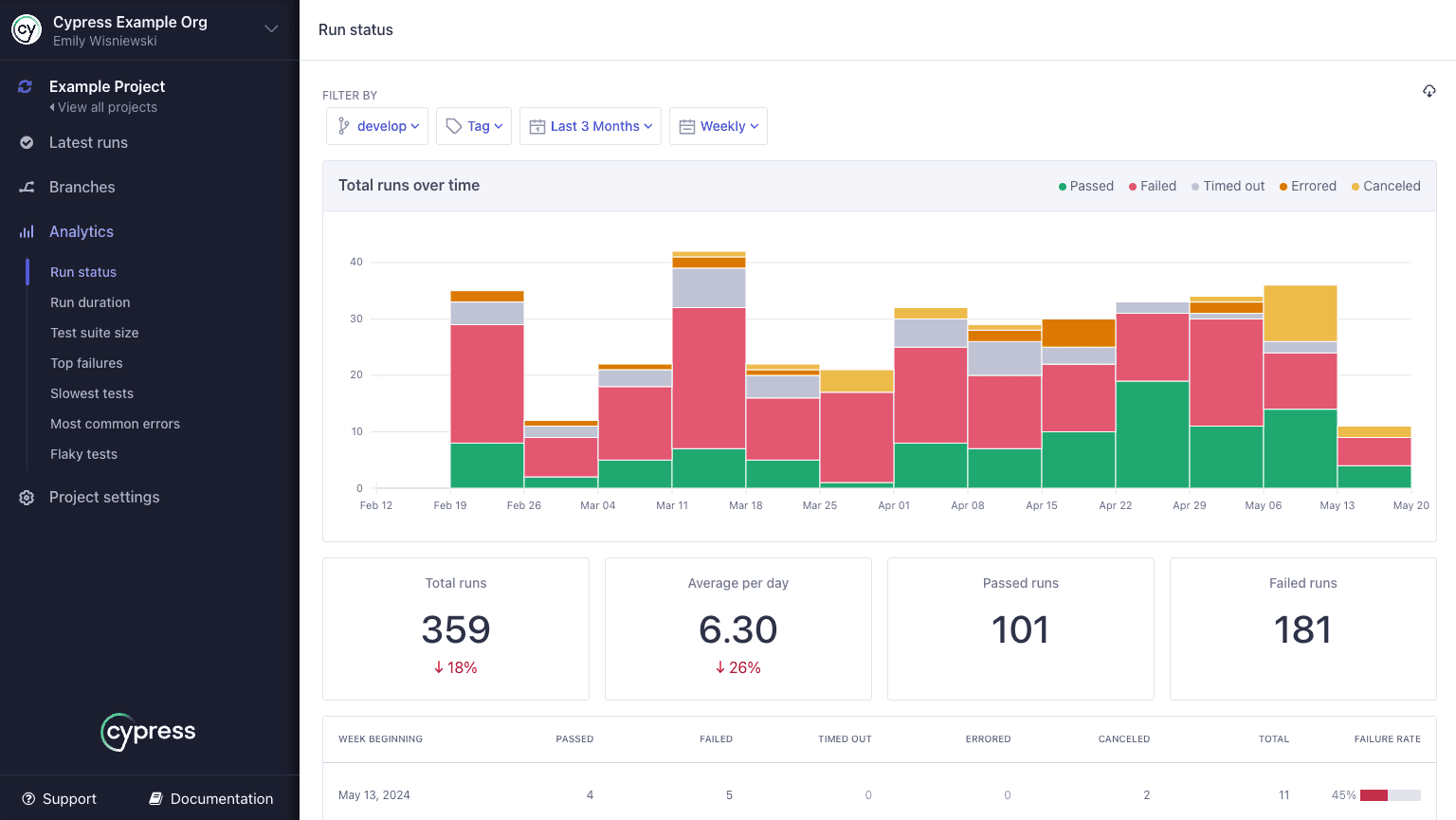
Cypress integrates with Webpack Preprocessor, Watch Preprocessor, Cucumber Preprocessor, Markdown Preprocessor, Rollup Preprocessor, Esbuild Preprocessor, Vite Preprocessor, Cypress Vite, Cypress Laravel, and AWS Secrets Manager.
Cypress also offers an API and connects with third-party integration tools like Docker and GitHub Actions.
Cypress Specs
- A/B Testing: No
- API: No
- Automated Testing: Yes
- Browser Compatibility Testing: Yes
- Bug Tracking: No
- Calendar Management: No
- CI/CD Integration: Yes
- Dashboard: No
- Data Export: No
- Data Import: No
- Data Visualization: No
- Developer Tools: Yes
- External Integrations: Yes
- History/Version Control: No
- Manual Testing: No
- Multi-User: No
- Notifications: No
- Performance Testing: Yes
- Regression Testing: Yes
- Scheduling: No
- Status Notifications: No
- Third-Party Plugins/Add-Ons: Yes


