

Cortex XDR -arvostelu: hyvät ja huonot puolet, ominaisuudet ja hinnoittelu
Cortex XDR erottuu edukseen edistyneellä uhkien tunnistuksellaan ja tarjoaa tiimillesi vertaansa vailla olevia tietoturvanäkymiä sekä ennakoivia puolustusstrategioita.

We review tools independently, and commissions help fund our testing. See our transparency policy, our methodology, or suggest a tool.
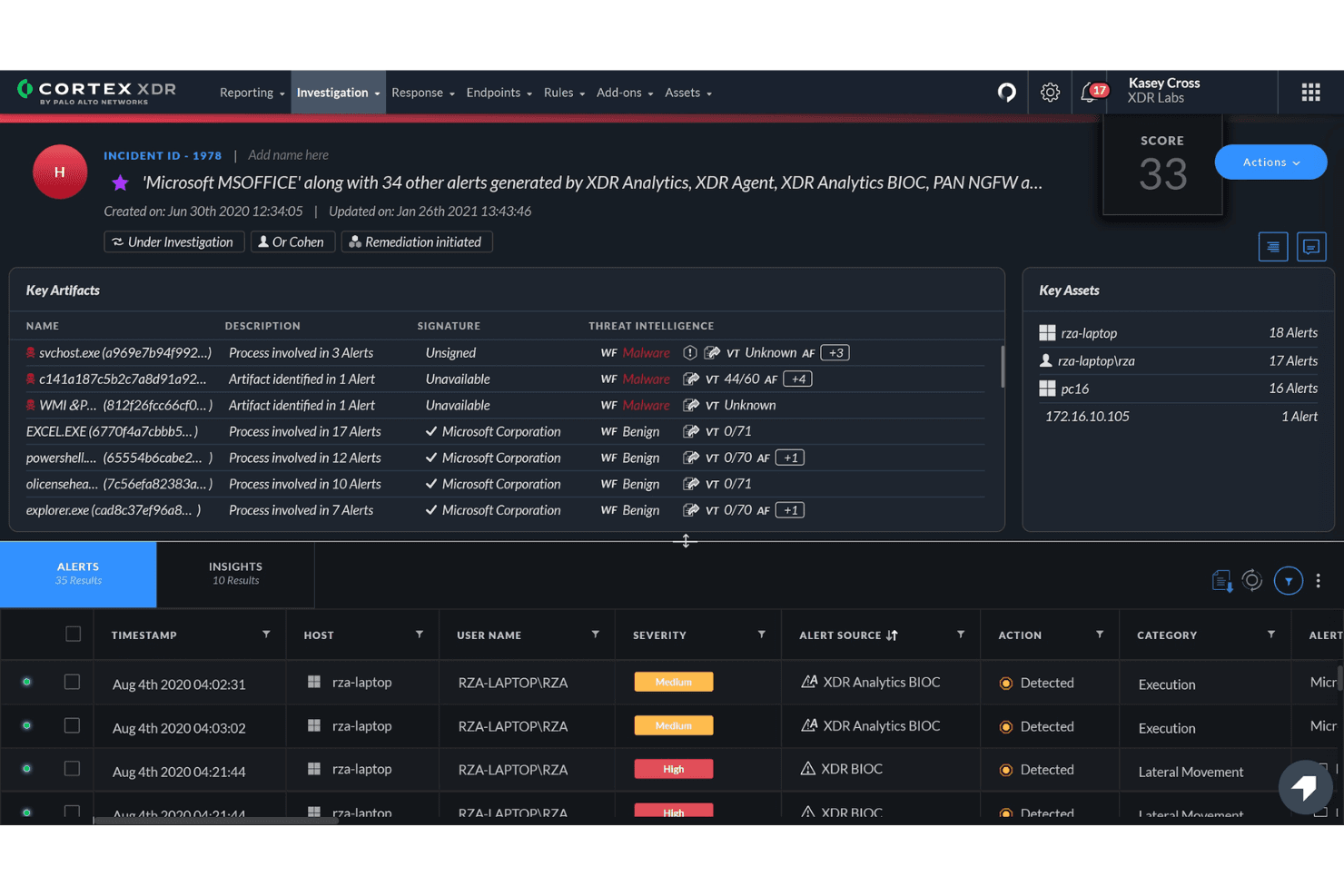
Cortex XDR is an XDR software from Palo Alto Networks that correlates endpoint, network, and cloud telemetry to detect and investigate threats. It's worth considering if your team already runs Palo Alto Networks firewalls or SASE infrastructure, since that native data integration gives you deeper cross-layer threat correlation than you'd get from a tool like CrowdStrike Falcon, which relies more heavily on endpoint telemetry. If unified visibility across your entire Palo Alto Networks stack is a priority, Cortex XDR is the more natural fit.
Cortex XDR Evaluation Summary
0/5
- Pricing upon request
- Free demo available
Miksi luottaa ohjelmistosuosituksiimme
6,700+
Reviews
20
Industry experts
16+
Evaluation factors
14
Years
Tiimimme on testannut ja arvioinut ohjelmistoja vuodesta 2012 lähtien. Teknologiajohtajina tiedämme itse, kuinka vaikeaa — ja tärkeää — oikean ohjelmiston valitseminen on.
Tätä opasta varten arvioimme työkaluja käytännön testauksen ja itsenäisen tutkimuksen avulla, pisteyttäen työkalut valintakriteeriemme perusteella.
Arvostelumme perustuvat inhimilliseen toimitukselliseen harkintaamme, eivät myyntipuheeseen.
Asiantuntija-arvioijat:
- Paulo Gardini MiguelTech Director
 Tim FisherVP of AI
 Gabriel RosasTech Lead & Software Architect
 Christhian GruhnTech Lead & Platform Architect

Cortex XDR Overview
In my opinion, Palo Alto Cortex XDR stands out for its advanced threat detection and response capabilities, making it a solid choice for large enterprises with complex security needs. Its standout features, like comprehensive analytics and seamless integration, set it apart from competing endpoint detection and response (EDR) solutions. However, the interface might feel a bit overwhelming for smaller teams or those new to security operations tools. While the onboarding process is smooth, ensuring your team is well-trained is crucial for maximizing its value. Cortex XDR is best suited for industries with high-stakes security requirements, like finance and healthcare, where the cost is justified by the enhanced security measures it provides.
Pros
- Advanced threat detection.
- Comprehensive analytics with valuable security insights.
- Smooth onboarding process.
Cons
- The interface can be overwhelming for some users.
- Customer support could be more responsive.
Is Cortex XDR Right For Your Needs?
Who Would be a Good Fit for Cortex XDR?
Cortex XDR is ideal for large enterprises in industries like finance, healthcare, and government, where rapid cybersecurity response is paramount. If your team prioritizes advanced threat detection and comprehensive analytics, Cortex XDR's capabilities make it a strong contender. Its ability to provide detailed insights into security threats helps organizations with complex IT infrastructures stay protected.
- Financial InstitutionsCortex XDR offers robust threat detection to protect sensitive financial attack surfaces from cyber threats.
- Healthcare ProvidersIts advanced analytics help strengthen cyber defense and comply with regulatory standards when protecting patients' data.
- Government AgenciesCortex XDR's comprehensive security measures are ideal for securing data infrastructure, cloud workloads, and distributed endpoints.
- Large IT DepartmentsThe platform's detailed threat insights support vulnerability management and incident response in complex IT environments.
- Cybersecurity TeamsCortex XDR's advanced threat detection tools are perfect for proactive threat management in the security operations center (SOC) workflow.
- Enterprises with Complex NetworksIts ability to integrate and analyze data from multiple sources makes it suitable for conducting root cause analysis and threat hunting in large networks.
Who Would be a Bad Fit for Cortex XDR?
Cortex XDR may not suit small businesses or startups with limited IT resources and simpler security needs. The platform's complexity and advanced functionalities can be overwhelming for teams that don't require such detailed analytics. If your team is new to data security tools, the learning curve might be steep, and the interface could feel cumbersome.
- Small StartupsThe platform's complexity may be too much for teams needing out-of-the-box security solutions.
- Non-Technical TeamsCortex XDR's advanced features might overwhelm end users without a strong IT background.
- FreelancersSingle users won't benefit from the extensive threat detection capabilities.
- Retail ShopsSmall-scale operations with simple IT infrastructure may find it excessive.
- Local NonprofitsLimited IT budgets and simple security requirements make Cortex XDR unnecessary.
- Family-Owned BusinessesThe advanced analytics and detailed insights aren't necessary for a non-SOC workflow.
Core Features
Threat Detection: Cortex XDR uses advanced algorithms to identify potential threats in real-time. This helps your team protect against ransomware, exploits, and malware across devices.
Incident Response: The platform provides tools to investigate and respond to security incidents effectively. You can streamline your remediation process and minimize damage.
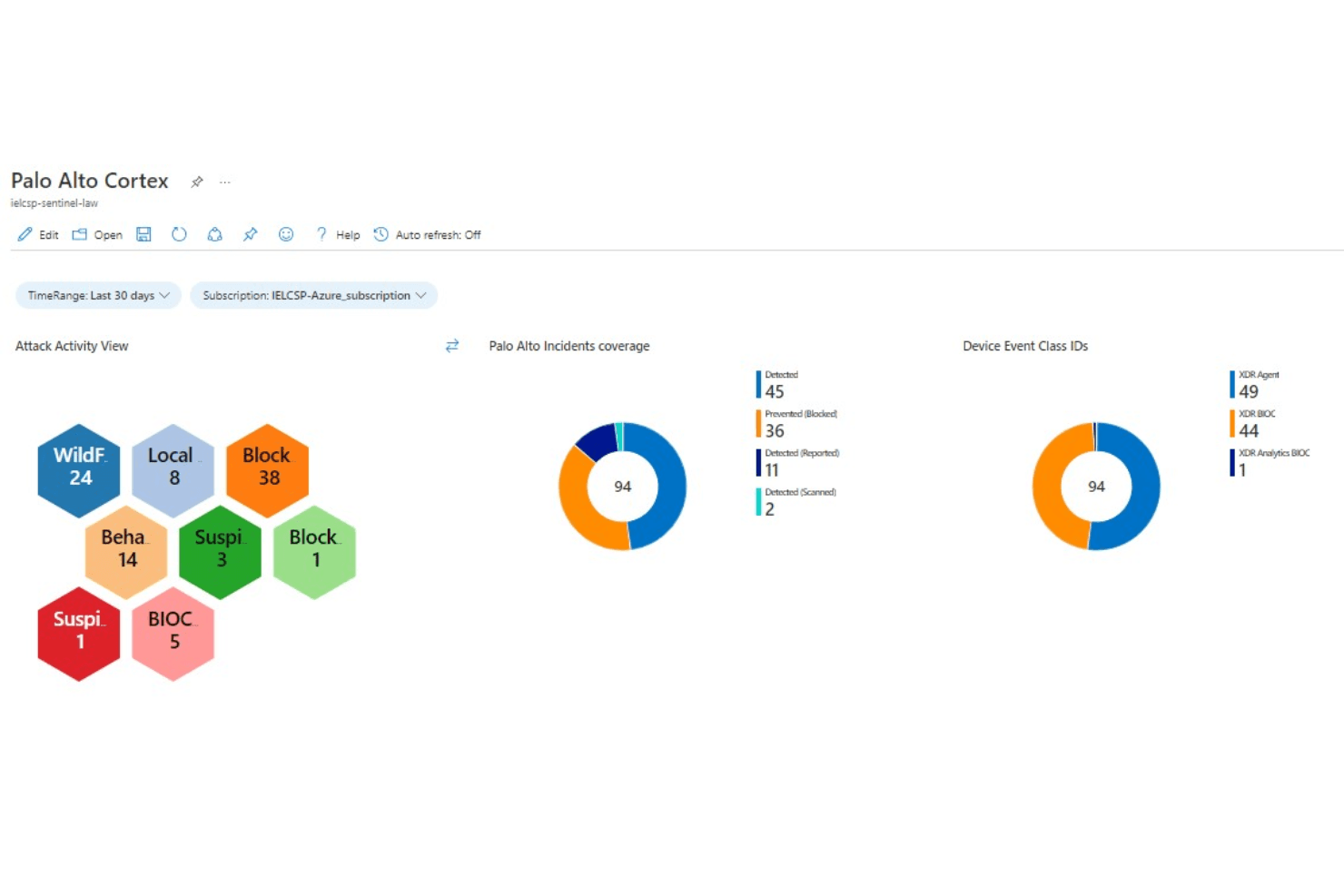
Comprehensive Analytics: The Cortex XDR platform offers detailed insights into your security posture. Use these analytics to improve your strategies and defenses.
Behavioral Analysis: The software monitors user behavior to detect anomalies. This proactive approach helps catch threats before they escalate.
Automated Alerts: Receive instant notifications about suspicious activities. Your team can proactively respond to escalated incidents.
Endpoint Protection: Cortex XDR safeguards endpoints against malware and unauthorized access. This feature is crucial for maintaining the integrity of your network.

Ease of Use
Cortex XDR is fairly user-friendly, but its advanced features can feel overwhelming at first. Your team might need some time to navigate its complex interface. The detailed dashboards offer valuable insights, though they require a bit of learning to fully utilize. Once familiar, users find the platform's comprehensive analytics useful. Moreover, Cortex XDR’s automated alerts enhance their security operations effectively. For teams with some IT experience, the learning curve is manageable and the benefits are significant.

Integrations
Cortex XDR integrates with Splunk, ServiceNow, Demisto, Amazon S3, Microsoft Active Directory, Okta, Slack, SentinelOne, Google Workspace, and Azure Sentinel.
Cortex XDR also has an API that allows integration with third-party tools, enhancing its flexibility and connectivity within your tech stack.
Cortex XDR Specs
- 2-Factor Authentication: No
- Access Management: No
- Anti-Virus: Yes
- API: Yes
- Audit Trail: Yes
- Bug Tracking: No
- Calendar Management: No
- Customer Management: No
- Dashboard: No
- Data Export: Yes
- Data Import: Yes
- Data Visualization: Yes
- Email Integration: No
- External Integrations: Yes
- File Sharing: No
- File Transfer: No
- Firewall: Yes
- Google Apps Integration: No
- Inventory Tracking: No
- Malware Protection: No
- Multi-User: Yes
- Network Device Performance Monitoring: No
- Network Traffic Monitoring: Yes
- Network Visualization: No
- Notifications: Yes
- Project Management: No
- Remote Access: Yes
- Risk Assessment: Yes
- SAP Integration: No
- Scheduling: No
- Software Integration: No
- Third-Party Plugins/Add-Ons: No
- Ticket Management: No


