

CloudTest-arvostelu: hyvät ja huonot puolet, ominaisuudet ja hinnoittelu
CloudTest loistaa nopeilla testausominaisuuksillaan ja helppokäyttöisellä käyttöliittymällään, mikä erottaa sen pilvitestaustyökalujen markkinoilla.

We review tools independently, and commissions help fund our testing. See our transparency policy, our methodology, or suggest a tool.
CloudTest is a load and performance testing platform in the cloud testing tools space. It's built for simulating high-volume traffic against web and mobile applications. I'd look at it when your team needs to verify how an application performs under peak load before a major launch. If you're comparing it to BlazeMeter, CloudTest is a stronger choice for teams in the Akamai ecosystem. Built-in access to CDN and delivery analytics gives your results more operational context.
CloudTest Evaluation Summary
5/5
- Pricing upon request
- Free demo
Why Trust Our Software Recommendations
6,700+
Reviews
20
Industry experts
16+
Evaluation factors
14
Years
Our team has been testing and reviewing software since 2012. As tech leaders ourselves, we know how difficult—and important—it is to choose the right software.
For this guide, we evaluated tools using hands-on testing and independent research, scoring tools using our selection criteria.
Our reviews reflect our human editorial judgment, not a sales pitch.
Expert reviewers:
- Paulo Gardini MiguelTech Director
 Tim FisherVP of AI
 Gabriel RosasTech Lead & Software Architect
 Christhian GruhnTech Lead & Platform Architect

CloudTest Overview
In my opinion, CloudTest is a reliable choice for businesses needing detailed performance testing, particularly for large-scale applications. Its standout feature is the ability to simulate high user loads effectively, which is crucial for sectors like e-commerce and finance. While its onboarding process could be smoother, the platform's robust features and value for money make up for it. Compared to competitors, CloudTest excels in load testing but might not be as intuitive for new users. It’s best suited for tech-savvy teams that can leverage its full potential.
Pros
- CloudTest handles large-scale user simulations effectively.
- Its interface provides detailed performance data and insights.
- You can set up global load distribution for comprehensive testing.
Cons
- The onboarding process could be smoother for new users.
- Some users find the interface less intuitive than competitors.
- Customer support response times may not meet your expectations.
Is CloudTest Right For Your Needs?
Who Would be a Good Fit for CloudTest?
CloudTest is ideal for large enterprises and tech teams that need to simulate high user loads and distribute tests globally. If your team works in industries like e-commerce or finance, CloudTest’s detailed performance insights will help manage application performance under heavy traffic. Its capabilities in handling massive scale testing make it a strong choice for organizations that prioritize robust testing environments.
- E-commerce PlatformsCloudTest simulates high traffic, ensuring your site performs well during peak shopping times.
- Financial ServicesIt helps your team test applications for stability under heavy user loads, crucial for financial transactions.
- Large EnterprisesCloudTest’s ability to handle global load distribution makes it suitable for large-scale operations.
- IT DepartmentsYour IT team can benefit from CloudTest’s detailed performance data to fine-tune applications.
- QA TeamsCloudTest’s functionalities support thorough testing processes, providing insights that improve application quality.
- Software DevelopersDevelopers can use CloudTest to identify performance bottlenecks in web and mobile app workflows, helping improve application reliability before release.
Who Would be a Bad Fit for CloudTest?
CloudTest may not be suitable for small businesses or teams with limited technical expertise due to its complex setup and onboarding process. If your team is new to cloud testing tools or lacks the resources to manage detailed performance testing, you might find CloudTest’s interface less intuitive compared to simpler alternatives. It's not ideal for those who need quick, straightforward testing solutions without a steep learning curve.
- Small StartupsCloudTest’s complex setup isn't ideal for startups needing quick and easy testing solutions.
- Non-Technical TeamsYour team might struggle with CloudTest’s interface if you lack technical expertise.
- FreelancersCloudTest’s detailed features are overkill for individual developers working on small projects.
- Education SectorSchools often need simpler tools; CloudTest might be too advanced for educational testing needs.
- Local BusinessesLocal businesses with minimal web traffic may not benefit from CloudTest’s high-scale testing capabilities.
- Marketing TeamsMarketing teams typically don’t require the in-depth performance data that CloudTest provides.
Our Review Methodology
How We Test & Score Tools
We’ve spent years building, refining, and improving our software testing and scoring system. The rubric is designed to capture the nuances of software selection and what makes a tool effective, focusing on critical aspects of the decision-making process.
Below, you can see exactly how our testing and scoring works across seven criteria. It allows us to provide an unbiased evaluation of the software based on core functionality, standout features, ease of use, onboarding, customer support, integrations, customer reviews, and value for money.
Core Functionality (25% of final scoring)
The starting point of our evaluation is always the core functionality of the tool. Does it have the basic features and functions that a user would expect to see? Are any of those core features locked to higher-tiered pricing plans? At its core, we expect a tool to stand up against the baseline capabilities of its competitors.
Standout Features (25% of final scoring)
Next, we evaluate uncommon standout features that go above and beyond the core functionality typically found in tools of its kind. A high score reflects specialized or unique features that make the product faster, more efficient, or offer additional value to the user.
We also evaluate how easy it is to integrate with other tools typically found in the tech stack to expand the functionality and utility of the software. Tools offering plentiful native integrations, 3rd party connections, and API access to build custom integrations score best.
Ease of Use (10% of final scoring)
We consider how quick and easy it is to execute the tasks defined in the core functionality using the tool. High scoring software is well designed, intuitive to use, offers mobile apps, provides templates, and makes relatively complex tasks seem simple.
Onboarding (10% of final scoring)
We know how important rapid team adoption is for a new platform, so we evaluate how easy it is to learn and use a tool with minimal training. We evaluate how quickly a team member can get set up and start using the tool with no experience. High scoring solutions indicate little or no support is required.
Customer Support (10% of final scoring)
We review how quick and easy it is to get unstuck and find help by phone, live chat, or knowledge base. Tools and companies that provide real-time support score best, while chatbots score worst.
Customer Reviews (10% of final scoring)
Beyond our own testing and evaluation, we consider the net promoter score from current and past customers. We review their likelihood, given the option, to choose the tool again for the core functionality. A high scoring software reflects a high net promoter score from current or past customers.
Value for Money (10% of final scoring)
Lastly, in consideration of all the other criteria, we review the average price of entry level plans against the core features and consider the value of the other evaluation criteria. Software that delivers more, for less, will score higher.
Core Features
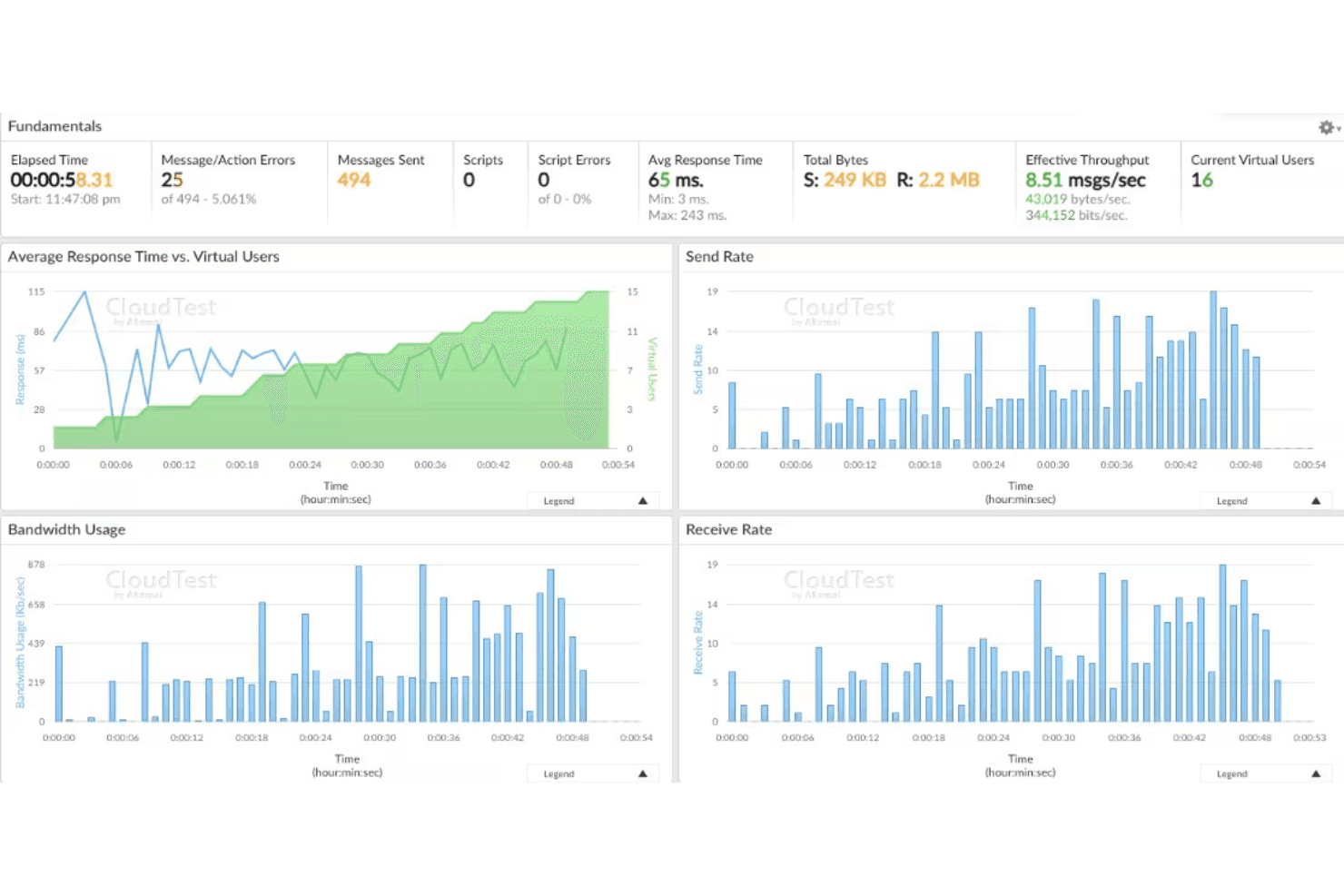
Load Testing: CloudTest simulates thousands of virtual users to stress test your application’s performance under heavy traffic. This helps your team identify potential bottlenecks before they become issues.
Performance Monitoring: It offers detailed analytics on application performance, giving you insights into response times and system behavior. You can use this data to optimize your application's efficiency.
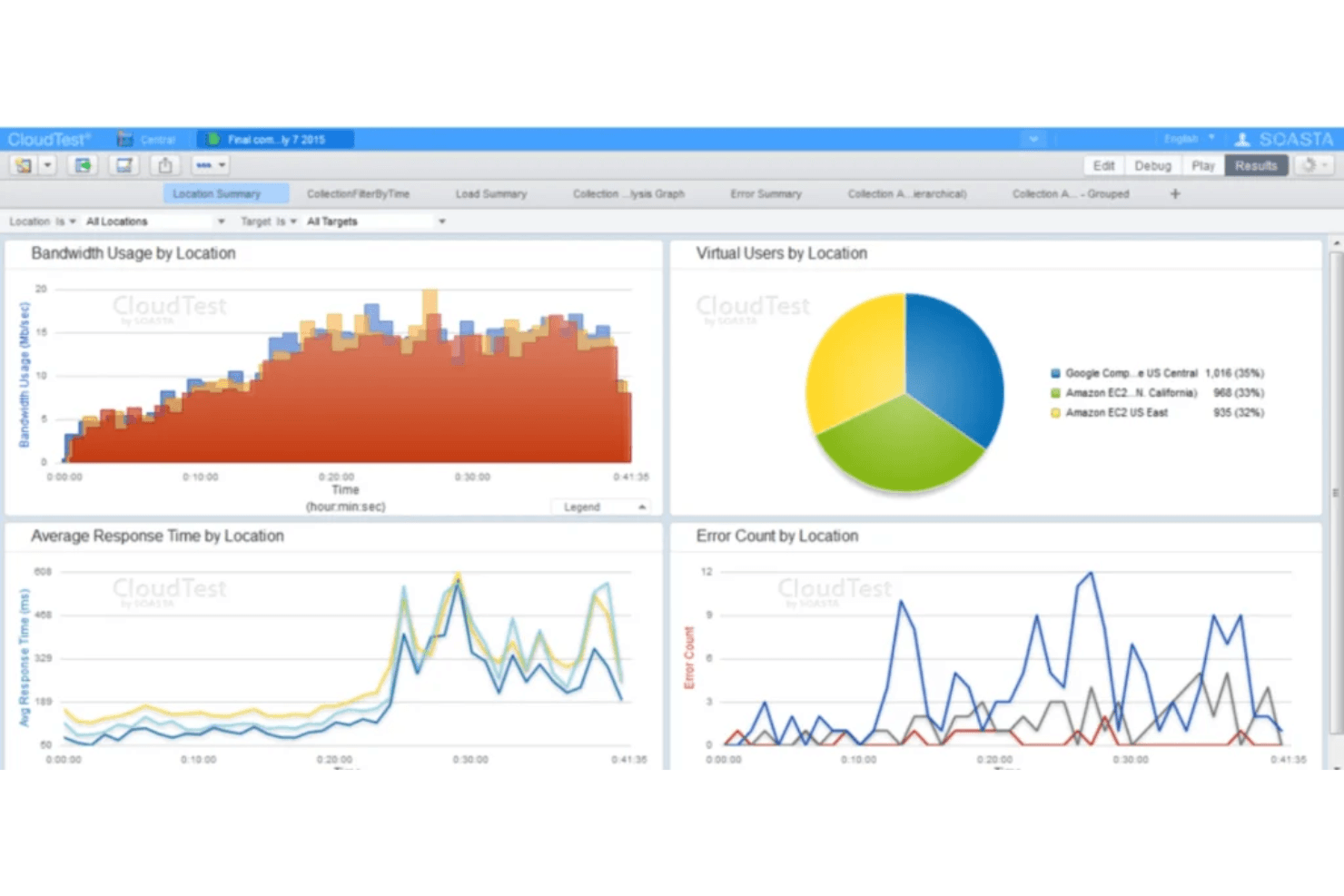
Global Load Distribution: CloudTest lets you distribute load tests across different geographies, ensuring your application performs well worldwide. This is crucial for businesses targeting international markets.
Real-Time Analytics: You can access real-time performance data during your tests, allowing immediate adjustments. This feature helps your team react quickly to any performance issues.
User Behavior Simulation: CloudTest mimics real user interactions, providing a more accurate assessment of your application's performance. This helps your team understand how users experience your application.
Scalability: CloudTest can scale testing environments while accounting for load balancing behavior, ensuring your infrastructure performs reliably as traffic increases.
Ease of Use
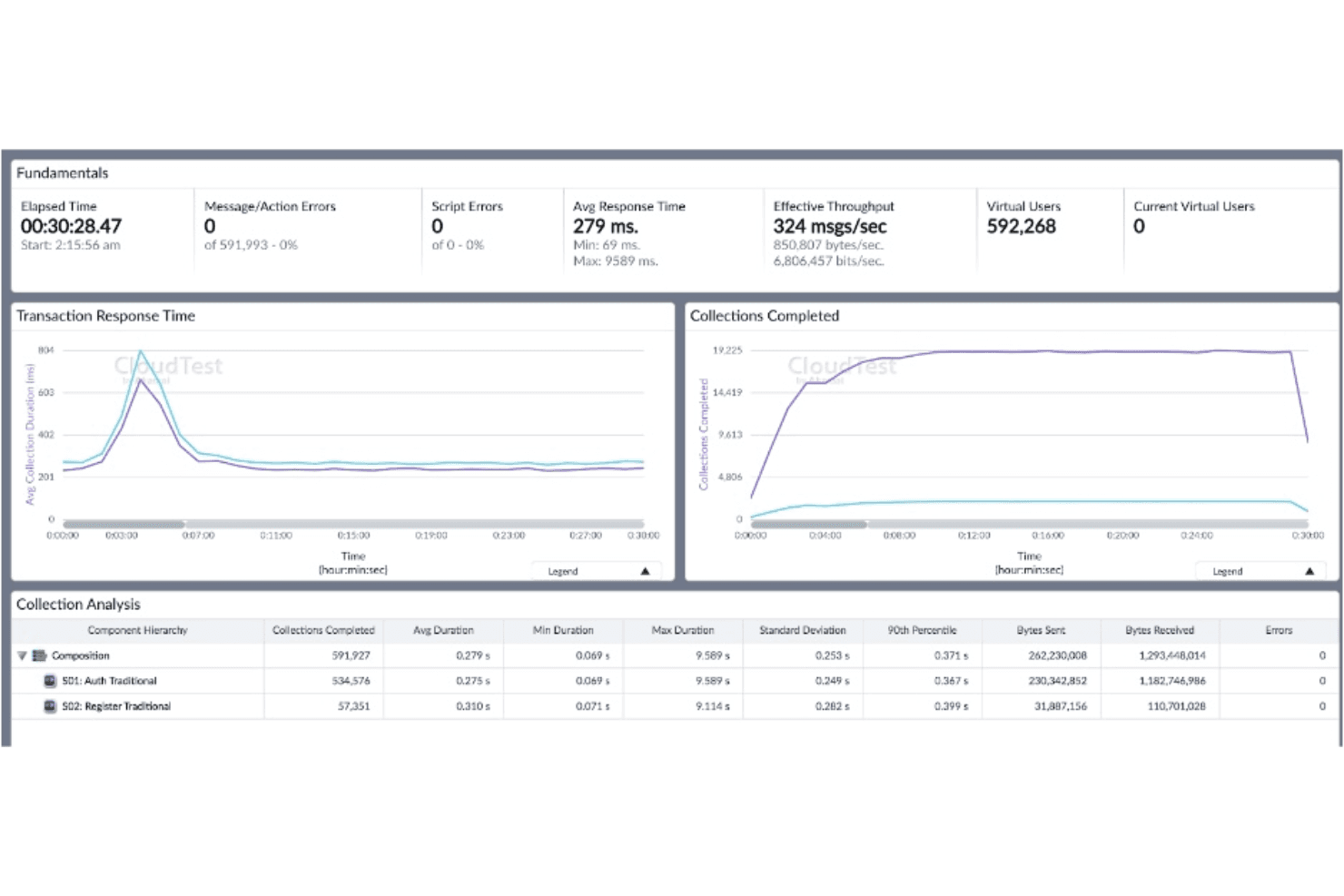
CloudTest’s user interface can be challenging for those unfamiliar with cloud testing tools, as it requires a learning curve due to its complex features. However, once your team gets the hang of it, the platform offers powerful functionalities like real-time analytics and detailed scenario creation. These capabilities provide value but might initially overwhelm new users. If your team is tech-savvy, you'll find CloudTest’s features worth the effort to master.
Integrations
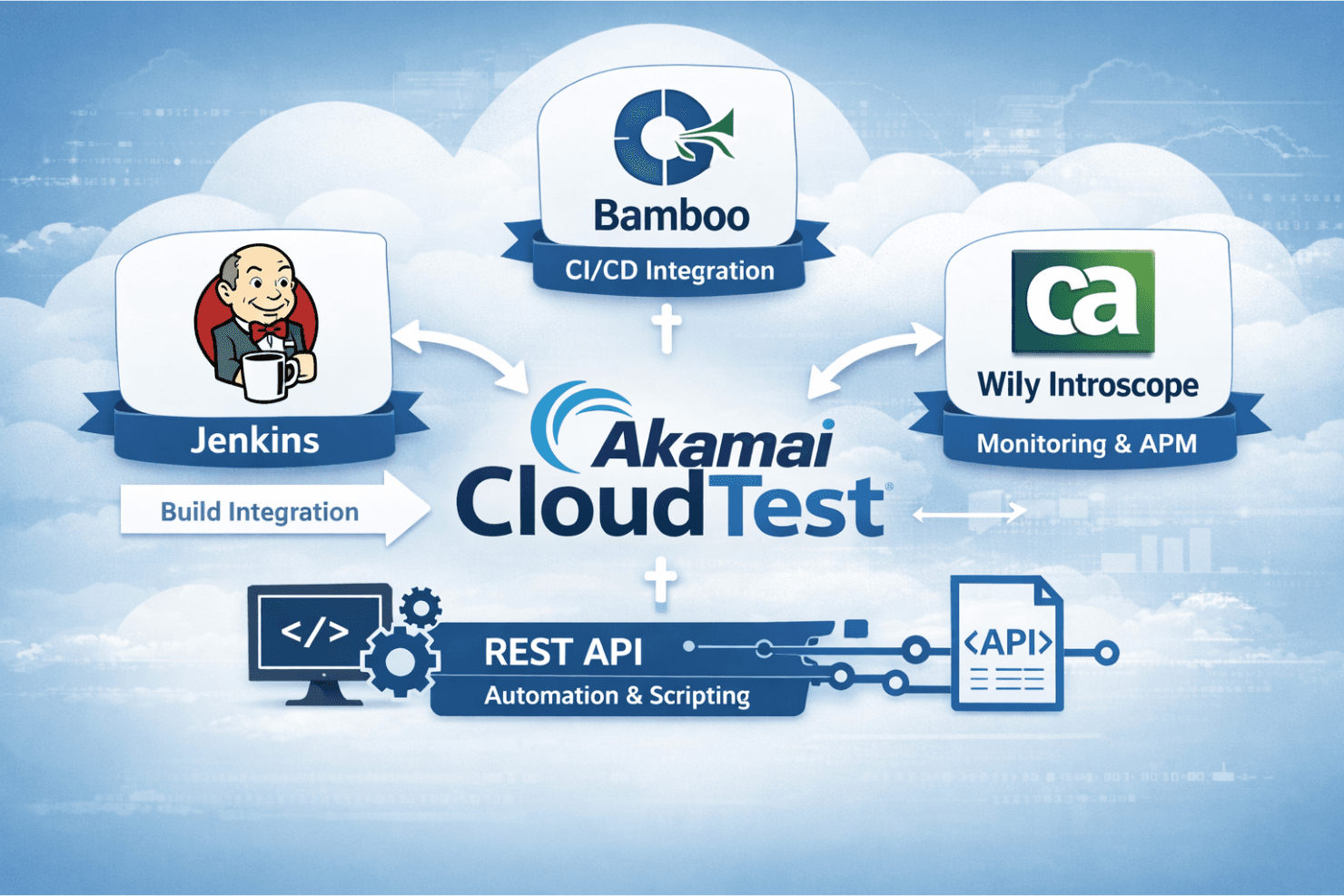
Cloudtest integrates natively with Jenkins, Bamboo, and CA Wily Introscope, and offers a plugin that ties into build systems like Jenkins so you can run compositions and manage test environments.
Cloudtest also has a REST API for automation and scripting, but there’s no indication it connects directly with third-party tools like Zapier.
CloudTest Specs
- A/B Testing: No
- API: No
- Automated Testing: No
- Browser Compatibility Testing: No
- Bug Tracking: No
- Calendar Management: No
- CI/CD Integration: No
- Dashboard: No
- Data Export: No
- Data Import: No
- Data Visualization: No
- Developer Tools: No
- External Integrations: No
- History/Version Control: No
- Manual Testing: No
- Multi-User: No
- Notifications: No
- Performance Testing: No
- Regression Testing: No
- Scheduling: No
- Status Notifications: No
- Third-Party Plugins/Add-Ons: No


