

Autify-arvostelu 2026: tärkeimmät ominaisuudet, hyvät ja huonot puolet sekä hinnoittelu
Olen urani aikana työskennellyt useiden automaatiotestaustyökalujen, kuten Autifyn, kanssa. Tässä oppaassa esittelen sen ominaisuudet, vaihtoehdot ja kaiken muun, mitä sinun tarvitsee tietää.

We review tools independently, and commissions help fund our testing. See our transparency policy, our methodology, or suggest a tool.
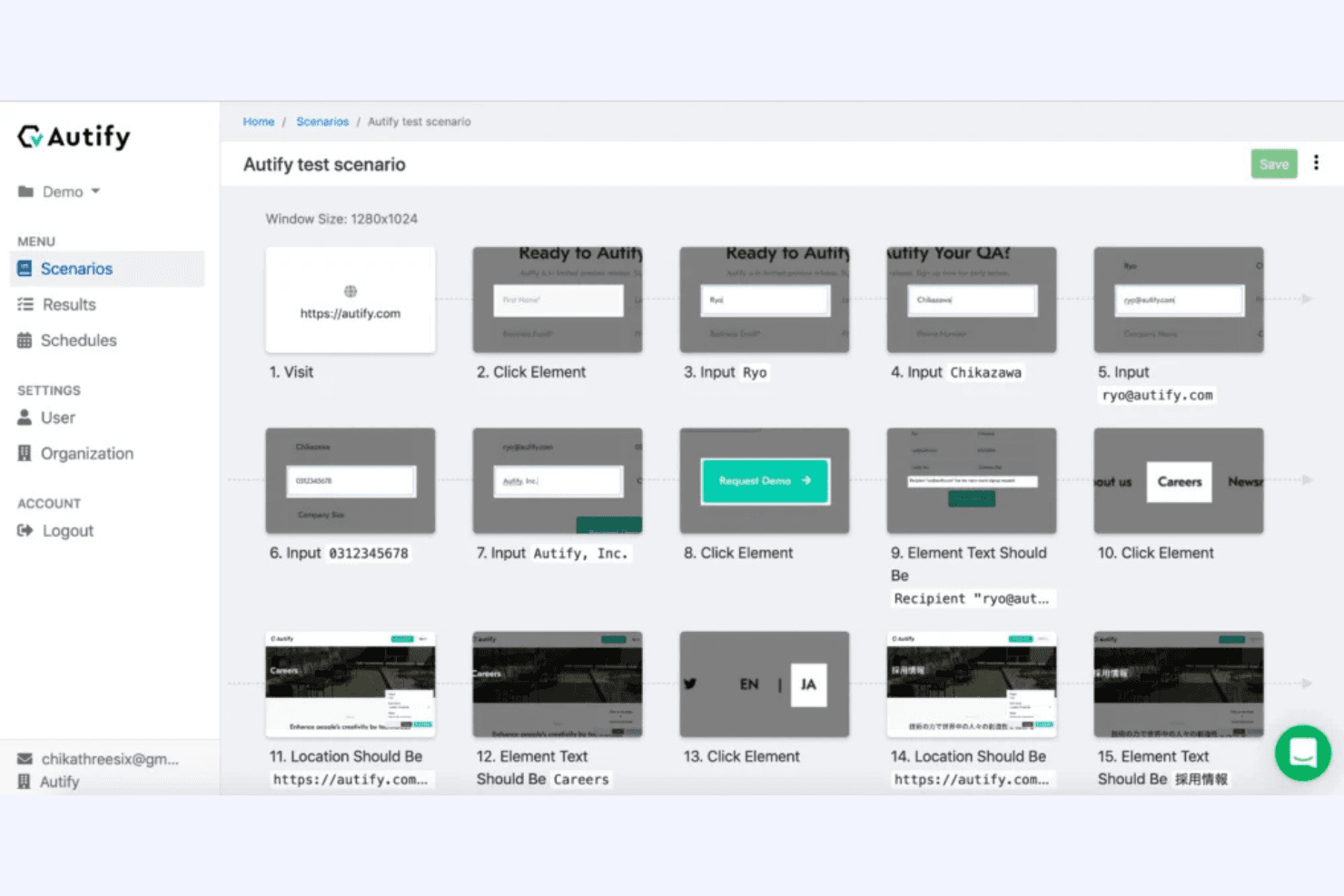
Autify is an automation testing tool built around AI-powered, no-code test creation for web and mobile applications. It's worth a close look if your QA team needs to build and maintain a test suite without depending on engineers to write and update scripts. I'd choose it over Selenium if your team doesn't have dedicated test engineers, as Autify's visual test recorder and self-healing tests eliminate the scripting overhead that makes Selenium impractical for anyone outside of development.
Autify Evaluation Summary
4.8/5
- From $99/month (billed annually)
- Free plan available
Why Trust Our Software Recommendations
6,700+
Reviews
20
Industry experts
16+
Evaluation factors
14
Years
Our team has been testing and reviewing software since 2012. As tech leaders ourselves, we know how difficult—and important—it is to choose the right software.
For this guide, we evaluated tools using hands-on testing and independent research, scoring tools using our selection criteria.
Our reviews reflect our human editorial judgment, not a sales pitch.
Expert reviewers:
- Paulo Gardini MiguelTech Director
 Tim FisherVP of AI
 Gabriel RosasTech Lead & Software Architect
 Christhian GruhnTech Lead & Platform Architect

Autify Overview
When judging Autify as an automation testing tool, its no-code interface and AI-driven test maintenance set it apart for teams with limited coding resources. Onboarding is quick, and integrating with CI/CD pipelines is straightforward. Pricing is competitive for mid-sized teams, though advanced customization options are more limited than some alternatives. Support is responsive, and the UI is intuitive, making it easy to select for fast-moving development environments
Autify is best suited for organizations prioritizing rapid deployment and minimal test upkeep, such as SaaS startups or agile product teams.
Pros
- Autify's no-code interface makes it easy for your team to automate tests without programming skills.
- The platform's AI-driven maintenance reduces your team's time spent on test upkeep.
- Autify's cross-browser testing ensures your applications work seamlessly across different environments.
Cons
- Some users find the reporting features a bit limited for in-depth analysis.
- The initial setup might feel complex for teams new to test automation platforms.
- Autify's mobile testing capabilities are less robust compared to its web testing features.
Is Autify Right For Your Needs?
Who Would be a Good Fit for Autify?
Autify is perfect for tech startups and small to medium-sized businesses that need efficient testing without heavy coding. It’s ideal for agile teams in industries like e-commerce and SaaS, where speed and adaptability are key. Autify’s no-code interface and AI-driven maintenance make it a great fit for teams with limited coding skills, allowing you to focus on improving your product quality without getting bogged down in technical details.
- Tech StartupsAutify enables your team to quickly automate tests, helping you release features faster.
- E-commerceCross-browser testing ensures your online store works smoothly on all platforms.
- SaaS CompaniesAutify’s no-code interface lets your team automate without hiring extra developers.
- Agile TeamsAI-driven maintenance reduces the time you spend on updating test cases.
- QA DepartmentsAutify simplifies your workflow with easy setup and intuitive test creation.
- Product ManagersYou can use Autify to verify new features without needing deep technical expertise.
Who Would be a Bad Fit for Autify?
Autify might not be suitable for large enterprises with complex testing needs that require highly specialized customizations and integrations. Industries like finance or healthcare, where strict compliance and extensive reporting are crucial, may find Autify’s reporting features limited. Teams with strong coding skills looking for more advanced scripting capabilities might find Autify’s no-code approach too simplistic for their needs.
- Large EnterprisesAutify’s simplicity might not meet the complex needs of large-scale operations.
- Financial ServicesLimited reporting features might not align with your compliance requirements.
- HealthcareYou might need more robust testing and documentation for regulatory standards.
- Tech GiantsAdvanced coding teams may prefer platforms with more scripting capabilities.
- Security FirmsAutify lacks the deep customization you might need for security testing.
- Government AgenciesAutify’s features might not match the extensive and specific compliance checks you require.
Our Review Methodology
How We Test & Score Tools
We’ve spent years building, refining, and improving our software testing and scoring system. The rubric is designed to capture the nuances of software selection and what makes a tool effective, focusing on critical aspects of the decision-making process.
Below, you can see exactly how our testing and scoring works across seven criteria. It allows us to provide an unbiased evaluation of the software based on core functionality, standout features, ease of use, onboarding, customer support, integrations, customer reviews, and value for money.
Core Functionality (25% of final scoring)
The starting point of our evaluation is always the core functionality of the tool. Does it have the basic features and functions that a user would expect to see? Are any of those core features locked to higher-tiered pricing plans? At its core, we expect a tool to stand up against the baseline capabilities of its competitors.
Standout Features (25% of final scoring)
Next, we evaluate uncommon standout features that go above and beyond the core functionality typically found in tools of its kind. A high score reflects specialized or unique features that make the product faster, more efficient, or offer additional value to the user.
We also evaluate how easy it is to integrate with other tools typically found in the tech stack to expand the functionality and utility of the software. Tools offering plentiful native integrations, 3rd party connections, and API access to build custom integrations score best.
Ease of Use (10% of final scoring)
We consider how quick and easy it is to execute the tasks defined in the core functionality using the tool. High scoring software is well designed, intuitive to use, offers mobile apps, provides templates, and makes relatively complex tasks seem simple.
Onboarding (10% of final scoring)
We know how important rapid team adoption is for a new platform, so we evaluate how easy it is to learn and use a tool with minimal training. We evaluate how quickly a team member can get set up and start using the tool with no experience. High scoring solutions indicate little or no support is required.
Customer Support (10% of final scoring)
We review how quick and easy it is to get unstuck and find help by phone, live chat, or knowledge base. Tools and companies that provide real-time support score best, while chatbots score worst.
Customer Reviews (10% of final scoring)
Beyond our own testing and evaluation, we consider the net promoter score from current and past customers. We review their likelihood, given the option, to choose the tool again for the core functionality. A high scoring software reflects a high net promoter score from current or past customers.
Value for Money (10% of final scoring)
Lastly, in consideration of all the other criteria, we review the average price of entry level plans against the core features and consider the value of the other evaluation criteria. Software that delivers more, for less, will score higher.
Core Features
No-Code Test Creation
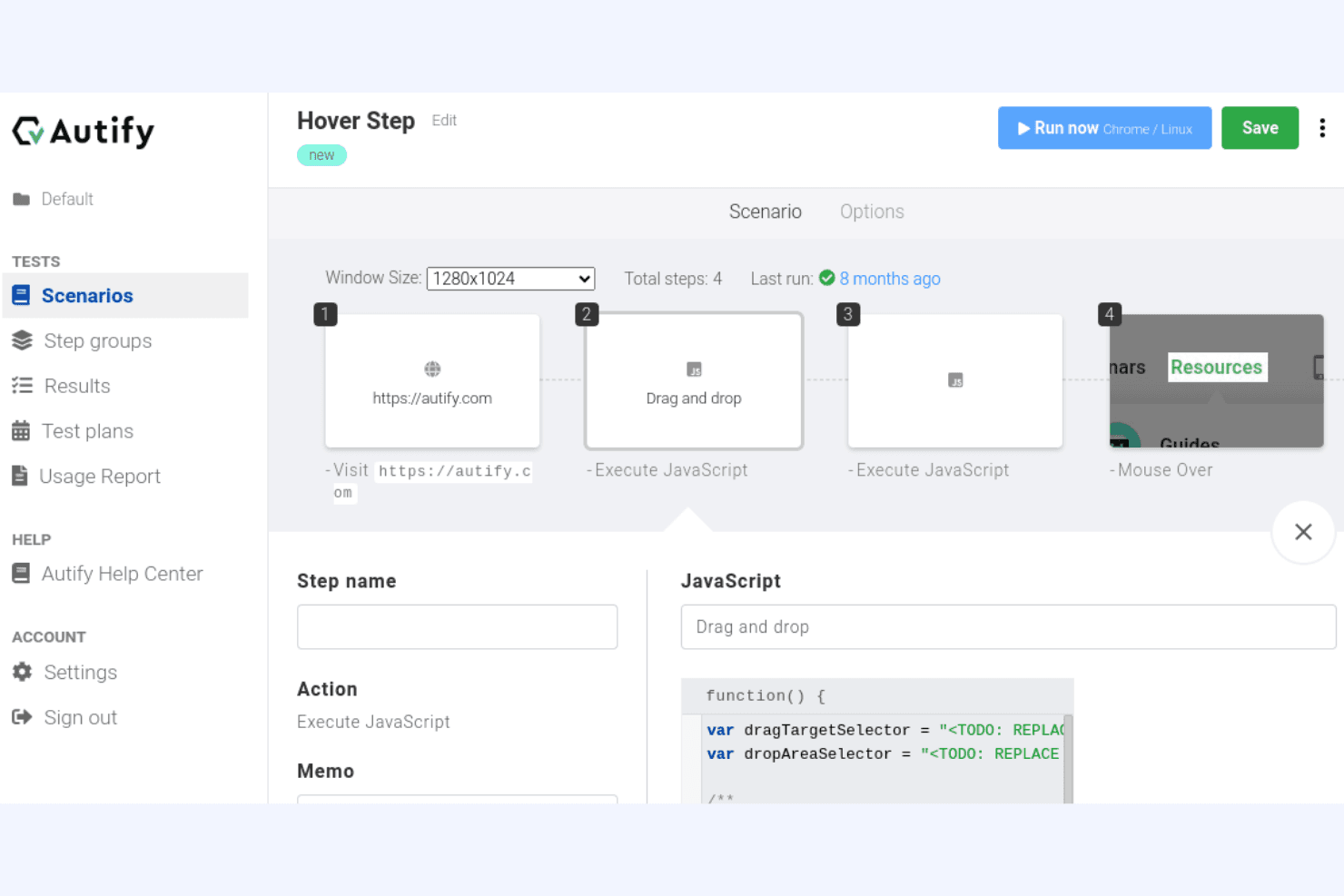
Autify lets your team create tests without writing code, making automation accessible to everyone. Drag-and-drop functionality simplifies the process, saving you time and effort.
AI-Driven Maintenance
Autify uses AI to automatically update tests when your app changes. This reduces your workload and keeps tests relevant without manual intervention.
Cross-Browser Testing
Ensure your app works across different browsers, so your users have a consistent experience. Autify covers major browsers, helping you reach a wider audience.
Visual Testing
Autify checks your app’s visual elements to catch design issues. This ensures your UI looks great on all devices and browsers.
Parallel Execution
Run multiple tests at once to speed up your testing process. This feature helps you get faster feedback on your app's performance.
Reporting and Analytics
Get insights into your testing results with Autify's built-in reports. Though not the most detailed, they give you a quick overview of test outcomes.
Ease of Use
Autify is incredibly user-friendly, especially for teams without coding skills. Its no-code interface simplifies test creation, allowing you to quickly automate processes without technical hurdles. The drag-and-drop functionality makes it easy to design tests, while AI-driven maintenance ensures your tests stay updated with minimal effort. Users appreciate the intuitive design, which streamlines your workflow and reduces the learning curve, so your team can focus on improving product quality rather than navigating complex software.
Integrations
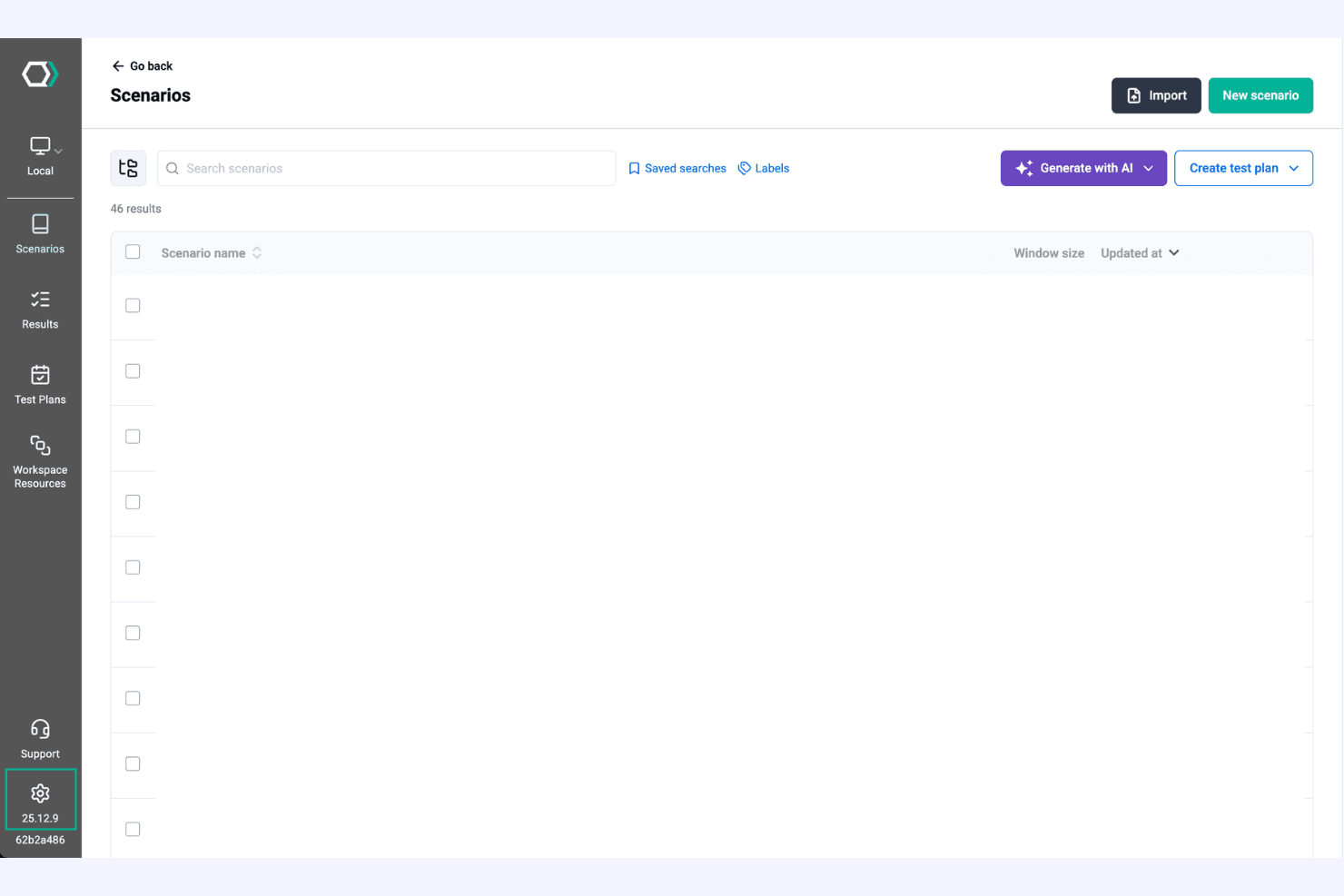
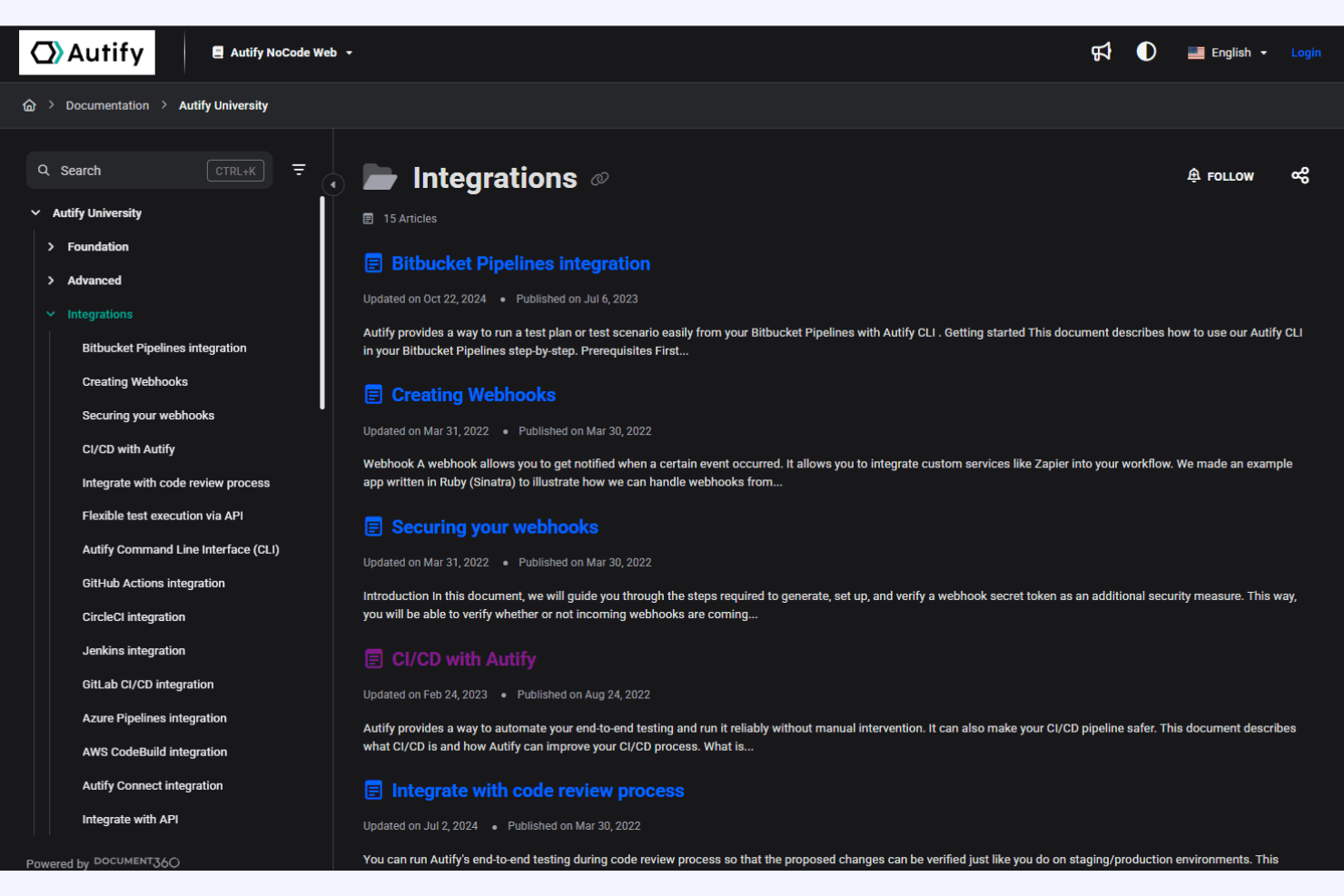
Autify integrates with GitHub Actions, GitLab CI/CD, Jenkins, CircleCI, Slack, Jira, Autify Connect, TestRail, Webhook, Bitbucket, and Azure DevOps, among others.
Autify also provides an API for custom integrations and can connect with third-party integration tools.
Autify Specs
- A/B Testing: No
- API: Yes
- Automated Testing: Yes
- Browser Compatibility Testing: Yes
- Bug Tracking: No
- Calendar Management: No
- CI/CD Integration: Yes
- Dashboard: No
- Data Export: No
- Data Import: No
- Data Visualization: No
- Developer Tools: Yes
- External Integrations: Yes
- History/Version Control: No
- Manual Testing: Yes
- Multi-User: Yes
- Notifications: Yes
- Performance Testing: No
- Regression Testing: Yes
- Scheduling: Yes
- Status Notifications: Yes
- Third-Party Plugins/Add-Ons: Yes


